What are the best Meta Business Suite alternatives? The right one depends on which wall you hit. Meta Business Suite covers Facebook, Instagram, Messenger and partially WhatsApp, so the most common reason to leave is needing a network outside Meta. PostEverywhere is the best Meta Business Suite alternative for AI agents and automation: Claude or ChatGPT can draft and schedule your Facebook and Instagram posts alongside every other network through its hosted MCP server. For broad coverage, Publer and Vista Social also fit; for Instagram-first visual planning, Later; for analytics depth, Metricool or Sprout Social; for agency approval workflows, Sendible or HeyOrca. If you only run a Facebook Page and an Instagram account, staying put is often the correct answer.
Most guides to Meta Business Suite alternatives skip the part that matters, which is whether you should switch at all. Meta Business Suite is free, it is native, and for a single Facebook Page paired with a single Instagram account it does the job without costing anything.
Recommending a paid tool to someone in that position is not advice, it is a sales pitch.
So this guide is organised around the specific walls people hit, with the limits verified against Meta's documented behaviour and against what users actually report. Reach one of these walls and a switch pays for itself.
Reach none of them and you should keep what you have.
Written by Jamie Partridge, Founder of PostEverywhere.
Quick comparison
| Tool | Best for | Starting price | Free plan or trial | What an AI agent can do (MCP) |
|---|---|---|---|---|
| PostEverywhere | Outgrew Meta, want one calendar | $9/month | 7-day trial, card required | Publish, schedule, queue, best time, bulk, retry, connect accounts |
| Buffer | Simple upgrade past Meta | See pricing page | See pricing page | – |
| Later | Instagram-led brands | See pricing page | See pricing page | None listed |
| Metricool | Seeing which network works | See pricing page | See pricing page | – |
| Publer | High-volume scheduling | See pricing page | See pricing page | – |
| Vista Social | Local businesses with reviews | See pricing page | See pricing page | – |
| SocialBee | Evergreen content recycling | See pricing page | See pricing page | None listed |
| Sendible | Agency approval workflows | See pricing page | See pricing page | None listed |
| HeyOrca | Client sign-off | See pricing page | See pricing page | None listed |
When Meta Business Suite is genuinely the right answer
Worth stating plainly before the alternatives, because it applies to a lot of readers.
If your presence is one Facebook Page and one Instagram account, you post a few times a week, you plan less than a month ahead and nobody needs to approve your posts before they go out, Meta Business Suite covers you.
It schedules posts, Stories and Reels to both networks, it is built by the company that owns the algorithms, and it does not charge you. Our walkthrough of Meta Business Suite's scheduler, step by step shows where its 29-day limit and one-Page-per-post rule start to bite.
There is also one thing it does that no third-party tool can match: it is first in line for new Meta features. Third-party schedulers depend on Meta's APIs, which typically lag the native product.
If you need a brand-new Instagram format the week it launches, native is where it appears first.
The case for leaving is not that Meta Business Suite is bad. It is that it was built to manage Meta's own networks, and most businesses stop being Meta-only.
The four walls people actually hit
Wall one: you need a network outside Meta
This is the big one. Meta Business Suite supports Facebook, Instagram, Messenger and partially WhatsApp, and that is the list. Threads, TikTok, LinkedIn, X, Pinterest, YouTube and Bluesky all sit outside it.
Threads is the detail that surprises people. It is Meta's own platform, and scheduling for it arrived through the Threads API opened to developers in 2024 rather than through the Planner, which is why third-party tools reached it first.
The moment your business opens a TikTok account or starts posting to LinkedIn, you are running two systems: Meta Business Suite for half your presence and something else for the other half.
Two calendars, two sets of analytics, two places to check whether Thursday is covered. That split is what most people are actually trying to solve when they go looking for alternatives, and it is why cross-posting to every network from one composer is the feature that ends up mattering most.
Wall two: you plan further ahead than the Planner allows
Meta's documentation says you can schedule up to 75 days in advance. In practice, a great many users report the Planner refusing anything past roughly 30 days, a discrepancy documented since 2023 and still widely reported.
There is also a cap of around 25 scheduled posts per day per account. Neither limit troubles a business posting three times a week. Both bite hard if you batch a quarter of content in one sitting, which is exactly how most teams who plan properly prefer to work.
Our guide to planning a month of content in one day assumes a tool that will actually hold it.
Wall three: somebody has to approve posts before they publish
Meta Business Suite has roles and permissions, but it is not built around a client or manager signing off on content before it goes live. Agencies feel this first, then any in-house team where legal, a founder or a client reviews posts.
If this is your wall, the category you want is approval workflows rather than scheduling, and we cover the tools built around sign-off in more depth than this page can.
Wall four: you need analytics across networks, not within one
Meta Business Suite reports well on Meta's own properties. What it does not do is cross-platform comparison, multi-channel attribution or detailed exports. If the question you are asking is "did the campaign work", and the campaign ran on four networks, the answer is not in there.
Running more than Facebook and Instagram? PostEverywhere publishes to all top platforms from one composer and one calendar, and keeps the Meta side intact: see the Facebook scheduler and Instagram scheduler. Start a 7-day trial. Card required, cancel any time.
Why Choose PostEverywhere?
Once you've hit one of those walls, PostEverywhere is the best Meta Business Suite alternative, because it runs Facebook and Instagram alongside every other network from one calendar, and lets an AI agent do the work.
- Every network, not two. Meta Business Suite covers Facebook, Instagram, Messenger and partially WhatsApp. PostEverywhere publishes to Facebook and Instagram plus Threads, TikTok, LinkedIn, X (Twitter), YouTube, Pinterest, Bluesky and the rest of the top platforms from one composer, with a live preview per account. Later's network coverage is narrower than the generalists'.
- Built for batching. Meta Business Suite users report the Planner refusing posts beyond roughly 30 days and a cap of around 25 scheduled posts per day per account. PostEverywhere takes bulk CSV uploads of up to 200 posts per file, with a content calendar and a posting queue on every plan.
- Sign-off built in. Meta Business Suite isn't built around someone approving posts before they go live. PostEverywhere has workspaces per brand or client, roles and post approvals from Starter up.
- An AI agent can run it. Connect Claude, ChatGPT or Cursor to PostEverywhere's hosted MCP server in about a minute and it can write a week of posts and schedule them to every network. No native tool offers that.
- Content creation included. AI Studio makes captions, images and video on every plan, so you aren't adding a design tool alongside your scheduler.
- One flat price. Plans run from $9/month to $39/month for 20 accounts, with unlimited posts and no per-channel or per-user add-ons.
If you're now running two systems side by side, start a 7-day free trial and bring Facebook, Instagram and everything else into one content calendar.
One thing no alternative fixes: Facebook Groups
Worth clearing up, because it comes up constantly and most comparison pages get it wrong.
Meta retired the Facebook Groups API in April 2024, removing the permission that let software publish to Groups on your behalf. Vendors across the category documented the same cutoff at the time.
This applies to every third-party scheduler without exception, and it is permanent. Any tool still advertising automatic Group publishing is either describing a notification-based reminder or describing something that no longer works.
So if scheduling to Groups is your requirement, switching tools will not solve it. Native manual posting is the route, and we cover what still works for Groups separately.
The nine alternatives
A note on what follows. I have verified Meta Business Suite's limits above against Meta's documented behaviour and independent reporting. I have not run a controlled test of all nine tools below on live accounts, so I am describing what each is genuinely known for rather than claiming hands-on verdicts.
Check your specific networks on each vendor's own page before committing, because coverage changes.
1. PostEverywhere: Best Meta Business Suite Alternative for AI Agents

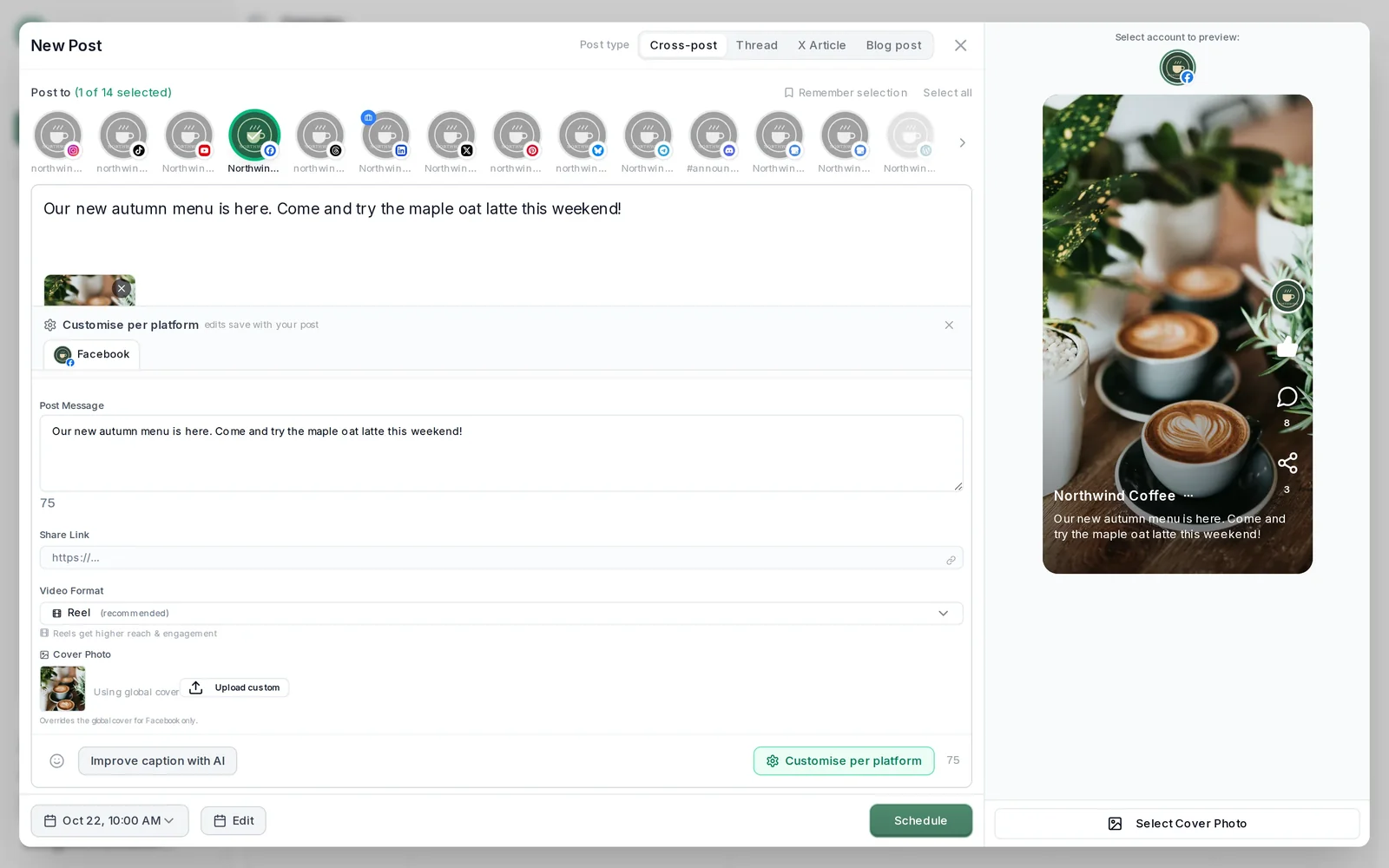
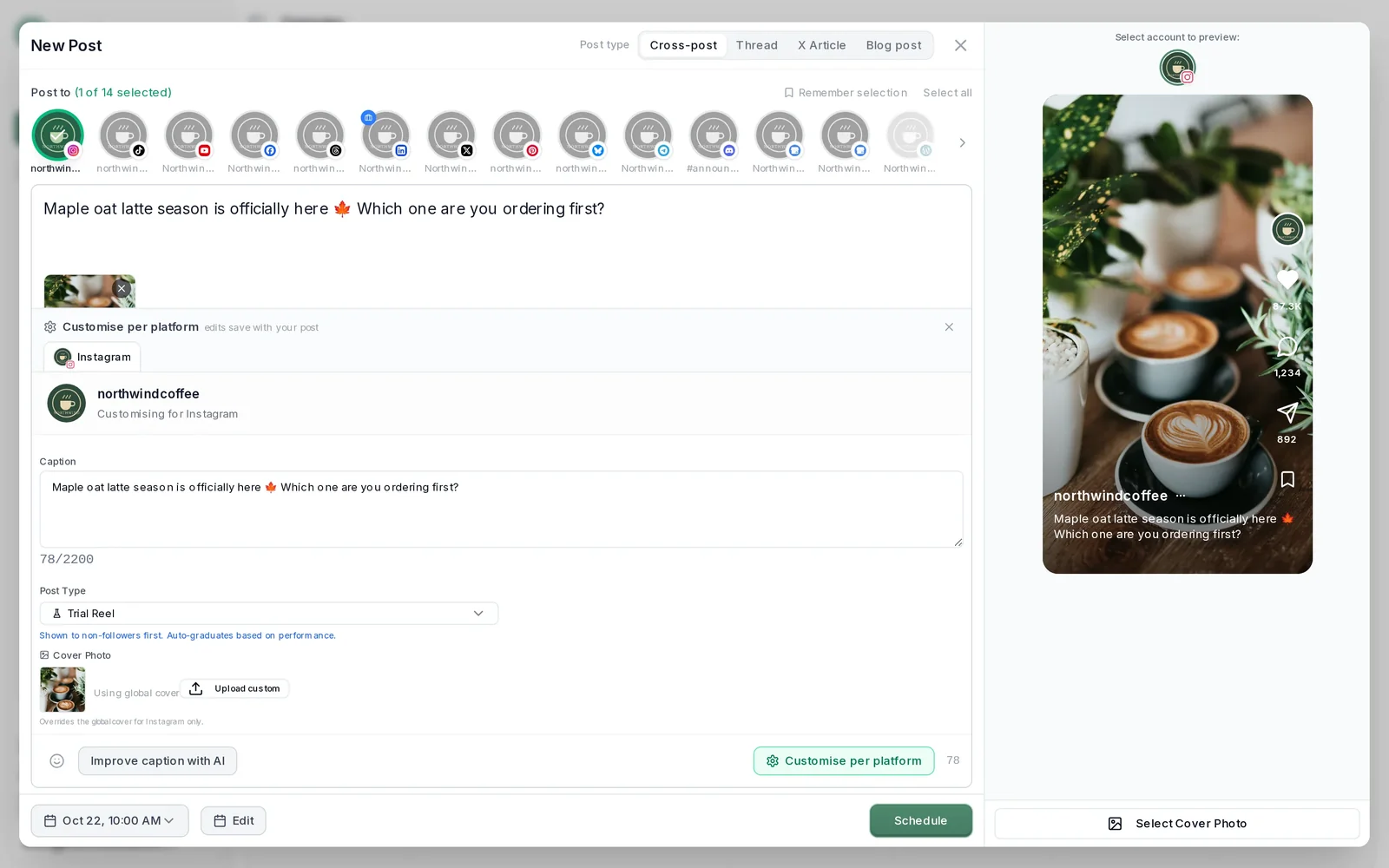
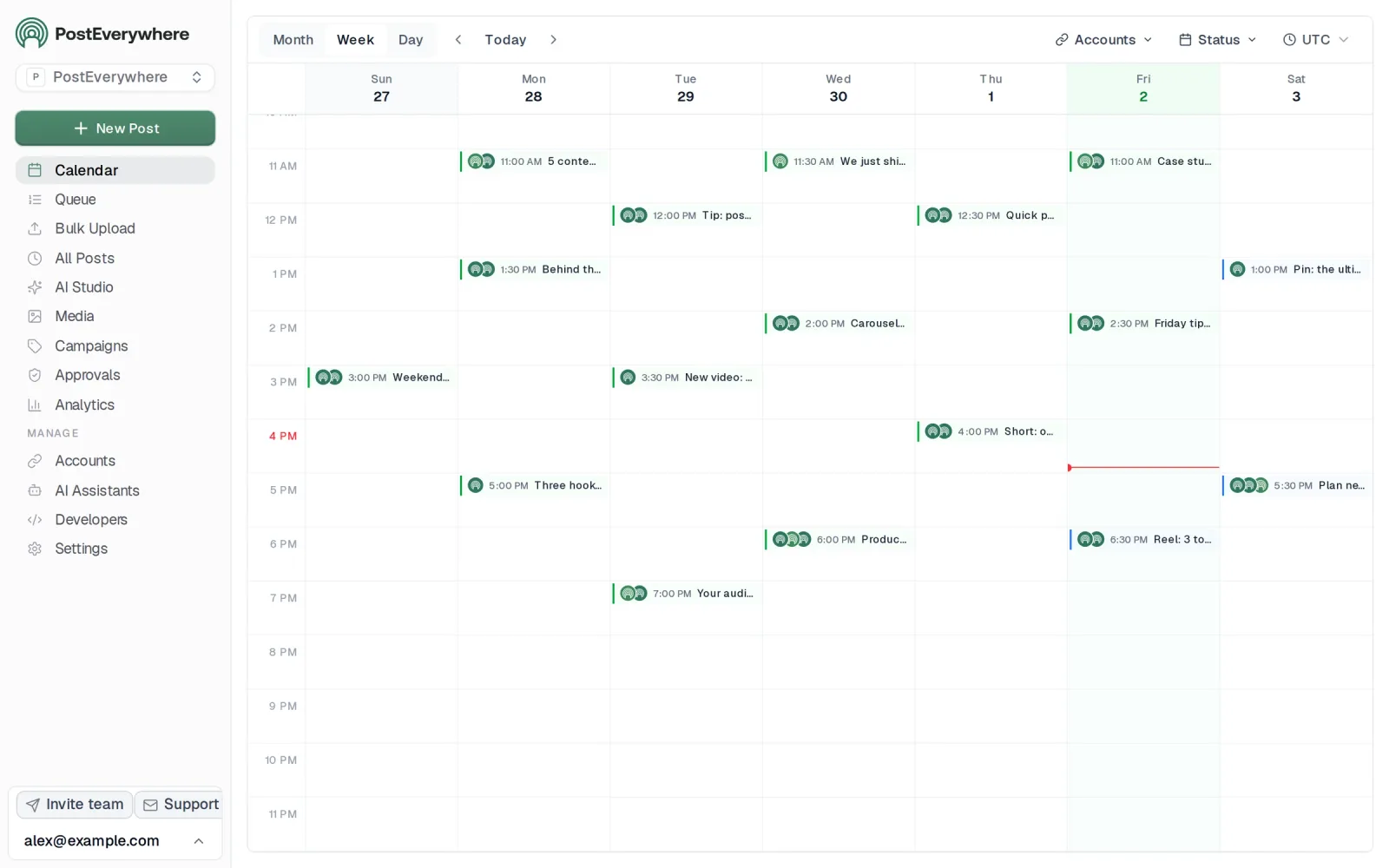
Publishes to all top platforms
 Instagram
 Facebook
 X
 LinkedIn
 TikTok
 Threads
 Bluesky
 Telegram
 Discord
 YouTube
 Pinterest
 WordPress
 Google Business Profile
Why PostEverywhere wins
- It's simple. One composer for every platform: write the post once, tweak the caption per platform, check the live preview for each account and schedule it.
- One flat price, nothing locked away. From $9 a month. Every plan includes unlimited posts, the full API, the hosted MCP server and AI Studio, with no per-channel fees.
- Every top platform in one place. Instagram, TikTok, YouTube, LinkedIn, Facebook, X, Threads and Pinterest, plus Bluesky, Telegram, Discord, WordPress and Google Business Profile.
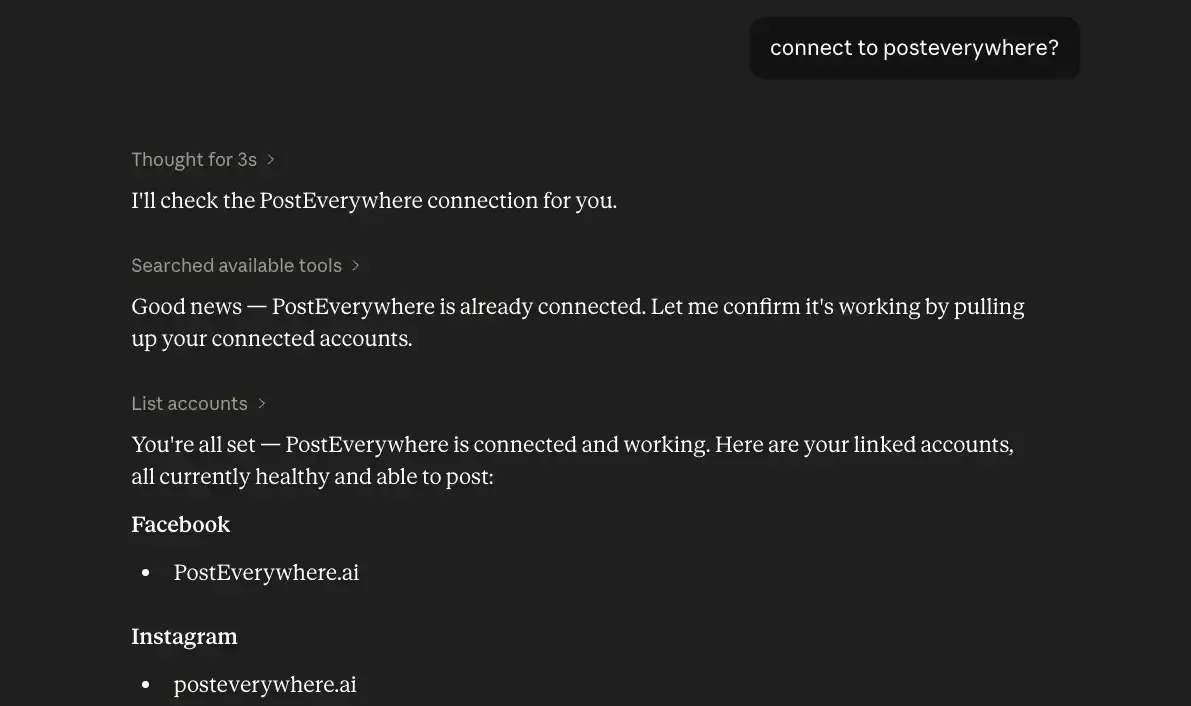
- Your AI agent can run it. Connect Claude, ChatGPT or Cursor in about a minute and ask it to plan, write and schedule your posts.
- Create in the same tool. AI Studio makes captions, images and video, so you don't need a second app before you post.
How PostEverywhere works
- Connect your accounts. Link your social accounts once, across all top platforms.
- Create the post. Write it in the composer, make images and video in AI Studio, or ask Claude or ChatGPT to draft and schedule it for you.
- Schedule it everywhere. Tweak the caption for each platform, check every preview, and it goes out on time from one calendar.
Switching from Meta Business Suite?
| Meta Business Suite | PostEverywhere | |
|---|---|---|
| What an AI agent can do (MCP) | No MCP server listed | Publish, schedule, queue, best time, bulk, retry, connect accounts |
Connect your accounts, then schedule your first post from the composer or ask your AI agent to do it. Your Meta Business Suite account keeps running until you cancel it.
Built for AI agents
- Agents do the whole job. A full hosted MCP server with up to 45 tools: publish, schedule, use your queue or the best time, bulk-schedule 50 posts at once, check results, retry failures and send links to connect new accounts. Some rival MCP servers only read data or create drafts.
- $29 a month for 10 accounts, flat. Full API and agent access included, with no per-channel, per-seat or per-call fees. The same 10 accounts cost $60 a month on Buffer and $99 per user (billed annually) on Hootsuite.
- Nothing gated. API, MCP and webhooks come with every plan, from Lite. Several rivals keep their API for higher tiers or a sales call.
- Connected in a minute. One click adds PostEverywhere to Claude, with one-click installs for Cursor and VS Code. ChatGPT adds it under Plugins.
Plans: Lite $9 a month (2 accounts), Starter $19 (5), Growth $29 (10), Scale $39 (20). Every plan includes unlimited posts, the full API, the hosted MCP server and AI Studio.
“This tool has truly made my content posting so much easier, I can't work without it. I can schedule my posts days in advance while working on other projects. Set it and forget it.”
Also in PostEverywhere: a posting queue, bulk upload from CSV, approvals, analytics, an API and the iPhone app.
PostEverywhere is the agentic social media scheduler built for AI agents. Once you're no longer Meta-only, you can ask Claude or ChatGPT to write a week of posts and schedule it to Facebook, Instagram, TikTok and LinkedIn in one go, instead of splitting the job between the Planner and a second tool.
Ours, so weigh it accordingly. All top platforms from one composer: Facebook, Instagram, LinkedIn, X, TikTok, YouTube, Threads, Pinterest, Bluesky, Telegram, Discord, WordPress and Google Business Profile. Built for the specific case this page is about, which is a business that started Meta-only and is now not.
It also connects to AI agents through a hosted connector, so an agent can draft and schedule for you, which no native tool offers.
Where it falls short: our analytics are lighter than Metricool's or Sprout's, because it's built to be driven by an AI agent or your own code rather than to be a reporting suite.
If deep reporting is your actual wall, those two serve it better. We also have no free tier, which matters if you are moving off Meta Business Suite specifically because it costs nothing.
Best for: businesses that outgrew two networks and want one calendar again. See the Facebook scheduler and Instagram scheduler pages for the Meta side specifically.
2. Buffer
 Buffer
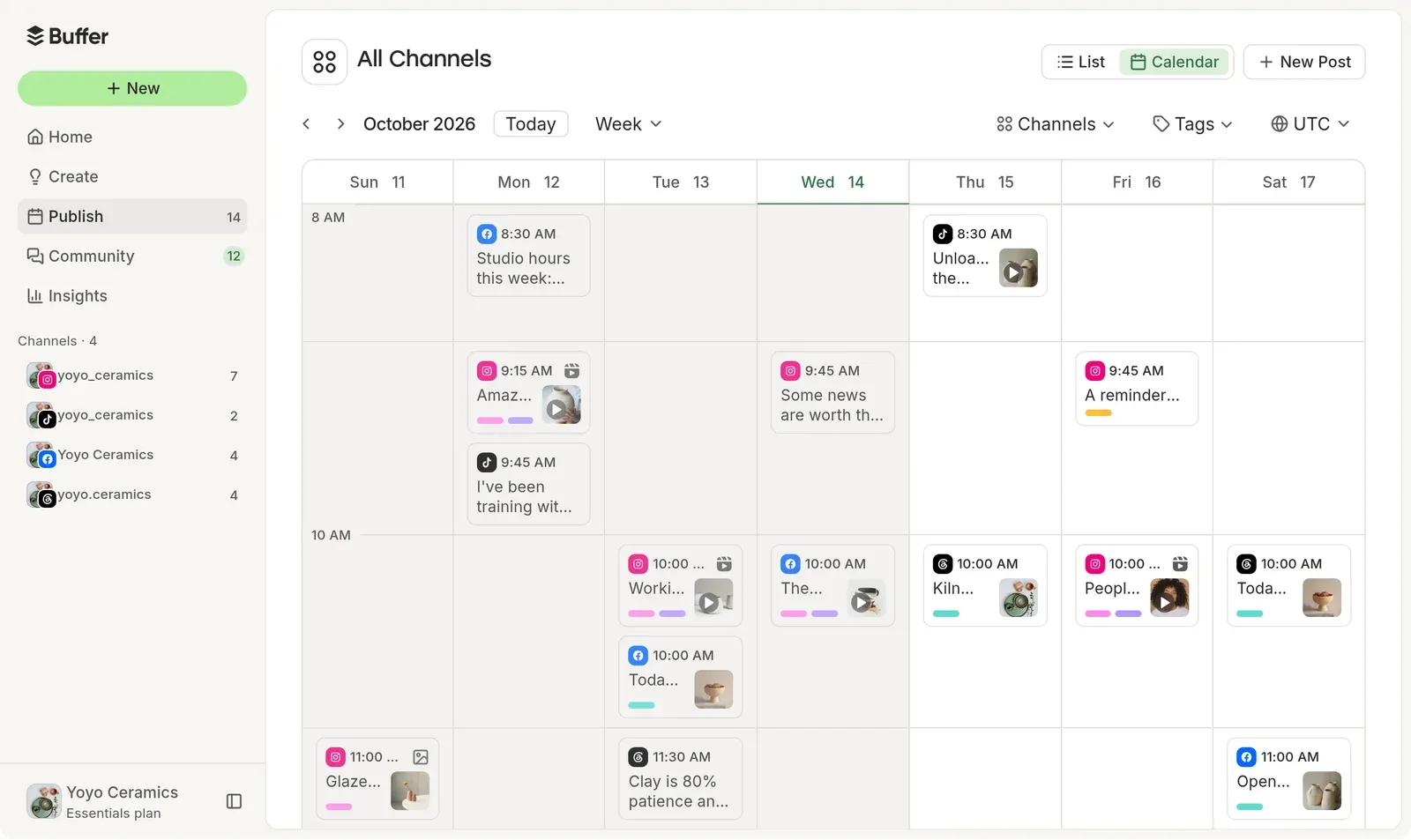
A clean interface and a gentle step up from native. Buffer's queue model suits businesses that post consistently rather than in campaign bursts, and it has unusually broad support for driving it from AI agents.
Where it falls short: the queue model is opinionated. If you think in campaigns and specific timings rather than a recurring posting slot, it can feel like the tool is arguing with you. We map the wider field around it separately.
Good for: a simple, reliable upgrade when you have added one or two networks.
3. Later
 LaterMCP server: none listed
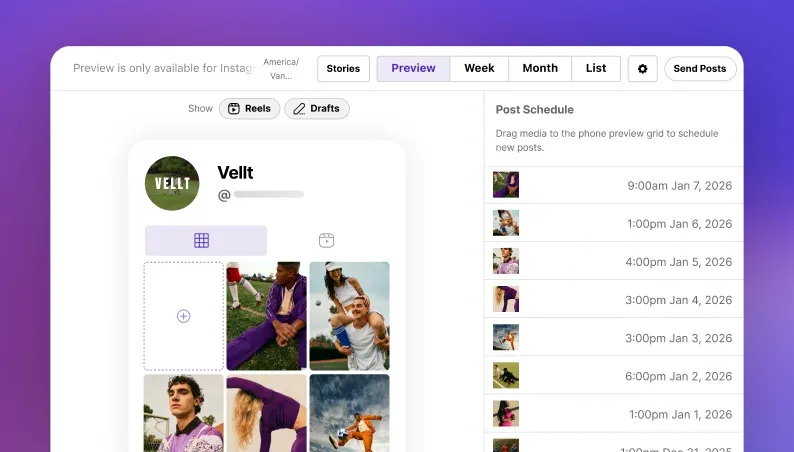
Built Instagram-first and still centred on visual planning. The grid preview shows what your Instagram profile will look like before you publish, which Meta Business Suite does not offer despite Instagram being its own product.
Where it falls short: network coverage is narrower than the generalists, so check your list. We compare the other visual planners if that is the only part you want.
Good for: Instagram-led brands where the grid is part of the brand.
4. Metricool
 Metricool
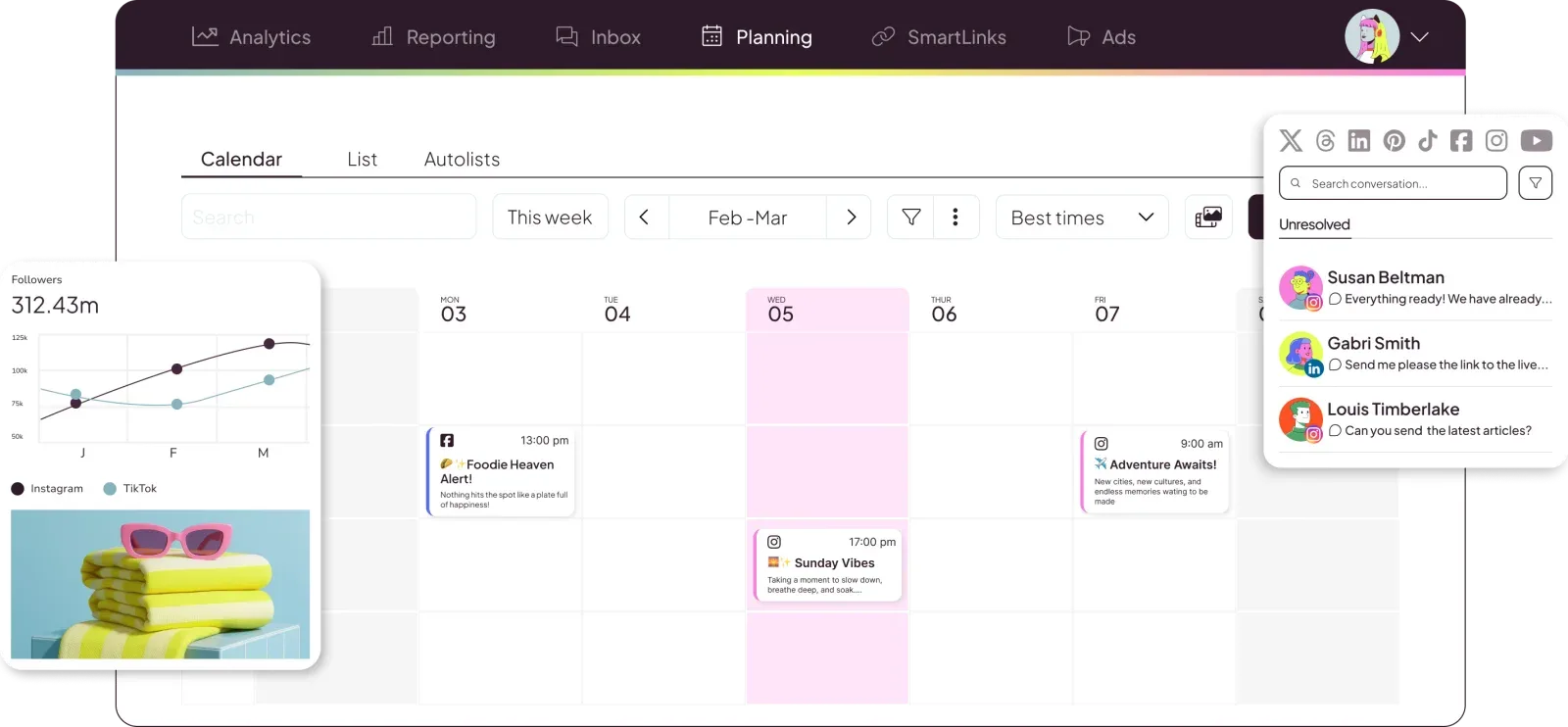
Analytics depth is the reason to pick it. If wall four is your wall, this is a direct fix, and it also connects to AI agents for reporting questions.
Where it falls short: it is an analytics tool that schedules rather than a scheduler that reports, and the publishing experience reflects that priority.
Good for: anyone whose real question is "which network is actually working".
5. Publer
 Publer
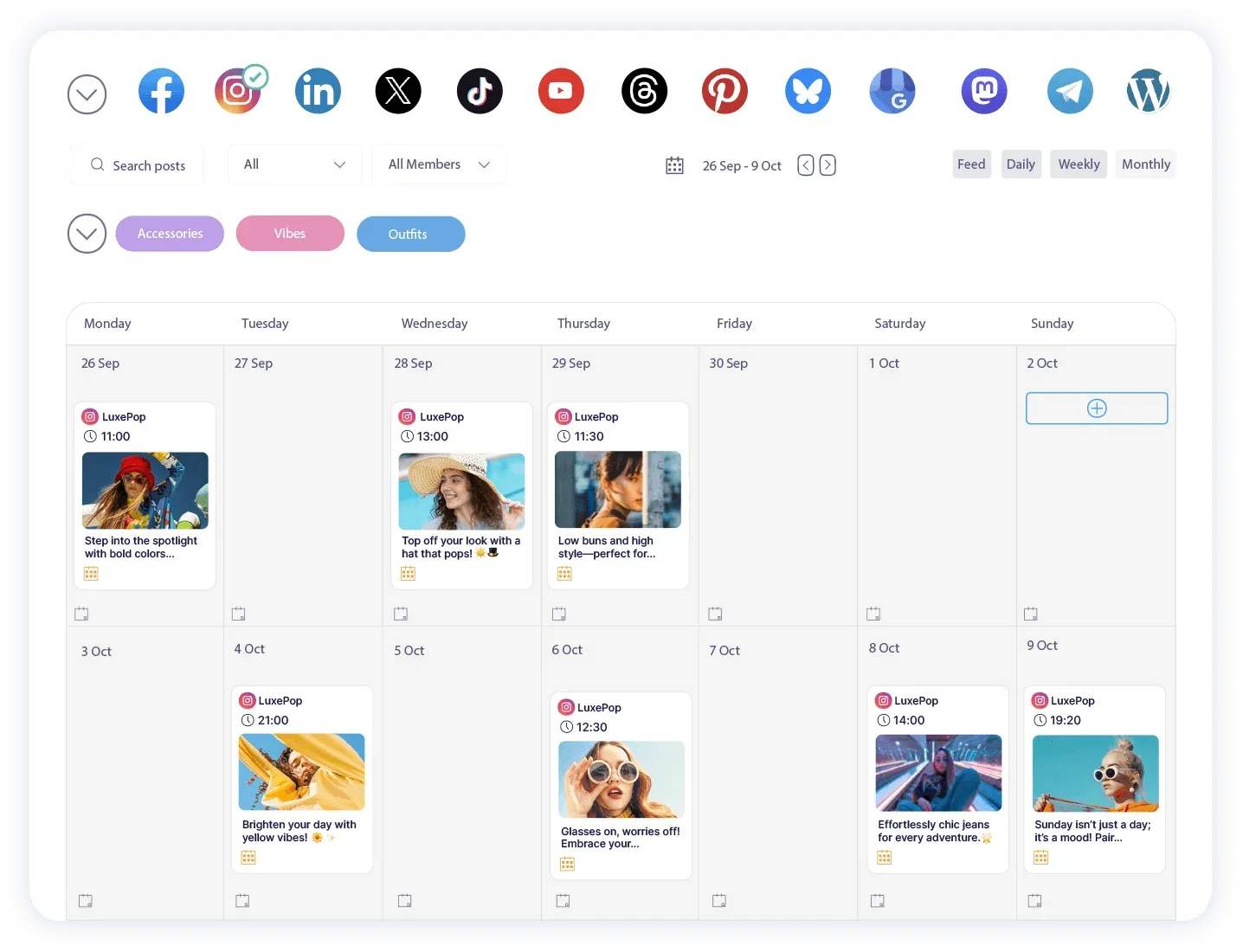
Strong bulk scheduling and a good fit for the batch-a-quarter workflow that wall two blocks. Broad network coverage including the newer platforms.
Where it falls short: the interface carries the weight of its feature count, so it is a steeper first week than Buffer or Later.
Good for: high-volume scheduling across many networks.
6. Vista Social
 Vista Social
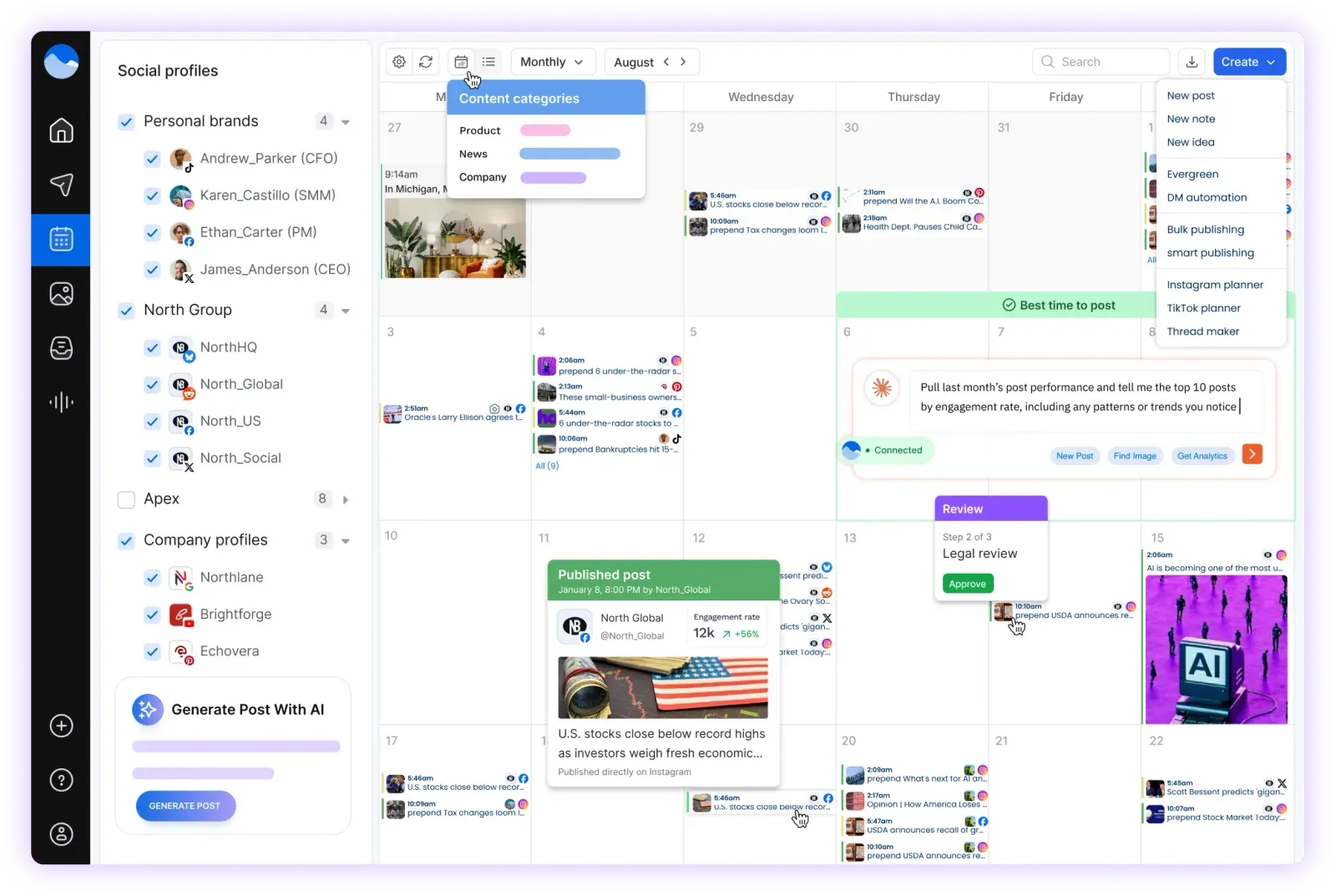
Wide network coverage including newer platforms, with review management alongside publishing, which matters for local and multi-location businesses.
Where it falls short: breadth over polish in places.
Good for: local businesses juggling social and reviews together.
7. SocialBee
 SocialBeeMCP server: none listed
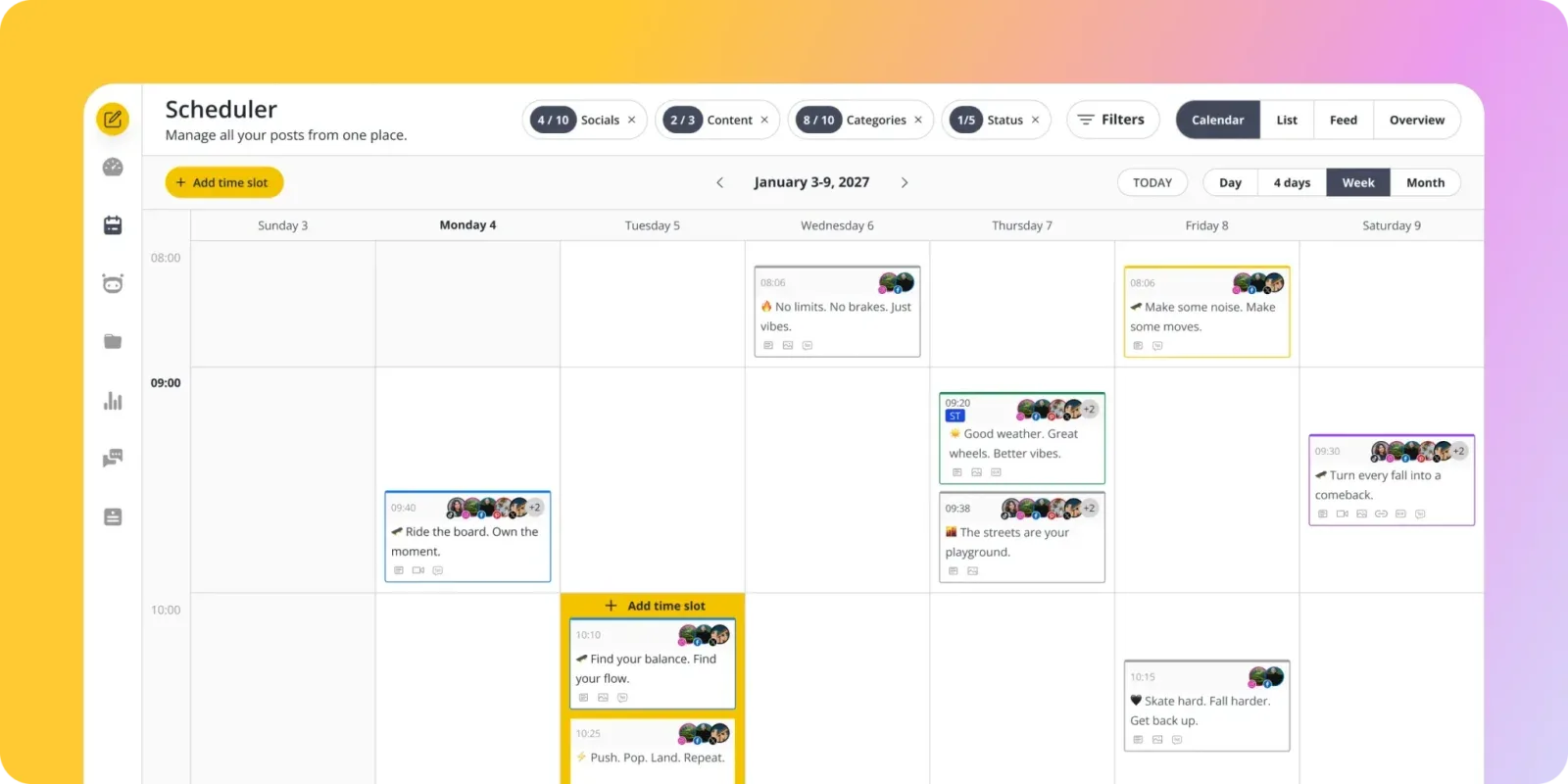
Category-based scheduling, where you sort content into buckets and the tool fills your calendar from them. Genuinely different from everything else here, and excellent for evergreen recycling.
Where it falls short: the category model takes setup effort before it pays off. It rewards a content library you have already built.
Good for: evergreen content that should recirculate rather than expire.
8. Sendible
 SendibleMCP server: none listed
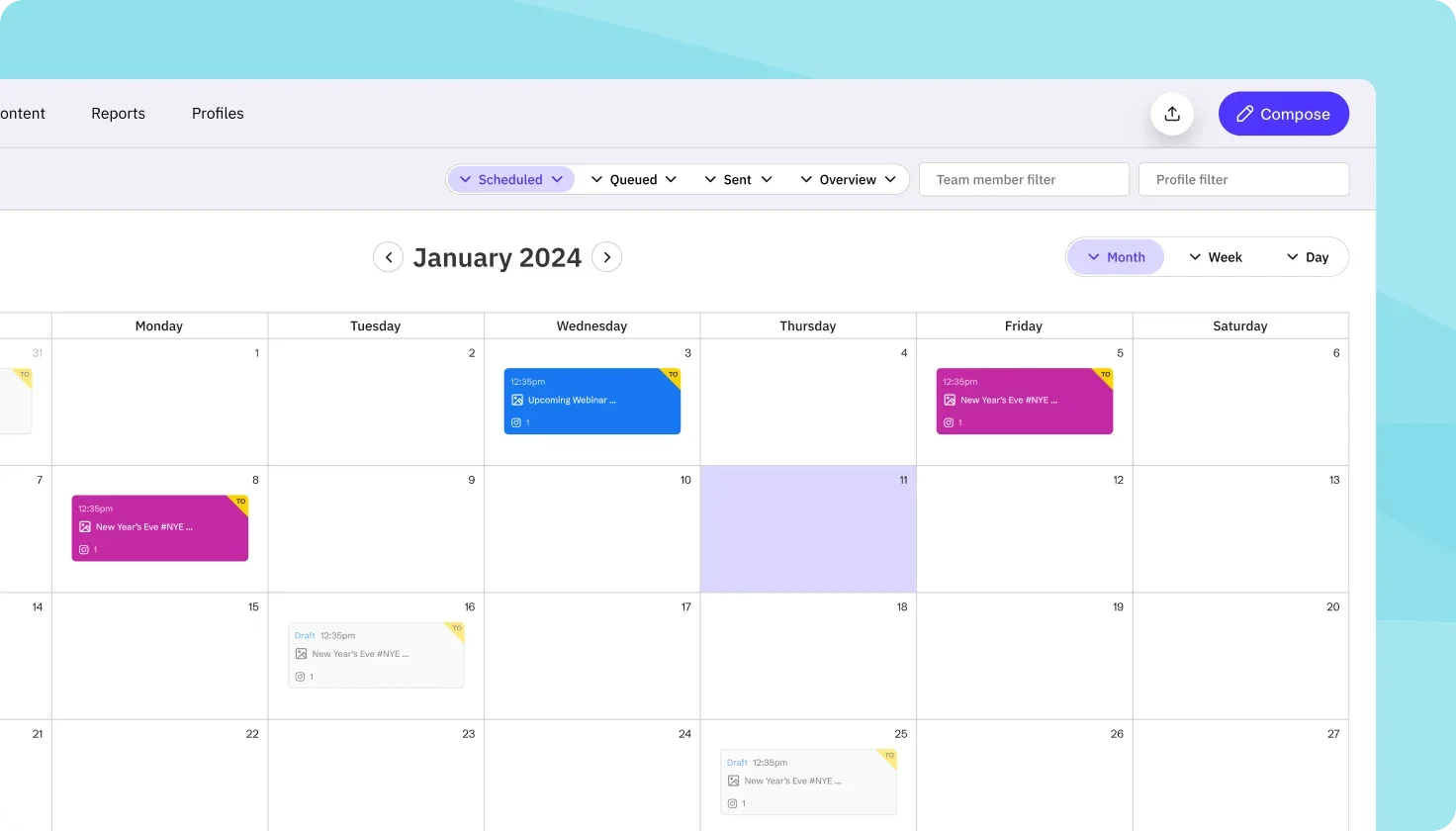
Built for agencies from the ground up, with client workspaces and approval flows as first-class features rather than additions.
Where it falls short: priced and structured for agencies, so it is heavier than a single business needs.
Good for: wall three, at agency scale.
9. HeyOrca
 HeyOrcaMCP server: none listed
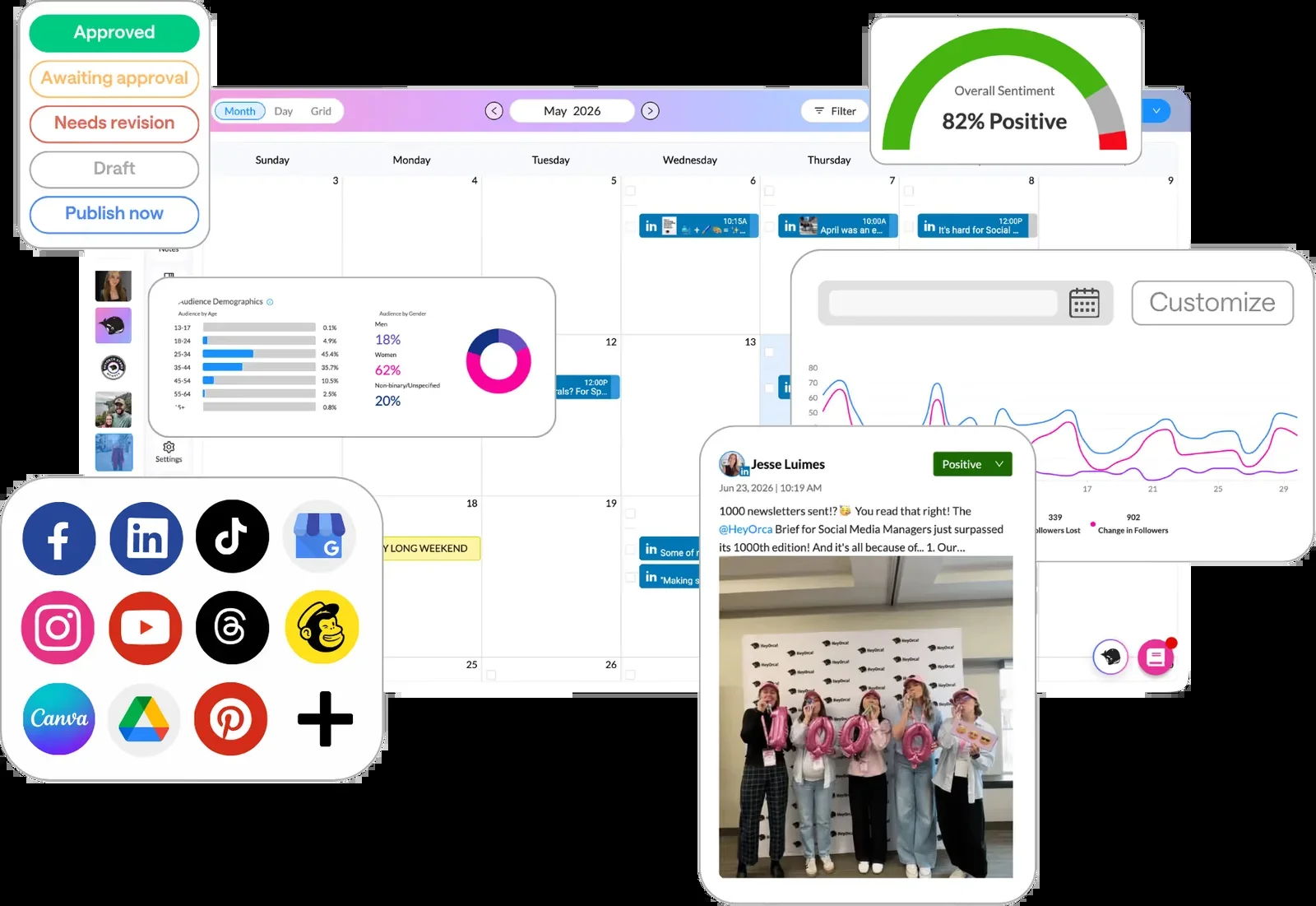
A focused approval tool. Client review is the product rather than a feature, and clients can comment without needing an account.
Where it falls short: narrower on everything that is not approvals.
Good for: wall three, when client sign-off is the entire problem.
For the wider category beyond Meta-specific switching, we rank the full field of management platforms elsewhere, and there is a narrower list for tools judged purely on publishing.
Not sure which wall you are hitting? If it is network coverage, that is the one PostEverywhere is built for. See how cross-posting works.
When Meta Business Suite will not publish your scheduled post
This deserves its own section because it is the single most common reason people go looking for an alternative in a hurry, and because the cause is often not the tool. Our Facebook scheduler page covers how PostEverywhere handles those failure modes.
Scheduled posts fail to publish for a small number of recurring reasons: the connected user lost the Page role that authorised the post, the Instagram account is a personal rather than Business or Creator account, the token behind the connection expired, or the content tripped a policy check silently.
Switching tools does not fix any of those, because a third-party scheduler publishes through the same Meta APIs and will fail on the same underlying cause.
Our guide to scheduled posts not publishing walks through the specific checks in order. Work through it before you migrate, because migrating on a bad connection just moves the problem.
How to move without losing your calendar
Four steps, in this order.
Export or screenshot what is already scheduled. Meta Business Suite does not hand you a clean export of pending posts, so capture the Planner view before you change anything. Anything scheduled inside Meta will still publish from Meta, so you are recording it, not moving it.
Connect the new tool and leave the existing queue alone. Let the already-scheduled Meta posts publish natively, and start the new tool with new content. Running both for two weeks is normal and avoids the double-posting that happens when people migrate a live queue.
Rebuild the recurring slots first, one-offs second. The recurring posting rhythm is the thing you actually depend on. A content calendar rebuilt properly beats a queue transplanted badly.
Check your posting times against real data rather than copying them across. Times that worked on two networks are not automatically right on five. Our guide to the best time to post on Facebook covers the Meta side, and the same logic applies per network.
Ready to run every network from one calendar? Try PostEverywhere for 7 days: All top platforms, one composer, AI included on every plan.
FAQ
What is the best Meta Business Suite alternative?
It depends which limit you hit. For networks beyond Meta, a broad scheduler such as PostEverywhere, Publer or Vista Social. For Instagram-first visual planning, Later. For analytics, Metricool. For client approvals, Sendible or HeyOrca.
Is Meta Business Suite being discontinued?
No. Meta Business Suite is Meta's current business tool for Facebook and Instagram and there is no announced retirement. Meta does change its interface and features regularly, which is a separate frustration.
Can Meta Business Suite schedule TikTok or LinkedIn posts?
No. It covers Facebook, Instagram, Messenger and partially WhatsApp. Every other network, including Meta's own Threads, needs a different tool.
How far ahead can you schedule in Meta Business Suite?
Meta's documentation says up to 75 days. Many users report the Planner refusing anything beyond roughly 30 days, a discrepancy reported consistently since 2023, so plan for the shorter figure.
Can any tool still schedule posts to Facebook Groups?
Not automatically. Meta retired the Groups API in April 2024, removing the permission that allowed software to publish to Groups. This applies to every third-party scheduler, so treat any claim otherwise with suspicion.
Why are my scheduled Meta Business Suite posts not publishing?
Usually a permissions or account-type issue rather than a bug. Check that the connected user still holds the right Page role, that the Instagram account is Business or Creator rather than personal, and that the connection has not expired.
Should I pay for a tool if Meta Business Suite is free?
Only if you are hitting a real limit. For one Facebook Page and one Instagram account with light planning, the free native tool is the right call. Paying makes sense once you are running two systems in parallel.
Does PostEverywhere have a free plan?
No. PostEverywhere runs a 7-day trial on every plan and a card is required to start it. Plans begin at $9 a month, which is the honest trade-off against a free native tool that covers two networks.

Founder & CEO of PostEverywhere. Writing about social media strategy, publishing workflows, and analytics that help brands grow faster.