# 5 HubSpot Social Media Alternatives (2026)
> HubSpot's social tools start at $800/month (Marketing Hub Professional) plus a mandatory $3,000 onboarding fee. Here are 5 alternatives that do social better for a fraction of the price.
**Source:** https://posteverywhere.ai/blog/hubspot-social-alternatives
**Author:** Jamie Partridge
**Published:** 2026-03-15
---
**HubSpot's social media tools cost $800 per month minimum as of May 2026. You cannot buy them separately. They're bundled inside Marketing Hub Professional, which also requires a mandatory $3,000 one-time onboarding fee. That's $12,600 in your first year — just to schedule social posts and track a few metrics.**
Let that sink in. If all you need is a [social media scheduler](/social-media-scheduler) with analytics and multi-platform publishing, HubSpot is asking you to buy an entire marketing automation suite to get it. It's like buying a house because you need a mailbox.
I'm not exaggerating the pricing either. HubSpot's social tools don't exist on the Free or Starter tiers ($0–20/month). They only unlock at Marketing Hub Professional ($800/month, includes 2,000 marketing contacts and 3 seats — additional seats are $45/month each), with Enterprise at $3,600/month plus a $6,000 onboarding fee — $49,200 in year one. And those are annual contracts. You can't pay month-to-month and cancel if it doesn't work out.
If you already run your entire marketing stack on HubSpot — email, CRM, landing pages, workflows — the social tools are a nice add-on. The CRM integration that tracks social interactions back to deals is genuinely powerful. Breeze AI helps with content creation. The approval workflows are solid for larger teams.
But if you're here, you probably don't need all of that. You need to schedule posts, track performance, and maybe generate some content with AI — without spending $800 a month for the privilege. That's exactly what these five alternatives do, and most of them cost less per year than a single month of HubSpot Marketing Hub.
## Quick comparison (May 2026)
| Tool | Starting price | Mandatory onboarding fee | Key 2026 advantage over HubSpot |
|------|---------------|--------------------------|----------------------------------|
| PostEverywhere | From $9/mo (2 accounts) | None | AI content + image gen on every plan |
| Hootsuite | $99/user/mo annual ($149 monthly) | None | Talkwalker social listening |
| Buffer | Free (3 channels) | None | Free entry tier; [Bluesky](/blog/best-bluesky-scheduler) + Mastodon support |
| Sendible | $29/mo (6 profiles) | None | Agency-built with 12+ networks |
| SocialPilot | $20/mo ($17 annual) | None | Bulk CSV upload (500 posts) |
## Table of Contents
1. [Why HubSpot's Social Tools Aren't Worth the Price for Most Teams](#why-hubspots-social-tools-arent-worth-the-price-for-most-teams)
2. [The 5 Best HubSpot Social Media Alternatives](#the-5-best-hubspot-social-media-alternatives)
3. [How to Choose the Right HubSpot Social Alternative](#how-to-choose-the-right-hubspot-social-alternative)
4. [Making the Switch from HubSpot Social](#making-the-switch-from-hubspot-social)
5. [Frequently Asked Questions](#frequently-asked-questions)
## Why HubSpot's Social Tools Aren't Worth the Price for Most Teams
Before we get into the alternatives, let's be specific about what's wrong with HubSpot's approach to [social media management](/social-media-management). The platform itself is excellent for what it was designed to do — inbound marketing automation. The problem is what it forces you to pay for when you only need social.
**You can't buy social features separately.** This is the fundamental issue. HubSpot doesn't sell a standalone social media product. You have to buy the full Marketing Hub Professional plan at $800/month to access social publishing, monitoring, and reporting. Every other tool on this list lets you buy social scheduling for what it actually costs — between $19 and $149 per month.
**The mandatory onboarding fee is steep.** Marketing Hub Professional comes with a required $3,000 one-time onboarding fee. Enterprise requires $6,000. These aren't optional and they're non-refundable. HubSpot positions them as "guided setup," but when competing tools let you sign up and start scheduling in 15 minutes, paying thousands for onboarding feels like a tax on new customers.
**Contact tier pricing creates cost creep.** HubSpot's pricing is tied to how many contacts you store. Start with 2,000 contacts on Professional, and you're at $800/month. Add 5,000 more contacts and that's another $250/month. Your social media scheduling costs rise because your email list grew — that makes no sense if social is your primary use case.
**Platform support has gaps.** As of early 2026, HubSpot's social tools don't support Threads or Bluesky. If your audience has moved to newer platforms, you're paying $800/month for a tool that can't even publish to them. Dedicated [social media schedulers](/social-media-scheduler) tend to add new platform support much faster.
**No client management or white-labeling.** If you're an agency, HubSpot offers no way to manage multiple client accounts under one dashboard with branded reporting. You'd need separate HubSpot portals for each client, each with their own $800/month subscription. [Agency social media tools](/blog/best-social-media-tools-for-agencies) like Sendible and SocialPilot solve this at a tenth of the cost.
**Annual contracts with no easy exit.** HubSpot locks you into 12-month commitments. If your social media needs change, if you downsize your team, or if you simply realize you're overpaying — you're stuck until the contract ends. Most social media tools offer monthly billing, and some don't even require a credit card to start.
**The social features themselves are basic.** For $800/month, you'd expect best-in-class social tools. But HubSpot's scheduling interface, analytics, and publishing workflow are adequate at best — functional, not exceptional. Dedicated social media tools have invested years building features that HubSpot treats as a checkbox item within a larger suite.
None of this means HubSpot is bad. If you're a B2B company running full-funnel marketing through HubSpot's CRM, email, and automation tools, the social features are a convenient bonus. The ability to see which social posts generated leads that became customers is legitimately valuable. Breeze AI's Content Remix feature, which repurposes blog posts into social content, is clever. And for enterprise teams with approval workflows that need to tie into existing HubSpot processes, keeping social in the same platform makes operational sense.
But that describes maybe 15% of the people searching for HubSpot social alternatives. The other 85% are paying for an aircraft carrier when they need a speedboat.
> **Looking for social scheduling with [AI content generation](/ai-content-generator), all-platform publishing, and a [visual calendar](/social-media-calendar) — starting at $9/month instead of $800?** [Try PostEverywhere free for 7 days](/pricing).
## The 5 Best HubSpot Social Media Alternatives
### 1. PostEverywhere — Best Overall HubSpot Social Alternative

Full disclosure: this is our tool. We're putting it first because the HubSpot-to-PostEverywhere switch is the one we see most often, and the savings are genuinely dramatic. A team paying $800/month for HubSpot Marketing Hub Professional just to use the social tools can switch to PostEverywhere's Scale plan and save $8,652 per year. That's not marketing spin — it's basic math.
[PostEverywhere](/social-media-scheduler) was purpose-built for social media scheduling and content creation. Nothing else. You're not paying for a CRM, email automation, or landing page builder you don't need. Every dollar goes toward the features you'll actually use every day.
**AI that's built in, not bolted on.** Every PostEverywhere plan includes [AI-powered content generation](/ai-content-generator) that writes platform-optimized captions, suggests [hashtags](/tools/hashtag-generator), and generates scroll-stopping images from text prompts with our [AI image generator](/ai-image-generator). HubSpot's Breeze AI is capable, but it's designed for the full marketing suite. PostEverywhere's AI is laser-focused on social content — and it's included in the $29/month plan, not locked behind an $800 paywall.
**True cross-platform publishing.** Write a post once, and PostEverywhere's [cross-posting engine](/cross-posting) automatically adapts it for each platform. Instagram gets optimized hashtags. LinkedIn gets a professional tone. X gets trimmed to fit character limits. You review the variations, adjust if needed, and [post to all social media at once](/post-to-all-social-media-at-once). HubSpot's publishing is functional but doesn't offer this level of platform-specific adaptation.
**A calendar you'll actually enjoy using.** The [visual content calendar](/social-media-calendar) gives you a clean overview of everything scheduled across all your accounts. Drag and drop to reschedule. Click any empty slot to create a new post. It's intuitive in a way that HubSpot's social interface, buried several layers deep in the Marketing Hub, simply isn't.
**Platform-specific schedulers.** We've built dedicated scheduling experiences for teams that focus heavily on individual channels. The [Instagram scheduler](/instagram-scheduler) supports Reels and Stories. The [LinkedIn scheduler](/linkedin-scheduler) handles company pages and personal profiles. The [Facebook scheduler](/facebook-scheduler) covers Pages, Reels and Stories. The [X scheduler](/x-scheduler) manages posts and threads. And the [YouTube scheduler](/youtube-scheduler) handles long-form video and Shorts. HubSpot covers the basics, but these dedicated interfaces go deeper.
**Smart timing without the guesswork.** The [best time to post](/best-time-to-post) feature analyzes your actual audience engagement patterns and recommends optimal publishing windows for each platform. This isn't a generic recommendation — it's personalized to your followers' behavior. HubSpot offers a similar feature, but again, you need the $800/month plan to access it.
The [multi-account management](/multi-account-management) keeps everything organized whether you're managing your own brand or handling multiple clients. Connect up to 20 social accounts on the Scale plan. No separate portals. No per-account pricing games.
The onboarding experience is something we hear about constantly from HubSpot switchers. Most people are fully set up and scheduling within 15 minutes. No mandatory onboarding call. No $3,000 setup fee. No enterprise sales process. Connect your accounts, explore the calendar, start posting.
Our [hashtag generator](/tools/hashtag-generator) suggests high-performing hashtags based on your content and niche. The [engagement rate calculator](/tools/engagement-rate-calculator) tracks performance across accounts without exporting spreadsheets. The [social media benchmarks](/tools/social-media-benchmarks) tool helps you understand where you stand in your industry. Everything ties together in a single dashboard that doesn't require a training certification to understand.
**Pricing:** Growth at $29/month gets you 10 social accounts and 100 AI credits. Scale at $39/month bumps that to 20 accounts and 500 AI credits. All plans include a 7-day free trial. Annual billing saves you 20%.
**Best for:** Any team currently using HubSpot primarily for social media and looking to cut costs by 90% without losing functionality.
**The catch:** No CRM integration. If tracking social interactions back to specific deals in a sales pipeline is critical to your workflow, HubSpot's native CRM connection is something PostEverywhere doesn't replicate. We're a social media tool, not a marketing automation platform — and we think that's a feature, not a limitation.
### 2. Hootsuite — Best for Social Listening
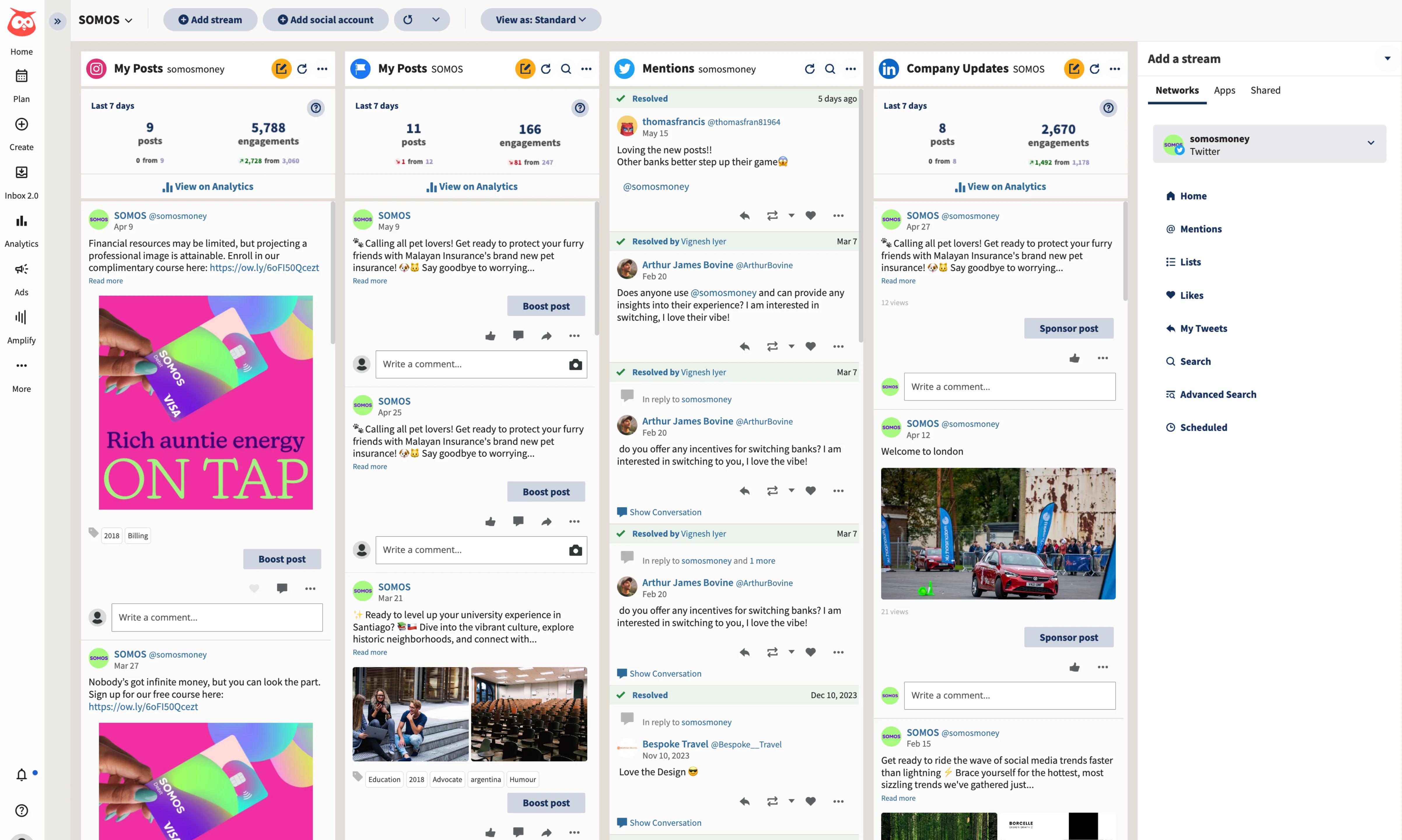
If you're leaving HubSpot and social listening is non-negotiable, Hootsuite is the most natural landing spot. Its Talkwalker integration provides keyword monitoring, brand mention tracking, and competitive analysis within the platform — capabilities that HubSpot bundles into its expensive Marketing Hub and that most standalone schedulers don't offer at all.
Hootsuite is the legacy player in this space, and there's a reason it's still around. The platform supports scheduling across all major networks, offers a unified inbox for managing messages and comments, and provides analytics deep enough for client reporting. The dashboard uses a column-based "streams" layout that lets you monitor multiple feeds simultaneously. It's powerful once you learn it, though the learning curve is steeper than newer tools.
Where Hootsuite makes sense as a HubSpot replacement is for mid-size teams that need more than just scheduling. The app marketplace integrates with Salesforce, Google Drive, and Canva. The analytics export cleanly for presentations. And the social listening fills a gap that most cheaper alternatives leave open. For the [best social media scheduling tools](/blog/best-social-media-scheduling-tools) comparison, Hootsuite consistently ranks among the most feature-rich options.
The downsides are real, though. Hootsuite killed its free plan, and as of May 2026 the Standard tier is $99/user/month annual — or $149/user/month if you pay monthly. The interface feels dated compared to tools built in the last few years. Customer support has declined — their Trustpilot rating sits at 1.8 out of 5. And AI features sit behind higher tiers, while competitors include them by default. We've published a full breakdown of [Hootsuite alternatives](/blog/hootsuite-alternatives) if you want the complete picture.
**Pricing (May 2026):** Standard at $99/user/month annual ($149 monthly) for 10 social accounts. Advanced at $249/user/month annual ($399 monthly) for unlimited accounts. Enterprise is sales-quoted.
**Best for:** Teams that need social listening and monitoring capabilities alongside scheduling.
**The catch:** Expensive for what you get on scheduling alone — especially on monthly billing. Interface feels dated. No free plan. AI features cost extra. Still much cheaper than HubSpot, but pricier than most alternatives on this list.
### 3. Buffer — Best for Simplicity and Budget
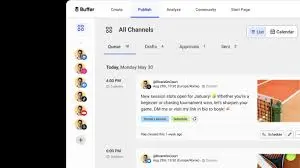
If HubSpot's complexity is what drove you to look for alternatives, Buffer is the antidote. Where HubSpot buries social tools inside a massive marketing platform and Hootsuite layers on streams and columns, Buffer strips everything down to the essentials: write a post, pick your platforms, set a time, publish. That's it.
The queue system is Buffer's signature feature. Set posting schedules for each of your social accounts — say, 9am, 12pm, and 5pm — and then just drop content into the queue. Buffer publishes it at the next available slot. For solo creators and small teams who batch their content creation and want hands-off publishing, this workflow is genuinely efficient.
Buffer added AI-powered caption suggestions recently, and they're decent for generating variations and repurposing content. The analytics are clean and easy to read, covering the fundamentals like engagement, reach, and follower growth. Buffer also supports Mastodon and Bluesky — platforms that neither HubSpot nor Hootsuite cover — which matters if your audience has migrated to decentralized networks.
The free plan supports 3 channels with basic scheduling, making Buffer one of the few tools where you can genuinely start at $0 and evaluate whether it meets your needs before paying anything. That's a stark contrast to HubSpot's $3,000 onboarding fee before you've scheduled a single post.
Where Buffer falls short: there's no unified inbox for managing comments and DMs, no social listening, and the collaboration features are minimal. If you need approval workflows, team assignments, or detailed reporting, Buffer will feel too simple. It's a focused scheduling tool, not a management platform. But for the team that's been paying $800/month to HubSpot just to schedule posts across a few accounts, Buffer at $0–50/month does that job just fine. For a deeper look, see our [Buffer alternatives](/blog/buffer-alternatives) comparison.
**Pricing (May 2026):** Free plan covers 3 channels (10 scheduled posts each). Essentials at $5/channel/month and Team at $10/channel/month on annual billing. Volume discounts kick in past 10 channels. A team managing 10 accounts pays roughly $50–100/month total.
**Best for:** Solo creators, freelancers, and small teams who want dead-simple scheduling at the lowest possible cost.
**The catch:** Per-channel pricing adds up with many accounts. No AI image generation. No inbox management. No social listening. Collaboration features are limited on lower plans.
> **Need more than basic scheduling but don't want HubSpot complexity? PostEverywhere includes [AI content tools](/ai-content-generator), [cross-posting](/cross-posting), and [multi-account management](/multi-account-management) — starting at $9/month with no per-channel fees.** [Start your free trial](/pricing).
### 4. Sendible — Best for Agencies

If you're an agency that's been using HubSpot for client social media management, you already know the pain: separate portals for each client, each one potentially requiring its own $800/month subscription, no white-label reporting, and an interface that wasn't designed for multi-client workflows. Sendible fixes all of that.
Sendible was built for agencies from the ground up. The white-label dashboard lets you give clients a branded login where they can review content, approve posts, and monitor performance — all under your agency's branding, not Sendible's. For agencies that position social media management as a premium service, this presentation layer matters. HubSpot offers nothing comparable without expensive partner portal setups.
The platform supports 12 networks — more than most competitors — including Google Business Profile, WordPress, and direct Canva integration in the composer. The content library stores approved assets and templates. The priority inbox surfaces the most important conversations first and can route messages to specific team members automatically based on keywords or accounts.
Sendible's automation saves hours on agency-scale operations. Automated client reports, RSS-to-social publishing, and smart queues that recycle evergreen content keep content flowing without constant manual input. For agencies managing dozens of accounts across multiple clients, these efficiencies compound quickly. The [UTM link builder](/tools/free-utm-link-builder) integrates naturally into the publishing workflow, so every link you share is trackable.
The analytics are strong enough for client presentations without needing supplementary tools. Custom report templates mean you're not rebuilding reports from scratch each month. The data isn't as granular as HubSpot's CRM-connected reporting, but for social-specific performance, it covers what clients actually want to see.
**Pricing (May 2026):** Creator at $29/month for 6 profiles and 1 user. Traction at $89/month for 24 profiles and 4 users. Scale at $199/month for 49 profiles and 7 users. Advanced from $299/month. Note: full white-label is now a paid add-on on Advanced and Enterprise rather than included.
**Best for:** Digital marketing agencies managing multiple client accounts that need branded dashboards and white-label reporting.
**The catch:** The interface has a learning curve — it's not as immediately intuitive as Buffer or [PostEverywhere](/social-media-scheduler). Some users report occasional publishing glitches. Lower-tier plans feel limited for team collaboration, and full white-label has moved to a paid add-on rather than an included feature.
### 5. SocialPilot — Best for Bulk Scheduling on a Budget
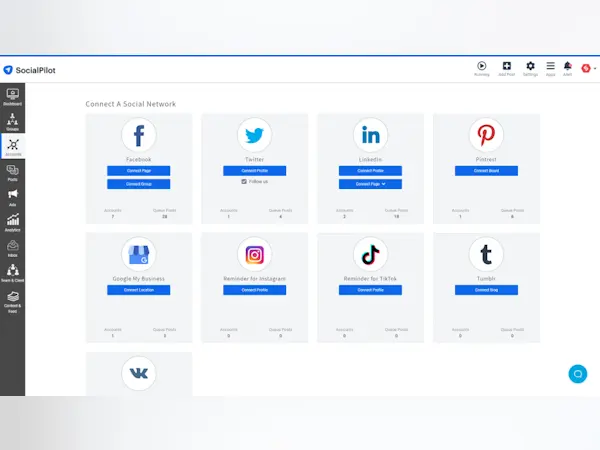
SocialPilot is the tool that makes HubSpot's pricing look most absurd by direct comparison. The Essentials plan at $20/month ($17 annual) covers social scheduling across all major platforms, content curation, and basic reporting. White-label reports unlock on Premium at $100/month ($85 annual). That's $20 versus $800 — for a tool that, when it comes to pure social media scheduling, does the job better.
The bulk scheduling feature is SocialPilot's standout. If your workflow involves batching content creation — writing a month of posts in a spreadsheet and uploading them all at once — SocialPilot handles that more smoothly than any other tool on this list. Upload a CSV with your posts, images, and publishing times, and SocialPilot queues everything up. For teams managing high-volume content calendars or agencies running campaigns across many client accounts, this saves hours every week.
White-label reporting at this price point is rare. Most tools gate branded client reports behind expensive agency plans. SocialPilot includes them on its Premium tier ($85–$100/month), which means agencies can deliver professional-looking reports to clients without paying enterprise prices. The content curation feature also helps fill gaps in your [content calendar](/social-media-calendar) by suggesting relevant third-party articles and posts to share.
SocialPilot's client management tools keep accounts organized by client with separate approval workflows. The browser extension makes it easy to share content you discover while browsing. And the platform covers all the major channels, so you're not leaving any networks behind when you switch from HubSpot.
The interface is functional rather than beautiful. It gets the job done without visual polish. AI features are limited compared to tools like [PostEverywhere](/ai-content-generator) that were built with AI at their core. The [social media audit](/tools/social-media-audit) capabilities aren't as deep as what you'd get from a dedicated analytics platform. But for raw scheduling efficiency at the lowest possible cost, SocialPilot is hard to beat.
**Pricing (May 2026):** Essentials at $20/mo ($17 annual) for 5 accounts. Standard at $40/mo ($34 annual) for 10 accounts. Premium at $100/mo ($85 annual) adds white-label reports and 20 accounts. Ultimate at $200/mo ($170 annual) for 40 accounts with advanced white-label.
**Best for:** Teams and agencies that schedule high volumes of content across many accounts and need maximum value per dollar.
**The catch:** UI isn't as polished as competitors. AI features are basic. Analytics are adequate but not exceptional. If you want AI-powered content creation, [PostEverywhere](/social-media-scheduler) is a better fit.
> **Want AI content generation, [smart scheduling](/best-time-to-post), and a clean [visual calendar](/social-media-calendar) — without HubSpot's $800/month price tag?** [See PostEverywhere plans starting at $9/month](/pricing).
## How to Choose the Right HubSpot Social Alternative
The right choice depends on what you actually used HubSpot's social tools for — and what you wish they did better.
**If you only used HubSpot for scheduling and publishing,** PostEverywhere gives you better scheduling features at $9–39/month versus $800. The [AI content generator](/ai-content-generator) and [cross-posting](/cross-posting) save time that HubSpot's basic publishing interface never could. This is the switch most teams should make.
**If social listening matters,** Hootsuite is your best option at $99/month. It's the only mid-market tool with built-in monitoring capabilities comparable to what enterprise platforms offer.
**If you're an agency managing clients,** Sendible's white-label dashboards and client management tools replace the multi-portal headache that HubSpot creates for agencies (see our [Sendible alternatives](/blog/sendible-alternatives) guide). [SocialPilot](/blog/socialpilot-alternatives) is the budget alternative if bulk scheduling is your primary need.
**If budget is the top priority,** Buffer's free plan or SocialPilot's $17–$20/month Essentials tier get you functional [tools for cross-posting](/blog/best-cross-posting-tools) at a price that makes HubSpot's $800/month look like a rounding error.
**If you want [social media AI agents](/agents) built into your workflow,** PostEverywhere is the clear choice. Every plan includes AI caption writing, [AI image generation](/ai-image-generator), and content optimization. No add-ons, no tier gating, no surprise charges.
**If you're switching from another CRM-connected social tool,** our [Zoho Social alternatives](/blog/zoho-social-alternatives) guide covers a similar transition from bundled CRM/social tools to dedicated schedulers.
One consideration that's unique to HubSpot switchers: if your CRM pipeline depends on social attribution data — knowing which social posts generated leads that became customers — none of these tools replicate that directly. You can use [UTM parameters](/tools/free-utm-link-builder) and Google Analytics to track social traffic to conversions, but it won't be as seamless as HubSpot's native CRM integration. For most teams, that trade-off is worth the $700+/month savings. For sales-driven B2B companies where social-to-pipeline tracking drives real decisions, it's worth thinking through before switching.
Most of these tools offer free trials or free plans. Don't choose based on feature comparisons alone — test your top two picks side by side with your actual content for a week. The scheduling flow, how notifications work, whether the calendar makes sense for how your team operates — those details matter more than any feature checklist. Our guide to the [best social media scheduling tools](/blog/best-social-media-scheduling-tools) covers even more options if you want a broader view.
## Making the Switch from HubSpot Social
Migrating away from HubSpot's social tools is simpler than migrating away from HubSpot's CRM — which is by design. HubSpot knows the CRM is the sticky part. The social tools are peripheral enough that switching is genuinely straightforward.
**Export your scheduled content.** Download any queued social posts from HubSpot before your subscription ends. Most alternatives accept CSV imports for bulk scheduling, so you won't lose planned content.
**Reconnect your social accounts.** This takes 5–10 minutes. You'll authorize your new tool to access each social profile, just like you did with HubSpot. Your social accounts don't "belong" to HubSpot — they're connected via standard API access that you can grant to any platform.
**Set up your posting schedule.** Configure your preferred posting times in the new tool. If you're switching to PostEverywhere, the [best time to post](/best-time-to-post) feature analyzes your accounts and recommends optimal windows automatically, so you're not guessing.
**Test before canceling HubSpot.** Run both tools in parallel for a week. Make sure posts publish correctly across all platforms, check that analytics are tracking properly, and verify your team is comfortable with the new workflow. Then start the HubSpot cancellation process — and read your contract carefully, because annual commitments may mean you're paying through the end of your term regardless.
**Check your HubSpot contract terms.** This is important. HubSpot's annual contracts don't typically allow mid-term cancellation without penalty. Check your renewal date and plan your switch accordingly. Some teams continue paying for HubSpot while using a new social tool, then let the HubSpot contract lapse at renewal. At $19–99/month for the new tool, the overlap cost is manageable.
The whole migration takes a few hours at most. Use it as an opportunity to audit which social accounts you're actively posting to. Most teams switching from HubSpot realize they were paying for capabilities they never touched and accounts they stopped posting to months ago. Start fresh with only the accounts and workflows you'll actually use.
**Looking for a side-by-side comparison?** See our complete [social media tool comparison guide](/blog/compare-social-media-tools) with head-to-head matchups.
## Frequently Asked Questions
### Does HubSpot have social media scheduling tools?
Yes, but only on Marketing Hub Professional ($800/month) and Enterprise ($3,600/month) plans as of May 2026. The Free and Starter tiers don't include social features at all. You can't purchase social tools as a standalone product — they're bundled with HubSpot's full marketing automation suite, whether you need the rest of it or not. Professional also requires a one-time $3,000 onboarding fee, and Enterprise requires $6,000.
### Why is HubSpot so expensive for social media?
HubSpot doesn't sell social media tools separately. Social publishing, monitoring, and reporting are features within Marketing Hub, which is priced as a comprehensive marketing automation platform. The $800/month Professional plan includes email marketing, landing pages, workflows, and CRM integration alongside social tools. You're paying for the full suite even if you only use a fraction of it.
### Can I use HubSpot's CRM without paying for social tools?
Yes. HubSpot's CRM is available on the free tier and doesn't require Marketing Hub. Many teams use HubSpot CRM for sales and pipeline management while running a separate, purpose-built tool like [PostEverywhere](/social-media-scheduler) for social media. This combination costs $9–39/month for social instead of $800+, and you keep your CRM data intact.
### What's the cheapest HubSpot social media alternative?
Buffer offers a free plan with 3 social channels and basic scheduling. For a paid tool with more features, [PostEverywhere](/social-media-scheduler) starts at $9/month with 10 social accounts and [AI content generation](/ai-content-generator) included. SocialPilot Essentials starts at $17/month annual ($20 monthly) for 5 accounts. All three cost less per year than a single month of HubSpot Marketing Hub Professional.
### Is HubSpot's social media tool worth it if I already use HubSpot CRM?
It depends on how much value you get from CRM-connected social data. If tracking which social posts generated leads that became customers directly influences your strategy, HubSpot's native integration has real value. But if you're primarily scheduling posts and reviewing engagement metrics, a dedicated social tool at $9–39/month does that job better and saves $700+/month. You can keep using HubSpot CRM for free while managing social elsewhere.
### Do HubSpot alternatives support the same social platforms?
Most alternatives support more platforms than HubSpot. PostEverywhere, Buffer, and SocialPilot all cover Instagram, Facebook, LinkedIn, X, YouTube, and [TikTok](/tiktok-scheduler). Buffer also supports Bluesky and Mastodon. HubSpot's social tools, by contrast, don't currently support Threads or Bluesky — a notable gap as these platforms grow.
### Can I track social media ROI without HubSpot?
Yes. Use [UTM parameters](/tools/free-utm-link-builder) on your social links and connect Google Analytics to track traffic and conversions from social posts. PostEverywhere and most alternatives on this list support UTM tagging in the publishing workflow. The tracking won't be as seamlessly integrated as HubSpot's native CRM attribution, but it gives you the same conversion data with a few extra steps.
### How do I cancel HubSpot Marketing Hub?
Review your contract terms first — HubSpot uses annual agreements by default, and early termination typically isn't allowed without paying the remaining balance. Contact HubSpot support directly and request written confirmation of your cancellation date, final charges, and any remaining contract obligations. Export all your social content, reports, and contact data before initiating cancellation. Plan your switch to coincide with your contract renewal date to avoid paying for overlap.