# Tailwind Alternatives for More Than Just Pinterest
> Tailwind moved to credit-based pricing in 2026 and still only covers Pinterest, Instagram, and Facebook. with 5 alternatives that schedule to 7+ platforms.
**Source:** https://posteverywhere.ai/blog/tailwind-alternatives
**Author:** Jamie Partridge
**Published:** 2026-03-15
---
If you only market on Pinterest, Tailwind is a solid tool. SmartSchedule is genuinely useful, Tailwind Communities drive real engagement, and the Create design tool saves time when you're producing dozens of pins per week. For a Pinterest-first workflow, I'd have a hard time recommending anything else.
*Reviewed against Tailwind's new credit-based pricing model and the current state of every alternative listed below.*
But here's the problem: most brands don't only market on Pinterest.
If your content strategy includes LinkedIn, X/Twitter, TikTok, YouTube, or Threads, Tailwind can't help you. The platform supports exactly three networks — Pinterest, Instagram, and Facebook. That's it. No LinkedIn scheduler. No X/Twitter scheduler. No way to post a YouTube Short or a TikTok (see our [TikTok scheduler](/tiktok-scheduler)) from the same dashboard where you're scheduling pins. You end up needing a second tool, which defeats the purpose of having a scheduler in the first place.
I used Tailwind for about eight months before I accepted the math wasn't working. Between Tailwind for pins, a separate tool for LinkedIn and X, and native posting for TikTok and YouTube, I was spending more time switching between platforms than actually creating content. That frustration is what led me to test every credible **Tailwind alternative** I could find.
This guide covers the five I'd actually recommend — each one solves a different problem that Tailwind can't touch.
## Why people switch away from Tailwind
Before getting into alternatives, it helps to understand what's actually pushing people away. Some of these issues are dealbreakers. Others are annoyances that compound over time.
**Three platforms is not enough.** This is the big one. Tailwind supports Pinterest, Instagram, and Facebook. That's three out of the seven or eight platforms most businesses actively post to. If you're a B2B brand relying on LinkedIn, a media company posting on X/Twitter, a creator building on TikTok, or anyone publishing YouTube Shorts, Tailwind simply doesn't serve you. You need a separate [social media scheduler](/social-media-scheduler) for every network Tailwind doesn't cover.
**The billing practices are aggressive.** Tailwind auto-renews by default, and cancellation isn't straightforward. Dig through the reviews on Trustpilot and G2 and you'll find a consistent pattern: people get charged after they thought they'd cancelled, refund requests are denied, and reaching support takes multiple attempts. Even if you love the product, the billing experience leaves a bad taste.
**Performance can be sluggish.** This one's harder to quantify, but I noticed it consistently. The dashboard takes longer to load than it should, scheduling actions sometimes lag, and the overall experience doesn't feel as snappy as competing tools. When you're batch-scheduling 30+ pins, those small delays add up.
**No social inbox.** Tailwind doesn't offer any kind of unified inbox for managing comments or messages. If engagement management is part of your workflow — and it should be — you need yet another tool on top of Tailwind.
**Pinterest algorithm changes have leveled the playing field.** One of Tailwind's original selling points was that scheduled pins could outperform manual pins. That advantage has largely disappeared as Pinterest refined its algorithm. Today, a pin scheduled through Tailwind performs about the same as one published natively. The convenience of scheduling still matters, but the algorithmic edge that once justified Tailwind's price is gone.
**The email tool is barely functional.** Tailwind added email marketing, but it's capped at 20 subscribers on the free plan and the templates are basic. If you're serious about email, you need Mailchimp, ConvertKit, Brevo or [tools similar to Brevo](https://www.sender.net/blog/brevo-alternatives/). The email feature feels like a checkbox rather than a real product.
**The 2026 credit-based pricing change.** In early 2026, Tailwind restructured its paid plans around a shared credit pool that Ghostwriter (AI copy) and SmartPin (AI pin design) both draw from. Plans now sit at $17.99/mo, $29.99/mo, and $99.99/mo (annual billing). The lower tiers run out of credits quickly if you use the AI tools regularly, which pushes heavier users toward the $99.99/mo plan even though they may not need its post volume. It's a meaningful shift from the old flat-feature model, and not one users have universally welcomed.
None of this means Tailwind is a bad tool. If your business runs on Pinterest and Instagram, and you don't mind the billing quirks, it still does what it was built to do. But if your social strategy has outgrown three platforms, these alternatives make more sense.
## 1. PostEverywhere — best multi-platform Tailwind alternative

**Full disclosure: this is our product.** I'm listing it first because I built it after getting tired of the exact problem Tailwind creates — needing multiple tools to cover multiple platforms. Judge it against every other option on this list.
PostEverywhere connects to 11 platforms from a single dashboard: Instagram, Facebook, LinkedIn, X/Twitter, YouTube, TikTok, Threads, [Pinterest](/pinterest-scheduler), Bluesky, Telegram, and Discord. That's eight more networks than Tailwind supports, and you manage all of them from one [content calendar](/social-media-calendar). No switching tabs, no re-uploading assets, no duplicating captions across separate tools. See our [Pinterest image sizes guide](/blog/pinterest-aspect-ratios) for optimal pin dimensions, and [best time to post on Pinterest](/blog/best-time-to-post-on-pinterest) for timing data.
The biggest gap Tailwind leaves is the absence of any AI content tools beyond basic pin descriptions. PostEverywhere's [AI content generator](/ai-content-generator) writes full captions, adapts tone for each platform, and generates post variations for testing. Even the Starter plan includes 100 AI credits — enough to generate several dozen posts before you need more. Tailwind's Ghostwriter exists, but it's narrow in scope and focused primarily on pin copy.
The [AI image generator](/ai-image-generator) is where the workflow advantage gets obvious. Instead of switching to Canva or Tailwind Create, you can generate custom visuals directly inside the scheduler. It runs on Ideogram V3, which produces clean, professional images without the uncanny-valley artifacts that plagued earlier AI image tools. For teams that create visual content across multiple platforms, keeping image generation inside the scheduling tool saves meaningful time.
[Cross-posting](/cross-posting) works the way you'd expect it to: write once, adapt for each platform's format, and [post to all social media at once](/post-to-all-social-media-at-once). A LinkedIn thought leadership piece can become an Instagram carousel, an X thread, and a Facebook post without rewriting from scratch. Tailwind has no cross-posting because it only serves three platforms — there's nothing to cross-post to.
Platform-specific schedulers give you native features for each network. The [Instagram scheduler](/instagram-scheduler) handles feed posts, Stories, Reels, and carousels. The [Facebook scheduler](/facebook-scheduler) supports Pages, Reels and Stories. The [LinkedIn scheduler](/linkedin-scheduler) covers personal profiles and company pages. The [X scheduler](/x-scheduler) handles threads and polls. The [YouTube scheduler](/youtube-scheduler) manages Shorts and long-form uploads. The [Pinterest scheduler](/pinterest-scheduler) supports pins, idea pins, and video pins with [bulk upload](/blog/how-to-schedule-pinterest-pins). Each one is built around the platform's own publishing rules, not a one-size-fits-all template.
The [hashtag generator](/tools/hashtag-generator) suggests tags based on your content and current trending data. The [best time to post](/best-time-to-post) feature analyzes each account's audience and recommends optimal posting windows — something Tailwind's SmartSchedule does well for Pinterest, but PostEverywhere does across every connected platform.
For teams managing multiple brands, the [multi-account management](/multi-account-management) setup lets you switch between clients without logging in and out. The Starter plan supports 10 accounts, Growth supports 25, and Pro supports 40. On Tailwind, even the Max plan at $49.99/month only gives you one account per platform — so three accounts total.
**Pricing:** Lite at $9/month (2 accounts, 10 AI credits), Starter at $19/month (5 accounts, 25 AI credits), Growth at $29/month (10 accounts, 100 AI credits), and Scale at $39/month (20 accounts, 500 AI credits). All plans come with a 7-day free trial. Annual billing saves 20%.
**Best for:** Teams and creators who post across more than three platforms and want AI tools built into their scheduling workflow.
**The catch:** No free plan — only a 7-day trial. No Pinterest-specific features like Tailwind Communities or board-level analytics. If Pinterest is your primary channel, Tailwind's Pinterest tools are still deeper.
> **Ready to schedule beyond Pinterest?** [PostEverywhere's pricing page](/pricing) breaks down every plan. The 7-day trial gives you full access to all features — cancel anytime.
## 2. Later — best visual planner for Instagram-heavy workflows
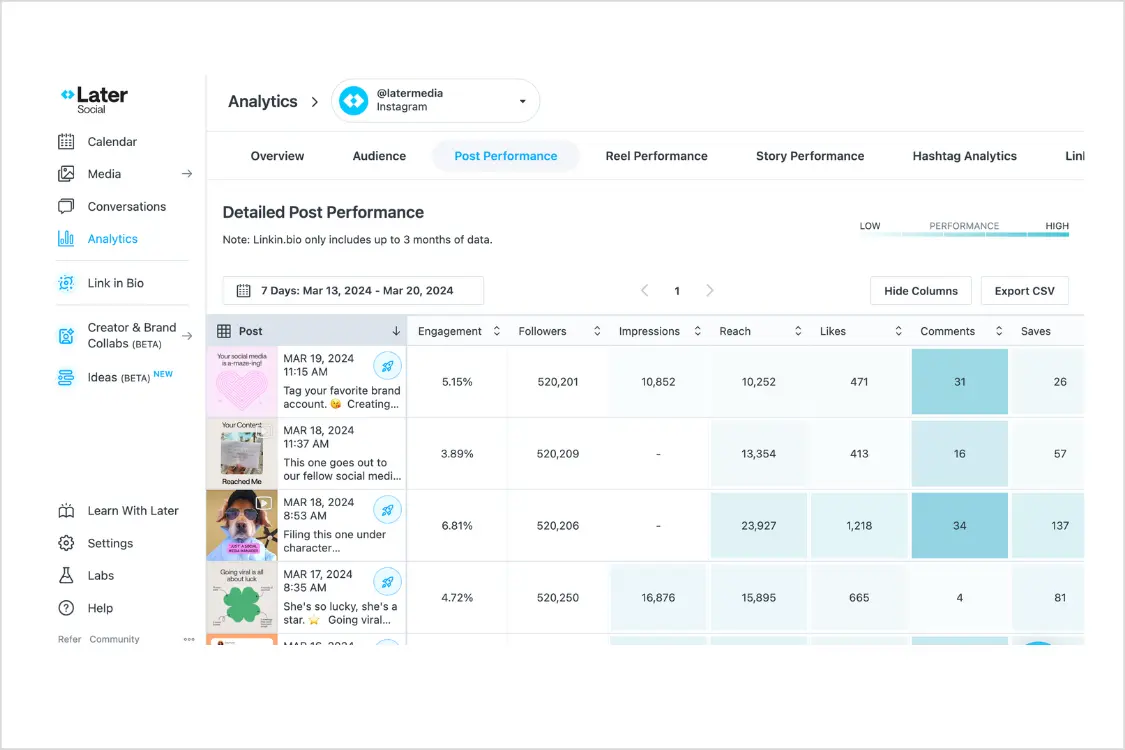
Later started the same way Tailwind did — as a scheduling tool for a single platform. Where Tailwind went deep on Pinterest, Later went deep on Instagram. The visual grid planner that shows exactly how your Instagram feed will look before you publish is still one of the best features in the entire scheduling category.
If you're leaving Tailwind because you care more about Instagram than Pinterest, Later is a natural transition. The Linkin.bio feature turns your Instagram feed into a clickable landing page, which is something neither Tailwind nor most other schedulers offer as cleanly. For Instagram creators, bloggers, and e-commerce brands driving traffic from their grid, that feature alone can justify the switch.
Later supports Instagram, Facebook, LinkedIn, Pinterest, TikTok, and YouTube — six platforms compared to Tailwind's three. That's a meaningful upgrade in coverage, though it's worth noting that Later dropped X/Twitter support in August 2025. If X is part of your strategy, Later can't help you there.
The AI credits are limited on the Starter plan — somewhere between 5 and 10, which runs out quickly. If AI content generation matters to your workflow, [PostEverywhere's AI tools](/ai-content-generator) are significantly more generous even on the base plan.
**Pricing:** Starter at $25/month (1 social set, 30 posts per month). Growth and Advanced plans scale up from there.
**Best for:** Instagram-focused creators who want visual grid planning and Linkin.bio at a tool with more platform coverage than Tailwind.
**The catch:** No X/Twitter support. The 30-post cap on Starter fills up fast if you post daily across even two platforms. Later currently sits at 1.3 out of 5 on Trustpilot, with complaints about billing practices that sound uncomfortably similar to Tailwind's.
## 3. SocialBee — best for evergreen content recycling
SocialBee takes a fundamentally different approach to scheduling that solves a problem Tailwind doesn't even acknowledge: what happens to your content after it's published once.
Instead of a linear calendar where every post is a one-time event, SocialBee organizes content into categories — tips, promotions, behind-the-scenes, curated content — and rotates through them automatically. You mark posts as evergreen, and SocialBee keeps resharing them in a balanced rotation without you manually re-scheduling each piece.
For Pinterest marketers transitioning away from Tailwind, this concept should feel familiar. Pinterest has always been about resharing content — the same pin can drive traffic for months. SocialBee brings that same philosophy to every other platform. Your best-performing LinkedIn post, your most-clicked Instagram carousel, your highest-engagement X thread — they all go back into rotation instead of disappearing into your feed history.
SocialBee supports all major platforms including Instagram, Facebook, LinkedIn, X/Twitter, TikTok, YouTube, and Pinterest. The AI Copilot generates post variations and suggests content categories, though it's not as deeply integrated as [PostEverywhere's AI content generator](/ai-content-generator). The analytics are basic but functional, covering engagement metrics and posting performance across connected accounts.
The category-based system does require upfront setup. You need to think about your content buckets, assign posts to categories, and configure rotation schedules before the automation kicks in. It's more work on day one than Tailwind or a straightforward calendar-based scheduler, but the long-term payoff is significant — especially if you have a library of evergreen content that stays relevant for months.
**Pricing:** Bootstrap at $29/month (5 profiles), Accelerate at $49/month (10 profiles), Pro at $99/month (25 profiles).
**Best for:** Brands with evergreen content libraries who want automated content rotation across all platforms.
**The catch:** The category system has a learning curve. If you liked Tailwind's simplicity, SocialBee's setup process might feel over-engineered at first. Analytics are basic compared to dedicated analytics tools.
## 4. Buffer — best free alternative to Tailwind

Buffer is the tool Tailwind's free-plan users should look at first. While Tailwind's free tier only gives you 5 posts per month on a single account — barely enough to test the product — Buffer offers a genuinely usable free plan: three channels with 10 scheduled posts per channel.
Buffer's defining trait is simplicity. The interface does exactly what you'd expect and nothing more. Write a post, pick your channels, choose a time, schedule. There's no learning curve, no feature overload, no community features or design tools competing for your attention. If you found Tailwind's dashboard cluttered with Create templates, Communities, and email marketing upsells, Buffer's clean focus is refreshing.
Platform coverage is solid: Instagram, Facebook, LinkedIn, X/Twitter, TikTok, YouTube, Pinterest, Threads, and Mastodon. That's nine platforms — six more than Tailwind. You can actually run a complete multi-platform strategy from Buffer without a second tool.
Paid plans use a per-channel pricing model starting at $5 per channel per month. Five channels would cost $25/month. Ten channels would run $50/month. That per-channel math gets expensive as you scale, which is where flat-rate tools like [PostEverywhere](/pricing) offer better value. But for someone running three to five accounts, Buffer's pricing is competitive and the free tier provides a genuine on-ramp.
The [best time to post](/best-time-to-post) suggestions are available on paid plans. Analytics are basic but cover what most small teams need — engagement metrics, top posts, and audience growth. If you need detailed reporting or competitor analysis, you'll outgrow Buffer's data capabilities quickly.
**Pricing:** Free (3 channels, 10 posts each). Paid plans from $5/month per channel.
**Best for:** Solo creators and small businesses who want dead-simple scheduling on a budget with more platform coverage than Tailwind.
**The catch:** Per-channel pricing adds up fast with multiple accounts. No AI content generation. No content recycling. Collaboration features are minimal.
> **Need more than Buffer's free plan covers?** [PostEverywhere](/pricing) gives you 10 accounts and 100 AI credits for $29/month — flat rate, no per-channel fees.
## 5. [Metricool](/blog/metricool-alternatives) — best analytics on a budget
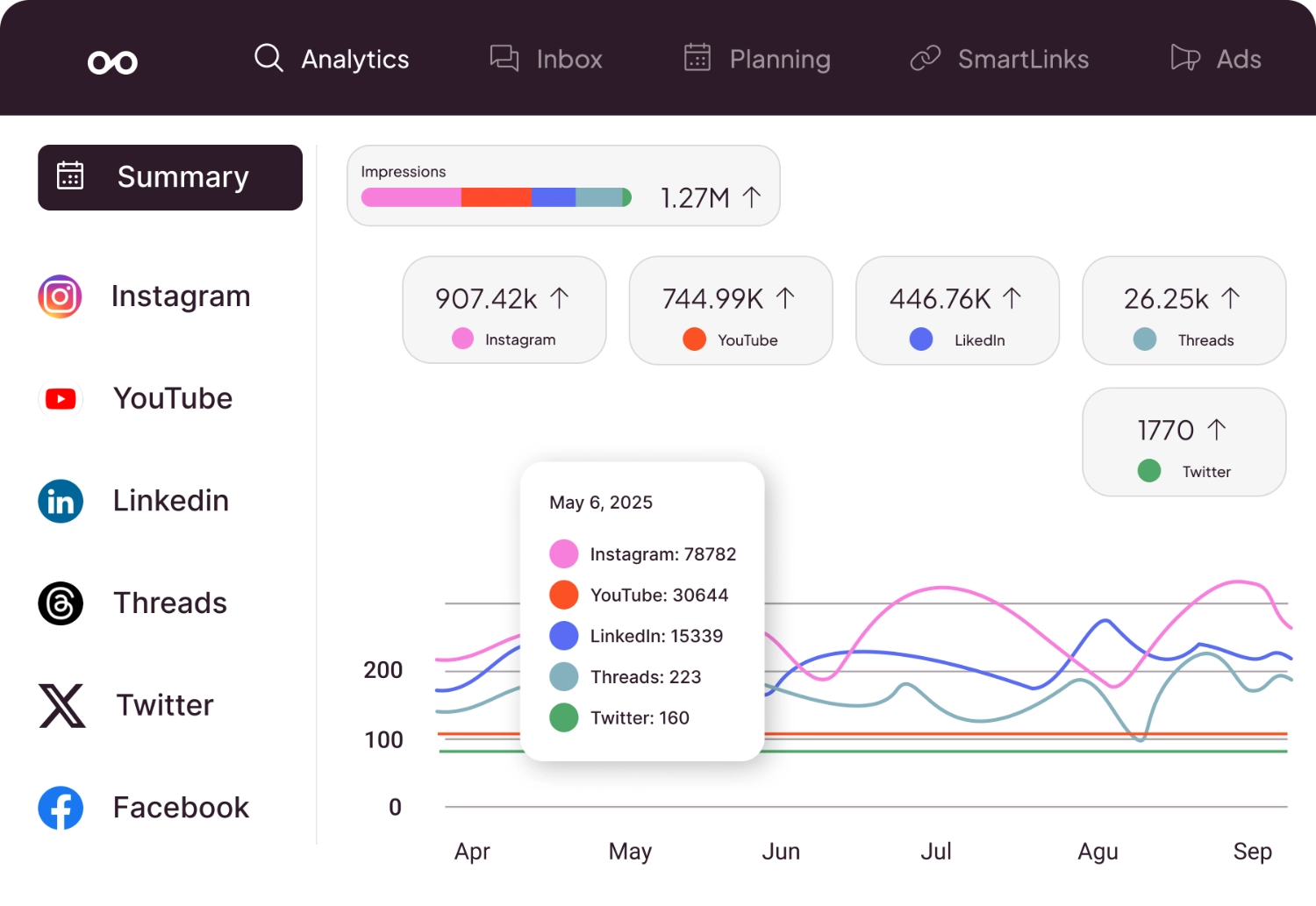
Metricool is the pick for anyone who felt limited by Tailwind's analytics. Tailwind provides decent Pinterest analytics — pin performance, board insights, follower growth — but outside of Pinterest, the data is thin. Metricool flips that equation with one of the most comprehensive analytics dashboards in the scheduling space, and it starts with a free plan.
The competitor analysis feature is the standout. You can track competitors' posting frequency, engagement rates, and follower growth alongside your own metrics. Tailwind doesn't offer anything like this. Most tools that do charge enterprise prices for the capability. On Metricool, you get competitor tracking on plans starting at $22/month, and basic analytics on the free tier.
Metricool covers Instagram, Facebook, X/Twitter, LinkedIn, TikTok, YouTube, Pinterest, and Google Business Profile. That's eight platforms — nearly triple Tailwind's coverage. The scheduling interface is functional and straightforward, and the ad management feature lets you run and track Facebook and Google ads from the same dashboard. For small businesses managing their own paid campaigns alongside organic social, that integration is a genuine time-saver.
The [engagement rate calculator](/tools/engagement-rate-calculator) is useful for benchmarking your own performance, and Metricool's built-in version gives you even deeper platform-specific metrics. If data-driven decision-making is how you approach [social media management](/blog/social-media-management), Metricool delivers more analytical depth per dollar than any other tool on this list.
The free plan includes one brand and basic analytics. It's limited on scheduling (20 posts per month), but the analytics alone justify signing up — you can understand your performance across every platform without paying a cent.
**Pricing:** Free plan available. Paid plans from $22/month.
**Best for:** Data-driven marketers who want competitor analysis and detailed analytics alongside scheduling — without enterprise pricing.
**The catch:** The interface can feel cluttered compared to cleaner tools like Buffer. Customer support responses can be slow. Content creation features are minimal — no AI generation, no design tools. If you're looking for a content-focused scheduler with RSS integration and automation, our [Crowdfire alternatives](/blog/crowdfire-alternatives) guide covers tools with content discovery features.
## How to choose the right Tailwind alternative
The best alternative depends on what's actually frustrating you about Tailwind. Here's how to think through it.
**If you need more than three platforms,** every tool on this list covers at least six. [PostEverywhere](/social-media-scheduler) and Metricool both cover seven or more, including X/Twitter, LinkedIn, TikTok, YouTube, and Threads — none of which Tailwind supports.
**If you want AI content generation,** [PostEverywhere](/ai-content-generator) has the deepest integration. SocialBee's Copilot is decent for suggestions. Tailwind's Ghostwriter is narrow and Pinterest-focused.
**If you want a free plan that's actually usable,** Buffer gives you three channels and 10 posts each. Metricool gives you one brand with analytics included. Tailwind's free plan caps you at 5 posts per month — barely enough to evaluate the product.
**If you need content recycling,** [SocialBee's](/blog/socialbee-alternatives) category-based system is purpose-built for evergreen content. No other tool on this list (including Tailwind) handles automated content rotation as well.
**If analytics matter most,** Metricool's competitor tracking and cross-platform analytics are the best value at any price point. Tailwind's analytics only go deep on Pinterest.
**If you still need Pinterest alongside everything else,** [PostEverywhere](/social-media-scheduler), Buffer, SocialBee, and Metricool all support Pinterest scheduling. You don't have to give up Pinterest to gain the other platforms Tailwind is missing.
**If you manage multiple brands or clients,** PostEverywhere's [multi-account management](/multi-account-management) supports up to 20 accounts on the Scale plan. Tailwind's structure limits you to one account per platform, which makes agency work impractical.
## Tailwind pricing vs. alternatives at a glance (May 2026)
Understanding how Tailwind's pricing stacks up helps put the alternatives in context.
Tailwind moved to a credit-based pricing model in early 2026. The free plan still gives you 5 posts per month on a single account — barely enough to test the product. The Pro plan at $17.99/month (annual) bumps you to more posts plus a shared credit pool that Ghostwriter and SmartPin both pull from. Advanced sits at $29.99/month with a larger credit allowance. Max at $99.99/month unlocks the most generous credit pool — but still only covers Pinterest, Instagram, and Facebook.
The shared credit pool is the tricky part. If your team leans heavily on AI pin design, those same credits get burned faster than they would on AI captions alone. Some workflows that fit comfortably on the old Advanced tier now spill over into Max.
Compare that to [PostEverywhere at $29/month](/pricing) with 10 accounts across 11 platforms and 100 AI credits. Or Buffer's free plan with three channels and 10 posts each across nine platforms. Or Metricool's free plan with analytics across eight platforms.
The value gap widens at scale. At Tailwind's Max plan ($99.99/month), you're paying more than double PostEverywhere's Scale plan ($39/month) while getting less than half the platform coverage and a credit pool that's still capped. For teams that [schedule social media posts](/blog/how-to-schedule-social-media-posts) across multiple networks, the cost-per-platform math makes Tailwind harder to justify.
### Quick comparison table
| Tool | Starting price | Platforms | AI image generation |
| --- | --- | --- | --- |
| Tailwind (May 2026) | $17.99/mo (annual) | 3 | Shared credit pool with Ghostwriter |
| **PostEverywhere** | From $9/mo | 11 | Yes — included on every plan |
| Buffer | Free / $5 per channel | 9 | No |
| Later | $25/mo | 6 | Limited credits |
| SocialBee | $29/mo | 7 | Add-on |
| Metricool | Free / $22/mo | 8 | No |
> **Stop paying for three platforms when you need seven.** [Start your free PostEverywhere trial](/pricing) — 10 accounts, AI content generation, and every major platform from day one.
## Tailwind alternatives FAQ
### Is Tailwind only for Pinterest?
Not exactly, but almost. Tailwind supports Pinterest, Instagram, and Facebook — three platforms total. It was originally built as a Pinterest scheduler and remains strongest there. For Pinterest-specific features like SmartSchedule, board management, and Tailwind Communities, it's still the best tool available. But for anything beyond those three platforms, you need an alternative that covers LinkedIn, X/Twitter, TikTok, YouTube, and Threads. [PostEverywhere](/social-media-scheduler) supports all eight.
### Is the Tailwind app the same as Tailwind CSS?
No. Tailwind the social media scheduling app (tailwindapp.com) is completely unrelated to Tailwind CSS, the popular web development framework. If you're searching for social media scheduling alternatives, make sure you're looking at Tailwind the app, not the CSS framework. They just happen to share a name.
### Why is Tailwind so hard to cancel?
Multiple users report difficulty cancelling Tailwind subscriptions. The cancellation process isn't prominently placed in the dashboard, auto-renewal is enabled by default, and refund requests are frequently denied — even when users cancel before their billing date. Check your billing settings immediately after signing up and consider using a virtual card if you're testing the product.
### Is Tailwind still worth it for Pinterest?
If Pinterest is your primary marketing channel and you post at least 10-15 pins per week, Tailwind's Pinterest-specific features — SmartSchedule, Communities, and board analytics — still justify the price. The Pro plan at $17.99/month (annual, after the 2026 pricing reset) is reasonable for dedicated Pinterest marketers, though the new credit pool that both Ghostwriter and SmartPin draw from runs out faster than the old flat-feature model. But if Pinterest is just one of several platforms you manage, a multi-platform scheduler like [PostEverywhere](/pricing) or Buffer will give you Pinterest scheduling alongside everything else.
### What changed with Tailwind's pricing in 2026?
In early 2026, Tailwind restructured its paid plans around a shared credit pool. Pro is now $17.99/mo, Advanced is $29.99/mo, and Max is $99.99/mo (annual billing). Ghostwriter (AI copy) and SmartPin (AI pin design) both draw credits from the same monthly bucket, so heavy users of either feature blow through allowances faster than under the old plan structure. The credit-based model rewards light AI users but penalises teams that batch-create pins with AI imagery — which is most marketing teams.
### What's the cheapest Tailwind alternative?
Buffer's free plan is the cheapest option — three channels and 10 posts each with no time limit. Metricool also offers a free plan with one brand and 20 posts per month plus analytics. For paid plans, [PostEverywhere](/pricing) at $29/month offers the best value when you factor in 10 accounts, 100 AI credits, and seven-platform coverage.
### Can I use Tailwind and another scheduler together?
Yes, and many people do. A common setup is using Tailwind for Pinterest-specific features (Communities, SmartSchedule) while using a second tool like [PostEverywhere](/social-media-scheduler) or Buffer for every other platform. The downside is paying for two subscriptions and managing two dashboards. If your Pinterest volume is low enough, switching entirely to a multi-platform tool and scheduling pins there can simplify your workflow.
### Which Tailwind alternative supports the most platforms?
Buffer supports nine platforms (Instagram, Facebook, LinkedIn, X/Twitter, TikTok, YouTube, Pinterest, Threads, and Mastodon). [PostEverywhere](/social-media-scheduler) supports seven (Instagram, Facebook, LinkedIn, X/Twitter, TikTok, YouTube, and Threads). Metricool supports eight including Google Business Profile. All of these dwarf Tailwind's three-platform coverage.
### Does PostEverywhere support Pinterest?
Yes. PostEverywhere supports Pinterest scheduling alongside Instagram, Facebook, LinkedIn, X/Twitter, YouTube, TikTok, and Threads. You won't get Tailwind-specific features like Communities or board-level analytics, but you can schedule pins from the same dashboard where you manage every other platform. For most teams, that trade-off is worth the simplicity of a single tool.
## The bottom line
Tailwind built something genuinely useful for Pinterest marketers. SmartSchedule, Communities, and the Create design tool solve real problems for people who treat Pinterest as a primary marketing channel. If that describes you, Tailwind is still worth considering.
But social media management has expanded far beyond Pinterest, Instagram, and Facebook. Most brands post to five, six, or eight platforms. They need AI content tools, [best cross-posting tools](/blog/best-cross-posting-tools), unified analytics, and flat-rate pricing that doesn't penalize them for connecting more accounts. Tailwind wasn't built for that world, and three platforms isn't enough anymore.
If I had to pick one alternative: [PostEverywhere](/social-media-scheduler) gives you the broadest platform coverage, the strongest AI tools, and the best pricing of any Tailwind alternative on this list. But every option here solves a specific problem — pick the one that matches how you actually work, not the one with the longest feature list.