What's the best SocialPilot alternative? PostEverywhere is the best SocialPilot alternative for AI agents and automation: Claude, ChatGPT or Cursor can write and schedule posts across every client account through its hosted MCP server, on the same flat-rate pricing model from $9/month. Agencies that live on white-label reports and 500-post CSV uploads may still be better served by SocialPilot itself.
SocialPilot is good value in social media scheduling if all you need is to push a high volume of posts out the door. The bulk scheduling (up to 500 posts via CSV) is legitimately impressive, and the flat-rate pricing undercuts most per-seat competitors. But once you need more than basic publishing, the cracks show fast.
Updated October 2026: SocialPilot has added more AI assist through its AI Pilot assistant, an MCP server, and direct publishing for Instagram Stories and Reels on Business and Creator profiles.
The analytics and visual calendar gaps that drive teams to alternatives haven't been meaningfully addressed. Pricing starts at $25.50/month on annual billing ($30 monthly).
I used SocialPilot for about eight months managing content across several client accounts. The scheduling itself was reliable. What wasn't reliable: getting any meaningful insight out of the analytics, scheduling Instagram Stories or Reels natively, or getting a support response within the same business day.
When a client asked me to pull ROI attribution data from their social campaigns, I had to sheepishly admit the tool I was paying for couldn't do it.
That's the SocialPilot trade-off. You get volume and price. You give up depth. If you've hit that wall — where the scheduling works fine but everything around it feels half-built — these five alternatives solve the specific problems SocialPilot doesn't.
We break down what these tools actually cost by account count separately.
Quick comparison
| Tool | Best for | Starting price | Free plan or trial | What an AI agent can do (MCP) |
|---|---|---|---|---|
| PostEverywhere | Flat pricing with AI agents | $9/month | 7-day free trial | Publish, schedule, queue, best time, bulk, retry, connect accounts |
| Hootsuite | Analytics and social listening | $99/user/month (annual) | Trial available | – |
| Sprout Social | Enterprise reporting and CRM | $99/seat/month ($79 annual) | See pricing page | – |
| Buffer | Simple, clean publishing | Free; paid from $5 per channel | Free plan, 3 channels | – |
| Sendible | Agency white-labeling | $35/month | See pricing page | None listed |
Why Choose PostEverywhere?
PostEverywhere is the best SocialPilot alternative for agencies and small teams that want the same flat-rate pricing with AI image and video creation, a real visual calendar and AI agents built in, without jumping to per-seat enterprise prices.
- Flat pricing that starts lower. PostEverywhere runs from $9/mo, with 10 accounts and 3 seats on Growth for $29/mo. SocialPilot's Essentials plan is $25.50/month billed annually for 7 accounts and 1 user.
- No per-seat jump for depth. Hootsuite starts at $99 per user per month for 10 accounts, and a three-person Sprout Social team on Standard pays $597 a month on annual billing. PostEverywhere has no per-user or per-channel add-ons.
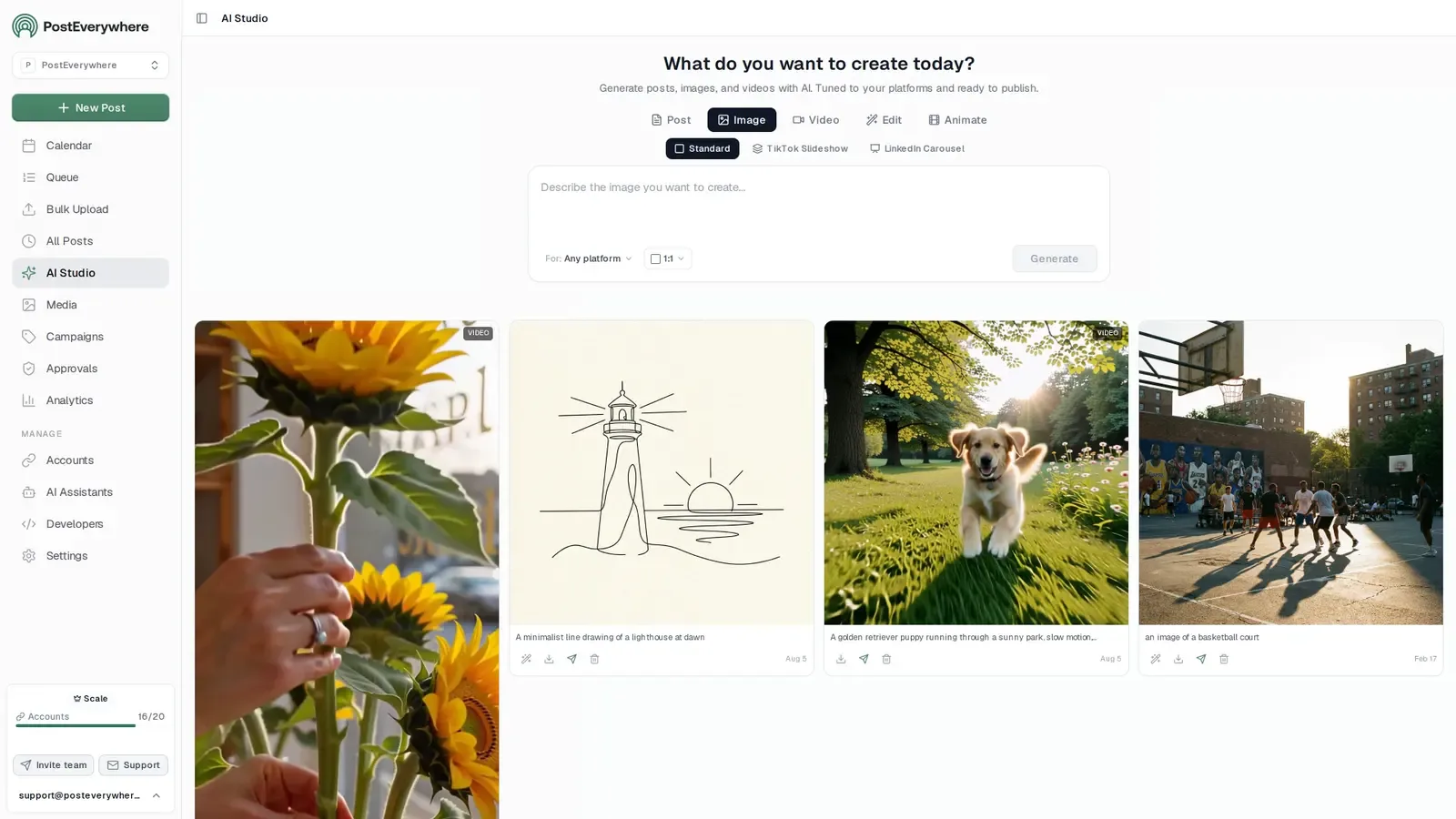
- AI that creates images and video. AI Studio writes platform-specific captions and creates images and video inside the scheduler. SocialPilot's AI is writing assistance only, with no AI image generation.
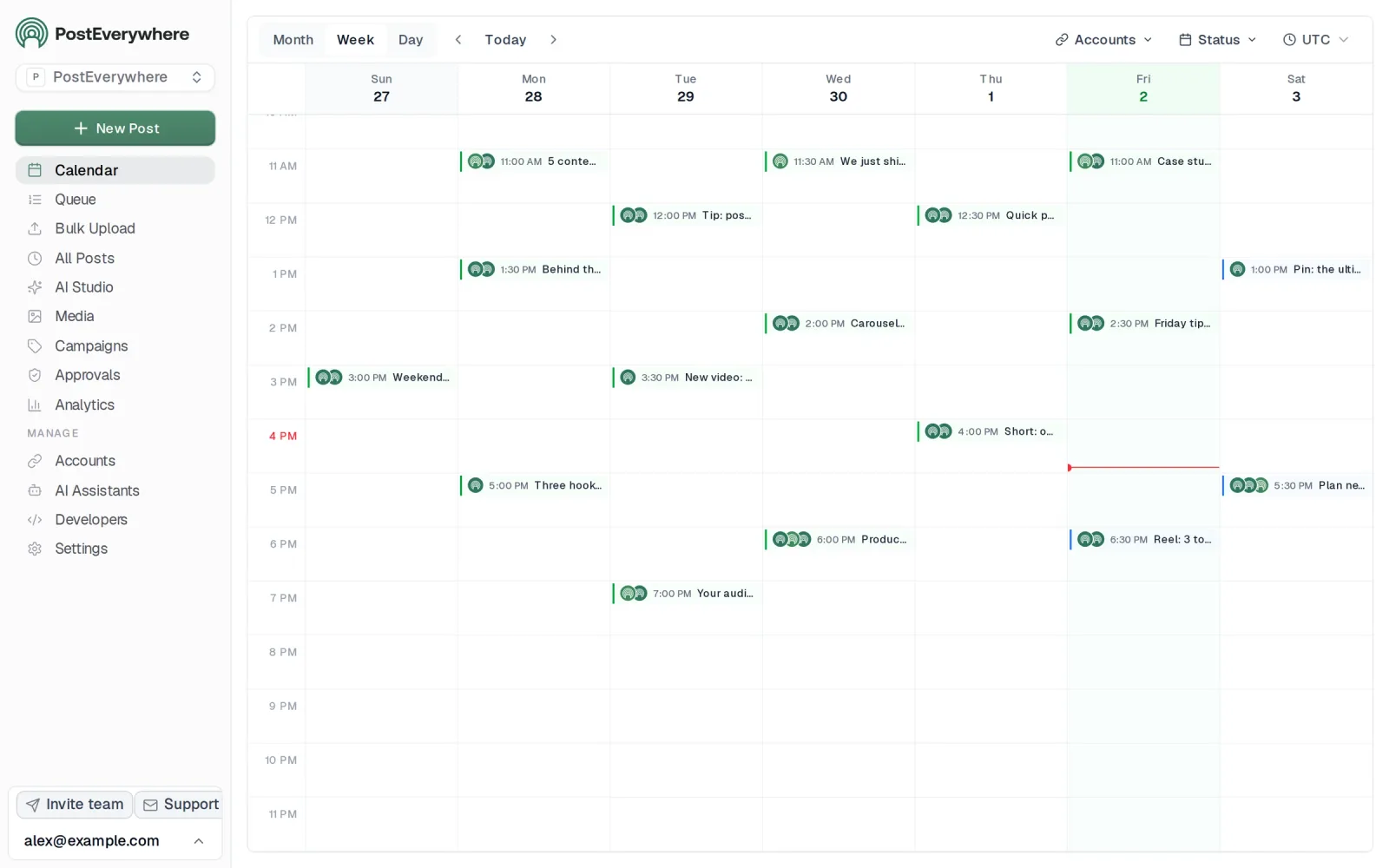
- A visual calendar, not a list. PostEverywhere's drag-and-drop content calendar shows every post across every account. SocialPilot's calendar view is a list view with dates.
- Agents and developers on every plan. Connect Claude, ChatGPT, Cursor or another AI agent to the hosted MCP server (44 tools) in about a minute and it can draft and schedule each client's posts. The REST API, signed webhooks, Node SDK and CLI are included, and you can bulk create up to 50 posts per API call.
Compare plans on the pricing page and start a 7-day free trial; you can import your SocialPilot CSV export and keep publishing the same day.
Where SocialPilot Falls Short
SocialPilot does a lot right — the pricing is transparent, the bulk upload is a genuine time-saver, and platform support covers all the major networks. But there are specific gaps that keep pushing users toward alternatives, and one former gap worth rechecking.
Instagram Stories and Reels have caught up. This used to be the big one. SocialPilot now publishes Stories and Reels directly to Instagram Business and Creator profiles, while personal accounts get mobile reminders instead.
If format support was your reason to leave, it no longer is on its own, though competitors also offer full carousel and Reels scheduling.
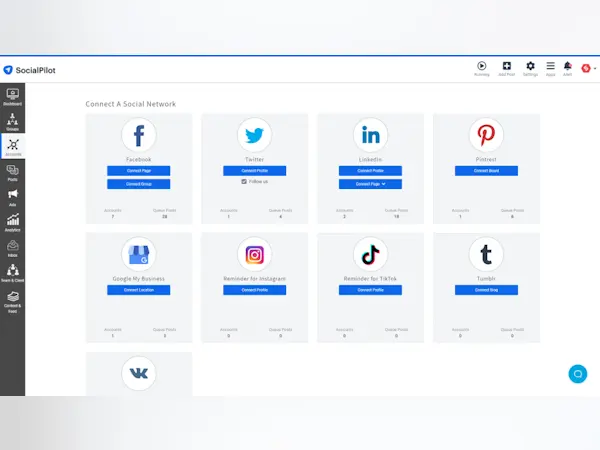
Shallow analytics without ROI attribution. SocialPilot gives you the basics: likes, comments, shares, follower growth. What it doesn't give you is anything actionable. There's no way to tie social activity back to website conversions, no social listening to track brand mentions, and no competitive benchmarking to see how your accounts stack up against similar brands.
If you're reporting to clients or stakeholders who want to know what social media actually drove in terms of revenue, SocialPilot can't answer that question. You'll end up exporting CSVs and building reports manually in Google Sheets, which defeats the purpose of paying for a platform.
The calendar is a list, not a visual calendar. SocialPilot's "calendar" view is really a list view with dates. It doesn't give you the drag-and-drop visual overview that tools like PostEverywhere's content calendar provide.
When you're managing dozens of posts across multiple accounts, the difference between a real visual calendar and a glorified spreadsheet is the difference between catching gaps in your schedule at a glance and missing them entirely.
Support response times are inconsistent. Multiple reviews on G2 and Capterra mention slow support, especially outside US business hours. When you're dealing with a publishing issue on a client account at 6 PM on a Friday, waiting until Monday for a response isn't acceptable.
Some users also report billing and cancellation headaches — difficulty downgrading plans or being charged after requesting cancellation.
Limited AI capabilities. SocialPilot has added some AI features, but they're surface-level compared to tools that were built with AI as a core component. There's no AI image generation, no smart caption rewriting that adapts tone per platform, and no AI-driven posting time optimization based on your specific audience data.
The social media landscape has shifted toward AI-assisted workflows, and SocialPilot hasn't kept pace.
Post recycling feels restrictive. SocialPilot offers content recycling, but users report limits and friction around how it works. If you're running evergreen campaigns or want to systematically re-share your best-performing content, the recycling system doesn't offer the flexibility that dedicated tools provide.
Want an alternative with AI content and image generation, an AI agent connection, and a real visual calendar? Start your 7-day trial.
The 5 Best SocialPilot Alternatives
1. PostEverywhere: Best SocialPilot Alternative for AI Agents and Agencies

Publishes to all top platforms
 Instagram
 Facebook
 X
X LinkedIn
 TikTok
 Threads
 Bluesky
 Telegram
 Discord
 YouTube
 Pinterest
 WordPress
 Google Business Profile
Why PostEverywhere wins
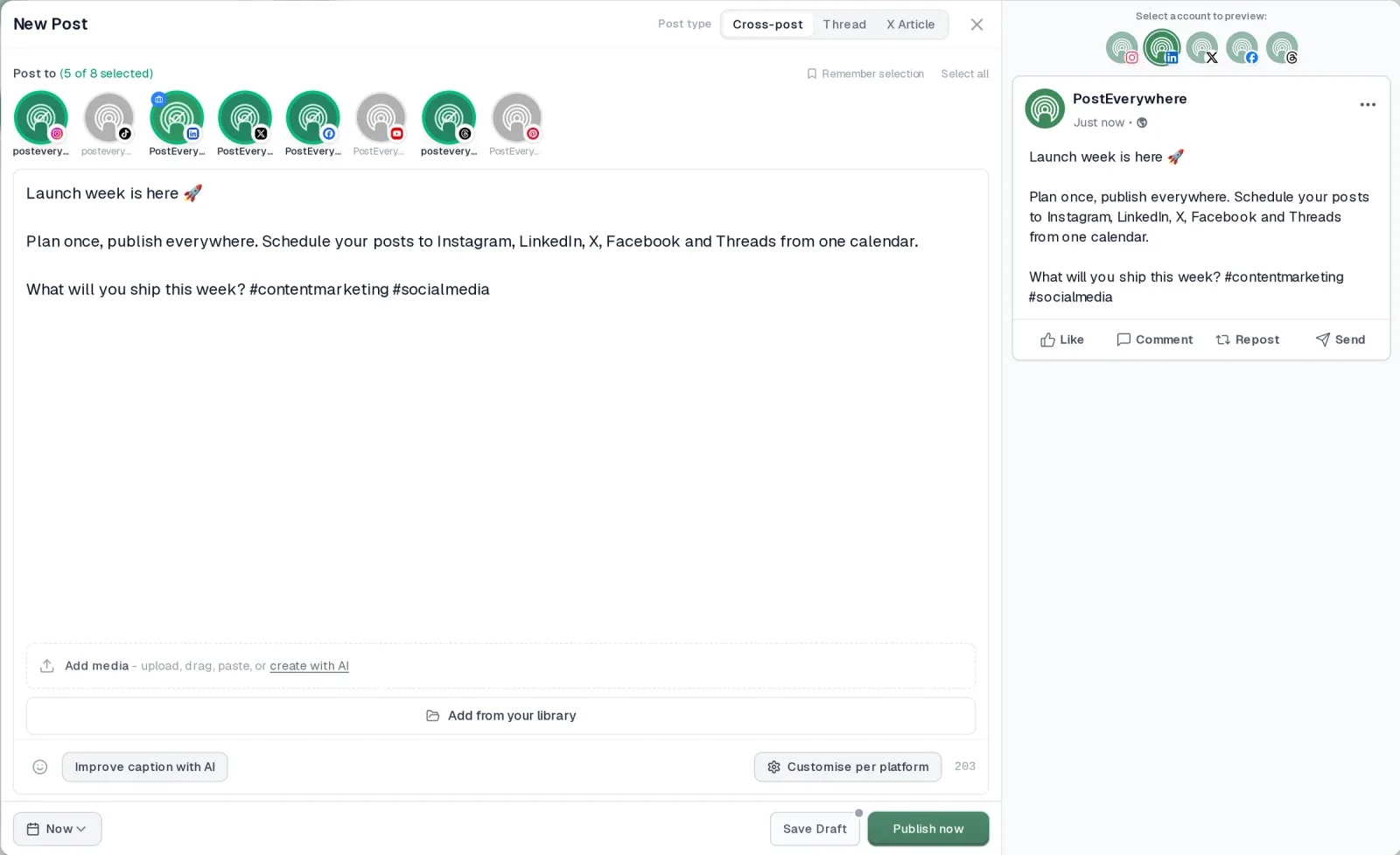
- It's simple. One composer for every platform: write the post once, tweak the caption per platform, check the live preview for each account and schedule it.
- One flat price, nothing locked away. From $9 a month. Every plan includes unlimited posts, the full API, the hosted MCP server and AI Studio, with no per-channel fees.
- Every top platform in one place. Instagram, TikTok, YouTube, LinkedIn, Facebook, X, Threads and Pinterest, plus Bluesky, Telegram, Discord, WordPress and Google Business Profile.
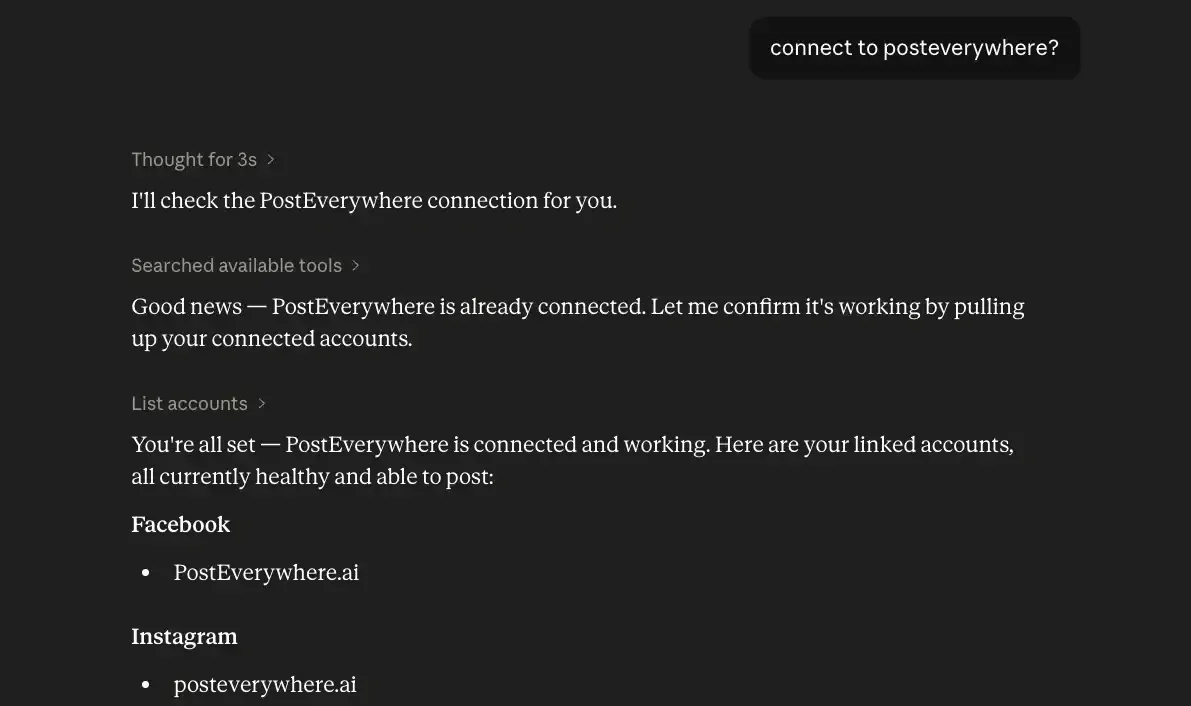
- Your AI agent can run it. Connect Claude, ChatGPT or Cursor in about a minute and ask it to plan, write and schedule your posts.
- Create in the same tool. AI Studio makes captions, images and video, so you don't need a second app before you post.
How PostEverywhere works
- Connect your accounts. Link your social accounts once, across all top platforms.
- Create the post. Write it in the composer, make images and video in AI Studio, or ask Claude or ChatGPT to draft and schedule it for you.
- Schedule it everywhere. Tweak the caption for each platform, check every preview, and it goes out on time from one calendar.
Switching from SocialPilot?
| SocialPilot | PostEverywhere | |
|---|---|---|
| What an AI agent can do (MCP) | – | Publish, schedule, queue, best time, bulk, retry, connect accounts |
Connect your accounts, then schedule your first post from the composer or ask your AI agent to do it. Your SocialPilot account keeps running until you cancel it.
Built for AI agents
- Agents do the whole job. A full hosted MCP server with up to 44 tools: publish, schedule, use your queue or the best time, bulk-schedule 50 posts at once, check results, retry failures and send links to connect new accounts. Some rival MCP servers only read data or create drafts.
- $29 a month for 10 accounts, flat. Full API and agent access included, with no per-channel, per-seat or per-call fees. The same 10 accounts cost $60 a month on Buffer and $99 per user (billed annually) on Hootsuite.
- Nothing gated. API, MCP and webhooks come with every plan, from Lite. Several rivals keep their API for higher tiers or a sales call.
- Connected in a minute. One click adds PostEverywhere to Claude, with one-click installs for Cursor and VS Code. ChatGPT adds it under Plugins.
Plans: Lite $9 a month (2 accounts), Starter $19 (5), Growth $29 (10), Scale $39 (20). Every plan includes unlimited posts, the full API, the hosted MCP server and AI Studio.
“This tool has truly made my content posting so much easier, I can't work without it. I can schedule my posts days in advance while working on other projects. Set it and forget it.”
Also in PostEverywhere: a posting queue, bulk upload from CSV, approvals, analytics, an API and the iPhone app.
PostEverywhere is the agentic social media scheduler built for AI agents. Instead of filling in a CSV for every client, you can have Claude or ChatGPT draft and schedule each client's posts for you, and the REST API, webhooks and MCP server are included on every plan.

Full transparency: this is our product. I'm going to be straightforward about what it does better than SocialPilot, where SocialPilot still has an edge, and let you make the call.
The reason PostEverywhere lands at the top of this list is that it directly addresses every gap I just outlined. Instagram Stories and Reels scheduling is fully native — no workarounds, no push notifications asking you to manually post, no "reminder" scheduling that puts the burden back on you.
You schedule a Reel the same way you schedule a feed post, and it publishes automatically. The Instagram scheduler supports feed posts, carousels, Stories, and Reels from a single workflow.
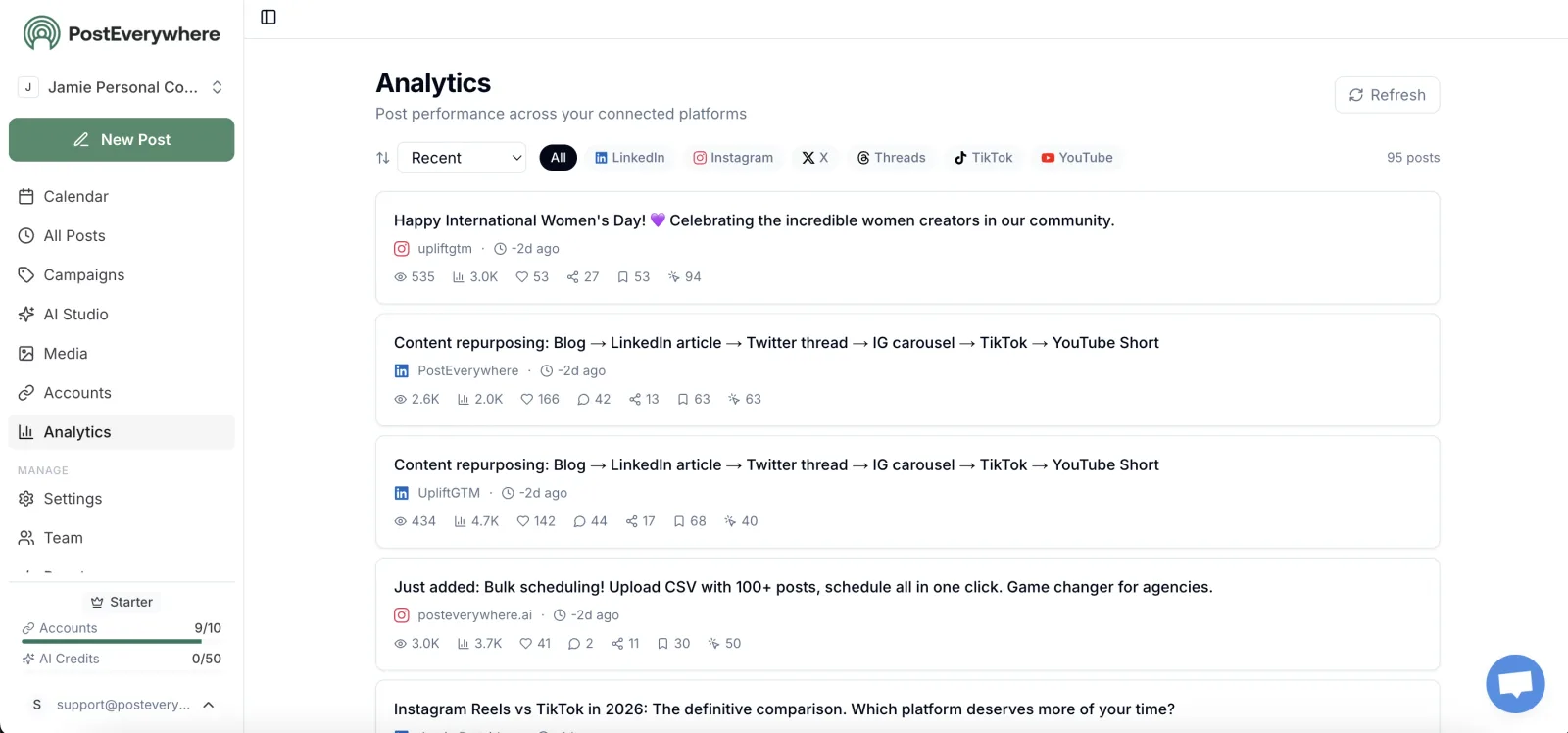
The analytics gap is where the difference is sharpest. PostEverywhere's reporting goes beyond vanity metrics. You get engagement rate tracking across all connected accounts, best times based on when your own posts have done best (not just generic best-time suggestions), and performance comparisons across platforms so you can see which channels are earning their keep.
If you're managing social for clients, the reports are presentation-ready without needing to rebuild them in Canva or PowerPoint.
The AI content generator is built into every plan — not bolted on as an upsell. Write a single post idea and the system generates platform-specific variations. Your LinkedIn version gets a professional tone and appropriate length.
Your Instagram caption gets relevant hashtags from the hashtag generator. Your X post gets trimmed to fit. You review, tweak if needed, and post to all social media at once through the cross-posting workflow.
That entire process takes about two minutes per piece of content.
The AI image generator is the feature I personally rely on most. Instead of hunting for stock photos or opening a design tool in another tab, you describe the image you want and the AI generates it inside the scheduler.
It uses the latest, highest-quality models and produces clean, professional results. For someone coming from SocialPilot — where you're sourcing every image externally — this cuts 15–20 minutes off each batch of posts.
The content calendar is a proper visual calendar with drag-and-drop rescheduling. You see every post across every connected account in a single view. Gaps in your schedule are immediately obvious.
You can click any empty slot to create a new post. It's the kind of interface that makes SocialPilot's list view feel like a step backward.
Multi-account management uses flat-rate pricing, which is the same model SocialPilot uses. You won't get hit with per-user charges or per-channel fees. The Growth plan gives you 10 connected accounts across Instagram, Facebook, LinkedIn, X, YouTube, TikTok, and Threads.
If you're an agency or freelancer, the best time to post feature works per account, so each client gets times based on when their own posts have done best once the account has enough posts.
We also built dedicated platform schedulers for teams that go deep on specific channels: the Facebook scheduler handles Pages, links, video and Reels, the LinkedIn scheduler supports company pages and personal profiles, the X scheduler publishes posts and threads, and the YouTube scheduler covers long-form video and Shorts.
Pricing: Lite at $9/month (2 accounts), Starter at $19/month (5 accounts), Growth at $29/month (10 accounts), and Scale at $39/month (20 accounts), which is the top of the range. All plans include a 7-day free trial. Annual billing saves you 20%.
Best for: Anyone leaving SocialPilot who wants the same flat-rate pricing model but with real analytics, social media AI agents, and full Instagram format support.
The catch: PostEverywhere doesn't match SocialPilot's 500-post CSV bulk upload. If you routinely schedule hundreds of posts in a single batch, our bulk scheduling tool handles CSV uploads with automatic column mapping, but the volume ceiling is lower at 200 posts per upload.
Past that, it's built to be driven by an AI agent or your own code through the API instead.
Where SocialPilot still wins: Raw bulk scheduling volume and white-label reports on mid-tier plans. If those two features are your primary workflow, SocialPilot might still be the better fit.
2. Hootsuite: Advanced Analytics and Social Listening
 Hootsuite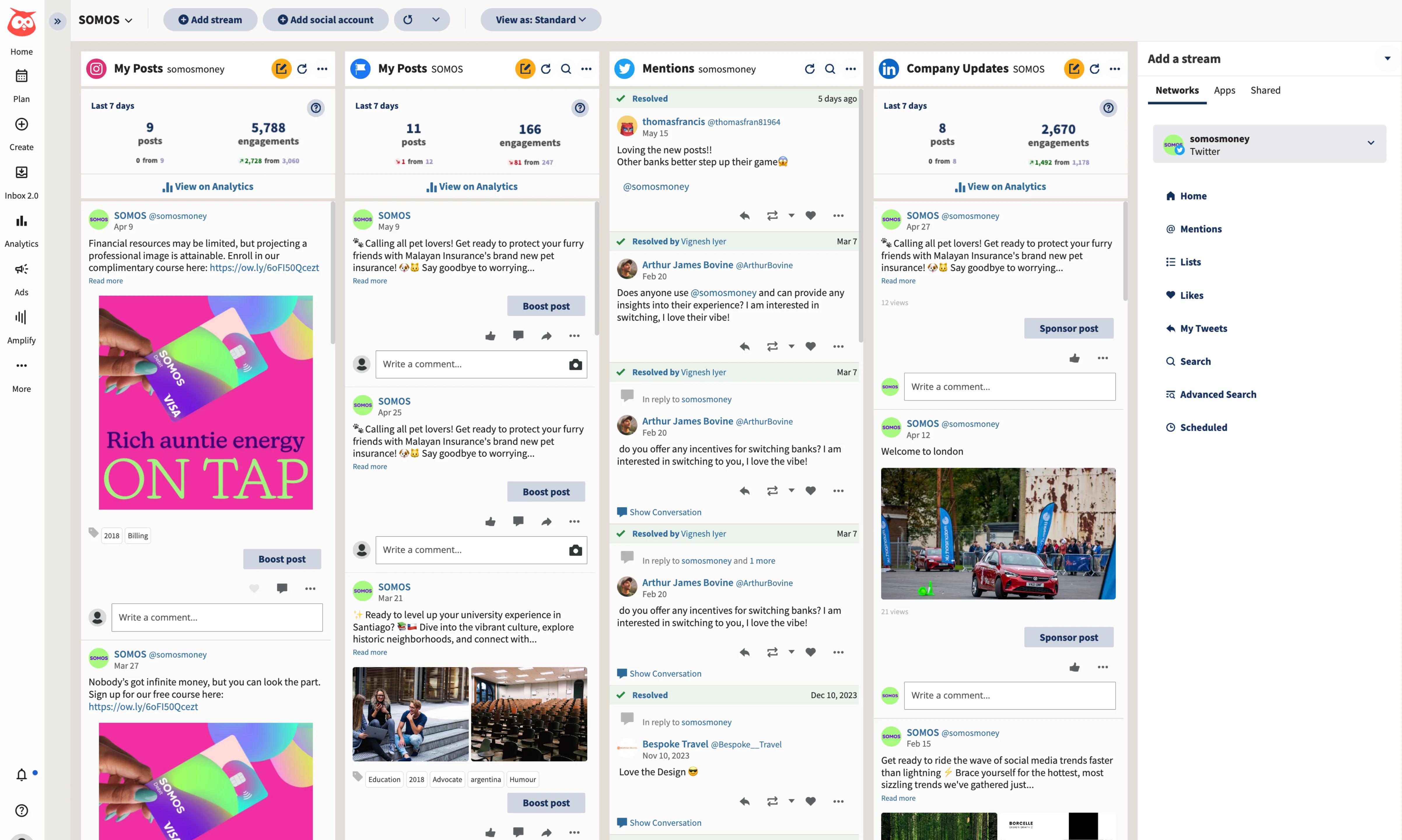
If analytics is the main reason you're leaving SocialPilot, Hootsuite offers a deep reporting suite. The analytics go beyond engagement metrics into competitive benchmarking, sentiment analysis, and ROI tracking that ties social activity to website conversions.
For teams that need to prove social media's impact on revenue, Hootsuite delivers data that SocialPilot simply can't.
The social listening feature is the other major differentiator. You can track brand mentions across platforms, monitor competitor activity in real time, and set up alerts for industry keywords. SocialPilot has no social listening capability at all.
If your job includes reputation management or competitive intelligence, that gap alone might justify the switch.
Hootsuite also handles Instagram Stories and Reels scheduling natively. The social media scheduling covers all major platforms with full format support. The team collaboration features — approval workflows, content libraries, role-based permissions — are enterprise-grade and significantly more sophisticated than what SocialPilot offers.
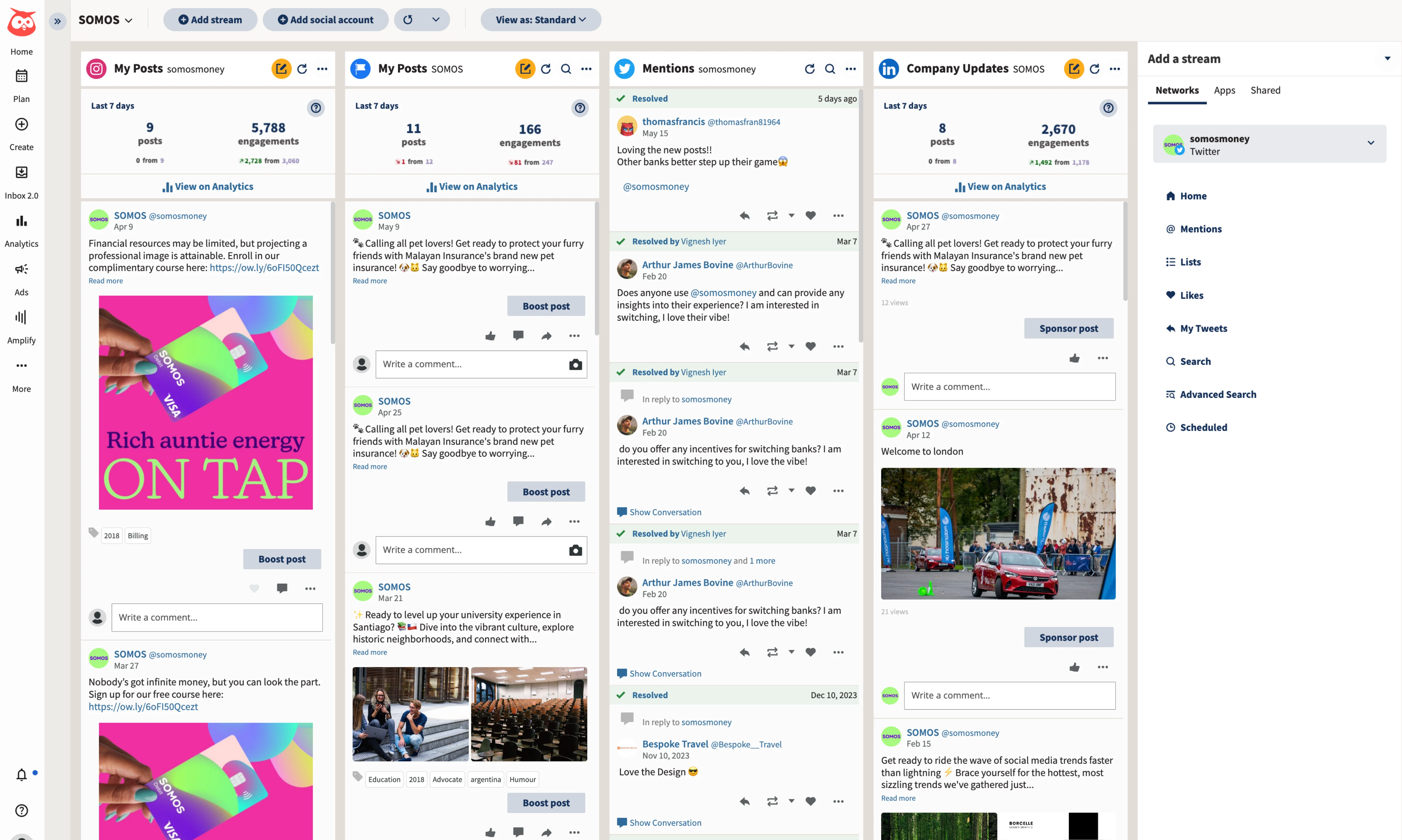
The interface uses a column-based "streams" layout that's been around for years. Some people find it intuitive. Others find it cluttered compared to modern calendar-based tools. It's worth testing during the trial period to see which camp you fall into.
For a more detailed breakdown, we covered Hootsuite extensively in our Hootsuite alternatives guide.
Pricing: Standard plan at $99/user/month for 10 social accounts. Professional at $199/user/month. Advanced at $399/user/month. All billed annually; Enterprise pricing available.
Good for: Marketing teams and agencies that need enterprise-grade analytics, social listening, and competitive benchmarking.
The catch: The pricing is the obvious barrier. SocialPilot's most expensive plan at $170/month gives you 50 accounts and unlimited users. Hootsuite's cheapest plan costs $99 per user per month for 10 accounts.
You're trading SocialPilot's value pricing for Hootsuite's depth — make sure you'll actually use the advanced features to justify the cost increase. The learning curve is also steeper than most alternatives.
3. Sprout Social: Enterprise Reporting and CRM Integration
 Sprout Social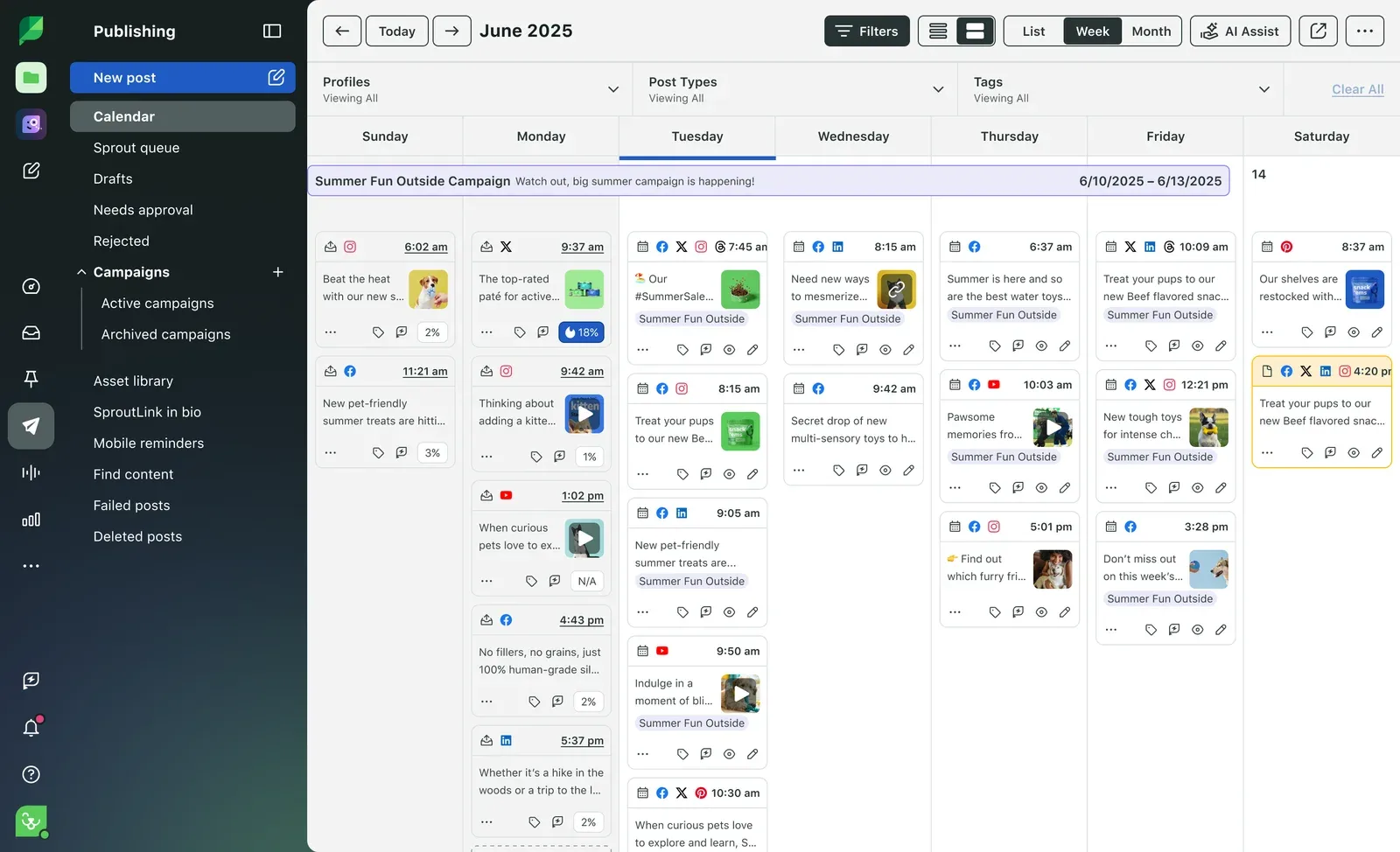
Sprout Social is the tool that marketing directors at mid-size companies love. The reporting suite is polished enough to put directly into board presentations, the CRM integration connects social interactions to customer records, and the smart inbox handles high-volume engagement management well.
Where Sprout Social separates from SocialPilot most dramatically is in how it treats social media as a business function rather than just a publishing workflow. The analytics don't just tell you how many likes you got — they show trends over time, benchmark against industry averages, and break down performance by content type, time of day, and audience segment.
The engagement rate tracking is granular enough to identify which specific types of posts drive the most meaningful interactions.
The publishing tools are solid across all platforms, with full Instagram Reels and Stories support. The content calendar is visual and collaborative, with approval workflows built in. The social listening feature rivals Hootsuite's, tracking brand mentions, competitor activity, and industry conversations across the web.
The CRM integration is what makes Sprout Social unique on this list. When someone comments on your post or sends a DM, Sprout Social can pull up their interaction history, connect their profile to a CRM record, and give your team context before they respond.
For businesses where social media is a customer service channel — not just a marketing channel — that context is valuable.
Pricing (updated October 2026): Essentials at $99/month per seat ($79 annual). Standard at $249/month per seat ($199 annual). Professional at $399/month per seat ($299 annual). Advanced at $499/month per seat ($399 annual).
Sprout's Trellis AI agent is included, with 100 credits per seat a month on Essentials.
Good for: Mid-size to enterprise companies that need polished reporting, CRM integration, and social media as part of a broader customer experience strategy.
The catch: The per-seat pricing makes Sprout Social one of the most expensive tools in the category. A three-person team on the Standard plan pays $597/month on annual billing. That's still more than three times SocialPilot's Ultimate plan.
Unless you're genuinely using the CRM integration, Trellis AI agents, and enterprise reporting, you're overpaying significantly. Most small businesses and freelancers should look elsewhere.
Need enterprise-level analytics without enterprise-level pricing? PostEverywhere gives you engagement tracking, AI content tools, and a visual calendar. Starting at $9/month. Start your 7-day trial.
4. Buffer: Simplicity and Clean Publishing
 Buffer
Buffer sits at the opposite end of the spectrum from SocialPilot. Where SocialPilot tries to give you volume and agency features, Buffer strips everything down to the essentials and does them cleanly.
If you're leaving SocialPilot because the interface feels clunky and the analytics aren't useful anyway, Buffer's minimalist approach might be exactly what you need. It is one of the longest-running social media scheduling tools on the market.
The scheduling interface is fast and intuitive. Pick your platforms, write your post, set a time or let Buffer's algorithm choose one, and publish. The queue system is smart — set your posting schedule once, then just drop content into the queue and Buffer publishes at the next available slot.
For anyone who felt overwhelmed by SocialPilot's dashboard, Buffer will feel like a relief.
Buffer added AI writing assistance that generates caption variations and helps repurpose content across platforms. It's decent for text but doesn't include AI image generation — you'll still need external tools for visuals.
The analytics are cleaner and easier to read than SocialPilot's, though they're not as deep as Hootsuite or Sprout Social. You get engagement metrics, posting performance data, and audience insights that are genuinely actionable for day-to-day decisions.
Instagram Reels and Stories scheduling is supported. Platform coverage is broad — Instagram, Facebook, LinkedIn, X, TikTok, YouTube, and Pinterest are all supported. The browser extension makes sharing content you find while browsing fast and friction-free.
We did a deeper comparison in our Buffer alternatives guide if you want to see how it stacks up against other options.
Pricing: Free plan covers 3 channels with basic scheduling. Paid plans start at $5–$10 per channel per month. A team managing 10 accounts could pay $50–$100/month depending on the plan tier.
Good for: Solo creators and small teams who value simplicity over power features and want a clean, fast publishing experience.
The catch: The per-channel pricing model is the opposite of SocialPilot's flat-rate approach. If you're managing 10+ accounts, Buffer gets expensive fast. No AI image generation. Limited team collaboration features on lower plans. No content recycling or evergreen posting.
If you're switching from SocialPilot because of feature limitations, Buffer has different limitations — just in different areas.
5. Sendible: Agency White-Labeling
 SendibleMCP server: none listed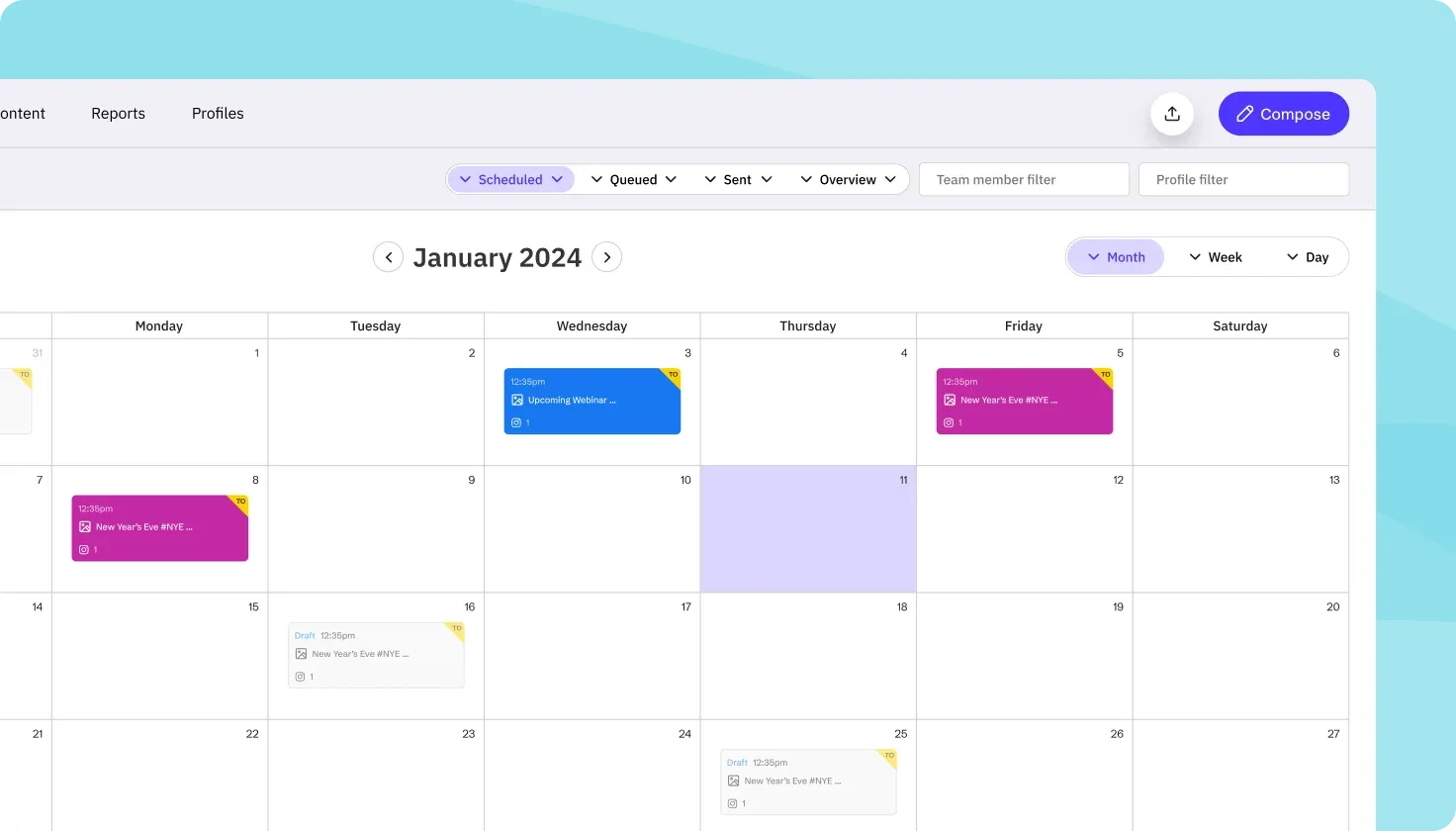
If the reason you're evaluating SocialPilot alternatives is specifically about the agency workflow — white-label reports, client management, team access control — Sendible deserves a close look. It's purpose-built for agencies in a way that SocialPilot attempts but doesn't fully deliver.
And if you are comparing flat-rate agency schedulers specifically, our Postplanify alternatives roundup lines them up on price and white-label.
Sendible's white-label dashboard (a paid add-on on its Elite and Enterprise plans) lets you create branded client portals where clients can review content, approve posts, and monitor their social performance — all under your agency's logo.
SocialPilot offers white-label reports on mid-tier plans, and they're adequate for basic client reporting. Sendible takes it further with fully branded dashboards that look like your own proprietary platform.
The content suggestion engine pulls in RSS feeds and trending content based on topics you configure, which helps fill content calendars without starting from scratch. The priority inbox unifies comments, messages, and mentions from all connected platforms.
The direct Canva integration lets your team design graphics and push them into Sendible for scheduling without downloading and re-uploading files.
Analytics are more detailed than SocialPilot's, with reporting designed to be client-facing from the start. You get engagement breakdowns, audience growth tracking, and content performance analysis that you can export as branded PDFs.
It's not at the level of Hootsuite or Sprout Social, but it's a meaningful step up from what SocialPilot provides.
Instagram Reels and Stories scheduling is supported natively. Platform coverage includes all major networks. The social media audit process is smoother when your tool actually gives you actionable data to work with, and Sendible's reporting makes that feasible.
Pricing: Core plan at $35/month for 6 social profiles. Plus at $99/month covers 18 profiles with approvals. Premium at $199/month covers 42 profiles with custom branded reports, and Elite at $299/month covers 90. Unlimited users on every plan; white label is a paid add-on.
Good for: Digital marketing agencies that need client-facing dashboards, branded reporting, and team collaboration features that go beyond what SocialPilot offers.
The catch: The interface has a learning curve. It's not as immediately intuitive as Buffer or PostEverywhere. Some users report occasional publishing glitches with Instagram. If you're a solo creator or small business without agency clients, you're paying for features you'll never use.
And if your primary SocialPilot workflow was the 500-post bulk upload, Sendible doesn't match that volume capability. For more agency-focused tools with approval workflows, our Statusbrew alternatives and HeyOrca alternatives guides cover platforms with strong team collaboration features.
How to Pick the Right One
The right alternative depends on what's actually broken in your SocialPilot workflow. Here's how to narrow it down.
If analytics are your biggest frustration, Hootsuite and Sprout Social offer the deepest reporting. PostEverywhere offers solid analytics at a fraction of the price. All three are significant upgrades over SocialPilot's basic metrics.
If you need Instagram Stories and Reels scheduling, every tool on this list supports them, and SocialPilot now does too for Business and Creator profiles. PostEverywhere, Hootsuite, Buffer, and Sendible all handle Reels and Stories as part of their standard publishing workflow, so this is no longer a reason to switch on its own.
If you want AI built into your workflow, PostEverywhere is the strongest option. AI content generation, AI image creation, and smart scheduling are included on every plan. No add-ons, no upsells.
If you're an agency that needs white-labeling, Sendible offers more polished white-label options (compare Sendible alternatives). SocialPilot's white-label reports are decent for the price, but Sendible's branded client dashboards go further.
If simplicity matters more than features, Buffer. It does less than SocialPilot, but what it does, it does with zero friction.
If budget is the priority, PostEverywhere's Growth plan at $29/month is the cheapest option on this list that still includes AI tools and full platform support. Buffer's free plan works for very basic needs.
One practical suggestion: don't try to replicate your exact SocialPilot setup in the new tool. This is a chance to audit your workflow. Which accounts are actually generating results? Which reporting metrics do your clients or stakeholders actually look at?
Set up the new tool around what matters, not around habits you built working within SocialPilot's limitations.
Most tools on this list offer free trials, so test your top two choices side by side for a week with real content. The scheduling flow, the calendar interface, how notifications work — those day-to-day details matter more than any feature comparison chart.
Migrating Away from SocialPilot
Switching schedulers is less painful than it sounds. Here's the practical process.
Export your scheduled content. Download your queued posts from SocialPilot as a CSV before your subscription ends. Most alternatives accept CSV imports, so you won't lose planned content.
Reconnect your social accounts. This takes 5–10 minutes. You'll authorize the new tool to access each social profile, just like you did when setting up SocialPilot. No data is lost from your social accounts themselves — the scheduler is just a publishing layer.
Rebuild your posting schedule. Set up your preferred posting times and frequency in the new tool. If you're moving to PostEverywhere, the best time to post feature suggests times based on when your posts have done best, so you don't have to guess.
Run both tools in parallel for a week. Keep SocialPilot active while you test the new tool with real content. Make sure posts publish correctly, the calendar makes sense for your workflow, and your team is comfortable before cancelling.
Cancel SocialPilot carefully. Check your billing cycle and renewal date before cancelling. Multiple user reviews mention billing and cancellation friction, so document your cancellation request with screenshots and confirm it in writing.
The entire migration takes a few hours. Every alternative on this list offers a free trial, so you can validate the switch without financial risk.
Looking for a side-by-side comparison? See our complete social media tool comparison guide with head-to-head matchups.
Frequently Asked Questions
What is the best SocialPilot alternative for small businesses?
PostEverywhere is the strongest all-around alternative for small businesses. The Growth plan at $29/month includes 10 social accounts, AI content generation, AI image creation, and a visual content calendar — features that SocialPilot either doesn't offer or locks behind higher tiers.
The flat-rate pricing model is familiar if you're coming from SocialPilot.
Can SocialPilot schedule Instagram Reels and Stories?
Yes, for Instagram Business and Creator accounts. SocialPilot publishes feed posts, Stories and Reels directly to professional profiles, while personal accounts get mobile reminders instead. Tools like PostEverywhere, Hootsuite, Buffer, and Sendible also support Reels and Stories scheduling.
Is SocialPilot good for agencies?
SocialPilot is a solid budget option for agencies, especially for bulk scheduling and white-label reports. But agencies that need deeper analytics, client-facing dashboards, or advanced team collaboration often outgrow it.
Sendible offers more polished agency features, while PostEverywhere provides better AI tools and multi-account management at a competitive price.
How does SocialPilot's pricing compare to alternatives?
SocialPilot's Essentials plan starts at $25.50/month for 7 accounts and 1 user. Standard is $42.50/month for 15 accounts and 3 users. Premium is $85/month for 25 accounts and 6 users. Ultimate is $170/month for 50 accounts with bundled seats.
PostEverywhere starts lower at $9/month (2 accounts), with Growth at $29/month for 10, while Hootsuite starts higher at $99 per user per month for 10 accounts. Buffer uses per-channel pricing starting at $5–$10 per account.
Does SocialPilot have AI features?
SocialPilot has added basic AI writing assistance, but it doesn't include AI image generation or tools for cross-posting. If AI content creation is important to your workflow, alternatives like PostEverywhere and SocialBee offer significantly deeper AI capabilities built into their core product.
What is SocialPilot's biggest weakness?
Analytics. SocialPilot provides basic engagement metrics — likes, comments, shares, follower counts — but lacks ROI attribution, competitive benchmarking, social listening, and the kind of actionable insights that help you make data-driven decisions.
If reporting is a meaningful part of your job, you'll hit this wall quickly.
Can I import my SocialPilot posts into another tool?
Yes. Export your scheduled content from SocialPilot as a CSV file, then import it into your new tool. PostEverywhere, Buffer, and most other schedulers support CSV imports for bulk scheduling. Re-authorize your social accounts in the new platform, and you can continue publishing without interruption.
Is SocialPilot better than Hootsuite?
SocialPilot is significantly cheaper and offers more social accounts per plan. Hootsuite offers far deeper analytics, social listening, competitive benchmarking, and enterprise team features. If your primary need is affordable bulk scheduling, SocialPilot wins.
If you need advanced reporting and insights, Hootsuite is the better tool. For a middle ground with AI features and solid analytics at a lower price, consider a social media scheduler like PostEverywhere.
Ready to upgrade from SocialPilot? Start your 7-day PostEverywhere trial. Full Reels and Stories scheduling, AI content tools, and real analytics from day one.
For a direct side-by-side, see PostEverywhere vs SocialPilot.
Does SocialPilot have an MCP server?
Yes. As of October 2026 SocialPilot runs its own MCP server, so Claude, ChatGPT or Cursor can create, schedule and publish posts through it. If agent-driven publishing matters to your next tool, PostEverywhere's hosted MCP server covers the full publishing workflow with 44 tools on every plan.

Founder & CEO of PostEverywhere. Writing about social media strategy, publishing workflows, and analytics that help brands grow faster.