What's the best ContentStudio alternative? PostEverywhere is the best ContentStudio alternative for AI agents and automation: instead of setting up automation recipes inside one dashboard, you let Claude, ChatGPT or Cursor write and schedule posts through its hosted MCP server, from $9/month. If you rely on ContentStudio's content discovery or blog publishing, none of the ContentStudio alternatives below replace those.
ContentStudio is one of those tools that does a lot of things reasonably well but doesn't do any one thing brilliantly. Content discovery, social scheduling, AI writing, automation recipes, analytics, a unified inbox, blog publishing: the feature list is long.
The problem is that long feature lists don't always translate into good daily workflows.
I used ContentStudio for about four months across two client accounts. The content discovery tool was genuinely useful for finding trending articles to share. The automation recipes saved time once they were set up.
But the interface felt cluttered, onboarding took too long, and the mobile app was frustrating enough that I stopped using it entirely.
ContentStudio's 2026 update bumped AI credits significantly (the Standard plan now ships 25,000 AI text credits and the Agency Unlimited plan packs 125,000) which addresses the old credit-rationing complaint. But the underlying breadth-versus-depth tension remains.
If you've been using ContentStudio and find yourself wishing it did fewer things but did them better, you're not alone. Here are six ContentStudio alternatives that trade feature bloat for cleaner, more focused experiences.
Pricing models differ sharply between tools, and our social media scheduler page lays out what flat pricing looks like.
Quick Comparison: ContentStudio Alternatives (October 2026)
| Tool | Starting Price (annual) | Accounts | AI Content | Good For | What an AI agent can do (MCP) |
|---|---|---|---|---|---|
| PostEverywhere | From $9/mo ($29 for 10 accounts) | 2-20 | Captions, images + video | Cleaner scheduler with AI | Publish, schedule, queue, best time, bulk, retry, connect accounts |
| ContentStudio Standard | $19/mo (annual) | 5 | 25,000 AI credits | Reference baseline | – |
| Buffer Essentials | $5/channel | Per-channel | AI Assistant | Minimalist scheduling | – |
| Hootsuite Standard | $99/user | 10 | Wisdom AI included | Enterprise depth | – |
| Metricool Starter | $20/mo | Up to 5 brands | Captions | Analytics-first | – |
| SocialBee Bootstrap | $24/mo | 5 | Unlimited AI | Content recycling | None listed |
| Vista Social Professional | $79/mo | 15 | AI Assistant | AI-first multi-network | – |
Pricing verified October 2026 from each vendor's published pricing page.
Why people are switching from ContentStudio
ContentStudio has carved out a niche as an all-in-one content marketing platform. That positioning attracts users who want everything in one dashboard. But it also creates problems that surface once you're past the honeymoon phase.
The interface is overwhelming. ContentStudio packs content discovery, scheduling, automation, analytics, an inbox, and blog publishing into a single platform. Each feature has its own section, its own workflows, its own settings.
For new users, the onboarding process is steep: you'll spend your first week figuring out where things are rather than scheduling posts. Reviewers on G2 and Capterra consistently describe the UI as "clunky" and "in need of a refresh."
Pricing adds up quickly. As of October 2026, ContentStudio's Standard plan is $19/month billed annually (5 accounts, 1 workspace, 25,000 AI credits). The Advanced plan jumps to $49/month annually (10 accounts, 2 workspaces, social inbox, approval workflows).
The Agency Unlimited plan is $99/month annually for 25 accounts to start, unlimited workspaces and users, and 125,000 AI credits, with white-label as a $50/month add-on. Monthly billing is significantly higher across the board ($29, $69 and $139).
For a tool where you might only use two or three of its many features, paying for the full bundle starts to feel wasteful. Compare that to PostEverywhere where $29/month also gets you 10 accounts and AI tools, but without paying for content discovery or blog publishing you may never use.
Content discovery has quality issues. The "Discover" feature (one of ContentStudio's headline differentiators) sometimes surfaces outdated or irrelevant results. When your content curation tool can't reliably find fresh, relevant content, you end up doing the manual research anyway.
The mobile app is behind. Multiple users report that the mobile app lacks key features available in the desktop version. If you need to make quick edits, approve posts, or respond to comments on the go, the mobile experience can be frustrating.
X/Twitter connection issues. Connecting X accounts to ContentStudio has become cumbersome, partly due to changes on X's side. Users describe the process as unintuitive and report occasional disconnections that break scheduled posts.
Analytics accuracy concerns. Some users have noted that social post statistics aren't always precise. Whether that's a platform API issue or a ContentStudio bug, unreliable data undermines the tool's value as an analytics platform.
ContentStudio isn't a bad tool: it's an ambitious one that tries to replace four or five separate products with a single subscription. If you actually use every feature, the value proposition is strong.
But if you mainly need scheduling and found yourself paying for a content discovery engine you rarely open, a focused alternative might serve you better.
1. PostEverywhere: Best ContentStudio Alternative for AI Agents

Publishes to all top platforms
 Instagram
 Facebook
 X
X LinkedIn
 TikTok
 Threads
 Bluesky
 Telegram
 Discord
 YouTube
 Pinterest
 WordPress
 Google Business Profile
Why PostEverywhere wins
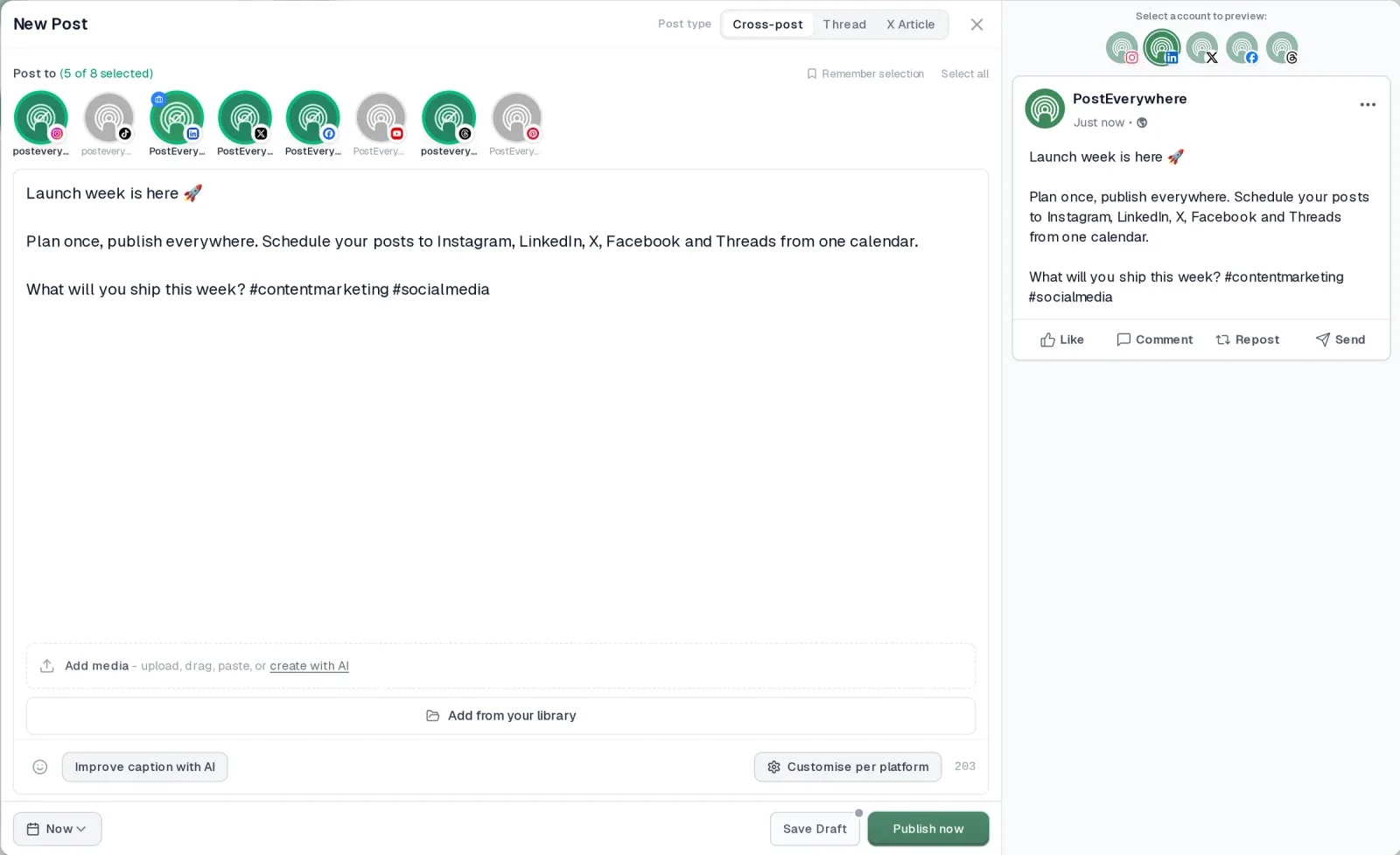
- It's simple. One composer for every platform: write the post once, tweak the caption per platform, check the live preview for each account and schedule it.
- One flat price, nothing locked away. From $9 a month. Every plan includes unlimited posts, the full API, the hosted MCP server and AI Studio, with no per-channel fees.
- Every top platform in one place. Instagram, TikTok, YouTube, LinkedIn, Facebook, X, Threads and Pinterest, plus Bluesky, Telegram, Discord, WordPress and Google Business Profile.
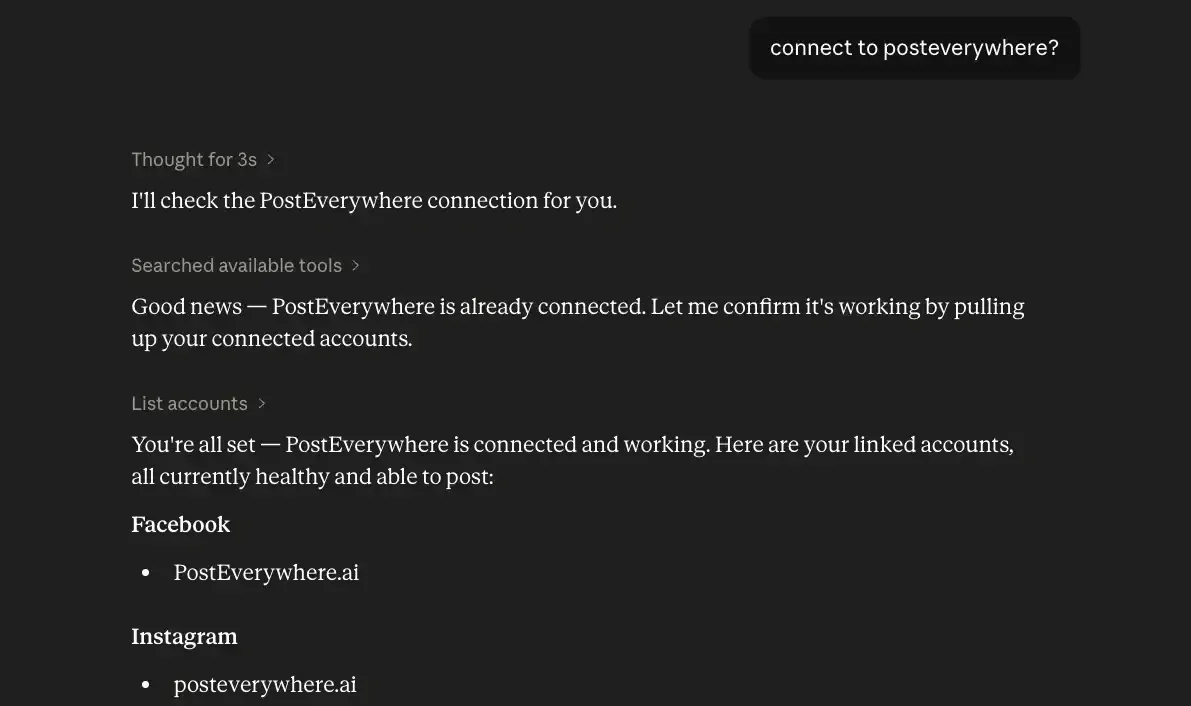
- Your AI agent can run it. Connect Claude, ChatGPT or Cursor in about a minute and ask it to plan, write and schedule your posts.
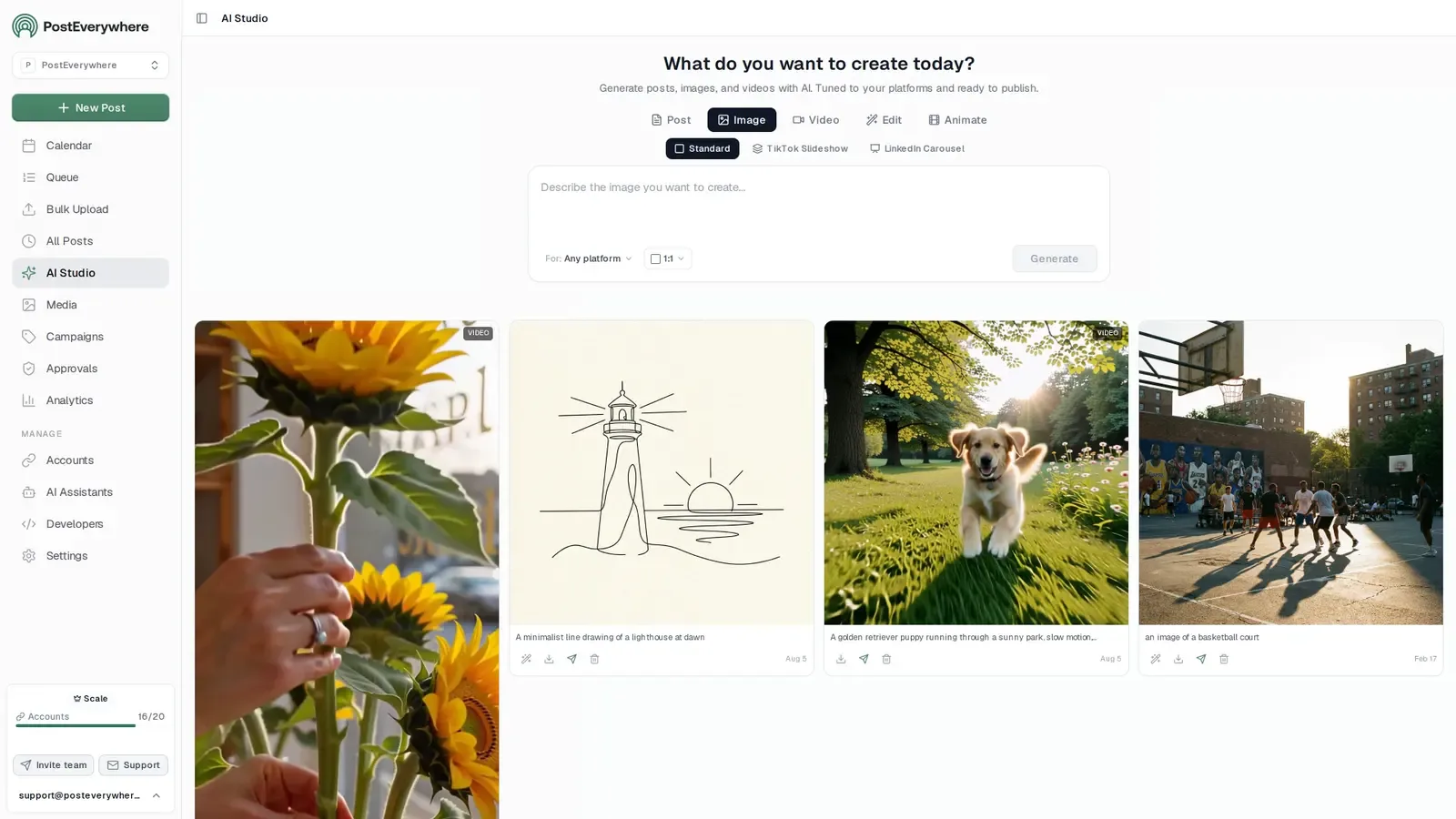
- Create in the same tool. AI Studio makes captions, images and video, so you don't need a second app before you post.
How PostEverywhere works
- Connect your accounts. Link your social accounts once, across all top platforms.
- Create the post. Write it in the composer, make images and video in AI Studio, or ask Claude or ChatGPT to draft and schedule it for you.
- Schedule it everywhere. Tweak the caption for each platform, check every preview, and it goes out on time from one calendar.
Switching from ContentStudio?
| ContentStudio | PostEverywhere | |
|---|---|---|
| What an AI agent can do (MCP) | – | Publish, schedule, queue, best time, bulk, retry, connect accounts |
Connect your accounts, then schedule your first post from the composer or ask your AI agent to do it. Your ContentStudio account keeps running until you cancel it.
Built for AI agents
- Agents do the whole job. A full hosted MCP server with up to 44 tools: publish, schedule, use your queue or the best time, bulk-schedule 50 posts at once, check results, retry failures and send links to connect new accounts. Some rival MCP servers only read data or create drafts.
- $29 a month for 10 accounts, flat. Full API and agent access included, with no per-channel, per-seat or per-call fees. The same 10 accounts cost $60 a month on Buffer and $99 per user (billed annually) on Hootsuite.
- Nothing gated. API, MCP and webhooks come with every plan, from Lite. Several rivals keep their API for higher tiers or a sales call.
- Connected in a minute. One click adds PostEverywhere to Claude, with one-click installs for Cursor and VS Code. ChatGPT adds it under Plugins.
Plans: Lite $9 a month (2 accounts), Starter $19 (5), Growth $29 (10), Scale $39 (20). Every plan includes unlimited posts, the full API, the hosted MCP server and AI Studio.
“This tool has truly made my content posting so much easier, I can't work without it. I can schedule my posts days in advance while working on other projects. Set it and forget it.”
Also in PostEverywhere: a posting queue, bulk upload from CSV, approvals, analytics, an API and the iPhone app.
PostEverywhere is the agentic social media scheduler built for AI agents. ContentStudio's automations are recipes you build inside its dashboard; PostEverywhere hands that work to the agent you already use (the difference between automation and a true AI agent), so Claude, ChatGPT or Cursor can write and schedule posts through the hosted MCP server, and your own code can do the same through the REST API and webhooks.

Full disclosure: this is our product. I'm listing it first because it was designed around the exact frustration I had with ContentStudio: paying for a dozen features when I really needed great scheduling and good AI tools. Compare it against every other option and pick what fits your workflow.
PostEverywhere takes the opposite approach from ContentStudio. Instead of bundling content discovery, blog publishing, and automation recipes into one platform, it focuses on doing social media scheduling exceptionally well across every major platform. No feature bloat, no sections of the dashboard you'll never visit.
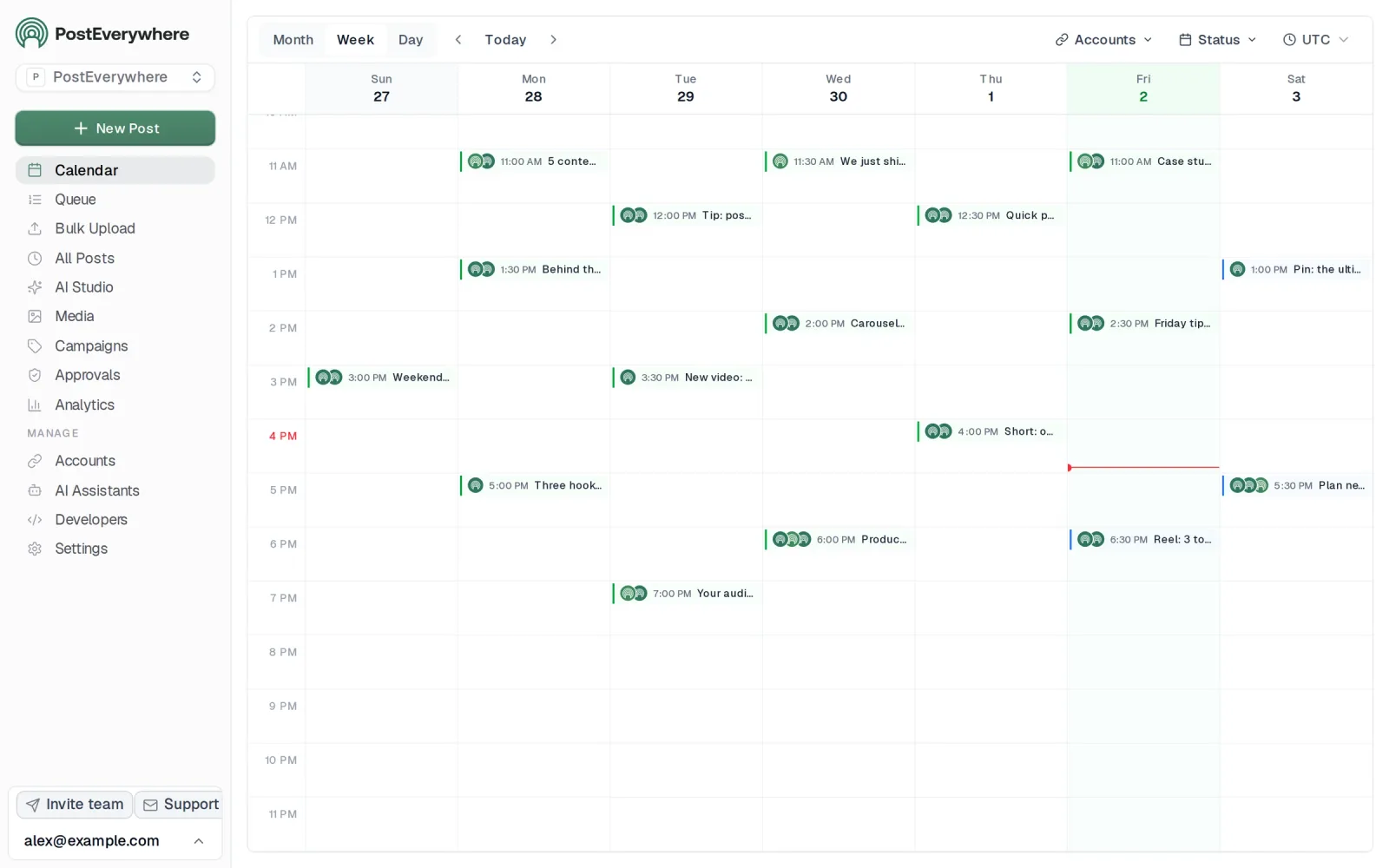
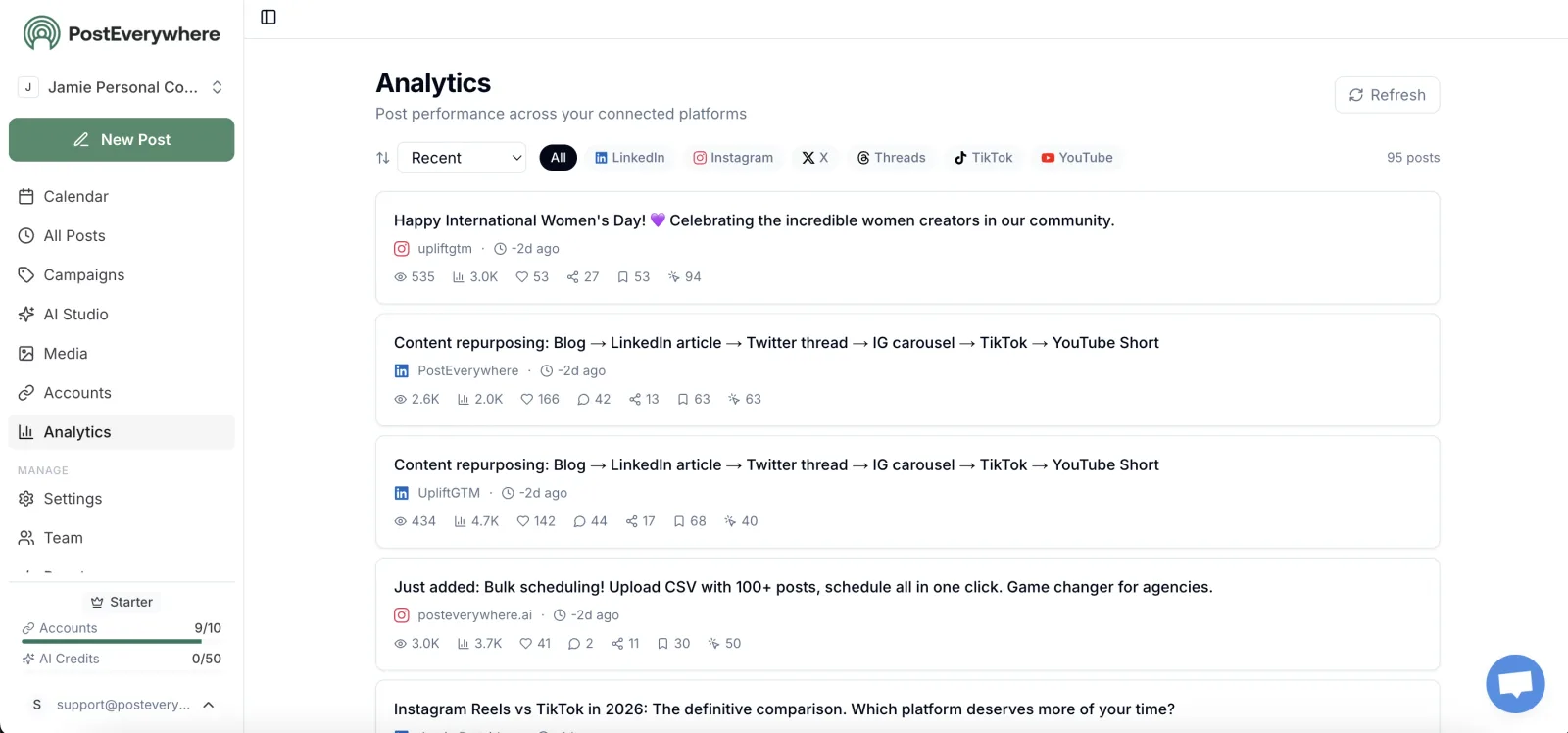
The content calendar gives you a clean drag-and-drop view across Instagram, Facebook, LinkedIn, X/Twitter, YouTube, TikTok, and Threads. Every platform gets equal treatment: there's no primary channel that gets better features while others feel neglected.
You can see your entire content schedule in one view without clicking through separate tabs for each network.
Where PostEverywhere overlaps with ContentStudio is AI. PostEverywhere AI agents and the AI content generator create full captions, rewrite posts for different platform tones, and generate content variations for testing.
The difference is that PostEverywhere includes AI credits on every plan, with images and short video as well as text, versus ContentStudio's limited AI Writer credits. The AI image generator creates custom visuals inside your workflow: no need for separate design tools.
Cross-posting is where PostEverywhere saves the most time over ContentStudio. Write a post once, adapt it for each platform's format and character limits, then post to all social media at once.
ContentStudio can do this too, but the workflow involves more clicks and more navigation between sections.
Platform-specific schedulers cover each network natively. The Instagram scheduler handles feed posts, Stories, and Reels. The Facebook scheduler supports Pages, links, video and Reels. The LinkedIn scheduler works with personal profiles and company pages.
The X scheduler handles threads and polls without the connection issues ContentStudio users report. And the YouTube scheduler manages Shorts and long-form videos.
Multi-account management lets agencies organize accounts by client with separate calendars and approval workflows. The hashtag generator suggests tags based on your content and trending data. Best time to post recommendations are built into the scheduling flow.
Pricing: Lite at $9/month (2 accounts), Starter at $19/month (5 accounts), Growth at $29/month (10 accounts), and Scale at $39/month (20 accounts). All plans include a 7-day free trial. Annual billing saves 20%.
Best for: Teams who want cross-posting tools and AI without paying for content discovery, automation recipes, and blog publishing they don't use.
The catch: No content discovery tool. No automation recipes. No blog publishing. Automation here runs through the hosted MCP server, REST API and webhooks instead. If you actually use those ContentStudio features, you'd lose them.
Worth comparing: PostEverywhere's pricing page shows exactly what each tier includes. Lite starts at $9/month, and at $19/month the Starter plan matches ContentStudio's entry price for the same 5 accounts.
Why Choose PostEverywhere?
If scheduling and AI content are what you actually use ContentStudio for, PostEverywhere is the better choice: you get a focused scheduler your AI agent can run, for less money and without the clutter.
- Lower price for the same accounts. PostEverywhere's Growth plan is $29/mo for 10 accounts. ContentStudio's Advanced plan, also 10 accounts, is $49/month billed annually or $69 monthly. PostEverywhere also starts lower, at $9/mo for 2 accounts.
- Your AI agent does the automation. Instead of building recipes inside a dashboard, connect Claude, ChatGPT or Cursor to PostEverywhere's hosted MCP server in about a minute. The agent can plan, write, schedule and publish posts, upload media and read analytics and best times.
- A cleaner composer. Write once, customise per platform with live previews, and plan everything on one content calendar. Reviewers describe ContentStudio's interface as clunky, with separate sections for discovery, automation, inbox and blog publishing.
- AI Studio on every plan. Captions, images and video are included on every plan, where ContentStudio's AI Writer is limited by credits on lower tiers.
- Reliable X (Twitter) and more. Publish to Instagram, TikTok, YouTube, LinkedIn, Facebook, X (Twitter), Threads, Pinterest and more from one place, without the X connection issues ContentStudio users report.
- Built for developers and agencies. Every plan includes the full REST API, signed webhooks and the MCP server, and every plan above Lite adds workspaces per brand or client, roles and post approvals.
Compare plans on the pricing page or see the social media scheduler, then start a 7-day free trial and move your accounts over in minutes.
2. Buffer: a minimalist ContentStudio alternative
 Buffer
Buffer is the anti-ContentStudio. Where ContentStudio tries to be everything (scheduler, content discovery engine, automation platform, analytics suite, blog publisher) Buffer tries to be exactly one thing: a simple, reliable scheduling tool.
If ContentStudio's feature bloat is what drove you away, Buffer's minimalism will feel like a breath of fresh air.
The interface is immediately understandable. You connect your accounts, write your posts, pick your times, and schedule them. There's no content discovery section to explore, no automation recipes to configure, no blog publishing workflow to learn. The learning curve is measured in minutes, not days.
Buffer still offers a free plan: three channels with 10 scheduled posts per channel. ContentStudio's 7-day trial doesn't compare to having a genuinely free tier you can use indefinitely. Paid plans start at $5 per channel per month, keeping costs predictable and directly tied to what you actually use.
The trade-off is obvious: you lose everything beyond scheduling. No content curation, no unified inbox, no automation, no advanced analytics. If those features matter to your workflow, Buffer will leave gaps.
But if scheduling is 90% of what you do and you're tired of navigating past features you never touch: Buffer strips everything down to what matters.
Pricing (as of October 2026): Free for 3 channels with 10 posts each and the AI Assistant. Essentials at $5/channel/month annual ($6 monthly). Team at $10/channel/month annual ($12 monthly) with unlimited team members and approval workflows.
Good for: Solo creators and small teams who want clean scheduling without feature overload.
The catch: No content discovery. No automation. Basic analytics. AI is limited to the built-in AI Assistant.
3. Hootsuite: for teams that need depth without the clutter
 Hootsuite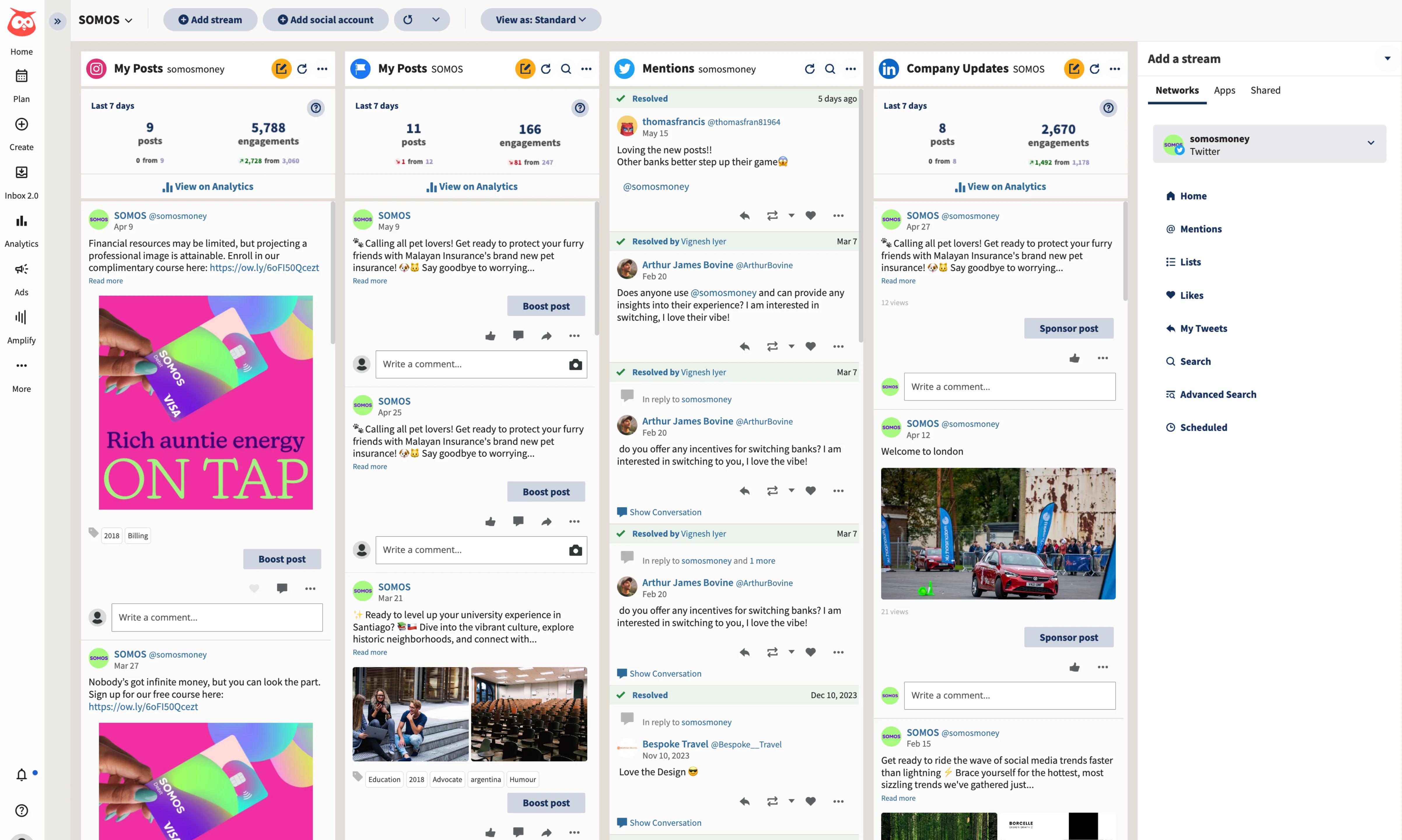
Hootsuite might seem like a strange recommendation for people leaving ContentStudio because of complexity. But there's an important distinction: Hootsuite is complex because it's deep. ContentStudio is complex because it's wide.
Hootsuite focuses on social media management and does it with a level of maturity that ContentStudio hasn't reached. The social listening tools let you monitor brand mentions, track competitor activity, and spot trending conversations: not through a content discovery feed of articles, but through real-time monitoring of what people are saying about your brand and industry.
The unified inbox is more polished than ContentStudio's. Comments, DMs, and mentions from every platform flow into a single stream where team members can assign, label, and resolve conversations. For agencies or brands handling high-volume social engagement, this inbox is the reason to choose Hootsuite.
Analytics and reporting are enterprise-grade. Custom reports, scheduled delivery, ROI tracking, and presentation-ready dashboards: all built for teams that need to prove social media's business impact. ContentStudio's analytics exist but have accuracy concerns that reviewers frequently mention.
The cost is steep at $99 per user per month for the base plan, billed annually. That's double ContentStudio's Advanced plan. But you're paying for depth in social media management rather than breadth across content marketing.
If social scheduling and engagement are your core needs (not content discovery and blog publishing) Hootsuite gives you more reliable depth at the cost of a higher price tag.
Pricing (as of October 2026): Standard $99/user/month for 10 accounts. Professional $199/user/month with unlimited accounts. Advanced $399/user/month adds approval workflows. All billed annually; Enterprise custom. No free plan, 14-day trial. Hootsuite's Wisdom AI is included on every plan.
Good for: Growing teams and agencies that need social listening, a unified inbox, and enterprise-grade reporting.
The catch: Expensive. Learning curve. No content discovery or blog publishing like ContentStudio.
Related: Our Hootsuite alternatives guide covers more affordable options with similar enterprise features.
4. Metricool: an analytics-focused ContentStudio replacement
 Metricool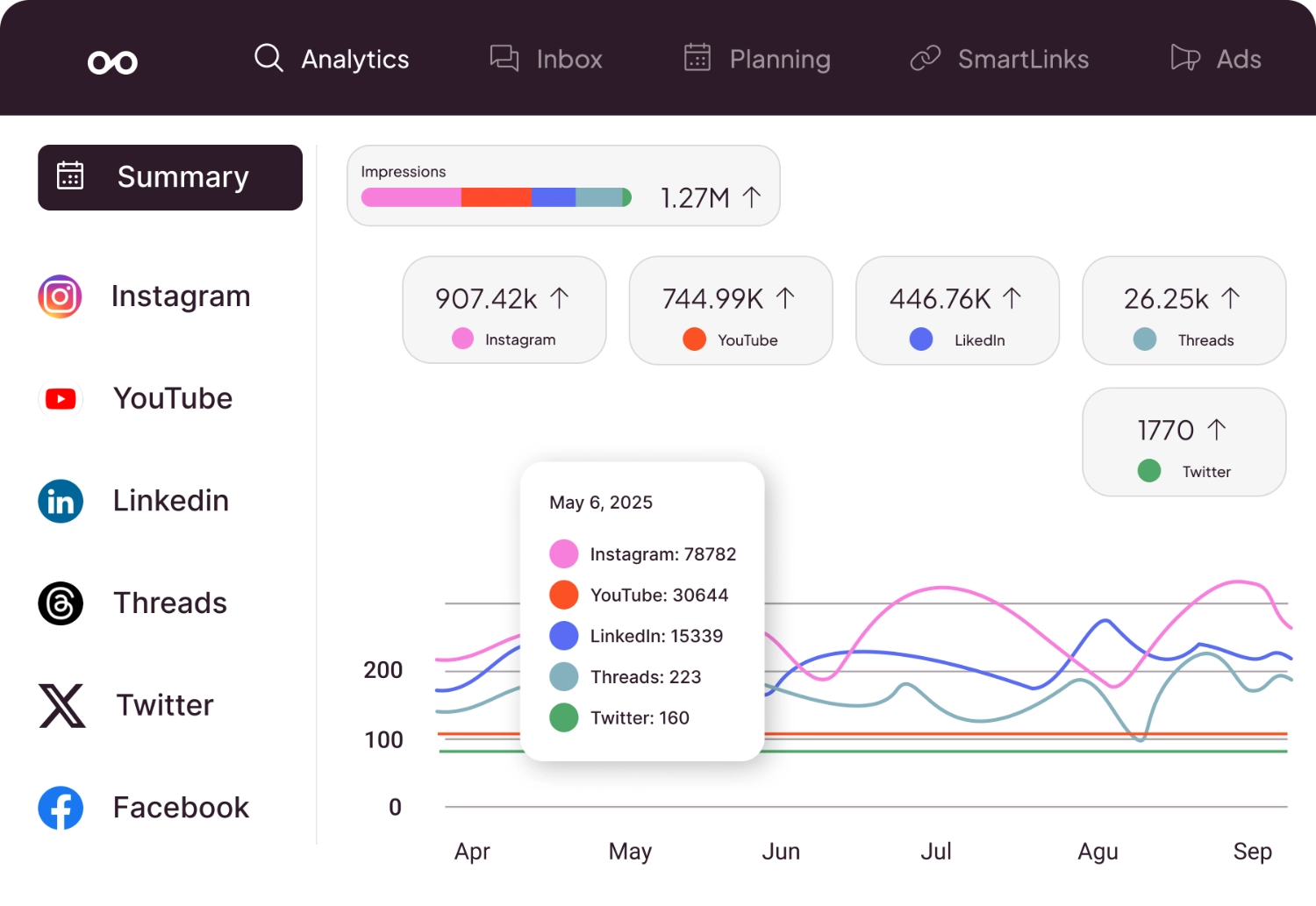
Metricool is the pick for ContentStudio users whose favourite part of the platform was the analytics and reporting. Where ContentStudio bundles analytics with a dozen other features, Metricool puts data at the centre of everything, and actually gets the numbers right.
The competitor analysis feature stands out. You can track competitors' posting frequency, engagement rates, and follower growth alongside your own metrics. ContentStudio doesn't offer this level of competitive insight. For agencies that need to benchmark client performance against industry peers, Metricool's competitor tracking is a compelling reason to switch.
Scheduling is included across Instagram, Facebook, LinkedIn, TikTok, YouTube, Pinterest, and Google Business Profile, with X/Twitter as a paid add-on. The platform coverage matches ContentStudio's core channels. You also get ad management for Facebook and Google campaigns from the same dashboard: useful for small businesses managing their own paid media.
Metricool still offers a free plan for one brand with basic analytics (20 posts/month and 30 days of analytics, but no LinkedIn or X) which gives you a genuine feel for the platform before committing money.
Paid plans start at $20/month billed annually ($25 monthly, October 2026) for the Starter tier with up to 5 brands, while the Advanced tier ($53 annual, $67 monthly) adds team management, approval workflows, and a Looker Studio connector.
The trade-off compared to ContentStudio is clear: no content discovery, no automation recipes, and no blog publishing. Metricool is a scheduling and analytics tool, not an all-in-one content marketing platform.
But if analytics accuracy was a frustration with ContentStudio and you want a tool that prioritizes data: Metricool delivers.
Pricing (as of October 2026): Free plan (1 brand, 20 posts/mo, no LinkedIn or X). Starter from $25/mo ($20 annual) for up to 5 brands. Advanced from $67/mo ($53 annual). Custom plan with white-label. X is a paid add-on. Annual billing saves up to 24%.
Good for: Data-driven marketers who want competitor analysis, reliable analytics, and scheduling in one focused tool.
The catch: No content discovery or automation. Interface can feel data-heavy for users who just want simple scheduling.
5. SocialBee: for automated posting without the complexity
 SocialBeeMCP server: none listed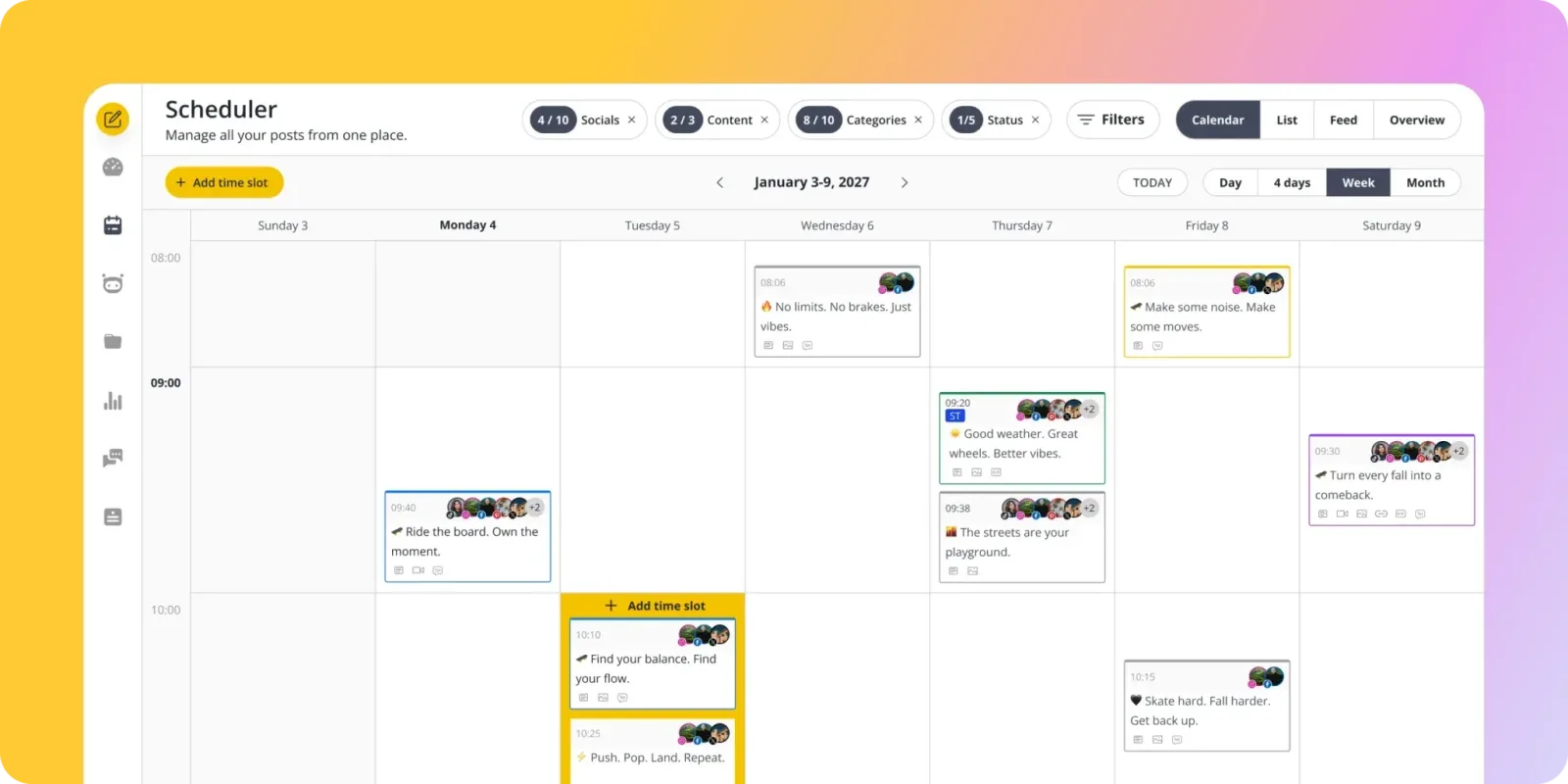
SocialBee addresses one of ContentStudio's strongest features (automation) but does it with a cleaner, more intuitive system. If you loved ContentStudio's automation recipes but found the overall platform overwhelming, SocialBee offers a focused alternative.
SocialBee's category-based scheduling organizes your content into buckets (tips, promotions, behind-the-scenes, curated links, testimonials) and rotates through them automatically on a schedule you define. It's similar in spirit to ContentStudio's automation recipes, but the execution is simpler.
You set up your categories once, assign posting schedules to each one, and SocialBee handles the rotation.
Evergreen content recycling is where SocialBee really shines compared to ContentStudio. Blog posts, product features, and educational content that stays relevant for months get automatically reshared without manual re-scheduling. ContentStudio can do something similar through its automation workflows, but the setup is more complicated and buried under other features.
SocialBee supports Instagram, Facebook, LinkedIn, X/Twitter, Pinterest, TikTok, YouTube, and Google Business Profile. The AI Copilot generates post variations and suggests content categories, offering more focused AI assistance than ContentStudio's AI Writer that tries to serve too many purposes.
The platform coverage and automation depth match or exceed ContentStudio's for most use cases. What you lose is content discovery: SocialBee doesn't curate articles for you. You also lose the unified inbox.
But if automation and scheduling are your priorities, SocialBee delivers those in a package that takes days to learn instead of weeks.
Pricing (as of October 2026): Bootstrap at $29/month (5 profiles), Accelerate at $49/month (10 profiles), Pro at $99/month (25 profiles). Agency tiers $179-$449/mo for 50-150 profiles. Annual billing saves 16%. All plans now include unlimited AI content generation. 14-day free trial, no card required.
Good for: Brands with evergreen content libraries who want automated posting without ContentStudio's complexity.
The catch: No content discovery or curation. No unified inbox. Category system requires upfront setup time.
6. Vista Social: an AI-first ContentStudio alternative
 Vista Social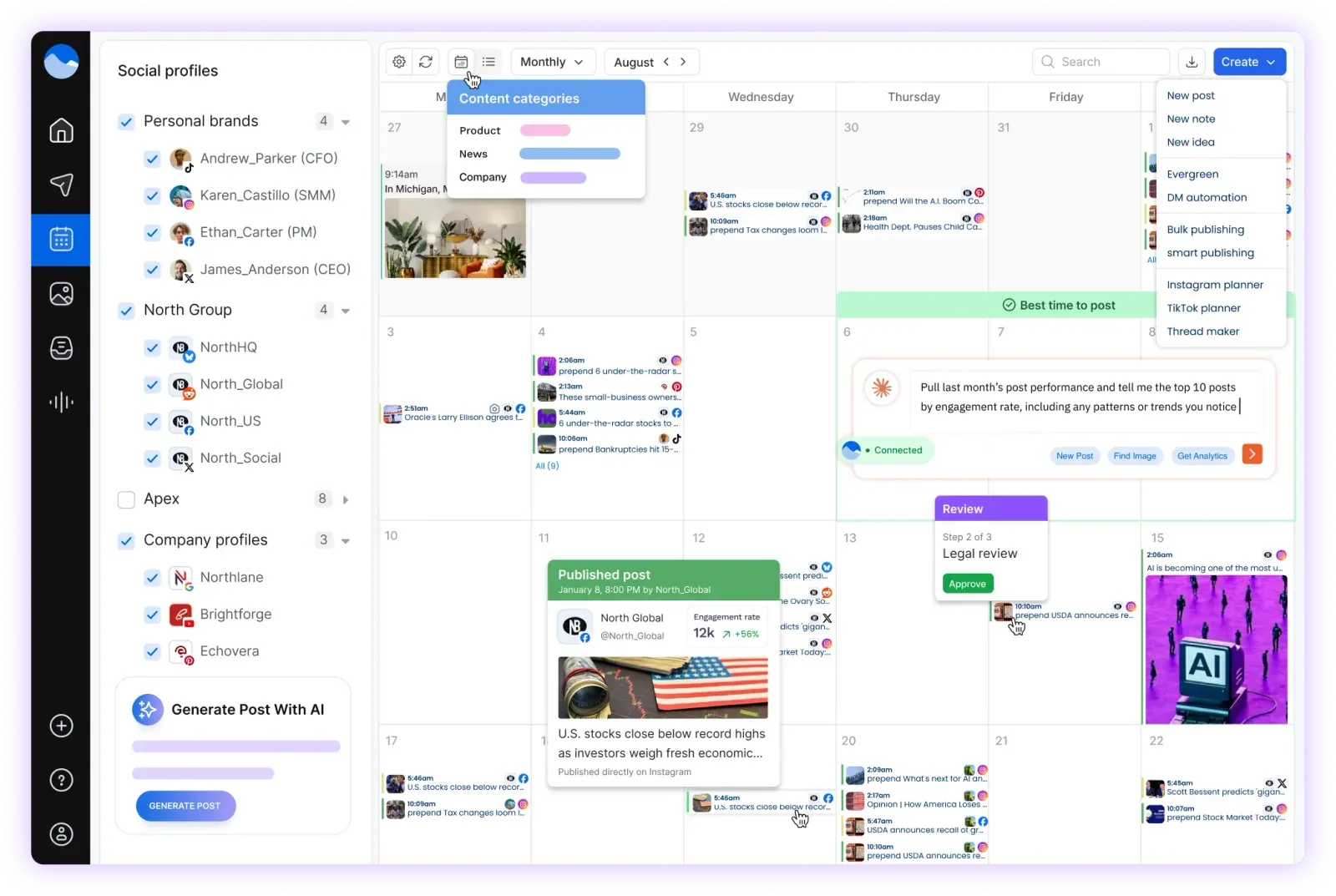
Vista Social is the 2026 newcomer worth comparing directly against ContentStudio for teams that want AI-forward publishing without the content-marketing bloat. Where ContentStudio splits its AI between an AI Writer, automation recipes, and content discovery, Vista Social puts a single AI Assistant across captions, replies, hashtags, and alt text: with credit pools scaling per plan instead of per credit type.
Network coverage is broad: Instagram, Facebook, LinkedIn, X, TikTok, YouTube, Pinterest, Threads, Bluesky, Reddit, and Google Business Profile. ContentStudio's X connection issues are well-documented in user reviews; Vista Social supports X through a $29/month add-on and treats Threads and Bluesky as first-class networks rather than afterthoughts.
The social inbox covers comments, DMs, and reviews with assignment and labels: comparable in scope to ContentStudio's unified inbox, though ContentStudio still has the edge on inbox depth.
Pricing (as of October 2026): No free plan; 14-day trial. Professional at $99/month, or $79 billed annually (15 profiles). Advanced at $199/month, or $159 annually (30 profiles). Scale at $449/month, or $359 annually (70 profiles). X is a $29/month add-on. Annual billing saves 20%.
Good for: Teams that want AI-first scheduling and broad network support without paying for content discovery and blog publishing.
The catch: No content discovery engine. The inbox isn't as deep as ContentStudio's. Higher entry price than ContentStudio's $19/mo annual Standard plan.
Keep reading: Our roundup of the best social media scheduling tools compares all the leading schedulers across pricing, AI features, platform support, and ease of use.
How to choose the right ContentStudio alternative
Your best option depends on which ContentStudio features you actually use and which ones you're paying for without touching.
If you only use scheduling and AI: PostEverywhere gives you better scheduling and more AI credits at a lower price. You won't miss the content discovery and blog publishing features you weren't using anyway.
If you want maximum simplicity: Buffer strips scheduling down to its bare essentials. No learning curve, no feature bloat, no sections of the dashboard you'll never visit. The free plan makes it risk-free to try.
If analytics matter most: Metricool puts data front and centre with competitor tracking, detailed engagement metrics, and reliable reporting. It's the analytics upgrade ContentStudio promises but doesn't fully deliver.
If you need enterprise social management: Hootsuite offers deeper social listening, a more polished unified inbox, and enterprise-grade reporting. It costs more, but you're paying for maturity in social media management rather than breadth across content marketing.
If automation is your priority: SocialBee's category-based scheduling automates content rotation more intuitively than ContentStudio's automation recipes. If evergreen content recycling is central to your strategy, SocialBee handles it better.
If you need content discovery specifically: This is the one area where ContentStudio still stands out. None of the alternatives on this list replicate ContentStudio's content discovery engine. If curating trending articles is a core part of your workflow, you'd need to replace that feature separately: consider pairing a simpler scheduler with a dedicated tool like Feedly or Pocket.
Use the engagement rate calculator to benchmark your current performance before making the switch: it helps you measure whether your new tool is actually improving results.
Frequently asked questions about ContentStudio alternatives
Is ContentStudio good for beginners?
ContentStudio's breadth of features makes it harder to learn than focused scheduling tools. The interface has a steep learning curve with multiple sections for discovery, scheduling, automation, analytics, and inbox management.
Beginners would be better served by Buffer for simplicity or PostEverywhere for a balance of features and ease of use.
What does ContentStudio cost in 2026?
As of October 2026, ContentStudio's Standard plan is $19/month billed annually (5 accounts, 1 workspace, 25,000 AI credits). The Advanced plan is $49/month annually (10 accounts, 2 workspaces, social inbox, approval workflows).
The Agency Unlimited plan is $99/month annually with 25 accounts to start, unlimited workspaces, and 125,000 AI credits; white-label is a $50/month add-on. Monthly billing is $29, $69 and $139.
Compare that to PostEverywhere from $9/month (2 accounts), or $29/month on Growth for 10 accounts with AI tools included: the same account count as ContentStudio's Advanced plan for $20 less.
Can I replace ContentStudio's content discovery feature?
No scheduler on this list replicates ContentStudio's built-in content discovery. For content curation, consider pairing your new scheduler with a dedicated tool like Feedly, Pocket, or BuzzSumo. The scheduling and curation functions work better as separate, focused tools than bundled into one platform.
Which ContentStudio alternative has the best AI?
PostEverywhere offers the most comprehensive AI suite with caption generation, content repurposing across platforms, and an AI image generator. SocialBee's AI Copilot is strong for generating post variations. ContentStudio's AI Writer is useful but limited by credits on lower-tier plans.
Is PostEverywhere better than ContentStudio?
For social media scheduling and AI tools: yes. PostEverywhere starts at a lower price ($9/month) and has a cleaner interface focused on scheduling. ContentStudio is better if you need content discovery, automation recipes, blog publishing, and a unified inbox in a single platform.
Does ContentStudio support all social media platforms?
ContentStudio supports Instagram, Facebook, LinkedIn, X/Twitter, TikTok, YouTube, Pinterest, and Google Business Profile. However, users report that connecting X accounts can be unreliable, and the mobile app doesn't support all features available on desktop. PostEverywhere covers the same platforms with more consistent cross-platform performance.
Why is ContentStudio's interface confusing?
ContentStudio tries to serve multiple purposes (content discovery, scheduling, automation, analytics, inbox, and blog publishing) all in one platform. Each feature area has its own navigation, settings, and workflows. Users who only need scheduling end up navigating past sections they'll never use.
Focused tools like Buffer or PostEverywhere avoid this by doing fewer things better.
Can I use ContentStudio's free trial before switching?
Yes, ContentStudio offers a 7-day free trial on all plans. That's enough time to evaluate whether you use enough features to justify the cost. If you find yourself only using the scheduler during the trial, a focused alternative like PostEverywhere (7-day trial) or Buffer (free forever plan) would save you money without sacrificing what you actually need.
The bottom line
ContentStudio built an ambitious platform that genuinely tries to be everything a content marketer needs in one subscription. If you use the content discovery, the automation recipes, the blog publishing, the unified inbox, and the scheduling: it's reasonable value. Most users don't.
If scheduling and AI are what you actually use daily, PostEverywhere gives you a cleaner experience at a lower price. If simplicity is what you're after, Buffer strips everything down to the essentials.
And if analytics matter more than anything, Metricool delivers data you can trust. Pick the tool that matches your actual workflow: not the one with the longest feature list you'll never fully explore.
For teams whose blocker is sign-off rather than content volume, Planable is the specialist, though its post caps catch daily publishers out.
If AI generation rather than curation is what you are actually buying, Ocoya alternatives compares that end of the market on credits and profile limits.

Founder & CEO of PostEverywhere. Writing about social media strategy, publishing workflows, and analytics that help brands grow faster.