What are the best Planable alternatives? For most teams it is whichever tool stops metering your posts. Planable's approval workflow is genuinely strong, but its pricing caps Basic at 60 posts per workspace per month and 4 social pages, and bills per workspace rather than per account. PostEverywhere is the best Planable alternative for AI agents and automation: an AI agent can draft and schedule through its hosted MCP server, and posting is unlimited at $29/mo across all top platforms. Loomly is the pick if approvals are the only reason you are there, and SocialPilot is better for agencies running many client accounts.
Looking for Plann (plannthat.com), the Instagram planner? See our Planoly and Plann alternatives.
Most people searching for Planable alternatives are not unhappy with the product. They have outgrown a plan that counts their posts.
Why teams look for a Planable alternative
Planable's model is unusual, and whether it suits you depends almost entirely on your posting volume.
| Basic | Pro | |
|---|---|---|
| Price | $33/workspace/mo | $49/workspace/mo |
| Posts per month | 60 | 150 |
| Social pages | 4 | 10 |
| Users | Unlimited | Unlimited |
| Approval types | 2 | 3 |
Two things stand out.
Unlimited users is a genuine strength. Very few tools let you add every stakeholder without charging per seat, and for agencies running client reviews that is worth real money. If your bottleneck is people, Planable is well priced.
The post cap is the problem. Sixty posts a month is two a day. If you publish to four platforms, that is a single piece of content every other day before you hit the ceiling.
Pro's 150 posts sounds generous until you divide it by ten social pages, which is 15 posts per account per month.
There is also a free plan, capped at 50 posts total rather than per month. It needs no card and does not expire, but at that volume it works more like an extended trial than an ongoing tier.
Analytics and the Social Inbox are separate add-ons at $12/mo and $7.50/mo per workspace, and social listening is $82.50/mo per workspace, so the headline price is not the final price if you want reporting. Annual billing gives two months free.
1. PostEverywhere: Best Planable Alternative for AI Agents

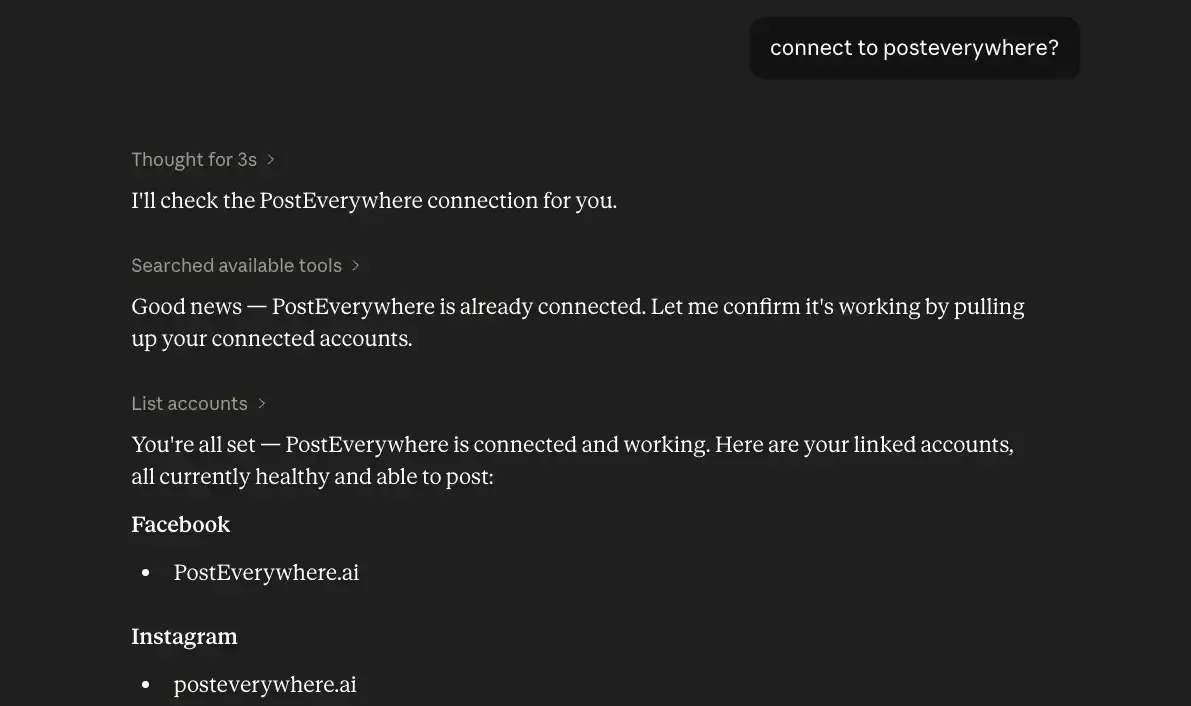
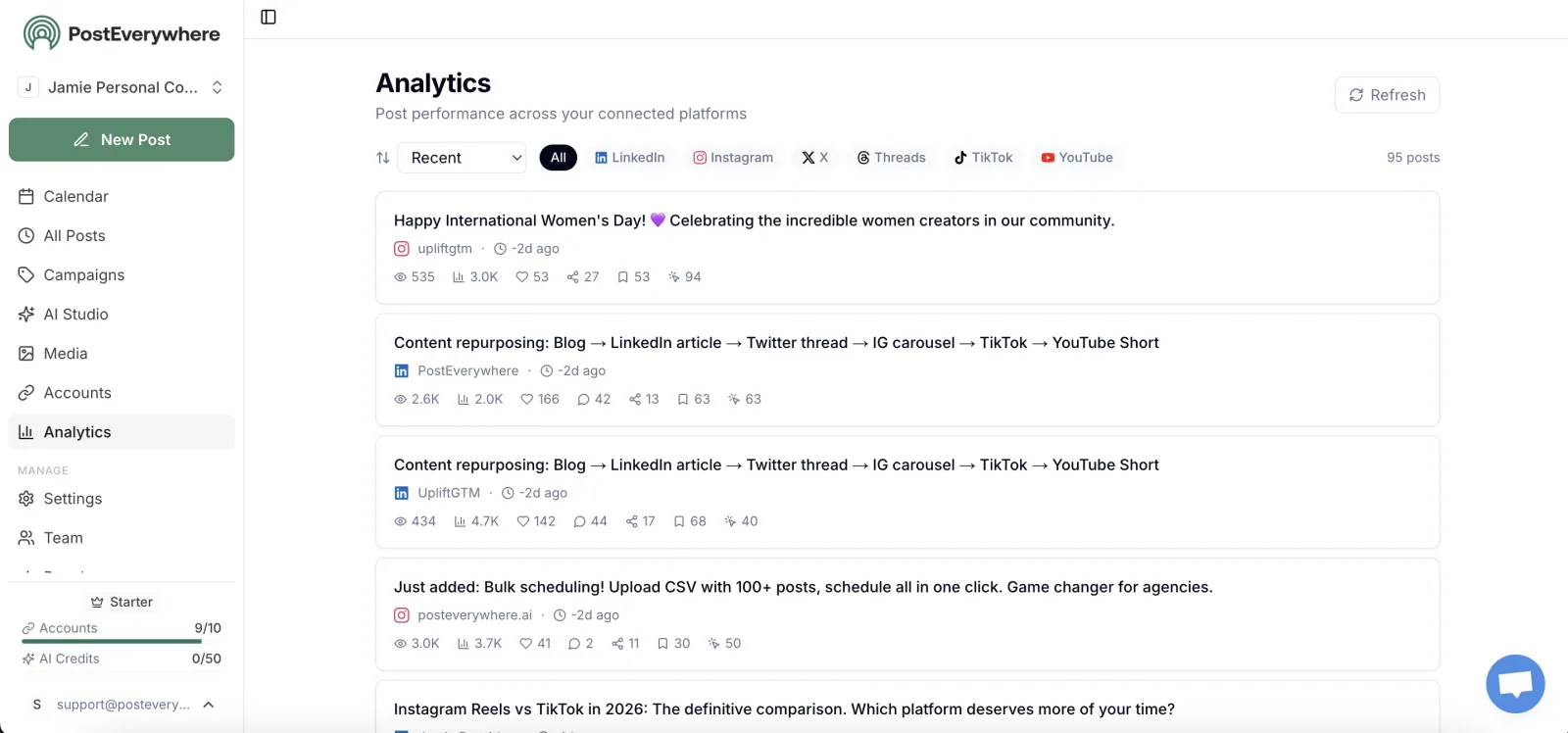

Publishes to all top platforms
 Instagram
 Facebook
 X
 LinkedIn
 TikTok
 Threads
 Bluesky
 Telegram
 Discord
 YouTube
 Pinterest
 WordPress
 Google Business Profile
Why PostEverywhere wins
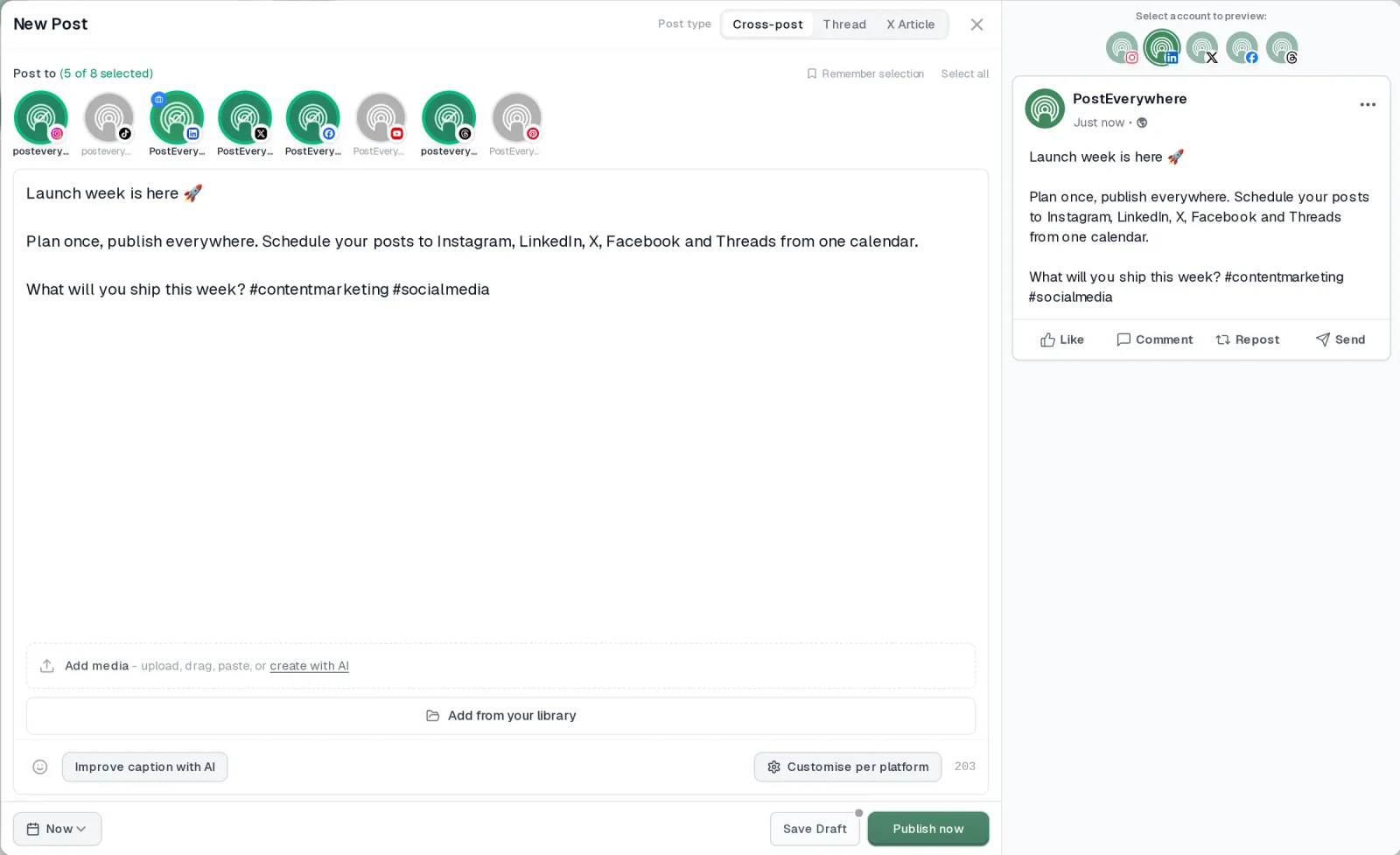
- It's simple. One composer for every platform: write the post once, tweak the caption per platform, check the live preview for each account and schedule it.
- One flat price, nothing locked away. From $9 a month. Every plan includes unlimited posts, the full API, the hosted MCP server and AI Studio, with no per-channel fees.
- Every top platform in one place. Instagram, TikTok, YouTube, LinkedIn, Facebook, X, Threads and Pinterest, plus Bluesky, Telegram, Discord, WordPress and Google Business Profile.
- Your AI agent can run it. Connect Claude, ChatGPT or Cursor in about a minute and ask it to plan, write and schedule your posts.
- Create in the same tool. AI Studio makes captions, images and video, so you don't need a second app before you post.
How PostEverywhere works
- Connect your accounts. Link your social accounts once, across all top platforms.
- Create the post. Write it in the composer, make images and video in AI Studio, or ask Claude or ChatGPT to draft and schedule it for you.
- Schedule it everywhere. Tweak the caption for each platform, check every preview, and it goes out on time from one calendar.
Switching from Planable?
| Planable | PostEverywhere | |
|---|---|---|
| What an AI agent can do (MCP) | – | Publish, schedule, queue, best time, bulk, retry, connect accounts |
Connect your accounts, then schedule your first post from the composer or ask your AI agent to do it. Your Planable account keeps running until you cancel it.
Built for AI agents
- Agents do the whole job. A full hosted MCP server with up to 44 tools: publish, schedule, use your queue or the best time, bulk-schedule 50 posts at once, check results, retry failures and send links to connect new accounts. Some rival MCP servers only read data or create drafts.
- $29 a month for 10 accounts, flat. Full API and agent access included, with no per-channel, per-seat or per-call fees. The same 10 accounts cost $60 a month on Buffer and $99 per user (billed annually) on Hootsuite.
- Nothing gated. API, MCP and webhooks come with every plan, from Lite. Several rivals keep their API for higher tiers or a sales call.
- Connected in a minute. One click adds PostEverywhere to Claude, with one-click installs for Cursor and VS Code. ChatGPT adds it under Plugins.
Plans: Lite $9 a month (2 accounts), Starter $19 (5), Growth $29 (10), Scale $39 (20). Every plan includes unlimited posts, the full API, the hosted MCP server and AI Studio.
“This tool has truly made my content posting so much easier, I can't work without it. I can schedule my posts days in advance while working on other projects. Set it and forget it.”
Also in PostEverywhere: a posting queue, bulk upload from CSV, approvals, analytics, an API and the iPhone app.
PostEverywhere is built for AI agents: you can schedule posts with PostEverywhere yourself or hand the job to your AI agent. Planable counts every post your team writes; PostEverywhere has no monthly cap, so Claude, ChatGPT or Cursor can draft and schedule a full month of content without anyone checking how many posts are left.
Full disclosure: this is our product. Judge the claims by what you can check in a minute.
The relevant difference is the pricing model. We charge for connected accounts, not for posts, so nothing meters how often you publish. Growth is $29/mo with 10 accounts and Scale $39/mo with 20, starting from Lite at $9/mo. Posting is unlimited on every plan.
Platforms: Instagram, TikTok, LinkedIn, Facebook, X, YouTube, Threads, Pinterest, Bluesky, Telegram, Discord and Google Business Profile. That includes three Planable does not support.
On approvals, which is the thing Planable does best: our approval workflow holds team Members' posts for an owner or admin to approve before they publish. Posts an AI agent creates through our API or MCP skip that queue, so ask the agent for drafts when you want a review step. That is lighter than Planable's multi-stage approval chains.
If your process genuinely needs three sequential sign-off stages with per-stage commenting, Planable or Loomly will serve you better, and I would rather say that than pretend otherwise.
Where we go further is publishing depth: PostEverywhere handles posting the same idea to every network with per-platform formatting, queueing up to 50 posts in one call, a PostEverywhere content generator for captions and images, and a hosted server that Claude and ChatGPT can drive so an AI agent can draft and schedule for you.
Best for: teams whose posting volume outgrew a metered plan, and anyone publishing to more than four accounts.
Publishing more than 60 posts a month? Start a 7-day trial and post as much as you like across all top platforms from $9/mo. A card is required and there is no free plan.
Why Choose PostEverywhere?
If your team publishes every day or runs several brands, PostEverywhere is the better choice than Planable: unlimited posts, pricing by connected account instead of by workspace, and an AI agent that can publish for you rather than only leave drafts.
- No post cap. Every PostEverywhere plan includes unlimited posts. Planable's Basic plan stops at 60 posts per workspace per month, and Pro at 150.
- Far cheaper at agency scale. Five clients with 20 accounts posting daily come to about $305/mo on Planable Pro with analytics. PostEverywhere's Scale plan covers the same 20 accounts for $39/mo, with 5 workspaces.
- More platforms. PostEverywhere publishes to Bluesky, Telegram and Discord as well as Instagram, TikTok, YouTube, LinkedIn, Facebook, X (Twitter), Threads, Pinterest and Google Business Profile. Planable supports none of those first three.
- Agents that finish the job. Connect Claude, ChatGPT or Cursor to PostEverywhere's hosted MCP server in about a minute and the agent can publish now, schedule or save drafts for review, then read your analytics and best times. The full REST API and webhooks come with every plan.
- AI Studio included. Write captions and create images and video inside the composer, then customise each post per platform with live previews per account.
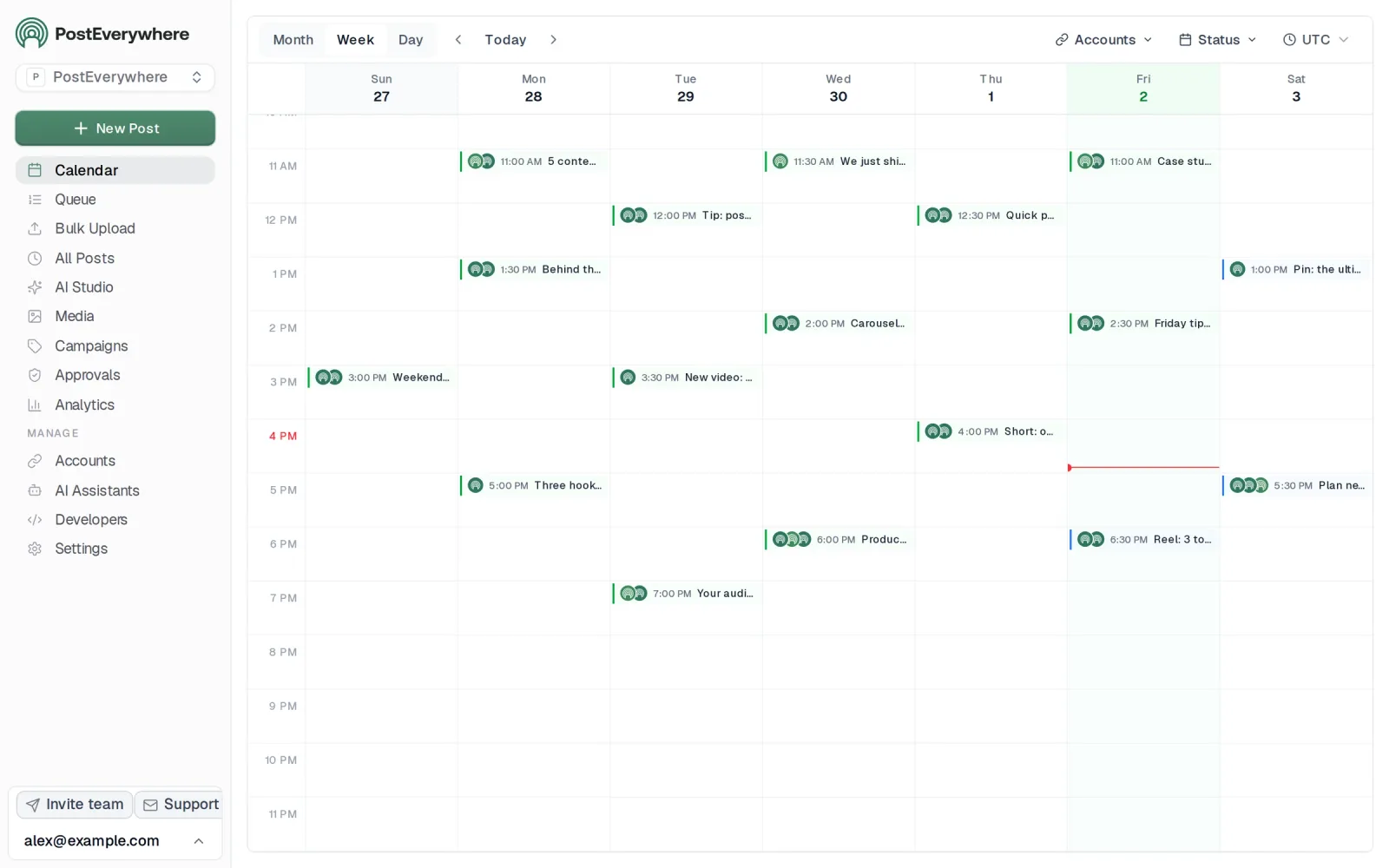
- Volume tools built in. Bulk CSV upload of up to 200 posts per file, bulk create of up to 50 posts per API call, a posting queue and a content calendar, with workspaces, roles and approvals from Starter up.
Compare the plans on our pricing page, then start a 7-day free trial and publish as much as you like across all top platforms.
2. Loomly: The Planable Alternative for Approval-Led Teams
 LoomlyMCP server: none listed
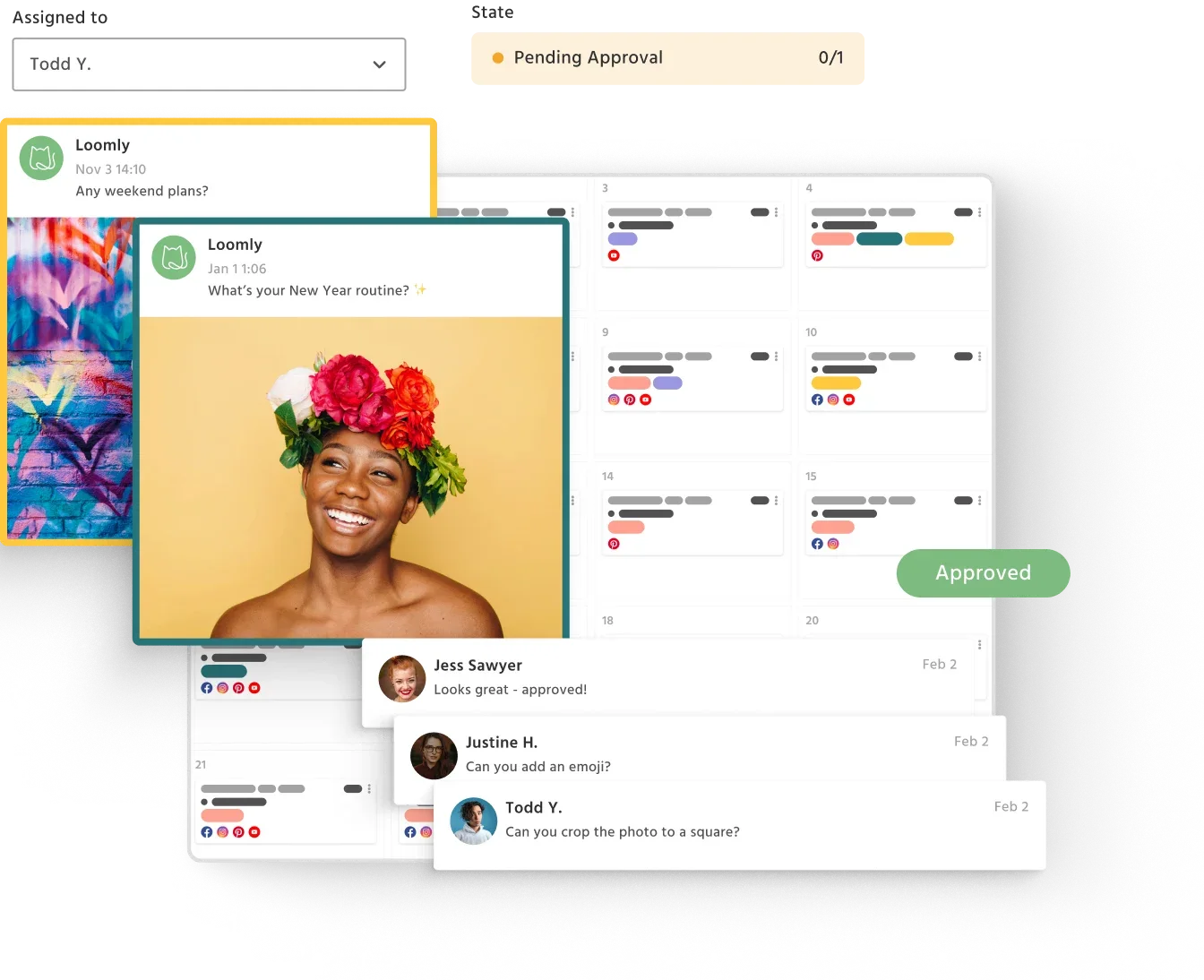
Loomly is the closest like-for-like on workflow. It was built around content approval and its calendar, and it handles multi-stage review with comments and version history properly.
It bills by plan rather than per workspace: Starter is $49/mo on annual billing for 3 users and 12 accounts, which flips Planable's economics: cheaper if you have a small team and many accounts, more expensive if you have many reviewers.
Where it wins: structured approval chains, a content calendar people actually enjoy using, and post ideas built in.
Where it falls short: analytics are thinner than Metricool's, and a fourth reviewer means jumping to Beyond at $249/mo on annual billing. Our Loomly comparison goes into the detail.
Good for: marketing teams where sign-off matters more than volume.
3. SocialPilot: A Planable Alternative for Agencies With Many Client Accounts
 SocialPilot
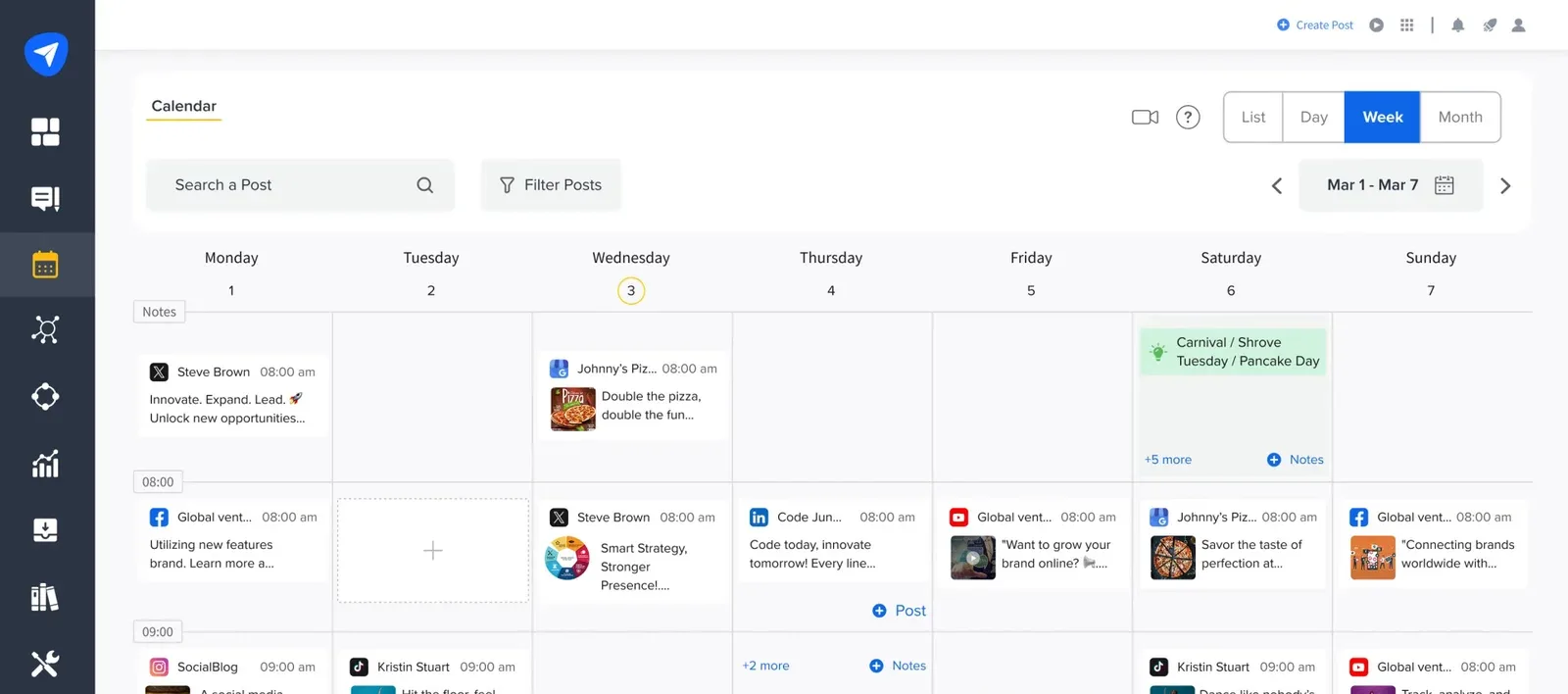
SocialPilot is built for volume across accounts, which is precisely where Planable's 4 and 10 page limits bite hardest.
Where it wins: generous account allowances at low price points, bulk scheduling by CSV, client management and white-label reporting.
Where it falls short: the interface is dated next to Planable's, and its approval workflow is functional rather than pleasant.
Good for: agencies running ten or more client accounts who need per-client reporting more than they need elegant review.
4. Metricool: Analytics on a Budget
 Metricool
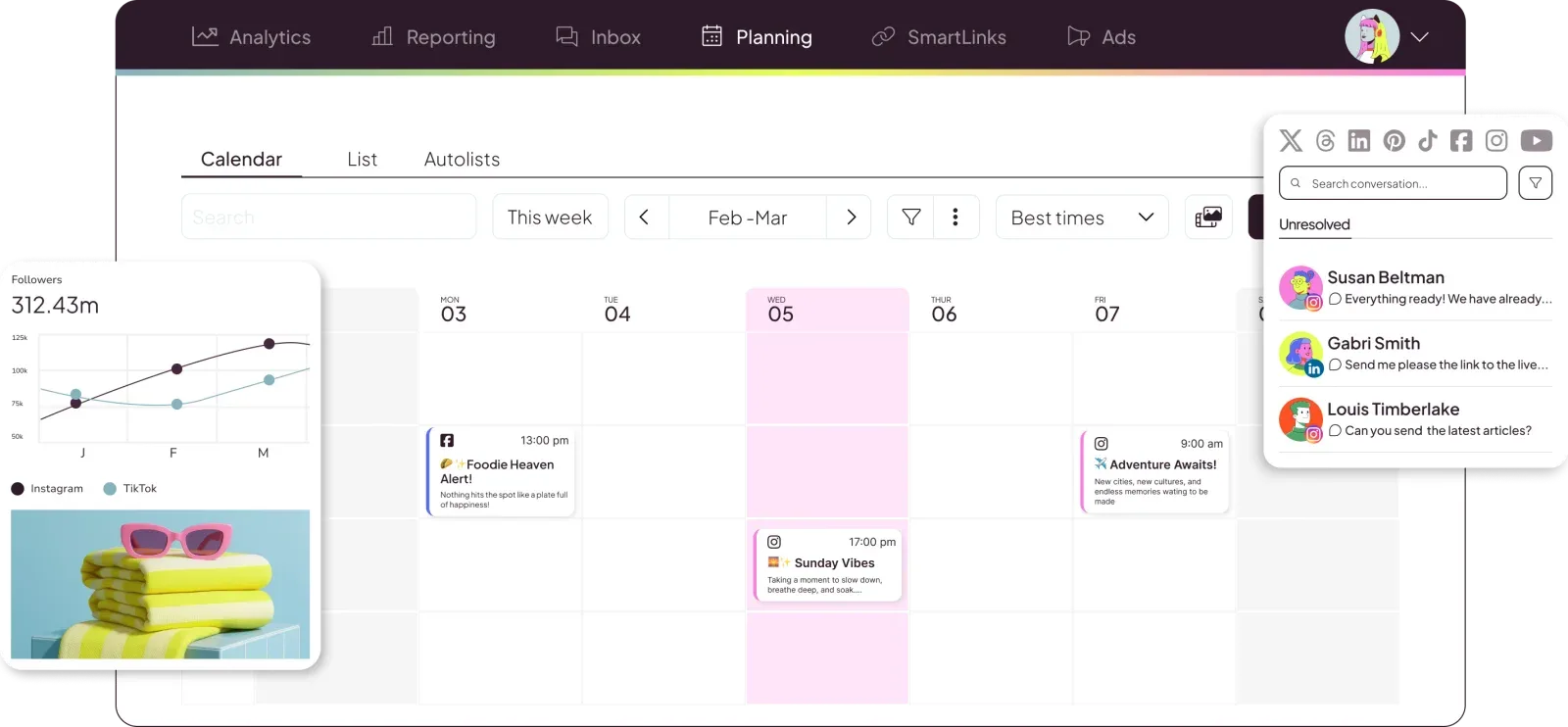
If you are paying Planable's $12/mo analytics add-on and still not getting what you need, Metricool is worth a look. Analytics is the product rather than an extra.
Where it wins: competitor tracking, genuinely deep reporting, and a usable free tier.
Where it falls short: publishing is competent but shallower than the rest of this list, and approvals are basic. Our Metricool comparison covers the trade-off.
Good for: teams whose reporting requirements outgrew their publishing requirements.
5. Buffer: A Simple Free Starting Point
 Buffer
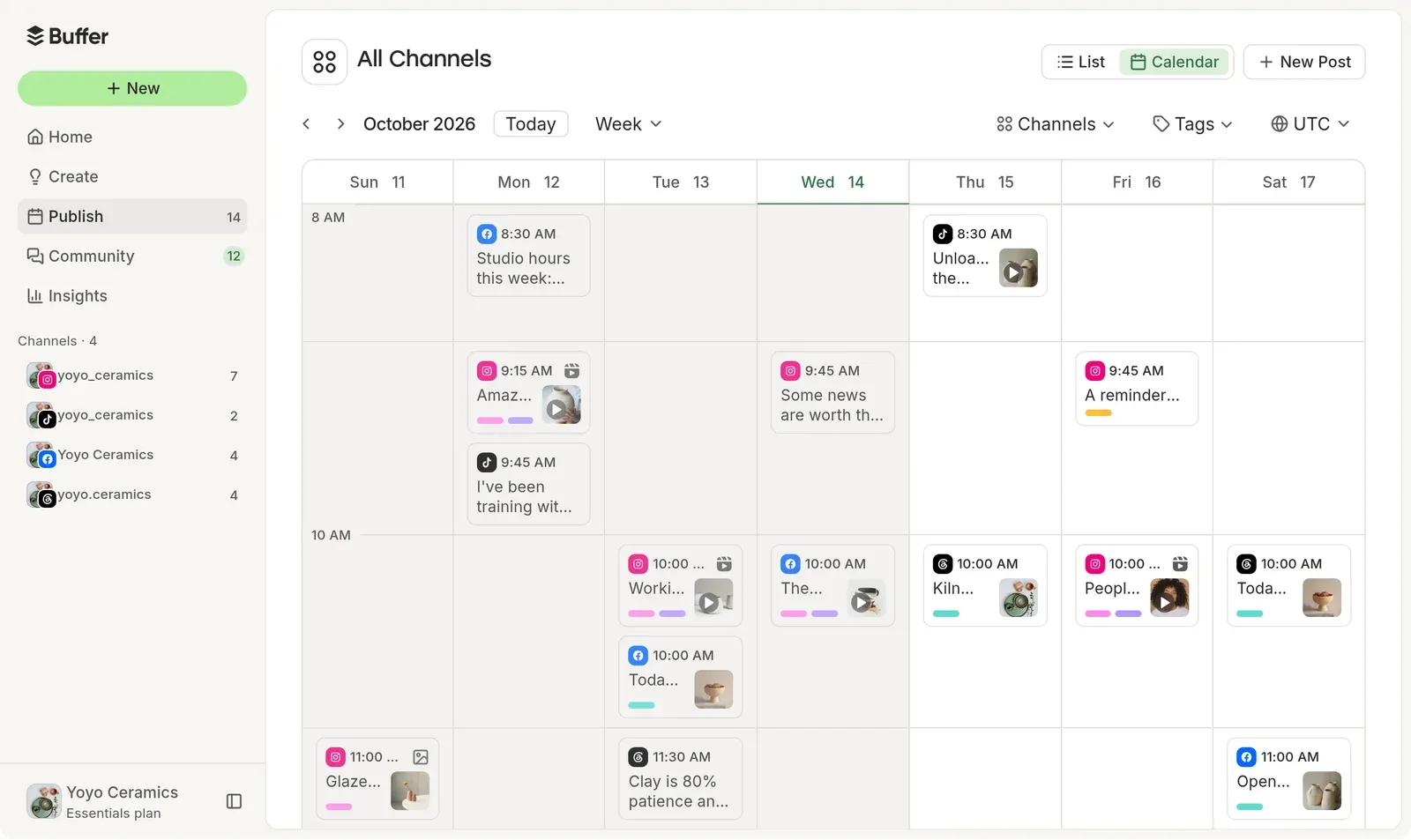
Buffer remains the simplest way to schedule to a handful of channels, and its free plan is a real free plan rather than a capped trial.
Where it wins: clean interface, fast onboarding, no learning curve.
Where it falls short: approvals are minimal, so it is a poor swap if workflow is why you chose Planable. Per-channel pricing adds up quickly as you grow.
Good for: solo creators and small teams who want scheduling without process.
Planable alternatives compared at a glance
| Tool | Billing unit | Post limit | Accounts on entry plan | Entry price | What an AI agent can do (MCP) |
|---|---|---|---|---|---|
| Planable | per workspace | 60/mo | 4 pages | $33/mo | – |
| PostEverywhere | per account | unlimited | 2 accounts | $9/mo | Publish, schedule, queue, best time, bulk, retry, connect accounts |
| Loomly | per plan (3 users on Starter) | unlimited | 12 accounts | $49/mo | None listed |
| SocialPilot | per account | unlimited | generous | low | – |
| Metricool | per account | unlimited | modest | low, free tier | – |
| Buffer | per channel | unlimited | 3 free | free, then per channel | – |
The pattern: Planable is the only one on this list that meters publishing volume. Everything else charges for accounts, seats or channels.
What you actually lose when you leave Planable
Worth being specific, because most comparison pages skip this and it is the part that decides whether a switch is worth the disruption.
Multi-stage approval chains. Planable lets a post move through distinct sign-off stages with commenting at each. Loomly matches this. Most other tools, including ours, offer a single draft-then-approve step. If a client signs off after an internal editor who signs off after a writer, that is three stages, and collapsing it into one is a real workflow change rather than a cosmetic one.
Unlimited reviewers. Planable does not charge per seat. If you have eight stakeholders commenting on posts, per-user pricing elsewhere will cost more than Planable did. Count your reviewers before assuming a cheaper headline price is cheaper.
The preview fidelity. Planable renders posts close to how each network displays them, which reviewers who are not social media managers find genuinely easier to sign off on. Most tools show a generic preview.
What you do not lose: publishing reach, scheduling, or analytics. Those are commodity capabilities now, and several tools on this list do them better than Planable does.
Switching from Planable to PostEverywhere
If PostEverywhere is the alternative you are weighing most seriously, this is the direct comparison. Planable prices checked October 2026.
PostEverywhere vs Planable: approval workflow and pricing
| Planable | PostEverywhere | |
|---|---|---|
| Approval steps | Optional or required approvals on Pro; multi-level, sequential sign-off on Enterprise | One draft-then-approve step from Starter up; team members' posts wait until an owner or admin approves (API and AI-agent posts skip approval) |
| Comments on the post | Threaded on each post | Not available |
| Version history | Yes | Not available |
| Users | Unlimited on every paid plan | 1 to 5 seats by plan |
| Non-social content in the same flow | Blog posts, newsletters and ads | Social posts only |
| Posting cap | 60 (Basic) or 150 (Pro) per workspace per month | None on any plan |
| Billing unit | Per workspace (one client, brand or location) | Per connected account |
| Analytics | $12/workspace/mo add-on | Included |
| Free option | Free plan, 50 posts total, no card | 7-day trial, card required, no free plan |
| AI agent access | MCP connector | Hosted MCP server, 44 tools |
Planable's approval workflow is better than ours, and its post-level comments and version history have no equivalent here. If a client or legal team must clear every post, or reviews run across blog and newsletter content too, Planable is built for that and we are not.
What the same setup costs on each
The pricing difference is the two meters Planable runs at once: posts and workspaces. An agency with five clients needs five workspaces.
| Setup | Planable | PostEverywhere |
|---|---|---|
| One brand, 4 accounts, posting daily (about 120 posts/month) | Pro $49 plus $12 analytics = $61/mo | Starter $19/mo |
| Five clients, 20 accounts total, posting daily | Pro × 5 workspaces $245 plus $60 analytics = $305/mo | Scale $39/mo |
That second row is why Planable suits one brand with a strict review process and struggles with an agency publishing at volume.
Moving your queue across
There is no export-import path between these tools, so a migration is mostly manual. Three things make it less painful.
Reconnect accounts first, publish second. Every platform uses OAuth, so connecting an account to a new tool does not disconnect it from Planable. You can run both in parallel for a fortnight, which means no gap in publishing while you transfer.
Move the scheduled queue, not the archive. Only your unpublished scheduled posts need to move. Published history stays on the networks themselves and in each platform's native analytics, so exporting Planable's archive is rarely worth the effort.
Rebuild the approval habit deliberately. If your team relied on multi-stage sign-off, agree the replacement process before you switch rather than after. A single draft-approve step works fine for most teams, but only if everyone knows that is the process now.
Planable exports scheduled content, and PostEverywhere's bulk scheduling accepts a CSV directly, so the queue can come across in one file.
Export approval history before you cancel. Comments and version threads live in Planable and do not transfer. If that history is a compliance record, export it first.
Budget an afternoon. The accounts take minutes; agreeing the new review process takes longer than the tooling does.
How to choose a Planable alternative
Stay with Planable if approvals are your entire workflow, you have many reviewers (unlimited users is genuinely rare), and you publish under 60 posts a month. It is a good product and the review experience is better than most.
Switch to PostEverywhere if you hit the post cap, publish to more than four accounts, or want an AI agent able to publish, schedule or save drafts across all top platforms.
Switch to Loomly if you want Planable's workflow with fewer volume constraints and a small reviewer list.
Switch to SocialPilot if you are an agency and account count is the binding limit.
Switch to Metricool if reporting, not publishing, is what you actually needed.
Moving off a metered plan? PostEverywhere charges for connected accounts, not posts. See pricing or read how we adapt one post per network so one post does not become five jobs.
Frequently asked questions
What is the best overall alternative to Planable?
For most teams, PostEverywhere, because it removes the constraint people usually leave Planable over: the monthly post cap. It covers all top platforms with unlimited posting from $9/mo. If you are leaving for a different reason, Loomly is the closest match on approval workflow.
How much does Planable actually cost?
Basic is $33 per workspace per month and Pro is $49, billed per workspace rather than per user, with two months free on annual billing. Analytics and the Social Inbox are separate add-ons at $12/mo and $7.50/mo per workspace, and social listening is $82.50/mo, so a team wanting reporting is realistically paying more than the headline price.
Does Planable limit how many posts you can publish?
Yes, and this is the main reason people look elsewhere. Basic allows 60 posts per workspace per month and Pro allows 150. Most alternatives charge for connected accounts or seats instead and do not meter publishing volume.
Does Planable have a free plan?
Yes. It is capped at 50 posts in total rather than per month, with no card required and no expiry. That makes it a good way to evaluate the approval workflow, but not an ongoing free tier for regular publishing.
Which platforms does Planable support?
Facebook, Instagram, LinkedIn, X, YouTube, Google Business Profile, TikTok, Pinterest and Threads. It does not currently support Bluesky, Telegram or Discord, which PostEverywhere does. Both tools publish to Google Business Profile.
Is Planable good for agencies?
It can be, because bundled seats means you can add every client reviewer without paying per seat. The constraint is account count: 4 social pages on Basic and 10 on Pro. Agencies running many client accounts usually find SocialPilot or PostEverywhere fit better.
What is the cheapest Planable alternative?
Buffer and Metricool both have genuinely free tiers with real limits. Among paid tools, PostEverywhere starts at $9/mo and SocialPilot at $25.50/mo billed annually, both below Planable's $33 entry point and without the post cap.
Can an AI agent post for me on Planable?
Planable runs an MCP connector, so an AI agent can work with it. PostEverywhere runs a hosted MCP server exposing 44 tools with no install, so ChatGPT, Claude, Grok or Cursor can publish now, schedule or save drafts for you to review, depending on what you ask.
The honest summary
Planable is not a bad tool, and its approval workflow plus unlimited users is a combination almost nobody else offers. If you fit inside its limits, staying is a reasonable decision.
The question is whether you fit. Sixty posts a month across four accounts is a real constraint for anyone posting daily, and the fix is not a better plan, it is a different pricing model. That is what every tool on this list offers.
If you want the full landscape rather than just Planable's competitors, our PostEverywhere roundup of management platforms covers 12 tools on accounts, approvals and price.
Leaving a different tool for a different reason? If yours dropped X rather than capped your posts, see Hypefury alternatives. If it metered AI credits instead, see Ocoya alternatives.

Founder & CEO of PostEverywhere. Writing about social media strategy, publishing workflows, and analytics that help brands grow faster.