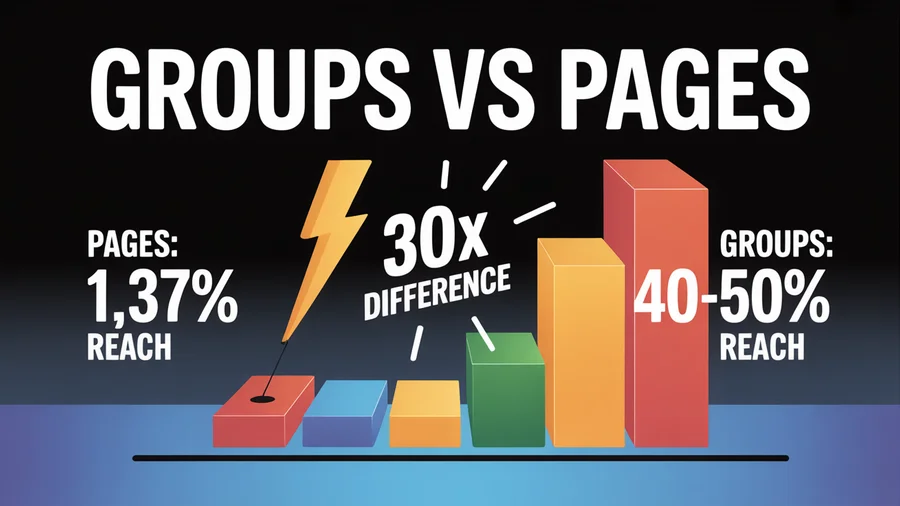
Facebook Pages are dying. Organic reach per post has dropped to roughly 1.37%. Meanwhile, Facebook Groups reach 40–50% of their members with every post and generate 30–50% higher engagement than Pages. That's not a marginal difference — it's a different game entirely.
With 1.8 billion people using Facebook Groups every month across 10+ million active groups, this is the largest community infrastructure on the internet. And businesses that use it well aren't just building audiences — they're building revenue. In this guide, we'll cover how to set up a group, how the algorithm works inside groups, what content keeps members engaged, and how businesses turn community into sales.
TL;DR
- Facebook Groups reach 40–50% of members per post vs. ~1.37% for Pages.
- Private groups see 40% higher engagement than public ones.
- Businesses generate $3K–$15K/month from well-managed, niche groups.
- Build trust first: 80% value, 20% promotion. No selling in the first 30 days.
- Always capture email addresses via membership questions — you don't own your Facebook Group; email is your insurance.
Table of Contents
- Why Facebook Groups Outperform Pages
- How to Set Up a Group for Business
- How the Group Algorithm Works
- Engagement Tactics That Keep Members Active
- How to Monetize a Facebook Group
- Community Management Best Practices
- Groups SEO: Getting Found in Search
- Case Studies: Real Revenue From Groups
- Common Mistakes to Avoid
- FAQs
Why Facebook Groups Outperform Pages
The math tells the story. A Facebook Page with 10,000 followers reaches roughly 137 people per post. A Facebook Group with 10,000 members reaches 4,000–5,000. That's a 30x difference in visibility.
The reason is simple: Facebook's algorithm prioritizes community engagement over brand broadcasting. A post with 50 thoughtful comments outranks a post with 5,000 passive likes because the algorithm — Meta's Andromeda AI system — interprets back-and-forth conversation as high-value content.
Groups create the conditions for that conversation naturally. Members join because they share an interest. They stay because the group provides ongoing value. And they buy because they trust the person running it. Well-managed groups with engaged niche communities achieve conversion rates of 20–23% on direct offers — compared to e-commerce averages of 1–3%.
How to Set Up a Group for Business
Choosing between public and private
Private (Visible) is the best choice for most businesses. Members must request to join and content is visible only to members. This creates exclusivity, filters out spam, and increases engagement — private groups see 40% higher engagement than public ones.
Public groups are fully searchable by Google and anyone can read posts without joining. Better for top-of-funnel awareness but harder to control quality.
Key setup steps
Name the group with keywords. "Facebook Ads for E-commerce Clothing Brands" is findable and attracts the right people. "Marketing Tips" competes with thousands of generic groups.
Write a keyword-rich description. Facebook's internal search indexes your group name, description, and active post content. Front-load the value proposition: who this group is for and what members get from joining.
Set up membership questions. You get up to 3 questions — use them to:
- Screen out bots and spammers
- Capture email addresses ("Want our free [resource]? Drop your email and I'll send it over!")
- Understand who's joining and why
Write clear rules. Explain the why behind each rule, not just the what. Pin them prominently. Consistent enforcement is what builds trust.
Create a "Start Here" post. Pin a welcome post with group rules, your best resources, and links to key offers. New members should immediately know what this group is about.
One planning note before you start: Group posts have to go up natively. Meta retired the Facebook Groups API in April 2024, so no third-party tool can publish into a Group on your behalf. Everything around the Group can still be automated, so use our Facebook scheduler to keep your Page, Reels and other platforms ticking over while you show up in the Group by hand.
How the Group Algorithm Works
Understanding what the algorithm rewards helps you create content that actually reaches your members.
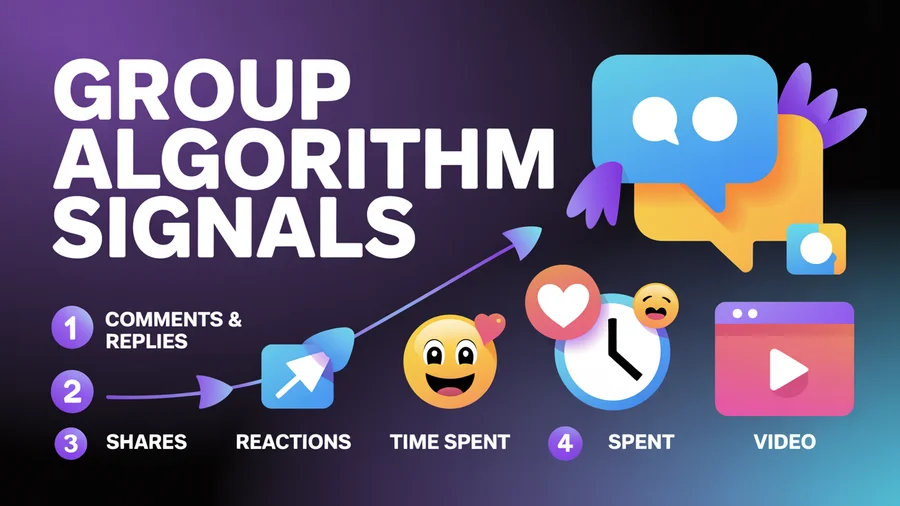
Key ranking signals inside groups
- Comments and replies (especially back-and-forth discussion) — the algorithm values conversation above all else
- Shares — weighted more heavily than likes
- Reactions beyond "Like" (Love, Wow, Angry) — signal emotional engagement
- Time spent on content — how long someone lingers on a post
- Video completion rate — native video gets priority. Repurpose your best video content into group posts.
- Active group status — Facebook boosts content from active groups and suppresses dormant ones. Group posts go up manually, so protect the time for them by automating the rest of your posting schedule.
- Member's past behavior — if someone has engaged before, they see more of your posts
How to win the algorithm
- Reply to every comment, especially in the first 30 minutes. Comment activity in the first half hour is a critical ranking signal.
- Ask questions that demand substantive answers. Not "Like this if you agree" — actual questions that spark discussion.
- Use native video. Facebook prioritizes video inside groups.
- Post consistently. Dormant groups lose algorithmic favor quickly.
- Minimize external links. Facebook deprioritizes posts that drive users off-platform.
Plan your group posting rhythm in a content calendar and use best-time data to decide when to post by hand, so you land in the hours your members are actually active.
Groups are manual, the rest of your Facebook presence is not. Meta closed the Groups publishing API in April 2024, so Group posts go up by hand. PostEverywhere takes care of the Page posts, Reels and every other platform around it, which buys back the time you need to be present in the Group.
Engagement Tactics That Keep Members Active
A dead group is worse than no group. Here are the post types that consistently drive engagement.
Polls and questions
"What's your biggest challenge with [topic] right now?" — Simple, low-friction, and gives you market research for free. Polls in particular get high participation because they require minimal effort.
Challenges
"Post a photo of your [topic]" or "5-day challenge: do X every day this week and share your results." Challenges create accountability and community bonding.
Member spotlights
Feature a member's business, win, or story each week. People love recognition, and spotlights encourage others to participate.
"Hot take" posts
Controversial (but not harmful) opinions that generate debate. "Unpopular opinion: [take on your industry]" consistently drives high comment counts.
Live events
Weekly or monthly Facebook Live Q&A sessions, product demos, or workshops. Live content gets algorithmic priority and creates real-time interaction.
Themed days
Monday Motivation, Tip Tuesday, Win Wednesday, Question Thursday, Freebie Friday. Consistent themes reduce decision fatigue for admins and set member expectations. Groups with a predictable rhythm retain members longer.
Content cadence
- Early growth phase: 2–5 posts per day to build momentum
- Established group: 1–2 per day, focused on quality
- Content mix: 80% value/education/community, 20% promotional
Use our AI content generator to brainstorm engaging post ideas for your group. Write a compelling social media bio for your Group admin profile to build trust with new members.
How to Monetize a Facebook Group
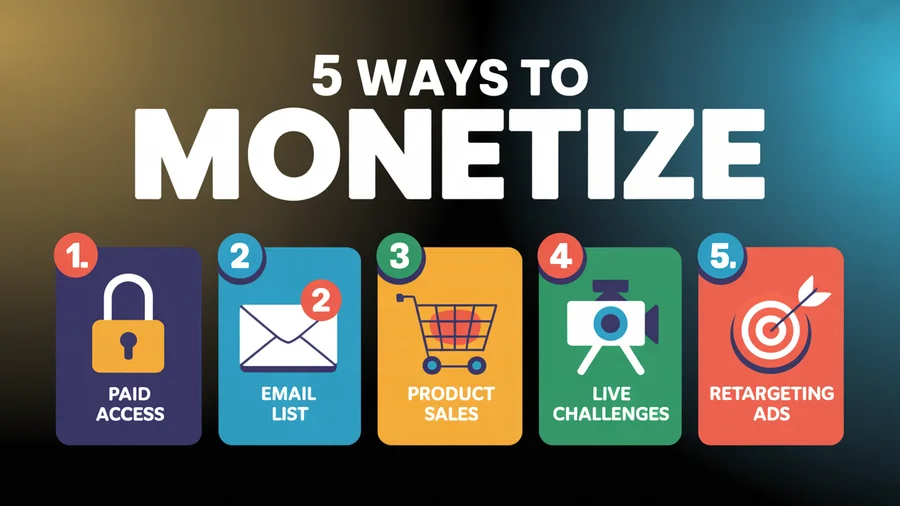
Method 1: Paid group access
Facebook doesn't have a native paid-access feature. You'll need to accept payment externally (Stripe, PayPal, Kajabi, MemberSpace) and manually add paying members to a Private group.
Typical pricing: $20–$50/month is an easy "yes" for engaged members. Some premium communities charge $100–$500/month by bundling group access with workshops, templates, or coaching.
Method 2: Email list → revenue pipeline
This is the most reliable path. Many group owners report their email lists — built through membership questions — drive 60% of their revenue.
The formula:
- Capture email via membership questions
- Route into an automated welcome sequence
- Nurture with value-first emails
- Pitch relevant offers at the right time
Critical: You don't own your Facebook Group — Facebook owns it. If your group gets shut down, you lose everything. Email is your insurance policy.
Method 3: Sell products and services
Use the group as a top-of-funnel channel:
- Post case studies and testimonials
- Run limited-time flash sales exclusive to group members
- Feature products naturally in educational content ("Here's how I use [your tool] to do X")
- Pin a resources post linking to your offers
Method 4: Live challenges as conversion events
Run a 5–7 day live challenge on a topic directly related to your paid offer. The challenge builds trust and demonstrates expertise. Pitch your product at the end when member confidence is highest. Formula: Value → Transformation taste → Pitch → Close.
Method 5: Retargeting ads
Install the Facebook Pixel on your website. Group members who visit your site can be retargeted with paid ads. Use Custom Audiences to reach group members with relevant offers outside the group environment.
Manage your Facebook Page and every other channel from one dashboard. PostEverywhere handles scheduling, cross-posting, and analytics, starting at $9/month.
Community Management Best Practices
The fundamentals
- Define your group's specific niche before creating it — who it's for and who it's NOT for
- Be the facilitator, not the broadcaster — give members space to talk to each other
- Respond promptly to questions and comments, especially in the first hour
- Enforce rules consistently — selective enforcement is perceived as unfair
- Prioritize relationships over sales — members who feel valued become buyers naturally
Admin structure
- Appoint multiple admins to distribute workload and prevent burnout
- Assign moderators for day-to-day content management
- Admin has full control; Moderator handles content and rule enforcement
2026 admin tools worth using
- Admin Assist: Auto-decline posts with certain keywords, auto-remove violating comments, auto-mute members
- Keyword Alerts: Get notified when flagged terms appear in posts or comments
- Member Summaries: See any member's full history — violations, posts, tenure
- Group Topics: Organize content by topic threads instead of a single chronological feed
- Community Awards: Members can award peers for valuable contributions (Insightful, Uplifting, Informative) — more authentic than admin-assigned badges
- AI Comment Summaries: Facebook's new AI summarizes long comment threads so members don't need to read every reply
Groups SEO: Getting Found in Search
Facebook internal search
Group names and descriptions are fully searchable within Facebook. Keywords in the group name are the strongest signal. Active groups rank higher than dormant ones. Geography in the name helps local businesses get found.
Google search
Public groups are indexed by Google — their content appears in search results. Private (Visible) groups show the group name and basic info in Google but posts aren't indexed. Private (Hidden) groups are invisible to Google entirely.
In July 2025, Meta confirmed that public Facebook posts now surface more often in Google results, extending the reach of Facebook SEO beyond the platform.
Optimization tips
- Include your primary keyword in the group name (most important signal)
- Write a keyword-rich description (Facebook indexes this)
- Choose the right category for searchability
- Post consistently — active groups get higher search placement
- Social signals from an active group reinforce E-E-A-T for your brand's broader online presence
- Post at the right times — use best-time scheduling to maximize visibility
Use our hashtag generator to find relevant keywords for your group's description and posts.
Case Studies: Real Revenue From Groups
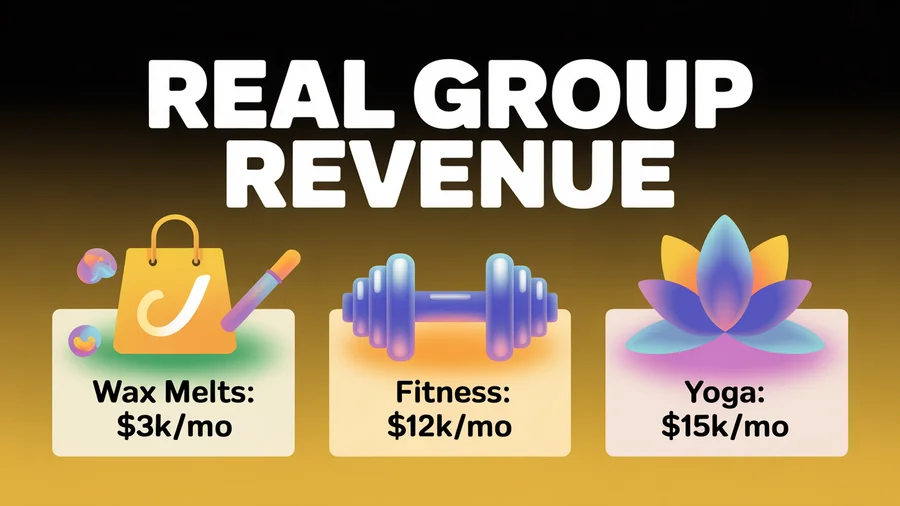
Wax melts business — $3,000/month
A part-time wax melts business generates over $3,000 in monthly sales with 20–23% conversion rates directly from her Facebook Group. Her strategy: daily personal responses and two-way communication instead of broadcasting. Members feel personally known, which drives loyalty and repeat purchases.
Fitness group — $12,000/month from 400 active buyers
A fitness community generates $12,000/month from just 400 active buyers. Not group size but engagement quality drives revenue — offering solutions matched to member pain points identified through group discussions.
Yoga group — $15,000/month from 15,000 members
A yoga group owner generates $15,000/month with a 17% profit margin, demonstrating that focused niche communities convert at scale.
Solopreneur consultant — 95% of business from Groups
A consultant attracts 95% of her consulting work through Facebook Groups. She doesn't sell directly — she demonstrates expertise, answers questions, and lets trust drive inbound inquiries.
Small business owner — 30% client base increase in 6 months
After 6 months of active group participation, one business owner increased her client base by 30% and established a loyal following. Strategy: answer questions, create value, and let sales come organically.
The pattern
Every successful case study follows the same formula: value first, trust second, sales third. Groups that lead with promotion fail. Groups that lead with community convert.
Common Mistakes to Avoid
1. Not defining a specific audience. "Everyone" is not an audience. The more specific your niche, the higher the engagement and conversion rates.
2. Treating the Group like a Page. Groups require two-way conversation. Running a Group like a broadcast channel kills engagement.
3. Being too promotional too early. Don't sell in the first 30 days of a new group. Build trust first. The conversion happens after members know and trust you.
4. Posting and disappearing. Publishing without responding to comments signals disinterest and tanks algorithmic reach.
5. Skipping membership questions. Not screening new members lets in bots, spammers, and off-topic members who dilute community quality.
6. No content calendar. Random, inconsistent posting leads to stagnation. Plan your group content in a content calendar and learn how often to post for optimal results.
7. Not capturing email addresses. Facebook owns your Group. If it gets shut down, you lose everything. The Group should feed your email list — not replace it.
8. Over-dominating every conversation. Jumping on every comment prevents member-to-member relationships from forming. Give space.
9. Going too broad on the group name. "Marketing Tips" competes with thousands. "Facebook Ads for DTC Beauty Brands" is findable and attracts exactly the right people.
10. Ignoring analytics. Use Group Insights to identify what content types perform best and post more of what works. Compare your numbers against engagement rate benchmarks and track which engagement posts lead to the most conversions.
FAQs
How many members do I need before a group generates revenue?
Size matters less than engagement. A fitness group with just 400 active buyers generates $12,000/month. Focus on building a highly engaged niche community rather than chasing member count. Quality conversations and trust drive revenue — not raw numbers.
Should I create a public or private group?
Private (Visible) for most businesses. Members must request to join, which creates exclusivity and filters spam. Private groups see 40% higher engagement. Use Public only if your primary goal is top-of-funnel awareness and Google indexing.
How often should I post in my Facebook Group?
During early growth: 2–5 posts per day to build momentum. Once established: 1–2 quality posts per day. Mix 80% value and community content with 20% promotional. Use themed days (Tip Tuesday, Win Wednesday) for a predictable rhythm.
Can I monetize a Facebook Group directly?
Facebook doesn't have a native paid-membership feature. You need to collect payment externally (Stripe, PayPal, MemberSpace) and manually manage access. The more common path is using the group to build trust and email lists that drive sales on your website.
How do I stop my group from becoming spammy?
Use membership questions to screen applicants, set clear rules with consistent enforcement, enable Admin Assist to auto-decline posts with promotional keywords, and moderate daily. Remove repeat offenders promptly — one spammer left unchecked signals to others that the group isn't moderated.
What's the biggest risk of building a business on a Facebook Group?
You don't own it. Facebook can change algorithms, restrict features, or shut down groups at any time. Always capture email addresses through membership questions and use the group to feed your email list. Email is the owned asset — the group is the acquisition channel.
How does the Facebook Group algorithm differ from the News Feed algorithm?
The Group algorithm heavily weights comment activity, especially back-and-forth discussion between members. A post with 50 substantive comments can outrank a post with 5,000 likes. The algorithm also considers group activity level — active groups get more distribution. Reply to comments within the first 30 minutes for maximum algorithmic boost.
Can I schedule posts to a Facebook Group?
No, and nor can any other third-party scheduler. Meta retired the Facebook Groups API on 22 April 2024 and removed the publish_to_groups permission that allowed software to publish into a Group. Since then, posting natively inside the Group has been the only route, so treat any tool still advertising Group scheduling as out of date.
Everything around the Group can still be automated. Plan your Facebook Page content in the content calendar, manage multiple accounts from one dashboard, and cross-post to your other platforms, so the rest of your presence holds together during the weeks the Group takes up your time.
The Bottom Line
Facebook Groups are the highest-engagement, highest-converting organic channel left on social media. While Pages reach 1.37% of followers, Groups reach 40–50% of members — and well-managed groups convert at 20x the rate of cold audiences.
The formula is straightforward: pick a specific niche, build trust through consistent value, capture email addresses, and let sales follow relationship. Start your Group and post in it by hand, schedule the rest of your channels with PostEverywhere, plan everything in the content calendar, and use the AI content generator to draft the posts you take into the group. Track your group's performance with our engagement rate calculator and compare against platform benchmarks. The community is the product — the revenue follows.
A group needs members before it needs management: how to get more Facebook followers covers filling the top of that funnel.

Founder & CEO of PostEverywhere. Writing about social media strategy, publishing workflows, and analytics that help brands grow faster.