What's the best Dash Social alternative? PostEverywhere is the best Dash Social alternative for AI agents and automation: Claude or ChatGPT can write, schedule and publish your posts across all top platforms through its hosted MCP server, on flat plans from $9/month instead of a quote-only enterprise plan. Sprout Social pairs deep analytics with scheduling, Metricool is a cheaper analytics-first tool, and Later is a visual planner.
Dash Social (formerly Dash Hudson) is one of the sharpest visual analytics platforms in social media. Its visual AI predicts how images will perform before you post them. Its trend detection surfaces emerging content themes. Its competitive benchmarking shows exactly where your brand sits relative to competitors. For analytics-first teams, especially in fashion, beauty, and lifestyle, Dash Social delivers insights that most scheduling tools can't touch.
But analytics is only half the job. And on the other half, actually scheduling and publishing content, Dash Social falls noticeably short.
The scheduling interface is inflexible. Users on G2 report that you can't drag and drop posts on the monthly calendar, which is a basic feature in almost every competing scheduler.
There's no AI writing assistant for captions, no Canva integration for design, and its integrations page lists nine social channels, with no X (Twitter). Content tagging and segmentation, arguably core to a platform positioning itself around analytics, are reportedly difficult to use.
Then there's the price. Dash Social no longer publishes prices: its Engage, Advance and Enterprise plans are all sold by quote after a sales conversation, and third-party listings put them in the high hundreds to thousands of dollars per month. Check Dash Social's site for current pricing.
Either way it's a significant investment, and for teams that need strong publishing alongside their analytics, the scheduling limitations mean you're either supplementing Dash Social with another tool or compromising on your publishing workflow.
The alternatives below don't replace Dash Social's visual AI or predictive analytics; those features are genuinely unique. But they offer meaningfully better scheduling, broader platform support, and AI content creation that Dash Social lacks, often at a fraction of the cost.
Why teams look beyond Dash Social
Understanding the specific pain points helps you evaluate whether an alternative actually solves your problem or just creates different ones.
Scheduling feels like an afterthought. Dash Social was built as an analytics and insights platform that added scheduling capabilities over time. The result is a publishing workflow that feels bolted on rather than integrated.
You can schedule posts, but the experience isn't as fluid or feature-rich as platforms where scheduling is the core product. No drag-and-drop rescheduling on the calendar, no bulk scheduling, and limited automation options.
Channel coverage leaves gaps. Dash Social's integrations page lists Instagram, TikTok, Facebook, Pinterest, YouTube, LinkedIn, Threads, Snapchat and Bluesky. X (Twitter) isn't on that list, while alternatives like PostEverywhere and Hootsuite cover X alongside the rest.
For teams managing a broad social presence, those gaps mean maintaining a separate tool for platforms Dash Social doesn't cover.
No AI content generation. In a market where AI caption writing, content repurposing, and image generation are becoming standard features, Dash Social doesn't offer any AI creation tools. Its AI is focused purely on analytics: predicting performance and identifying trends.
If you want AI agents for social media that help you actually create content, you'll need to look elsewhere.
The pricing targets enterprise budgets. Every plan is quote-only, there's no self-serve entry tier, and add-ons such as Creator Management are priced separately. Dash Social prices itself for brands with dedicated social media budgets in the five-figure range.
Mid-market teams and agencies often find that the analytics, while impressive, don't justify the cost when the scheduling and publishing capabilities trail behind cheaper social media tools built for agencies.
Reporting gaps despite analytics focus. Despite positioning itself as an analytics leader, Dash Social has notable reporting gaps. (If you're also evaluating enterprise analytics platforms, see our Sprinklr alternatives guide.) Instagram Reels analytics are limited. Pinterest functionality is basic.
And there's no paid media reporting, so you can't see organic and paid performance side by side. For a tool at this price point, those omissions stand out.
Dash Social Alternatives at a Glance (October 2026)
| Tool | Starting price | Free tier | Key 2026 feature | What an AI agent can do (MCP) |
|---|---|---|---|---|
| PostEverywhere | $29/mo flat (10 accounts) | 7-day trial | AI captions, images + video | Publish, schedule, queue, best time, bulk, retry, connect accounts |
| Later | $18.75/mo annual (1 social set) | 14-day trial | Linkin.bio + Influencer Marketplace | None listed |
| Sprout Social | $199/seat/mo (Standard, annual) | 30-day trial | AI cross-channel reporting | – |
| Metricool | $20/mo annual ($25 monthly) | Free for 1 brand | Free deep analytics + competitor tracking | – |
| Hootsuite | $99/user/mo annual (10 accounts) | 14-day trial | Wisdom AI + listening basics | – |
| Buffer | $5/channel/mo (annual) | 3 channels free | AI Assistant for caption variations | – |
1. PostEverywhere: best Dash Social alternative for AI agents

Publishes to all top platforms
 Instagram
 Facebook
 X
X LinkedIn
 TikTok
 Threads
 Bluesky
 Telegram
 Discord
 YouTube
 Pinterest
 WordPress
 Google Business Profile
Why PostEverywhere wins
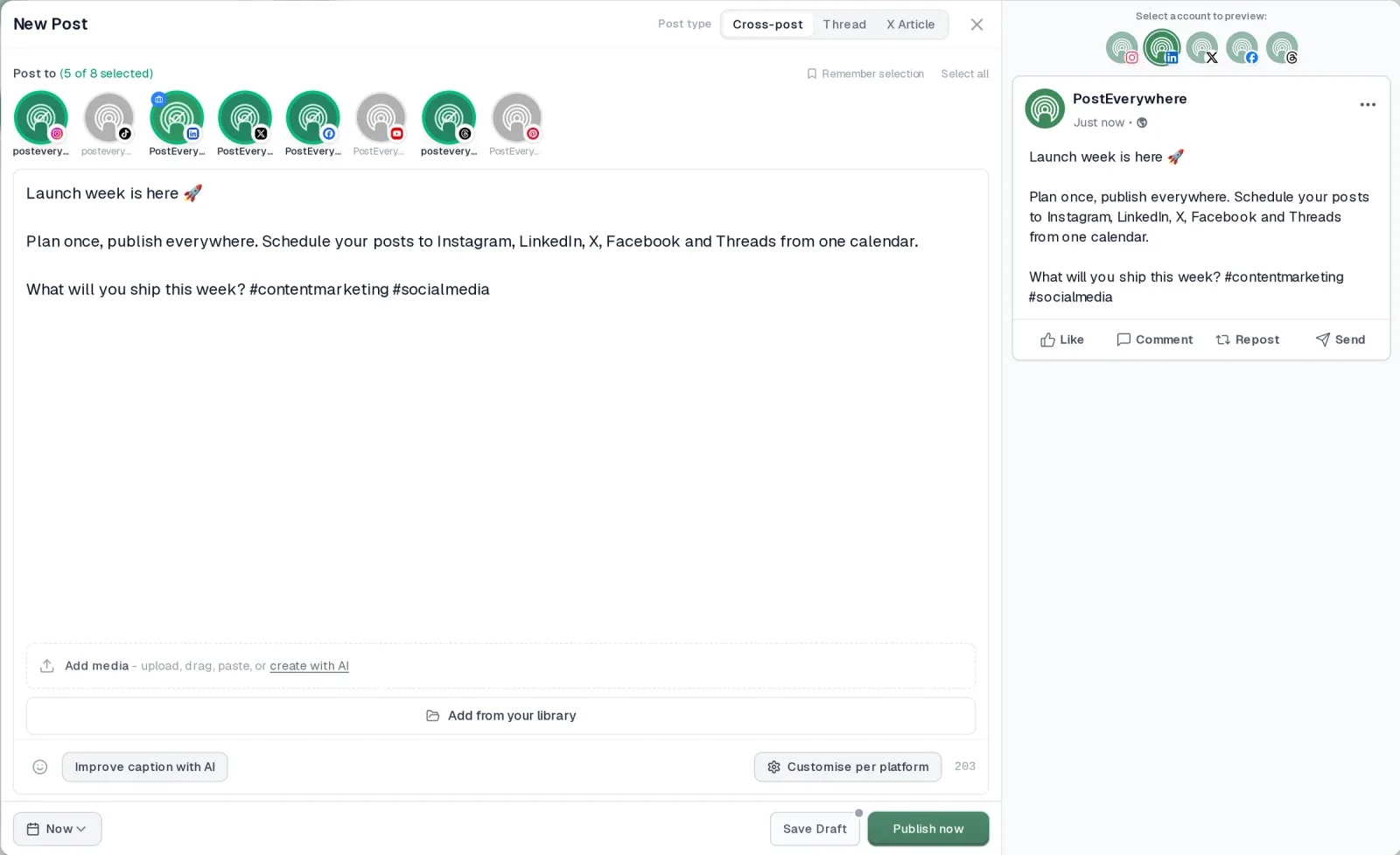
- It's simple. One composer for every platform: write the post once, tweak the caption per platform, check the live preview for each account and schedule it.
- One flat price, nothing locked away. From $9 a month. Every plan includes unlimited posts, the full API, the hosted MCP server and AI Studio, with no per-channel fees.
- Every top platform in one place. Instagram, TikTok, YouTube, LinkedIn, Facebook, X, Threads and Pinterest, plus Bluesky, Telegram, Discord, WordPress and Google Business Profile.
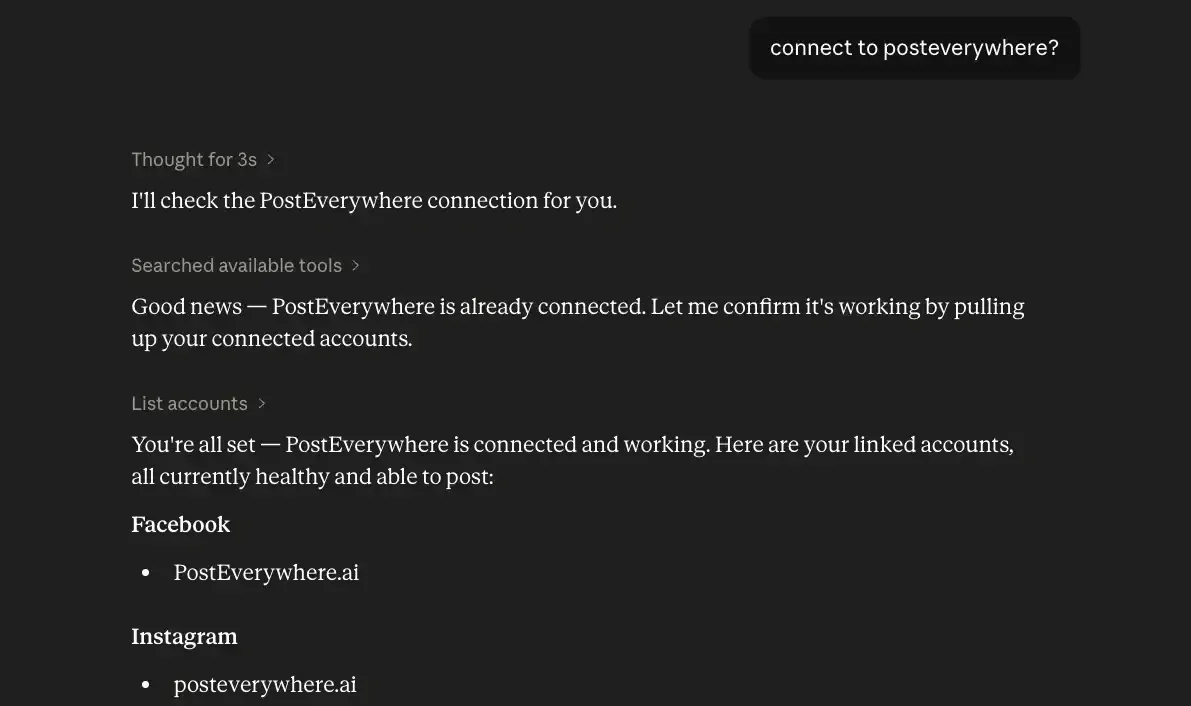
- Your AI agent can run it. Connect Claude, ChatGPT or Cursor in about a minute and ask it to plan, write and schedule your posts.
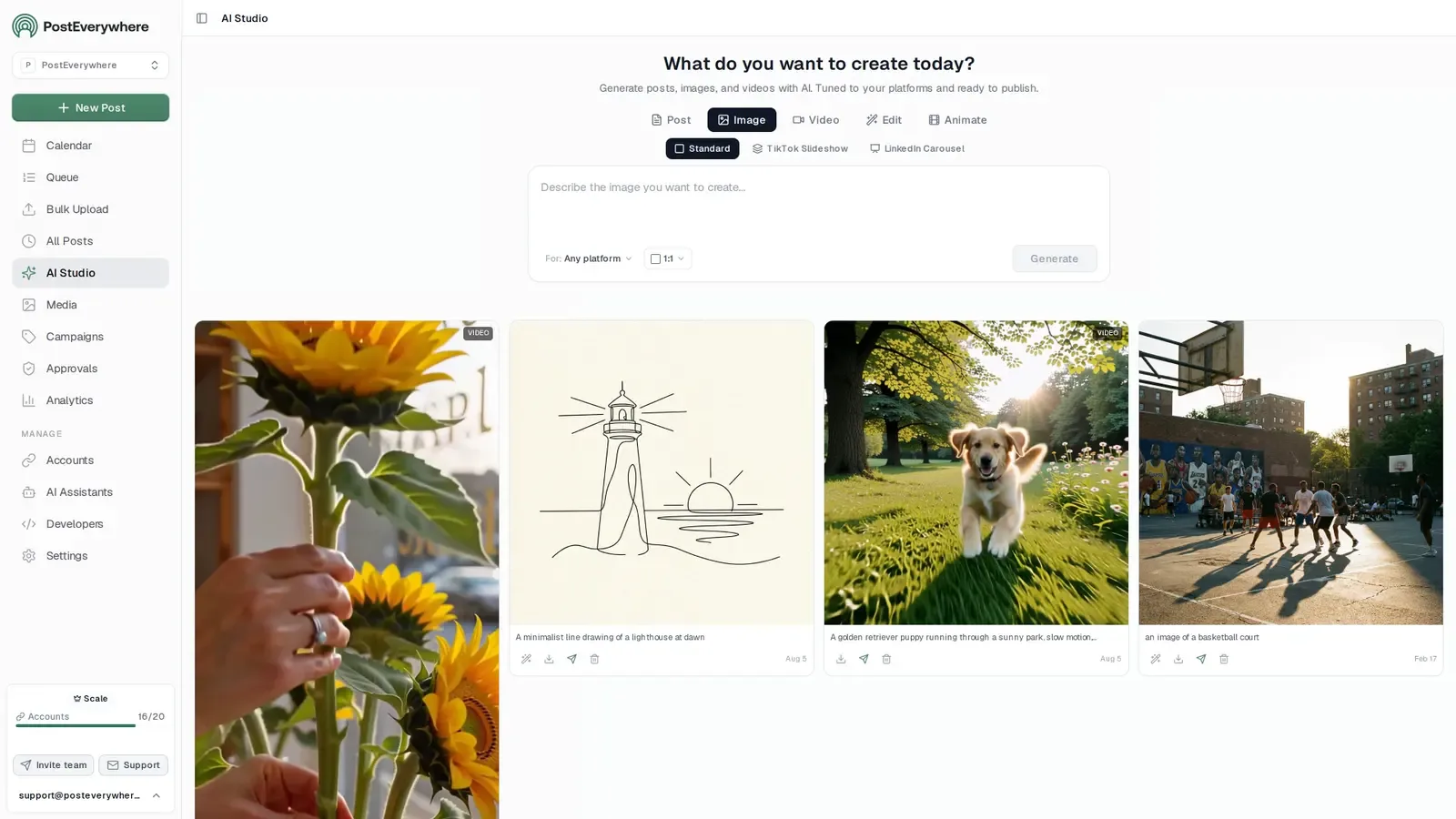
- Create in the same tool. AI Studio makes captions, images and video, so you don't need a second app before you post.
How PostEverywhere works
- Connect your accounts. Link your social accounts once, across all top platforms.
- Create the post. Write it in the composer, make images and video in AI Studio, or ask Claude or ChatGPT to draft and schedule it for you.
- Schedule it everywhere. Tweak the caption for each platform, check every preview, and it goes out on time from one calendar.
Switching from Dash Social?
| Dash Social | PostEverywhere | |
|---|---|---|
| What an AI agent can do (MCP) | – | Publish, schedule, queue, best time, bulk, retry, connect accounts |
Connect your accounts, then schedule your first post from the composer or ask your AI agent to do it. Your Dash Social account keeps running until you cancel it.
Built for AI agents
- Agents do the whole job. A full hosted MCP server with up to 44 tools: publish, schedule, use your queue or the best time, bulk-schedule 50 posts at once, check results, retry failures and send links to connect new accounts. Some rival MCP servers only read data or create drafts.
- $29 a month for 10 accounts, flat. Full API and agent access included, with no per-channel, per-seat or per-call fees. The same 10 accounts cost $60 a month on Buffer and $99 per user (billed annually) on Hootsuite.
- Nothing gated. API, MCP and webhooks come with every plan, from Lite. Several rivals keep their API for higher tiers or a sales call.
- Connected in a minute. One click adds PostEverywhere to Claude, with one-click installs for Cursor and VS Code. ChatGPT adds it under Plugins.
Plans: Lite $9 a month (2 accounts), Starter $19 (5), Growth $29 (10), Scale $39 (20). Every plan includes unlimited posts, the full API, the hosted MCP server and AI Studio.
“This tool has truly made my content posting so much easier, I can't work without it. I can schedule my posts days in advance while working on other projects. Set it and forget it.”
Also in PostEverywhere: a posting queue, bulk upload from CSV, approvals, analytics, an API and the iPhone app.
PostEverywhere is the agentic social media scheduler built for AI agents. Rather than paying an enterprise quote for a publishing tool attached to an analytics dashboard, your team can ask Claude or ChatGPT to turn a campaign brief into captions and schedule them across all top platforms through the hosted MCP server, with the REST API and webhooks there for your own tools.

Full disclosure: this is our product. I'm featuring it first because it directly addresses the two biggest gaps in Dash Social, scheduling power and AI content creation, at a price point that's dramatically lower.
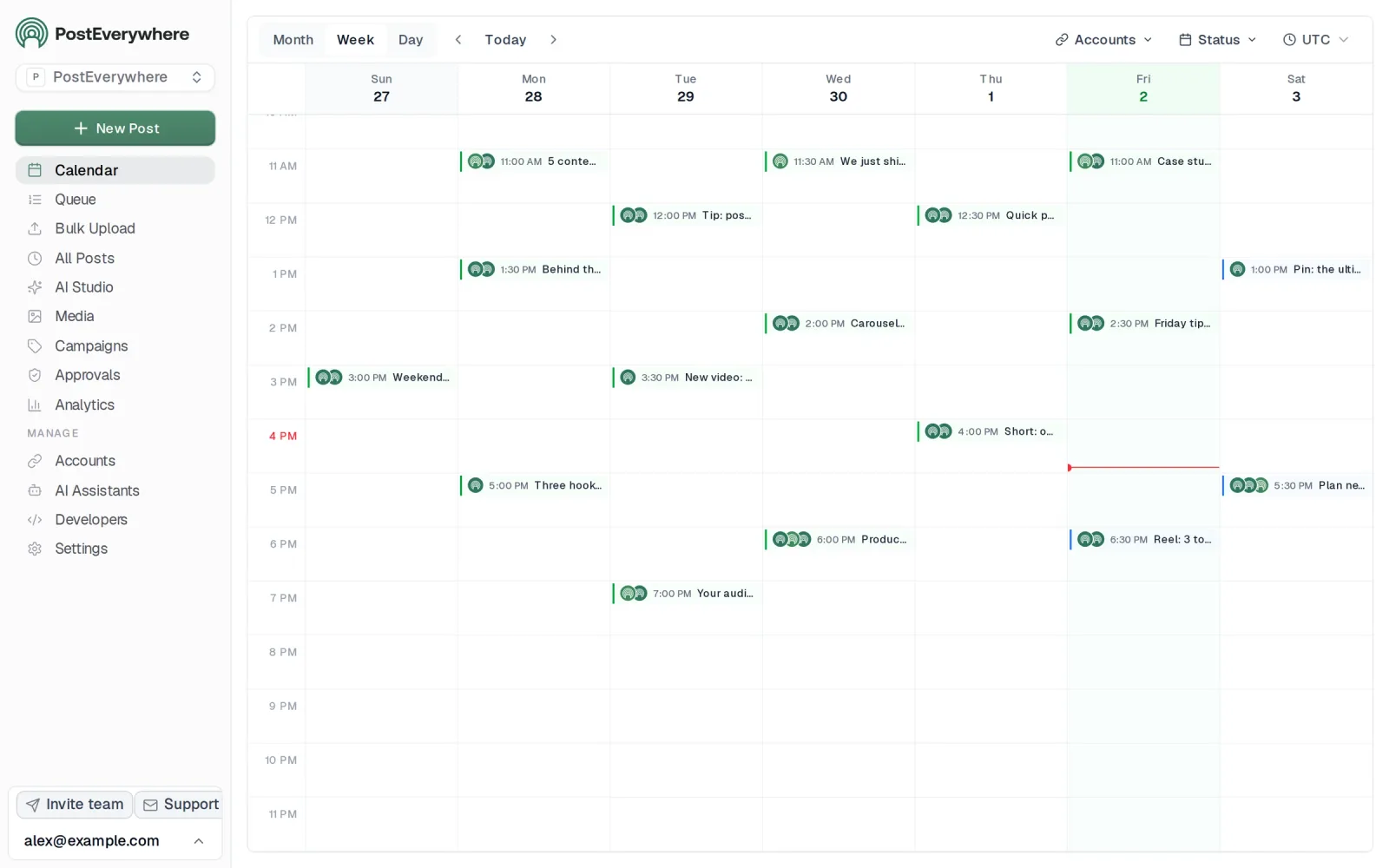
PostEverywhere's social media scheduler treats scheduling as the foundation, not an add-on. The visual calendar gives you a clear, drag-and-drop overview of your entire content schedule across every connected platform.
You can reschedule posts by dragging them to a new date, batch content across weeks, and see gaps in your publishing cadence at a glance. It's the kind of calendar interaction that Dash Social users have been requesting.
The AI content generator fills the creation gap that Dash Social leaves wide open. Feed it a blog post, product description, or campaign brief and it produces platform-optimized captions for Instagram, LinkedIn, X, Facebook, and YouTube.
Each version is tailored to the platform's tone, character limits, and best practices. For teams that previously had to write every caption from scratch, this saves hours per week.
The AI image generator takes it further. Instead of relying on generic stock photography or waiting for a designer to create assets, you can generate custom visuals directly within the scheduling workflow.
For brands that care deeply about visual content (which, if you're considering Dash Social, you probably do), this is a meaningful creative tool.
Cross-posting lets you create one post and adapt it for multiple platforms, effectively letting you post to all social media at once without starting from scratch each time. The best-time-to-post engine suggests times based on when your posts have done best on each platform.
And multi-account management keeps everything organized if you're handling multiple brands or client accounts.
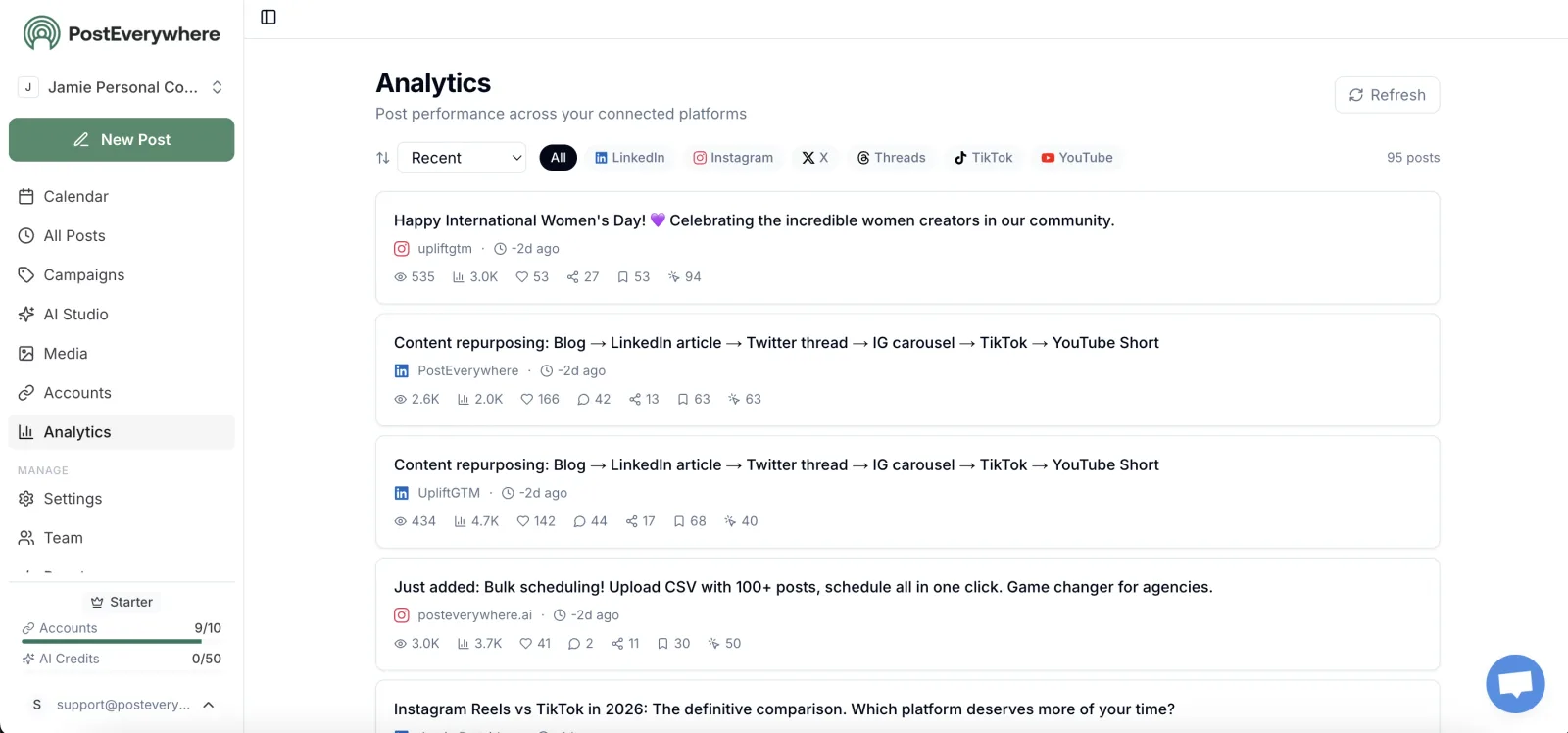
Where PostEverywhere doesn't match Dash Social: there's no visual AI that predicts image performance, no trend prediction engine, and no competitive benchmarking dashboard. PostEverywhere's analytics cover post performance and engagement metrics, but they're not designed to be the strategic insights layer that Dash Social specializes in.
If predictive analytics drive your content decisions, that's a real trade-off.
But here's the honest question: how often does your team actually use Dash Social's predictive AI to change what they post? If the answer is "rarely" or "we mostly just schedule content and check how it performed," PostEverywhere does that better and costs a fraction of the price.
Pricing: Growth $29/month (10 accounts), Scale $39/month (20 accounts). Seats are included in every plan rather than billed per user. See all plans.
Best for: Teams that need strong scheduling and AI content creation without paying for enterprise analytics they don't fully use.
The catch: No visual AI predictions, no competitive benchmarking, no trend detection engine. It's built for the publishing side, so pair it with an analytics tool if predictions run your strategy.
Tired of paying for analytics you don't use? PostEverywhere gives you the scheduling and AI content tools Dash Social lacks, starting at $9/month with seats included. Start your 7-day trial.
Why Choose PostEverywhere?
If you're leaving Dash Social because publishing is the job you actually do every day, PostEverywhere is the best alternative: a scheduler built around publishing, with AI content creation and published prices.
- Prices you can see. PostEverywhere runs from $9/month to $39/month for 20 accounts, with no per-user or per-channel add-ons. Dash Social sells every plan by quote, Sprout Social's Standard plan is $199 per seat (about $7,200 a year for three people) and Hootsuite starts at $99 per user.
- A calendar that moves with you. Dash Social users report no drag-and-drop on the monthly calendar and no bulk scheduling. PostEverywhere's content calendar is drag-and-drop, with a posting queue and bulk CSV upload of up to 200 posts per file. Later has no bulk CSV upload either.
- AI that creates, not just predicts. Dash Social has no AI writing assistant or content generation. PostEverywhere's AI Studio makes captions, images and video on every plan.
- Every top platform, X included. Dash Social's integrations list leaves out X (Twitter), and Later doesn't publish to X. PostEverywhere's one composer covers Instagram, TikTok, YouTube, LinkedIn, Facebook, X, Threads, Pinterest, Bluesky and the rest, with a live preview per account.
- AI agents and developers welcome. Connect Claude, ChatGPT or Cursor to the hosted MCP server in about a minute, or build on the REST API and signed webhooks, on every plan.
Keep an analytics tool if visual predictions drive your strategy, and move publishing to PostEverywhere: compare plans and start a 7-day free trial today.
2. Later: for visual content planning and Instagram focus
 LaterMCP server: none listed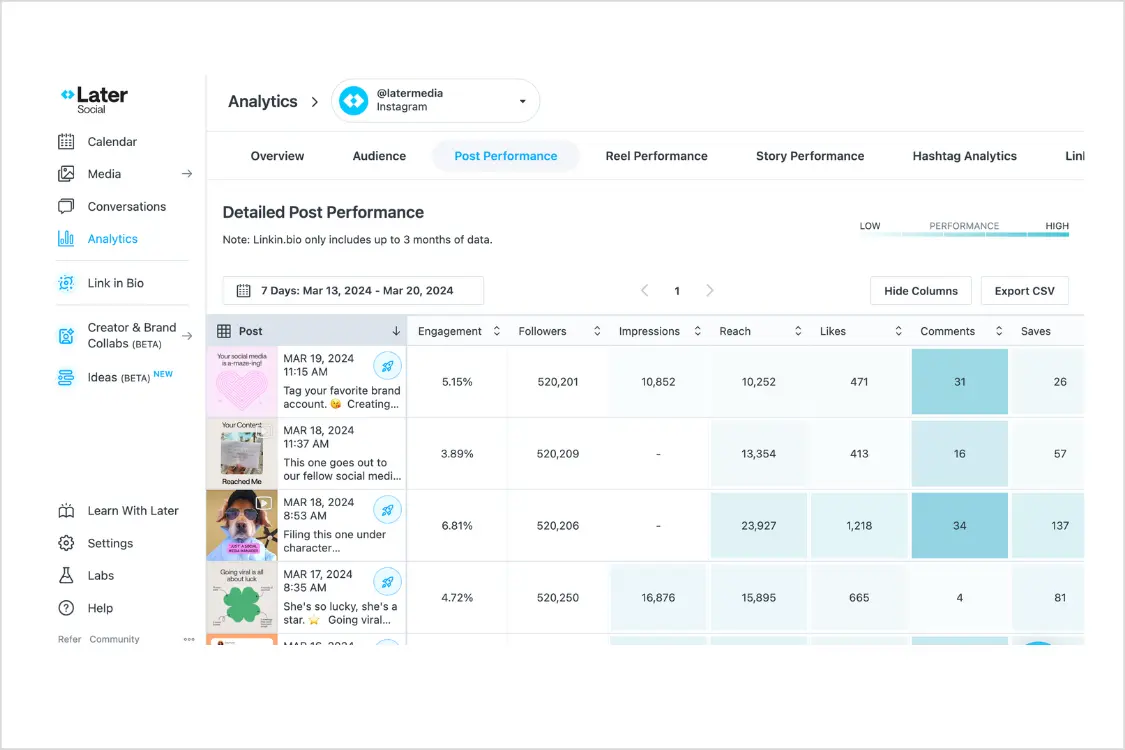
Later is the natural alternative for teams that chose Dash Social primarily for its visual-first approach to social media. Later's media library and visual planning tools make it easy to curate an aesthetically cohesive feed, particularly on Instagram, where grid appearance still matters for brand perception.
The visual content calendar shows thumbnails of your scheduled posts, so you can see exactly what your Instagram grid will look like before anything goes live. Drag-and-drop rescheduling works smoothly, and the media library lets you store, organize, and tag assets for reuse.
For brand teams that care about visual consistency, this workflow is intuitive and effective.
Later has expanded well beyond Instagram and now supports TikTok, Facebook, LinkedIn, Pinterest, Threads, Snapchat and YouTube (but not X). The Linkin.bio feature creates a shoppable landing page from your Instagram posts, which is valuable for e-commerce and direct-to-consumer brands.
Analytics cover post performance, best posting times, and audience demographics, with enough depth for monthly reporting without the enterprise complexity of Dash Social.
Later's AI tools are still limited compared to platforms like PostEverywhere, and the scheduling features are less robust for high-volume publishing. There's no bulk upload via CSV and the collaboration features are basic.
But for visual-first teams that need a step up in scheduling from Dash Social without paying enterprise prices, Later hits the right balance.
For a deeper comparison, see our guide to Later alternatives.
Pricing (October 2026): Billed annually, Starter is $18.75/mo (1 social set, 1 user), Growth $37.50/mo (2 social sets, 2 users) and Scale $82.50/mo (6 social sets, 4 users). Annual billing is 25% off the monthly rate. No free plan; 14-day trial. Note: Later raised prices across all tiers in 2025.
Good for: Visual-first brands, especially on Instagram and TikTok, that want better scheduling than Dash Social with a clean visual planner. See also our Planoly alternatives for more Instagram-first tools.
The catch: Limited collaboration features, no bulk scheduling, AI capabilities are basic.
3. Sprout Social: analytics depth with proper scheduling
 Sprout Social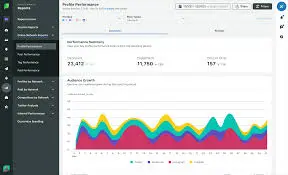
Sprout Social is the alternative for teams that want Dash Social's analytics depth without sacrificing scheduling capability. It's one of the few platforms that genuinely competes on both fronts: deep reporting and a polished publishing workflow.
Sprout's analytics are comprehensive. Custom reports, competitive benchmarking, paid versus organic performance tracking, sentiment analysis, and audience demographics are all available without needing the highest pricing tier. The reporting exports cleanly for stakeholder presentations, and the data visualization is clear enough that non-analysts can extract meaningful insights.
On the scheduling side, Sprout offers everything Dash Social doesn't: a proper drag-and-drop calendar, bulk scheduling, approval workflows, asset libraries, and a unified inbox for managing conversations across platforms. The publishing experience is smooth and supports every major social channel.
If you need to schedule, respond to comments, track analytics, and run competitive benchmarks from one platform, Sprout handles all four.
The cost is the obvious barrier. Sprout charges per seat (Standard at $199, Professional at $299, Advanced at $399), and social listening is a separately priced add-on. Sprout also introduced an Essentials plan at $79/seat/mo for lighter use cases.
For a team of three on Standard, you're looking at roughly $7,200 per year, a published price you can compare against a Dash Social quote. But you're getting materially better scheduling and collaboration tools alongside the analytics.
For a full breakdown, see our guide to Sprout Social alternatives.
Pricing (October 2026): Per seat per month, billed annually: Essentials $79, Standard $199, Professional $299, Advanced $399 (monthly billing: $99, $249, $399, $499). Enterprise custom. 30-day free trial.
Good for: Teams that refuse to compromise on either analytics or scheduling and have the budget for enterprise pricing.
The catch: Per-seat pricing adds up quickly, social listening costs extra, best rates need annual billing. For a more analytics-focused alternative at a lower price, see our Iconosquare alternatives guide.
Get scheduling and AI for less than one Sprout seat. PostEverywhere combines a visual calendar, AI content generator, and cross-posting, all from $9/month with bundled seats. See plans.
4. Metricool: a free alternative for analytics
 Metricool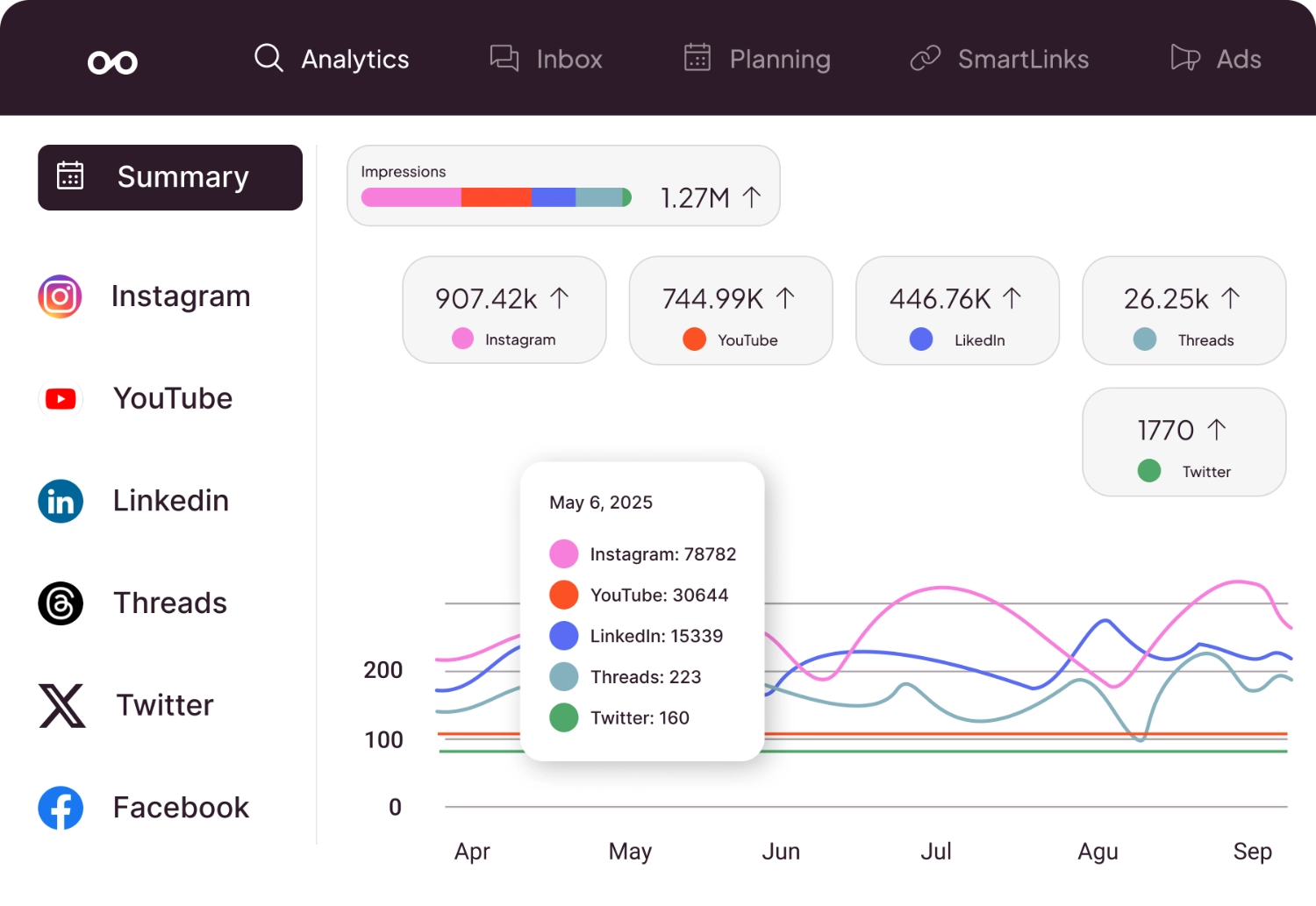
Metricool takes an analytics-first approach similar to Dash Social but at a dramatically lower price, including a genuinely functional free plan. If your primary attraction to Dash Social was the data rather than the visual AI, Metricool delivers surprisingly deep analytics without the enterprise price tag.
The free tier includes one brand with connected social profiles, basic scheduling, and analytics covering reach, engagement, follower growth, and best posting times. Paid plans unlock competitor tracking, custom reports, and API access.
The competitor analysis feature lets you benchmark against specific accounts, which approximates some of Dash Social's competitive intelligence at a fraction of the cost.
Metricool also includes a link-in-bio tool and ad management for Facebook and Google Ads, adding value if you run paid campaigns alongside organic content. The interface is clean and data-forward: you can spot trends and pull insights without wading through complex navigation.
Where Metricool falls short compared to Dash Social: there's no visual AI, no trend prediction, and no content performance prediction. The scheduling features are functional but not the platform's strength.
You won't find the AI content tools you'd get with PostEverywhere or the visual planning of Later. Metricool is best as an analytics platform that happens to schedule, not a full social media scheduler with analytics bolted on.
Pricing (October 2026): Free (1 brand, 20 posts/mo, 30-day analytics history; no LinkedIn or X). Starter from $20/mo annual ($25 monthly) for up to 5 brands. Advanced from $53/mo annual ($67 monthly) for up to 15 brands, with approvals and the Metricool API. Custom plans above that.
X needs a paid add-on, and Metricool's MCP is available even on Free.
Good for: Budget-conscious teams that want analytics and competitor tracking without Dash Social's enterprise pricing.
The catch: Scheduling is basic, no visual AI or trend prediction, limited collaboration tools.
5. Hootsuite: all-in-one management with social listening
 Hootsuite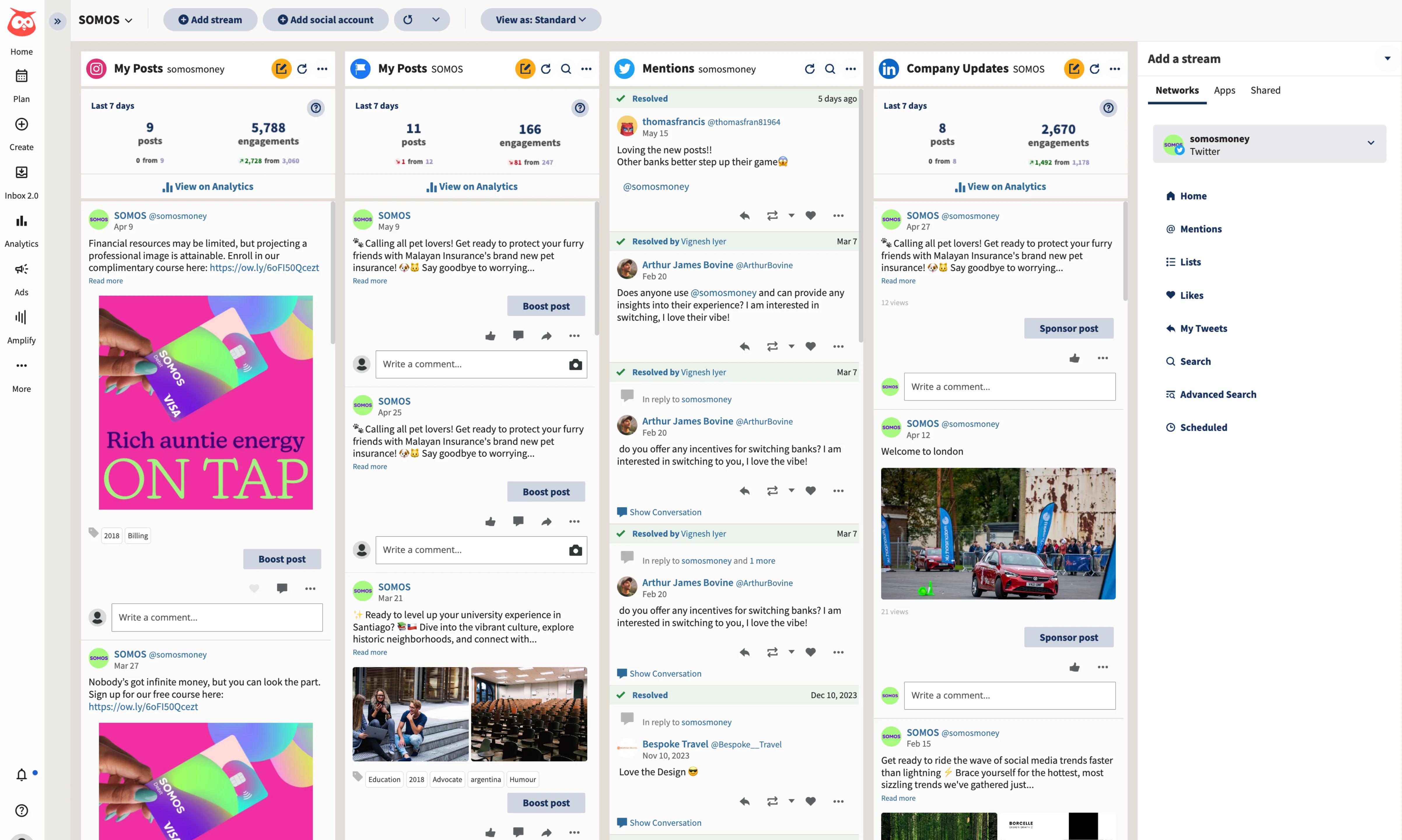
Hootsuite is the established all-in-one platform for teams that need scheduling, analytics, social listening, and inbox management under one roof. Where Dash Social excels at visual analytics but struggles with everything else, Hootsuite takes the opposite approach: it does everything reasonably well, even if nothing stands out.
Through its Talkwalker integration, Hootsuite includes social listening capabilities that let you monitor brand mentions, track industry keywords, and follow competitor activity in real time. This is something Dash Social doesn't offer comprehensively.
For teams that want competitive intelligence beyond just social metrics, Hootsuite's listening tools add genuine strategic value.
The scheduling interface is fully featured with drag-and-drop calendar management, bulk scheduling, approval workflows, and auto-publishing across all major platforms. The unified inbox manages messages and comments from every connected account. Analytics provide post-level and account-level insights with exportable reports.
Hootsuite's weakness is the interface. It hasn't been meaningfully modernized in years, and the learning curve is steeper than newer tools like PostEverywhere or Later. The mobile app gets inconsistent reviews.
And the analytics, while solid, lack the visual intelligence and predictive capabilities that made Dash Social distinctive.
For a broader look at scheduling options, check out our guide to Hootsuite alternatives.
Pricing (October 2026): Per user per month, billed annually: Standard $99 (10 accounts), Professional $199 (unlimited accounts), Advanced $399 (unlimited accounts, approval workflows). Enterprise custom. No free plan; 14-day free trial. Hootsuite now also offers official MCP servers.
Good for: Teams that need listening, scheduling, and inbox management in one platform and can tolerate a dated interface.
The catch: Interface feels outdated, learning curve is steep, analytics lack visual AI.
6. Buffer: simple scheduling at a minimal price
 Buffer
Buffer is the no-frills alternative for teams that realize they've been paying Dash Social's premium pricing mostly to schedule posts and check basic performance data. If your honest assessment is that you don't use trend prediction or visual AI regularly, Buffer does the scheduling part cleanly at a price that barely registers on a monthly budget.
The free plan supports three channels with limited scheduling, enough for a solo creator or someone testing the concept of structured social publishing. Paid plans start at $5/month per channel on annual billing, which means even a team managing ten channels is paying $50/month compared to a quote-only Dash Social plan.
Buffer recently added AI caption suggestions, which helps with content ideation. The analytics are basic (engagement rates, reach, best times to post) but cover what most teams actually check on a weekly basis. The interface is very clean, with virtually zero learning curve.
Where Buffer doesn't compete with Dash Social: there's no competitive benchmarking, no visual AI, no trend detection, and no deep analytics. Collaboration features are minimal. If you need any form of advanced analytics, Buffer isn't the answer.
But if you've been paying an enterprise quote for Dash Social and mostly just using the scheduler, Buffer at $5/month per channel is a reality check worth considering.
Pricing (October 2026): Free (3 channels, 10 posts each). Essentials $5/channel/mo annual ($6 monthly). Team $10/channel/mo annual ($12 monthly). Volume discount past 10 channels.
Good for: Solo creators or small teams that need straightforward scheduling without enterprise analytics.
The catch: No advanced analytics, minimal collaboration, no competitive intelligence tools.
Upgrade from basic scheduling without the enterprise tax. PostEverywhere's AI content generator and AI image generator create the content Buffer can't, while the visual calendar keeps everything organized. From $9/month. Start your 7-day trial.
How to choose the right Dash Social alternative
The right choice depends on why you're actually leaving Dash Social. Be honest about which of its features you use regularly and which ones sound impressive on paper but don't influence your day-to-day workflow.
If scheduling quality is the main frustration, PostEverywhere, Sprout Social, and Hootsuite all offer materially better publishing workflows. PostEverywhere is the most affordable of the three, with AI content creation that Dash Social completely lacks.
Sprout Social adds deep analytics alongside strong scheduling but at a higher price. Hootsuite covers the broadest feature set but with an older interface.
If you want to keep strong analytics but pay less, Metricool is the most direct comparison at a lower price point. You'll lose the visual AI and trend prediction, but the core analytics (engagement tracking, competitor benchmarking, growth metrics) are solid for a fraction of Dash Social's cost.
If visual content planning matters most, Later maintains the visual-first approach with a better scheduling experience. It's particularly strong for Instagram and TikTok, where grid aesthetics and visual storytelling drive engagement.
If budget is the deciding factor, Buffer and Metricool both offer free plans. PostEverywhere from $9/month gives you AI tools that neither free option includes. Compare that to Dash Social's quote-only enterprise plans and the savings are dramatic.
Trial everything before committing. Most alternatives offer free trials or free plans. Run your actual workflow through two or three options before cancelling Dash Social. Pay attention to the scheduling experience specifically; that's likely why you're switching.
For a full comparison of scheduling platforms, our guide to the best social media scheduling tools covers 12 options with detailed feature breakdowns.
Frequently asked questions
What is Dash Social formerly known as?
Dash Social was formerly known as Dash Hudson. The company rebranded to Dash Social to better reflect its expanded platform coverage beyond Instagram and its focus on social media analytics and management rather than a single channel.
How much does Dash Social cost in 2026?
Dash Social no longer publishes prices. It offers three plans, all sold by quote: Engage (scheduling, community inbox and reporting), Advance (adds custom dashboards, Vision AI predictions, competitive benchmarks, UGC galleries and integrations), and Enterprise. Add-ons such as Creator Management are priced separately. All plans include unlimited users.
A 14-day free trial is available, but there's no permanent free plan. All pricing is structured for enterprise and mid-market budgets.
Is Dash Social good for scheduling?
Dash Social's scheduling capabilities are functional but notably limited compared to dedicated cross-posting tools. Users report that you cannot drag and drop posts on the monthly calendar, there's no AI caption assistant, no Canva integration, and no bulk scheduling.
The platform was built primarily as an analytics tool with scheduling added later.
What is the best free alternative to Dash Social?
Metricool and Buffer both offer genuine free plans. Metricool is the better fit if you want analytics and competitor tracking similar to Dash Social's focus. Buffer is better if you primarily need simple, clean scheduling.
Neither offers Dash Social's visual AI or trend prediction, but both cover the core scheduling and analytics workflows at no cost.
Does Dash Social support TikTok?
Yes, Dash Social supports TikTok scheduling and analytics, along with Instagram, Facebook, LinkedIn, Pinterest, YouTube, Threads, Snapchat and Bluesky. X (Twitter) isn't on its integrations list, so teams that post to X need a tool like PostEverywhere or Hootsuite.
Can PostEverywhere replace Dash Social's analytics?
PostEverywhere provides post performance analytics, engagement tracking, and best-time-to-post insights, but it doesn't replicate Dash Social's visual AI, trend prediction, or competitive benchmarking features. If your primary use of Dash Social is scheduling and basic performance tracking, PostEverywhere is a strong replacement.
If predictive analytics drive your content strategy, you may want to pair PostEverywhere with a dedicated analytics tool.
What is Dash Social's visual AI?
Dash Social's visual AI analyzes images before you publish them and predicts their likely engagement performance. It scores visuals based on how similar content has performed historically, helping teams choose the strongest images for their posts.
This feature is unique to Dash Social and isn't replicated by any of the alternatives on this list.
Is Dash Social worth the price in 2026?
For large brands in visual-first industries like fashion, beauty, and lifestyle, where content performance prediction and trend detection directly influence revenue, Dash Social can justify its cost. For most other teams, the analytics are impressive but the scheduling limitations and quote-only enterprise pricing mean you're paying a premium for insights you may not act on regularly.
Add-ons like Creator Management push the total cost even higher. If you primarily need to schedule content and track basic performance, the alternatives on this list deliver more practical value per dollar.
What changed with Dash Social pricing in 2026?
Dash Social's pricing page now shows no prices at all for its Engage, Advance and Enterprise tiers: every plan is sold by quote after a demo, and the older Grow plan is gone. Add-ons such as Creator Management are still priced separately.
All plans include unlimited users at no extra cost, which softens the per-seat math somewhat but doesn't change the headline cost.

Founder & CEO of PostEverywhere. Writing about social media strategy, publishing workflows, and analytics that help brands grow faster.