What's the best SocialBee alternative? PostEverywhere is the best SocialBee alternative for AI agents and growing teams: it's the agentic social media scheduler built for AI agents, so Claude or ChatGPT can write and schedule your posts to all top platforms, and its Starter plan includes a second seat for $19/mo (Scale: 5 seats and 20 accounts for $39/mo) versus $39/mo for the same 5 profiles and 2 users on SocialBee (Bootstrap plus a $10 extra seat). RecurPost suits evergreen recycling.
SocialBee does one thing better than almost any other social media scheduler: content categories with automatic re-queueing. If you have a library of evergreen posts, SocialBee will rotate through them indefinitely. It's a genuinely clever system, and it's the reason most people sign up.
Updated October 2026: SocialBee now includes unlimited AI content generation through its AI Copilot on every plan, and every plan can manage comments, mentions and DMs. What hasn't changed: Bootstrap and Accelerate include just one user, every extra seat costs $10/month, and queue stalls are still a recurring complaint.
But here's what to check before you're invested: SocialBee's Bootstrap plan ($29/mo) and Accelerate plan ($49/mo), billed monthly, each include a single user. The moment you hire a social media manager, bring on a VA, or want your co-founder to have access, you pay $10/month for every extra seat, or move to the Pro plan at $99/month for 3 users.
A three-person team on Accelerate comes to $69/month for 10 profiles.
That per-seat creep is the reason many teams start looking for SocialBee alternatives. But it's not the only reason.
The performance issues are real. I've seen multiple reports from SocialBee users who say adding photos to posts takes upwards of 45 minutes when the platform is running slow. Queue stalling — where scheduled posts simply don't publish on time — is a recurring complaint in review forums.
There's even a documented double-posting bug where SocialBee publishes the same content twice. These aren't edge cases. They show up consistently in user feedback.
SocialBee's engagement tools let you manage comments, mentions and DMs, but there's no social listening. The analytics are basic compared to what most competitors offer at the same price point. The mobile app gets poor reviews.
And customer support response times of 4+ days come up repeatedly in user forums.
None of this means SocialBee is a bad product. The category system and evergreen recycling are genuinely unique, and the AI Copilot, with unlimited AI content generation on every plan, is genuinely useful for generating content ideas.
But if you need several users without per-seat add-ons, reliable publishing, and a tool that doesn't stall when you're uploading images, you have better options.
Here are six SocialBee alternatives I tested, starting with the one that made the most sense for growing teams.
For a direct head-to-head comparison, see our detailed PostEverywhere vs Socialbee comparison.
Quick comparison
| Tool | Best for | Starting price | Free plan or trial | What an AI agent can do (MCP) |
|---|---|---|---|---|
| PostEverywhere | AI agents and growing teams | $9/mo | 7-day free trial | Publish, schedule, queue, best time, bulk, retry, connect accounts |
| Hootsuite | Listening and advanced analytics | From $99/user/month (billed annually) | 14-day free trial | – |
| Buffer | Simple scheduling | Free; paid from $5/month per channel (billed annually) | Free plan, 3 channels | – |
| SocialPilot | Agencies on a budget | From $25.50/mo (billed annually) | See pricing page | – |
| RecurPost | Cheaper evergreen recycling | $9/mo | 14-day trial, no free plan | – |
| Sendible | Client management and white-label | $35/mo | See pricing page | None listed |
1. PostEverywhere: Best SocialBee Alternative for AI Agents and Teams

Publishes to all top platforms
 Instagram
 Facebook
 X
X LinkedIn
 TikTok
 Threads
 Bluesky
 Telegram
 Discord
 YouTube
 Pinterest
 WordPress
 Google Business Profile
Why PostEverywhere wins
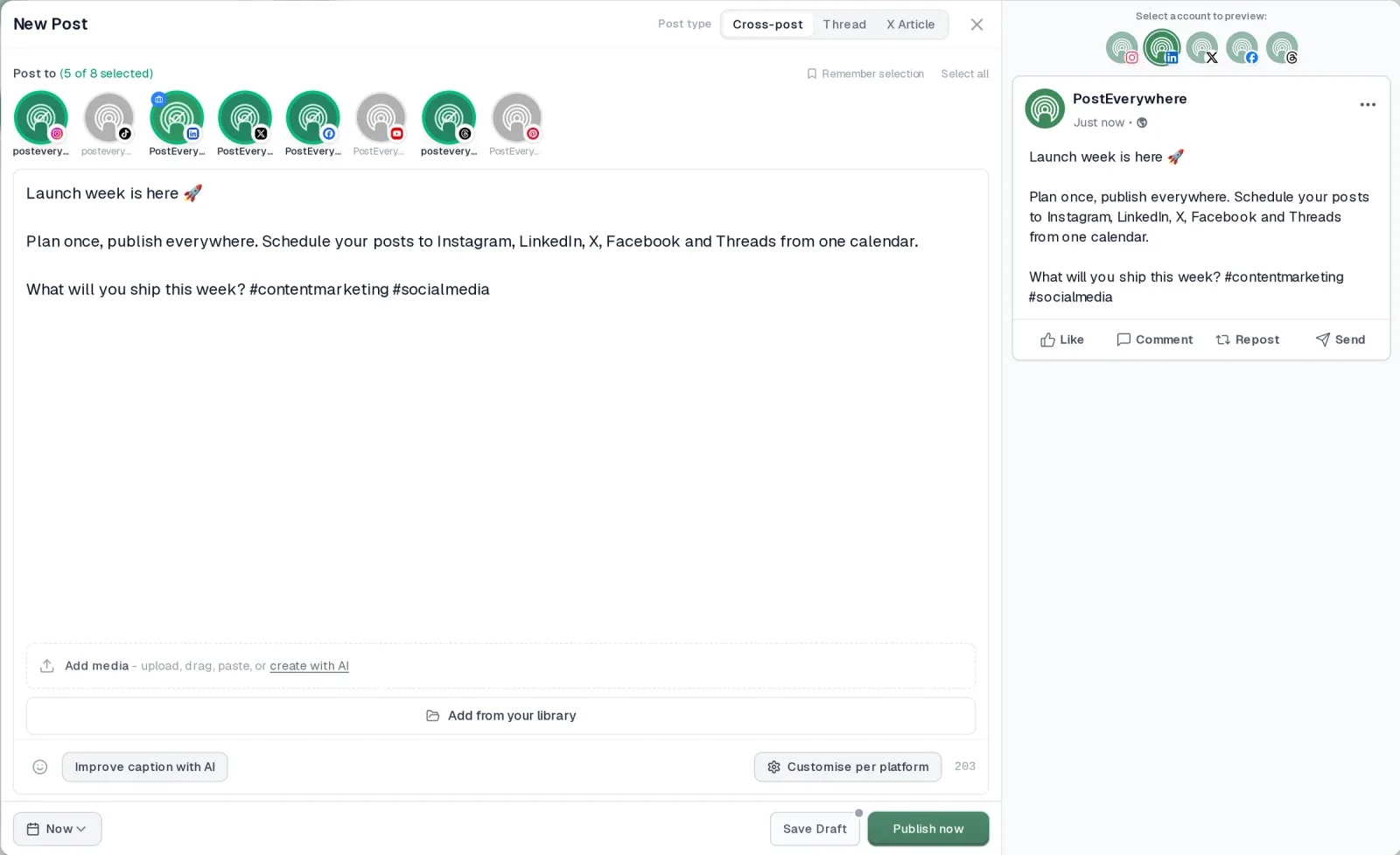
- It's simple. One composer for every platform: write the post once, tweak the caption per platform, check the live preview for each account and schedule it.
- One flat price, nothing locked away. From $9 a month. Every plan includes unlimited posts, the full API, the hosted MCP server and AI Studio, with no per-channel fees.
- Every top platform in one place. Instagram, TikTok, YouTube, LinkedIn, Facebook, X, Threads and Pinterest, plus Bluesky, Telegram, Discord, WordPress and Google Business Profile.
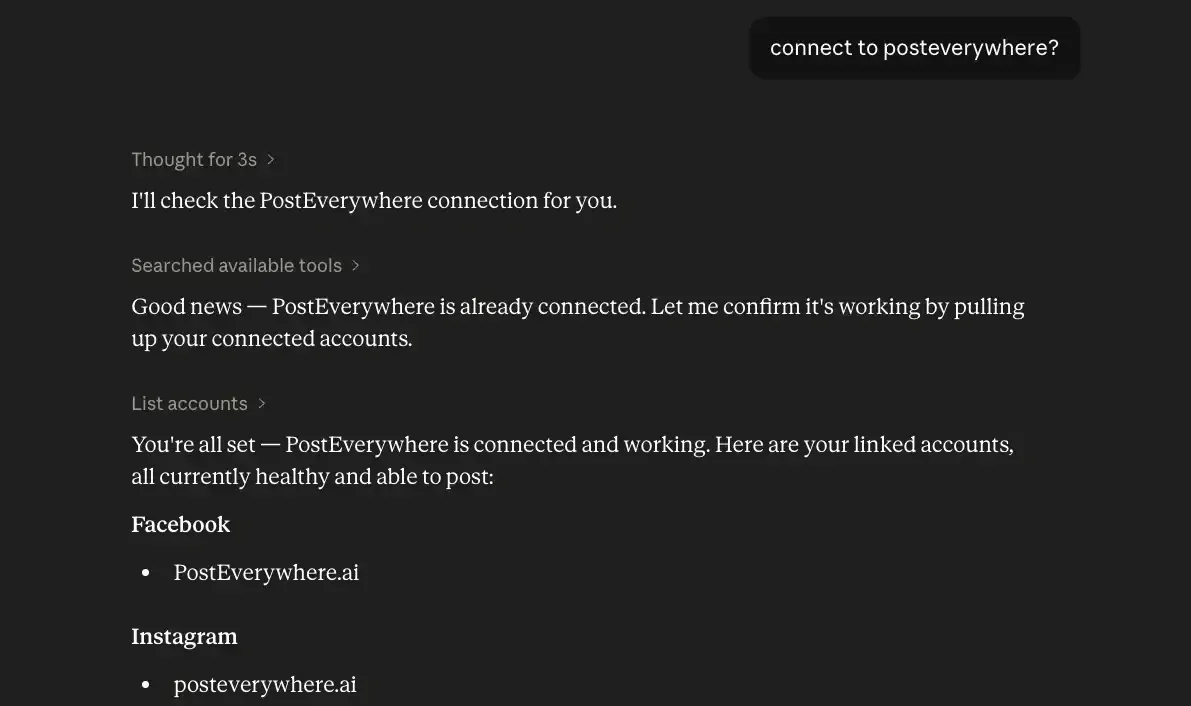
- Your AI agent can run it. Connect Claude, ChatGPT or Cursor in about a minute and ask it to plan, write and schedule your posts.
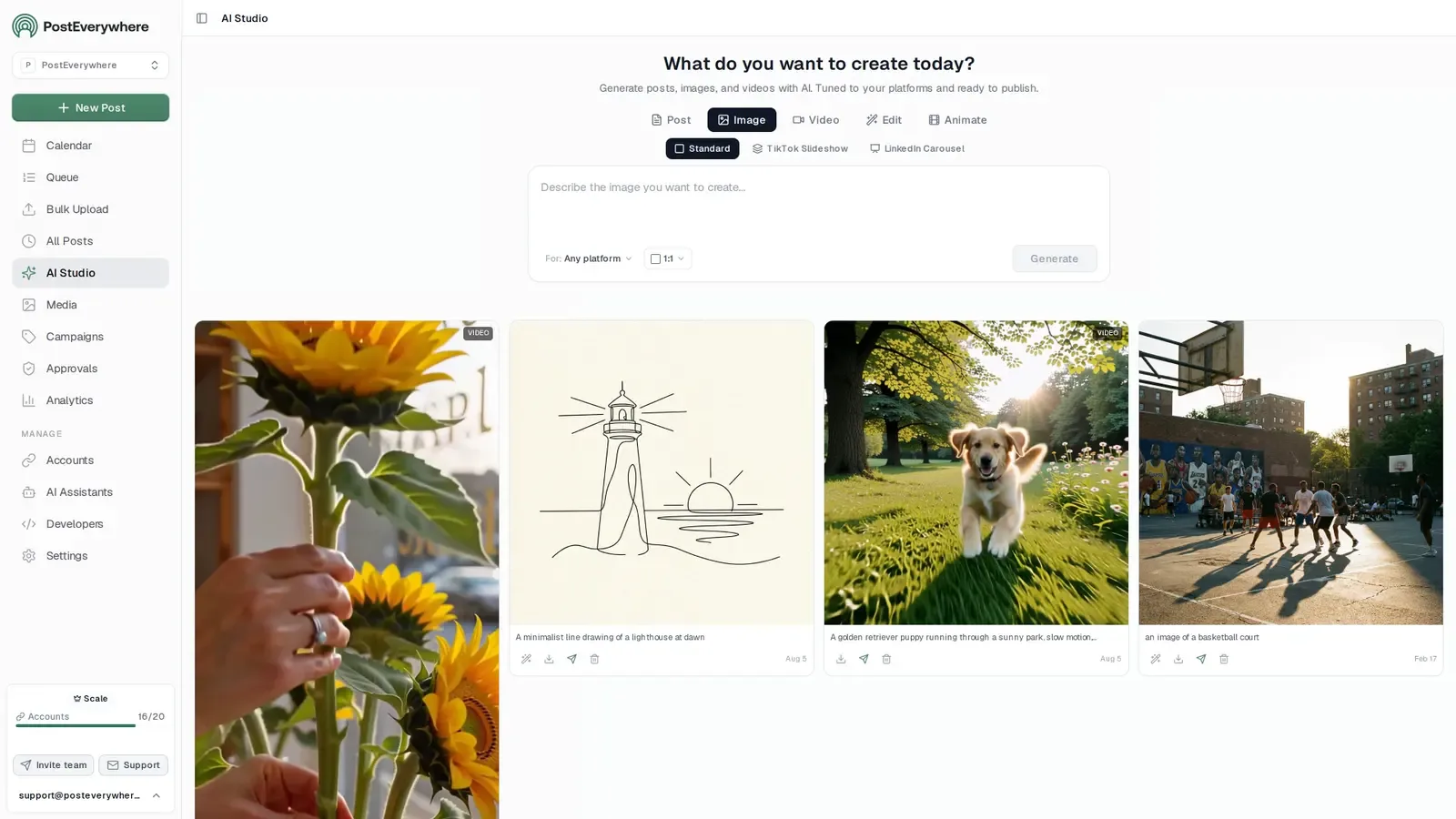
- Create in the same tool. AI Studio makes captions, images and video, so you don't need a second app before you post.
How PostEverywhere works
- Connect your accounts. Link your social accounts once, across all top platforms.
- Create the post. Write it in the composer, make images and video in AI Studio, or ask Claude or ChatGPT to draft and schedule it for you.
- Schedule it everywhere. Tweak the caption for each platform, check every preview, and it goes out on time from one calendar.
Switching from SocialBee?
| SocialBee | PostEverywhere | |
|---|---|---|
| What an AI agent can do (MCP) | No MCP server | Publish, schedule, queue, best time, bulk, retry, connect accounts |
Connect your accounts, then schedule your first post from the composer or ask your AI agent to do it. Your SocialBee account keeps running until you cancel it.
Built for AI agents
- Agents do the whole job. A full hosted MCP server with up to 44 tools: publish, schedule, use your queue or the best time, bulk-schedule 50 posts at once, check results, retry failures and send links to connect new accounts. Some rival MCP servers only read data or create drafts.
- $29 a month for 10 accounts, flat. Full API and agent access included, with no per-channel, per-seat or per-call fees. The same 10 accounts cost $60 a month on Buffer and $99 per user (billed annually) on Hootsuite.
- Nothing gated. API, MCP and webhooks come with every plan, from Lite. Several rivals keep their API for higher tiers or a sales call.
- Connected in a minute. One click adds PostEverywhere to Claude, with one-click installs for Cursor and VS Code. ChatGPT adds it under Plugins.
Plans: Lite $9 a month (2 accounts), Starter $19 (5), Growth $29 (10), Scale $39 (20). Every plan includes unlimited posts, the full API, the hosted MCP server and AI Studio.
“This tool has truly made my content posting so much easier, I can't work without it. I can schedule my posts days in advance while working on other projects. Set it and forget it.”
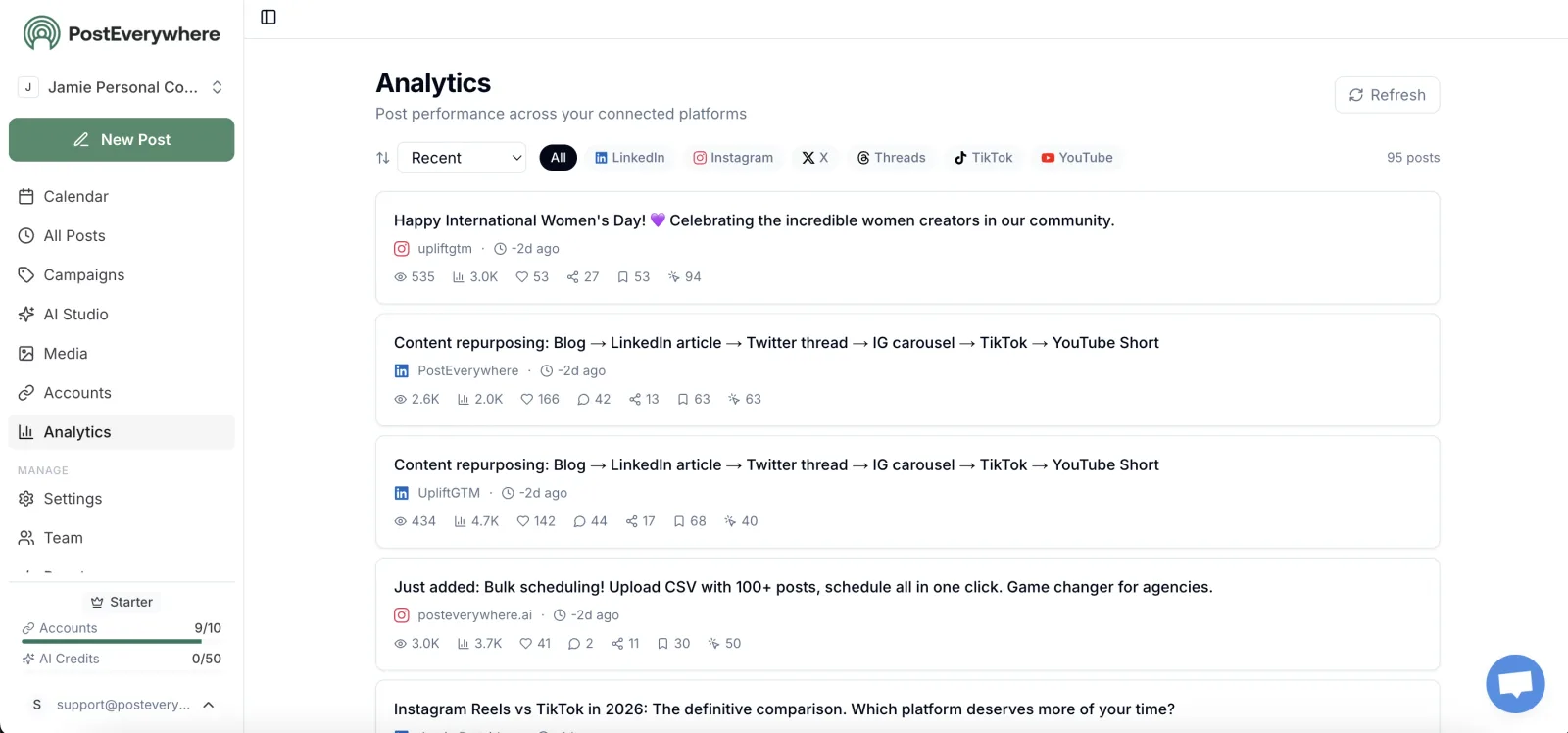
Also in PostEverywhere: a posting queue, bulk upload from CSV, approvals, analytics, an API and the iPhone app.
PostEverywhere is the agentic social media scheduler built for AI agents. SocialBee recycles the posts you already wrote; PostEverywhere lets Claude or ChatGPT write new ones and schedule them across every account, and your team doesn't pay $10 a seat to work alongside it, or your own code can post through the REST API, webhooks and MCP server.

I'm the founder of PostEverywhere, so take this recommendation with the appropriate grain of salt. But I built this tool specifically because I kept running into the same problems with schedulers like SocialBee — pricing walls when you add team members, unreliable publishing, and missing features that should be standard.
The biggest difference between PostEverywhere and SocialBee is how team access is priced. The Growth plan is $29/month and gives you 10 connected social accounts across Instagram, Facebook, LinkedIn, X, YouTube, TikTok, and Threads.
SocialBee's Bootstrap plan costs $29/month for 5 profiles and includes a single user. So you're paying the same and getting double the accounts. When you do need to add team members, PostEverywhere's Growth plan includes 3 seats at $29/month, while SocialBee's Accelerate plan with 10 profiles and 3 users comes to $69/month ($49 plus two $10 seats).
The Scale plan at $39/month bumps you to 20 accounts. Compare that to SocialBee's Pro at $99/month for 25 profiles. That's about two and a half times Scale's price for five more profiles.
Where PostEverywhere really pulls ahead is AI. Every plan includes AI content generation that writes captions, suggests post ideas, and repurposes content for different platforms. The AI image generator creates on-brand visuals directly inside the scheduler.
SocialBee has its AI Copilot for text generation, but it doesn't touch image creation. You'd need a separate Canva subscription or stock photo service to match what PostEverywhere includes by default.
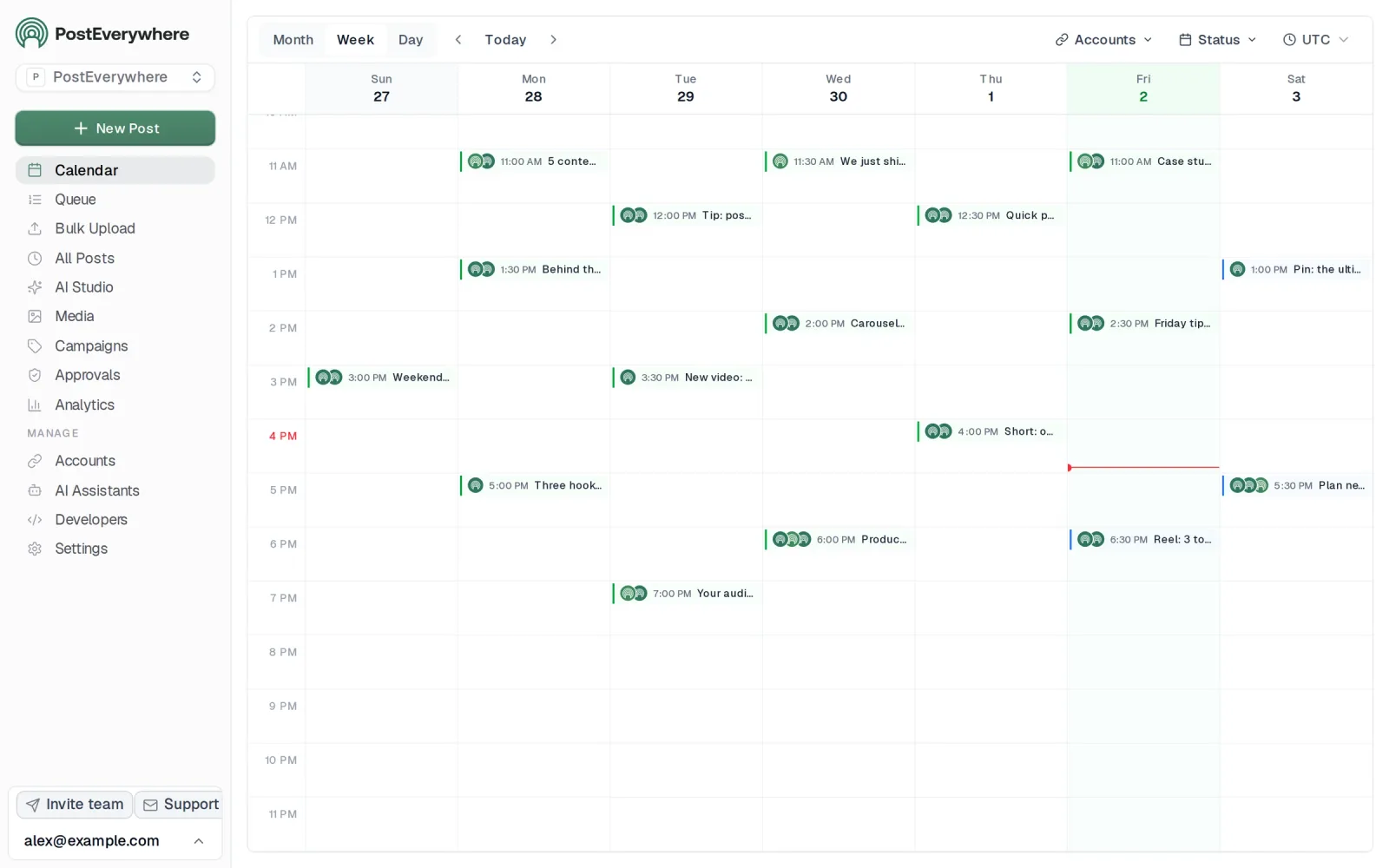
The visual calendar gives you a drag-and-drop overview of everything scheduled across all accounts. You can see your Instagram posts next to your LinkedIn posts next to your YouTube Shorts, all in one view.
The cross-posting engine lets you write one post and adapt it for each platform automatically. LinkedIn gets a professional tone. Instagram gets optimized hashtags. X gets trimmed to fit character limits.
You review the variations and post to all social media at once. That workflow alone saves hours per week compared to creating platform-specific posts from scratch in SocialBee's category system.
For platform-specific scheduling, PostEverywhere covers everything: Instagram scheduling with Reels and carousel support, Facebook scheduling for Pages, links, video and Reels, LinkedIn scheduling including document posts, X/Twitter scheduling with thread support, and YouTube scheduling for videos and Shorts.
The multi-account management dashboard keeps everything organized without the complexity that SocialBee's category system can create.
The best time to post feature suggests times based on when each account's posts have done best. This isn't generic advice: it's based on how your own posts have performed.
You also get the hashtag generator and engagement rate calculator built into the platform, so you're not switching between tools.
One thing SocialBee does that PostEverywhere doesn't is evergreen content recycling with category-based rotation. If your entire strategy revolves around re-queueing the same posts on a loop, SocialBee's system is more specialized for that.
But if you want reliable publishing, team seats without per-seat add-ons, and AI tools that go beyond text, PostEverywhere is the stronger all-around choice.
The 7-day free trial gives you full access to everything: cancel anytime, no feature restrictions. Most people are set up and scheduling within 15 minutes.
Pricing: Lite $9/mo (2 accounts), Starter $19/mo (5 accounts), Growth $29/mo (10 accounts), Scale $39/mo (20 accounts). 20% off annual billing.
Best for: Anyone who wants an AI agent to run their posting, plus growing teams, small businesses, and agencies who need multi-user access without paying enterprise prices.
The catch: No evergreen content recycling system like SocialBee's categories. If automatic re-queueing of evergreen posts is your primary need, SocialBee still does that better. PostEverywhere focuses on fresh posts instead, written by you or by Claude or ChatGPT through its hosted MCP server.
Done paying $10 a month for every extra team member? Start your 7-day PostEverywhere trial. Team seats from Starter up, 10 accounts on Growth, and AI image generation on every plan.
Why Choose PostEverywhere?
For a growing team that wants seats, AI and every network without per-seat creep, PostEverywhere is the best choice on this list.
- Seats included, not $10 each. PostEverywhere's Growth plan includes 3 seats and 10 accounts for $29 a month. SocialBee's Accelerate with 10 profiles and 3 users comes to $69 a month, and every Hootsuite seat costs at least $99 a month.
- More accounts for less. PostEverywhere's Scale plan is $39 a month for 20 accounts. SocialBee's Pro is $99 a month for 25 profiles.
- AI that goes beyond text. PostEverywhere's AI Studio creates captions, images and video in the same tool. SocialBee's AI Copilot doesn't touch image creation, and Buffer has no AI image generation.
- Flat pricing as you grow. PostEverywhere has no per-channel or per-user add-ons, and every plan includes unlimited posts. Buffer's per-channel pricing reaches $40 to $80 a month once you pass eight channels.
- Your AI agent can do the posting. Connect Claude, ChatGPT or Cursor to PostEverywhere's hosted MCP server in about a minute, and the agent can write, schedule and publish posts across all top platforms, or your own code can use the full REST API and webhooks on every plan.
- Built for teams and clients. Workspaces per brand or client, roles and post approvals come from Starter at $19 a month, alongside a content calendar, posting queue and bulk CSV upload of up to 200 posts per file.
Compare the PostEverywhere plans and start a 7-day free trial; most teams connect their accounts in minutes.
2. Hootsuite: For Enterprise Teams
 Hootsuite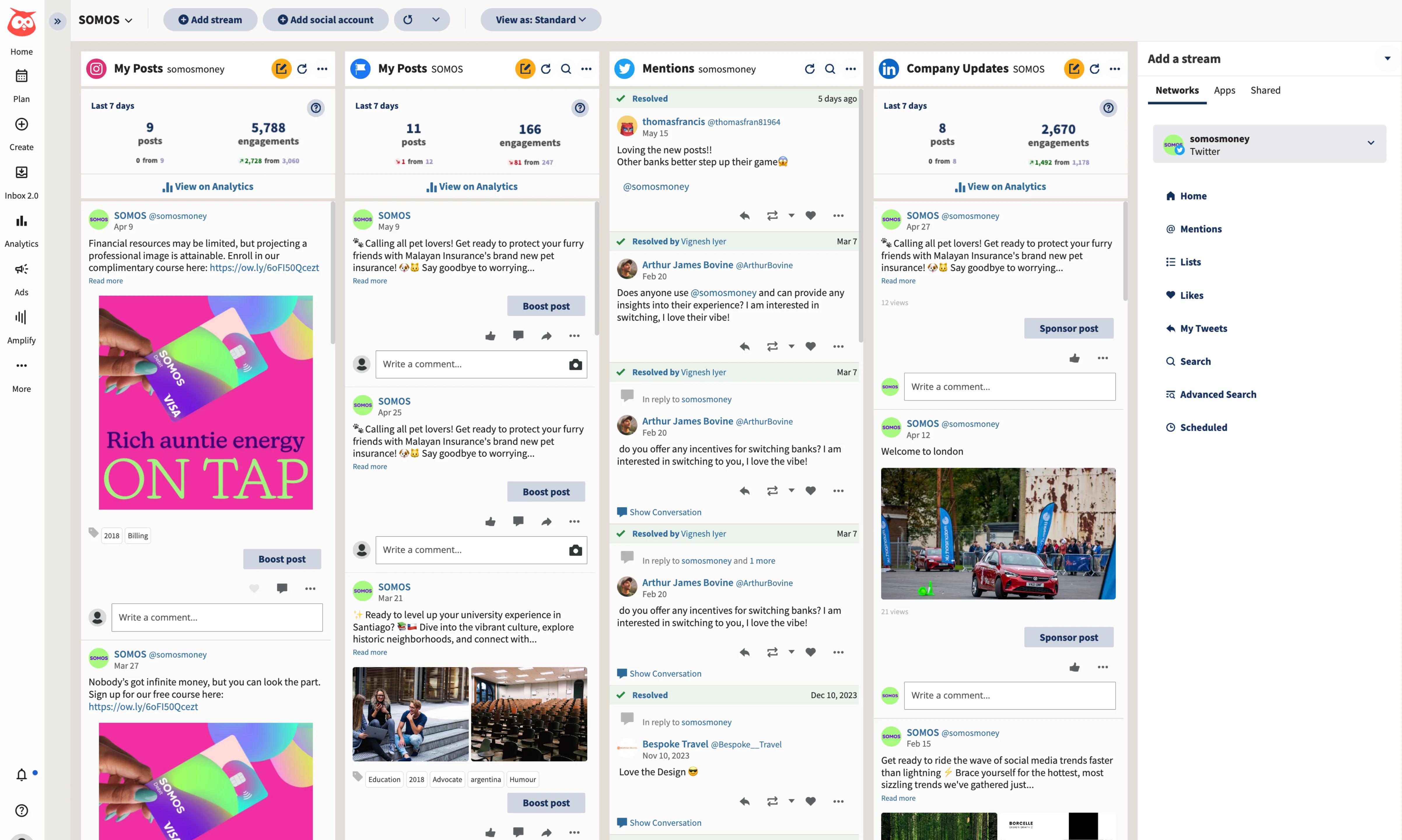
Hootsuite is the tool you move to when you've outgrown SocialBee entirely and need a full social media management platform — not just a scheduler. The dashboard handles publishing, monitoring, analytics, social listening, and ad management under one roof.
If SocialBee felt too limited for your needs beyond scheduling, Hootsuite goes to the opposite extreme.
The social listening feature is the headline differentiator. You can track brand mentions, monitor competitor activity, and analyze sentiment across platforms — all from the same tool you use to schedule posts. SocialBee doesn't offer anything remotely close to this.
For larger marketing teams that need to stay on top of brand conversations in real time, social listening justifies the price jump.
The analytics suite is also significantly deeper than SocialBee's. Custom reports, competitor benchmarking, and ROI tracking that ties social activity to business outcomes. The team collaboration features include approval workflows, content libraries, and role-based permissions that actually work for organizations with five or more people managing social media.
The community management inbox also goes deeper than SocialBee's engagement tools. You can reply to comments, DMs, and mentions from within Hootsuite, which eliminates the need to open each platform's native app. For teams handling high engagement volumes, that alone is worth considering.
Pricing: Starts at $99/user/month (billed annually) for 10 social accounts, with a 14-day free trial. Enterprise pricing goes much higher.
Good for: Mid-size to large marketing teams who need social listening, community management, and advanced analytics alongside scheduling.
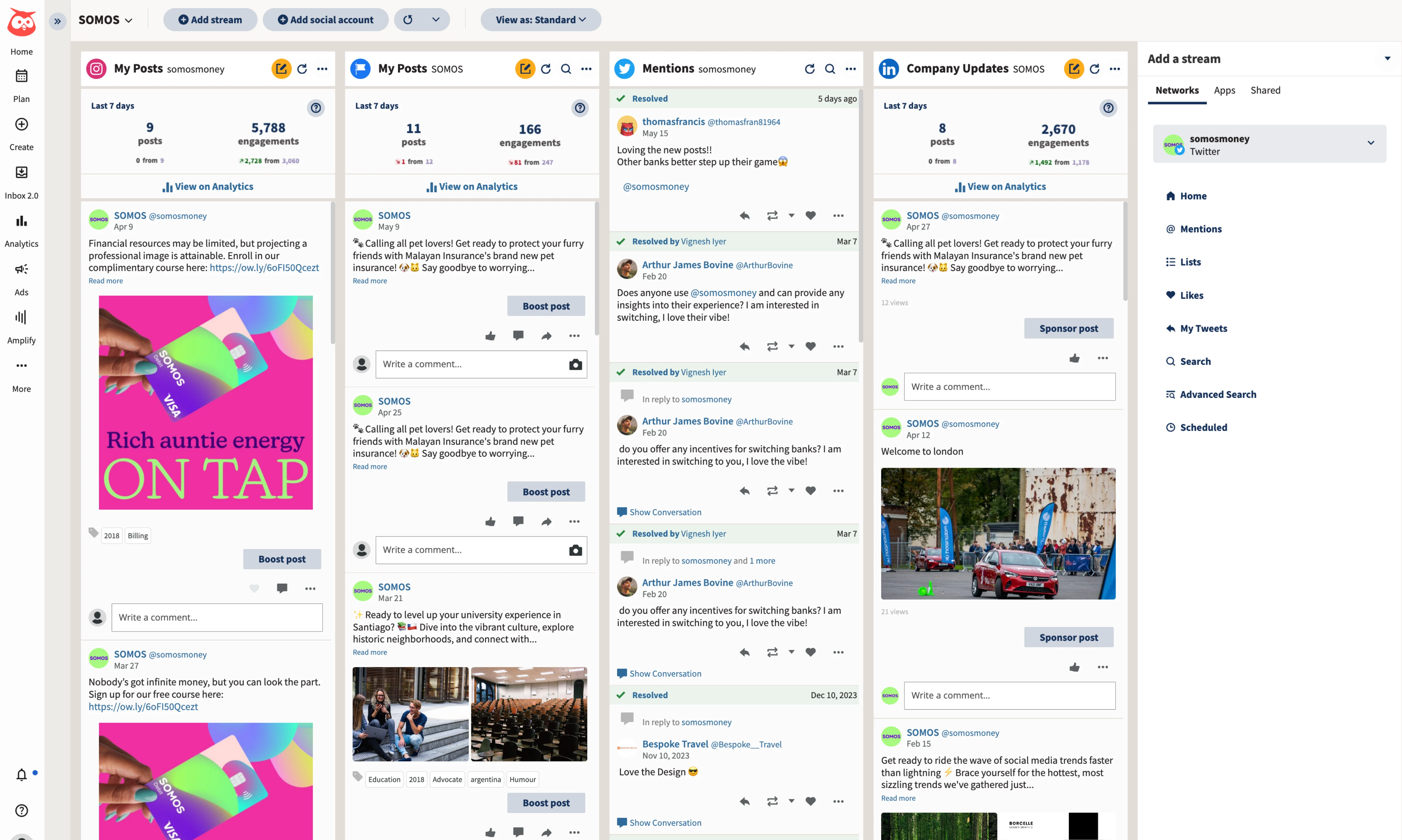
The catch: That $99 starting price is per user, so every teammate adds another $99 a month. The interface feels dated — Hootsuite's column-based dashboard was designed for a Twitter-centric era.
You're also paying for a lot of features you might not touch if you mainly need a scheduler. Read our full Hootsuite alternatives breakdown for more context.
3. Buffer: A SocialBee Alternative for Simple Scheduling
 Buffer
If SocialBee's category system felt over-engineered and you just want to write a post, pick a time, and publish, Buffer is the clean-sheet answer. Buffer keeps scheduling simple. The learning curve is close to zero, which matters when you're onboarding new team members who don't want to learn SocialBee's category rotation logic.
Buffer uses per-channel pricing instead of SocialBee's per-plan model. Each connected channel costs $5-$10 per month on annual billing ($6-$12 monthly), depending on the plan tier. For a small team managing three or four accounts, that can work out cheaper than SocialBee.
But the math flips once you're managing eight or more channels, when suddenly you're paying $40-$80/month for what amounts to a basic scheduler without AI image generation or content recycling.
Buffer added AI writing assistance recently, and it handles caption variations and content repurposing decently. The analytics are clean and readable, though they're not as deep as what you'd get from Hootsuite or a dedicated benchmarking tool. Buffer also has a browser extension for sharing content.
Where Buffer beats SocialBee is reliability. Publishing is consistent. The interface is fast. You don't get queue stalls or double-posting bugs. It's a tool that does less but does it without friction.
We have a detailed Buffer alternatives post if you want to compare it against the full field.
Pricing: Free for 3 channels. Paid plans start at $5-$10 per channel per month billed annually ($6-$12 monthly).
Good for: Solo creators and small teams who value simplicity over advanced features.
The catch: Per-channel pricing punishes scale. No content recycling or evergreen posting. No AI image generation. If you're managing 10+ accounts, the cost adds up faster than flat-rate alternatives. Limited team collaboration on lower tiers.
4. SocialPilot: For Agencies on a Budget
 SocialPilot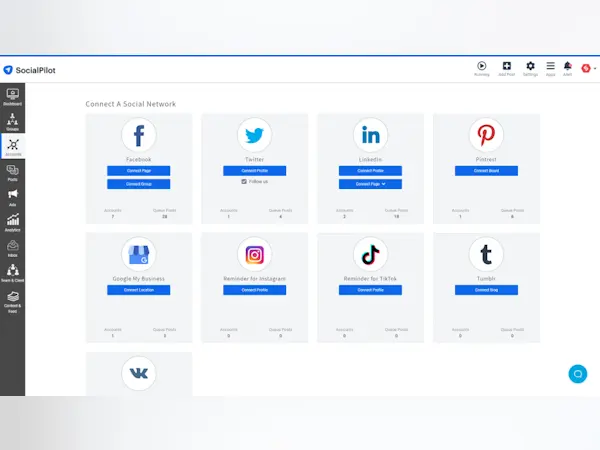
SocialPilot doesn't get the same attention as Buffer or Hootsuite, but for agencies managing high volumes of content across multiple client accounts, it's built for volume. The bulk scheduling feature lets you upload up to 500 posts via CSV, a massive time-saver if you're building out content calendars for multiple clients each month.
The white-label reporting is available on mid-tier plans, which is unusual. Most tools gate white-labeling behind expensive agency-specific tiers. If you're running a social media management agency and presenting reports to clients, SocialPilot lets you brand those reports with your own logo without paying enterprise prices.
Team collaboration starts on the Standard plan, which includes 3 users, client management features and manager approval workflows for $42.50/month on annual billing. The platform covers all major networks and includes a content curation feature that suggests relevant third-party content to share.
The interface is functional without being flashy. It's not going to win design awards, but everything works. The browser extension makes it easy to share content you find while browsing.
And the pricing starts low enough that you can test it with real client work before committing.
Pricing: Essentials $25.50/mo annual (7 accounts, 1 user), Standard $42.50/mo annual (15 accounts, 3 users). Billed monthly, Essentials is $30/mo and Standard $50/mo. Higher tiers available.
Good for: Small to mid-size agencies that need bulk scheduling, white-label reporting, and multi-client management on a budget.
The catch: The UI feels a step behind more modern tools. AI features are limited compared to platforms like PostEverywhere that were built with AI as a core feature. Analytics are adequate but not exceptional.
Need team access without per-seat add-ons? PostEverywhere plans start at $9/month, with team seats from the Starter plan up, AI content generation, and up to 20 accounts.
5. RecurPost: A SocialBee Alternative for Content Recycling
 RecurPost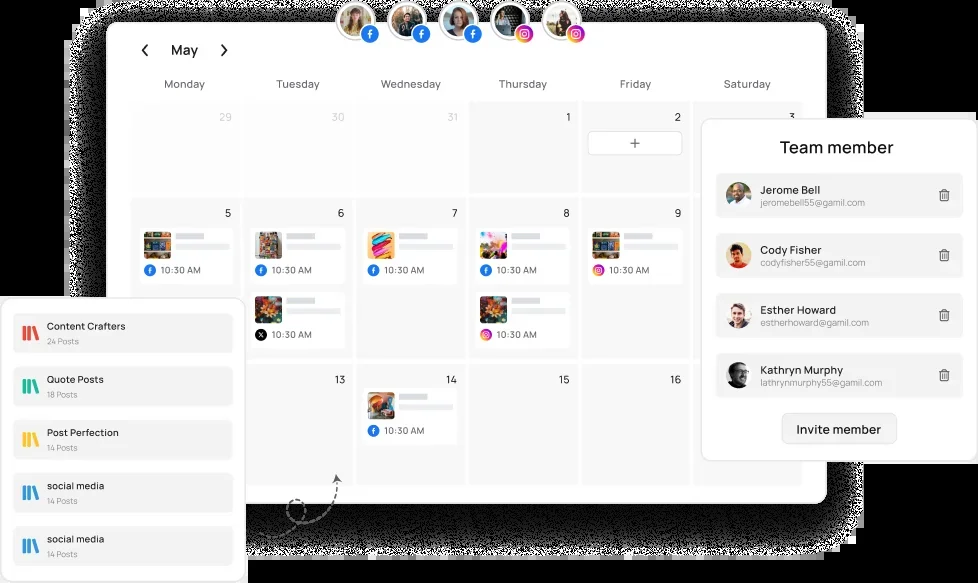
RecurPost is the closest direct competitor to SocialBee's core feature — evergreen content recycling. If the category-based re-queueing system is the specific thing you love about SocialBee, RecurPost offers a similar approach without the performance issues.
The content library system works like SocialBee's categories. You create libraries for different content types — promotional posts, blog shares, tips, quotes — and RecurPost rotates through them on a schedule you define.
Posts go back into the queue after publishing, so your evergreen content keeps circulating without manual intervention. It's the same "set it and forget it" model that makes SocialBee appealing, but with a more stable platform underneath.
RecurPost's Agency plan also includes a unified inbox with AI replies. The analytics dashboard provides performance data across all connected platforms. Team access arrives on the Agency plan, which includes 3 users.
The AI features are more limited than what you'd find in PostEverywhere or even SocialBee's Copilot. RecurPost focuses on the recycling engine rather than content creation. If you need help generating posts, you'll want a separate AI writing tool alongside it.
Pricing: Starter $9/mo (2 accounts), Personal $25/mo (5 accounts), Agency $79/mo (20 accounts, 3 users). No free plan; 14-day trial.
Good for: Solopreneurs and small businesses who want SocialBee's evergreen recycling at a lower entry price and without the reliability issues.
The catch: Less well-known with a smaller community. AI content creation is basic. The interface is functional but not as polished as Buffer or PostEverywhere. Fewer integrations than more established platforms.
6. Sendible: For Client Management
 SendibleMCP server: none listed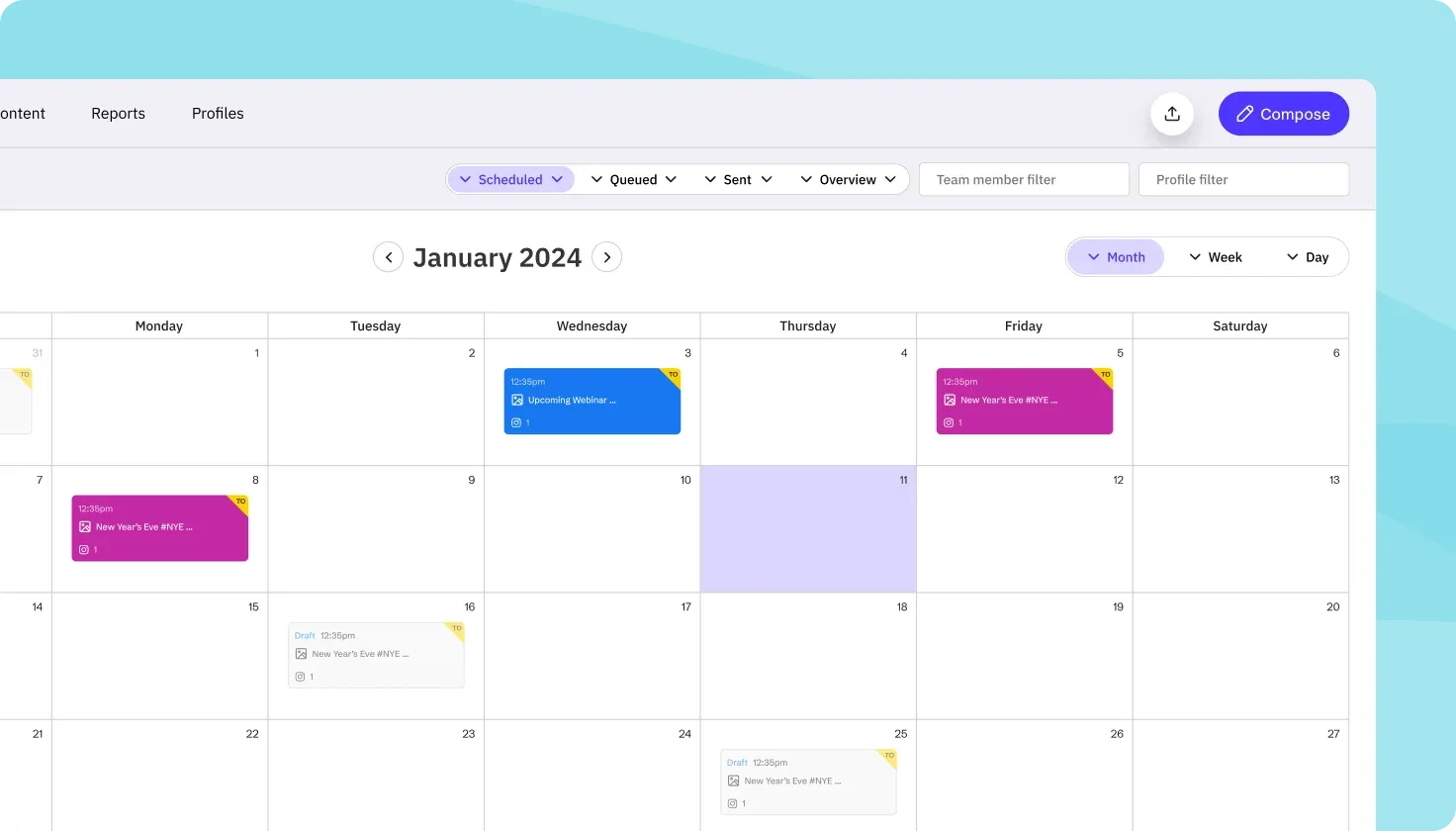
Sendible was designed for agencies, and that focus shows in every part of the product. The white-label dashboard (a paid add-on on the Elite and Enterprise plans) lets you give clients a branded login where they can review and approve content under your agency's branding.
The unified inbox pulls in messages and comments from all connected platforms, so you can manage community engagement without switching apps, with assignment that goes beyond SocialBee's engagement tools.
The CRM-style client management features let you organize accounts by client, set up separate dashboards for each brand, and control access for different team members. If you're managing social media for paying clients and SocialBee's per-seat add-ons are adding up, Sendible removes that friction entirely: every plan includes unlimited users.
The Canva integration is a nice touch — design graphics in Canva and push them directly into Sendible for scheduling without downloading and re-uploading files. The content suggestion engine recommends articles and content based on topics you configure, which helps fill gaps in your content calendar.
The reporting is detailed enough for client presentations and designed to be client-facing from the start.
Pricing: Core $35/mo (6 profiles), Plus $99/mo (18 profiles), Premium $199/mo (42 profiles), Elite $299/mo (90 profiles). Unlimited users on every plan.
Good for: Social media agencies that need white-label reporting, client-facing dashboards, and team collaboration baked in.
The catch: The interface feels dated compared to newer tools. There's a real learning curve — it's not the kind of tool you set up in 15 minutes. If you're a solo user or a small team without clients, you're paying for agency features you'll never use.
Read our Later alternatives post for visual-first scheduling options instead.
How to Pick the Right SocialBee Alternative
The right choice depends on what's actually pushing you away from SocialBee.
If the single-user limit is your main pain point, PostEverywhere solves it most directly. Team seats from the Starter plan up, more accounts for less money, and AI tools that go beyond SocialBee's text-only Copilot.
Sendible includes unlimited users on every plan if you need a bigger team.
If you love the evergreen recycling but hate everything else, RecurPost gives you the closest feature match without the performance bugs. The content library system works nearly identically to SocialBee's categories.
If you're an agency, Sendible's white-label features and client management are purpose-built for that workflow (see our Sendible alternatives guide). SocialPilot is the budget-friendly alternative if you need bulk scheduling and branded reports.
If you just need reliable scheduling without category logic, Buffer. It does less, but it does it cleanly and consistently. No queue stalls, no double-posting, no 45-minute photo uploads.
If you need social listening, community management, and enterprise analytics, Hootsuite. But be prepared for the price tag and the learning curve.
If built-in AI content creation matters to you, PostEverywhere is the clear choice. Built-in AI content generation, AI image creation, and smart scheduling come standard on every plan. No separate subscriptions needed.
If content recycling is your priority, also check our MeetEdgar alternatives, Post Planner alternatives, and ContentStudio alternatives guides — they cover tools with different approaches to evergreen content automation.
Most of these tools offer free trials. Test your top two picks side by side for a week with your actual content. The publishing flow, how the interface feels at 8am when you're scheduling a week of content, how notifications work — those details matter more than any feature comparison chart.
What SocialBee Gets Right
I want to be fair. SocialBee has genuine strengths that keep people loyal, and understanding them helps you figure out what you'll miss (and what you won't) after switching.
The category-based scheduling system is genuinely unique. No other tool on this list (except RecurPost) replicates it fully. If you've spent months building a content library organized into categories like "blog promotion," "tips," "testimonials," and "behind-the-scenes," and you rely on SocialBee to rotate through them automatically, that's hard to replace.
It's a system that rewards upfront planning and works exceptionally well for evergreen content strategies.
The AI Copilot is useful for generating content ideas and post variations, and every plan now includes unlimited AI content generation, so you're not rationing credits. It's not as deep as a dedicated AI writing tool, but the integration is smooth and saves time during the brainstorming phase.
SocialBee supports 10 platforms including Google Business Profile and Pinterest — broader platform coverage than some competitors. And the entry pricing is genuinely affordable at $29/month if you're a solo user who doesn't need team access.
The problem isn't what SocialBee does. It's what it doesn't do, what it charges to do, and how reliably it does it. No social listening. Limited analytics. Performance issues under load.
And per-seat charges the moment you need a second pair of hands. For growing teams, those gaps become deal-breakers.
Ready to switch? Start your 7-day trial. Flat-rate pricing, team seats from the Starter plan up, and AI content and image generation built in. Most teams are fully migrated within an afternoon.
Looking for a side-by-side comparison? See our complete social media tool comparison guide with head-to-head matchups.
Frequently Asked Questions
What is the best SocialBee alternative for teams?
PostEverywhere is the strongest choice for teams on a budget. SocialBee's Bootstrap ($29/mo) and Accelerate ($49/mo) plans include one user, with each extra seat at $10/mo, so three people on Accelerate cost $69/mo. PostEverywhere's Scale plan gives you 5 team members and 20 accounts for $39/mo, well under SocialBee's team pricing.
Does SocialBee have a free plan?
No. SocialBee offers a 14-day free trial with no card required, but no permanently free tier. The cheapest plan is Bootstrap at $29/month for 5 social profiles and 1 user.
PostEverywhere has no free plan either, but you can test PostEverywhere free for 7 days with full access to every feature (card required).
Can I recycle evergreen content without SocialBee?
Yes. RecurPost offers a nearly identical content recycling system with library-based rotation. PostEverywhere and Buffer don't replicate SocialBee's category logic directly, but you can achieve similar results through scheduled cross-posting and bulk content planning.
The recycling approach works best for businesses with large evergreen content libraries.
Why is SocialBee so slow?
Multiple users report performance issues including slow image uploads (taking up to 45 minutes), queue stalling where posts don't publish on schedule, and a double-posting bug. These issues appear to be more frequent during peak usage times.
SocialBee's infrastructure struggles under load — something that flat-rate schedulers with larger user bases have already solved through better backend architecture.
Is SocialBee good for agencies?
SocialBee can work for solo agency owners, but Bootstrap and Accelerate include one user each, and $10/month extra seats add up for agencies with team members. The Pro plan at $99/mo adds up to 3 users, but for that price, Sendible and SocialPilot offer more agency-specific features like white-label reporting, client dashboards, and higher account limits.
What does SocialBee do better than other schedulers?
Content categories with automatic re-queueing. SocialBee's system for organizing posts into categories and rotating through them on a schedule is its main strength. If your social media strategy relies heavily on recycling evergreen content, SocialBee's approach is more sophisticated than what most alternatives offer.
The AI Copilot, with unlimited AI content generation on every plan, is also well-integrated for text-based content generation.
Can I migrate from SocialBee to another tool?
You can export your content library from SocialBee and re-upload it via CSV import to tools like PostEverywhere, Buffer, or SocialPilot. The category structure won't transfer automatically — you'll need to recreate that organization in your new tool if it supports a similar system. Most teams complete the migration in an afternoon.
How does PostEverywhere compare to SocialBee?
PostEverywhere costs less at every tier, includes more connected accounts, includes team seats from the Starter plan up, and bundles AI image generation that SocialBee doesn't have. SocialBee's advantage is the evergreen category recycling system, which PostEverywhere doesn't replicate.
For teams that need reliable cross-posting tools, AI tools, and multi-user access without per-seat add-ons, PostEverywhere is the better fit. For solo users building evergreen content libraries, SocialBee's category system is still unique.
If you are replacing a repurposing tool rather than a scheduler, see Repurpose.io alternatives.
SocialBee's category queues are the closest thing on the market to Hypefury's evergreen recycling, which matters now that Hypefury has dropped X and its users are looking for a home.
SocialBee includes unlimited AI generation on paid plans, compared properly in the best AI social media managers.

Founder & CEO of PostEverywhere. Writing about social media strategy, publishing workflows, and analytics that help brands grow faster.