Approve social media posts before they publish
Turn on approvals for a workspace and your team submits posts instead of publishing them. Owners and admins approve, or send the post back with a note saying what to change.
Get started from as little as $9 per month. $0 due today, cancel anytime.


Used by 2,831 happy customers
One setting
Turn approvals on for a workspace
Require approval is a single toggle, and it is off by default. Nothing about the way your team publishes changes until an owner or admin turns it on. Turn it off again and everyone goes back to publishing directly.
- Off until you want it.
- Every workspace starts with approvals off. This is a feature you opt into, not one you have to work around.
- Per workspace, not per account.
- Turn approvals on for the regulated client and leave them off for the rest. Each workspace decides for itself.
- Owners and admins are unaffected.
- They always publish directly. Approvals apply to members, so switching it on never blocks the person running the account.
- Profile
- Workspace
- Posting Queue
- Brand
- Team
- Plans
Your workspaces
3 / 5Use the pencil icon to rename. Switch workspaces from the sidebar.
- Northwind Coffee
- Bluebird Dental
- Harbor Fitness
Your Scale plan includes 5 workspaces. See plans
Require approval
When on, members' posts wait for an owner or admin to approve them before they can be scheduled. Owners and admins always publish directly.
Review and decide
Approve it, or send it back with a note
Everything waiting on you sits in one inbox, oldest first, with the caption and the platforms it is going to. Approve it and it is cleared to be scheduled. Send it back and the author gets your note. A note is required when you request changes, so nobody is ever left guessing what was wrong.
- The post and where it is going.
- The caption and the platforms it targets, in one view, so you know exactly what you are signing off.
- Notes are required on changes.
- You cannot bounce a post back with silence. The author gets a reason, which is what keeps the loop short.
- Authors are emailed either way.
- Approved or sent back, the author hears about it without watching the queue.
Maya R. · Member
Submitted for approval · 2 min ago
Our October webinar is open: practical scheduling workflows for small teams. Save your seat at the link below.
Jordan T. · Member
Reels teaser for Friday
“Lead with the date, and add the sign-up link.”
Owner
Full control of the workspace
Admin
Approves, publishes, connects accounts
Member
Writes and submits for approval
No back doors
One approval authorizes exactly one publish
The failure mode of most approval processes is one sign-off quietly covering more than it should. Here an approval covers exactly one publish: scheduling the approved post uses it up, so the same sign-off can never push out a second post.
- Approval is tied to the publish.
- A post cannot be approved once and then reused to push something else out later.
- Used once, then gone.
- Scheduling the approved post consumes the approval. The next post needs its own sign-off, so the reviewer sees every one.
Posts you sent for approval, newest first. Approved ones can be scheduled from your drafts.
- ✓ Approved. Schedule it from your drafts.2h ago
Our October webinar is open: practical scheduling workflows for small teams. Save your seat at the link below.
- Changes requested1d ago
Reels teaser for Friday: the new class timetable drops this weekend.
Priya Shah: Lead with the date, and add the sign-up link.
- Waiting for approval5m ago
Customer story: how Harbor Fitness filled its 6am class in two weeks.
How approvals work
Approval workflow capabilities
Enough process to stop the wrong post going out, and not so much that your team stops posting.
- One toggle per workspace
- Require approval is a single setting on the workspace. It is off by default, so nothing changes until you turn it on.
- Submit instead of publish
- When approvals are on, members submit posts for approval. The publish button becomes a submit button.
- An approval inbox
- Owners and admins see everything waiting on them in one list, with the caption and the platforms each post is going to.
- Send back with a note
- Requesting changes requires a note, so the author always knows what to fix. No silent rejections.
- Email updates for authors
- Authors get an email when their post is approved or sent back. They do not have to sit and refresh the queue.
- One approval, one publish
- An approval authorizes exactly one publish. Scheduling the approved post uses it up, so it can never cover a second post.
Who needs sign-off
When one bad post costs more than the review
Some teams can publish straight to the account and nothing bad happens. Others cannot. Regulated industries, agencies posting on behalf of a client, and any brand where a junior team member holds the login all have the same problem: the cost of one wrong post is far higher than the cost of a thirty second review.
- NNorthwind Coffee
- BBluebird Dental
- HHarbor Fitness
- AAtlas Legal
Create Workspace
A named person signs it off. Approvals are built for exactly that gap. Members do the work, a named person signs it off, and the record of who approved what stays attached to the post. Pair it with team roles so the people submitting cannot also change billing or disconnect accounts. Still weighing up other options? Our comparison of social media approval tools covers the alternatives.
On for some clients, off for others. Agencies usually run one workspace per client, which means approvals can be on for the clients who insist on it and off for the ones who do not. The setting follows the workspace, so you are not forcing your whole roster through one process.
Fits the rest of the publishing stack. Posts approved for the posting queue take their slot as normal, cross-posted content is reviewed once for every account it targets, and everything approved appears on the content calendar.
Sent back, not lost. A post that needs work is marked Changes requested and goes back to its author with the reviewer's note, so the fix starts from what was said rather than from a fresh draft.
AI agents draft, people approve. Posts an AI agent creates through the API or MCP server do not pass through the approval gate. For work that needs sign-off, ask your agent (an always-on OpenAI Dot or Meta Muse, for example) to save its posts as drafts, then a member opens each draft and submits it for approval.
Built for teams of two or more. Approvals come with the team plans: Starter, Growth and Scale. Lite is a single seat, so there is nobody to send a post to. Compare seats on the pricing page.
$0 due today, cancel anytime
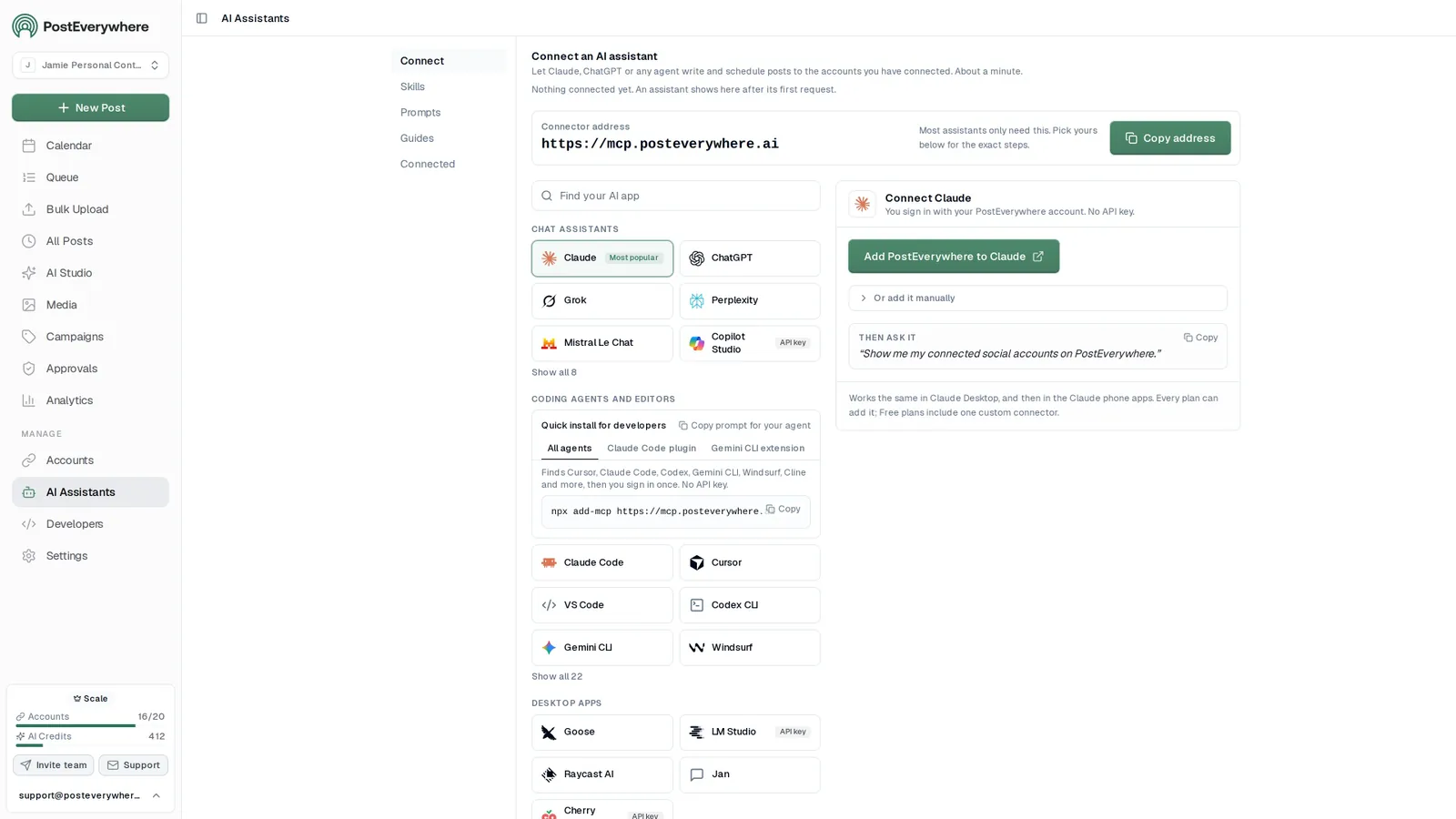
Connect your AI agent
Let an AI agent draft posts for your review
Posts an AI agent creates skip the approval queue, so ask it to save drafts and review them before anything goes out.
- Connect any AI agent.
- Add PostEverywhere to ChatGPT, Claude, Grok, Perplexity, Cursor or any other AI app that supports MCP with one address. It takes about a minute.
- Ask in plain English.
- “Draft next week of posts for my client in PostEverywhere as drafts for review. Do not publish anything until they approve.” Your agent writes every post for you.
- It schedules and publishes.
- Your agent can post now, schedule for later or save a draft for you to review. Every post lands in your calendar, and scheduled posts go out on time through each network's official API.
$0 due today, cancel anytime
Connector address
https://mcp.posteverywhere.aiAI assistants
Plus any other MCP client. See every setup guide
Ask your agent
See all 15 skills and prompts“Draft next week of posts for my client in PostEverywhere as drafts for review. Do not publish anything until they approve.”
View skill“Use PostEverywhere to plan next week of posts for all my connected accounts. Suggest one post a day, show me the plan, then schedule it when I say yes.”
View skill“Check PostEverywhere for posts that failed this week. Tell me why each one failed, then retry the ones that can go out now.”
View skill
Pricing
Simple pricing, unlimited posts on every plan
Every plan posts to all top platforms and includes the API and hosted MCP server for your AI agent.
7-day free trial on every plan. Card required, $0 due today, cancel anytime. Compare every plan
FAQ
Approval workflow FAQ
Straight answers about plans, platforms and how scheduling works.
How does the post approval workflow work?
An owner or admin turns on Require approval for a workspace. From that point, members who create a post submit it for approval rather than publishing it. Owners and admins see the submitted posts in an approval inbox and either approve them or send them back with a note. The author gets an email either way.
Is approval required by default?
No. The Require approval toggle is off by default on every workspace. Nothing about your current publishing changes until someone with owner or admin access turns it on.
Who can approve posts?
Owners and admins. Members submit work for approval and cannot approve their own posts or anyone else. Owners and admins always publish directly and are never held in the queue themselves.
Can a reviewer reject a post without explaining why?
No. A note is required when requesting changes. The reviewer has to say what needs to be different, and the author receives that note with the post. This is deliberate, because silent rejections are how approval processes turn into bottlenecks.
What does one approval authorize?
Exactly one publish. Scheduling the approved post uses the approval up, so one sign-off can never authorize a second post. The next post goes through approval again.
Do authors get notified?
Yes. Authors get email updates when a post is approved or sent back with a note, so nothing sits waiting because someone did not know it was their turn.
Can I use approvals for some clients but not others?
Yes. Require approval is a per-workspace setting. If you run a separate workspace for each client or brand, you can turn approvals on for the regulated or high-risk accounts and leave it off everywhere else.
Which plans include approvals?
Approvals are included from Starter at $19 per month up to Scale at $39 per month. They are not on Lite, which has a single seat, because approvals need at least two people in the workspace. Every plan has a 7-day trial and a card is required to start it.
Still have questions?
Contact us or browse the full FAQ.
$0 due today, cancel anytime
Related Features & Tools
Explore related features and guides to get the most out of PostEverywhere.
Team Roles and Permissions
Owner, Admin and Member, and what each can do.
Posting Queue
Approved posts take the next free opening.
Team Workspaces
Approvals are a per-workspace setting.
Content Calendar
See approved and pending posts in one view.
Multi-Account Management
Run every client profile from one dashboard.
Cross-Posting
Review once, publish to every platform.
Social Media for Financial Advisors
Compliant posts for advisers and accountants, planned around the financial year.
Social media for law firms
Sign-off before anything goes live.
Social Media Policy Generator
Define who approves what, in writing.
Pricing
Seats and plans for teams of every size.
“This tool has truly made my content posting so much easier, I can't work without it. I can schedule my posts days in advance while working on other projects. Set it and forget it.”