What's the best social media approval workflow tool? For small teams that also want AI agents in the mix, PostEverywhere: members submit posts and owners or admins approve them in-app from the $19 Starter plan, while Claude, ChatGPT or your own code can schedule routine posts directly. For deep multi-step approval chains, look at Planable; for white-label client portals, Sendible.
A solid social media approval workflow isn't bureaucracy; it's insurance against the kind of post you'd rather not be Slack-famous for. I've managed social media teams where one typo in a scheduled post cost us a client. I've also been the junior writer whose "clever" caption got published without a second set of eyes and landed on r/CorporateCringe the next morning. Both experiences taught me the same lesson: an approval workflow isn't bureaucracy. It's insurance.
If you're a team lead, content manager, or agency owner reading this, you already know why you're here. You don't need me to sell you on approvals. You need honest answers about which tool actually handles multi-step reviews, external client sign-off, and role-based permissions without driving your team insane.
So that's what this guide is. I tested eight tools over the last few weeks: some I use daily, some I've used at previous agencies, and a couple I signed up for specifically to pressure-test their approval flows. I'll tell you where each one shines, where it falls short, and, importantly, I'll be honest about where PostEverywhere isn't the right fit.
Approvals sit inside a wider process, mapped in our agency social media workflow.
If you are building the review gate from scratch, jump to how to set up a social media approval workflow below.
Why approval workflows actually matter
One bad post can undo months of brand-building work. I'm not being dramatic; I've watched it happen. A well-known retailer I worked with had a junior scheduler accidentally publish a sarcastic internal joke to the main Twitter account at 2pm on a Tuesday. Screenshots went everywhere before anyone noticed. The brand team spent three weeks in crisis comms.
The thing is, that mistake was entirely preventable. If a second person had seen that post before it went live, it never would have left the draft folder. That's the whole point of a social media approval workflow: you're adding a human checkpoint between "someone had an idea" and "the world sees it."
But approval workflows do more than catch typos. They:
- Protect brand consistency across team members, time zones, and freelancers
- Document accountability: you know who approved what and when
- Keep legal and compliance happy, especially in regulated industries
- Speed up client sign-off for agencies who'd otherwise be drowning in email threads
- Reduce stress for junior team members who aren't comfortable publishing solo
If you're running solo, you probably don't need this. But the moment you have two or more people touching your social calendar, you need a real team workspace with approvals baked in. Email chains and shared Google Docs are how mistakes slip through.
The 4 types of approval workflows (and which one you need)
Before we get to the tools, it's worth understanding what kind of workflow you actually need. I see teams pay for enterprise-grade approval systems when a single-approver setup would do the job, and vice versa.
1. Self-review (aka "peer check") You draft a post, step away, come back, and review it before hitting publish. That's it. Useful for solo creators or tiny two-person teams. Most social media schedulers handle this just fine without a dedicated approval feature.
2. Single approver Someone drafts, someone else approves. Classic editor-reviews-writer setup. Fine for most small-to-mid teams where there's a clear content manager or brand lead signing off on everything.
3. Multi-step approval chain Draft → content lead → brand manager → legal → publish. Common in finance, healthcare, and big consumer brands where multiple stakeholders need to sign off before anything goes live. This is where dedicated approval tools start to matter.
4. External client approval Agencies live and die on this. Client needs to see a visual mock-up of the post, leave comments, request edits, and approve, ideally without needing a login to your main scheduling tool. Agencies need this or they burn hours chasing approvals by email.
Figure out which of these four you need, and most of the tool decisions below will sort themselves out.
Role-based permissions, explained simply
One more concept before we dive in: role-based permissions. Every serious approval tool lets you split your team into roles like:
- Drafter: can create content but can't schedule or publish
- Editor/Reviewer: can approve, reject, or send posts back with notes
- Publisher/Admin: final sign-off and the only one who can actually hit "publish to profile"
- Client/Guest: external reviewer with limited access (no account credentials visible)
The depth of these roles varies wildly between tools. Some give you two rigid tiers. Others let you build custom permission sets for every person on your team. Pay attention to this section in the reviews below: it's where a lot of tools quietly fall short.
How to set up a social media approval workflow, step by step
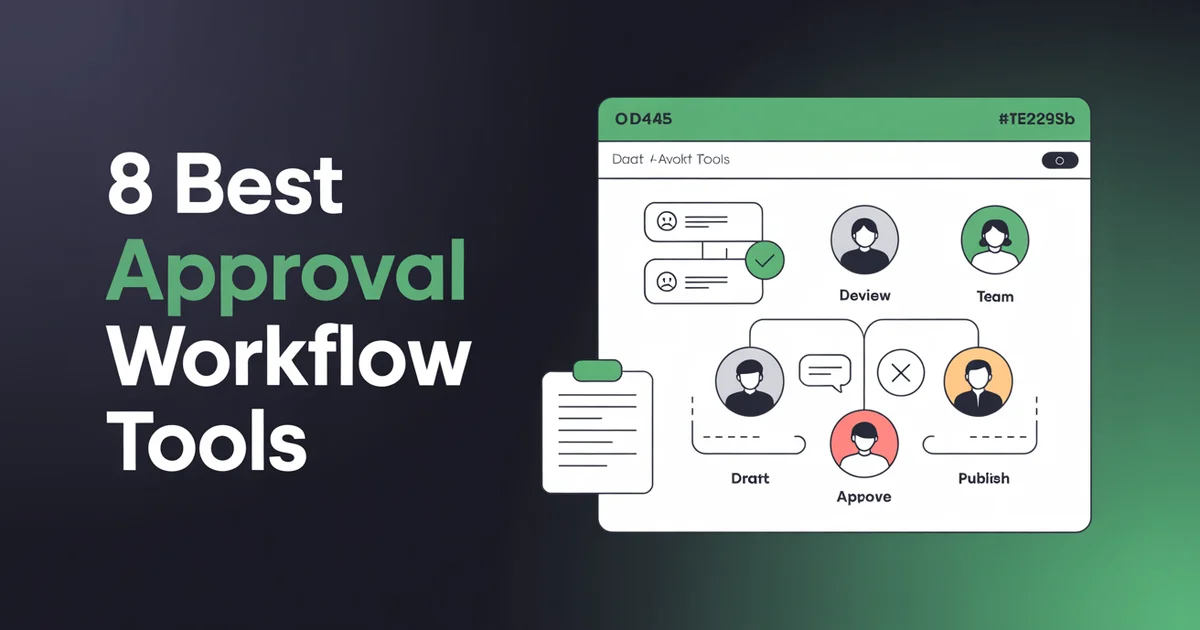
Whichever tool you pick, the setup is the same. Strip away the vendor language and a post can only be in four stages, and a workflow is the set of rules and permissions that move it between them:
| Stage | Who acts | What happens | Exit |
|---|---|---|---|
| Draft | Creator | Writes the post and submits it for review. Cannot publish. | Submitted for review |
| Awaiting review | Reviewer | Checks what matters most for you: tone and timing for a consumer brand, factual accuracy for a clinic or law firm. | Approved, or rejected with notes |
| Rejected with notes | Creator | Revises using the one-line note that explains what to change. | Resubmitted for review |
| Approved and scheduled | Approver | Holds publishing rights and takes final responsibility; the post goes to the calendar. | Published at the scheduled time |
In small teams the reviewer and approver are often the same person; in regulated firms they must not be. Our guides for law firm social media and medical practices cover what those reviewers should check. An admin manages who holds which role on which accounts.
- Decide what actually needs approving. Approving everything is how workflows die. Most teams land on: all paid promotion, anything making a claim about the product, anything on a client account, and anything published during a live incident. Routine replies and evergreen reposts usually do not need a queue.
- Separate the accounts. Connect each brand or client into its own workspace before you assign anyone. Retrofitting isolation after ten accounts share one space is painful.
- Remove publishing rights from creators. This is the step people skip because it feels like distrust. It is not: it is the only part of the setup that does any work. A process an editor is supposed to check but anyone in a hurry can bypass is a habit, not a workflow.
- Set the review window. Decide how long a reviewer has before a post is considered stale. Sprout, for instance, automatically rejects a message that is not approved before its scheduled send time, which is sensible but surprises teams the first time it happens.
- Write the rejection convention. "Rejected" with no note is the fastest way to make creators resent the process. Agree that every rejection carries one line explaining what to change.
- Test it with a real post. Submit, reject, revise, approve, publish. Ten minutes of rehearsal catches the permission mistakes that would otherwise surface during a campaign.
Two things to budget for before you compare tools. First, an approval workflow needs at least two seats, because nobody can approve their own post, so check the cheapest plan that includes both two users and the approval feature; they are often different plans. Second, name a deputy approver from day one, or a single busy approver becomes the reason nothing ships.
The real cost of broken approval
Before the reviews: a quick gut check on what broken approvals actually cost you.
- Damaged content: a typo or tone-deaf post that gets screenshotted
- Missed deadlines: launches that slip because sign-off got stuck in someone's inbox
- Duplicate work: writers rewriting posts because feedback came in three different Slack channels
- Client churn: agencies losing clients because approval cycles were chaotic
- Team burnout: content managers becoming full-time approval wranglers instead of strategists
I've seen small agencies lose $50k+ accounts over approval chaos. Not because the content was bad; because the process felt amateurish. Clients notice.
Okay. Let's get into the tools.
1. PostEverywhere: Best approval workflow tool for small teams using AI agents
PostEverywhere is the agentic social media scheduler built for AI agents, with in-app approvals for the people on your team. Members submit posts for an owner or admin to approve, while Claude, ChatGPT or your own code can schedule the routine posts you trust directly, without sitting in the review queue.
I'll start with my own cards on the table: yes, I work on PostEverywhere. No, that doesn't mean I'm going to tell you it's the best at everything. It isn't. But for small-to-mid teams who need a genuinely good approval workflow and an actually excellent publishing engine in one tool, I honestly believe we're the best value on this list.
Approval workflow depth: Single-approver. Turn on Require approval for a workspace and members submit posts instead of publishing them, then an owner or admin approves or sends the post back with a note, and a note is required when requesting changes. One approval authorizes exactly one publish. Team roles separate Owner, Admin and Member, and team workspaces keep each client's approvals separate. See PostEverywhere's approval workflow in full, or read the launch write-up for what we deliberately left out of it.
Team size fit: 2-5 people. We're built for in-house teams and small agencies, with up to 5 seats and 20 connected accounts on Scale.
Pricing: Approvals need at least two seats, so they start on Starter at $19/mo (5 accounts, 2 seats). Growth at $29/mo gives you 10 accounts and 3 seats, and Scale at $39/mo covers 20 accounts, 5 seats and 5 workspaces. Seven-day trial, card required, cancel anytime.
Pros:
- Only tool on this list with auto-publishing to all top platforms and approvals in one place (Instagram, Facebook, LinkedIn, X, TikTok, YouTube, Threads, Pinterest, Bluesky, Telegram, Discord)
- Built-in AI content generator so drafters can produce copy faster
- Multi-account management for agencies juggling several brands
- Clean, fast UI: your team won't complain about the learning curve
- Requesting changes requires a note, so an author never gets a silent rejection
Cons:
- Our approval UX is genuinely good, but Planable beats us on pure approval depth (more on that in a second). If your entire job is running approval chains through finance/legal/compliance, Planable has a slight edge.
- No dedicated white-label portal for agencies (Sendible still wins there)
Best for: Teams that want AI agents or their own code handling routine posts, plus small teams who need human approvals and real publishing in one tool.
Verdict: Best overall for small teams who need approvals and real publishing in one tool. If you want to stop stitching together a scheduler plus a separate approval tool plus an AI writer plus analytics, this is the all-in-one play. The trial is 7 days, cancel anytime. See if the approval flow fits how your team works.
Ready to stop chasing approvals in Slack? Set up a PostEverywhere team workspace and get drafters, reviewers, and approvers working in one place, with a 7-day trial, cancel anytime.
2. Planable: The dedicated approval workflow specialist
I have to give credit where it's due: Planable is the industry leader for visual approval workflows. If approvals are the only thing you care about and you're already happy with your scheduler, Planable is brilliant at its one job.
Approval workflow depth: The deepest on this list. Multi-step approval chains with named approvers, mandatory sign-off at each stage, visual mock previews that show exactly how the post will look on each platform, and external reviewers without needing full logins. You can require up to four levels of approval before a post can be published.
Team size fit: 2-50 people. Scales well from small teams up to mid-sized agencies.
Pricing: Free for your first 50 posts, then Basic at $39/workspace/mo ($33 billed annually), Pro at $59/workspace/mo ($49 billed annually), and Enterprise custom.
Pros:
- Top-tier visual post previews (exactly what the post will look like on Instagram, LinkedIn, etc.)
- Three view modes: Feed, Grid, Calendar, List. Genuinely useful for spotting gaps
- External client reviewers with no login friction
- Dedicated approval comments that don't get lost
- Clean, focused UI
Cons:
- Publishing capabilities are weaker than dedicated schedulers
- Pricing is per workspace, so it adds up as you add brands or clients
- Analytics are light compared to Sprout or Hootsuite
- No AI content generation built in
Verdict: If approval workflow is your only pain point and you don't mind paying for a second tool alongside your scheduler, Planable is the specialist to look at. But most teams I talk to would rather have one tool that does both, which is why I still recommend PostEverywhere for small teams wanting the combo.
3. Loomly: Content calendar with approvals baked in
Loomly has been around for a while and it's a solid, reliable pick. I think of it as the "Toyota Camry" of social media tools: not the flashiest, but it reliably gets the job done and team leads feel comfortable handing it to junior staff.
Approval workflow depth: Single and multi-step approval. Custom approval workflows with up to five rounds, notifications for approvers, and the ability to lock posts from editing once approved. External client approval via guest access is supported.
Team size fit: 2-15 people. Sweet spot is small-to-mid in-house teams.
Pricing: Starter $49/mo on annual billing ($65 monthly) for 3 users and 12 social accounts; Beyond $249/mo annual ($332 monthly) for 60 accounts and unlimited users. No free plan.
Pros:
- Well-thought-out content calendar with post ideas suggestions
- Strong approval workflow for the price at the Base tier
- Clean reporting
- Good onboarding experience
Cons:
- User limits per tier feel restrictive
- Approval workflows aren't as visually polished as Planable's
- No AI image generation
- UI has grown a bit cluttered over the years
Verdict: A reliable choice for small teams who want a calendar-first tool with approvals as a core feature. I'd pick PostEverywhere over it on price/feature ratio, but if Loomly's calendar view clicks for your team, it's a fine pick. See how it compares in my social media calendar and planning tools roundup.
4. Hootsuite: Enterprise approval at enterprise prices
Hootsuite's approval workflow is genuinely good at the enterprise tier, but you'll pay for it. If you work at a brand with a big team, legal review requirements, and budget to match, it's a safe choice. If you're a small team, stop reading this section.
Approval workflow depth: Multi-step approval, role-based permissions, custom approval paths, and pre-publishing approvals with legal/compliance integrations available on the Enterprise tier. The Advanced plan ($399/user/mo, billed annually) is where post approval workflows start.
Team size fit: 10-500+ people. Built for bigger orgs.
Pricing: Standard $99/user/mo and Professional $199/user/mo (no approval workflows), Advanced $399/user/mo (approval workflows), all billed annually; Enterprise custom.
Pros:
- Mature enterprise features
- Legal/compliance integrations on Enterprise
- Recognised brand (makes internal buy-in easier)
- Huge integration ecosystem
Cons:
- Dramatically more expensive than alternatives
- UI is showing its age
- Overkill for teams under 10 people
- Small teams routinely overpay and under-use it
Verdict: A fit for enterprise teams already using Hootsuite who need to turn on approvals. Not a good fit for small teams or agencies just getting started. More in my best social media management tools guide.
5. Sprout Social: Analytics plus approval for data-driven teams
Sprout Social is Hootsuite's main rival and honestly, I think it's the better product in almost every category except price. It's the most expensive tool on this list, and for most teams that's the dealbreaker.
Approval workflow depth: Multi-step approval with customisable workflows, message approval with internal notes, and external approver access. Approval features are solid across all paid tiers, not gated behind an enterprise plan like Hootsuite.
Team size fit: 5-200 people. Best for data-obsessed mid-market teams.
Pricing: Essentials at $79/seat/mo, Standard at $199/seat/mo, Professional at $299/seat/mo, Advanced at $399/seat/mo (annual billing; Essentials is $99 monthly). Per-seat pricing adds up fast.
Pros:
- Genuinely the deepest social analytics of any tool on this list
- Beautiful UI
- Strong approval workflows across all tiers
- Great customer support
Cons:
- Extremely expensive: per-seat pricing kills it for most small teams
- Minimum user counts on some plans
- Total overkill if you just want approvals
- Long contracts
Verdict: If budget isn't an object and you want the Mercedes of social media tools, Sprout is it. For everyone else, it's overkill. Small teams should look at PostEverywhere's Scale plan at $39/mo which covers the approval needs without the seat tax.
6. SocialBee: Basic approval for small teams and solopreneurs
SocialBee is a friendly, affordable tool that's more focused on content recycling and category-based scheduling than serious approval workflows. That said, it has a simple single-approver flow that's perfectly fine for small teams who don't need anything fancy.
Approval workflow depth: Basic. Single approver only. You can mark posts as needing review and assign an approver, but there are no multi-step chains or granular role-based permissions. External client approval is limited.
Team size fit: 1-5 people. Solopreneurs and tiny teams.
Pricing: Bootstrap at $29/mo (5 accounts), Accelerate at $49/mo, Pro at $99/mo (multi-user).
Pros:
- Affordable
- Content category system is genuinely clever
- Easy for non-technical users
- Good cross-posting support
Cons:
- Approval workflows are shallow
- No multi-step chains
- Limited external reviewer functionality
- Better for solopreneurs than teams
Verdict: Fine for a one-person shop or a founder with a VA who needs a simple "check my work before I post" flow. Not a serious contender for real team approval workflows.
7. Sendible: White-label approval for agencies
Sendible is the agency-first tool. If you're running a social media agency with multiple clients and you want a branded experience where clients log in, approve posts, and never see Sendible's branding, this is the pick.
Approval workflow depth: Multi-step approval with a dedicated client approval portal. White-label branding on Pro tier and above. Clients can log in to a branded dashboard, review posts visually, leave comments, and approve, without ever seeing the word "Sendible."
Team size fit: 3-20 people. Built for agencies, not in-house teams.
Pricing: Creator at $29/mo (1 user), Traction at $89/mo (4 users), Scale at $199/mo (7 users), Advanced at $299/mo (20 users). White-label on Traction and above.
Pros:
- White-label client portals (rare on this list)
- Built specifically for agency workflows
- Google Analytics and Canva integrations
- Approval reminders for slow clients
Cons:
- UI feels dated
- Analytics are weaker than Sprout or PostEverywhere
- Pricing jumps significantly between tiers
Verdict: The pick specifically for agencies who need white-label client portals. If you don't need white-labelling, you can get a better approval + publishing experience elsewhere. I cover this more in my best social media tools for agencies roundup.
8. Agorapulse: Unified inbox plus approval
Agorapulse's killer feature isn't its approval workflow; it's the unified social inbox. But the approval workflow is surprisingly solid, and if your team is drowning in comments, DMs, and approvals, this is a smart combo play.
Approval workflow depth: Multi-step approval with shared content calendar, internal notes, and client approval via guest access. Not as deep as Planable, but more than good enough for most teams. Role-based permissions are clear and easy to configure.
Team size fit: 3-30 people. Strong for agencies and customer-facing brands.
Pricing: Standard at $69/user/mo, Professional at $99/user/mo, Advanced at $149/user/mo. Per-user pricing adds up.
Pros:
- Strongest social inbox on this list by a mile
- Solid approval workflows across all tiers
- Good reporting
- Active customer community
Cons:
- Per-user pricing gets expensive
- Approval workflows aren't as visual as Planable's
- No AI content generation
- Publishing feels secondary to inbox management
Verdict: If community management is 50% of your team's job and you need approvals, Agorapulse is a smart choice. For teams where publishing and approvals are the main event, there are better-value picks.
Comparison table
| Tool | Approval Depth | Team Size | External Clients | Price |
|---|---|---|---|---|
| PostEverywhere | Single approval step + roles | 2-5 | Workspace members (no guest links) | From $19/mo (Starter) |
| Planable | Deepest (4-step) | 2-50 | Yes (no login) | $33-49/workspace/mo (annual) |
| Loomly | Multi-step (5 rounds) | 2-15 | Yes | $49/mo (annual) Starter |
| Hootsuite | Enterprise-grade | 10-500+ | Yes | $399/user/mo Advanced |
| Sprout Social | Multi-step, all tiers | 5-200 | Yes | $199/seat/mo (Standard, annual) |
| SocialBee | Single approver only | 1-5 | Limited | $29/mo |
| Sendible | Multi-step + white-label | 3-20 | Yes (branded) | $29-299/mo |
| Agorapulse | Multi-step | 3-30 | Yes | $69/user/mo |
Not sure which tool fits your team? Start with a PostEverywhere 7-day trial, card required, with full access to team workspaces, approvals, and publishing to all top platforms. If it's not right, Planable and Loomly are honest alternatives I'd happily recommend.
How to pick the right approval workflow tool
Here's my honest, no-BS decision tree after testing all eight (and you can compare the top social media tools more broadly if approvals aren't your only requirement):
- Small team, need real publishing + approvals: PostEverywhere Scale at $39/mo. Best all-in-one for the money.
- Approvals are your only pain point, already have a scheduler: Planable.
- Agency with white-label client needs: Sendible.
- Enterprise with 50+ users and legal/compliance review: Hootsuite Advanced or Sprout Social.
- Data-obsessed mid-market team: Sprout Social.
- Community management is half your job: Agorapulse.
- Solopreneur or tiny team: SocialBee (or honestly, just any social media scheduler).
- Calendar-first planning workflow: Loomly.
FAQs
What is a social media approval workflow?
A social media approval workflow is a structured process where content is drafted, reviewed, and approved by designated team members before it's published. It prevents typos, brand inconsistencies, and off-message posts from going live. Most approval workflows include stages like draft, review, edit, approve, and publish.
Do small teams really need approval workflows?
If you have two or more people touching your social calendar, yes. Even a simple "someone else reads it before publishing" check prevents the kind of embarrassing mistakes that become internal legends. For teams of 3+, a proper team workspace with approvals pays for itself the first time it catches a bad post.
What's the difference between single-approver and multi-step approval?
Single-approver means one person reviews and signs off on each post. Multi-step means posts move through multiple reviewers (e.g., content lead, then brand manager, then legal) before they can be published. Small teams usually only need single-approver. Regulated industries and big brands typically need multi-step.
Can clients approve posts without a login?
Most serious approval tools support external client review via guest links or branded client portals. Planable and Sendible both do this: Sendible with white-label branding, Planable with a no-login visual preview. In PostEverywhere, reviewers are workspace members rather than guest links, and team workspaces keep each client's approvals separate.
How much should I budget for an approval workflow tool?
For small teams (2-10 people): $40-80/mo. For mid-market (10-25 people): $100-250/mo. For enterprise (25+ with legal review): $250-500+/mo. Watch out for per-seat pricing: it can triple your costs without warning.
Is Planable better than PostEverywhere for approvals?
Planable has a slight edge on pure approval workflow depth: visual mock previews and multi-step chains are their specialty. But Planable doesn't have native publishing to all top platforms, AI content generation, or the full scheduler feature set. If you only need approvals, Planable wins. If you need approvals and publishing in one tool, PostEverywhere is the better value.
Can I use Slack or email for approvals instead?
You can, but you shouldn't. Email and Slack don't track approval history, don't lock posts once approved, don't show visual previews, and turn your content manager into a full-time messenger. Every agency I've worked with that used email for approvals eventually moved to a dedicated tool, usually after a near-miss.
What's the best free approval workflow tool?
Planable has a limited free plan that's genuinely useful for tiny teams or testing. Beyond that, no free tool offers real multi-step approvals. The closest alternative is starting a PostEverywhere 7-day trial, which gives you full access to team workspaces and approvals, cancel anytime.
Wrap-up
Look: if you're seriously shopping for an approval workflow tool, you've already decided you need one. The question is just which one fits your team, your budget, and your workflow.
My honest take, having tested all eight:
- If you're a small team (2-10) who wants approvals and great publishing in one place, try PostEverywhere Scale at $39/mo. Seven-day trial, card required, cancel anytime, plus an API and MCP server for the routine posts you want automated (those publish directly and skip the approval queue).
- If your only pain point is approvals and you already love your scheduler, Planable is the specialist pick.
- If you're an agency that needs white-label client portals, Sendible is purpose-built for you. See my agency-specific tools guide for more.
- If you're enterprise with legal review needs, Hootsuite or Sprout is where you'll end up.
Don't overthink it. Pick one, trial it for a week with your actual team and an actual content calendar, and see how it feels. The worst approval tool is the one nobody uses, not the one that's missing feature #47 on a spec sheet.
Stop the approval chaos. Start a 7-day trial, card required, with full access to team workspaces, approvals, and publishing to all top platforms.

Founder & CEO of PostEverywhere. Writing about social media strategy, publishing workflows, and analytics that help brands grow faster.