What's the best Publer alternative? PostEverywhere is the best Publer alternative overall, and the one built for AI agents: Claude or ChatGPT can write, schedule and publish your posts to all top platforms, with AI content and image generation bundled in and flat-rate plans instead of Publer's per-account fees. Among the other Publer alternatives, Metricool suits budget analytics.
Publer is one of those tools that punches above its weight on paper. It supports 14+ social platforms, offers bulk scheduling, and comes in at a price point that undercuts most of the market. For a lot of creators and small businesses, it's a perfectly fine starting point.
I used Publer for about six months while managing social accounts for two brands. The scheduling works. The calendar view is functional. And being able to connect everything from Instagram to Google Business Profile in one dashboard is genuinely convenient.
Publer's pricing has shifted in 2026: the Professional plan now starts at $5 per connected social account and Business at $10, which makes the maths different from how it used to be advertised.
Cheap if you have a handful of accounts, more expensive than it looks if you're running 15+.
But here's where I ran into walls. Publer's AI Assist, powered by OpenAI, can draft captions and images, but unlimited prompts only come with the Business plan. On Free and Professional you connect your own OpenAI key and pay OpenAI per prompt, which works if you already have an account but isn't a polished AI workflow.
Analytics follow the same pattern: advanced analytics, downloadable reports and competitor analysis are Business-only, so on Professional there's nothing you could hand to a client the way you can with dedicated social media analytics platforms.
The other issue that eventually pushed me to look elsewhere: collaboration costs more than it looks. If you're a solo creator, Publer is great. The moment you bring on a team member or start managing client accounts, you'll find that roles, permission levels and post approval workflows only arrive on the Business plan, at double the per-account price, and there's no white-label option listed.
It's built for individuals first, and it does that job well.
I also hit some frustrating quirks. The WordPress integration breaks formatting with random line breaks. You can't publish directly to personal Facebook profiles. And the free plan caps you at 10 scheduled posts per account, which runs out by Wednesday if you're posting daily across three platforms.
So I tested alternatives. Here are the five that actually deliver where Publer falls short — better AI, deeper analytics, or both.
We looked at which scheduler is genuinely cheapest at different scales.
Quick comparison
| Tool | Best for | Starting price | Free plan or trial | What an AI agent can do (MCP) |
|---|---|---|---|---|
| PostEverywhere | AI agents, flat-rate AI content | $9/mo | 7-day free trial | Publish, schedule, queue, best time, bulk, retry, connect accounts |
| SocialBee | Evergreen content rotation | From $24.17/mo (billed annually) | 14-day free trial | None listed |
| Hootsuite | Listening and enterprise analytics | From $99/user/month (billed annually) | 14-day free trial | – |
| Metricool | Analytics on a budget | Free; paid from $20/mo (billed annually) | Free plan, 20 posts/mo | – |
| SocialPilot | Agencies at a reasonable price | From $25.50/mo (billed annually) | See pricing page | – |
1. PostEverywhere: Best Publer Alternative for AI Agents

Publishes to all top platforms
 Instagram
 Facebook
 X
X LinkedIn
 TikTok
 Threads
 Bluesky
 Telegram
 Discord
 YouTube
 Pinterest
 WordPress
 Google Business Profile
Why PostEverywhere wins
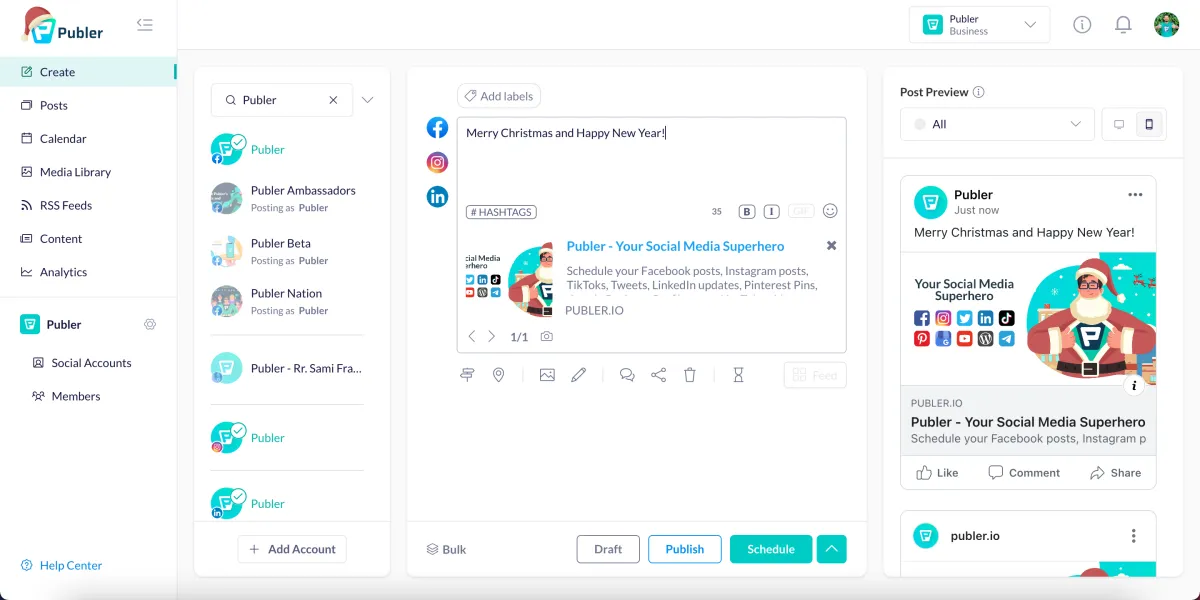
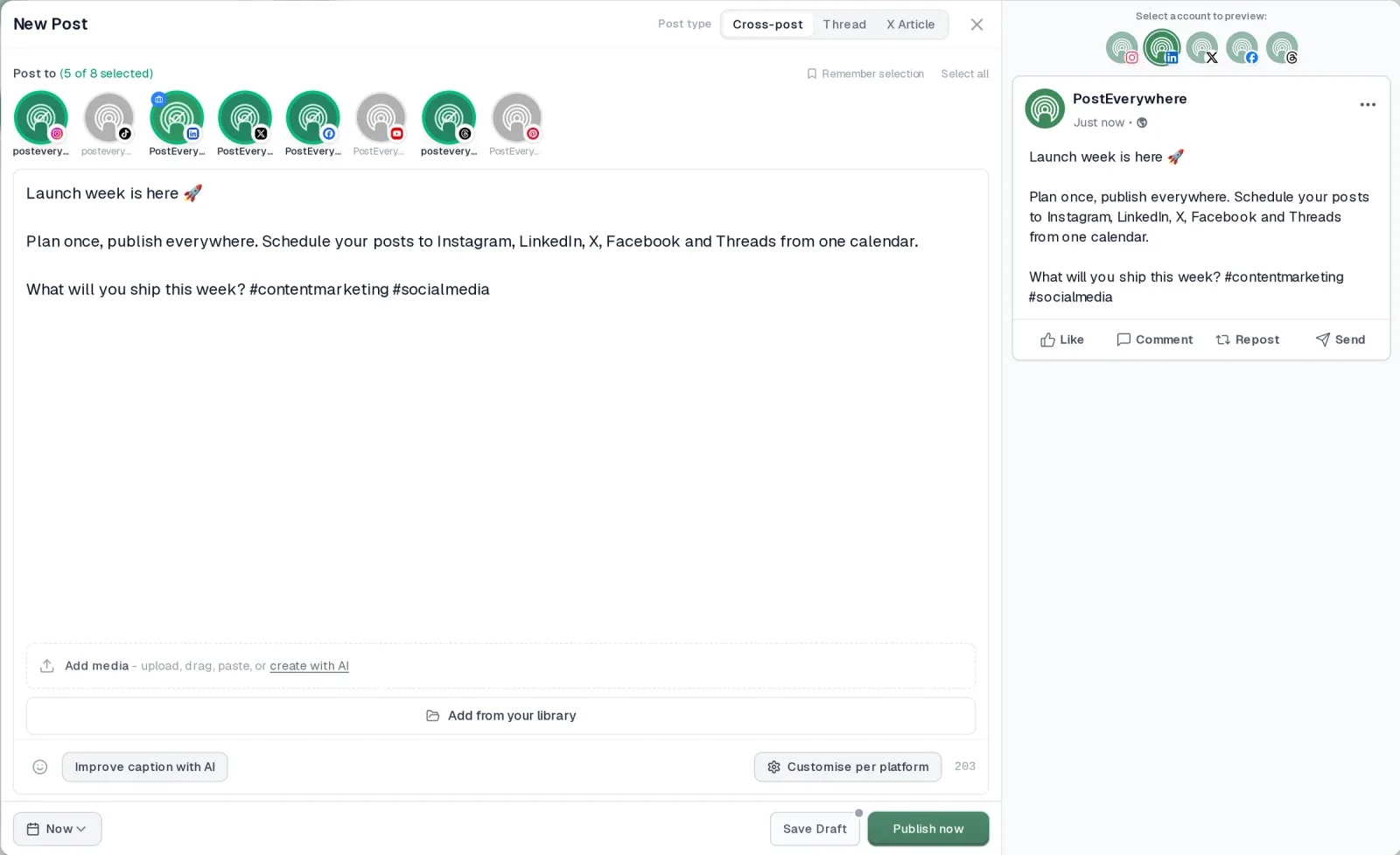
- It's simple. One composer for every platform: write the post once, tweak the caption per platform, check the live preview for each account and schedule it.
- One flat price, nothing locked away. From $9 a month. Every plan includes unlimited posts, the full API, the hosted MCP server and AI Studio, with no per-channel fees.
- Every top platform in one place. Instagram, TikTok, YouTube, LinkedIn, Facebook, X, Threads and Pinterest, plus Bluesky, Telegram, Discord, WordPress and Google Business Profile.
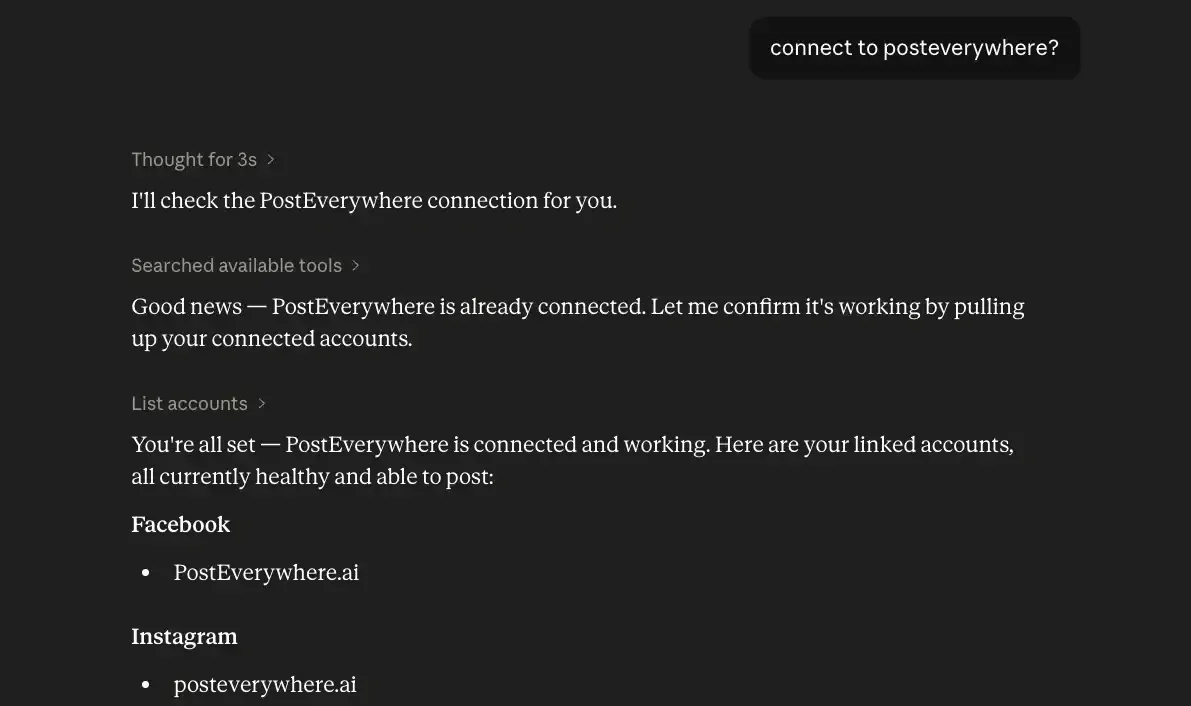
- Your AI agent can run it. Connect Claude, ChatGPT or Cursor in about a minute and ask it to plan, write and schedule your posts.
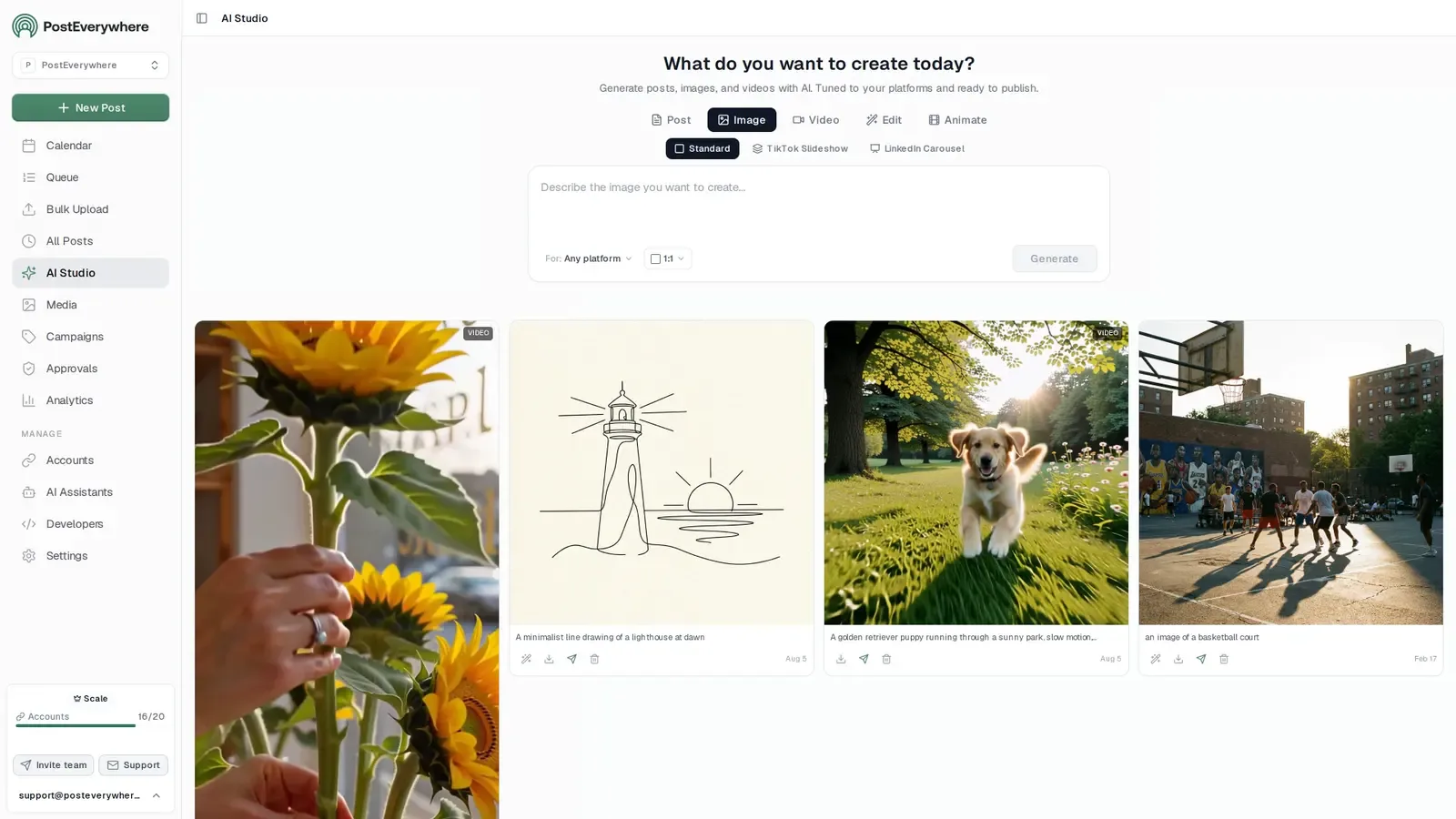
- Create in the same tool. AI Studio makes captions, images and video, so you don't need a second app before you post.
How PostEverywhere works
- Connect your accounts. Link your social accounts once, across all top platforms.
- Create the post. Write it in the composer, make images and video in AI Studio, or ask Claude or ChatGPT to draft and schedule it for you.
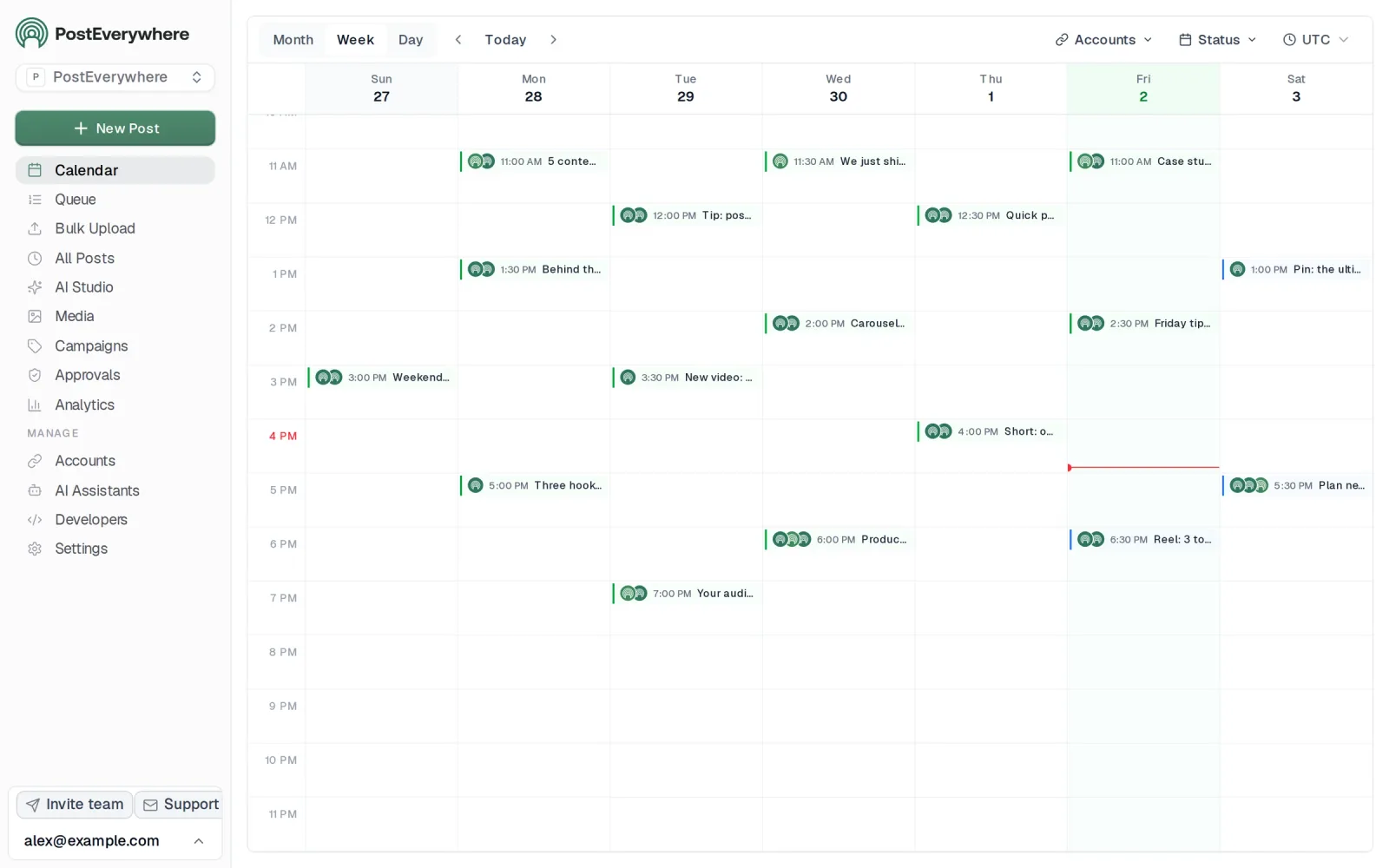
- Schedule it everywhere. Tweak the caption for each platform, check every preview, and it goes out on time from one calendar.
Switching from Publer?
| Publer | PostEverywhere | |
|---|---|---|
| What an AI agent can do (MCP) | – | Publish, schedule, queue, best time, bulk, retry, connect accounts |
Connect your accounts, then schedule your first post from the composer or ask your AI agent to do it. Your Publer account keeps running until you cancel it.
Built for AI agents
- Agents do the whole job. A full hosted MCP server with up to 44 tools: publish, schedule, use your queue or the best time, bulk-schedule 50 posts at once, check results, retry failures and send links to connect new accounts. Some rival MCP servers only read data or create drafts.
- $29 a month for 10 accounts, flat. Full API and agent access included, with no per-channel, per-seat or per-call fees. The same 10 accounts cost $60 a month on Buffer and $99 per user (billed annually) on Hootsuite.
- Nothing gated. API, MCP and webhooks come with every plan, from Lite. Several rivals keep their API for higher tiers or a sales call.
- Connected in a minute. One click adds PostEverywhere to Claude, with one-click installs for Cursor and VS Code. ChatGPT adds it under Plugins.
Plans: Lite $9 a month (2 accounts), Starter $19 (5), Growth $29 (10), Scale $39 (20). Every plan includes unlimited posts, the full API, the hosted MCP server and AI Studio.
“This tool has truly made my content posting so much easier, I can't work without it. I can schedule my posts days in advance while working on other projects. Set it and forget it.”
Also in PostEverywhere: a posting queue, bulk upload from CSV, approvals, analytics, an API and the iPhone app.
PostEverywhere is the agentic social media scheduler built for AI agents. Publer's AI helps you write a caption inside its app; with PostEverywhere, Claude or ChatGPT does the whole job, writing, scheduling and publishing a week of posts across every account, or your own code does it through the REST API, webhooks and MCP server.

Full disclosure: I built PostEverywhere, so take this recommendation with appropriate skepticism. But I built it precisely because tools like Publer left gaps that I kept running into as a practitioner. Let me walk through the specifics.
The first thing that separates PostEverywhere from Publer is the AI layer. Every plan includes AI content generation credits — not just basic caption suggestions, but full content creation with tone adjustment, platform-specific formatting, and the ability to repurpose a single idea into posts for Instagram, LinkedIn, X, and YouTube in one session. The Scale plan at $39/mo gives you the most.
Publer's AI assistant feels like a bolt-on feature by comparison.
The AI image generator is the feature I personally use most. It uses the latest, highest-quality models and the output quality is legitimately good — clean brand visuals, not the uncanny-valley AI art from two years ago.
Instead of switching to Canva or scrolling through Unsplash for twenty minutes, you generate an on-brand image inside the scheduler. That workflow compression adds up when you're batching a week's worth of content.
On the pricing front, PostEverywhere uses flat-rate plans instead of Publer's per-account model. The Growth plan gives you 10 connected accounts for $29/mo, every platform included. The Scale plan bumps that to 20 accounts for $39/mo.
Publer starts at $5 per social account on Professional and $10 on Business, so 10 accounts on Business, where analytics, unlimited AI and approvals live, can run up to $100/mo.
The visual calendar is drag-and-drop with a full overview of everything scheduled across all accounts. Cross-posting lets you post to all social media at once with platform-specific formatting: LinkedIn gets the professional tone, Instagram gets hashtags, X gets the short-form hook.
Publer has cross-posting too, but PostEverywhere's cross-posting adapts the content rather than just copying it. See our best cross-posting tools comparison for the workflow differences.
For platform-specific features, you get Instagram scheduling with Reels and carousel support, Facebook scheduling for Pages, links, video and Reels, LinkedIn scheduling including document posts, X/Twitter scheduling with thread support, and YouTube scheduling for videos and Shorts.
The best time to post feature suggests times based on when each account's posts have done best, not generic "post at 9am on Tuesday" advice.
Multi-account management is straightforward. If you're a freelancer juggling multiple clients or a growing brand with accounts across every platform, you connect them and manage everything from one dashboard. No mental math about per-channel costs.
The hashtag generator and engagement rate calculator are built into the platform as free tools.
The 7-day free trial gives you full access to everything: no feature gating, cancel anytime.
Pricing: Lite $9/mo (2 accounts), Starter $19/mo (5 accounts), Growth $29/mo (10 accounts), Scale $39/mo (20 accounts). 20% off annual billing.
Best for: Anyone who wants an AI agent or their own code to run their posting, plus creators, businesses, and agencies who want AI content and image generation bundled with scheduling at a flat rate.
The catch: Publer has more one-click integrations, such as Zapier. PostEverywhere publishes to WordPress natively and connects to other tools through its REST API, webhooks and MCP server for everything else.
Its hosted MCP server works with Claude and ChatGPT on every plan from $9, in place of a long list of app connectors.
Want AI scheduling without per-channel fees? Start your 7-day PostEverywhere trial: from 2 accounts on Lite to 20 on Scale, AI image generation, and flat-rate pricing from day one.
Why Choose PostEverywhere?
If you want AI, agents and team features without paying Business-plan prices per account, PostEverywhere is the better choice than Publer: everything is on every plan, at a flat rate.
- Flat plans, not per-account fees. PostEverywhere's Growth plan is $29/mo for 10 accounts and Scale is $39/mo for 20. Publer charges $10 per account on Business, so 10 accounts can run to $100/mo.
- AI included, not bring-your-own-key. AI Studio makes captions, images and video on every PostEverywhere plan. On Publer's Free and Professional plans you connect your own OpenAI key and pay per prompt; unlimited AI is Business-only.
- An MCP server on every plan. Connect Claude, ChatGPT or Cursor to PostEverywhere's hosted MCP server, with 44 tools, in about a minute on any plan from $9. Publer's MCP server is Business-only.
- Team features without the upgrade. Workspaces per brand or client, roles and post approvals come on every plan above Lite. Publer keeps roles, permissions and approval workflows on Business.
- Unlimited posts and native WordPress. Every plan includes unlimited posts, and WordPress is a native destination alongside Instagram, TikTok, YouTube, LinkedIn, Facebook, X (Twitter), Threads and more. Publer's free plan caps you at 10 scheduled posts per account, and its WordPress integration has known formatting issues.
- Developer access from Lite. The full REST API, signed webhooks, bulk create of up to 50 posts per API call and bulk CSV upload of up to 200 posts per file are included.
Compare plans on the pricing page or see how AI agents connect, then start a 7-day free trial and move your accounts over in minutes.
2. SocialBee: For Content Recycling
 SocialBeeMCP server: none listed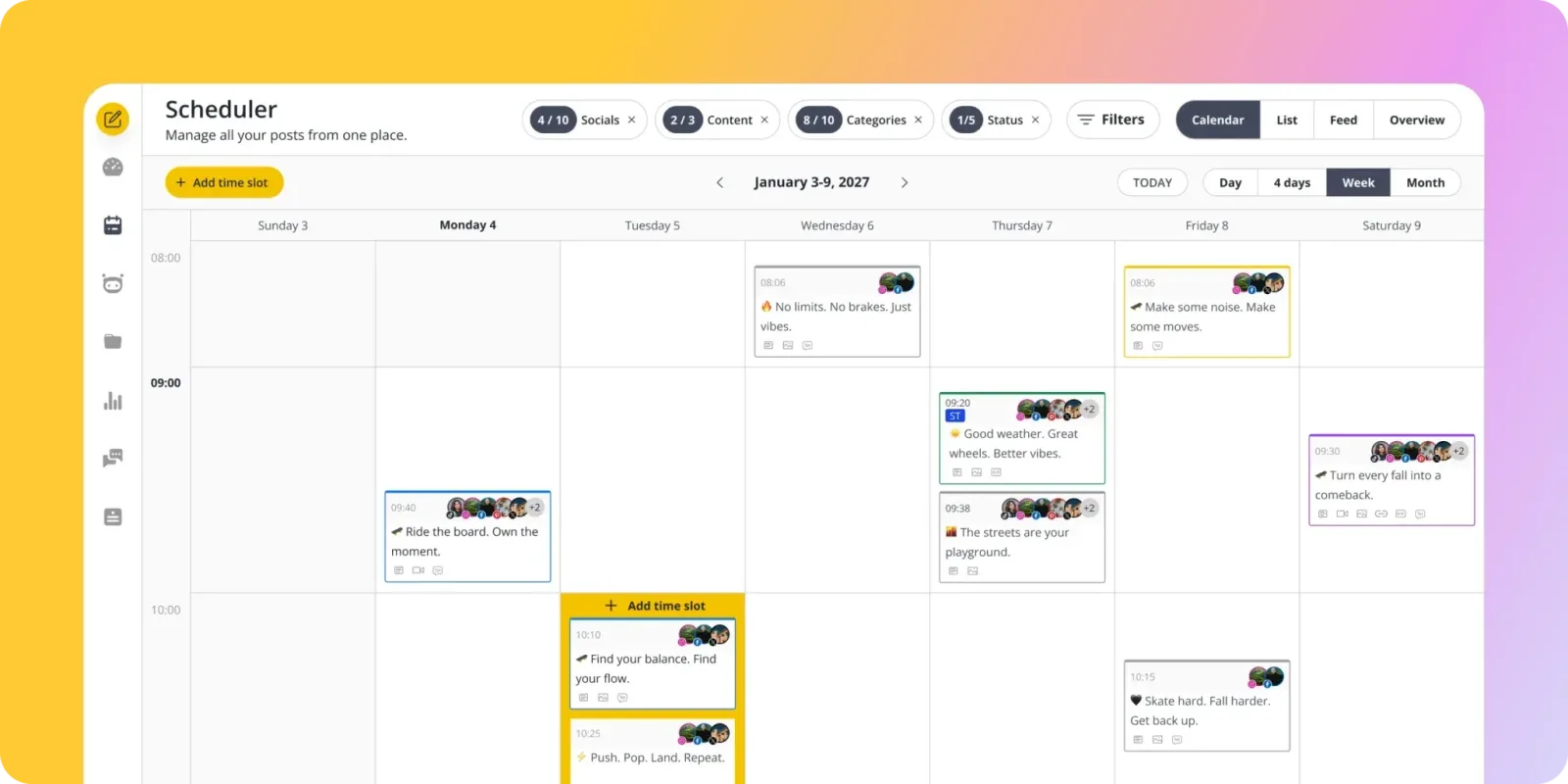
SocialBee approaches scheduling differently from Publer. Instead of creating individual posts and dropping them into time slots, you organize content into categories — "tips," "blog promotion," "testimonials," "behind-the-scenes" — and SocialBee rotates through them automatically based on a schedule you define.
It's a system that sounds complicated but becomes second nature within a week.
The evergreen recycling feature is the real differentiator. Mark a post as evergreen, and SocialBee will keep re-queuing it according to your rotation. If you've built up a library of tips, product highlights, or blog links that stay relevant for months, you set them up once and they keep posting.
Publer's automatic post recycling and recurring posts are Business-plan features, so on Professional a post is done once it publishes unless you manually reschedule it.
SocialBee's AI Copilot helps generate content and suggests posting schedules based on your niche. It's more capable than Publer's AI assistant, though it still falls short of dedicated AI content generation tools.
The platform supports all major networks and the interface has a clean, modern feel that makes batch content creation efficient. The category system also means you'll never accidentally post three promotional posts in a row — the rotation ensures a healthy content mix.
Pricing: Bootstrap $29/mo (5 profiles), Accelerate $49/mo (10 profiles), Pro $99/mo (25 profiles), billed monthly. Billed annually, Bootstrap is from $24.17/mo. 14-day free trial.
Good for: Solopreneurs and small businesses with evergreen content libraries who want automated content rotation.
The catch: The category-based system has a learning curve. If you prefer Publer's straightforward "write, schedule, publish" approach, SocialBee's structure might feel over-engineered initially. It's also pricier than Publer once you need more than 5 profiles.
Publer was a popular pick for users displaced by the Crowdfire shutdown — if you're coming from that background, the workflow will feel familiar.
3. Hootsuite: For Enterprise Teams
 Hootsuite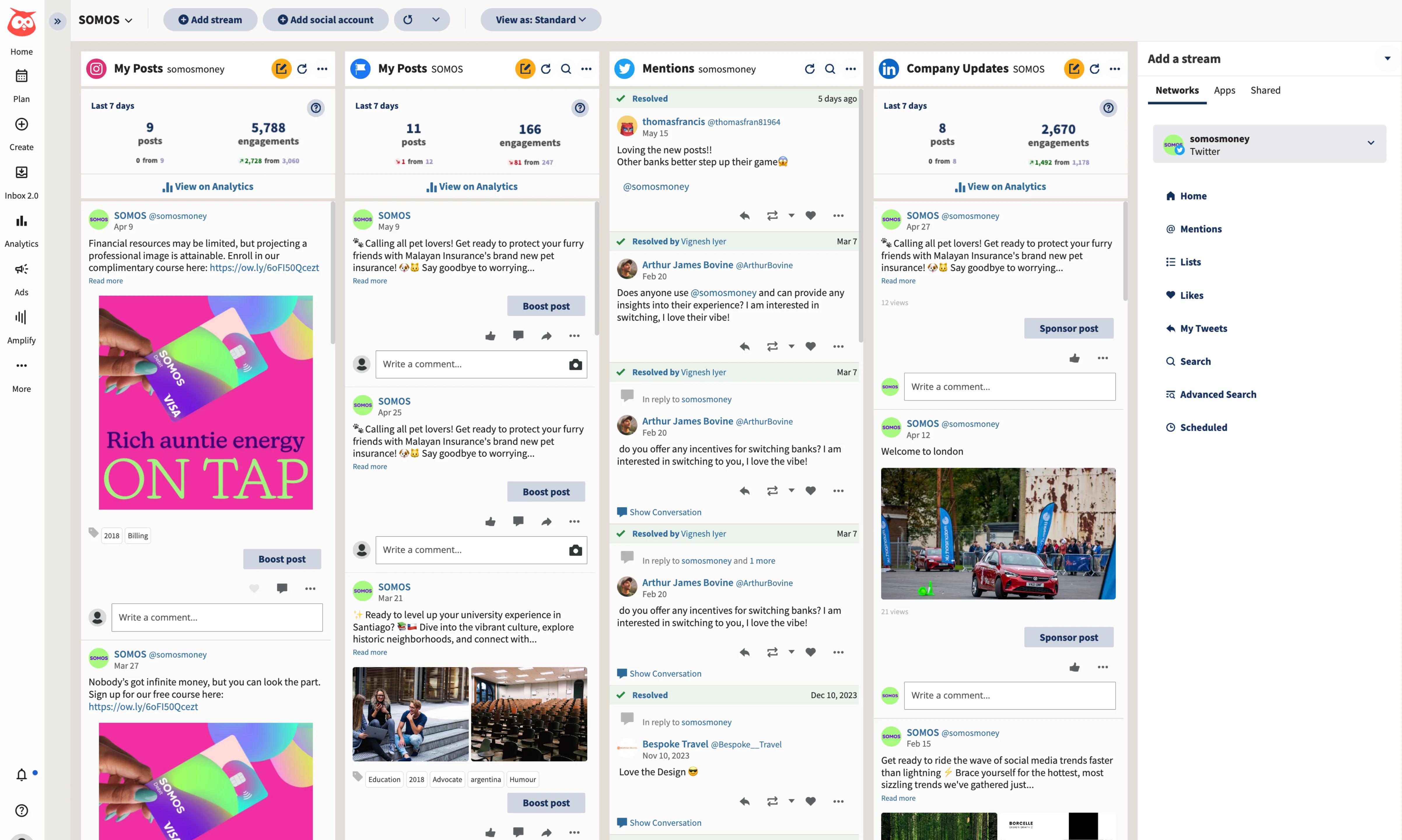
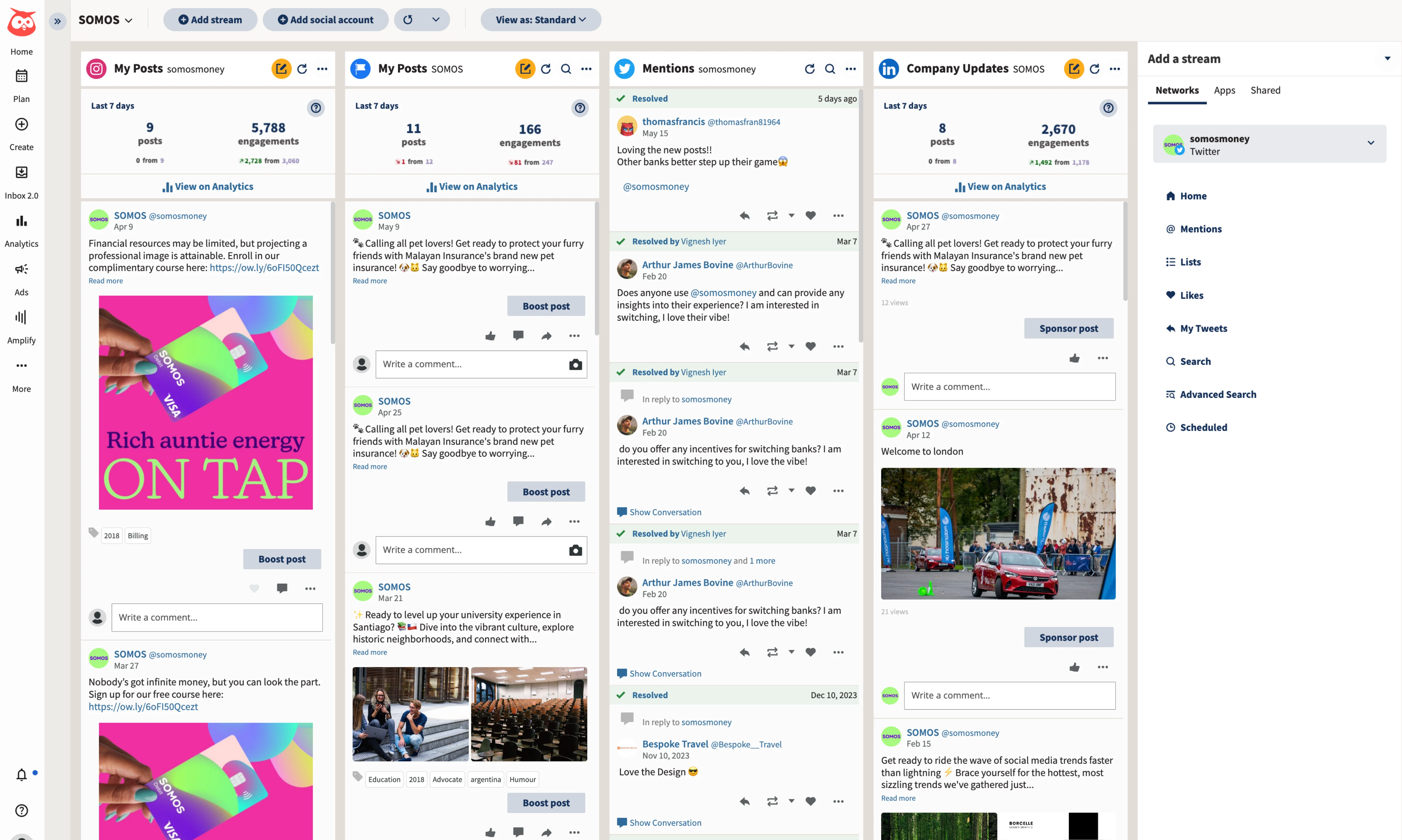
Hootsuite is the opposite end of the spectrum from Publer. Where Publer keeps things simple and affordable, Hootsuite goes all-in on enterprise features. The dashboard handles publishing, monitoring, analytics, social listening, and ad management in one platform.
If Publer feels like you've outgrown it, Hootsuite is where many mid-size marketing teams land.
The social listening feature is the standout. You can track brand mentions, monitor competitor conversations, and analyze sentiment across platforms — all from the same tool you use to schedule posts. Publer doesn't offer social listening at any tier.
For brands that need to stay on top of what people are saying about them in real time, this is a significant upgrade.
The analytics suite is also in a different league. Custom reports, competitor benchmarking, ROI tracking that ties social activity to business outcomes — it's built for teams that need to justify their social media spend with data.
The collaboration features include approval workflows, content libraries, and role-based permissions that make sense for organizations with five, ten, or fifty people touching social content.
Hootsuite also integrates with a massive ecosystem of third-party tools. If your marketing stack includes Salesforce, HubSpot, or Marketo, Hootsuite connects to all of them. Publer's integration list is growing but still modest by comparison.
Pricing: Starts at $99/user/month (billed annually) for 10 social accounts, with a 14-day free trial. Professional, Advanced and Enterprise plans scale significantly higher.
Good for: Mid-size to large marketing teams that need social listening, advanced analytics, and deep integrations with enterprise marketing tools.
The catch: Starting at $99 per user per month, Hootsuite costs far more than Publer. The interface can feel overwhelming, and you're paying for features you may never use. If Publer's simplicity is what drew you to it, Hootsuite's complexity might frustrate you.
4. Metricool: For Analytics on a Budget
 Metricool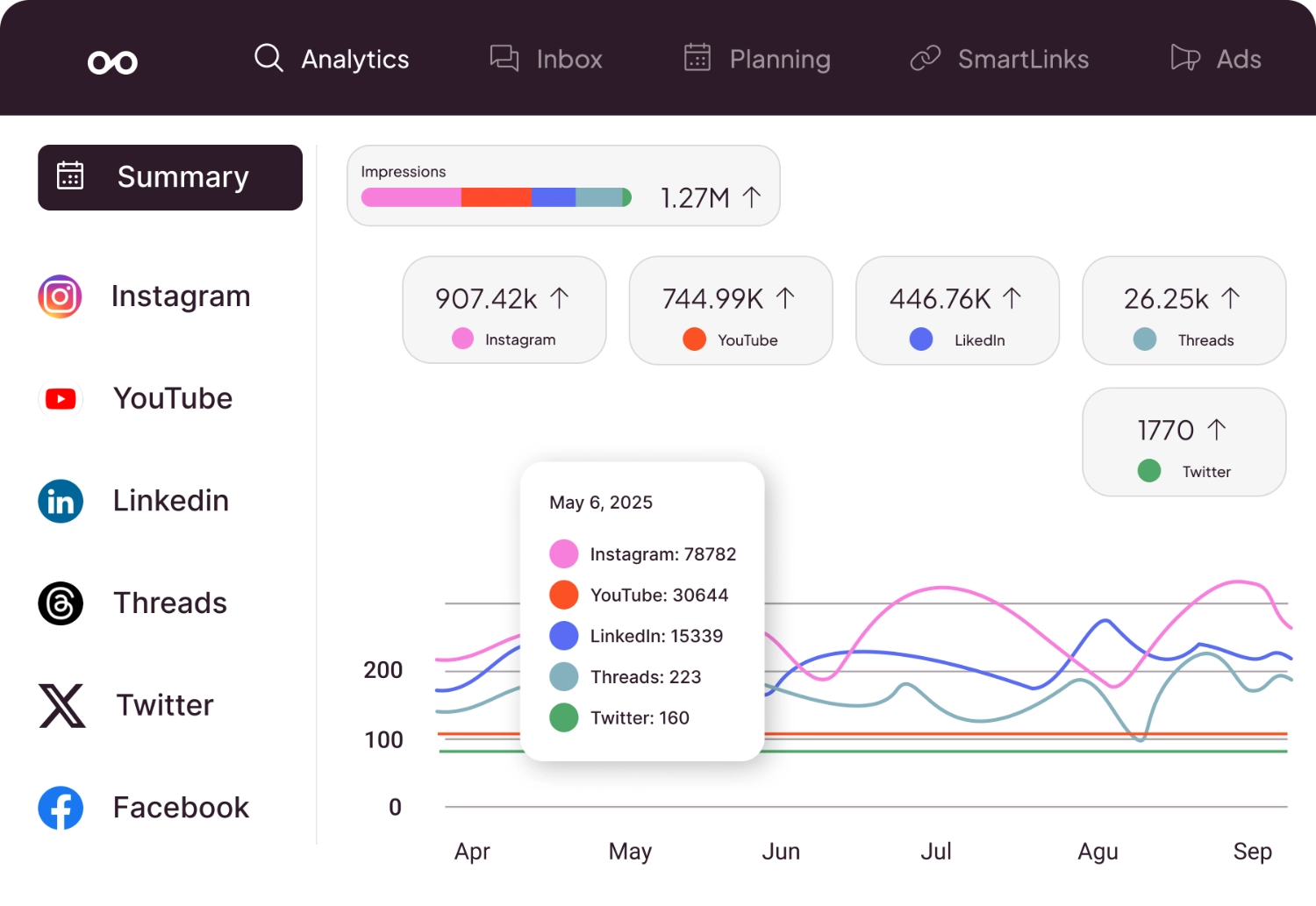
If your main complaint about Publer is the shallow analytics, Metricool is a direct fix without a big price jump. You can track performance across Instagram, Facebook, X, LinkedIn, TikTok, and YouTube with more detail than Publer provides on its paid plans, including engagement breakdowns when you cross-post Reels, Shorts, and TikTok at the same time.
The competitor tracking feature is Metricool's biggest advantage. Even on the lower-tier plans, you can add competitor accounts and benchmark your engagement rates, posting frequency, and audience growth against theirs. Publer only offers competitor analysis on its Business plan.
For small businesses trying to understand where they stand in their market, this is actionable data that changes how you approach content.
Metricool also supports ad management for Facebook and Google Ads — an unusual feature for a scheduling tool at this price. If you're running paid social alongside organic content, having both in one dashboard saves time and gives you a clearer picture of overall social ROI.
The analytics dashboard itself is clean, visual, and easy to interpret, which matters because data is only useful if people actually look at it.
The social media scheduler component is solid if less polished than Publer's. The scheduling interface is functional but not as intuitive, and you won't get the same breadth of platform support.
But if analytics are your priority and budget is tight, Metricool is built around that trade-off.
Pricing: Free (1 brand, 20 posts/mo), Starter from $20/mo billed annually ($25 monthly), Advanced and Enterprise plans available.
Good for: Data-driven creators and small businesses who want deep analytics and competitor tracking without paying enterprise prices.
The catch: The 20-post limit on the free plan disappears fast. The scheduling experience isn't as smooth as Publer's. And AI content creation features are minimal — you'll still need a separate tool for that.
5. SocialPilot: For Agencies
 SocialPilot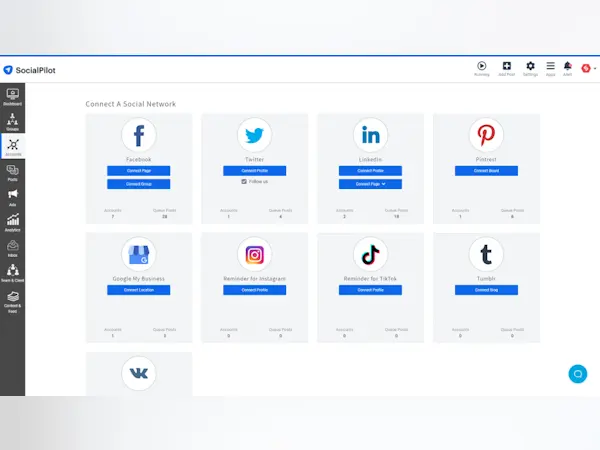
SocialPilot occupies a sweet spot that Publer doesn't: affordable enough for small agencies, but feature-rich enough to handle client management properly. The white-label reports, client approval workflows, and team collaboration features are purpose-built for the agency use case.
If you've been trying to use Publer for client work and hitting limitations around collaboration and reporting, SocialPilot fixes those specific pain points.
The bulk scheduling feature handles up to 500 posts at once via CSV upload, which is a significant workflow improvement if you're managing content calendars for multiple clients. Publer has bulk scheduling too, but SocialPilot's implementation is smoother and handles more volume.
The content curation feature pulls in relevant articles and content suggestions based on topics you define, which helps fill gaps in your editorial calendar.
SocialPilot supports Facebook, Instagram, LinkedIn, X, TikTok, YouTube, Pinterest, and Google Business Profile. The analytics are more detailed than Publer's, with exportable PDF reports that are clean enough to send directly to clients.
The inbox feature aggregates comments and messages from connected platforms, so you can handle community management without switching between apps.
The team features scale well too. You can add team members with different permission levels, set up client-specific workspaces, and manage the entire approval process within the platform. Publer's roles and approvals only arrive on its Business plan, priced per account, so a growing client roster gets expensive.
Pricing: Essentials $30/mo (7 accounts), Standard $50/mo (15 accounts, 3 users), Premium $100/mo (25 accounts, 6 users), Ultimate $200/mo (50 accounts), billed monthly. 15% off annual (Essentials $25.50/mo, Standard $42.50/mo).
Good for: Small to mid-size agencies that need client management, white-label reporting, and team collaboration at a reasonable price.
The catch: The interface feels a bit dated compared to newer tools. AI features are basic. And while it handles the agency workflow well, solo creators will find themselves paying for collaboration features they don't need.
Tired of shallow analytics and missing AI tools? See how PostEverywhere compares — flat-rate plans, AI image generation, and no per-channel fees.
How to Choose the Right Publer Alternative
The right move depends on what's actually frustrating you about Publer. Here's the decision framework:
If you want AI agents for social media, PostEverywhere is the clear upgrade. Built-in AI content generation and AI image generation mean you can go from idea to finished, visual post without leaving the scheduler.
Publer's AI Assist helps with captions and images inside its app, but with PostEverywhere an AI agent can also schedule and publish the finished posts for you.
If you need deeper analytics, Metricool gives you competitor tracking and detailed performance data at a similar price point to Publer. For enterprise-level analytics with social listening, Hootsuite is the more expensive but more comprehensive option.
If you're managing client accounts, SocialPilot and Hootsuite both offer approval workflows, white-label reporting, and team features without Publer's per-account Business pricing. SocialPilot is the budget-friendly choice; Hootsuite is the full-suite enterprise option.
If you rely on evergreen content, SocialBee's category rotation and automatic recycling save significant time compared to manually rescheduling posts in Publer.
If you want the simplest switch, PostEverywhere's flat-rate pricing, broad platform support, and AI tools make it the most well-rounded alternative. You keep what Publer does well — easy scheduling across many platforms — while gaining the AI and analytics features Publer's missing.
The native cross-posting Instagram Reels to Facebook Reels workflow alone fixes one of Publer's most-reported video publishing quirks.
What Makes Publer Good (and Where It Falls Short)
Credit where it's due: Publer gets a lot right. The platform support is impressively broad — it connects to Instagram, Facebook, LinkedIn, X, TikTok, YouTube, Pinterest, Google Business Profile, Telegram, and more. The bulk scheduling works well.
The pricing is genuinely affordable, especially compared to enterprise tools. And the interface is clean enough that you can be up and running in ten minutes.
Publer also deserves praise for its workspace system, which lets you organize accounts by project or brand. The auto-scheduling feature picks optimal times based on your audience data. And the media library with Canva integration means you can create simple graphics without leaving the platform.
Where Publer falls short is how much of the depth sits on one plan. Unlimited AI Assist only comes with Business; on Free and Professional you route prompts through your own OpenAI account and pay for them.
Advanced analytics, competitor analysis, roles, permissions and approval workflows are Business-only too, and there's no white-label option listed for agencies. The social media scheduling market has matured significantly, and tools that were once ahead now feel like they're playing catch-up on AI, analytics, and team features.
The WordPress integration issues are a known pain point — publishing to WordPress through Publer introduces formatting problems that make it essentially unusable for that purpose. And the free plan's 10-post-per-account limit means most users will outgrow it within a week of serious use.
None of this makes Publer bad. For a solo creator managing a few personal accounts who doesn't need AI tools or detailed analytics, it's still good value. But the moment you need more — more intelligence, more data, more collaboration — you'll be looking for alternatives.
Looking for a side-by-side comparison? See our complete social media tool comparison guide with head-to-head matchups.
Frequently Asked Questions
What is the best overall alternative to Publer?
For most users, PostEverywhere offers the most well-rounded upgrade from Publer. You keep the broad platform support and affordable pricing, while gaining AI content generation, AI image generation, and a visual calendar that adapts content for each platform.
The Growth plan at $29/mo includes 10 accounts — comparable to Publer's pricing but with significantly more features.
Is Publer good for agencies?
Publer works for solo users and very small teams, but it keeps the collaboration features most agencies need on its pricier Business plan. Approval workflows and role-based permissions only come with the Business plan, and there's no white-label reporting listed.
If you're managing client accounts, SocialPilot or PostEverywhere's multi-account management are better fits for agency workflows.
Does Publer have AI features?
Yes. Publer's AI Assist, powered by OpenAI, generates text and images. Unlimited prompts come with the Business plan; on Free and Professional you can connect your own OpenAI key and pay OpenAI directly.
PostEverywhere offers AI content generation with tone control, platform-specific formatting, and AI image generation included on every plan, plus a hosted MCP server so Claude or ChatGPT can schedule the posts too.
What is the cheapest Publer alternative?
PostEverywhere starts at $9/mo (Lite, 2 accounts), with Growth at $29/mo for 10 accounts, and Metricool's Starter is from $20/mo billed annually ($25 monthly). Metricool also has a free plan with one brand and 20 scheduled posts per month.
SocialBee starts at $24.17/mo billed annually ($29 monthly) if you need content recycling features.
Can Publer schedule to all social media platforms?
Publer supports an impressive range of platforms including Instagram, Facebook, LinkedIn, X, TikTok, YouTube, Pinterest, Google Business Profile, Telegram, and WordPress. This is broader than most competitors, though the WordPress integration has known formatting issues.
For reliable scheduling across all major platforms, PostEverywhere and SocialPilot both offer strong multi-platform support. Both also handle nuanced workflows like posting to Instagram and Pinterest at the same time without re-formatting your visuals manually.
For teams adding Telegram channels specifically, our Telegram for Business playbook covers what a scheduler needs to support natively.
Is Publer better than Buffer?
Publer is generally more affordable than Buffer and supports more platforms out of the box. Buffer charges per channel ($5–$10 each billed annually, $6–$12 monthly), and Publer also prices per account (from $5 on Professional and $10 on Business).
However, Buffer has a more polished interface and a larger integration ecosystem. If you're comparing both to PostEverywhere, it offers more AI features than either at a competitive price point.
Does Publer offer analytics?
Publer includes basic analytics showing post performance, engagement metrics, and best times to post. However, advanced analytics, downloadable reports and competitor analysis are only on the Business plan. For better analytics at a similar price, Metricool offers competitor benchmarking and detailed performance data.
For enterprise analytics with social listening, Hootsuite is the premium option.
Why do people switch from Publer?
The most common reasons in 2026 include the per-account pricing model that scales unpredictably as you add profiles (from $5 per account on Professional and $10 on Business), unlimited AI only on Business, analytics and approval workflows locked to the Business plan, WordPress integration issues, and a free plan that's too restrictive for daily posting.
Most users switching from Publer are looking for either flat-rate pricing, better integrated AI content tools, deeper analytics, or team collaboration features — or all of the above.
Ready for smarter scheduling? Start your 7-day trial and see why creators and businesses are switching to PostEverywhere.
If you are replacing a repurposing tool rather than a scheduler, see Repurpose.io alternatives.
Does Publer have an MCP server?
Yes, since September 2026, on the Business plan only. Publer MCP lets ChatGPT or Claude read your calendar and analytics and schedule posts. If agent-driven publishing is part of why you are switching, PostEverywhere's hosted MCP server is the publishing-depth option: 44 tools across all top platforms, included on every plan.
To see it in practice, connect ChatGPT to PostEverywhere and ask it to schedule next week's posts.

Founder & CEO of PostEverywhere. Writing about social media strategy, publishing workflows, and analytics that help brands grow faster.