Can you schedule posts on Facebook? Yes, on a Facebook Page. Meta Business Suite, Facebook's own free tool, lets you write a Page post, switch on "Set date and time" and pick a moment from 20 minutes to 29 days ahead, according to Facebook's help page. Scheduled posts sit in the Planner, where you can edit, reschedule or delete them. To plan further out, load a month of posts at once, or schedule Facebook next to your other platforms, use a scheduler that publishes through Meta's official API, such as PostEverywhere for Facebook.
This guide shows how to schedule posts on Facebook both ways, step by step, then covers Reels, profiles and Groups, timing, and the short list of reasons a scheduled Facebook post fails to go out.
| Meta Business Suite | PostEverywhere | |
|---|---|---|
| Where you post | Facebook Pages (and Instagram) | Facebook Pages, including Business Portfolio Pages, next to all top platforms |
| How far ahead | 20 minutes to 29 days | No limit of its own |
| Posts per session | One at a time | One at a time, or up to 200 from a .csv |
| Several Pages at once | One Page per post | Pick several Pages in one post |
| Formats | Posts, Reels and Stories | Text, link posts, 1 to 10 photos, Reels and regular videos |
| Change a scheduled post | Edit, reschedule or delete in the Planner | Edit, drag to a new day or delete in the calendar |
| Cost | Free | From $9 a month, 7-day free trial |
Can you schedule posts on Facebook?
You can, in two ways, and the difference is where the post waits before it goes live.
Meta Business Suite. Facebook's scheduler is built into Meta Business Suite, which every Page has. Facebook's help page on scheduling says you can schedule a Page post "between 20 minutes and 29 days away", that times follow your current time zone, and that people with Facebook or Task access to the Page can create and edit scheduled posts. The post waits inside Facebook until its time.
A scheduler connected through Meta's API. Meta's Pages API lets an approved app publish posts as a Page. That is the route PostEverywhere uses. Your post waits in PostEverywhere, then goes to Facebook at its minute and publishes as the Page, with no reminder to tap.
How the post is ranked doesn't change between the two. Facebook's feed judges a post on what people do with it, such as comments, shares and time spent, not on the tool that published it.
Our guide to Facebook's feed ranking signals covers them in detail.
How to schedule a post on Facebook with Meta Business Suite
If you run one Page and post a few times a week, Meta Business Suite is free and does the job. These are the steps from Facebook's help center.
Schedule a Page post in Meta Business Suite
On a computer, with Facebook or Task access to the Page.
- Switch to your PageOpen Facebook and switch to the Page you want to post as.
- Open Meta Business SuiteClick Meta Business Suite in the Page's left menu, then Create post.
- Add your contentWrite the post and add photos, a video or a link.
- Set date and timeNext to Scheduling options, turn on the Set date and time toggle and pick a date and time. Active times shows Meta's suggested hours.
- Click ScheduleThe post is saved as scheduled and appears in the Planner.
Know the limits before you build a plan around it:
- 29 days is the ceiling. A date further out won't save, and neither will one less than 20 minutes away. A quarterly plan has to be entered a month at a time.
- One Page per post. Two locations with the same offer means two posts.
- No bulk upload. Every post goes through the composer one at a time.
- The Planner is your control panel. In the Planner's week or month view, click a post, then the three dots, to edit it, duplicate it, reschedule it, move it back to drafts or delete it.
How to schedule posts on the Facebook app
On a phone, Meta's route is the Meta Business Suite app. Facebook's help center has a separate page on scheduling Facebook and Instagram content in the Meta Business Suite mobile app, covering posts, reels and stories.
The flow mirrors desktop: create the post, choose to schedule rather than publish, then pick the date and time.
If you'd rather schedule Facebook from your phone alongside your other accounts, PostEverywhere's iPhone app has a "Schedule for later" switch on the composer and posts to your Facebook Pages with everything else. On any other phone, PostEverywhere runs in the browser.
Plan the quarter, not the next 29 days. PostEverywhere holds each Page post, photo set and Reel until its time, then publishes it through Meta's official API. See how PostEverywhere schedules Facebook.
How to schedule Facebook posts with PostEverywhere
This is the flow in PostEverywhere today. It works the same in a desktop browser and, on a smaller screen, in your phone's browser.
Schedule a Facebook post with PostEverywhere
Text, link, photo or video, to any Page you manage.
- Connect your PageIn Accounts, sign in with Facebook and choose the Pages to add, including Pages that sit in a Business Portfolio.
- Open New Post and pick the PagesSelect one Page or several. Add Instagram or other accounts if the same idea should go there too.
- Write the postType it, or use Write with AI. A text-only update needs no image at all.
- Add photos, a link or a videoAttach one image or a set of 2 to 10, paste a URL in Share Link for a link post, or add a video.
- Set the video format and coverFor video, keep Video Format on Reel or switch to Regular Video, and upload a Cover Photo if you want one.
- Pick a time and ScheduleChoose a date and time, a suggested time, or the next queue opening, then click Schedule.
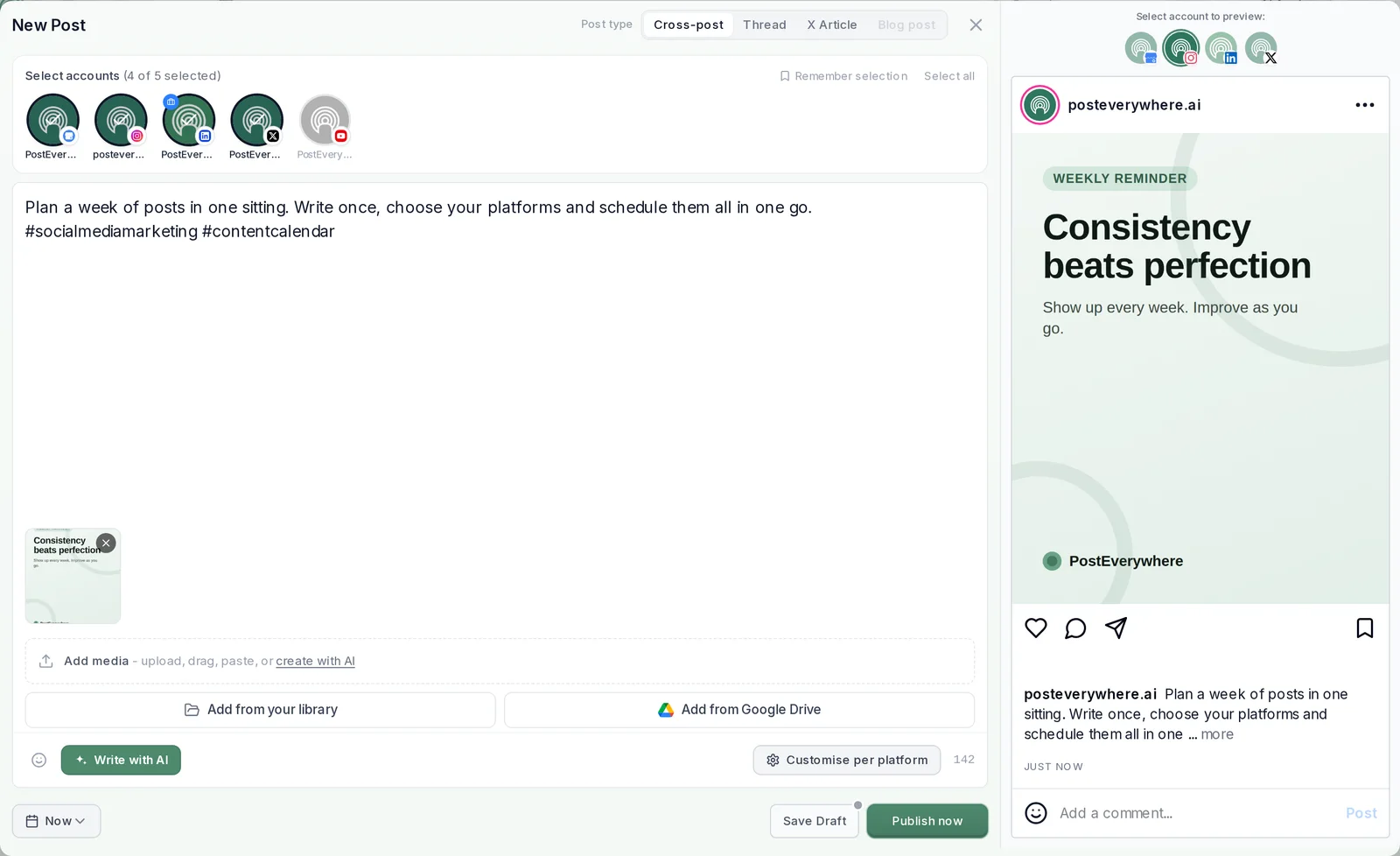
A few details worth knowing:
- Several Pages, one post. Select more than one Page and each publishes its own copy at the same time. Give each one its own wording with "Customise per platform" when a location needs local details.
- Link posts get Facebook's own preview. Paste the URL in Share Link and Facebook builds the preview card from the linked page's title and image when the post goes live. If you change that page after scheduling, refresh the link in the post too.
- You can still change your mind. Until the post goes live, click it in the content calendar to edit the text, move it to another day or delete it.
- You see what happened. Each post moves from Scheduled to Posted, or to Failed with Facebook's reason and a Retry button.
How to schedule Facebook posts in bulk for several Pages
Meta Business Suite schedules one post for one Page at a time. That is fine for a few posts a week and slow for a month across three locations. In PostEverywhere there are three ways to load a batch:
- One by one in the composer, choosing all the Pages that should get each post. Fine for a week of posts.
- A queue of recurring time slots. Set your openings once, for example weekdays at lunchtime, then choose "Next queue opening" on each post and it drops into the next free slot.
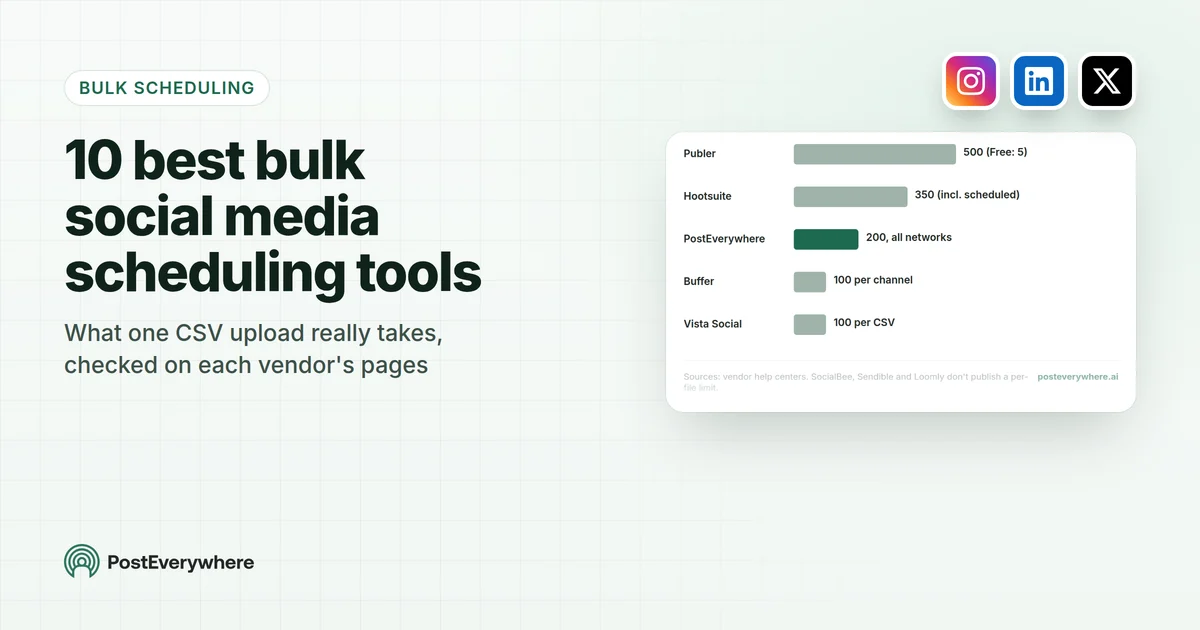
- A .csv upload of the whole month. One row per post with the text, date, time and any media filename from your Media library. One upload takes up to 200 posts, so a month of posts for several Pages fits in a single file.
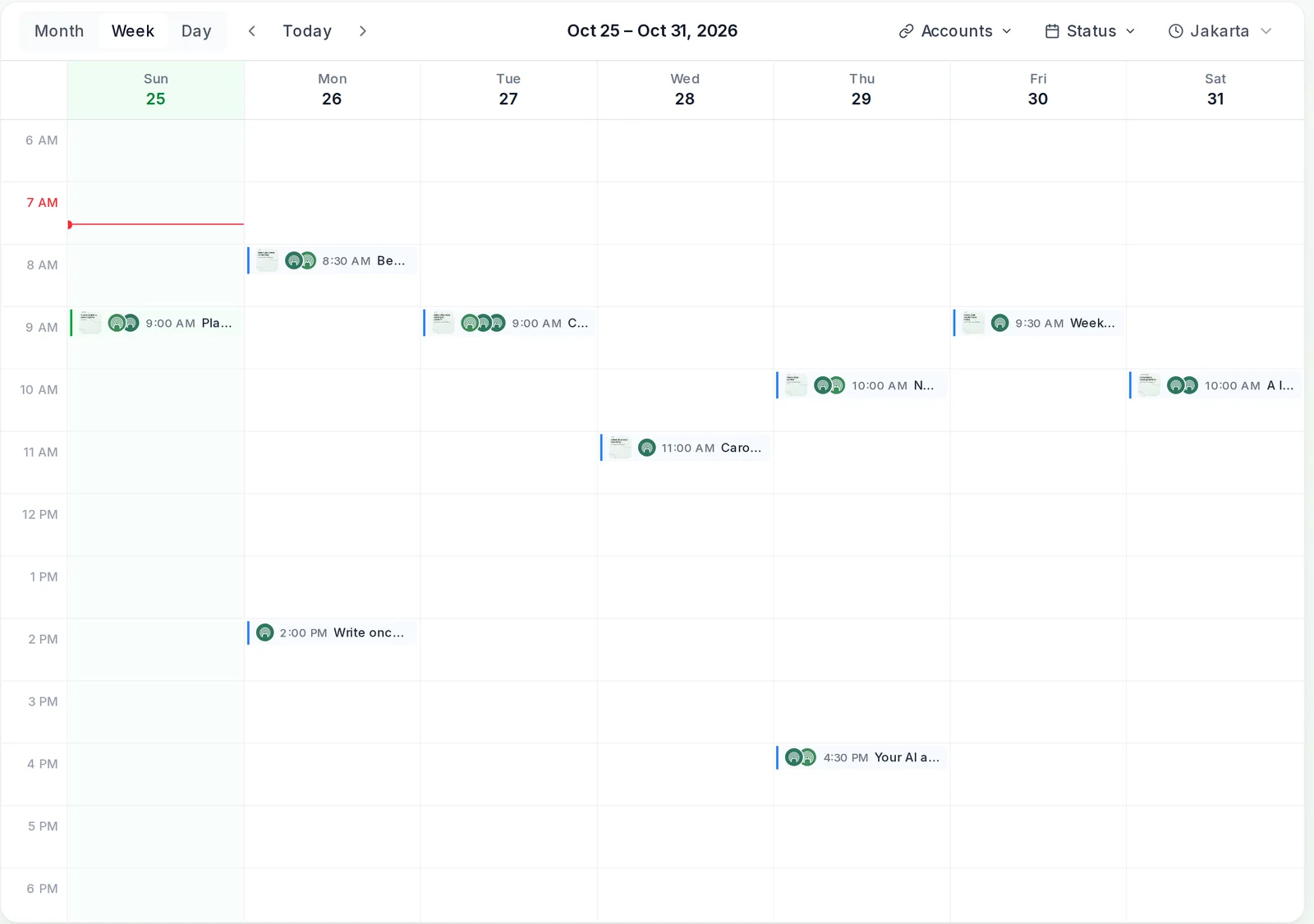
Because PostEverywhere holds the posts itself, there's no 29-day wall: next quarter's launch can be scheduled today. If the same idea also goes to Instagram, our guide to posting to Instagram and Facebook together covers how to adapt the caption for each, and PostEverywhere's cross-posting page shows how one post reaches all top platforms.
A month of Page posts in one sitting. Write the batch once, pick every Page that needs it, and let each post go out on time. Upload your next month from a .csv.
How to schedule Facebook Reels
Reels can be scheduled both ways. Meta Business Suite covers reels in its scheduling help, and in PostEverywhere a Reel is simply a video post:
- Video Format is Reel by default, which suits vertical clips. Switch it to Regular Video for landscape footage such as a talk or a tour. A landscape video left on Reel goes out as a regular video.
- Cover Photo is an image you upload. Facebook doesn't take a frame picked from the video through the API.
- One video per post. A post carries photos or one video, not both.
If you already post Reels on Instagram, send the same file to both in one post. Our guide to cross-posting Instagram Reels to Facebook Reels covers sizes, captions and timing, and Facebook image and video sizes lists the ratios that don't get cropped.
Can you schedule posts on a personal Facebook profile?
Not with an outside tool. Meta removed the publish_actions permission, which had let apps "publish posts to Facebook as the logged in user", in its 2018 platform changes. Since then, schedulers publish to Pages, and PostEverywhere is no exception.
Facebook's own scheduling help is written for Pages too. Meta has been bringing Page tools to profiles through professional mode, which gives a profile "access to professional tools and insights".
If you use a profile in professional mode and a scheduling option appears in your Facebook composer, that is the native route for it. If you post for a business, a Page is the dependable choice: it works with Meta Business Suite and with every scheduler.
Best time to schedule Facebook posts
Scheduling only pays off when the slot is a good one. Our Facebook timing guide by day and hour covers when Page posts and Reels tend to do best.
When you schedule in PostEverywhere, the when-to-post menu also shows suggested times. PostEverywhere looks at when your posts have done best and suggests those times. Until an account has enough of its own results, the suggestions are general guidance for Facebook.
Our page on how suggested posting times work explains it across platforms.
Why scheduled Facebook posts fail, and how to fix them
Most failures come down to a short list of causes, and each has a quick fix.
| What you see | Likely cause | Fix |
|---|---|---|
| No scheduling option | You're posting as a profile, or you don't have Facebook or Task access to the Page | Switch to the Page, or ask a Page admin for access |
| The date won't save in Meta Business Suite | It's more than 29 days out, or less than 20 minutes away | Pick a date inside the window, or schedule it in PostEverywhere |
| Post failed after a password or role change | The connection to the Page has lapsed | Reconnect the Page from Accounts, then retry the post |
| A Page is missing from the list | You didn't select it when connecting, or you lost your role on it | Reconnect Facebook and tick the Page, or ask for your role back |
| Link preview shows the wrong image | The linked page's title or image tags changed | Fix the page's tags, then update the link before the post goes out |
| Video rejected | The file doesn't meet Facebook's video requirements | Re-export it in a standard format and check the size guide |
| Post meant for a Group | Meta closed Group publishing to outside tools in 2024 | Post in the Group directly in Facebook |
In PostEverywhere, failures show on the post itself and on the Delivery tab in Analytics, with Facebook's reason, so you know whether to reconnect, fix a file or simply press Retry.
For failures across every platform, our guide to scheduled posts that didn't publish goes deeper. Sending Facebook posts from your own code instead? Our walkthrough of posting to Facebook through an API covers tokens, permissions and errors.
What you can't schedule on Facebook
A few things stay in Facebook, whichever route you use:
- Group posts. Meta's Graph API v19.0 changelog lists publish_to_groups among the Groups API permissions removed on 22 April 2024, so no outside tool can post into a Group. Post there yourself. Our guide to Facebook Groups for business covers running one well.
- Stories, in PostEverywhere. PostEverywhere doesn't publish Facebook Stories. Meta Business Suite can schedule them.
- Personal profile posts. As above, outside tools publish to Pages only.
- Boosts and ads. Scheduling an organic post doesn't schedule spend behind it. Ads are set up in Meta's ad tools.
Your agent can schedule the week too. Connect ChatGPT, Claude or any MCP client to PostEverywhere and ask it to plan a week of posts across your Pages. See PostEverywhere for Facebook.
FAQ
Can you schedule posts on Facebook for free?
Yes. Meta Business Suite is free and schedules Page posts from 20 minutes to 29 days ahead, one at a time. PostEverywhere is paid, from $9 a month, and every plan starts with a 7-day free trial. See what each plan costs.
How far in advance can you schedule a Facebook post?
In Meta Business Suite, up to 29 days ahead, according to Facebook's help page. PostEverywhere has no limit of its own, so next quarter works as well as tomorrow.
How do I schedule a post on Facebook from my phone?
Use the Meta Business Suite app, which schedules posts, reels and stories for your Page. On an iPhone, the PostEverywhere app has a "Schedule for later" switch that covers your Facebook Pages and your other accounts. On other phones, PostEverywhere works in the browser.
Can I schedule Facebook posts to multiple Pages at once?
Not in a single Meta Business Suite post, which goes to one Page. In PostEverywhere, select several Pages in the composer and each publishes its own copy at the same time.
Can you edit a scheduled Facebook post?
Yes. In Meta Business Suite, open the Planner, click the post and use the three-dot menu to edit, reschedule or delete it. In PostEverywhere, click the post in the calendar to change the text or the time, or delete it, before it goes live.
Do scheduled Facebook posts get less reach?
Facebook ranks posts on how people respond, such as comments, shares and time spent, not on how they were published. A post sent through Meta's official API at 7 PM is judged like one you posted by hand at 7 PM.
Can you schedule posts in a Facebook Group?
Not with an outside tool. Meta removed the Groups API publishing permission in April 2024, so Group posts are made in Facebook itself.
Where can I see my scheduled Facebook posts?
Posts scheduled in Meta Business Suite are in its Planner. Posts scheduled in PostEverywhere sit in the content calendar and the All Posts list, labelled by Page, and appear on Facebook once they publish.
Sources
Every outside fact in this guide comes from the pages below. Product details for PostEverywhere come from the app itself.
- Facebook Help Center: Schedule a post and manage scheduled posts for your Facebook Page
- Meta Business Help Center: Schedule Facebook and Instagram content on Meta Business Suite mobile app
- Facebook Help Center: Turn pro mode on or off for your Facebook profile
- Meta for Developers: Pages API, Posts
- Meta for Developers: Graph API v19.0 changelog
- Meta for Developers: Platform product changes, 24 April 2018

Founder & CEO of PostEverywhere. Writing about social media strategy, publishing workflows, and analytics that help brands grow faster.