Turn ChatGPT, Claude, or any AI agent into your PostEverywhere social media manager
Paste one URL. 38 tools, 12 webhook events, 11 platforms. Our MCP server is listed in Anthropic's Claude connector directory. Connect ChatGPT, Claude, Cursor, or Codex CLI to it, and your AI agent is scheduling posts in under 60 seconds.
Card required · $0 charged today · cancel any time


Used by 2,831 happy customers
Connecting an agent is the strongest signal in our whole funnel. Teams that connect one convert at 45.5%, against 7.5% for teams that never do.
Connect your AI agent to social media
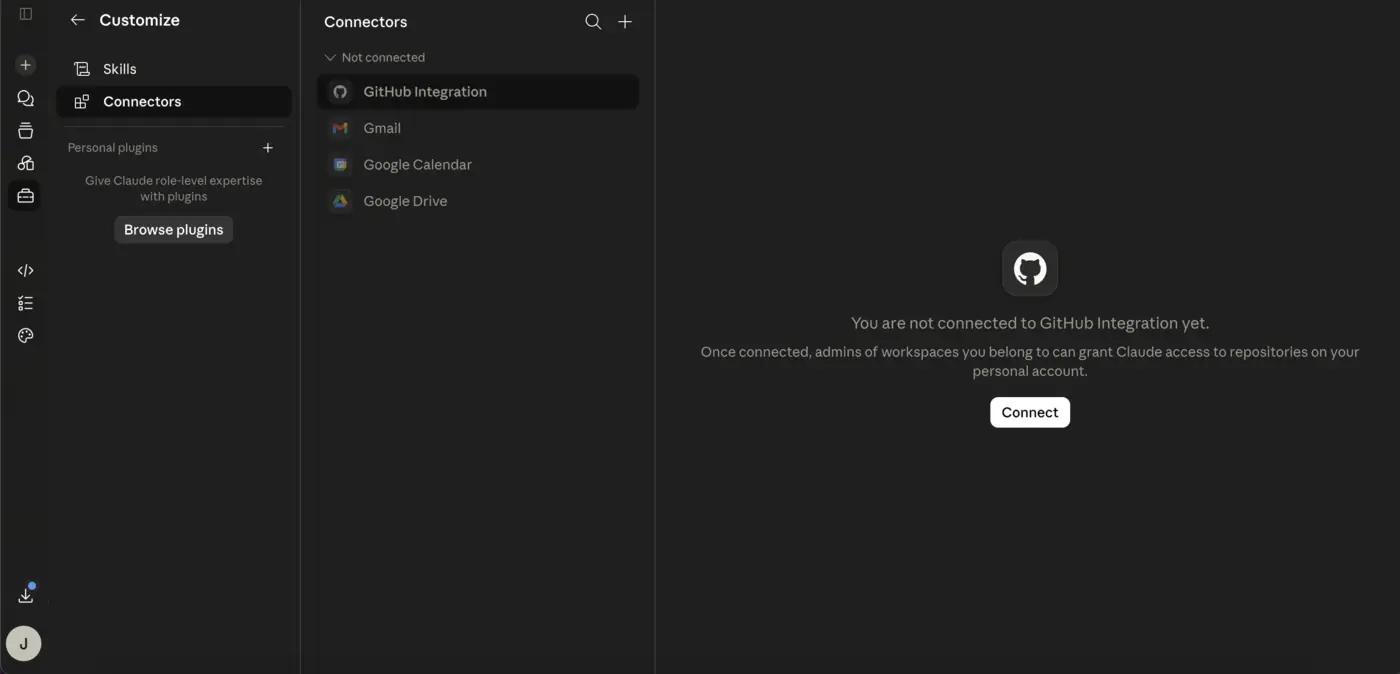
Pick how you want to connect. The hosted server runs on our infrastructure, so there is nothing to install and nothing running on your machine.
- Open the MCP connection page. Start a PostEverywhere plan and open this page to get your hosted MCP server URL.
- Add the hosted MCP server to your agent. Paste the one URL into ChatGPT (Developer Mode), Claude Code, Cursor, Windsurf, or Codex CLI. The server runs on our infrastructure, so there is nothing to install.
- Connect your social accounts. Authorize the platforms you want the agent to publish to, across all 11 supported networks.
- Prompt your agent to schedule a post. Ask your agent to draft and schedule a post; it uses the 38 MCP tools to publish across your connected platforms.
Using ChatGPT? Turn on Developer mode first
Custom connectors stay hidden until you enable them, so there is nothing to click without this. Go to Settings → Apps → Advanced settings → Developer mode. It is web only and needs a paid ChatGPT plan (Plus, Pro, Business, Enterprise or Education). It is not available in the phone apps. Claude, Cursor, Windsurf, Cline, Zed and Codex CLI have no such gate.
MCP server
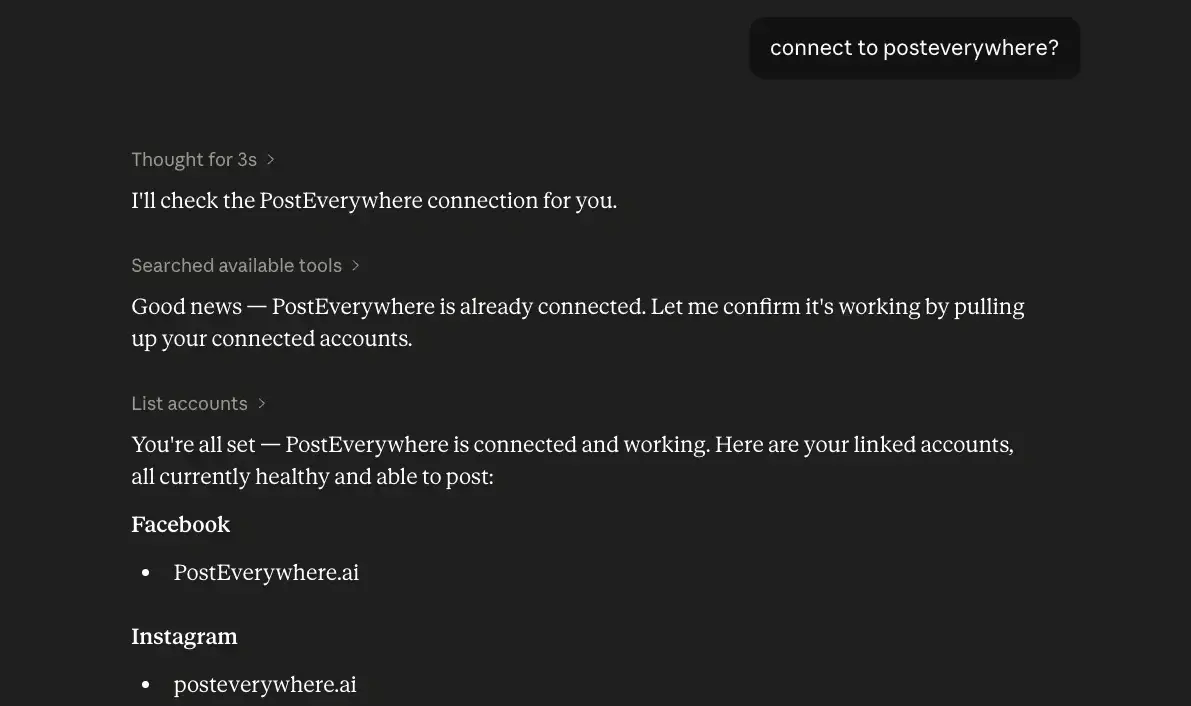
https://mcp.posteverywhere.aiThe easiest way. No terminal, no API key to copy. Shown here in Claude Desktop.
The social media MCP server for AI agents
PostEverywhere runs a hosted social media MCP server at mcp.posteverywhere.ai. Model Context Protocol (MCP) is the open standard that lets AI agents call external tools, so once the server is connected, an agent like ChatGPT, Claude, or Cursor can schedule social media posts, generate captions and images, retry failed posts, and read analytics across all 11 platforms in plain language. There is nothing to install and no glue code to write. Per-assistant setup, including the prerequisite each one hides behind, is on the connectors page (Claude, ChatGPT, Grok, Cursor and Claude Code). Full walkthroughs for each: connect PostEverywhere to ChatGPT, to Claude, and to Gemini. The full tool list lives on the MCP server page, and our vendor comparison maps who else has one.
Connect the hosted server with one URL, or run the open-source @posteverywhere/mcp server on your own machine. Both expose the same 38 tools to any MCP-compatible client. To schedule social media posts from Claude, add the server, connect your accounts, and prompt the agent to publish.
Connect your agent and publish in under a minute
One URL, 38 tools, 11 platforms. The same key works for the MCP server, the REST API and the SDK.
38 MCP tools, webhooks, campaigns, bulk operations, AI caption generation, and a hosted server you connect with one URL.
Read the launch notes →Local config block for every MCP client
Most people should use the hosted server above. If you would rather run the open-source server on your own machine, every client follows the Model Context Protocol spec, so the same JSON works across Claude Desktop, Cursor, Cline, and Windsurf. Zed nests it under context_servers, and Codex CLI uses TOML.
~/Library/Application Support/Claude/claude_desktop_config.json (macOS)%APPDATA%\Claude\claude_desktop_config.json (Windows)
{
  "mcpServers": {
    "posteverywhere": {
      "command": "npx",
      "args": ["-y", "@posteverywhere/mcp"],
      "env": { "POSTEVERYWHERE_API_KEY": "pe_live_YOUR_KEY" }
    }
  }
}~/.cursor/mcp.json
{
  "mcpServers": {
    "posteverywhere": {
      "command": "npx",
      "args": ["-y", "@posteverywhere/mcp"],
      "env": { "POSTEVERYWHERE_API_KEY": "pe_live_YOUR_KEY" }
    }
  }
}~/.codex/config.toml
[mcp_servers.posteverywhere]
command = "npx"
args = ["-y", "@posteverywhere/mcp"]
env = { POSTEVERYWHERE_API_KEY = "pe_live_YOUR_KEY" }Cline
Same JSON block, added via the MCP Servers panel in VS Code.
Windsurf
Same JSON block, file
~/.codeium/windsurf/mcp_config.json.Zed
Same shape, nested under
context_serversinstead ofmcpServers, in~/.config/zed/settings.json.
Agent prompts for scheduling social media posts
Paste any of these into your agent once the server is connected. Each maps onto real MCP tools covering scheduling, AI captions, and analytics, no glue code required.
“Schedule this draft to LinkedIn and X for Tuesday at 9am Pacific. Optimise the caption for each platform.”
“Retry every TikTok post that failed in the last 7 days, but skip any video over 60 seconds.”
“Pull my Instagram engagement metrics for May, then suggest three posting-time changes for June.”
“Generate three caption variants for a product-launch carousel, then bulk-schedule them across the week.”
“Subscribe to post.failed and account.disconnected events, route them to my Discord webhook.”
npx @posteverywhere/cliBuilt for agents: structured JSON output and a bundled SKILL.md for auto-discovery.
Built for builders
Why agent builders pick PostEverywhere
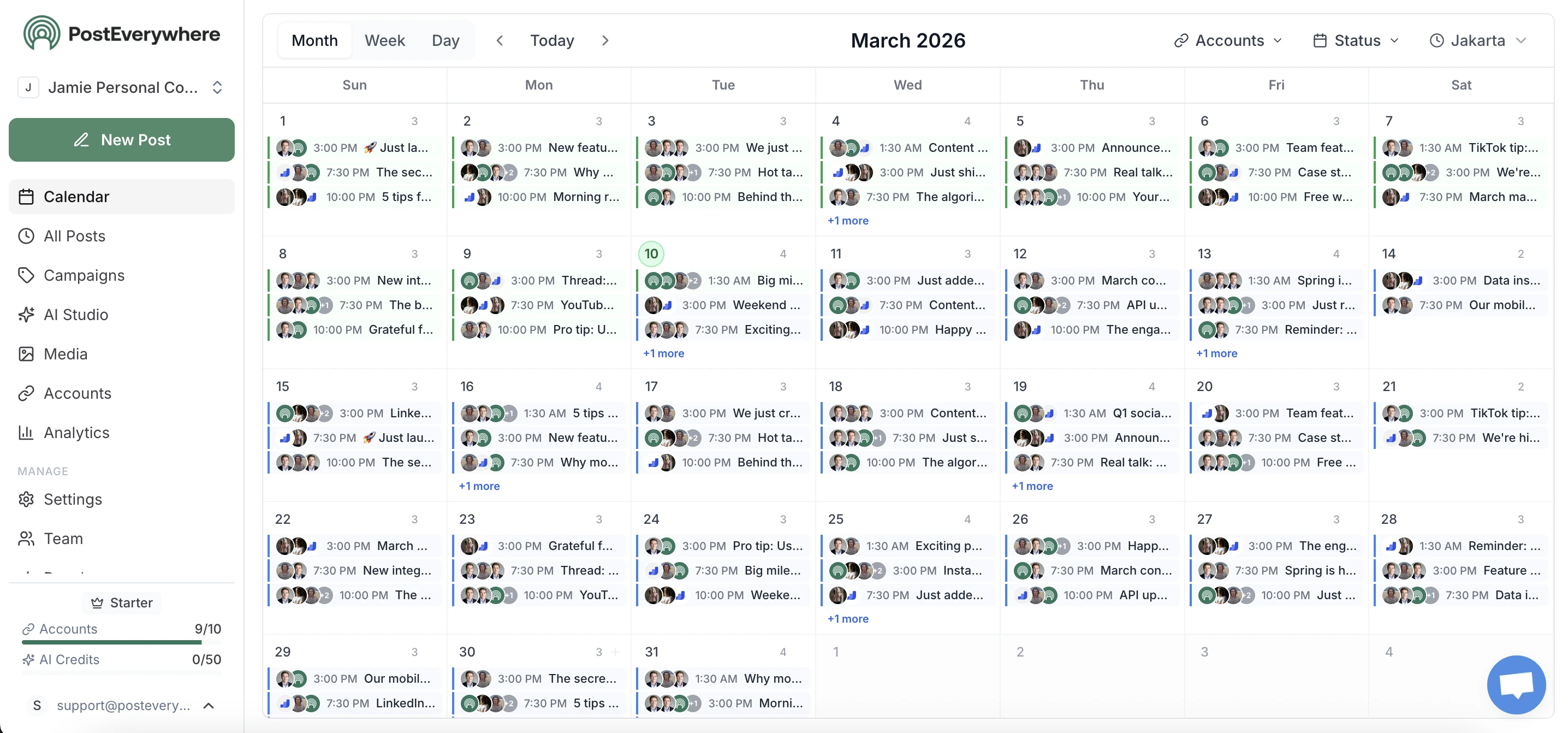
The execution layer is the boring half of an agent. It should also be the reliable half. Your agent gets the same surface a human gets in the dashboard, through 38 MCP tools and 48 REST endpoints.
- 38 MCP tools, not five.
- The MCP server exposes the full surface: posts, campaigns, webhooks, bulk ops, media, account health, analytics, caption generation. Your agent can reason about all of it, not just create_post.
- Webhooks instead of polling.
- 12 event types, HMAC-signed. Your agent reacts when something happens instead of burning tokens checking every minute.
- Bulk ops to 50 per call.
- A 30-day calendar ships in roughly 3 requests. Bulk-retry-by-filter recovers an entire batch from a flaky platform in one call.
- Pre-flight account health.
- GET /v1/accounts/:id/health returns can_post, token expiry, and recent failures. Your agent checks before it posts, so a stale token never silently kills a publishing run.
Real agent patterns
What you can build
Five agent patterns running on this API today. For a full walkthrough, read how to build an AI social media agent; for agency setups across client workspaces, see multi-account management.
- Daily content agent.
- Watches your blog RSS, drafts platform-specific captions with Claude, generates an image via /v1/ai/generate-image, schedules across LinkedIn, X, and Threads.
- Self-healing retry agent.
- Subscribes to post.failed webhooks. Reads the error, decides whether to re-encode, retime, or skip, then calls bulk-retry. No human in the loop until something genuinely odd happens.
- Engagement-aware scheduler.
- Pulls /v1/analytics/summary weekly, ranks posting windows by engagement, rewrites next week's schedule.
- Multi-client agency bot.
- One agent per client, grouped via the campaigns API. /v1/me tells the agent which workspace it lives in, so the same code spins up for client 12 or client 412.
- Repurposing pipeline.
- Takes a YouTube upload, drafts a LinkedIn long-post, an X thread, three Instagram carousel slides, and a Bluesky teaser, then schedules each at the platform's best slot. Around 8 API calls end to end.
Your first SDK call
Building a long-running agent rather than working in an editor? The Node SDK wraps all 48 REST endpoints with typed resources.
import PostEverywhere from '@posteverywhere/sdk';
const client = new PostEverywhere({ apiKey: process.env.POSTEVERYWHERE_API_KEY });

const post = await client.posts.create({
  account_ids: [123],
  content: 'Shipping today.',
  scheduled_for: '2026-06-17T09:00:00Z',
});
Webhooks, campaigns, bulk operations, and account health are all on the same client. See the developers page for the full surface.
Works with the agent stack you already run
If your agent can issue a Bearer-authenticated POST, it can use PostEverywhere.
Native MCP clients (zero glue code)
Any framework that speaks HTTP
LangChain, CrewAI, AutoGen, LlamaIndex, Vercel AI SDK, OpenClaw, or your own loop with fetch and an LLM of your choice. Either way, your agent can post to all social media at once through one API.
Included on every paid plan from $9/mo
7-day trial with a card, no separate developer tier, no enterprise call. The same key works for the REST API, the SDK, and the MCP server.
PostEverywhere agents FAQ
Can I build an AI social media agent with PostEverywhere?
Yes, that is exactly what the MCP server, REST API, and SDK exist for. Point any AI agent (Claude, Cursor, Codex, or your own LangChain or CrewAI loop) at the hosted server and it can draft, schedule, and publish across all 11 platforms, react to webhook events, and check account health before it posts. Most teams have a working AI social media agent connected in under a minute.
Do I need an API key, or can I use OAuth?
API keys today. They are the right primitive for a single-tenant agent talking to its own workspace. Keys start with pe_live_ and work across the REST API, SDK, and MCP server.
How is this different from Zapier or n8n?
Zapier and n8n are visual workflow builders, great for "when X, do Y" plumbing. PostEverywhere is the social-media execution layer your code-level agent calls directly. No webhook-to-Zap-to-API hop, no per-task pricing. Your agent reasons in your runtime and posts via one HTTP call.
Does the MCP server work with Cursor, Cline, Windsurf, and Zed?
Yes. Anything that speaks the MCP protocol works. The config block is identical for Claude Desktop, Cursor, Cline, and Windsurf; Zed nests it under context_servers; Codex CLI uses TOML.
Why doesn't the tool show up after I add the config?
Most common cause: npx is not on PATH in the client's environment, or a JSON syntax error in the config. Claude Desktop also needs a full quit and relaunch (not just closing the window). Check the MCP logs in your client if tools are missing.
What if my agent posts the same thing twice?
Subscribe to post.published webhooks and reconcile against your agent's own memory before scheduling more. The posts list endpoint also supports filtering by content search and date range, so the agent can check for near-duplicates first.
What's the rate limit?
60 requests per minute on the API. Responses include X-RateLimit headers, and a 429 comes with Retry-After. For bulk publishing use POST /v1/posts/bulk (one request, up to 50 posts) instead of looping.
Is there a social media MCP server?
Yes. PostEverywhere runs a hosted social media MCP server at mcp.posteverywhere.ai with 38 tools; the /mcp page documents every tool and setup path. Model Context Protocol is the open standard that lets AI agents call external tools, so any MCP-compatible client (ChatGPT, Claude, Cursor, Codex, Cline, Windsurf, Zed) can schedule posts, generate media, and read analytics across all 11 platforms once the server is connected. There is nothing to install with the hosted server, or you can run the open-source @posteverywhere/mcp package locally.
How do I schedule social media posts with MCP?
Connect the PostEverywhere MCP server to your agent, authorize your social accounts, then prompt the agent in plain language, for example "schedule this post to LinkedIn and X for Tuesday at 9am." The agent uses the MCP tools to publish across any of the 11 connected platforms. The hosted server at mcp.posteverywhere.ai needs one URL and your API key, with nothing to install.
Can I schedule social media posts from Claude?
Yes. Add the PostEverywhere MCP server to Claude Code or Claude Desktop, connect your accounts, and ask Claude to draft and schedule posts. Claude calls the 38 MCP tools directly to publish across all 11 platforms, so you never leave the chat. Cursor, Codex CLI, Cline, Windsurf, and Zed work the same way.
Does the MCP server work with ChatGPT?
Yes. ChatGPT supports custom remote MCP servers through Developer Mode on Plus, Pro, Business, and Enterprise plans: turn on Developer Mode under Settings, then Connectors, add a custom connector with the URL https://mcp.posteverywhere.ai, and authorize with your PostEverywhere API key. ChatGPT can then schedule posts, generate media, and read analytics across all 11 platforms. You can also wire the REST API into a Custom GPT using Actions. Free ChatGPT accounts cannot add custom connectors yet.