


AI Assistant
An AI assistant that knows your social media schedule
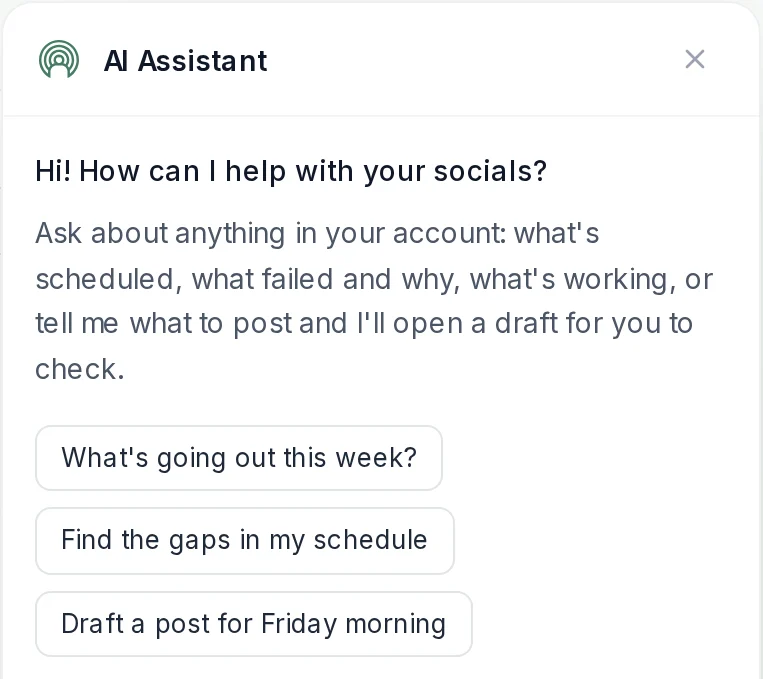
Ask what is going out this week, find the gaps in your calendar and get a draft for Friday morning, right inside PostEverywhere. It does the legwork; you review and press Schedule.
Included on every plan. Chat uses no AI credits. Works in the web app on desktop.
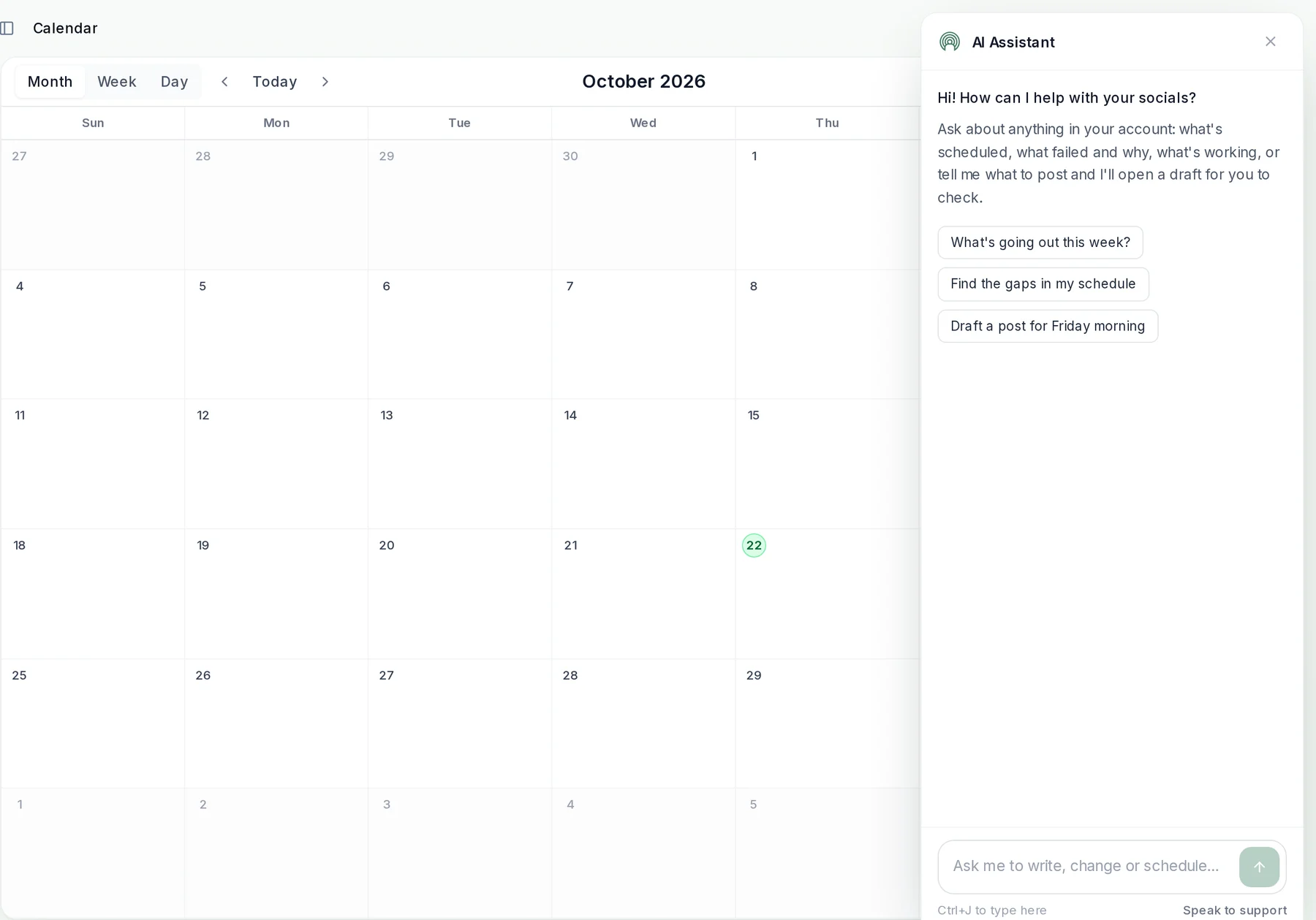
Ask about your account
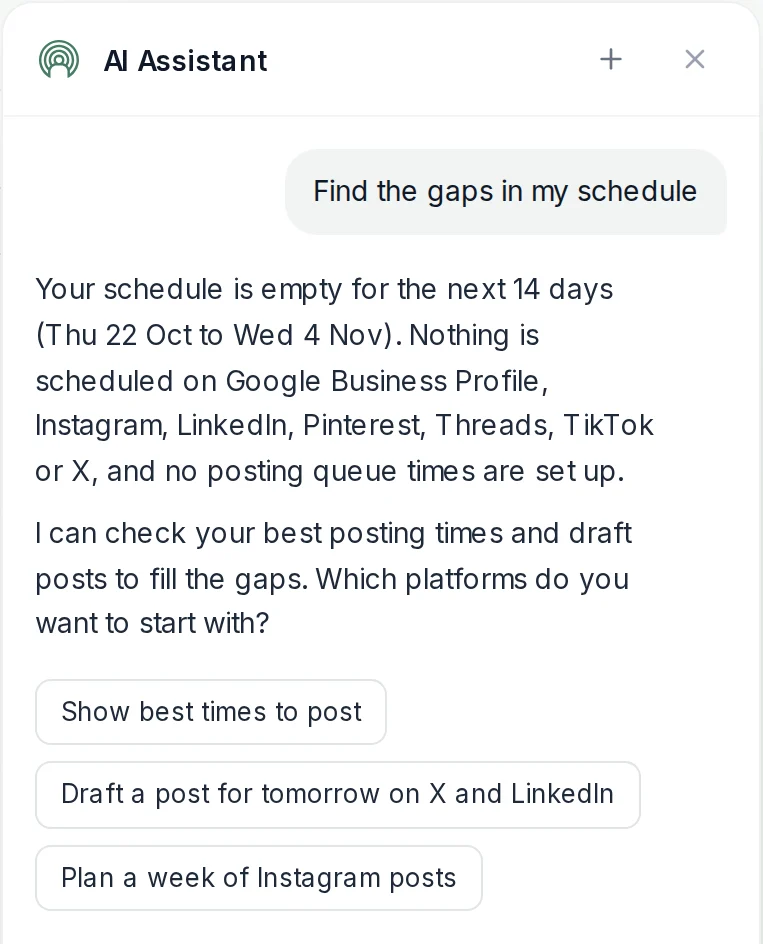
Find the gaps in your schedule in one question
The assistant reads your posts, queue, best times and analytics, so you can ask in plain words instead of clicking through reports. It answers for the account you are signed into and suggests what to do next.
- What is going out.
- Ask what is scheduled this week, or for one platform, and get the list back.
- Where the gaps are.
- It spots empty days and platforms with nothing queued, then offers your best times to fill them.
- What went wrong.
- Ask why a post failed or which accounts need reconnecting, and it sends you to the right page to fix it.
Write with AI
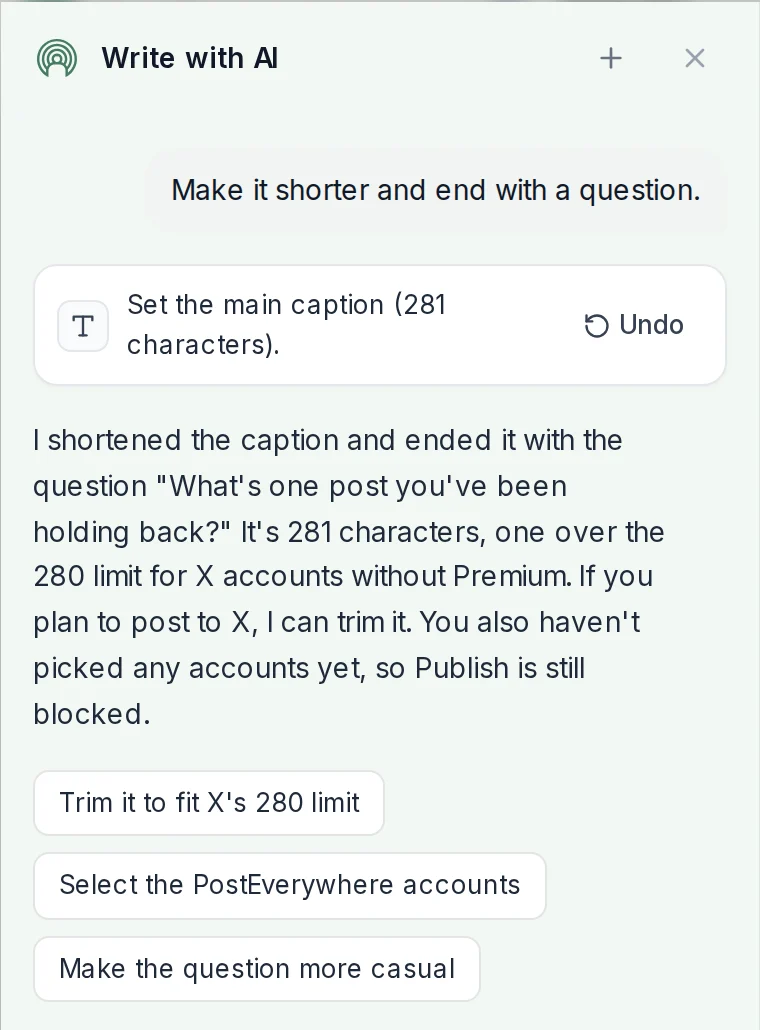
Edit a draft by asking, with an Undo on every change
In the New Post composer the assistant becomes Write with AI: ask it to shorten a caption, change the tone or end with a question, and the change lands in your draft. It checks each platform's rules as it goes, like X's character limit.
- Edits in place.
- Captions, schedule time, accounts, post type and per-platform settings, changed in the draft you are looking at.
- Undo anything.
- Every change the assistant makes shows as a step you can undo with one click.
- Your brand voice.
- It reads your Brand Kit and can attach images and video from your media library.
You stay in control
It drafts. You decide what goes out.
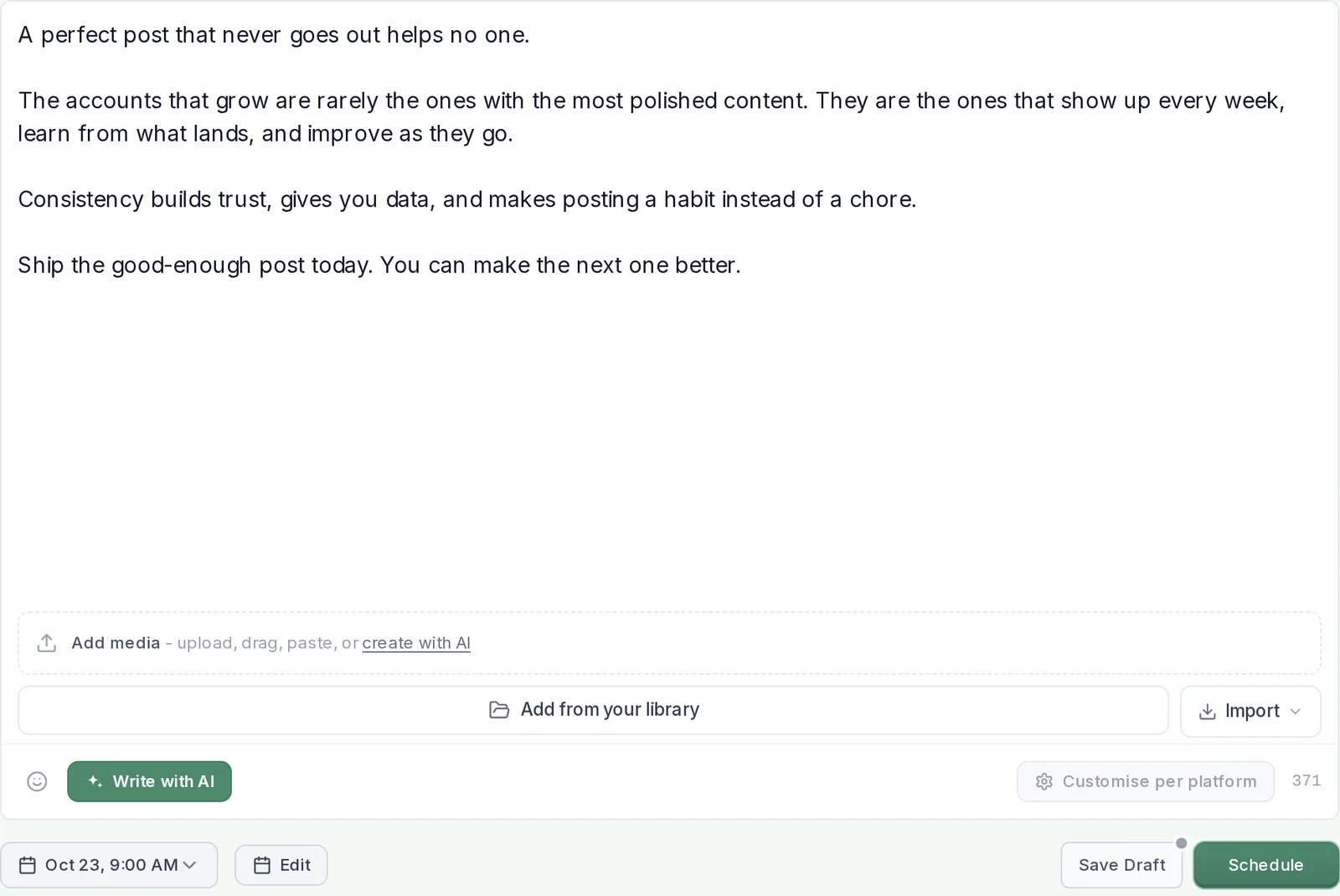
Tell the assistant what to post and it opens the composer with the caption, accounts and time filled in. Nothing is saved, scheduled or published until you choose the accounts and press Schedule or Publish.
- Never posts on its own.
- The composer is the confirmation step: you review every post before it goes anywhere.
- Ready to schedule.
- The draft opens at the time you asked for, or at one of your best times to post.
What it can do
Everything the AI Assistant helps with
It knows the page you are on, so the suggestions change as you move around the app.
Plan your week. See what is scheduled, spot gaps and get drafts for the empty slots.
Draft and rewrite. Write a first draft, shorten it, change the tone or adapt it for each platform.
Read your results. Ask how posts performed and get a summary from your analytics.
Use your best times. It checks your best times to post before it suggests a slot.
Fix problems. Find failed posts and accounts that need reconnecting, and jump straight to the fix.
Reach a person. Need a human? It hands you over to our support team from the same panel.
How it works
How to use the AI Assistant
- Open it from any page. Click AI Assistant at the top right of the web app, or press Ctrl+J (⌘J on a Mac).
- Ask in plain words. For example: "What's going out this week?", "Find the gaps in my schedule" or "Draft a post for Friday morning".
- Check the draft. When it drafts a post, the composer opens with everything filled in. Change anything, or ask it to.
- Schedule it yourself. Pick your accounts and press Schedule. It goes out on time across every platform you connect.
$0 due today, cancel anytime
Assistant or agent?
The AI Assistant, or your own AI agent
Two ways to get AI help with PostEverywhere. The AI Assistant is built in: open it and ask. If you already work in Claude, ChatGPT or another AI agent, connect it to PostEverywhere and it can plan and schedule posts from there, through our MCP server or the social media API.
AI Assistant. Inside the PostEverywhere web app. Nothing to set up, chat is free, and you confirm every post in the composer.
Your AI agent. Claude, ChatGPT, Cursor and others. Stay in the tool you already use; see how the AI agents compare.
Pricing
Simple pricing, unlimited posts on every plan
Every plan posts to all top platforms and includes the API and hosted MCP server for your AI agent.
7-day free trial on every plan. Card required, $0 due today, cancel anytime. Compare every plan
FAQ
AI Assistant FAQs
What it does, what it costs and where it works.
What is the PostEverywhere AI Assistant?
It is a chat panel built into the PostEverywhere web app. Open it with the AI Assistant button at the top right of any page, or press Ctrl+J (⌘J on a Mac), and ask about your account in plain words: what is scheduled, what failed and why, where the gaps are, or what to post next. It can also open a ready draft for you to check.
Does the AI Assistant post or schedule anything on its own?
No. It drafts and fills in the New Post composer, but nothing is saved, scheduled or published until you press Schedule or Publish yourself. Every change it makes to a draft comes with an Undo.
Does chatting with the AI Assistant use AI credits?
No. Chatting with the AI Assistant is free on every plan and uses no AI credits. Creating images or video still uses AI Studio credits as usual. Fair-use limits apply.
Which plans include the AI Assistant?
Every plan, including the 7-day free trial: Lite, Starter, Growth and Scale.
Can I use the AI Assistant on my phone?
Not yet. The AI Assistant works in the PostEverywhere web app on desktop and laptop screens. It is not available on phones or in the iPhone app.
How is the AI Assistant different from connecting Claude or ChatGPT?
The AI Assistant lives inside PostEverywhere, so there is nothing to set up: open it and ask. Connecting an AI agent such as Claude or ChatGPT works the other way round: you stay in the agent you already use, and it schedules posts through our MCP server or API. Use whichever fits how you work, or both.
Does it write in my brand voice?
It reads your Brand Kit, so set your voice, audience and words to use or avoid there and the assistant follows them when it drafts.
Is my data private?
The assistant only reads data from the organization you are signed into, and conversations are not used to train AI models. Our privacy policy explains what is sent to our AI provider and how long transcripts are kept.
Still have questions?
Contact us or browse the full FAQ.
$0 due today, cancel anytime