What's the best Repurpose.io alternative? PostEverywhere is the best Repurpose.io alternative for AI agents and automation: Claude or ChatGPT can drive the PostEverywhere scheduler through its hosted MCP server, or your own code through the REST API and webhooks, so your finished videos get scheduled across all top platforms from $9/mo. If you need clips cut out of long video, that is a separate job for a clipping tool such as OpusClip or Vizard.
Most "Repurpose.io alternatives" lists get one thing wrong, and it sends people to the wrong tool. Repurpose.io does not cut clips out of your videos. It never has.
What it does, and has done since 2016, is take a finished video, audio file or livestream and republish it everywhere with the aspect ratio corrected and the watermark stripped.
Per independent testing, it "automates distribution of clips you've already created" and has "zero AI moment detection."
That single fact decides which alternative you need. If you are leaving because the distribution is expensive, you want a scheduler. If you are leaving because you expected it to find the good 30 seconds in your podcast, you want a clipping tool, and no scheduler will help you.
This guide splits the two, because they are genuinely different products.
Written and edited by Jamie Partridge, Founder of PostEverywhere.
TL;DR
- Repurpose.io is a distribution tool, not a clipping tool. It moves finished content between platforms and fixes the format.
- It costs $35 to $179 per month as of October 2026 (official pricing), which is where most switchers start looking. Annual billing saves roughly 17%.
- If you need distribution, a scheduler does the same job, usually for less. PostEverywhere is the strongest all-rounder, from $9/mo across all top platforms with AI content tools included. PostOnce is a narrower publish-only option that crossposts new posts from one main account to the rest.
- If you need actual clipping, that is a different category: OpusClip and Vizard both cut long video into shorts with AI. Neither replaces a scheduler, and neither is what Repurpose.io was.
- Most people need both, which is why the pairing below usually beats a single tool.
Quick comparison
| Tool | Best for | Starting price | Free plan or trial | What an AI agent can do (MCP) |
|---|---|---|---|---|
| PostEverywhere | Distribution plus AI Studio and calendar | $9/mo | 7-day free trial, card required | Publish, schedule, queue, best time, bulk, retry, connect accounts |
| PostOnce | Publish-only, auto-crossposting from one main account | $29/mo | 7-day free trial, no card required | – |
| Buffer | Simple onboarding | See pricing page | Free tier | – |
| Hootsuite | Deep enterprise feature set | See pricing page | See pricing page | – |
Why Choose PostEverywhere?
For the distribution half of the job, PostEverywhere is the better choice than Repurpose.io: it publishes your finished videos and posts to more platforms for less, adds AI content tools and a calendar, and lets an AI agent or your own code do the scheduling.
- Every plan costs less than Repurpose.io's entry tier. PostEverywhere runs from $9 to $39 a month. Repurpose.io costs $35 to $179 a month, starting with 3 accounts per network.
- Priced by plan, not by accounts per network. Growth covers 10 accounts across any mix of platforms for $29/mo, with unlimited posts. Repurpose.io's costs climb as you add accounts on each network, whether or not you post more.
- An AI agent instead of hand-built trigger rules. Connect Claude, ChatGPT or Cursor to PostEverywhere's hosted MCP server in about a minute and the agent can take a finished clip, write a caption for each platform and schedule it everywhere. Your own stack can do the same through the REST API and signed webhooks, included on every plan.
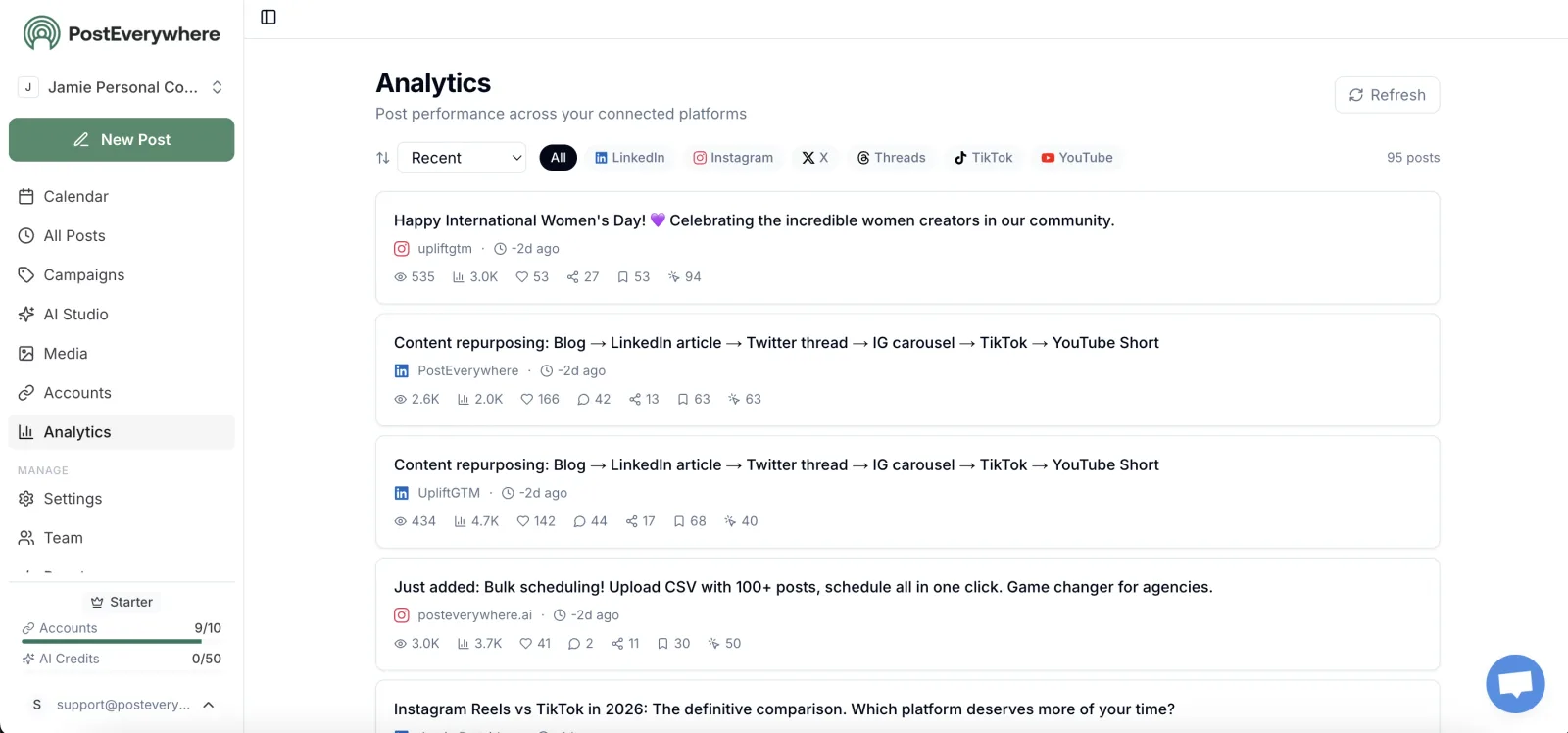
- More than a pipe. AI Studio writes captions and creates images and video, and one composer lets you customise each post per platform with live previews per account, plus a content calendar, posting queue and bulk CSV upload of up to 200 posts per file.
- All top platforms. Instagram, TikTok, YouTube, LinkedIn, Facebook, X (Twitter), Threads, Pinterest, Bluesky, Telegram, Discord and Google Business Profile from one place, with an iPhone app on the go.
Pair it with a clipping tool if you need one, then start a 7-day free trial from our social media scheduler page and schedule your next video everywhere today.
What Repurpose.io actually does
Repurpose.io is workflow automation for content you have already made. You set a trigger, a new YouTube upload, a new podcast episode, a finished livestream, and it pushes that file to the destinations you chose, resized and de-watermarked.
That is genuinely useful, and for a podcaster publishing to six places it saves real hours. The complaints are consistent though:
- The price. Entry is $35/mo (Starter, 3 accounts per network) and scales to $179 (Agency, 25 accounts per network), considerably more than a scheduler that publishes to more platforms.
- It does not cut anything. No AI picks your best moment. It moves and reformats what you feed it.
- Accounts-per-network pricing means costs climb as you add accounts on each platform, whether or not you post more.
So the question is not "what else repurposes content." It is "which half of this do I actually need."
Publishing to more than three platforms and paying over $35 a month for it? PostEverywhere covers all top platforms from one composer from $9/mo, with a 7-day free trial. A card is required to start it. See plans
If you need distribution: the schedulers
This is Repurpose.io's core job, and the category where you will save the most money.
1. PostEverywhere: Best Repurpose.io Alternative for AI Agents



Publishes to all top platforms
 Instagram
 Facebook
 X
X LinkedIn
 TikTok
 Threads
 Bluesky
 Telegram
 Discord
 YouTube
 Pinterest
 WordPress
 Google Business Profile
Why PostEverywhere wins
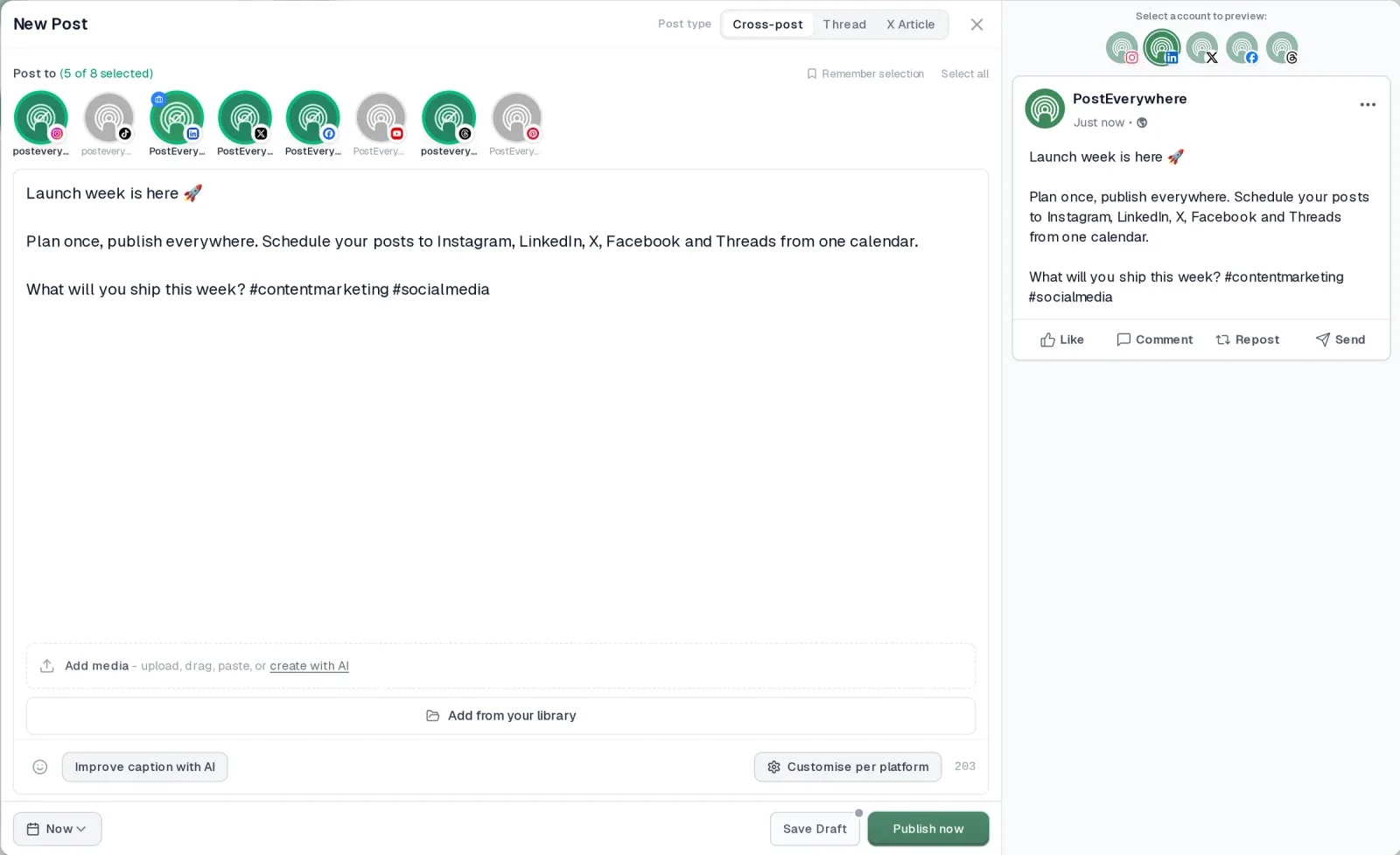
- It's simple. One composer for every platform: write the post once, tweak the caption per platform, check the live preview for each account and schedule it.
- One flat price, nothing locked away. From $9 a month. Every plan includes unlimited posts, the full API, the hosted MCP server and AI Studio, with no per-channel fees.
- Every top platform in one place. Instagram, TikTok, YouTube, LinkedIn, Facebook, X, Threads and Pinterest, plus Bluesky, Telegram, Discord, WordPress and Google Business Profile.
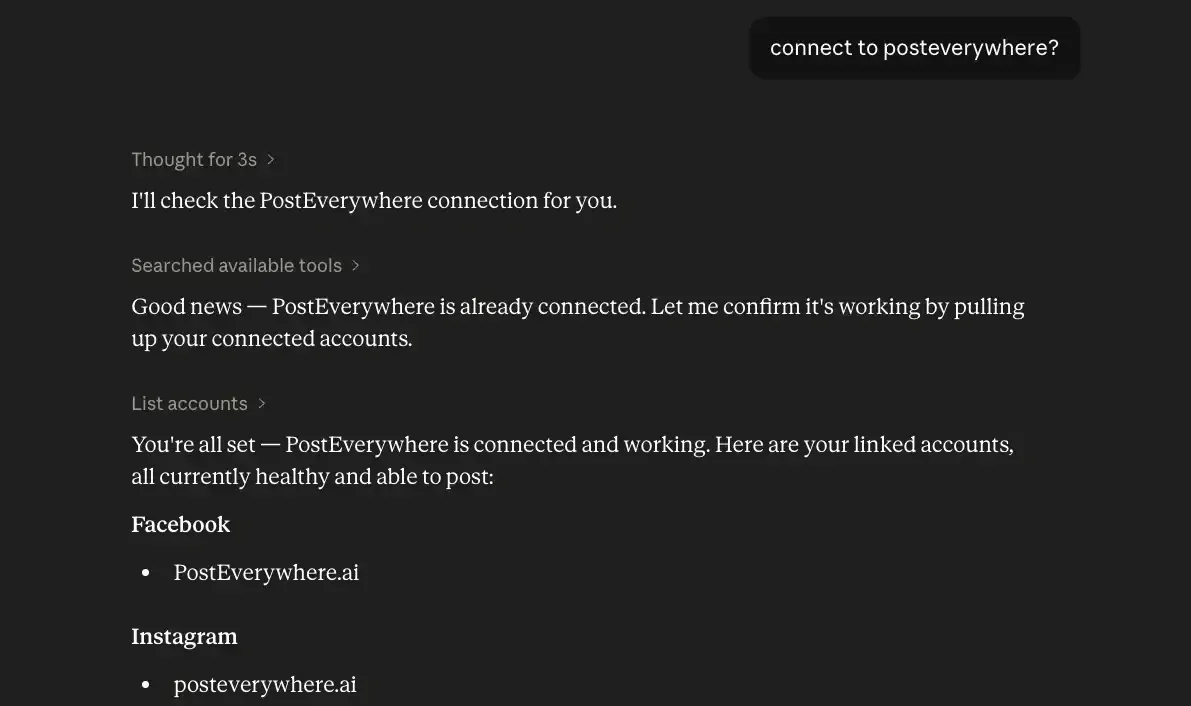
- Your AI agent can run it. Connect Claude, ChatGPT or Cursor in about a minute and ask it to plan, write and schedule your posts.
- Create in the same tool. AI Studio makes captions, images and video, so you don't need a second app before you post.
How PostEverywhere works
- Connect your accounts. Link your social accounts once, across all top platforms.
- Create the post. Write it in the composer, make images and video in AI Studio, or ask Claude or ChatGPT to draft and schedule it for you.
- Schedule it everywhere. Tweak the caption for each platform, check every preview, and it goes out on time from one calendar.
Switching from Repurpose.io?
| Repurpose.io | PostEverywhere | |
|---|---|---|
| What an AI agent can do (MCP) | No MCP server listed | Publish, schedule, queue, best time, bulk, retry, connect accounts |
Connect your accounts, then schedule your first post from the composer or ask your AI agent to do it. Your Repurpose.io account keeps running until you cancel it.
Built for AI agents
- Agents do the whole job. A full hosted MCP server with up to 44 tools: publish, schedule, use your queue or the best time, bulk-schedule 50 posts at once, check results, retry failures and send links to connect new accounts. Some rival MCP servers only read data or create drafts.
- $29 a month for 10 accounts, flat. Full API and agent access included, with no per-channel, per-seat or per-call fees. The same 10 accounts cost $60 a month on Buffer and $99 per user (billed annually) on Hootsuite.
- Nothing gated. API, MCP and webhooks come with every plan, from Lite. Several rivals keep their API for higher tiers or a sales call.
- Connected in a minute. One click adds PostEverywhere to Claude, with one-click installs for Cursor and VS Code. ChatGPT adds it under Plugins.
Plans: Lite $9 a month (2 accounts), Starter $19 (5), Growth $29 (10), Scale $39 (20). Every plan includes unlimited posts, the full API, the hosted MCP server and AI Studio.
“This tool has truly made my content posting so much easier, I can't work without it. I can schedule my posts days in advance while working on other projects. Set it and forget it.”
Also in PostEverywhere: a posting queue, bulk upload from CSV, approvals, analytics, an API and the iPhone app.
PostEverywhere is the agentic social media scheduler built for AI agents. Repurpose.io runs trigger rules you set up by hand; here, Claude or ChatGPT can take a finished clip and schedule it to every platform for you, and your own stack can do the same through the REST API and webhooks.
Full disclosure, this is our product. It covers the publishing half of Repurpose.io and adds the things you would otherwise buy separately, starting at $9 a month.
What it covers: All top platforms: Instagram, TikTok, LinkedIn, Facebook, X, YouTube, Threads, Bluesky, Telegram, Discord, Pinterest and Google Business Profile, from one composer with platform-specific formatting handled automatically.
Where it goes further than a pure scheduler:
- AI Studio for captions, images and video, included in the plan rather than a separate subscription. Credits are 10 a month on Lite, 25 on Starter, 100 on Growth and 500 on Scale.
- Visual content calendar with drag-and-drop planning, so a month of content is a view rather than a spreadsheet.
- Team workspaces with roles and approvals, which is what you need the moment more than one person touches the account.
- Analytics across all connected accounts in one place.
- Bulk scheduling by CSV, which is the closest thing to Repurpose.io's batch behaviour.
Pricing: Lite at $9/mo (2 accounts), Starter at $19/mo (5 accounts), Growth at $29/mo (10 accounts), and Scale at $39/mo (20 accounts). Annual billing saves 20%. Every plan includes a 7-day free trial and a card is required to start it. There is no free plan.
The honest limitation: PostEverywhere does not cut clips out of your video. It's built to publish what you, your AI agent or your code hand it. If you need a podcast turned into ten shorts automatically, pair it with a clipping tool from the next section.
Who it suits: anyone replacing Repurpose.io who also wants to stop paying separately for a caption writer, an image generator and a calendar. Every plan sits under Repurpose.io's $35 entry tier, and the AI studio, calendar and analytics are included.
The honest trade is workflow: PostEverywhere also covers Telegram and Discord, while PostOnce is built around auto-crossposting each new post from one main account.
2. PostOnce, a publish-only crossposting option
 PostOnce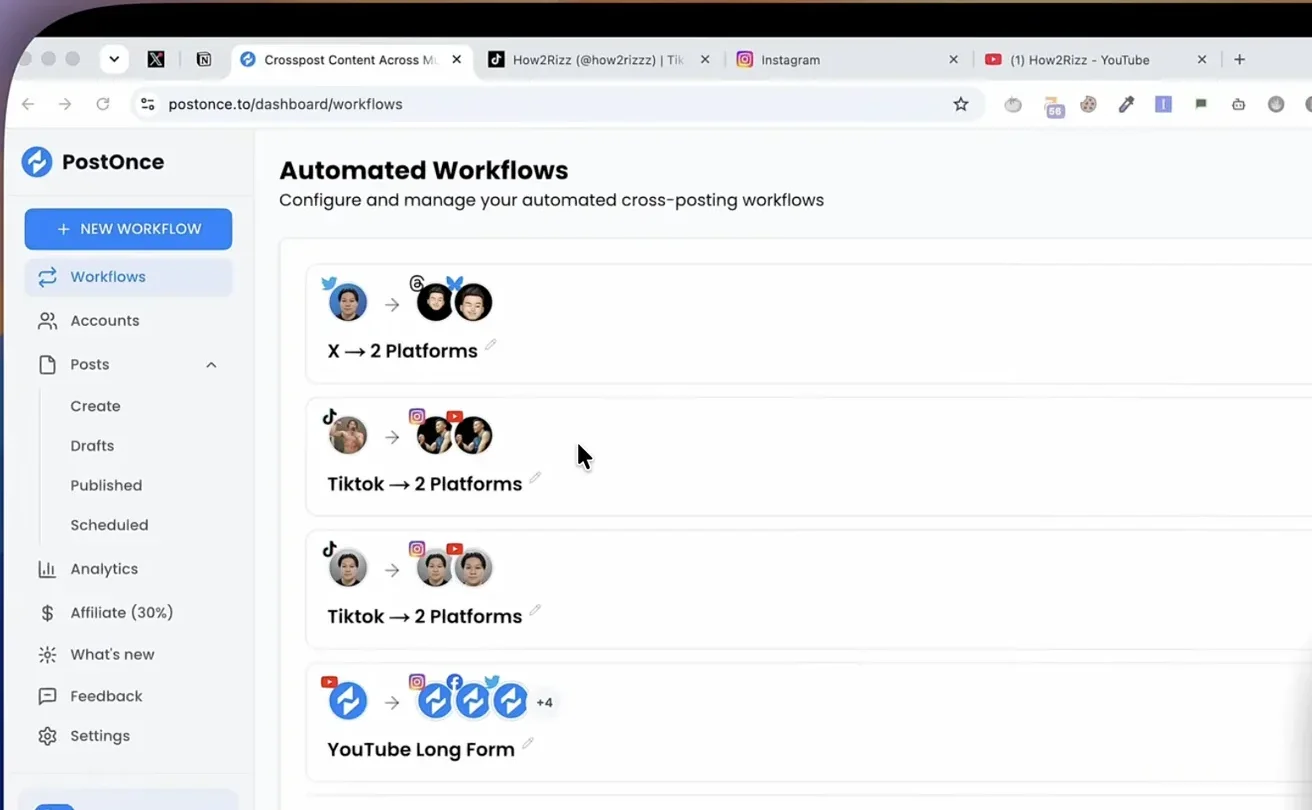
PostOnce does one job, publishing to many platforms from one place, without a content studio attached.
What it covers: Instagram, TikTok, YouTube, Facebook, LinkedIn, X, Threads, Bluesky and Pinterest. Nine platforms from one workflow, with a developer API and an MCP server on every plan so an AI agent can publish for you.
How it works: you connect your main account, set up a workflow, and each new post fans out to every other destination. It has no AI content studio, and by its own description it is not positioned as an analytics suite.
Pricing: Creator is $29/mo (15 accounts), or $261 a year billed annually. Pro at $69/mo raises it to 50 accounts, and Agency is $199/mo for 200. Every plan starts with a 7-day free trial with no card required, plus a 7-day full-refund window after you pay, and there are no per-channel fees, which matters because per-channel pricing is how tools in this space quietly triple.
Who it suits: creators and small teams who want the distribution half of Repurpose.io as a set-and-forget workflow, want new posts to go out everywhere automatically, and do not need an AI Studio or deep analytics attached.
3. Buffer, Hootsuite and the incumbents
Worth naming for completeness. Buffer has simple onboarding and a genuine free tier. Hootsuite has a deep enterprise feature set and the price to match. Both are fine; neither is cheaper than the two above for the same job, which is why they are not ranked higher here.
If you need clipping: a different category entirely
If you came to Repurpose.io expecting AI to find the best moments in your long-form video, it was never going to. These tools do.
OpusClip is a dedicated AI clipper. It scores clips for virality, adds animated captions and reframes to vertical automatically. Pricing is a free tier, Starter at $15/mo, Pro at $29/mo, and custom Business pricing.
Vizard is the alternative if you want word-level control over where clips start and end, or you publish in multiple languages. It has a free tier at 60 credits per month, where one credit is one minute of video.
Its paid tiers were showing a promotional banner rather than clear prices when we checked, so confirm current pricing on their site before committing.
Descript works differently again: you edit video by editing its transcript. If your bottleneck is trimming dead air and tightening rambling sections rather than finding highlights, it is faster than any timeline editor.
None of these publish on a schedule to all top platforms. They make the clips; something else distributes them, which is what a social media scheduler is for.
None of them handle the text half either. If your repurposing job is turning a blog post or a newsletter into platform-specific posts rather than cutting video, PostEverywhere's AI Studio covers that half.
The pairing most people actually need
The reason Repurpose.io feels like it should do everything is that the job genuinely has two halves. Split across two purpose-built tools, it is usually both cheaper and better:
| Job | Tool | Cost |
|---|---|---|
| Cut long video into shorts | OpusClip | $0 to $29/mo |
| Publish everywhere on a schedule | PostEverywhere | $9 to $39/mo |
| Combined | from $9/mo | |
| Repurpose.io alone | $35 to $179/mo |
That pairing costs less than Repurpose.io's mid-tier, adds AI clip selection Repurpose.io does not have, and covers all top platforms.
If you only need the publishing half, PostEverywhere starts at $9 a month (Lite) and Starter is $19 for 5 accounts, with the AI studio, calendar and team features included rather than bolted on.
PostOnce starts at $29 a month and is worth a look if you only want automatic crossposting from one main account.
Replacing Repurpose.io's distribution half? PostEverywhere publishes to all top platforms from one composer, with per-platform formatting, bulk CSV scheduling and a visual calendar. Start your 7-day trial
How to choose
Pick PostEverywhere if: you want distribution plus the content tooling around it, you need Telegram or Discord in the mix, or more than one person touches the accounts.
Pick PostOnce if: you want distribution only as a simple set-and-forget workflow, you want each new post on your main account sent everywhere else automatically, and you do not need AI content or analytics.
Pick OpusClip or Vizard if: your actual problem is that you have three hours of footage and no time to find the good bits. Then add a scheduler.
Stay on Repurpose.io if: its specific trigger-based automations map exactly to your workflow and the price is not the issue. It is a mature tool that does its narrow job well.
Still weighing the wider field rather than just Repurpose.io? Our best social media management tools comparison covers the full category, and we rank the incumbents in detail in best social media scheduling tools and best cross-posting tools.
If your shortlist has already drifted toward the incumbents rather than Repurpose.io, we have written up what actually replaces Buffer and what replaces Hootsuite on their own terms.
Frequently asked questions
Is Repurpose.io worth it in 2026?
It depends entirely on which half of the job you need. As a distribution automation layer it works and has done since 2016, but at $35 to $179 per month (as of October 2026) it is priced above schedulers that publish to more platforms.
If you assumed it also finds and cuts your best moments, it does not, and a clipping tool plus a scheduler will serve you better for less.
What is the cheapest Repurpose.io alternative?
For distribution only, PostEverywhere starts at $9 per month (Lite, 2 accounts) across all top platforms with AI content generation included, and Starter is $19 for 5 accounts. PostOnce starts at $29 per month ($261 a year on annual billing) across 9 platforms. Both undercut Repurpose.io's $35 entry tier.
Does PostEverywhere repurpose video like Repurpose.io?
Not in the clipping sense. PostEverywhere publishes and formats content across all top platforms and includes AI Studio for turning written content into platform-specific posts. It does not automatically cut long video into short clips. For that, pair it with OpusClip or Vizard.
Can I replace Repurpose.io with a scheduler?
If you were using it to distribute finished content, yes, and usually for less money. If you were using its trigger-based automations, for example "every new podcast episode goes to these six places automatically," check that your chosen scheduler supports the same triggers, because most schedulers require you to upload rather than watch a source feed.
What is the difference between cross-posting and repurposing?
Cross-posting publishes the same core content to multiple platforms with formatting adjustments. Repurposing transforms content into a genuinely different format, a podcast into clips, a video into a carousel. They are often confused, which is why some cross-posting underperforms. We cover the distinction in cross-posting vs repurposing.
Do any of these have a free plan?
OpusClip and Vizard both have free tiers with usage limits. PostEverywhere offers a 7-day free trial rather than a free plan, with a card required to start. PostOnce offers a 7-day free trial with no card required, plus a 7-day full-refund window.
Repurpose.io offers a 14-day free trial (or 10 published videos) with no credit card required.
Sources and further reading

Founder & CEO of PostEverywhere. Writing about social media strategy, publishing workflows, and analytics that help brands grow faster.