What are the best social media publishing tools? PostEverywhere ranks first: it's the agentic social media scheduler built for AI agents, so Claude or ChatGPT can publish natively to all top platforms for you, or you publish everywhere in one click from one composer, starting at $9/month. Buffer suits one to three channels on a small budget, and Hootsuite suits enterprise teams.
I'll be honest with you: I didn't set out to write this guide. I set out to find one publishing tool that could push a single post to every network I use without me having to log in eight times, crop four images, and re-upload two videos. Three weeks and eleven free trials later, I had a spreadsheet, a lot of strong opinions, and this article.
If you've ever hit "publish" on one platform and thought "right, now do that seven more times," this guide is for you. Publishing, the actual act of sending content live, is where most creators and marketers lose hours every week. A great social media publishing tool collapses that multi-step mess into a single click.
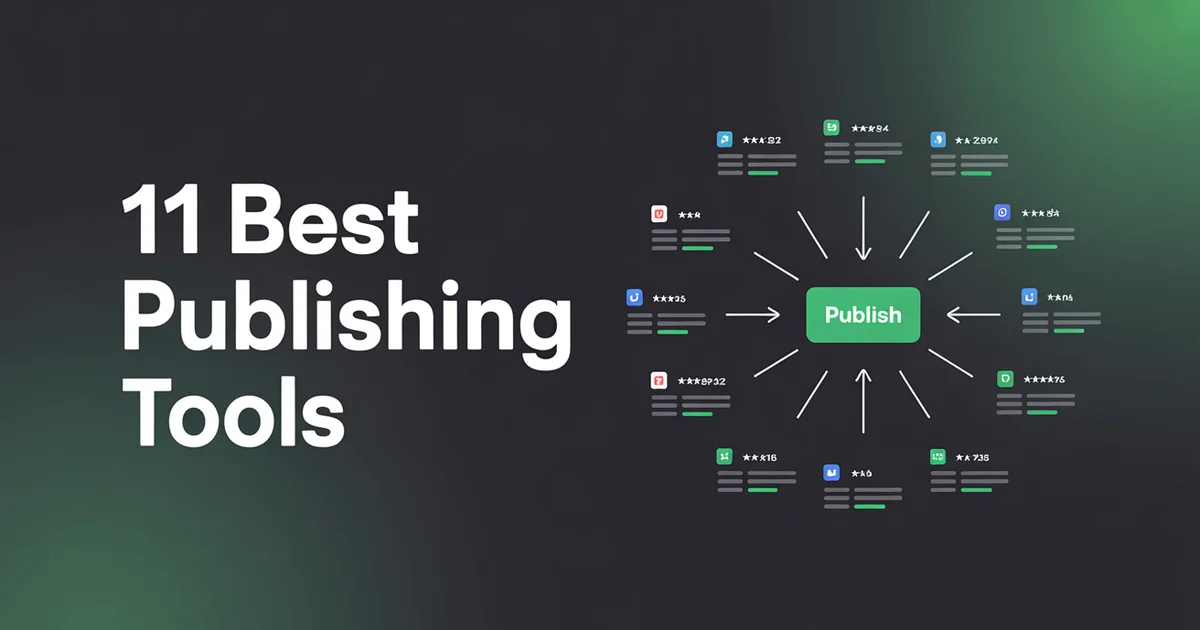
Below are the 11 I tested, in the order I'd personally recommend them. I ran real posts through each one (text, image carousels, Reels, LinkedIn documents) and scored them on reliability, platform coverage, speed, and whether the UI made me want to throw my laptop.
The limits that break this are mapped on our social media automation page.
How I Tested
For each tool I signed up for a free trial (no demos, no sales calls), connected my real accounts for Instagram, Facebook, LinkedIn, X, TikTok, YouTube Shorts, Threads, and Pinterest, and pushed three types of content through:
- A simple text-and-image post
- A 6-slide carousel
- A 30-second vertical video
I tracked three things: did it actually publish, did it publish natively (not as a link), and how many clicks did it take from idea to live. If a tool silently failed on TikTok or dumped a YouTube Short as a "link post" on Facebook, it lost points.
I also timed the workflow. A tool that takes 14 clicks to publish one post to eight networks is objectively worse than one that takes 3 clicks, even if the end result looks identical. Over a year, those clicks add up to hours, and as a solo founder, hours are the one thing I can never reclaim. My baseline benchmark was: how long does it take to go from "I have an idea" to "it's live on every network"? The best tool did it in under 90 seconds. The worst took nearly 9 minutes.
Finally, I tested edge cases most review articles ignore: what happens when one network is down, what happens to a carousel when Instagram silently rejects the third image, and whether the tool tells you about failures or just hopes you don't notice. Publishing tools live and die on these details.
1. PostEverywhere: Best for AI Agents and One-Click Publishing
PostEverywhere is the agentic social media scheduler built for AI agents. Ask Claude or ChatGPT to publish a post and it goes out natively to every network you choose, or trigger publishing from your own stack through the REST API, webhooks and MCP server.
Price: $9 to $39/month across four plans (Lite, Starter, Growth, Scale). 7-day free trial, cancel anytime. Best for: Anyone who wants an AI agent to do the publishing, plus solo creators and small teams who want to publish to every network at once without paying enterprise prices.
I'm putting PostEverywhere at number one and yes, I run the company, but I also genuinely used every other tool on this list and came back to ours. Here's why.
Pros:
- True one-click publishing to all top platforms. Instagram, Facebook, LinkedIn, X, TikTok, YouTube, Threads, Pinterest, Bluesky, Telegram, Discord, and WordPress. One compose window, one button, eight live posts. That's it. No per-channel upcharges.
- Native publishing everywhere. No "link in bio" fallbacks. Reels go up as Reels, Shorts as Shorts, carousels as carousels. This is harder than it sounds, and several tools on this list fake it.
- AI built in, not bolted on. The AI content generator rewrites one caption into platform-specific versions, so LinkedIn gets the long-form and X gets the punchy hook automatically.
Cons:
- No free forever plan (just a 7-day trial).
- No social inbox or listening. It's built to be driven by an AI agent or your own code instead.
Verdict: If your main pain is "I write one post and then have to publish it eight times," this is the tool I'd recommend without hesitation. At $29/month it's cheaper than Buffer once you connect more than two channels, and it's the only tool I tested where a carousel + Reel + long-form post went out to every network without me touching anything after hitting publish. The publishing window also handles the fiddly stuff automatically: Instagram's 2:3 aspect ratio, LinkedIn's 3,000-character cap, X's 280-character limit, TikTok's caption quirks, and YouTube Shorts' vertical requirements. You write once; PostEverywhere adapts once. See pricing for full details and the social media scheduler page for the queue-based workflow.
Ready to stop copy-pasting captions? Try PostEverywhere free for 7 days. Cancel anytime. Connect all top platforms and publish everywhere in one click.
2. Buffer: The Minimalist Starting Point
Price: Free for 3 channels (limited); Essentials from $6/month per channel. Good for: Beginners and solopreneurs publishing to 1–3 networks. Site: Buffer
Buffer is the tool I've recommended to friends starting out for years. The free plan is generous enough to get a hobby account off the ground, and the compose window is one of the cleanest in the industry.
Pros:
- Genuinely useful free plan (3 channels, 10 scheduled posts per channel).
- Beautifully minimalist UI with zero learning curve.
- Rock-solid reliability; in my testing it never failed to publish.
Cons:
- The per-channel pricing gets expensive fast. Six channels = $36/month.
- Video features are thin compared to Later or PostEverywhere.
Verdict: Start here if you're brand new and only on two or three networks. The moment you add a fourth channel, re-run the maths against a flat-rate tool, which is the comparison we set out in our head-to-head against Buffer.
3. Hootsuite: Built for Large Teams
Price: Professional from $99/month; Team $249/month; Enterprise custom. Good for: Large brands and agencies that need audit trails, SSO, and a sales rep on speed dial. Site: Hootsuite
Hootsuite is the grandparent of social media scheduling and publishing. It's feature-packed, it's been around forever, and it's priced accordingly.
Pros:
- Streams-based dashboard is still one of the best ways to monitor multiple accounts at once.
- Deep integration library (Canva, Grammarly, Adobe, Zendesk).
- Enterprise-grade approvals, compliance, and role management.
Cons:
- Starts at $99/month. That's a lot for a solo creator.
- The UI feels bloated compared to modern tools: lots of menus within menus.
Verdict: Worth it if you're a regulated industry or a 10+ person marketing team. Overkill for everyone else, and we break the pricing down in PostEverywhere vs Hootsuite.
4. Later: Visual-First Planning
Price: Starter $25/month; Growth $45/month; Advanced $80/month. Good for: Instagram-first creators, photographers, e-commerce brands. Site: Later
Later started life as an Instagram scheduler and it shows: the visual content calendar and drag-and-drop grid preview are still the strongest of any tool here.
Pros:
- Visual Instagram grid preview is unmatched for planning aesthetic feeds.
- Link-in-bio tool (Linkin.bio) is included.
- Strong media library with tagging and search.
Cons:
- Weaker on LinkedIn and X than on visual platforms.
- The Starter plan only gives you one "set" of social profiles.
Verdict: If Instagram is 80% of your strategy, Later earns its spot. For true multi-channel cross-posting, it's not the one.
5. SocialBee: Category-Based Queues
Price: Bootstrap $29/month; Accelerate $49/month; Pro $99/month. Good for: Evergreen content strategies (blog promoters, podcasters, coaches). Site: SocialBee
SocialBee's killer feature is content categories: you bucket your posts into themes (Promo, Educational, Curated, Quote) and it recycles them intelligently on a schedule you control.
Pros:
- Category-based recycling is brilliant for evergreen content.
- Includes concierge services on higher tiers.
- Good AI caption generator.
Cons:
- UI feels a bit 2019.
- Category setup is a time investment before you see value.
Verdict: Great for bloggers and podcasters pushing the same 50 pieces of content in rotation, the evergreen approach we cover in planning a month of content in one sitting. Not the right shape for news-led or reactive content.
6. Planable: Approval-Led Collaboration
Price: Free (50 posts); Basic $33/month; Pro $49/month; Enterprise custom. Good for: Agencies and in-house teams where every post needs client sign-off. Site: Planable
Planable nails one thing brilliantly: the preview-and-approve workflow. Clients see exactly what the post will look like on each network before they click approve.
Pros:
- Pixel-perfect previews for every platform.
- Multi-stage approval workflows (internal review → client review → publish).
- Genuinely good free plan for small agencies.
Cons:
- Publishing reliability was the second-worst in my test: two TikTok fails in three attempts.
- Analytics are barely there.
Verdict: The strongest approval flow here, but I'd pair it with another tool for measuring what actually performed.
7. Publer: Bulk Upload Workhorse
Price: Free (3 accounts, 10 scheduled posts); Professional $12/month; Business $24/month. Good for: Marketers managing dozens of accounts on a budget. Site: Publer
Publer surprised me. It's cheap, it's fast, and its bulk upload feature (CSV + media) is the best I tested.
Pros:
- Bulk scheduling via CSV is lightning-fast.
- Affordable: $12/month for the paid tier.
- Workspaces keep multiple brands cleanly separated.
Cons:
- Mobile app is clunky.
- Some native features (like LinkedIn document posts) are missing.
Verdict: If you publish high volumes on a budget, Publer is hard to beat, though uploading a batch from a spreadsheet is worth testing before you commit. I still prefer PostEverywhere for the native feature parity.
8. Social Champ: The Low-Cost Option
Price: Champion $26/month; Business $89/month; Agency custom. Good for: Small teams wanting a Buffer-like feel at a flat rate. Site: Social Champ
Social Champ is basically Buffer with more channels baked into the base plan. It's unremarkable in the best possible way: it just works.
Pros:
- Flat pricing (no per-channel charges).
- Decent AI suite for captions and hashtags.
- Bulk upload and content recycler both included.
Cons:
- Support response times were slow in my testing (48+ hours).
- Analytics are basic.
Verdict: A solid, unflashy choice. Worth a look if PostEverywhere and Buffer don't fit your needs.
9. Sendible: White-Label Agency Setup
Price: Creator $29/month; Traction $89/month; White Label $240/month. Good for: Agencies wanting a branded dashboard for clients. Site: Sendible
Sendible has been a quiet workhorse in the agency space for over a decade. The white-label option is genuinely useful if you resell social media management.
Pros:
- Full white-label branding on higher tiers.
- Strong client management and reporting.
- Good Canva and Google Drive integrations.
Cons:
- UI feels dated.
- Entry tier only supports 6 accounts.
Verdict: The right choice if you're running an agency and want to white-label, and worth reading alongside how agencies separate client workspaces. Otherwise, the value proposition is weaker.
10. Loomly: Structured Workflow Control
Price: $49/month Starter billed annually ($65 monthly); Beyond $249/month billed annually ($332 monthly). No free plan. Good for: Marketing teams that live in feedback loops. Site: Loomly
Loomly treats content as a pipeline. Every post moves through draft → pending approval → approved → scheduled → published with comments and version history at each step.
Pros:
- Excellent post-level commenting and version control.
- Post inspiration engine suggests topics and trends.
- Beautiful, modern UI.
Cons:
- Starts at $49/month (Starter, billed annually): steep for what's basically a workflow layer.
- Publishing features are average; scheduling is where it shines.
Verdict: Pick Loomly if approval workflows are your main bottleneck. If raw publishing speed matters more, look elsewhere.
11. Sprout Social: Deep Reporting
Price: Essentials $79/seat/month; Standard $199/seat/month; Professional $299/seat/month; Advanced $399/seat/month (all billed annually). Good for: Data-obsessed enterprise teams. Site: Sprout Social
Sprout is the Rolls-Royce of social media suites. The analytics, listening, and CRM integrations are genuinely the best I've seen. It's also priced like a Rolls-Royce.
Pros:
- Category-leading analytics and reporting.
- Deepest social listening and CRM integration of any tool tested.
- Polished, reliable publishing.
Cons:
- $199 per seat, per month on Standard (billed annually). That's $2,388 per user per year.
- Most features are overkill for sub-10-person teams.
Verdict: If you're a large brand with a real analytics budget, Sprout is incredible, and our reporting roundup covers the cheaper ways to get most of it. For most readers of this article, it's more than you need.
Want native publishing without the Sprout price tag? See how PostEverywhere compares: same native posting, 92% cheaper.
Comparison Table
| Tool | Starting Price | Free Plan | Best For | Native Publishing |
|---|---|---|---|---|
| PostEverywhere | From $9/mo | 7-day trial | AI agents and one-click publishing | All networks in this test |
| Buffer | $6/mo/channel | Yes | Beginners | 6/8 networks |
| Hootsuite | $99/mo | No | Enterprise | 8/8 networks |
| Later | $25/mo | No | Visual brands | 7/8 networks |
| SocialBee | $29/mo | No | Evergreen content | 7/8 networks |
| Planable | $33/mo | Yes (50 posts) | Team approval | 6/8 networks |
| Publer | $12/mo | Yes | Bulk publishing | 7/8 networks |
| Social Champ | $26/mo | Yes | Budget pick | 7/8 networks |
| Sendible | $29/mo | No | White-label | 7/8 networks |
| Loomly | $49/mo (annual Starter) | No | Approvals | 7/8 networks |
| Sprout Social | $199/seat/mo (Standard, annual) | No | Analytics | 8/8 networks |
Publishing vs Scheduling: What's the Difference?
A question I get a lot: aren't publishing and scheduling the same thing? No, and understanding the difference will save you money.
Publishing is the act of a post going live. A publishing tool's job is to reliably push content onto a network, in the correct native format, at the exact moment you (or your schedule) tells it to. If your Reel uploads as a flat MP4 post instead of as a Reel, your publishing tool has failed you even if the scheduling worked.
Scheduling is the timing layer that sits on top. A scheduling tool lets you queue posts for future dates and times, ideally based on when your audience is most active (a best time to post calculator helps here).
Most modern tools do both: but they don't do both equally well. Buffer is an excellent scheduler whose publishing is merely fine. Planable is a great approval tool whose publishing broke on me twice. PostEverywhere was built publishing-first: reliability on the moment of posting was the design goal.
If you want to understand how to publish across all platforms at once, you need a tool that gets the publishing layer right before anything else.
Here's the practical test I use: schedule a post for 30 seconds in the future, then wait. If the post appears natively on every network at the scheduled second, your publishing layer is solid. If it shows up as a link, appears late, or silently skips TikTok because "TikTok integration requires additional setup," you've got a scheduler that pretends to publish. Those two things feel identical when everything's working. They feel very different on a Monday morning when a product launch goes live on four networks and not the other four.
A reliable publishing tool also owns the failure case. When something breaks (and sometimes it will: APIs go down, tokens expire, Instagram rejects an image for reasons nobody can explain), the tool should tell you clearly, retry automatically where it can, and give you a one-click fix. This is where PostEverywhere, Hootsuite, and Sprout pulled ahead of the pack in my testing. The cheaper tools often just shrug and leave the post in a "failed" state you have to discover yourself.
What to Look for in a Social Media Publishing Tool
After testing all 11, here's my checklist for picking the right one, paired with our broader social media tools comparison if you also want a scheduling-first view:
Native format support. Does it publish Reels as Reels, Shorts as Shorts, carousels as carousels? If it ever falls back to "link post," pass.
Platform coverage. How many networks can it post to in a single click? The sweet spot in 2026 is at least 8 (IG, FB, LI, X, TikTok, YT, Threads, Pinterest), and the widest coverage here reaches 11 by adding Bluesky, Telegram and Discord.
Flat vs per-channel pricing. Per-channel looks cheap until you connect 6 accounts. Do the maths.
AI caption adaptation. Does it auto-adjust captions per platform, or is it a dumb copy-paste?
Reliability. Not glamorous, but the difference between "scheduled" and "actually published." Read recent reviews on G2 and Capterra.
Approvals (if you're a team). Can clients or stakeholders review before content goes live?
Analytics. Enough to prove ROI without needing a separate tool.
Mobile app quality. If you post on the go, this matters more than any feature list suggests.
If you're not sure which of these matters most for your use case, start with my best social media scheduling tools guide for a scheduling-first view, or my best cross-posting tools guide if multi-network is your priority.
The fastest way to know if a tool works for you is to try it. PostEverywhere offers a 7-day free trial. Cancel with a single click before the trial ends. Publish your first post to all top platforms in under 60 seconds.
FAQs
What's the best social media publishing tool in 2026?
In my testing, PostEverywhere came out on top. It publishes natively to all top platforms in one click from $9/month, and its hosted MCP server lets Claude or ChatGPT do the publishing for you on every plan. Buffer suits 1–3 channels on a small budget, Hootsuite suits enterprise teams, and Sprout Social suits deep analytics, at a much higher price.
What's the difference between publishing and scheduling tools?
Publishing is the act of sending a post live. Scheduling is the timing layer that queues posts for later. Most modern tools do both, but reliability at the publishing layer (native format support, no fallbacks to link posts) varies wildly. See the publishing vs scheduling section above.
Is there a free social media publishing tool?
Yes: Buffer, Publer, Planable, and Social Champ all have free tiers. They're limited (usually 3 channels and 10–50 scheduled posts), but enough to get started. PostEverywhere offers a 7-day free trial on all plans, cancel anytime.
Can I publish to Instagram, TikTok, and YouTube from one tool?
Yes, but not all tools support all three natively. PostEverywhere, Hootsuite, and Sprout Social handle Instagram Reels, TikTok videos, and YouTube Shorts as native formats. Cheaper tools sometimes fall back to link posts for one or more of those.
What's the cheapest social media publishing tool?
PostEverywhere (from $9/month) is the cheapest paid tool on this list and covers all top platforms natively with 1-click publishing. Publer starts at $12/month.
Do I need a separate tool for scheduling and publishing?
No. Every tool on this list handles both. Just make sure the one you pick is strong on publishing reliability. If a scheduled post fails to publish, the scheduling was pointless.
Which publishing tool works best for TikTok?
PostEverywhere, Hootsuite, and Later all support native TikTok publishing (video uploads directly, no "reminder" mode). I had the fewest TikTok failures with PostEverywhere and Hootsuite during my tests. See how PostEverywhere schedules TikTok videos for the full TikTok workflow.
Can a social media publishing tool post to several networks from one draft?
Yes, and a good publishing tool should do it natively for every network it supports. PostEverywhere lets you write one draft, adapt it per platform, and publish or schedule it across all your connected accounts. Most other tools on this list support multi-network publishing too, but not always natively for every network. If distributing one post everywhere is your main need, our roundup of the best cross-posting tools compares the tools built specifically for it.
The Bottom Line
If you've read this far, you already know publishing is the unsexy plumbing of social media marketing. It's not the fun part. It's not the strategy part. It's the "at 9am every day I have to push the same thing to 8 places" part. The right tool deletes that chore entirely.
My honest recommendation: if you're publishing to 4+ networks, start with a 7-day trial of PostEverywhere. If you're only on 2–3 channels and budget is everything, grab Buffer's free plan. If you're in a regulated enterprise, Hootsuite or Sprout Social are worth the premium.
Whatever you pick, the test is simple: draft one post, hit publish, and see if it shows up natively on every network you care about. The tool that passes that test is the one that deserves your monthly subscription.
One last piece of advice: don't over-optimise the tool choice. The biggest wins in social media don't come from picking the marginally better publishing platform: they come from publishing more consistently. A decent tool you actually use every day beats a perfect tool you abandon after two weeks. Whatever you choose, commit to a 30-day test: use it daily, track how it affects your output, and then decide. I've watched more marketers lose a month to "tool research paralysis" than I've watched them regret their choice.
The tools that topped my list, PostEverywhere, Buffer, and Hootsuite, all win for the same core reason: they get out of the way. You open the compose window, you write your post, you hit publish, and you move on with your day. Anything that adds friction to that loop is a tool that's working against you, no matter how impressive its feature list looks on the homepage.
Now stop reading review articles and go ship something. The AI content generator can even write your next caption if you're stuck, social media AI agents can queue the whole week for you, and if you get serious about distribution, pair them with a cross-posting workflow to hit every channel without duplicating work.
Try PostEverywhere free for 7 days: sign up here, cancel anytime. Connect all top platforms, publish in 1 click, and see why it topped my 2026 rankings.
Publishing without measurement is guesswork: the analytics tools roundup ranks the reporting side of the stack.

Founder & CEO of PostEverywhere. Writing about social media strategy, publishing workflows, and analytics that help brands grow faster.