What's the best Planoly alternative? PostEverywhere is the best Planoly alternative overall, and the one built for AI agents: it's the agentic social media scheduler that Claude or ChatGPT can use to write and schedule your posts to all top platforms, with AI caption and image generation included and accounts counted individually rather than in Planoly's "social sets", from $9 a month. Among the other Planoly alternatives, Later is the closest match for grid planning.
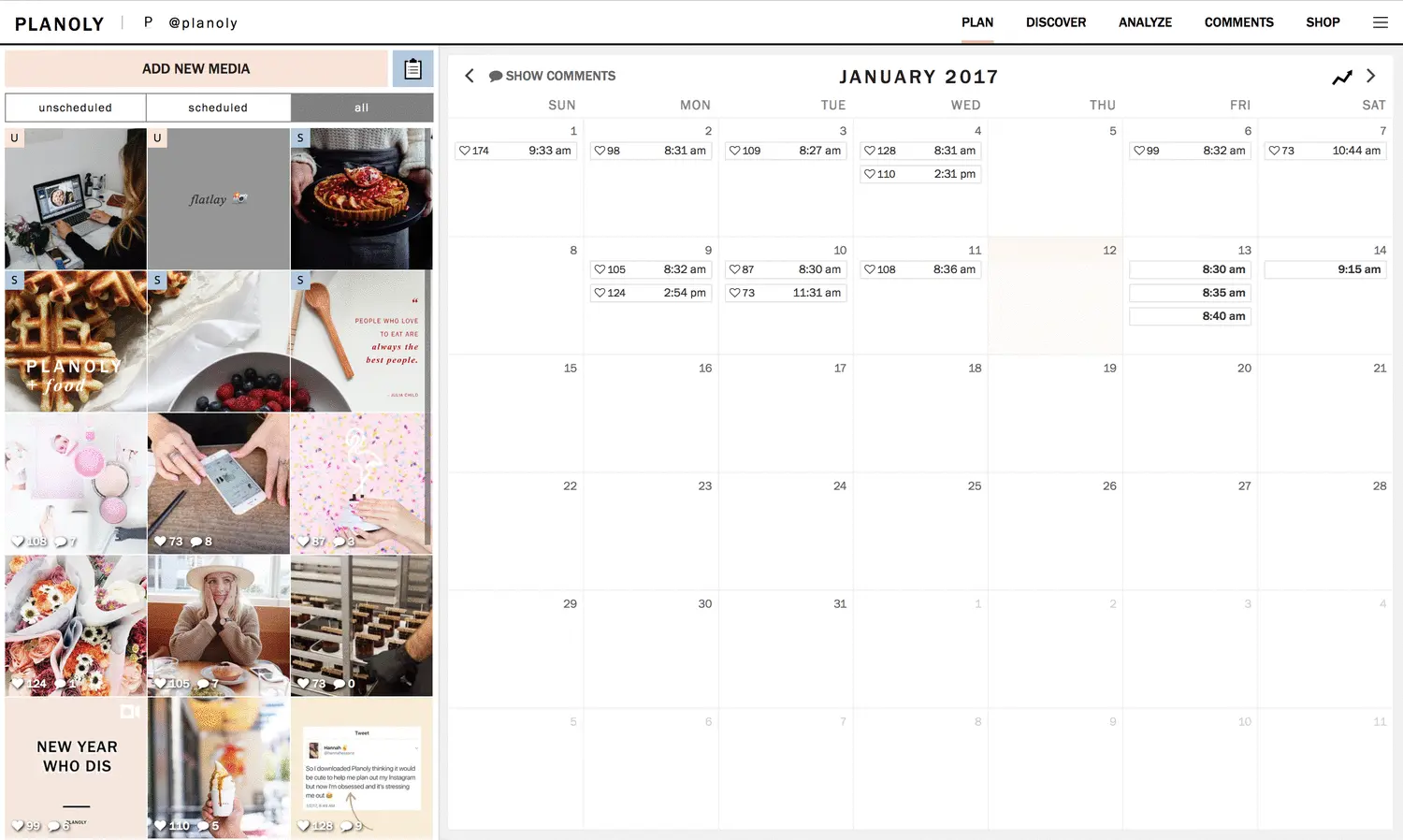
I used Planoly for almost two years. The visual grid planner was the reason I signed up: drag photos around, see exactly how your Instagram feed would look before posting, feel good about your aesthetic. In 2021, that was genuinely innovative.
Then the free plan shrank. Planoly used to give you 30 uploads per month at no cost, which was enough for most solo creators posting once a day. Today the free plan lives only in the mobile app and is capped at 10 uploads a month.
Paid plans start with Starter at $14/month (one social set, one user), and Growth at $24/month adds a second set and a second user.
If you need more than two social sets, Pro is $47/month for six sets and six users, and extra sets and users are paid add-ons on every tier.
I spent three weeks testing every credible Planoly alternative on the market. I scheduled real posts across multiple platforms (including cross-posting tools that let you post to all social media at once), tested AI features, compared how pricing scales when you actually use the tool, and tracked what published correctly. These seven stood out.
Why people are switching from Planoly
Before the alternatives, here's what changed, and why the complaints on review sites have gotten louder.
The free plan shrank to almost nothing. Planoly built its user base on free access. Creators recommended it to other creators because you could plan and schedule Instagram posts without paying anything.
Today the free tier is mobile-only and gives you 10 uploads per month, which is one post every three days on a single platform.
Upload limits used to be the sore point. Older Planoly plans capped monthly uploads, so cross-posting one piece of content to Instagram and Pinterest used two of them. Current paid plans include unlimited uploads, but the cap still applies on the free plan, and every extra brand needs another social set.
Auto-posting breaks regularly. Scroll through recent reviews on G2 and Trustpilot and you'll see a pattern: posts that were scheduled but never went live. For a tool whose entire job is publishing on time, unreliable auto-posting is a dealbreaker.
I experienced this myself: two Instagram Reels I scheduled simply didn't publish, with no error notification.
Analytics are bare minimum. Planoly gives you basic engagement numbers but nothing you couldn't get from Instagram's native insights. There's no competitor benchmarking, no engagement rate calculator, no content performance trends over time.
If you're making decisions based on data, you'll need a separate analytics tool.
Support is slow or nonexistent. Multiple reviewers describe waiting days for responses to billing issues. One user on Trustpilot reported being charged over $500 across six years without realizing they'd been auto-renewed because cancellation confirmation emails never arrived.
Stealth auto-renewals and a clunky cancellation process are recurring complaints.
The mobile app crashes. The iOS and Android apps have consistent reports of freezing mid-upload, losing draft captions, and crashing when loading the grid planner. For a tool that was originally designed as mobile-first, the app reliability has declined noticeably.
To be fair, Planoly still does some things well. The visual grid planner is still well made. It supports nine platforms now, which is more than it used to. The AI caption writer is functional for basic suggestions, and hashtag groups save time if you reuse the same tag sets.
But the pricing structure, reliability issues, and support quality push a lot of users to look elsewhere.
If Planoly still works for your specific workflow, there's no reason to panic-switch. But if you're paying $14–$47/month and hitting workspace limits or dealing with failed posts, these alternatives give you more for less.
Quick comparison (October 2026)
| Tool | Entry price | Unlimited posts | AI image gen | Visual grid planner | What an AI agent can do (MCP) |
|---|---|---|---|---|---|
| Planoly | $14/mo (Starter, annual) | Yes (paid plans) | No | Yes | None listed |
| PostEverywhere | From $9/mo | Yes | Yes | No (cross-platform calendar) | Publish, schedule, queue, best time, bulk, retry, connect accounts |
| Later | $18.75/mo (annual) | Capped on lower tiers | No | Yes | None listed |
| Buffer | $5/channel (annual) | Yes | No | No | – |
| SocialBee | $29/mo | Yes | No | No | None listed |
| Hootsuite | $99/user/mo (annual) | Yes | No | No | – |
| Metricool | $25/mo | Mostly | No | No | – |
| Tailwind | Sold per Pinterest account | Yes | No | Yes (IG + Pinterest) | – |
1. PostEverywhere: best Planoly alternative for AI agents and every platform

Publishes to all top platforms
 Instagram
 Facebook
 X
X LinkedIn
 TikTok
 Threads
 Bluesky
 Telegram
 Discord
 YouTube
 Pinterest
 WordPress
 Google Business Profile
Why PostEverywhere wins
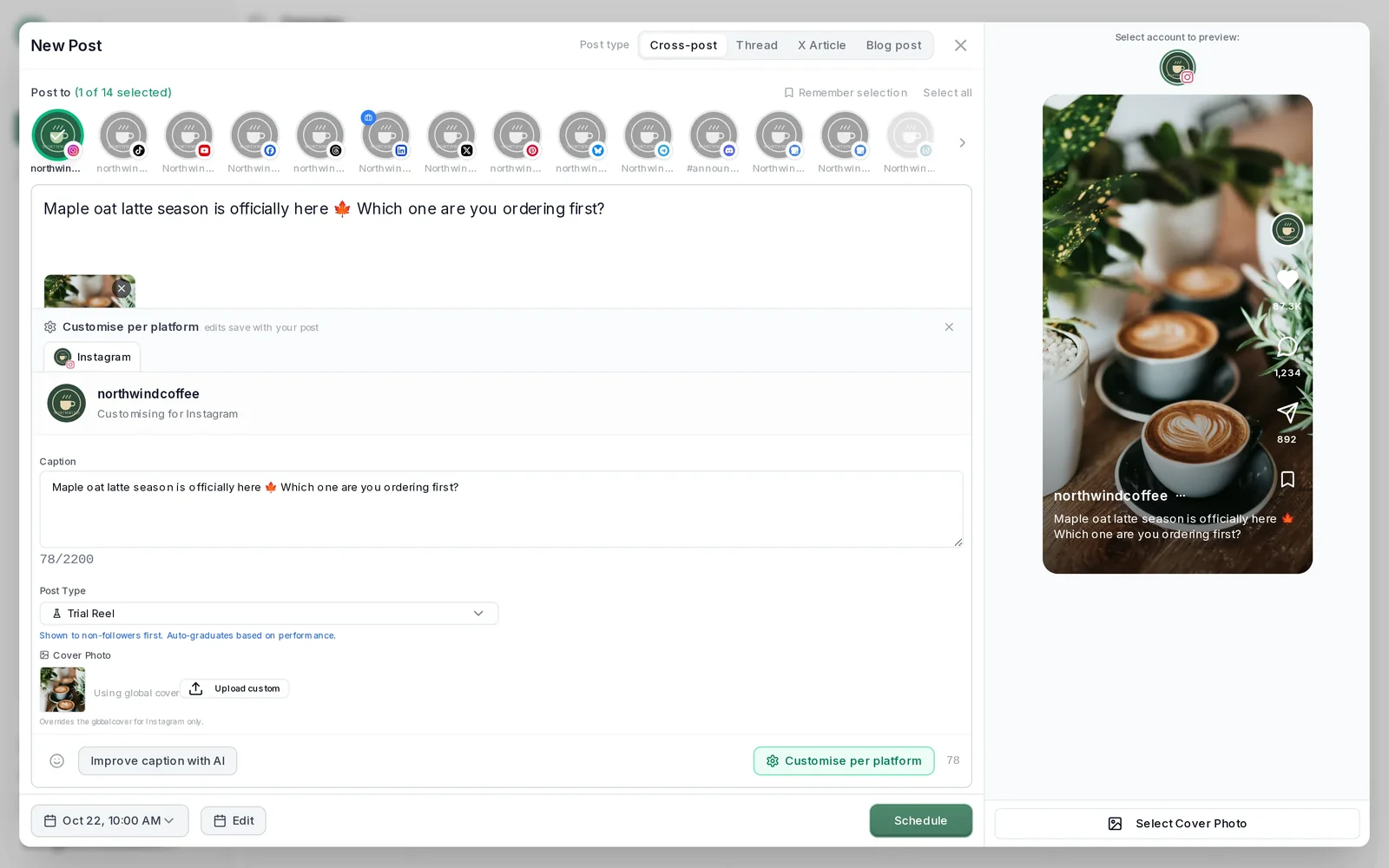
- It's simple. One composer for every platform: write the post once, tweak the caption per platform, check the live preview for each account and schedule it.
- One flat price, nothing locked away. From $9 a month. Every plan includes unlimited posts, the full API, the hosted MCP server and AI Studio, with no per-channel fees.
- Every top platform in one place. Instagram, TikTok, YouTube, LinkedIn, Facebook, X, Threads and Pinterest, plus Bluesky, Telegram, Discord, WordPress and Google Business Profile.
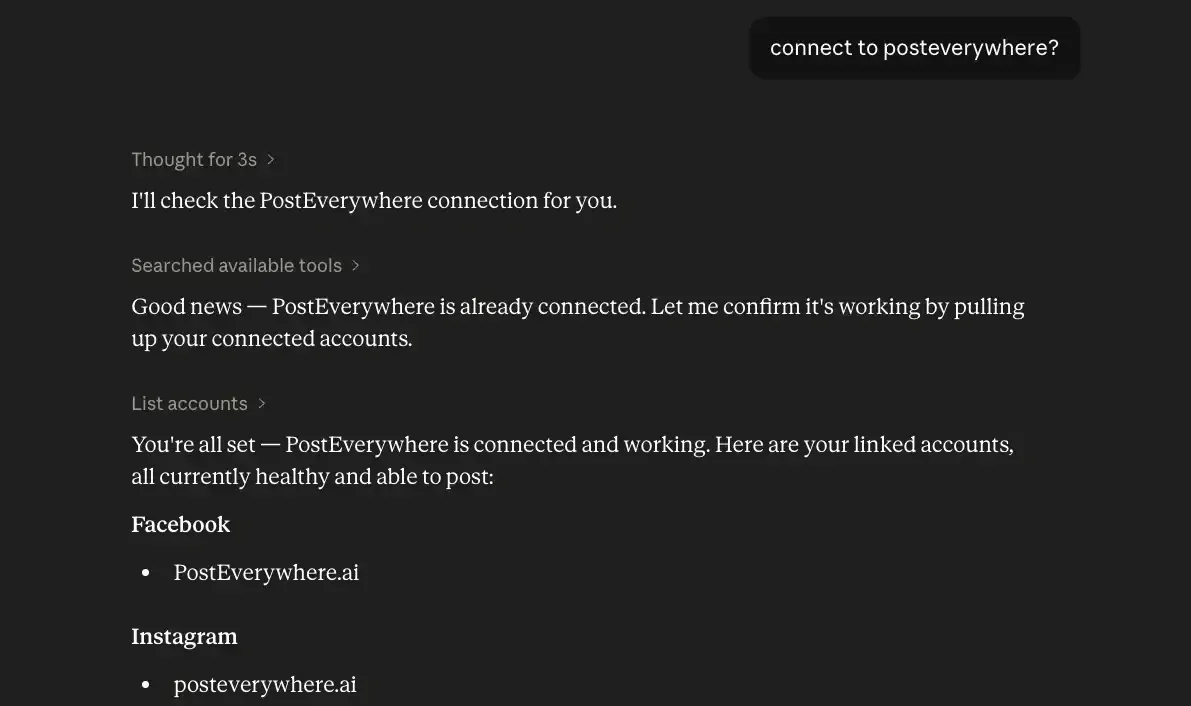
- Your AI agent can run it. Connect Claude, ChatGPT or Cursor in about a minute and ask it to plan, write and schedule your posts.
- Create in the same tool. AI Studio makes captions, images and video, so you don't need a second app before you post.
How PostEverywhere works
- Connect your accounts. Link your social accounts once, across all top platforms.
- Create the post. Write it in the composer, make images and video in AI Studio, or ask Claude or ChatGPT to draft and schedule it for you.
- Schedule it everywhere. Tweak the caption for each platform, check every preview, and it goes out on time from one calendar.
Switching from Planoly?
| Planoly | PostEverywhere | |
|---|---|---|
| What an AI agent can do (MCP) | No MCP server listed | Publish, schedule, queue, best time, bulk, retry, connect accounts |
Connect your accounts, then schedule your first post from the composer or ask your AI agent to do it. Your Planoly account keeps running until you cancel it.
Built for AI agents
- Agents do the whole job. A full hosted MCP server with up to 44 tools: publish, schedule, use your queue or the best time, bulk-schedule 50 posts at once, check results, retry failures and send links to connect new accounts. Some rival MCP servers only read data or create drafts.
- $29 a month for 10 accounts, flat. Full API and agent access included, with no per-channel, per-seat or per-call fees. The same 10 accounts cost $60 a month on Buffer and $99 per user (billed annually) on Hootsuite.
- Nothing gated. API, MCP and webhooks come with every plan, from Lite. Several rivals keep their API for higher tiers or a sales call.
- Connected in a minute. One click adds PostEverywhere to Claude, with one-click installs for Cursor and VS Code. ChatGPT adds it under Plugins.
Plans: Lite $9 a month (2 accounts), Starter $19 (5), Growth $29 (10), Scale $39 (20). Every plan includes unlimited posts, the full API, the hosted MCP server and AI Studio.
“This tool has truly made my content posting so much easier, I can't work without it. I can schedule my posts days in advance while working on other projects. Set it and forget it.”
Also in PostEverywhere: a posting queue, bulk upload from CSV, approvals, analytics, an API and the iPhone app.
PostEverywhere is the agentic social media scheduler built for AI agents. Planoly is built around arranging an Instagram grid by hand; PostEverywhere is built so the agent you already use can plan, write and schedule your Instagram, TikTok, LinkedIn and YouTube posts for you, or your own code can through the REST API, webhooks and MCP server.

Full disclosure: this is our product. I built PostEverywhere after getting frustrated with the Instagram-first design and per-set pricing that define Planoly. You should compare it against every other tool on this list before deciding.
The fundamental difference is how accounts and platforms are handled. Planoly prices by "social set", one profile per platform per set; PostEverywhere counts individual accounts, so two Instagram profiles and a LinkedIn page are simply three of your plan's accounts.
If you want to post the same content to Instagram, Facebook, LinkedIn, X, TikTok, YouTube, and Threads, that's one action from one composer.
The AI content generator is where the gap widens. Planoly's AI caption writer gives you basic suggestions, but PostEverywhere's AI is built into the entire workflow. Every plan includes AI credits for generating full captions, rewriting posts for different platform tones, and creating content variations for A/B testing. Higher plans include more, and bought top-ups never expire. Planoly has nothing comparable at any price tier.
The AI image generator creates custom visuals directly inside the scheduler. Instead of switching to Canva or Photoshop, you describe what you want and get a publishable image in seconds. For solo creators who don't have a designer, this cuts significant time from every post.
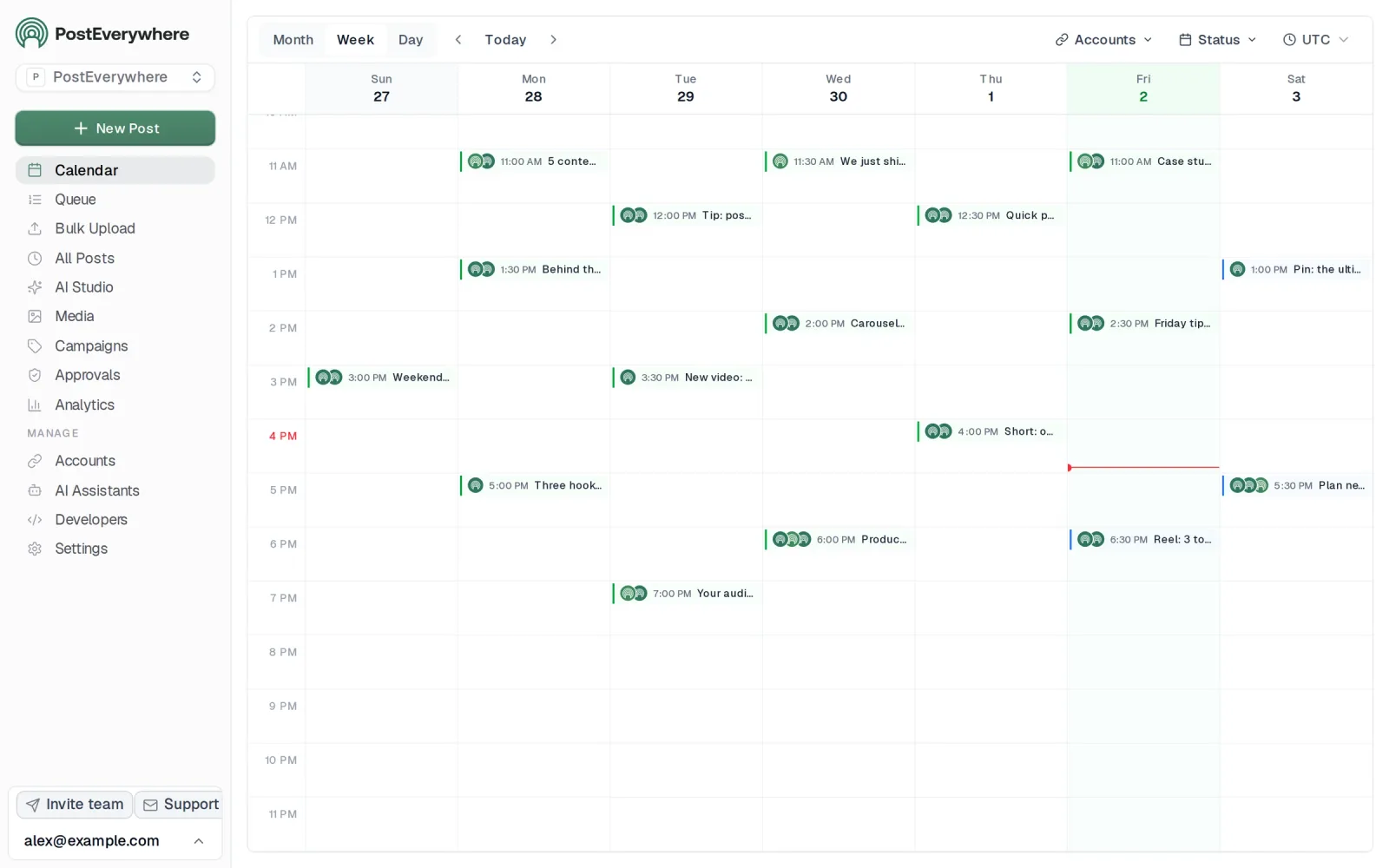
The content calendar treats every platform equally. You see your Instagram Reel next to your LinkedIn article next to your YouTube Short in the same weekly or monthly view. Planoly's calendar was designed around Instagram first and everything else second; PostEverywhere was designed for multi-platform scheduling from day one.
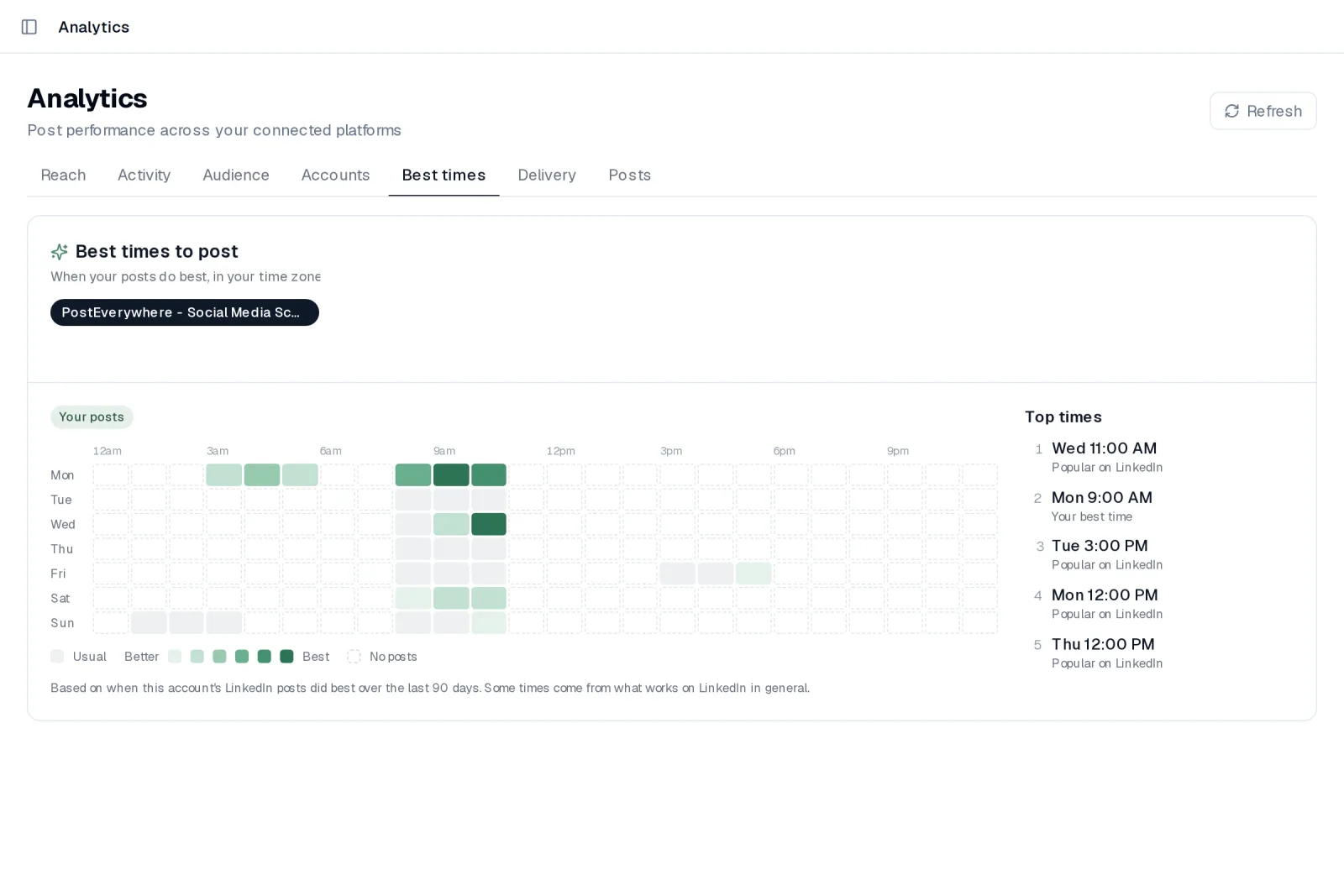
Cross-posting works the way it should: write once, adapt for each platform's format and character limits, schedule everything in a single action. The hashtag generator suggests tags based on your content and trending data. Best time to post suggestions are built in, based on when your posts have done best, so you're not guessing.
Platform-specific schedulers give you native features for each network. The Instagram scheduler handles feed posts, Stories, Reels, and carousels. The Facebook scheduler covers Pages, links, video and Reels. The LinkedIn scheduler supports personal profiles and company pages. The X scheduler handles threads and polls.
And the YouTube scheduler manages Shorts and long-form videos, features Planoly either doesn't offer or bolts on as afterthoughts.
For teams, multi-account management lets you handle multiple brands or clients from a single login without paying per-social-set like Planoly requires.
Pricing: Lite at $9/month (2 accounts), Starter at $19/month (5 accounts), Growth at $29/month (10 accounts), and Scale at $39/month (20 accounts). All plans include a 7-day free trial. Annual billing saves 20%.
Best for: Anyone who wants an AI agent to run their posting, plus creators and teams who post across multiple platforms.
The catch: No free plan, only a 7-day trial. No dedicated grid planner like Planoly's visual feed preview; it's built for posting everywhere, by you or your AI agent, rather than arranging a grid.
Starter is $19/month for 5 accounts across all top platforms, against Planoly's Starter at $14/month for one social set (one profile per network), and AI tools are built in.
Worth a look: PostEverywhere's pricing page breaks down exactly what you get at each tier. Every plan starts with a 7-day trial (card required).
Why Choose PostEverywhere?
Planoly is an Instagram grid planner priced by "social set"; PostEverywhere is the better choice for anyone posting beyond one feed, because it counts accounts simply, includes AI images and video, and lets your AI agent write and schedule for you.
- Accounts, not social sets. PostEverywhere Starter is $19/month for 5 accounts on any mix of platforms, and Scale is $39 for 20. Planoly's $14 Starter covers one social set (one profile per network), and Pro is $47 for six, with extra sets as paid add-ons.
- Your team without seat add-ons. PostEverywhere has no per-user pricing. Planoly ties users to plan tier (one on Starter, two on Growth) and sells extra users as add-ons.
- AI Studio, not a basic caption helper. Captions, images and short video are made in the same composer on every plan. Planoly's AI caption writer gives basic suggestions and it has no AI image generation.
- Every platform treated equally. Instagram feed posts, Stories, Reels and carousels sit beside TikTok, YouTube, LinkedIn, Facebook, X (Twitter), Threads and Pinterest on one calendar, with live previews per account in a single composer.
- An AI agent does the planning. Connect Claude, ChatGPT or Cursor to the hosted MCP server in about a minute and it can plan the week, write the posts, upload media and schedule them at your best times.
- Unlimited posts on every plan, plus a posting queue and bulk CSV upload of up to 200 posts per file.
If the Instagram grid preview is the one thing you can't give up, Later is the closer match. Otherwise, compare plans on the pricing page and start a 7-day free trial to move your Planoly schedule over in under an hour.
2. Later: a visual planner after Planoly
 LaterMCP server: none listed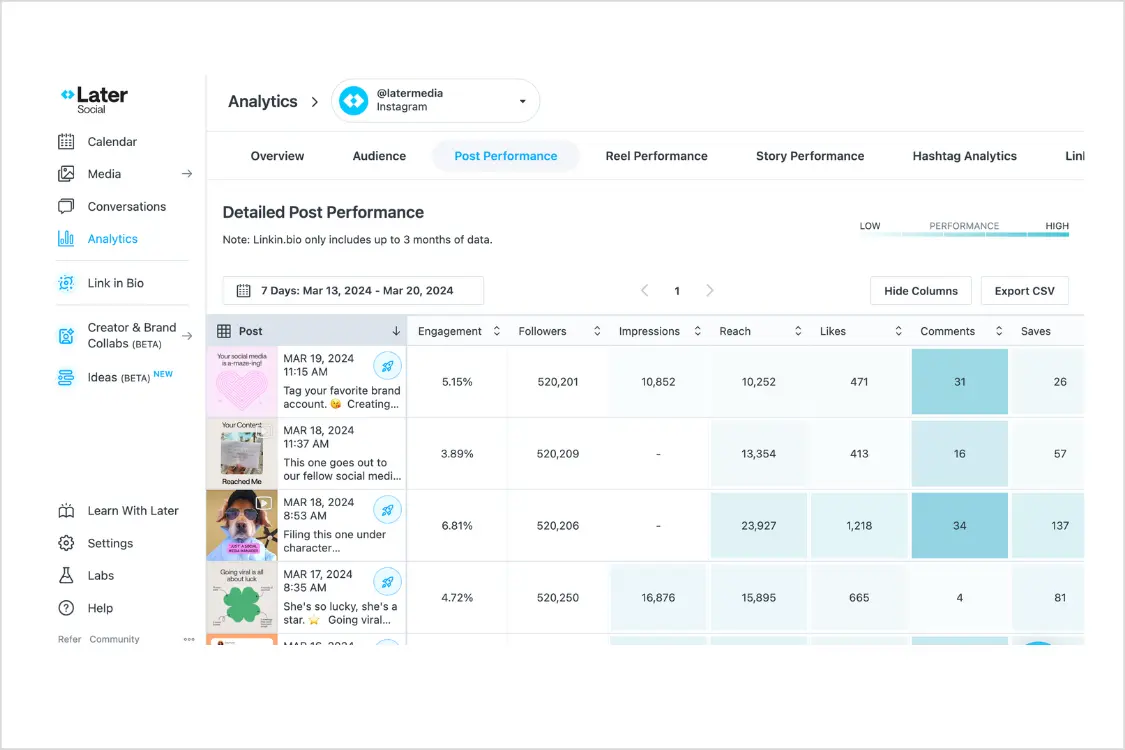
Later is the tool most similar to Planoly in DNA. Both started as Instagram grid planners, both prioritize visual content, and both built their reputations on helping creators curate a cohesive feed aesthetic.
If you're leaving Planoly but want to keep that visual-first workflow, Later is the closest match.
Later's visual planner lets you drag and drop content onto a calendar and preview how your Instagram grid will look before anything publishes. The Linkin.bio feature (Later's link-in-bio tool) is more polished and customizable than anything Planoly offers.
The problem is that Later has its own set of growing pains. The free plan was killed in 2024. The Starter plan costs $18.75/month billed annually for one social set with 30 scheduled posts per profile per month, a higher price than Planoly's Starter.
Later also dropped X/Twitter support in August 2025, which limits your platform coverage if X is part of your strategy.
Later supports Instagram, Facebook, TikTok, Threads, Pinterest, LinkedIn, YouTube and Snapchat. That's solid coverage minus X. The analytics are more developed than Planoly's, with best time to post suggestions and basic content performance tracking.
Pricing (October 2026, billed annually): Starter at $18.75/month (1 social set, 30 posts per profile). Growth at $37.50/month (2 social sets, 180 posts per profile). Scale at $82.50/month (6 social sets, unlimited posts).
Good for: Instagram-focused creators who want visual grid planning and Linkin.bio at a tool that's more mature than Planoly.
The catch: More expensive than Planoly on the base plan. No X/Twitter support. Post caps on Starter and Growth plans feel restrictive. Currently sits at 1.3 out of 5 on Trustpilot.
3. Buffer: a simple Planoly alternative
 Buffer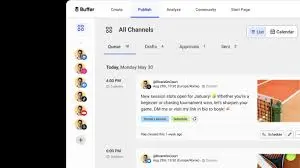
Buffer suits creators who want plain, low-cost scheduling. It prices per channel rather than per social set, which is a simpler model than Planoly's.
Buffer's defining quality is radical simplicity. You write a post, pick your channels, choose a time, schedule it. No feature overload, no upsell popups, no confusing upload counting. Everything does exactly what you'd expect.
For someone switching from Planoly's increasingly complex pricing model, Buffer's straightforwardness is refreshing.
Paid plans start at $5 per channel per month billed annually ($6 monthly). If you manage five channels, that's $25/month, more than Planoly's Starter, but with no cap on how many posts you can schedule. Buffer doesn't meter your usage on paid plans.
You connect your accounts, fill your queue, and it publishes on schedule.
The analytics are basic but functional. You'll get engagement metrics and posting time suggestions, but nothing approaching the depth of tools like Metricool or Hootsuite. If you need detailed reporting or competitor analysis, Buffer won't cut it.
Buffer supports Instagram, Facebook, LinkedIn, X/Twitter, TikTok, Pinterest, YouTube, Threads, Mastodon, and Bluesky. That's broader platform coverage than Planoly offers, at a lower price per channel.
Pricing: Free (3 channels, 10 posts each). Paid plans from $5/month per channel.
Good for: Solo creators and freelancers who want simple, affordable scheduling without upload caps or platform restrictions.
The catch: No visual grid planner. No AI content generation. Collaboration features are minimal. If you need Planoly's aesthetic planning workflow, Buffer doesn't replace it.
4. SocialBee: for content recycling
 SocialBeeMCP server: none listed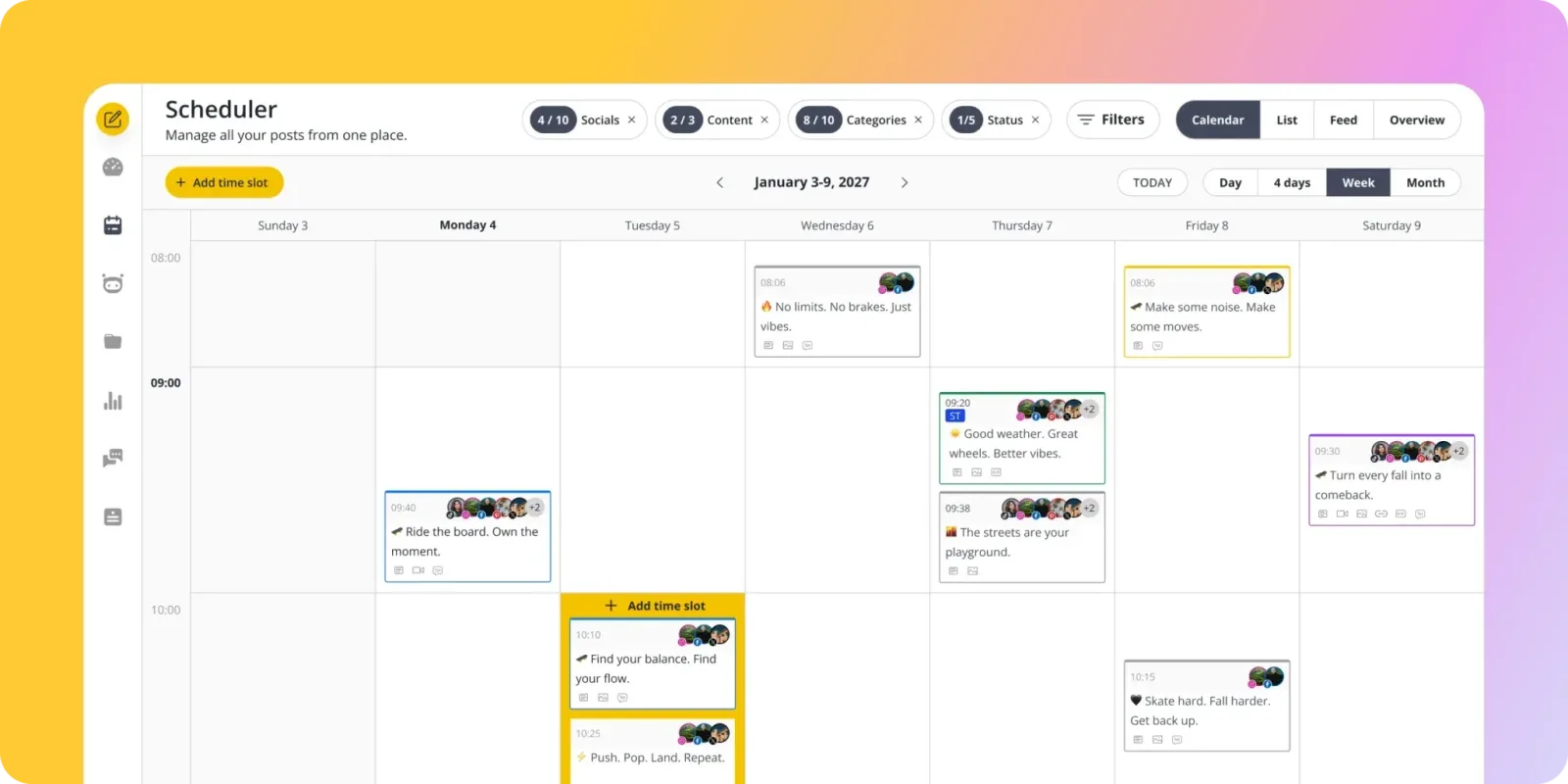
SocialBee approaches scheduling from a completely different angle than Planoly. Instead of a visual grid planner, SocialBee organizes your content into categories (tips, promotions, behind-the-scenes, curated links) and rotates through them automatically on a schedule you define.
This category-based system is powerful for evergreen content. If you have blog posts, product features, or educational content that stays relevant for months, SocialBee keeps resharing it in a balanced rotation without you manually re-scheduling each piece. Planoly has no equivalent feature.
You'd need to manually create a new upload every time you want to reshare something, and on the free plan each reshare counts against the monthly upload cap.
SocialBee also includes an AI assistant called Copilot that generates post variations, suggests content categories, and helps maintain a consistent posting schedule. It's more sophisticated than Planoly's AI caption writer, though not as deeply integrated as PostEverywhere's AI content generator.
The trade-off is setup time. The category system takes real investment before you see results. You need to create your categories, assign content to each one, set rotation rules, and configure posting schedules per platform. Once it's running, SocialBee is close to autopilot. But that first week of configuration is work.
SocialBee covers Instagram, Facebook, LinkedIn, X/Twitter, TikTok, YouTube, Pinterest, Google Business Profile, and Bluesky. Platform coverage is strong, and there are no upload caps on any plan.
Pricing (October 2026): Bootstrap at $29/month (5 profiles, 1 user), or $24.17/month billed annually. Higher tiers add profiles, workspaces and collaboration features.
Good for: Brands and marketers with evergreen content libraries who want automated content rotation and recycling.
The catch: Steep learning curve. No visual grid planner. The category system isn't intuitive for creators who think in terms of individual posts rather than content buckets. Analytics are basic.
Keep reading: Our guide to the best social media scheduling tools ranks all of these options across every category that matters.
5. Hootsuite: for enterprise teams
 Hootsuite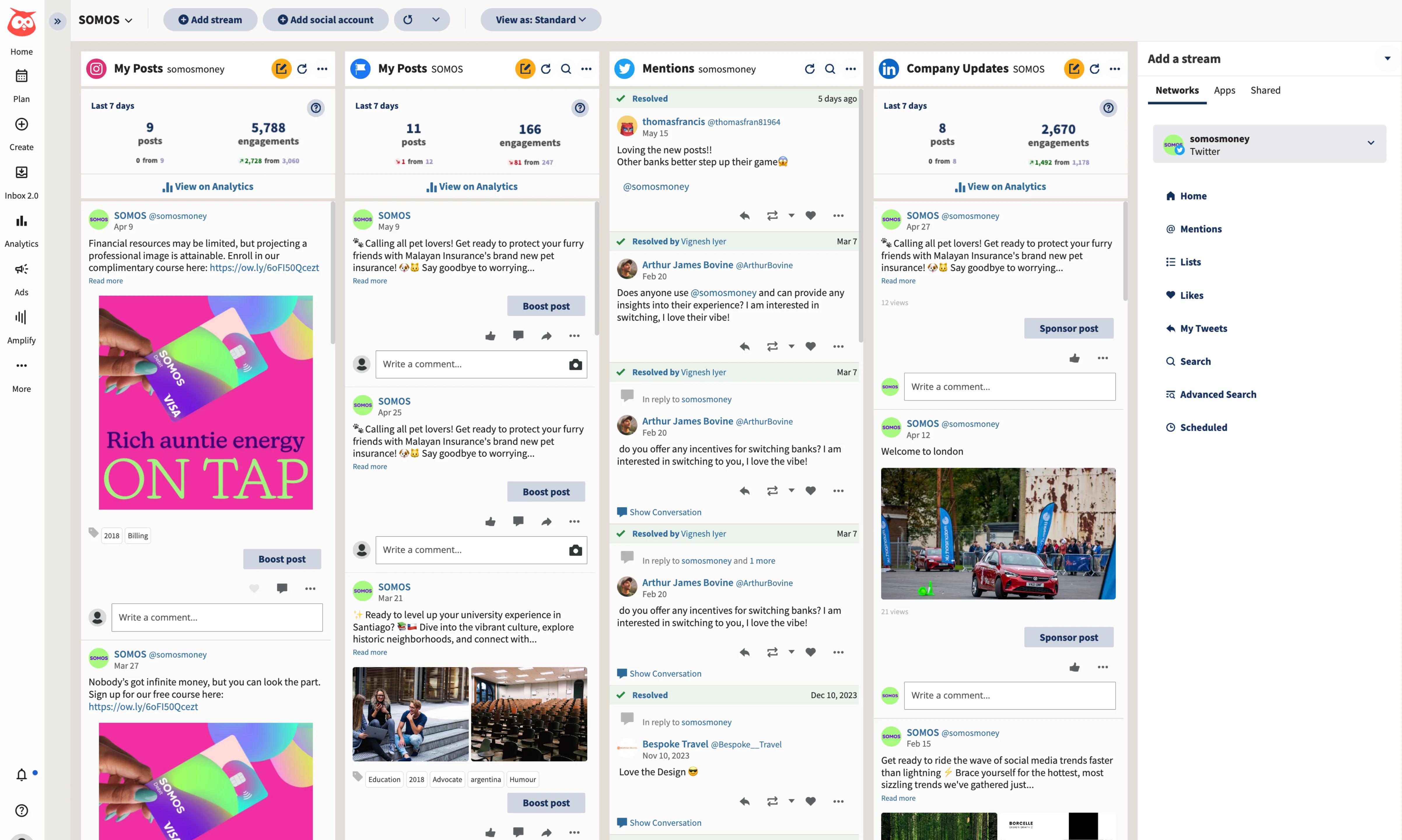
Hootsuite sits at the opposite end of the spectrum from Planoly. Where Planoly was built for Instagram creators who care about grid aesthetics, Hootsuite was built for enterprise social media teams managing dozens of accounts across complex approval workflows.
The social listening features are what set Hootsuite apart from everything else on this list. You can monitor brand mentions, track competitor activity, and identify trending conversations across platforms, capabilities Planoly has never offered.
The unified inbox pulls messages, comments, and mentions from every connected account into a single stream, which is essential if your team handles high-volume customer interactions on social.
Hootsuite supports every major platform including YouTube. The analytics are comprehensive with customizable reports you can schedule for automatic delivery to stakeholders. If you're presenting social media performance to leadership, Hootsuite's reporting looks professional out of the box.
The engagement rate benchmarks you can pull from Hootsuite's data make a real difference in contextualizing your numbers.
The downside is obvious: it's expensive. At $99/user/month (billed annually) for the base plan, Hootsuite costs about seven times Planoly's Starter and five times PostEverywhere's Starter. The interface can feel overwhelming, with a learning curve that smaller teams may not want to invest in.
And at that price, you're paying for features most creators and small businesses will never touch.
Pricing (October 2026, per user, billed annually): Standard at $99/month, Professional at $199/month, Advanced at $399/month. Enterprise pricing is custom. No free plan; 14-day trial.
Good for: Large teams and agencies that need social listening, enterprise analytics, and complex approval workflows.
The catch: Expensive. Steep learning curve. Massive overkill for individual creators or small teams. No visual grid planner.
6. Metricool: for analytics on a budget
 Metricool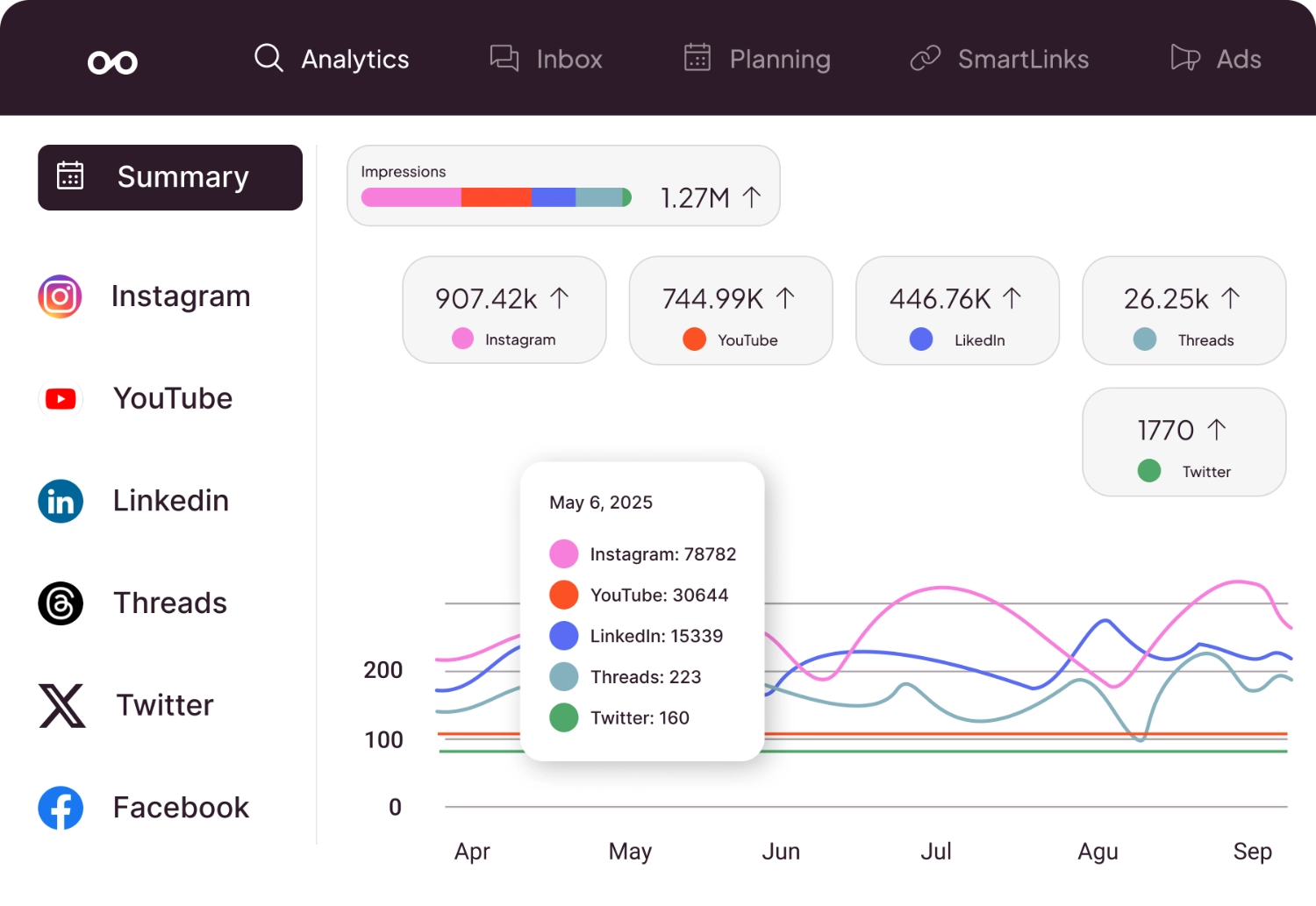
Metricool is a Spanish-based tool that pairs scheduling with detailed analytics. Our guide to the best social media analytics tools covers the wider analytics field.
The competitor analysis feature is the standout. You can track your competitors' posting frequency, engagement rates, and follower growth alongside your own metrics. Planoly has nothing like this at any price tier, and most tools that offer competitive benchmarking charge enterprise prices for it.
If you're trying to understand why a competitor's content is outperforming yours, Metricool gives you that visibility.
Metricool handles scheduling across Instagram, Facebook, X/Twitter, LinkedIn, TikTok, YouTube, Pinterest, Threads, and Google Business Profile. The ad management feature lets you run and track Facebook and Google ads from the same dashboard, which is useful for small businesses managing their own paid campaigns alongside organic social media scheduling.
Paid plans start at $25/month, which gets you significantly more features than Planoly at a comparable price. No upload counting, no per-platform penalties, and analytics that make Planoly's numbers look like a rounding error.
Pricing: Free plan available. Paid plans from $25/month.
Good for: Data-driven marketers who want competitor analysis and detailed analytics without paying enterprise prices.
The catch: Interface can feel cluttered with the amount of data it surfaces. Customer support responses can be slow. The scheduling features are solid but not the tool's primary strength.
7. Tailwind: for Pinterest-heavy workflows
 Tailwind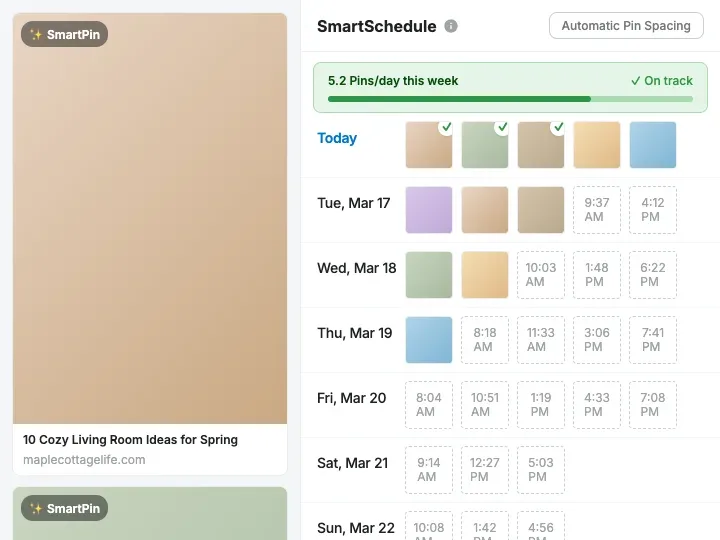
Tailwind deserves a mention specifically because of the Planoly-to-Pinterest overlap. Planoly has historically been one of the few schedulers that treats Pinterest as a first-class platform. If Pinterest is central to your content strategy (e-commerce brands, food bloggers, home decor creators), Tailwind is a dedicated alternative built for it.
Tailwind's SmartSchedule feature analyzes when your audience is most engaged and automatically suggests optimal posting times. The Pinterest-specific features (pin scheduling, board management, and Tailwind Communities for content sharing) are the core of the product.
For Instagram, Tailwind offers a visual planner and hashtag suggestions similar to both Planoly and Later. It's not as polished as either for Instagram grid planning specifically, but the combination of strong Pinterest tools and solid Instagram support makes it a natural fit for creators who rely on both visual platforms.
Tailwind's own pricing page could not be checked for this update, and its most recent pricing is sold per Pinterest account rather than as one flat plan.
Pricing: Sold per Pinterest account. Check Tailwind's site for current pricing.
Good for: E-commerce brands and creators who rely heavily on both Pinterest and Instagram.
The catch: Limited beyond Pinterest and Instagram. Not a true multi-platform scheduler. If you need LinkedIn, X, YouTube, or TikTok scheduling, Tailwind won't cover it.
Related: Our Hootsuite alternatives and Buffer alternatives guides cover more options if you're comparing across categories.
What about Plann?
Plann (often searched as "Plann That") is Planoly's closest peer: an Instagram-first content planner with a visual drag-and-drop planner, and scheduling for Instagram, Pinterest, Facebook, TikTok, LinkedIn, YouTube Shorts and Threads.
It offers a 7-day free trial of its Plus plan, so it is easy to test side by side with Planoly.
Because the two tools solve the same problem in the same way, everything above works as a list of Plann alternatives too. If you are leaving Plann for the same reasons people leave Planoly (more platforms, AI included, fewer limits per plan), start with the tools ranked 1 to 4.
How to choose the right Planoly alternative
The right alternative depends on why you're leaving. Here's a framework based on the most common Planoly frustrations.
If you're tired of upload counting: PostEverywhere and Buffer both offer unlimited scheduling on paid plans. No caps, no per-platform penalties. SocialBee and Metricool also don't count uploads.
If you're on Planoly's free plan: Buffer and Metricool both have free tiers with tight limits. PostEverywhere has no free plan; it offers a 7-day trial with full features.
If you need AI content generation: PostEverywhere's AI content generator is the deepest integration on this list, with 10 to 500 AI credits a month depending on plan. SocialBee's Copilot is decent. Planoly's AI caption writer is basic by comparison.
If you need more platforms: PostEverywhere covers all top platforms, including Instagram, Facebook, LinkedIn, X (Twitter), TikTok, YouTube, Threads and Pinterest. Buffer and Metricool have similarly broad coverage. Planoly supports nine platforms but the upload counting makes multi-platform posting expensive.
Pinterest-heavy creators can schedule Pins in PostEverywhere alongside Instagram without any upload counting.
If you manage a team or agency: Hootsuite and PostEverywhere's multi-account management both handle multi-brand collaboration. Planoly's Pro plan includes six users and six social sets, with paid add-ons beyond that, which is limiting for agencies managing multiple clients.
If you need the visual grid planner: Later is the closest alternative that replicates Planoly's grid planning experience. PostEverywhere's content calendar takes a different approach: less grid-focused, more cross-platform.
If analytics matter to you: Metricool focuses on analytics depth at an affordable price, and its competitor tracking goes beyond anything Planoly offers. Hootsuite has enterprise analytics but costs several times more.
Planoly alternatives FAQ
Why did Planoly kill the free plan?
Planoly originally offered 30 free uploads per month, which was enough for most solo creators. The free plan was reduced to 10 uploads, effectively unusable for daily posting, as Planoly shifted to a paid-first model.
The company hasn't publicly explained the change, but the pattern matches other tools (Later did the same thing) that built audiences on free access before pulling it back.
Does Planoly really count each platform as a separate upload?
On older upload-capped plans it did: scheduling the same post to Instagram and Pinterest used two uploads. Current paid plans (Starter, Growth and Pro) include unlimited uploads, so this now matters mainly on the mobile-only free plan, which is capped at 10 uploads a month.
Is there a free Planoly alternative?
Buffer and Metricool both have free tiers. Buffer's covers three channels with 10 scheduled posts per channel, and Metricool's covers analytics and basic scheduling for one brand. PostEverywhere doesn't have a free plan but offers a full-featured 7-day trial.
Which Planoly alternative has the best AI features?
PostEverywhere has the deepest AI integration, with AI caption generation, content rewriting for different platform tones, an AI image generator, and 10 to 500 AI credits a month depending on your plan. SocialBee's Copilot also generates post variations.
Planoly's AI caption writer exists but is basic: it generates simple suggestions without platform-specific optimization.
Can I migrate my content from Planoly?
There's no direct migration tool from Planoly to any alternative. You'll need to export your content from Planoly (Settings > Export Data), download your media files, and re-upload to your new tool. Most creators complete the switch in under an hour.
Your connected social accounts can be linked to a new scheduler immediately; you don't need to disconnect from Planoly first.
Which Planoly alternative is best for Instagram specifically?
Later is the closest to Planoly's Instagram-first approach, with visual grid planning and Linkin.bio. PostEverywhere's Instagram scheduler handles feed posts, Stories, Reels, and carousels with AI captions and hashtag generation. Buffer is a low-cost option for Instagram-only scheduling.
Is Planoly worth it in 2026?
As of October 2026, Planoly's Starter plan is $14/month for one social set and one user, Growth is $24/month for two sets and two users, and Pro is $47/month for six.
If you post mainly to Instagram, value the visual grid planner and only need one or two brands, it delivers on its core promise. If you want an AI agent to post for you, or more than one profile per network without buying extra social sets, PostEverywhere covers all top platforms from $9/month, with Starter at $19/month for 5 accounts and AI tools included.
What changed for Planoly in 2026?
As of October 2026, Planoly's paid plans run from $14/month (Starter) to $47/month (Pro), all with unlimited uploads, and the free plan is mobile-only and capped at 10 uploads per month.
The visual grid planner and AI caption writer are unchanged. Auto-posting reliability complaints documented across G2 and Trustpilot have not materially improved.
Do any Planoly alternatives offer visual grid planning?
Later and Tailwind both offer Instagram grid previews similar to Planoly's visual planner. PostEverywhere takes a different approach with a cross-platform content calendar rather than an Instagram-specific grid. If the grid planner is the primary reason you use Planoly, Later is the most direct replacement.
The bottom line
Planoly built something genuinely useful when Instagram grid planning was the whole game. The visual planner is still good. But the pricing model (workspace caps, per-platform penalties on legacy plans and a gutted free tier) hasn't kept up with what social media managers actually need.
Paying per social set for a single network bundle is not how modern scheduling should work.
If I had to pick one recommendation: PostEverywhere gives you the broadest platform coverage, the most AI firepower, and unlimited scheduling without the upload anxiety that defines Planoly's pricing. But every tool here solves a specific problem: Buffer for simple scheduling, Later for grid planning, SocialBee for content recycling, Hootsuite for enterprise needs, Metricool for analytics, Tailwind for Pinterest.
Pick the one that matches why you're leaving, not just the one with the longest feature list.

Founder & CEO of PostEverywhere. Writing about social media strategy, publishing workflows, and analytics that help brands grow faster.