What's the best Post Bridge alternative? PostEverywhere is the best Post Bridge alternative for creators who want simple cross-posting plus AI content and AI agent posting. It starts at $9 a month for 2 accounts (Post Bridge starts at $39), and every plan includes PostEverywhere AI Studio for captions, images and video, a hosted MCP server for Claude and ChatGPT, and the PostEverywhere API. Among the other Post Bridge alternatives, Buffer suits a few channels at $5 each, Publer suits per-account budgets, Metricool suits analytics, Postiz suits self-hosting, and Upload-Post suits video-heavy posting.
Post Bridge (styled "post bridge" on its own site, and often searched as "postbridge") is a cross-posting tool built by its founder, Jack, for creators and one-person marketing teams. Its pitch is simple and honest: write a post once and publish it to every platform you use in about 30 seconds.
It covers X (Twitter), Instagram, LinkedIn, Facebook, TikTok, YouTube, Bluesky, Threads, Pinterest and Google Business, and it handles bulk video scheduling well, which is why so many short-form creators use it.
So why are people searching for Post Bridge alternatives? From what creators tell us, three reasons come up most:
- The entry price moved. According to Post Bridge's pricing page, the Marketer plan is $39 a month for 15 connected accounts, and the next step, Operator, is $99 a month for a 99-account minimum. If you only post to three or four accounts, you are paying for eleven you don't use.
- No AI content on the pricing page. Post Bridge's plans list scheduling, carousels, bulk video, an API, an MCP connection and analytics (in beta). They do not list AI caption, image or video generation, so you still need a second tool to make the content.
- Teams cost $99. Inviting team members is an Operator-only feature. A creator with one editor or a virtual assistant jumps straight from $39 to $99.
Post Bridge does get a lot right, including a genuinely good AI agent connection, and this post says so where it applies. Every price below was checked on each vendor's own site in October 2026.
Post Bridge alternatives at a glance
| Tool | Best for | Starting price | Accounts at that price | AI content generation | MCP for AI agents | Team members |
|---|---|---|---|---|---|---|
| PostEverywhere | Best for creators who want AI content and AI agents | $9/mo, 7-day trial | 2 accounts ($39 for 20) | Captions, images and video (AI Studio) | Hosted, 44 tools, every plan | Roles and approvals from $19 |
| Post Bridge | Fast cross-posting for one person | $39/mo, 7-day trial | 15 accounts | Not listed on pricing page | Hosted, 16 tools, OAuth | Operator plan only ($99) |
| Buffer | A few channels on a small budget | $5/mo per channel | 1 channel | AI Assistant (writing) | Hosted, every plan | Team plan, $10 per channel |
| Publer | Per-account pricing with lots of features | $5/mo (Professional) | 1 account, then $4 each | Unlimited AI on Business | Business plan only | Paid per extra member |
| Metricool | Analytics-first creators | $25/mo (Starter) | 5 brands | AI assistant | Every plan | Approvals on Advanced |
| Postiz | Self-hosting, or a hosted agent stack | $29/mo (Standard) | 5 channels | Images and video by plan | Every plan | Unlimited from Team ($39) |
| Upload-Post | Video-heavy posting through an API | $24/mo (Basic) | 5 profiles | Not a focus | Hosted or local, 40 tools | 1 seat on Basic |
Prices are monthly list prices in USD, as published on each vendor's site in October 2026, and may change. "Accounts", "channels", "brands" and "profiles" are counted differently on each tool, so read the per-tool notes before comparing like for like.
For the wider field, see our roundup of cross-posting tools.
1. PostEverywhere: Best Post Bridge Alternative for AI Content and AI Agents


Publishes to all top platforms
 Instagram
 Facebook
 X
X LinkedIn
 TikTok
 Threads
 Bluesky
 Telegram
 Discord
 YouTube
 Pinterest
 WordPress
 Google Business Profile
Why PostEverywhere wins
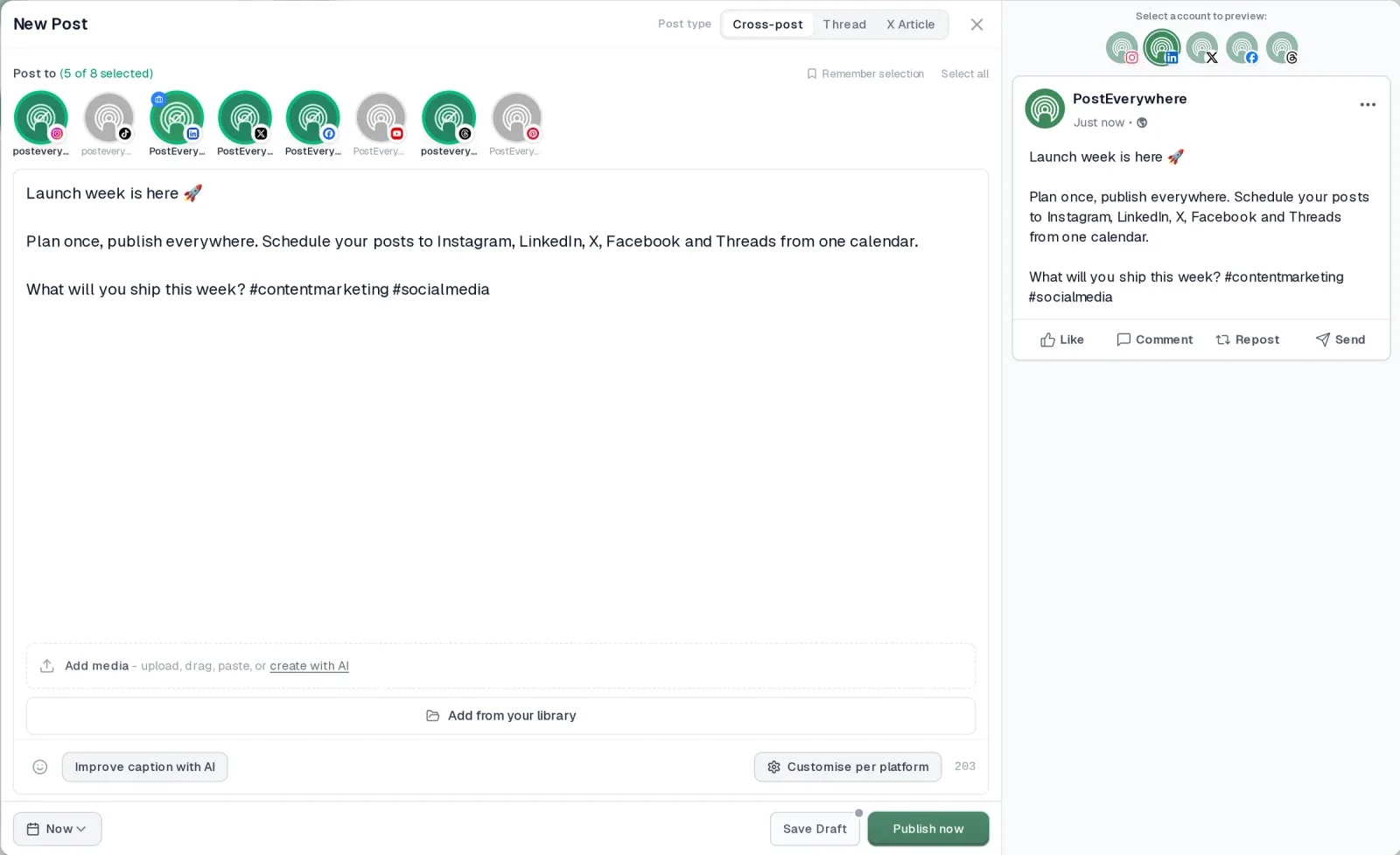
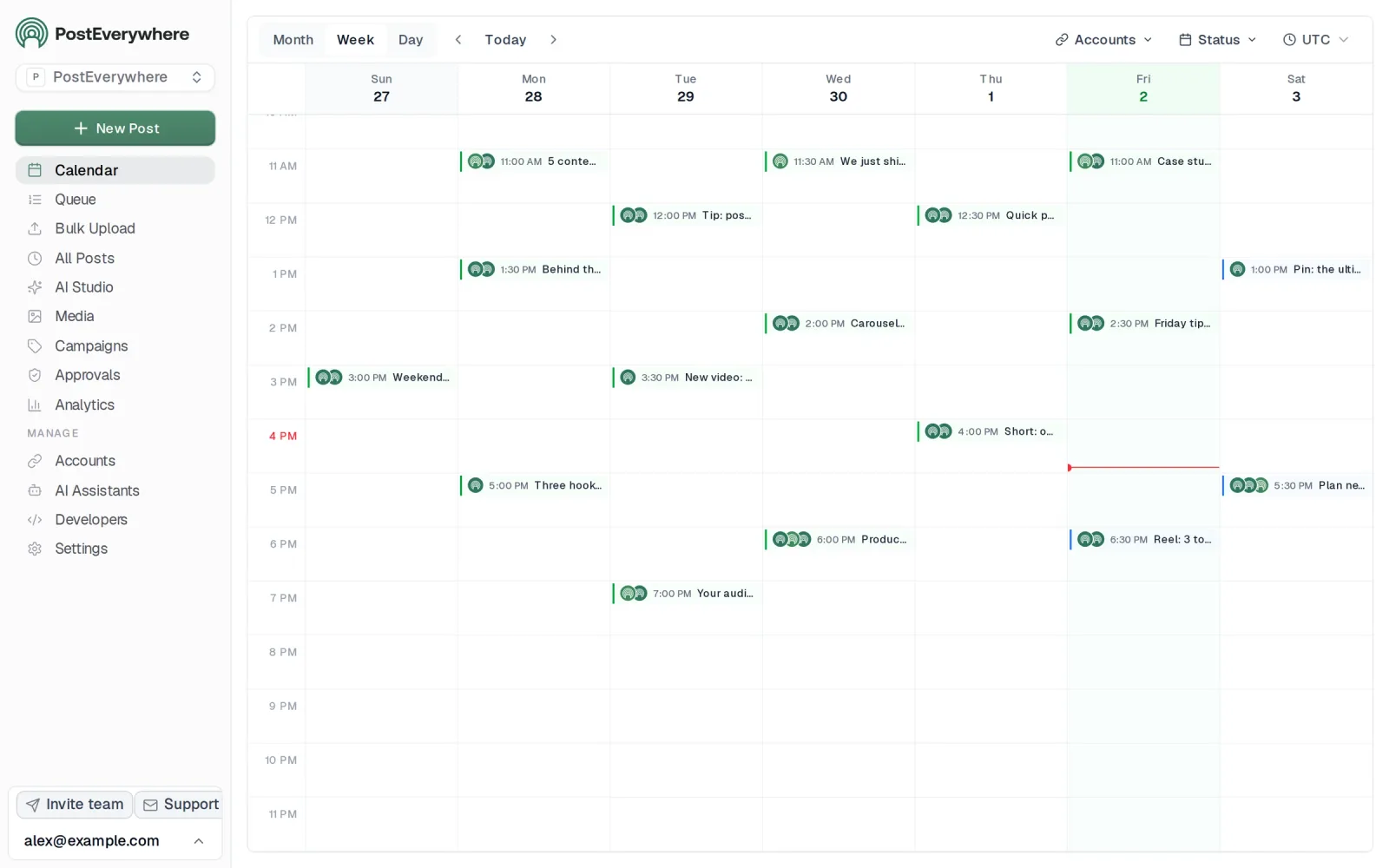
- It's simple. One composer for every platform: write the post once, tweak the caption per platform, check the live preview for each account and schedule it.
- One flat price, nothing locked away. From $9 a month. Every plan includes unlimited posts, the full API, the hosted MCP server and AI Studio, with no per-channel fees.
- Every top platform in one place. Instagram, TikTok, YouTube, LinkedIn, Facebook, X, Threads and Pinterest, plus Bluesky, Telegram, Discord, WordPress and Google Business Profile.
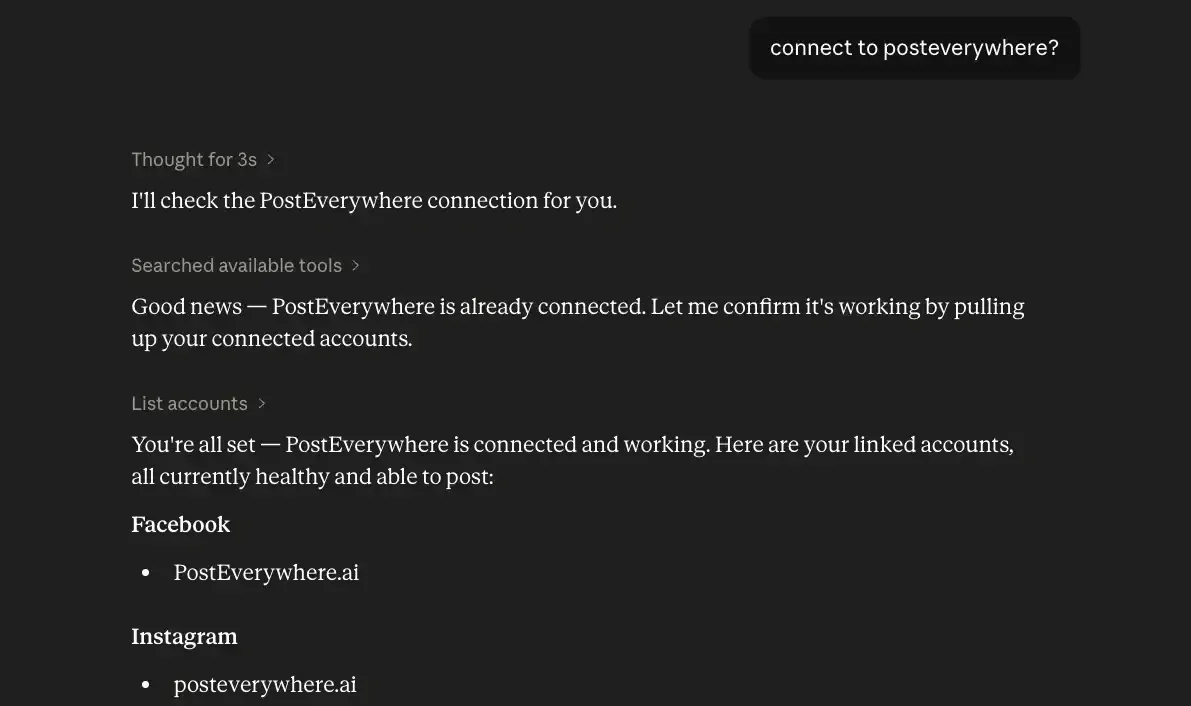
- Your AI agent can run it. Connect Claude, ChatGPT or Cursor in about a minute and ask it to plan, write and schedule your posts.
- Create in the same tool. AI Studio makes captions, images and video, so you don't need a second app before you post.
How PostEverywhere works
- Connect your accounts. Link your social accounts once, across all top platforms.
- Create the post. Write it in the composer, make images and video in AI Studio, or ask Claude or ChatGPT to draft and schedule it for you.
- Schedule it everywhere. Tweak the caption for each platform, check every preview, and it goes out on time from one calendar.
Built for AI agents
- Agents do the whole job. A full hosted MCP server with up to 44 tools: publish, schedule, use your queue or the best time, bulk-schedule 50 posts at once, check results, retry failures and send links to connect new accounts. Some rival MCP servers only read data or create drafts.
- $29 a month for 10 accounts, flat. Full API and agent access included, with no per-channel, per-seat or per-call fees. The same 10 accounts cost $60 a month on Buffer and $99 per user (billed annually) on Hootsuite.
- Nothing gated. API, MCP and webhooks come with every plan, from Lite. Several rivals keep their API for higher tiers or a sales call.
- Connected in a minute. One click adds PostEverywhere to Claude, with one-click installs for Cursor and VS Code. ChatGPT adds it under Plugins.
Plans: Lite $9 a month (2 accounts), Starter $19 (5), Growth $29 (10), Scale $39 (20). Every plan includes unlimited posts, the full API, the hosted MCP server and AI Studio.
“This tool has truly made my content posting so much easier, I can't work without it. I can schedule my posts days in advance while working on other projects. Set it and forget it.”
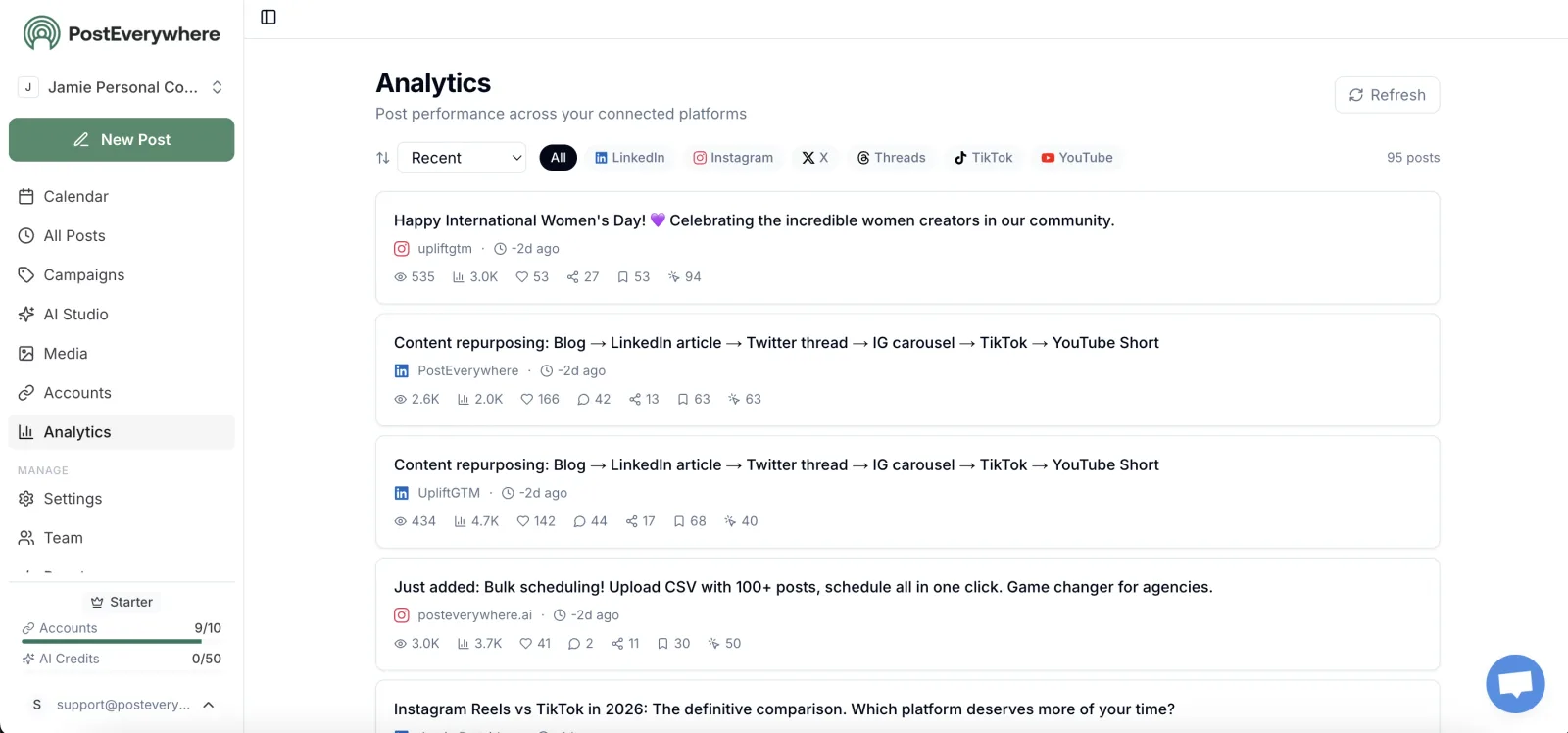
Also in PostEverywhere: a posting queue, bulk upload from CSV, approvals, analytics, an API and the iPhone app.
PostEverywhere is the agentic social media scheduler for creators who want to make the content, not just move it. Post Bridge sends a finished post everywhere. PostEverywhere does that too, and adds the tools to write the caption, generate the image or video, and let an AI agent run the whole thing for you.
Full disclosure: I built PostEverywhere, so weigh this section accordingly. Here is what a creator actually gets.
Cross-posting that respects each platform. You write once in the PostEverywhere composer, then customise the post for each platform, with a live preview for every account. It posts to all top platforms: Instagram, TikTok, YouTube, LinkedIn, Facebook, X (Twitter), Threads, Pinterest, Bluesky, Telegram, Discord, WordPress and Google Business Profile.
A short-form creator can push one vertical video to TikTok, Reels and YouTube Shorts with a different caption on each, which matters more than people think (our guide on whether cross-posting hurts your reach explains why).
AI Studio for the content itself. PostEverywhere's AI Studio writes captions, generates images and makes video in the same tool you schedule from, on every plan. You don't need a separate caption generator or image app, and you don't copy files between tabs.
AI agents that sign in. Connect Claude, ChatGPT, Cursor and other AI agents to PostEverywhere's hosted MCP server in about a minute. The server has 44 tools, so your agent can plan, write, schedule and publish posts, upload media, and read analytics and your best times to post.
It works the same way in Claude and ChatGPT; see the full list of AI agents PostEverywhere supports.
The boring parts done properly. A drag-and-drop calendar, a time-slot queue that fills your schedule, and bulk uploads by CSV with up to 200 posts per file. In the web app on desktop, the built-in AI Assistant answers questions about your schedule and drafts posts for you to review. There is also an iPhone app.
Room to grow into a team. From Starter, you can add workspaces per brand or client, roles and PostEverywhere approvals, so an editor or assistant can draft and you approve.
Pricing: Lite $9/mo (2 accounts), Starter $19/mo (5), Growth $29/mo (10), Scale $39/mo (20). Every plan includes unlimited posts, AI Studio, the REST API, webhooks and the hosted MCP server. There is no per-channel or per-user add-on pricing.
Every plan starts with a 7-day free trial, and a card is required.
The catch: PostEverywhere has no free plan, and it is not self-hostable. It has no social listening or unified inbox, and it does not reply to comments or DMs for you.
Plans top out at 20 accounts on Scale, so if you run a network of 50 or more faceless accounts, Post Bridge's Operator plan at $1 per account above 99 is built for that and we are not.
Want Post Bridge's simplicity with AI content built in? PostEverywhere cross-posts to all top platforms and writes the captions, images and video in PostEverywhere AI Studio, from $9 a month. Start a 7-day trial.
Why Choose PostEverywhere?
If you want one tool that makes the content, posts it everywhere and lets your AI agent do the work, PostEverywhere is the best choice on this list, because it is the only one that includes AI Studio, the hosted MCP server and the API on every plan from $9 a month.
- A lower starting price. PostEverywhere starts at $9 a month for 2 accounts and $29 for 10. Post Bridge starts at $39 a month for 15 accounts, so a creator with four accounts pays for eleven they never use.
- AI content in the same tool. PostEverywhere's AI Studio writes captions and generates images and video on every plan. Post Bridge's pricing page lists no AI generation, and Buffer's lists an AI Assistant for writing and replies.
- More MCP tools for your agent, on every plan. PostEverywhere's hosted MCP server has 44 tools, including caption and image generation. Post Bridge's has 16, and Publer only includes its API and MCP on the Business plan.
- A team without the $99 jump. PostEverywhere adds roles and post approvals from $19 a month. Post Bridge only lets you invite team members on Operator, at $99 a month.
- More places to publish. PostEverywhere also posts to Telegram, Discord and WordPress, which Post Bridge does not list.
- Flat plans, not per-channel fees. PostEverywhere's Scale plan is $39 for 20 accounts. On Buffer, 20 channels on Essentials start at $5 each before volume discounts.
Compare the PostEverywhere plans, then start a 7-day free trial and connect your accounts in minutes.
2. Buffer: For a Few Channels on a Small Budget

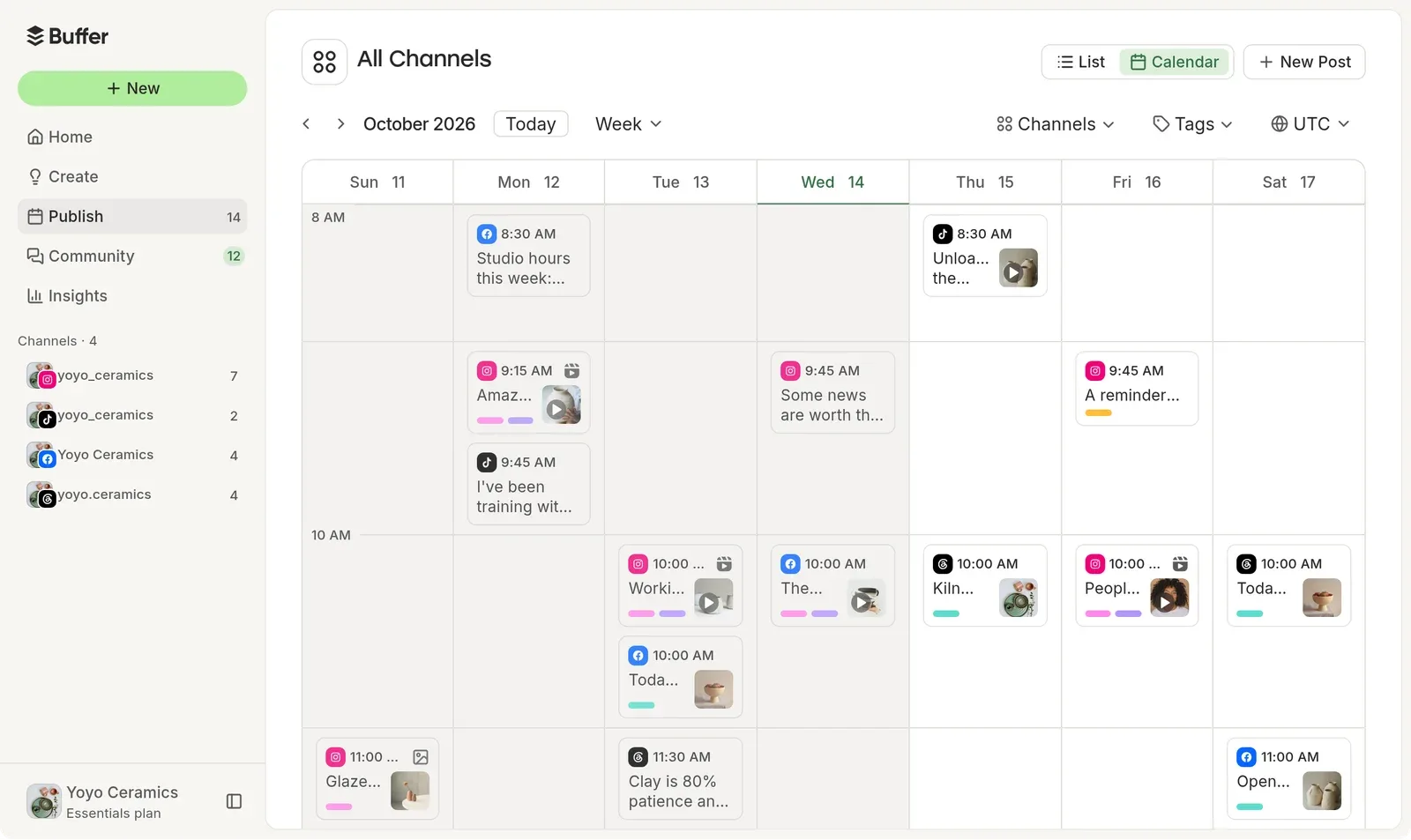
Buffer is the most familiar name in scheduling, and for a creator with two or three channels it is still one of the simplest tools to live with. Its pricing is per channel: Essentials is $5 a month per channel and Team is $10 per channel, with discounts above 10 channels and a lower rate on annual billing.
Essentials covers unlimited scheduled posts (with a fair-use cap of 5,000 per channel), unlimited ideas and threaded posts, an AI Assistant for writing, and API access with 3 keys and 7,500 requests a month.
It supports Bluesky, Facebook, Google Business Profile, Instagram, LinkedIn, Mastodon, Pinterest, Substack, Threads, TikTok, X and YouTube, so it covers Mastodon and Substack, which Post Bridge does not.
On AI agents, Buffer is a real alternative. Its MCP server is available on every Buffer plan and works with Claude, ChatGPT, Cursor and others, either with OAuth or a personal API key.
Posts your agent creates land in your Buffer queue for review before they publish. Our Buffer alternatives guide and the PostEverywhere vs Buffer comparison go deeper.
Buffer vs Post Bridge in one line: cheaper for a handful of channels, with a queue-first workflow and an agent connection on every plan.
The catch: per-channel pricing climbs as you add platforms, so a creator on six or seven platforms pays $30 to $35 a month on Essentials, and approvals and unlimited users need Team at $10 per channel.
Buffer's pricing page lists AI writing and reply suggestions, not image or video generation.
3. Publer: For Per-Account Pricing With Lots of Features

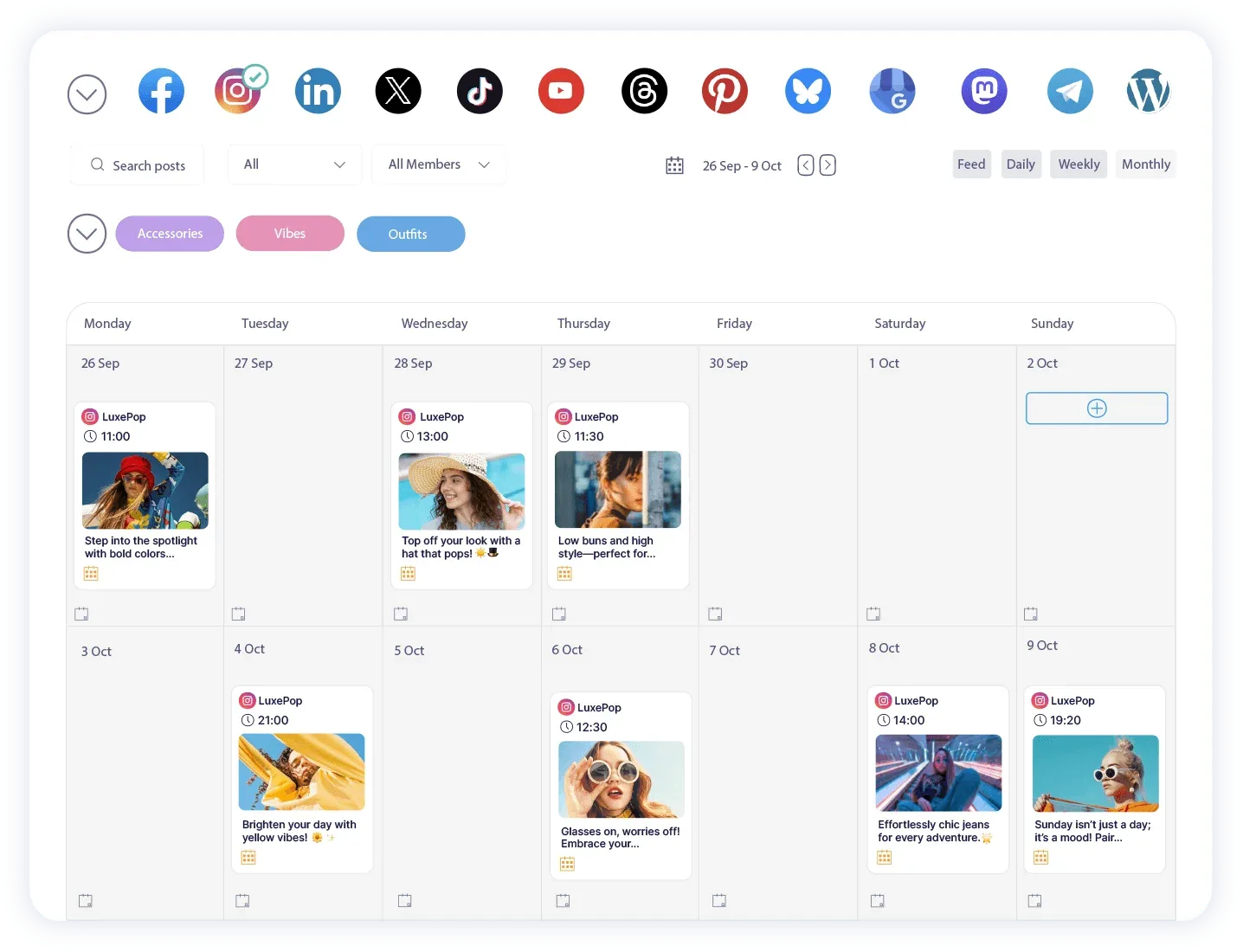
Publer is a feature-dense scheduler that prices by social account and by team member. According to its help center, Professional starts at $5 a month for one account, with each extra account at $4 and each extra member at $2.
Business starts at $10 a month, with extra accounts at $7 and extra members at $3. On both plans, every tenth account is free, and yearly billing gives two months free.
Professional is aimed at solopreneurs and creators: unlimited scheduling and drafts, first comments and threads, unlimited workspaces and media storage, RSS automations and X support. Business adds unlimited AI Assist prompts, analytics, best times to post, competitor analysis, post recycling, and, importantly for this post, access to the Publer API and MCP.
Our Publer alternatives guide covers its trade-offs in more depth.
Publer vs Post Bridge in one line: cheaper for a handful of accounts, with far more scheduling features, as long as you can live without AI agents on Professional.
The catch: the API, MCP and unlimited AI prompts are all Business features, so a creator who wants an agent to post for them pays $10 plus $7 per extra account.
Six accounts on Business cost about $45 a month before members, which is more than Post Bridge's Marketer plan.
Want the agent and the AI on your entry plan? PostEverywhere includes the hosted MCP server, AI Studio and the API on every plan from $9, plus a built-in AI Assistant in the web app. See the plans.
4. Metricool: For Analytics-First Creators

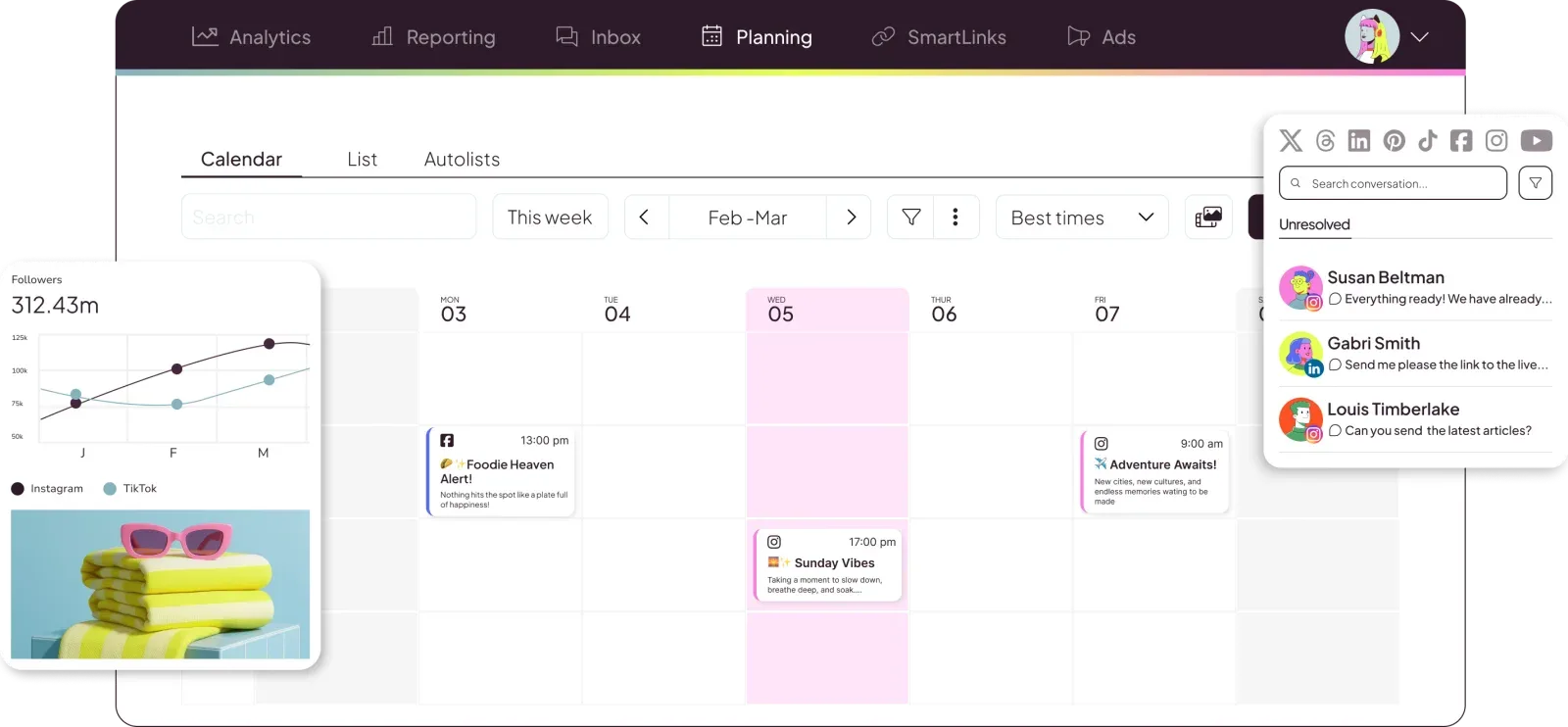
Metricool started as an analytics tool and grew a planner around it. If you care about what your posts did as much as where they went, it is the strongest analytics option on this list.
It prices by brand, not by connected account. Starter is $25 a month for up to 5 brands, or $45 for up to 10 ($20 and $36 billed annually). Starter includes unlimited content publishing (under a fair use policy), analytics with unlimited history, competitor analysis, link-in-bio pages, PDF and PPT reports, LinkedIn, and access to the X add-on.
Advanced, from $67 a month, adds team and client management, roles and a post approval system. Metricool lists an MCP server and an AI assistant even on its entry plans.
Metricool vs Post Bridge in one line: a cheaper route for a single creator brand, with analytics that go much further than a beta tab.
The catch: X is an add-on rather than part of Starter, approvals need Advanced at $67, and the product is built around analytics and reporting, so it can feel heavier than Post Bridge's write-once flow.
See PostEverywhere vs Metricool and our Metricool alternatives for the head-to-head.
5. Postiz: For Self-Hosting or a Hosted Agent Stack

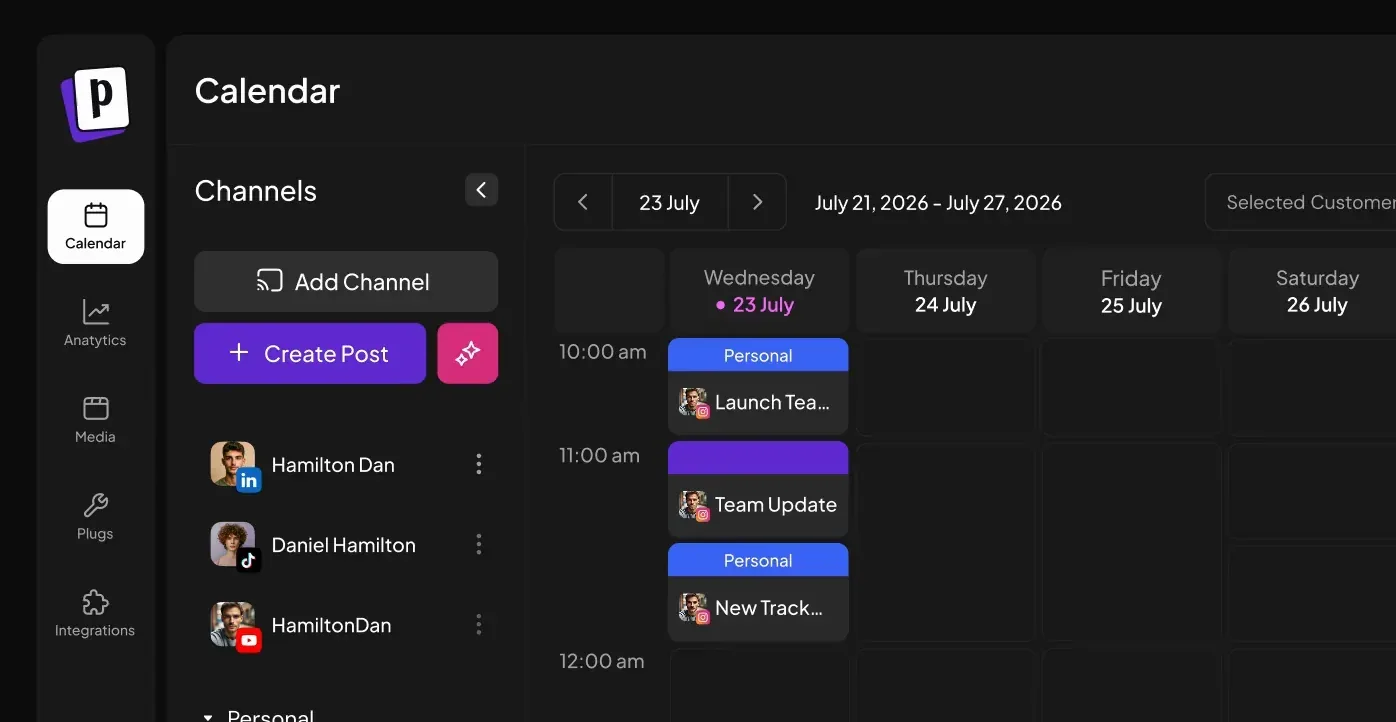
Postiz is the open-source scheduler on this list, and you can run the Postiz source code on your own server. Most people use the hosted service: Standard is $29 a month for 5 channels, Team $39 for 10, Pro $49 for 30 and Ultimate $99 for 100, with a 7-day trial and about 20% off annually.
Team members are unlimited from Team upward; Standard has no team support.
Every hosted plan includes the MCP server, a CLI and the API, plus an AI copilot and a "Smart Agent" you can chat with. AI images and videos come in monthly allowances by plan: Standard includes 3 AI videos and no AI images, while Team includes 100 images and 10 videos.
Postiz says the hosted platform is where its agent features ship first.
Postiz vs Post Bridge in one line: more AI and more control, especially if you are technical enough to self-host.
The catch: self-hosting means registering your own developer app with each network and keeping a server patched, and on the hosted Standard plan you get 5 channels and no AI images for $29. Our Postiz alternatives and PostEverywhere vs Postiz posts cover the trade-off.
6. Upload-Post: For Video-Heavy Posting Through an API
Upload-Post is closer to Post Bridge's video roots than anything else here. It started as a way to push one short video to TikTok, Instagram and YouTube with a single call, and it now covers 20+ platforms.
It is aimed at automation builders (n8n, Make, scripts) more than at people who want a calendar.
Pricing is by "profile", where one profile holds one account per platform. Basic is $24 a month for 5 profiles, Professional is $50 for 25, and annual billing cuts those by 40%.
Paid plans include unlimited uploads, scheduling, analytics and built-in video processing. Its open-source MCP server has 40 tools and runs hosted (API key or OAuth) or locally.
If you have ever fought TikTok's upload rules yourself, our TikTok posting API guide shows the work a service like this removes.
Upload-Post vs Post Bridge in one line: a cheaper pipe for creators who automate video posting rather than schedule by hand.
The catch: it is an API product first, so creators who want a visual calendar and per-post editing will find it bare. Seats are capped (1 on Basic, 2 on Professional), and posting links on X needs a paid add-on.
What a creator posting to 6 platforms pays on each Post Bridge alternative
Headline prices hide the counting model, so here is one realistic job: a creator posting to Instagram, TikTok, YouTube, LinkedIn, X and Threads, with one account on each.
| Tool | Monthly cost for 6 accounts | AI content included | AI agent (MCP) included |
|---|---|---|---|
| PostEverywhere | $29 (Growth, 10 accounts) | Captions, images, video | Yes |
| Post Bridge | $39 (Marketer, 15 accounts) | Not listed | Yes |
| Buffer | $30 (Essentials, 6 × $5) | AI writing | Yes |
| Publer | About $25 (Professional) or $45 (Business, with MCP) | Unlimited AI on Business | Business only |
| Metricool | $25 (Starter, 1 brand) plus the X add-on | AI assistant | Yes |
| Postiz | $39 (Team, 10 channels) | 100 images, 10 videos | Yes |
| Upload-Post | $24 (Basic) | Not a focus | Yes |
Upload-Post, Publer Professional and Metricool are cheaper on paper for pure posting. PostEverywhere's case is everything in that $29: AI captions, images and video, a hosted MCP server, a visual calendar, a posting queue, and room for 4 more accounts.
If you only need a pipe, pick the cheapest pipe. If you also make the content, compare the whole bill, including the AI tool you would otherwise pay for separately.
How to Choose the Right Post Bridge Alternative
Start with how you actually work:
If you want AI to help make the content, pick a tool with generation built in. PostEverywhere AI Studio covers captions, images and video on every plan; Postiz includes image and video allowances by plan; Publer's unlimited AI sits on Business.
If an AI agent will do the posting, check where the MCP server lives and what plan it needs. PostEverywhere, Post Bridge, Buffer, Metricool and Postiz include it on their entry plans; Publer keeps it on Business.
Our ranking of social media tools for AI agents compares every official server, and how to schedule posts with MCP shows the setup step by step.
If you post to two or three channels, Buffer's per-channel pricing or PostEverywhere's $9 Lite plan will be cheapest.
If analytics matter most, Metricool is the specialist.
If you must self-host, Postiz is the only option here.
If you automate video uploads from scripts, Upload-Post is built for that.
If you want one tool that does the content, the scheduling and the agent, PostEverywhere is the pick. PostEverywhere's scheduler handles the cross-posting, AI Studio handles the content, and the PostEverywhere API and MCP server let your code and your agent post too.
What Post Bridge Does Well (and Where It Falls Short)
Credit where it is due. Post Bridge is focused: it does one job, posting the same content to many platforms quickly, and it does it with a clean interface. It allows multiple accounts per platform on every plan, so a creator running several TikTok accounts can put all 15 Marketer slots on TikTok. Bulk video scheduling and carousels are included.
And support comes from the founder himself, which small customers value.
Its AI agent story is also stronger than most. According to its MCP page, the hosted server takes one URL with an OAuth sign-in, appears as a connector in the Claude directory and as an app in ChatGPT, and works in Claude Code, Cursor and other MCP clients.
Its 16 tools cover creating and scheduling posts with per-platform overrides, uploading media (up to 500MB per file), checking whether each platform post succeeded, and reading analytics.
Where it falls short is around that core. The cheapest paid plan is $39 for 15 accounts whether you need 15 or 3. AI generation is not on the pricing page, so the content still comes from somewhere else. Analytics is labelled beta. Team members need the $99 Operator plan.
And the platform list stops at ten networks, without Telegram, Discord or WordPress, all of which PostEverywhere publishes to alongside Bluesky.
None of that makes Post Bridge a bad product. It makes it a focused cross-posting tool, which is exactly why creators who want more, especially AI content, end up comparing alternatives.
Frequently Asked Questions
What is the best Post Bridge alternative?
PostEverywhere is the best Post Bridge alternative for creators who want AI content and AI agent posting. It starts at $9 a month, and every plan includes AI Studio for captions, images and video, a hosted MCP server for Claude and ChatGPT, and a REST API.
Buffer suits a few channels on a small budget, and Metricool suits analytics-first creators.
How much does Post Bridge cost?
As of October 2026, Post Bridge's Marketer plan is $39 a month for 15 connected accounts. Operator is $99 a month for a 99-account minimum, plus $1 per extra account. Yearly billing gives two months free.
Both plans have a 7-day free trial, and team members are only available on Operator.
What is the cheapest Post Bridge alternative?
For a creator with a few accounts, PostEverywhere's Lite plan is $9 a month for 2 accounts, and Buffer Essentials is $5 a month per channel. For six accounts, Upload-Post Basic ($24), Publer Professional (about $25) and PostEverywhere Growth ($29, 10 accounts with AI Studio and MCP) all come in under Post Bridge's $39.
Does Post Bridge have AI caption or image generation?
Not on its pricing page. Post Bridge's plans cover scheduling, carousels, bulk video, an API, an MCP connection and analytics in beta, with no AI caption, image or video generation listed. PostEverywhere includes AI Studio for captions, images and video on every plan.
Does Post Bridge work with Claude and ChatGPT?
Yes. Post Bridge has a hosted MCP server with 16 tools and OAuth sign-in, listed in the Claude directory and as a ChatGPT app. PostEverywhere's hosted MCP server also works in Claude, ChatGPT and Cursor, has 44 tools including caption and image generation, and is included on every plan.
Which Post Bridge alternative is best for teams?
PostEverywhere adds workspaces, roles and post approvals from its $19 Starter plan. Buffer's Team plan ($10 per channel) adds approvals and unlimited users, and Metricool includes approvals on Advanced. Post Bridge only allows team members on its $99 Operator plan.
Can I move from Post Bridge to PostEverywhere?
Yes. You connect your social accounts to PostEverywhere through each platform's official sign-in, then re-create any scheduled posts, by hand, by CSV upload (up to 200 posts per file) or by asking your AI agent.
If you used Post Bridge's MCP in Claude or ChatGPT, add the PostEverywhere connector instead and your prompts work the same way.
Ready to switch? PostEverywhere cross-posts to all top platforms, makes the content in AI Studio, and lets your AI agent post for you. Start your 7-day trial.
Post Bridge alternatives for AI agent posting
If the reason you chose Post Bridge was posting from Claude or ChatGPT, keep that workflow and add AI content. PostEverywhere's hosted MCP server works with a sign-in in Claude and ChatGPT and with your key in Cursor and Claude Code, and the MCP setup guide has the exact steps.
Our guide to using Claude for social media shows what a week of agent-run posting looks like, and posting to Instagram and TikTok at the same time covers the most common creator cross-post.

Founder & CEO of PostEverywhere. Writing about social media strategy, publishing workflows, and analytics that help brands grow faster.