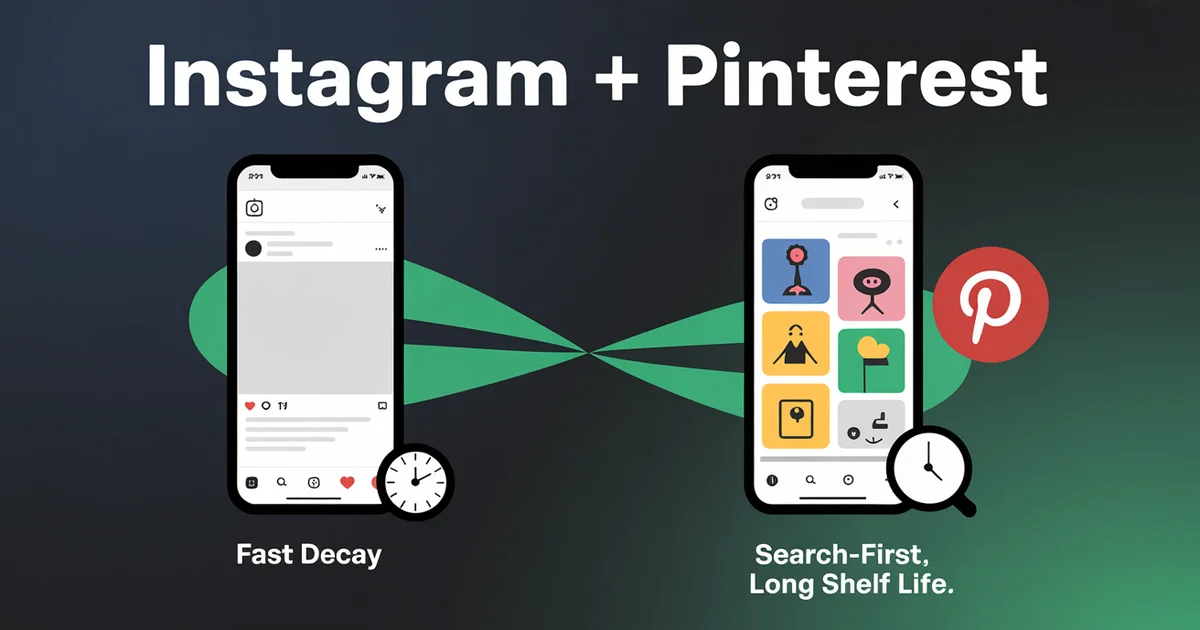
A Reel that flops on Instagram in 36 hours can drive traffic to your blog from Pinterest for the next two years, but only if you stopped treating it like the same post.
This is the core mistake of every Instagram-to-Pinterest workflow I've audited: people upload the same caption, same hashtags, same first-frame to two completely different products and wonder why one of them dies. Instagram is a feed; Pinterest is a search engine.
They reward different things, and the timeline of "rewarded" is so different (hours vs. years, per Pinterest's own data showing 60%+ of saves come from Pins more than a year old) that you're really running two distribution strategies on top of one piece of media.
The walkthrough below covers what to share, what to change, and how to schedule both from one composer in 2026, including the post-Idea-Pins reality, the Q4 2025 user record that makes Pinterest a bigger opportunity than most creators realise, and the specific watermark trap that breaks half the cross-posts I see.
Edited by Jamie Partridge, Founder
TL;DR
- Pinterest merged Idea Pins into standard Pins in 2023. All Pins are now either single-image or video Pins. If a guide tells you to "make Idea Pins," it's stale. (Pinterest Create blog)
- The same 9:16 vertical file works on both Instagram Reels and Pinterest video Pins, but the Instagram-watermarked download will get you suppressed on Pinterest. Save the master file before you publish anywhere.
- Captions are not transferable. Instagram captions sell vibes; Pinterest descriptions are search keywords. Reuse the file, rewrite the words.
- Pinterest is the only major social platform where outbound links work in the post itself, not in a bio. This is the most under-used cross-posting advantage in 2026.
- Pinterest hit 619 million MAUs in Q4 2025, up 12% year-over-year (Pinterest Q4 2025 earnings). The audience is still growing, and search-first behaviour means it indexes your content for Google too.
- A scheduler that handles both via official APIs (like PostEverywhere) lets you upload the master once and send a tailored post to each platform from one composer.
Stop treating Instagram and Pinterest like the same post. PostEverywhere schedules both from one composer with per-platform captions and links. Start your 7-day trial →
Why the Instagram + Pinterest pair is different from every other cross-post
Most cross-posting articles are about platforms that are basically siblings: Instagram and Facebook (same parent, overlapping algorithms), TikTok and Reels (same vertical-video paradigm), X and Threads (text-first competitors). Instagram and Pinterest aren't siblings; they're different species.
Three differences that change the workflow completely:
1. Feed vs. search. Instagram is a feed-first product. The half-life of a post is measured in hours. Pinterest is a search engine that calls itself a social network. Pins are indexed against keywords, and a Pin published today can drive saves and clicks two years from now. Pinterest's own data, surfaced by partner Tailwind, shows that more than 60% of saves come from Pins over a year old.
2. Outbound links work in the post. Instagram restricts links to the bio (or to ad placements). Pinterest treats every Pin as essentially a glorified bookmark with a destination URL.
If you're driving traffic to a blog, product page, or UTM-tagged landing page, Pinterest is the only major visual platform where the link is the point.
3. Pinterest content surfaces in Google. Pinterest boards, Pin titles, and descriptions are crawlable. Pins frequently appear in Google image search and increasingly in AI overview citations because the content is structured: keyword-laden titles, descriptive alt text, and clear destinations.
An optimised Pin is doing double duty as Pinterest SEO and Google SEO.
This is why a "post to Instagram and Pinterest at the same time" workflow isn't really about saving 30 seconds. It's about taking one file you made for Instagram and turning it into a long-tail traffic asset on Pinterest, at the same publish moment, from the same composer, but with the Pinterest version configured properly.
The Idea Pins death and what replaced them
If you've been off Pinterest for a year or two, your mental model of how the platform works is probably broken.
In May 2023, Pinterest combined standard Pins and Idea Pins into a single unified format, and by June 2023 the standalone Idea Pin format was discontinued. Per Pinterest's own announcement, there are now two Pin types: single-image Pins and video Pins. Multi-asset uploads now stitch automatically into a video Pin.
This matters for cross-posting because:
- Old guides telling you to "post Reels as Idea Pins" are stale. The format doesn't exist.
- Video Pins took on the best of Idea Pins (links, post-publish editing, flexible aspect ratio) without the discoverability problem (Idea Pins were artificially gated).
- Vertical 9:16 video that you make for Instagram Reels now drops directly into Pinterest as a video Pin with no format mismatch. The format gap that existed in 2022-2023 is gone.
The practical result: your existing Reels production pipeline is also a Pinterest video Pin pipeline. You don't need a different camera, different software, different specs. You need a different frame around the same file: different title, different description, different link.
Pinterest specs that matter when you're posting from an Instagram-first workflow
Per Pinterest's official ad and Pin specs:
- Image Pins: 2:3 ratio (1000 x 1500 px), PNG/JPEG, max 20 MB.
- Video Pins: 9:16 or 2:3, MP4/MOV/M4V, H.264/H.265 encoding, 4 seconds to 15 minutes (6-15 sec recommended).
- Title: up to 100 characters (first 40 are most visible; this is the "search snippet").
- Description: up to 800 characters, far longer than Instagram's hashtag-loaded caption pattern, and Pinterest treats this as searchable text.
Compare to Instagram Reels (per Meta's published guidelines): 9:16, MP4, up to 15 minutes for Reels. The format overlap is near-total. The metadata layer is where the divergence happens.
What to share to both, and what to keep on one platform
Not everything that works on Instagram works on Pinterest. After auditing dozens of creator workflows, the rule of thumb:
Always cross-post to Pinterest:
- How-tos and tutorials (recipes, DIY, design walkthroughs)
- Product showcases with a clear destination URL
- Aesthetic/lifestyle imagery (fashion, interiors, weddings, travel)
- Educational carousels and infographics (stitch into a video Pin)
- Anything that ends with a "now go do this" moment
Don't bother:
- Personal brand vlogs with no destination
- Time-sensitive announcements (a sale ending Friday is wasted on a search-first platform)
- Memes and reaction content (Pinterest's audience isn't there)
- Selfie-led talking-head content with no visual hook
The lifestyle/visual creator categories (food bloggers, fashion creators, design accounts, wedding planners, home stagers, makeup artists) are the ones for whom "post to Instagram and Pinterest at the same time" is genuinely transformative.
Pinterest's Q4 2025 search data (Pinterest Predicts 2026) shows 2.4x growth in multi-word searches. Users are arriving with intent, not boredom.
The watermark trap (and why it kills half of cross-posted Reels)
This is the single most common Pinterest cross-posting mistake I see, and it's worth its own section.
Pinterest's spam policies penalise content with visible third-party platform watermarks. If you download your own Reel from Instagram using the in-app save button, it has the Instagram logo and your handle burned into the bottom corner.
Upload that to Pinterest and you'll see suppressed reach without an obvious explanation; Pinterest doesn't always tell you it's deprioritised the Pin.
The fix is simple but easy to forget:
- Save the master file before you publish. Whatever you edit your Reel in (CapCut, Premiere, InShot), export the final cut to your camera roll before you upload it to Instagram.
- Use that master for Pinterest, not the Instagram download. The Instagram-saved version has the watermark; the master doesn't.
- If you've already lost the master, third-party watermark removers exist but get inconsistent results. Better to re-edit and re-export from the source.
A cross-posting scheduler like PostEverywhere sidesteps the issue entirely. You upload the master once, and the platform sends the un-watermarked file to both Instagram (which adds Reels metadata server-side) and Pinterest (which receives a clean video Pin).
How to actually post to Instagram and Pinterest at the same time
There are two ways. One works for occasional creators, the other works once you're publishing more than two or three times a week.
Option 1: Manual, twice (fine for one-offs)
Open Instagram, upload the Reel, write the caption with your usual hashtags. Switch apps. Open Pinterest, upload the same file (the master, not the Instagram download), write a search-optimised title and a 200-300 character description with your destination URL. Pin it to a relevant board.
Time per post: 8-12 minutes if you're efficient. The friction is in the title/description rewrite, not the upload.
Option 2: A scheduler that knows both APIs
Once you're posting regularly, the manual workflow stops scaling. A cross-platform scheduler lets you upload one master file and configure two posts in one composer.
Inside PostEverywhere, the workflow looks like this:
Step 1: Connect both accounts via official APIs
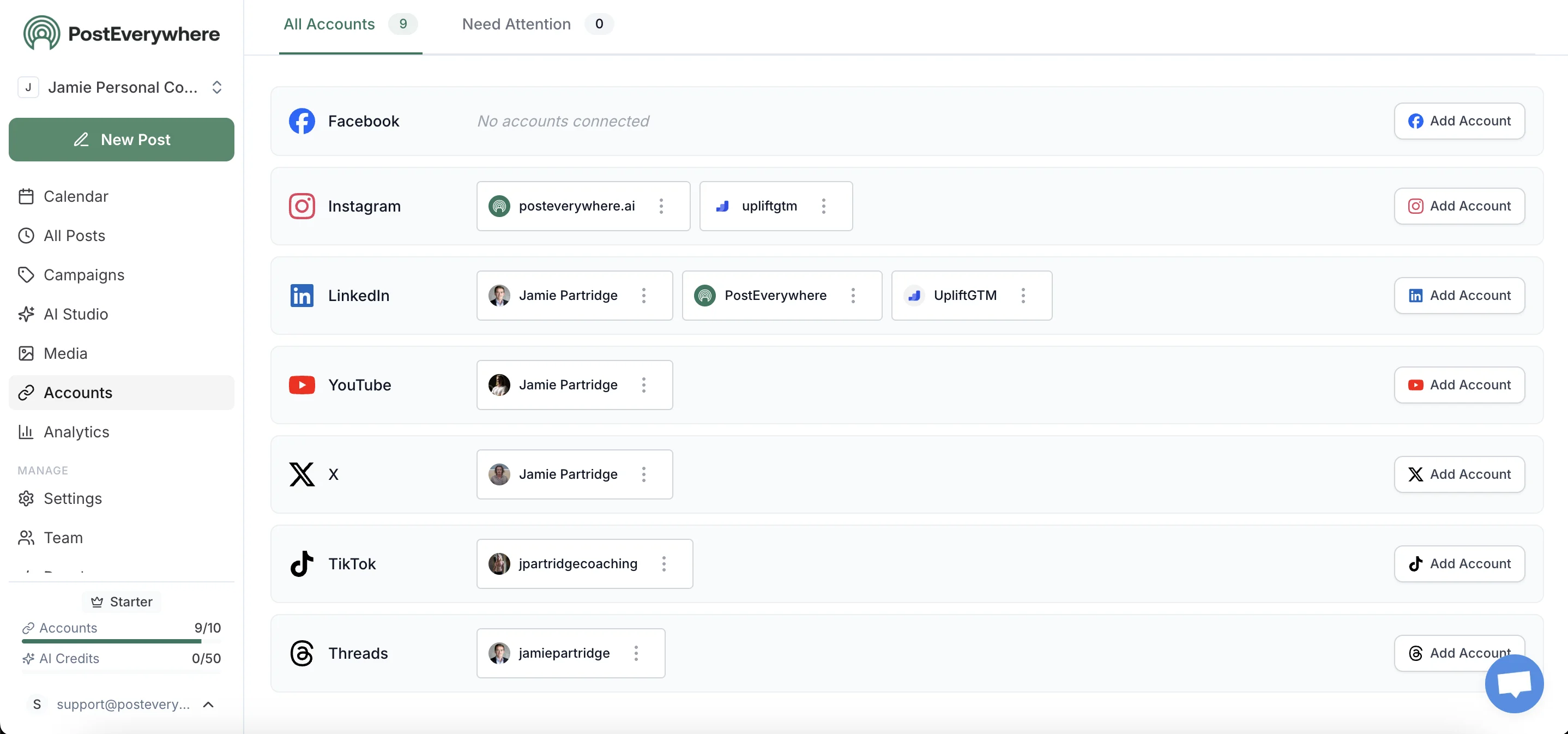
Both Instagram (Business or Creator) and Pinterest connect through their respective official APIs. PostEverywhere is one of the third-party tools that publishes through the official Pinterest API, meaning Pinterest treats your scheduled Pin exactly as it would a manually-published one. No penalty, no different distribution.
Step 2: Upload the master file once
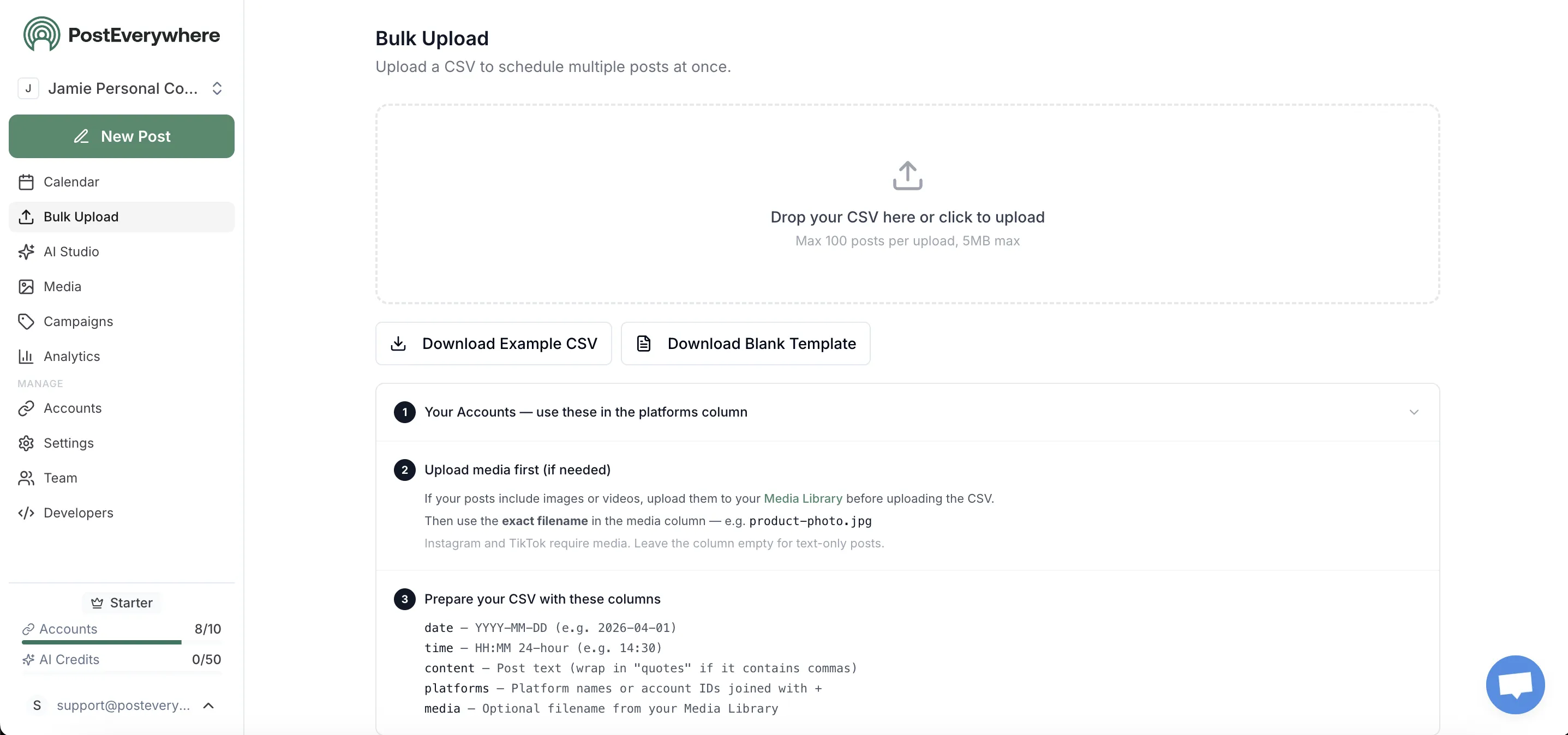
Upload your watermark-free master. The composer detects 9:16 vertical and tells you it's compatible with Instagram Reels and Pinterest video Pins natively. Same file, no re-encoding, no quality loss.
Step 3: Customise per platform without rewriting from scratch
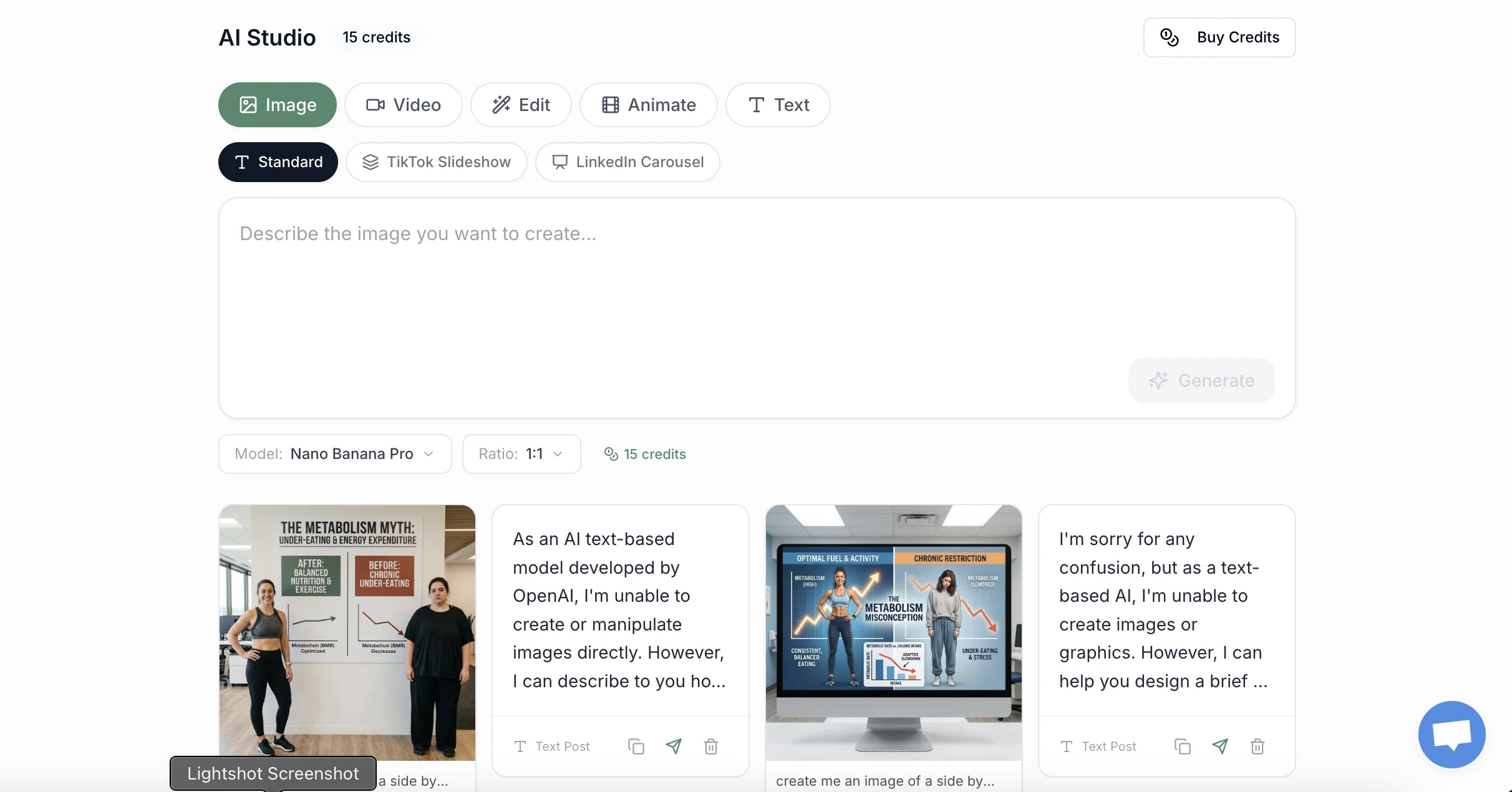
The Instagram version gets your usual caption pattern: hook, story, CTA, hashtags. The Pinterest version gets a 100-character search-optimised title and a 200-800 character description with your keywords woven in (not stuffed). The AI caption generator drafts both from one base; you edit before publish.
Critically: the Pinterest version gets a destination URL. This is where Pinterest leapfrogs Instagram. Use the free UTM link builder to tag the Pinterest link separately so you can see which platform actually drove traffic in your analytics.
Pinterest, especially for blog and product traffic, often outperforms what your Instagram bio link can deliver.
Step 4: Schedule both at the right moment for each

Pinterest and Instagram have very different optimal posting windows. Instagram peaks at 7-9am and 7-9pm in your audience's local timezone (see best time to post on Instagram). Pinterest peaks evenings and weekends, reflecting search behaviour rather than scrolling behaviour (see best time to post on Pinterest).
The unified calendar lets you set both in one composer, either at the same time or staggered to each platform's peak window. The best-time-to-post tool suggests windows by audience.
Step 5: Track which platform actually drove the traffic
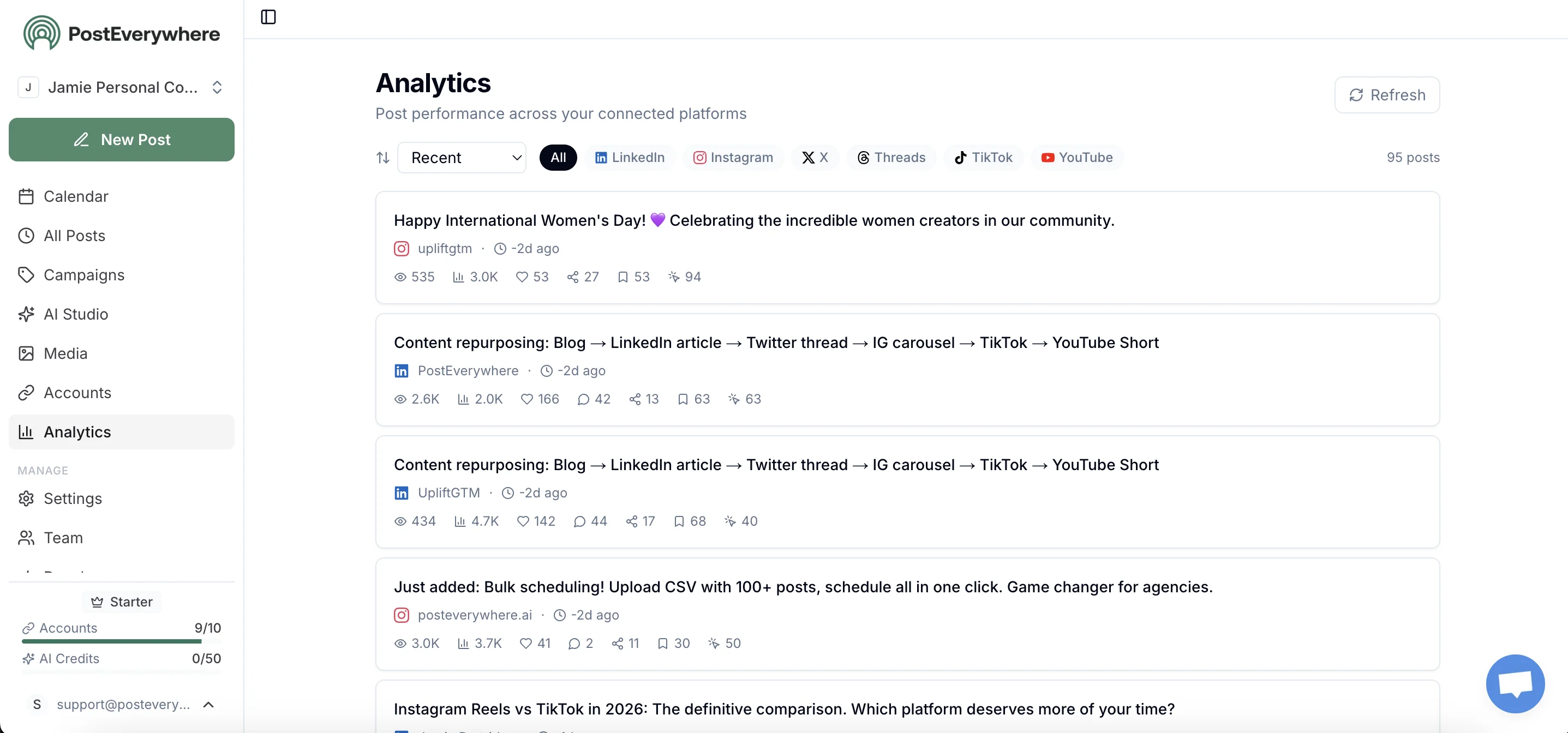
Pinterest's value isn't in vanity reach. It's in outbound clicks. Per-platform analytics in PostEverywhere shows you side-by-side: Instagram reach and saves vs. Pinterest impressions and outbound clicks. Combined with UTM-tagged links, you'll often discover that the Reel that "underperformed" on Instagram is steadily driving 50-100 weekly site visits via Pinterest six months later.
One file. Two distribution strategies. One composer. PostEverywhere posts to Instagram, Pinterest, and every other top platform. Start your 7-day trial →
The Instagram caption vs. Pinterest description rewrite: a practical example
Let's say you're a food creator publishing a 60-second Reel on a simple weeknight pasta.
Instagram caption (vibe-led, hashtag-stacked):
One-pan, 15-minute, weeknight saviour. Throw it together when you've got 20 minutes and zero patience. Save this for Tuesday 🍝
#pastarecipe #weeknightdinner #onepanmeal #easydinner #foodreels
Pinterest description (search-led, keyword-rich, destination URL):
15-Minute One-Pan Pasta Recipe (Weeknight Dinner Idea)
A quick weeknight pasta recipe you can make in one pan in 15 minutes. Perfect for busy nights, families with kids, and easy dinner ideas when you don't want to do dishes. Get the full recipe and ingredient list at [your blog URL].
Includes a printable recipe card, swap suggestions for gluten-free pasta, and tips for making it ahead. Save this Pin to your weeknight dinners or easy pasta recipes board.
Same video. Two completely different jobs. The Instagram version is going to live for 36 hours and decay; the Pinterest version is going to be indexed against "15 minute pasta recipe," "weeknight dinner ideas," "one pan pasta," and a dozen related queries, and rank for them for years.
This is the editorial work that genuinely transforms a cross-post from "lazy duplication" to "two-platform distribution strategy." You don't need to do it manually every time once you have the pattern; the AI content generator can be trained on your tone and asked to produce both variants.
Multi-account, multi-board: when the workflow gets serious
If you're managing multiple Instagram accounts (a personal brand and a business, or several client accounts) and multiple Pinterest accounts, the scheduling layer becomes essential rather than optional. Pinterest's structure (boards within accounts) means a single Pin needs to be assigned to a specific board, and the right board for a given piece of content varies.
Multi-account management inside PostEverywhere lets you switch between Instagram and Pinterest profiles without re-authenticating, pick which board a Pin goes to, and schedule across all of them from one calendar.
For agencies and creators handling more than one brand, this is where the time savings start measuring in hours per week, not minutes.
What about Pinterest's algorithm penalising "duplicate content"?
You'll see this claim repeated in older guides, that Pinterest punishes Pins that match content already on the platform. Some context:
Pinterest does suppress spam: repeated identical Pins from the same account, mass-uploaded image variants with slight tweaks, link-stuffing. It does not suppress legitimate creators who post the same video they made for Instagram.
The platform actively encourages cross-platform creators to bring video content from elsewhere; that's literally why the format unification happened.
What will get you suppressed:
- Watermarked content from other platforms (covered above)
- The same Pin posted to 20 boards in 24 hours
- Identical title + description + URL repeatedly
What won't:
- Your Reel as a video Pin with a Pinterest-tailored title and description
- The same vertical video content used across both platforms over time
- Multiple Pins driving to the same destination URL with different visuals
The Pinterest algorithm guide goes deeper, but the short version: cross-post freely, just don't be lazy with the metadata.
Frequently asked questions
Can I post the exact same Reel to Pinterest as a video Pin?
Yes, provided two things. First, the file is your watermark-free master, not the Instagram-downloaded version with the IG logo overlay. Second, you write a Pinterest-specific title and description rather than reusing the Instagram caption.
The video format (9:16, MP4, H.264) drops in directly per Pinterest's spec sheet.
Does Pinterest penalise content that's already on Instagram?
No. Pinterest welcomes video content brought in from other platforms; the format consolidation in 2023 was specifically to make this easier. The penalty applies to spam and watermarked content, not to legitimate cross-posting. Treat the metadata seriously and you'll be fine.
Are Idea Pins still a thing?
No. Pinterest retired Idea Pins as a separate format in 2023 and combined them with standard Pins into a single unified format (Pinterest Create announcement). Any guide telling you to post "Idea Pins" is more than three years out of date. You now create either single-image Pins or video Pins.
Why does Pinterest drive traffic for so much longer than Instagram?
Pinterest is a search engine. Pins are indexed against keywords and resurface when users search for related terms months or years later. Instagram is a feed; posts decay rapidly because the recommendation system favours recency.
Per Tailwind's analysis of Pinterest SEO in 2025, more than 60% of all saves come from Pins published over a year ago. That long shelf life is structural, not algorithmic.
Can I schedule to Instagram and Pinterest from one tool?
Yes. PostEverywhere connects to both via official APIs and lets you upload one master file, configure per-platform captions and links, and schedule both from one calendar. Pinterest treats API-published Pins identically to manually-published ones; there's no algorithmic penalty for using a scheduler.
How long is the optimal Pinterest video Pin?
Per Pinterest's spec page, video Pins can run from 4 seconds to 15 minutes. Pinterest recommends 6-15 seconds for the strongest engagement, significantly shorter than the typical Instagram Reel.
If your Reel is 60 seconds, you may want to either trim a 15-second hook version specifically for Pinterest or accept the longer version (which will still publish; it just won't peak as well in the feed).
Do I need a Pinterest Business account to use a scheduler?
Yes. Pinterest's API only authorises Business accounts (free to convert from a personal account, takes about 60 seconds). The same is true for Instagram: schedulers need a Business or Creator account to publish via the API, not a personal account.
Related guides
- How to post to Instagram and Facebook at the same time: Meta's native bugs and how to bypass them
- Best time to post on Pinterest: search-first timing data
- Best time to post on Instagram: feed-first timing data
- Cross-posting guide: workflow across all top platforms
- Pinterest scheduler: schedule Pins on their own
- Instagram scheduler: product page
One file, two distribution strategies, one composer. PostEverywhere schedules to Instagram, Pinterest, Facebook, TikTok, X, LinkedIn, YouTube, and Threads. Start your 7-day trial →

Founder & CEO of PostEverywhere. Writing about social media strategy, publishing workflows, and analytics that help brands grow faster.