Instagram and TikTok are owned by rival companies that have spent the last three years trying to bury each other, and your "post to both" button is the casualty.
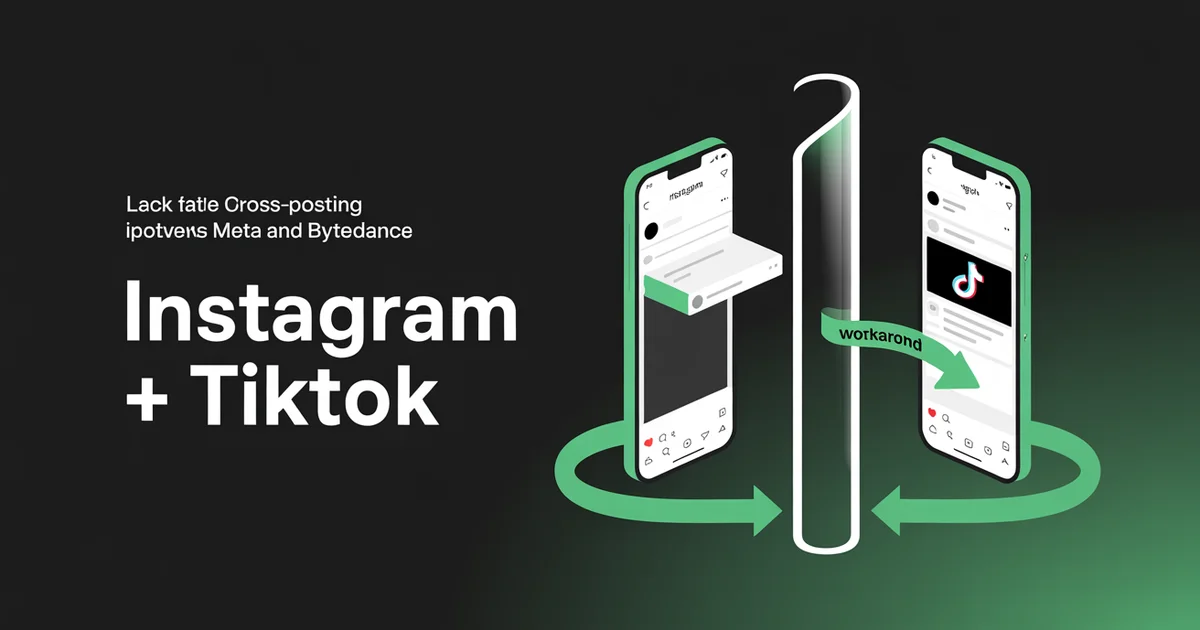
There is no native way to post to Instagram and TikTok at the same time, and there will never be one. Meta would rather you stay inside Reels. ByteDance would rather you stay inside TikTok.
The two apps don't even share a music licensing framework, let alone an API. So when creators ask how to post to Instagram and TikTok at the same time in 2026, what they're really asking is: which manual workaround does the least damage to my reach? That's the question this guide actually answers.
If Reels are the priority, our roundup of the best tools for scheduling Instagram Reels compares the options.
The 2025 TikTok divestiture saga ended in January 2026 with ByteDance retaining 19.9% of TikTok USDS under an Oracle-led consortium. The app is no longer at imminent risk of disappearing, but the cross-app cold war between Meta and TikTok hasn't thawed.
If anything, what some marketers call Instagram's "Originality Score" (the platform's content-originality signals after the January 2025 Mosseri announcement) has gotten more aggressive at flagging anything that smells like a rival platform.
This post unpacks why the seam is so painful, and how to post to Instagram and TikTok at the same time without triggering it.
Edited by Jamie Partridge, Founder
For every method of publishing one post across every network, see how auto posting works in PostEverywhere.
The short version
- There is no native cross-poster. Instagram and TikTok are owned by competitors. Saving a TikTok and uploading it to Instagram is the closest thing to a "share to both" button, and it's the worst possible workflow for reach.
- The TikTok watermark is a reach-killer on Instagram. Mosseri has stated on record that Reels with watermarks from other apps are downranked. The 2026 algorithm is even stricter.
- Music rights don't transfer. A song cleared on TikTok's Commercial Music Library is not cleared on Instagram, and vice versa. Meta's blanket licence does not cover audio downloaded from another platform.
- Aspect ratio is the only thing that lines up cleanly. 1080×1920 (9:16) works native on both. Everything else (captions, hashtags, hooks, audio, posting cadence) needs to be tuned per platform.
- Third-party schedulers (cross-platform schedulers) talk to each platform's official API independently, so a single upload becomes two clean, native posts with no watermark, no save-from-camera-roll step, and no music mismatch.
- YouTube Shorts slots into the same workflow. The same 9:16 file works on Shorts if it's under 3 minutes, but Shorts rewards search, not just recommendation, and pays on a different model. The Shorts section below covers the extra steps.
Skip the watermark penalty. PostEverywhere posts to Instagram and TikTok in one upload. Clean files, separate captions, no save-from-app workaround. Start your 7-day trial →
Why Meta and TikTok refuse to play nicely
Most cross-posting guides treat this as a "tutorial gap", like the developers just haven't gotten around to building a Share button. They have. They've decided not to ship it.
When Mosseri posted his January 2025 announcement that Instagram would prioritise "original content" in 2025, six days before the TikTok ban was scheduled to take effect, he was openly courting TikTok refugees. The "originality" framing was not coincidental.
The same speech that promised better creator tools also promised to demote anything that visibly came from a rival platform. As Social Media Today reported, Mosseri later clarified that your own brand watermark is fine, but TikTok's logo specifically is not.
TikTok runs the same playbook in reverse. The platform deprioritises videos with visible Instagram branding (the "Reels" wordmark, IG profile overlays), and its content guidelines for the Creator Marketplace explicitly favour native uploads.
Two rival recommendation systems, both penalising you for visiting the other house. That's the structural reason "post to Instagram and TikTok at the same time" is hard, and why every native shortcut you'll find online has a hidden cost.
The four ways people try to post to Instagram and TikTok at the same time
Below is what creators actually do when they want to post to Instagram and TikTok at the same time, ranked from worst to best.
Method 1: Save TikTok → Upload to Instagram (the watermark trap)
This is the most googled "solution" and the most damaging. You record on TikTok, hit save, and the file lands in your camera roll with the TikTok username and logo permanently burned into the bottom-right corner. You then upload it to Instagram Reels.
What goes wrong: Mosseri has said on record that Instagram demotes Reels with watermarks from other apps. What some industry analysts call an Originality Score (Meta has not confirmed the name, but the originality signals exist) actively penalises files with visible TikTok branding. Reach falls off a cliff.
Many creators report watermarked Reels seeing severely capped views regardless of follower count.
There are watermark-removal apps that crop or blur the corner, but the algorithm has learned to detect them too. The crop changes the aspect ratio (the bottom of the video gets clipped), and watermark detection now uses content-based fingerprinting, not just pixel-level logo matching. There is no clean way to win this round.
Method 2: Post to Instagram first → save the Reel → upload to TikTok
Reverse direction. You publish on Instagram first, save the Reel from your own profile (no watermark on saved Reels of your own content if you turn off the cover overlay), then upload to TikTok.
What goes wrong: TikTok's algorithm doesn't see the Reels watermark because there isn't one. Instagram strips it off saves of your own posts. So far so good. But TikTok's audio licensing is the next wall.
If you used a track from Instagram's music library, it likely doesn't have TikTok performance rights. The video uploads, but the audio either gets muted, replaced with TikTok's "audio unavailable" placeholder, or, worst case, gets your TikTok flagged for a copyright strike.
Per the Legal Apothecary's licensing guide, Meta's music deal does not cover use of that same track once the file leaves Meta's apps.
If you used original audio (your own voice, your own recording), Method 2 mostly works. If you used any licensed music, expect mute or strikes.
Method 3: Post natively to each, in parallel
Open both apps. Record once, upload twice, but each upload uses the native recording flow inside each app. No save-from-camera-roll step. No audio mismatch. The Reel uses Instagram's library, the TikTok uses TikTok's library, and both files end up on the platform that hosts them.
What goes wrong: Nothing algorithmically. Everything operationally. You're now editing the same content twice, picking music twice, writing captions twice, and adding hashtags twice. For a single post that's annoying.
For a creator publishing 4-5x a week across both platforms, it's an hour of duplicated work per posting day. This is the workflow most "serious" creators end up on by default, and the one a scheduler with cross-posting collapses back into a single composer.
Method 4: Schedule from a third-party tool that talks to both APIs
A scheduler connected to Instagram's Graph API and TikTok's Content Posting API uploads the same MP4 file to each platform independently. No watermark (because nothing was saved from a finished post), no music rights conflict (because you supply your own audio in the file), and one composer instead of two app sessions. This is the workflow we'll walk through below.
What changed in 2026 (and what didn't)
Two things shifted in the last 12 months that affect how you post to Instagram and TikTok at the same time.
TikTok stayed. Trump's September 2025 executive order (which extended enforcement delays through December 16, 2025) and the subsequent ByteDance divestiture deal closed in late January 2026, transferring 80.1% of TikTok USDS to a US-led consortium (Silver Lake, Oracle, MGX).
For the cross-posting question, the practical effect is: the API is stable again. Third-party schedulers stopped getting de-authorised on a 30-day cycle, and TikTok's content posting endpoint has not changed since March 2026.
If you abandoned a TikTok scheduling workflow during the 2025 uncertainty, it's safe to come back.
Instagram tightened originality detection. Through 2025-2026 the originality signals now flag content with non-Meta watermarks within seconds of upload. Where before you could squeeze 24-48 hours of reach out of a TikTok-watermarked Reel before it cooled off, that grace window has closed. The penalty is immediate.
What didn't change: the music rights asymmetry, the lack of an official cross-poster, and the rivalry between the two platforms. None of those are getting fixed.
How to actually post to Instagram and TikTok at the same time without the friction
Below is the workflow we recommend to PostEverywhere users posting daily across both platforms. It works whether you're a solo creator, an agency managing six brands, or a small business posting 3x a week.
(Models posting test-shoot clips to both apps can follow the four-week version in our guide to social media for models.)
Step 1: Connect Instagram (Business or Creator) and TikTok via official APIs
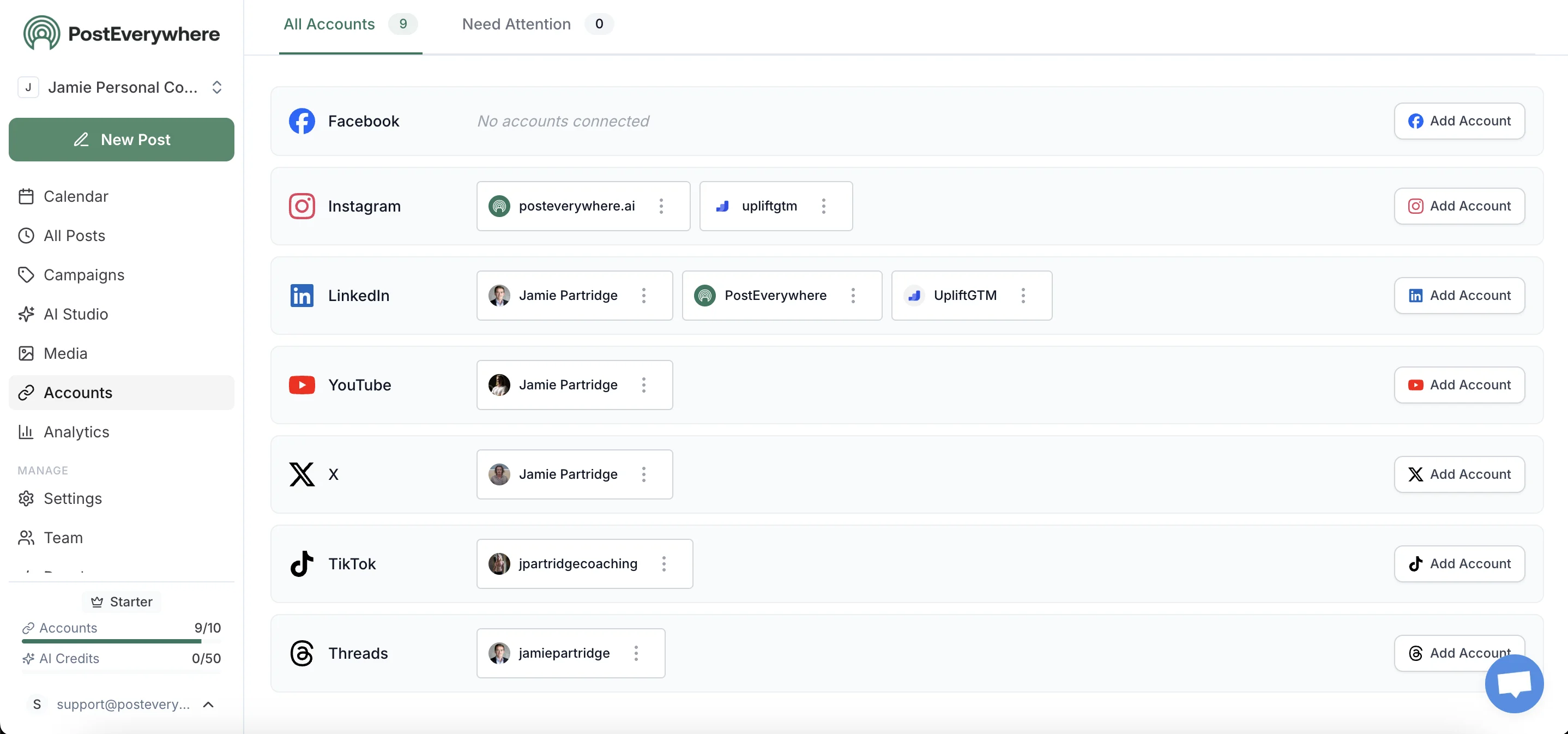
Both connections happen through Meta's Graph API and TikTok's Content Posting API. Meta requires a Business or Creator account for API publishing. Personal Instagram accounts cannot use any third-party scheduler, which is a Meta policy, not a PostEverywhere limitation.
The conversion to Creator is free and takes 30 seconds inside the Instagram app. Multi-account management lets you connect multiple Instagram and TikTok handles to one workspace if you run more than one brand.
Step 2: Upload the source file once
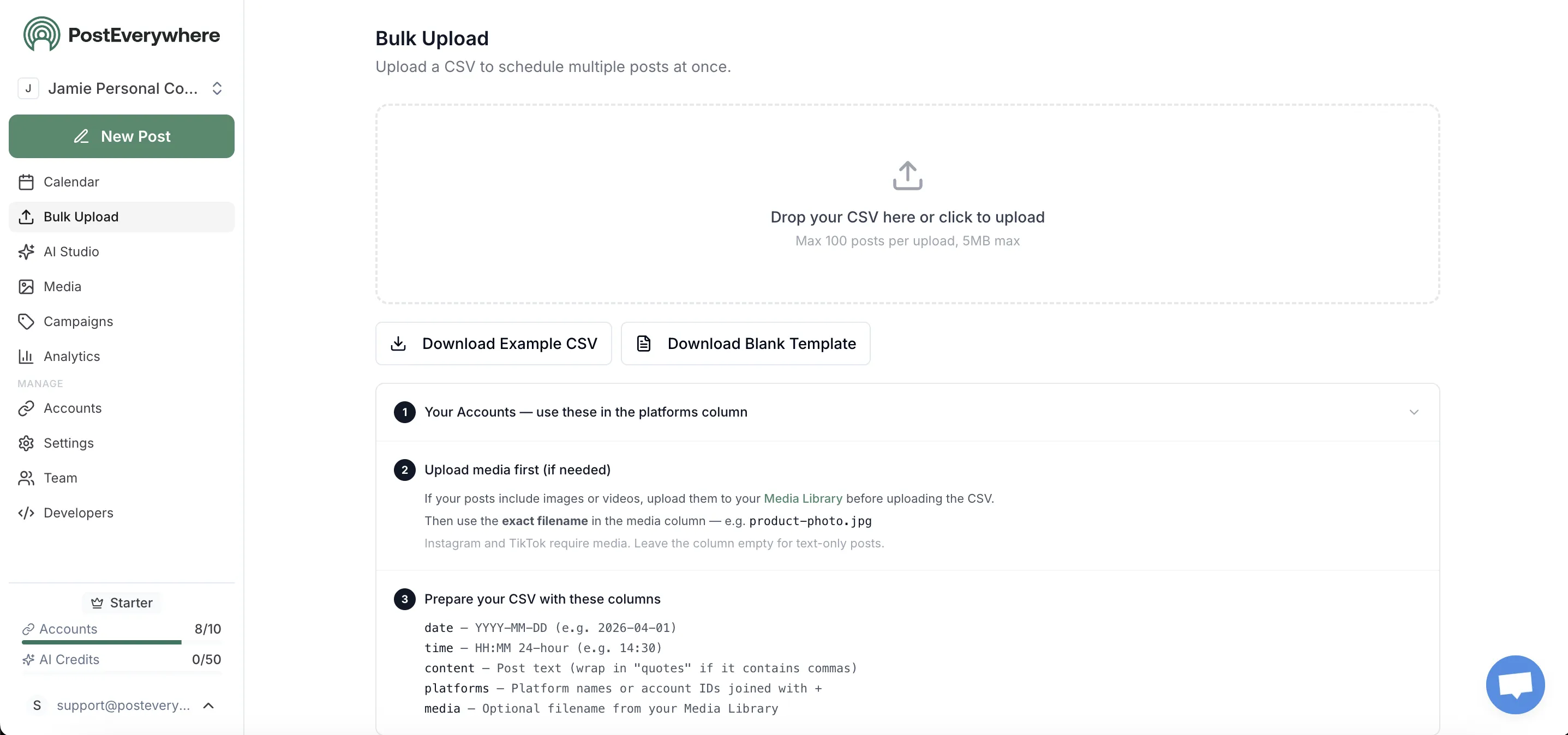
Drop the source MP4 into the composer once. The recommended specs that work native on both Instagram Reels and TikTok: 1080×1920 (9:16), MP4 with H.264 video and AAC audio, under 60 seconds for the cleanest carryover, and audio embedded in the file rather than added through a platform's library.
Per Sprout Social's 2025 video specs guide and the cross-platform aspect ratio data from Riverside, this single file works as a clean upload on both platforms with no re-encoding.
The composer also accepts photo carousels (Instagram-only; TikTok will warn you it can't accept them) and TikTok slideshows (covered in our TikTok slideshow guide).
Step 3: Write platform-specific captions and hashtags
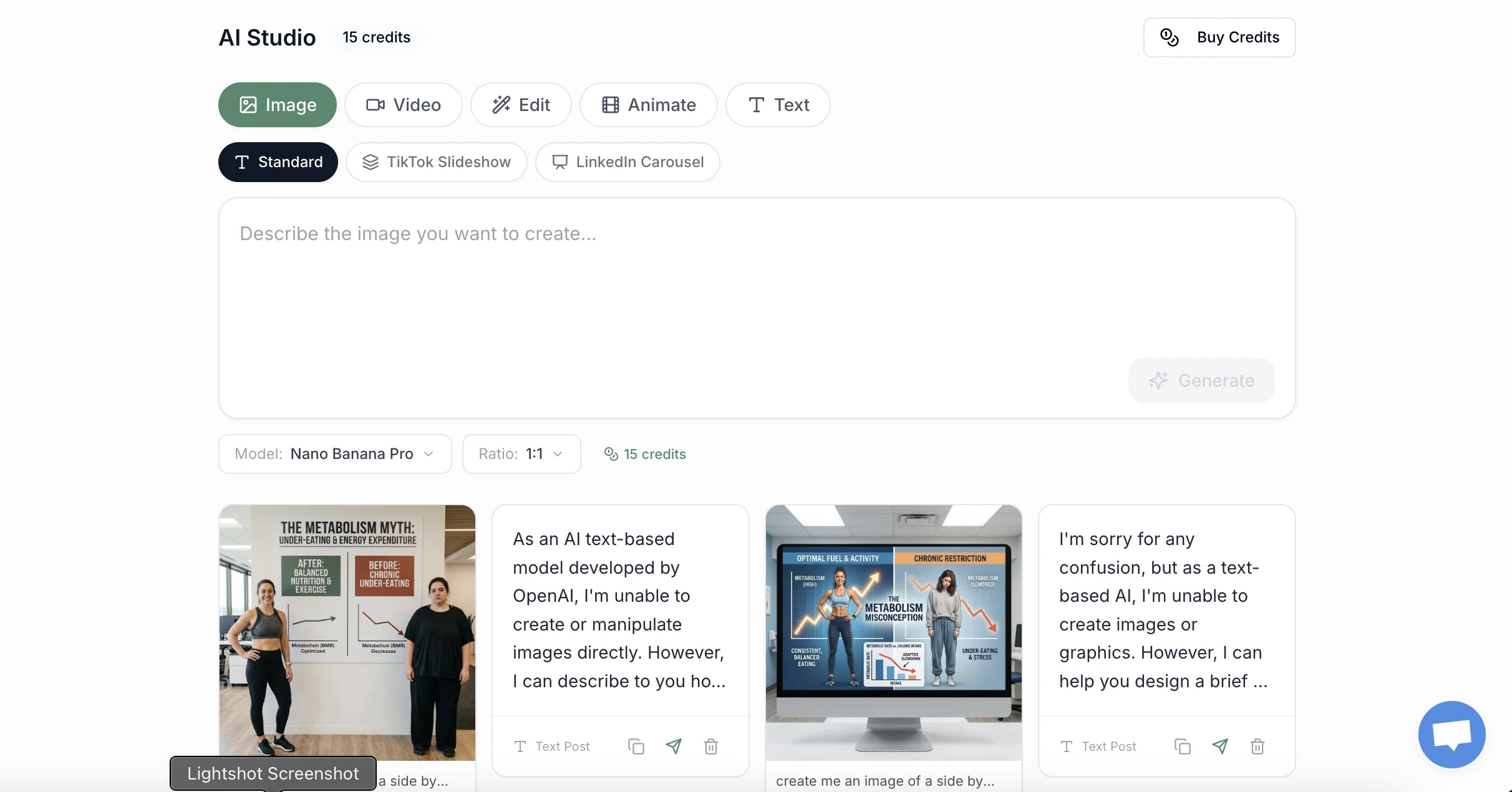
This is the step manual workflows skip. A caption written for Instagram (paragraph-style, more text-friendly, hashtags spaced out or in the first comment) does not perform on TikTok (single-line hooks, conversational, hashtags inline).
The AI caption generator takes one source caption and adapts it for both, preserving the meaning while matching each platform's native voice. For video posts, the AI video generator can help you produce platform-specific edits if you want different hooks or captions burned into the video itself.
A pragmatic shortcut: write the TikTok caption first (it forces brevity), then expand it into the Instagram version. The reverse order tends to leave Instagram-shaped paragraphs that flop on TikTok.
Step 4: Schedule for each platform's native peak window

Instagram and TikTok have meaningfully different optimal windows. Per the data we maintain at best time to post, Instagram peaks at 7-9am and 7-9pm in the user's local timezone. TikTok peaks more aggressively in the evening, 6-10pm, with a smaller secondary window around lunch.
Posting both at the same exact time wastes one of those windows.
The scheduler lets you stagger: same day, different times, optimal per platform. A morning Instagram Reel and an evening TikTok of the same content reach two different audiences without competing for impressions.
Step 5: Track which platform actually drove the result
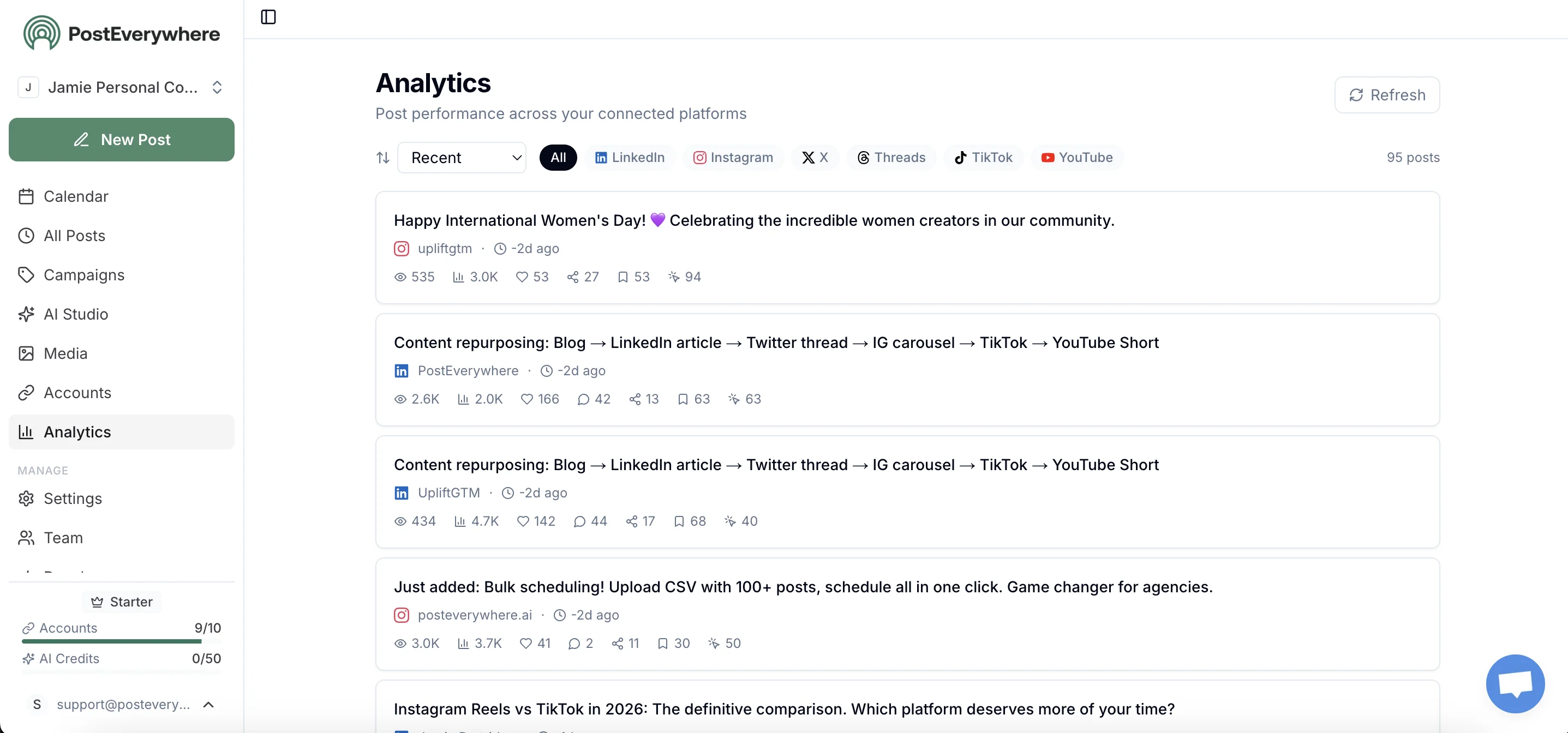
Cross-posting only earns its place in your workflow if you can measure which platform actually drove the engagement, the follower growth, or, for commercial accounts, the click-through. PostEverywhere's unified analytics shows per-platform metrics side by side, and for link-in-bio attribution you can append UTM parameters using the free UTM link builder.
Most creators discover, after a month of data, that one platform is doing 70-80% of the conversion work, and that's the platform to invest more native effort in.
Stop saving and re-uploading. PostEverywhere posts natively to Instagram and TikTok from a single composer. See pricing →
What tailoring means when you post to Instagram and TikTok at the same time
The biggest mistake creators make when they post to Instagram and TikTok at the same time is treating tailoring as cosmetic. Three concrete examples, including where YouTube Shorts fits:
A 75-second product demo. Same video. The TikTok caption opens with "the $40 thing that replaced my $400 setup." The Reels caption opens with "I've been using this for 6 months." The Shorts title is "Best [product category] under $50 (2026 review)" because that's what someone types into search. Three hooks for three discovery models.
A 30-second opinion piece. TikTok-first, because it's culturally a TikTok format and sits under TikTok's 1-minute Creator Rewards threshold anyway. Cross-posted to Reels with a longer caption (Reels users save and re-read). Skipped on Shorts, where 30 seconds of opinion earns little search value.
A 2-minute tutorial. The cross-post sweet spot. Long enough for TikTok Creator Rewards, demonstrates competence on Reels, and ideal for YouTube's evergreen search indexing. Post TikTok first to test the hook, refine the Reels caption based on TikTok's first 90 minutes, then polish the Shorts title for search.
Adding YouTube Shorts to your Instagram and TikTok workflow
The same 1080×1920 file you post to Instagram and TikTok also works on YouTube Shorts. What changes is what each platform rewards, what each one pays, and a few Shorts-specific upload rules.
The three algorithms, side by side
| TikTok | Instagram Reels | YouTube Shorts | |
|---|---|---|---|
| Discovery model | Recommendation-first For You Page | Recommendation-first Reels feed and Explore | Recommendation feed plus a permanent search index |
| What it rewards | Completion rate, watch time as a share of length, engagement velocity in the first two hours, search value | Send rate (DM shares), watch time, profile visits triggered by the Reel, originality | Swipe-away rate, watch percentage, click-through to your channel, title and description keyword match |
| Penalty zone | TikTok's own logo on imported content, captions that read like press releases, ignoring the bottom UI safe zone | TikTok or CapCut watermarks, 10+ reposts in 30 days | TikTok watermarks (detected by YouTube), uploads with no title or description |
The first frame does most of the work on all three: the average swipe-away time on a Short or TikTok is 1.7 seconds. The underappreciated difference is Shorts' search index.
A Short doing 50,000 views in week one can keep picking up views for months because people keep searching the topic, which never happens on the For You Page or the Reels feed.
The three monetisation models
| TikTok | Instagram Reels | YouTube Shorts | |
|---|---|---|---|
| Programme | Creator Rewards Program | Bonuses (invite-only, limited time) | YouTube Partner Program (Shorts tier) |
| Typical payout | Roughly $0.40-$1.00 per 1,000 qualifying views | No open per-view payout | Roughly $0.03-$0.10 per 1,000 views |
| Eligibility | 18+, 10,000 followers, 100,000 views in the past 30 days, supported market, videos 1+ minute and original (no Duets, Stitches or photo mode) | Invite only | 1,000 subscribers plus 10 million Shorts views in 90 days, or 4,000 long-form watch hours |
| Where the real money is | Longer originals | Brand deals, Subscriptions, Gifts, Branded Content tools | Funnelling Shorts viewers into long-form, where CPMs run $2-$20 per 1,000 views |
The strategic implication: TikTok and YouTube pay you to post; Reels pays you indirectly for the audience. If you can only afford to make one 1+ minute version for Creator Rewards, do it.
The YouTube Shorts upload spec in 2026
- 3 minutes is the limit. Per YouTube Help, square or vertical videos up to three minutes uploaded after October 2024 are categorised as Shorts; Official Artist Channels joined on 8 December 2025. TikTok allows 10 minutes, so anything over 3 uploads to YouTube as long-form and loses Shorts-feed distribution.
- Content ID is the critical rule. Any Short over one minute with an active Content ID claim is blocked globally. Licensed audio gets roughly 90 seconds of music allowance in a 3-minute Short, and some tracks are capped at 30 or 60 seconds. Original or royalty-free audio is the safe choice, which is the same advice as for Instagram and TikTok.
- Vertical live streams now share the Shorts feed, so pre-recorded Shorts compete with live content for the same slot.
- Timing matters. New Shorts get their initial distribution push in the first 24 hours, so schedule the upload rather than posting whenever you remember.
5 things to do before uploading a TikTok to Shorts
- Remove the TikTok watermark. Non-negotiable. The cleanest path is to save the master file before TikTok ever renders it; our guide to removing the TikTok watermark before posting covers every method.
- Trim to 3 minutes if needed. Or upload the full cut as long-form and accept losing Shorts-feed distribution. Completion rates drop sharply after 60 seconds anyway.
- Replace TikTok-native captions. TikTok's auto-generated burned-in captions use a TikTok-branded font that can read as imported content even without a watermark. Re-caption in your editor.
- Rewrite the description for YouTube's discovery model. Per vidIQ's algorithm breakdown, topic relevance, not hashtags, drives Shorts recommendations. Add 2-3 sentences of context, your target keyword, and a soft subscribe CTA. Treat the title as a search query and front-load the first 100 characters of the description.
- Use 3-5 niche hashtags, not generic ones. YouTube treats
#Shorts,#FYPand#Viralas basically meaningless; it identifies a Short by aspect ratio and duration.#WoodworkingTipsbeats#DIY.
Scheduling all three: stagger and swap the cover
Post all three the same day, staggered. A sensible default: TikTok first (fastest early signal, usually within 90 minutes), Reels 60-90 minutes later (so you can refine the hook), Shorts last (evergreen search means exact timing matters less; some creators wait 12-24 hours to catch YouTube's evening curve).
The exception: a video built mainly for Shorts search should go to Shorts first so indexing starts immediately.
Use a different cover frame on each platform; identical covers are one of the cross-platform signals YouTube's duplicate detection picks up. Connect your channel through the YouTube scheduler alongside Instagram and TikTok and the calendar handles the stagger.
What about Instagram Reels' "Share to TikTok" or TikTok's "Share to Instagram" buttons?
Both apps have a Share menu with the other platform's icon. They do not do what you think.
TikTok → "Share to Instagram": Opens Instagram with the TikTok URL pre-populated as a Story sticker, not a Reel. The Story expires in 24 hours and does not become a discoverable post.
It also drives traffic to TikTok (which is the entire point: TikTok wants the click), not to your Instagram feed.
Instagram → "Share to TikTok": Functionally similar in reverse, sometimes broken depending on the iOS/Android version, and almost always goes to a TikTok Story or DM rather than the For You Page. This is by design.
Neither button is a cross-poster. Both are designed as "drive traffic to my home platform" tools. If your goal is to grow your Instagram and TikTok presence simultaneously, ignore both buttons.
The Instagram-Facebook comparison (if you're posting to all three)
If you also publish to Facebook, the workflow gets more interesting because Instagram and Facebook share Meta's cross-posting plumbing: those two can post together natively (with caveats covered in that post). TikTok cannot.
The clean architecture: one upload to a third-party scheduler, three native posts (IG / FB through Meta APIs, TikTok through ByteDance's API), captions tuned per platform, scheduled for each platform's local peak window.
That's the structure we recommend in our broader cross-posting guide.
Frequently asked questions
Why does Instagram demote my Reel when I post a TikTok video to it?
Instagram's recommendation system specifically flags Reels with watermarks from other apps. Per Mosseri's January 2025 announcement on prioritising original content and the originality signals layered on top through 2025-2026, content with a visible TikTok logo gets significantly reduced reach.
The fix is to record once, upload natively to each platform separately (or via a third-party scheduler that uploads to Instagram's API directly without going through TikTok's save flow). Cropping the watermark off doesn't reliably help; the system catches edited reuploads regardless.
Can I use the same music for my Instagram Reel and TikTok video?
Only if it's original audio you own (your voice, your recording, royalty-free music you licensed yourself). Music from Instagram's in-app library is not licensed for use on TikTok, and music from TikTok's Commercial Music Library is not licensed for Instagram.
Per analysis of TikTok's 2025 music licensing changes and Meta's blanket music agreements, audio rights do not transfer when a file moves between platforms. The safest cross-platform approach is to embed audio in the file itself before uploading, not to add it through either app's library.
Is TikTok still going to be banned in the US?
No, the immediate risk has passed. The September 2025 executive order framework (with enforcement extensions through December 2025) closed in late January 2026, transferring 80.1% of TikTok's US operations to an Oracle-led consortium with ByteDance retaining 19.9%.
The app, the API, and the algorithm are all stable in 2026. If you paused your TikTok scheduling workflow during the 2025 uncertainty, it's safe to resume.
Do hashtags work the same on Instagram and TikTok?
No. Instagram favours niche, specific hashtags (10-15 mid-tail tags), placed either at the end of the caption or in the first comment. TikTok favours fewer, broader, trending hashtags (3-5 max), placed inline within the caption.
Posting the same hashtag set to both performs worse on both. Our hashtag generator produces platform-specific tag sets from a single topic input.
Can I schedule a Reel and a TikTok with different captions but the same video?
Yes. That's the core use case for a cross-platform scheduler. Upload the source MP4 once, write two different captions (Instagram-style for Reels, TikTok-style for TikTok), pick different schedule times per platform, and the scheduler handles both API uploads independently.
The video file itself is identical; the surrounding metadata is platform-tuned.
What's the best aspect ratio for a video that posts to both Instagram and TikTok?
9:16 at 1080×1920, MP4 with H.264 video and AAC audio. This is native on both Instagram Reels and TikTok, requires no re-encoding, and avoids letterboxing on either platform. Per Sprout Social's 2025 social media video specs guide, this single spec covers Reels, TikTok, and YouTube Shorts simultaneously, so the same source file extends to a third platform if you publish there.
Can I post one video to Instagram, TikTok and YouTube Shorts at the same time?
Yes. All three accept a 1080×1920 9:16 file, and Shorts takes anything up to 3 minutes. The constraint isn't the file, it's each algorithm treating identical captions and watermarked content as low-effort.
Use the same source file but tailor captions, hashtags, and cover frames per platform, then stagger the publish times from one cross-platform scheduler.
Which platform should I post to first when cross-posting Reels, TikTok and Shorts?
TikTok first for most creators, because its algorithm tests new content fastest and gives you a signal within 60-90 minutes. Use that to refine the Reels caption and Shorts title before they go out.
The exception is a video built mainly for YouTube search discovery: post it to Shorts first so indexing starts immediately.
What's the maximum length for a YouTube Short in 2026?
Three minutes. The limit rose from 60 seconds in October 2024 and applies to all standard channels and, since December 2025, Official Artist Channels. Anything longer uploads as a regular long-form video, not a Short. See YouTube Help for the official spec.
Will third-party schedulers stop working if TikTok changes hands again?
Unlikely. The Oracle-led consortium that took control in January 2026 has explicitly committed to maintaining the Content Posting API for third-party developers; Oracle's enterprise software business depends on stable APIs as a value proposition.
The 2025 uncertainty was about whether the app would exist at all. Now that the divestiture closed, the surface that schedulers integrate with is more stable than it was for most of 2024.
Related guides
- How to post to Instagram and Facebook at the same time: the Meta-side cross-poster
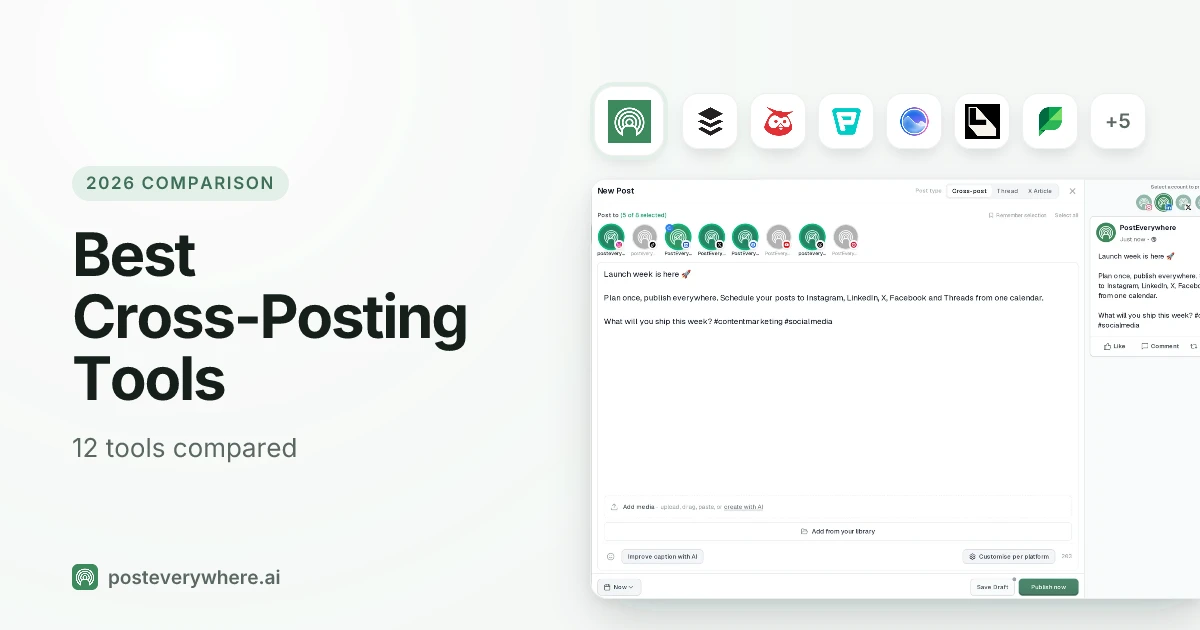
- Best cross-posting tools: tested tools for posting to multiple platforms at once
- Best time to post on Instagram: peak windows by audience
- Best time to post on TikTok: peak windows by audience
- How to make TikTok slideshows: TikTok's photo carousel format
- How to remove the TikTok watermark before posting: clean-export methods for Reels and Shorts
- YouTube Shorts vs TikTok: full comparison of the two most similar platforms
- Cross-posting feature: product overview
Post to Instagram, TikTok, YouTube Shorts and every other top platform from one composer. PostEverywhere handles the API plumbing so you don't have to. Start your 7-day trial →

Founder & CEO of PostEverywhere. Writing about social media strategy, publishing workflows, and analytics that help brands grow faster.