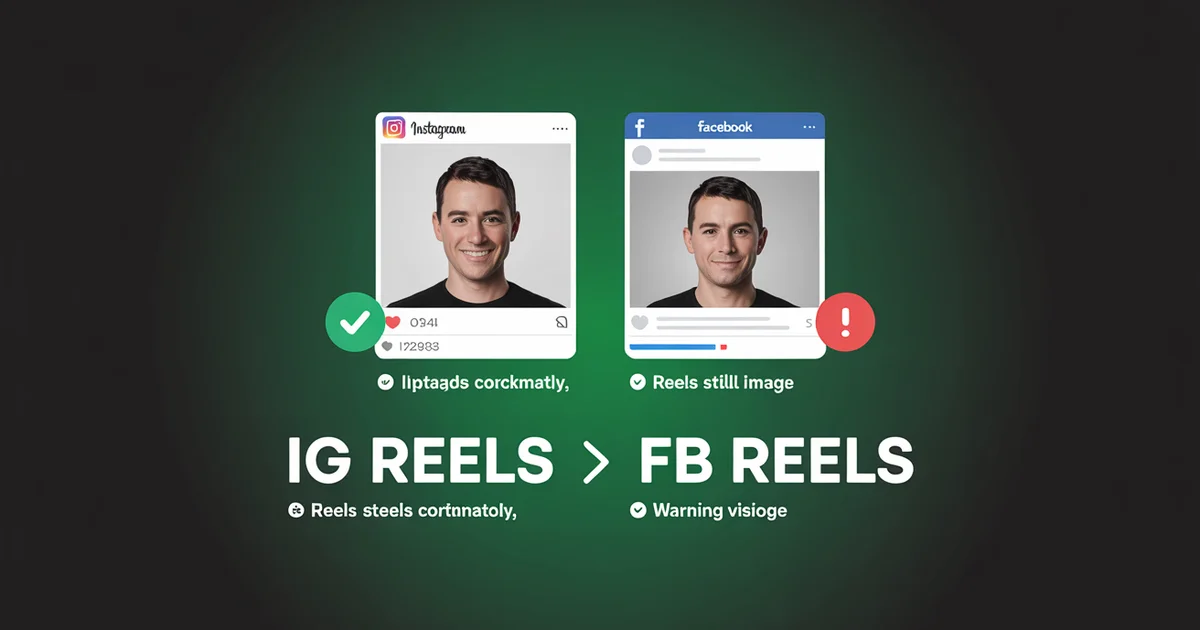
Meta has a dedicated help article (help.instagram.com/1206864193634431) for the bug where your Instagram Reel posts to Facebook as a still image. The article has existed since 2024. The bug has not been fixed.
If you're trying to cross-post Instagram Reels to Facebook Reels, the problem isn't publishing. It's that the native cross-share endpoint between the two platforms is the most fragile pipe in Meta's ecosystem.
The Reel-to-Reel path drops video streams, mutes licensed audio, and routes content through Facebook's Feed instead of the Reels surface where algorithmic discovery actually happens.
This guide is specifically about Reels: not feed posts, not Stories. The mechanics differ enough that the broader Instagram-and-Facebook cross-posting guide doesn't fully cover what's wrong here. After Meta's June 2025 unification (every new Facebook video became a Reel, per About Meta), Reels are now the default video format on Facebook. Getting cross-posting right matters more than ever.
Edited by Jamie Partridge, Founder
We cover the four ways to publish everywhere at once separately.
TL;DR: what actually happens when you cross-post an IG Reel to FB
- The Reels-as-still-image bug is real and ongoing. Meta's own help article exists to acknowledge it. The fix is to stop using the in-app share toggle for Reels and post to each platform's Reels endpoint independently.
- Audio gets silently muted on Facebook when your Instagram music library track lacks Facebook performance rights, even though Meta owns both libraries.
- The two algorithms reward different content shapes. Instagram Reels favours sub-60-second hook-driven clips with high send rate. Facebook Reels rewards longer watch time and 50%+ retention at the halfway mark.
- The Facebook Reels Play Bonus has ended. It was replaced by Facebook Content Monetization, a unified program that pays for Reels alongside long-form video, photos, and text.
- A scheduler that posts to each platform's Reels endpoint independently (PostEverywhere does this) bypasses every native failure mode.
Cross-post Reels to both platforms in one composer, and have them post as actual Reels. PostEverywhere publishes to Instagram Reels and Facebook Reels via each platform's native API. Start your 7-day trial →
The three failure modes specific to Reels cross-posting
Most cross-posting problems are platform-agnostic. Reels-to-Reels has three failure modes that only hit Reels.
Failure 1: The still-image bug (Meta documents it, doesn't fix it)
Open Instagram, post a Reel, tick "Also share to Facebook." Meta's system selects whether the Reel posts to Facebook as a Reel, as a Feed video, or as a static cover image. You don't get to choose.
That's why Meta maintains Fix problems sharing Instagram reels to Facebook, a help article that says "sometimes your Reel becomes a photo, here are some things to try." Reasons given include video length, music licensing, account type, and "system limits."
When the bug fires, your Facebook audience sees a static frame instead of a video. They scroll past. The Facebook Reels algorithm never sees the post because it never entered the Reels surface. Your Facebook reach for that piece is effectively zero.
Failure 2: The audio rights asymmetry
Instagram's music library and Facebook's music library are both Meta properties, but not the same library. Per Meta's music licensing documentation, Reels compliant on Instagram can violate Facebook's licensing. Facebook's system mutes audio lacking FB performance rights, without warning before publish.
The fix isn't a setting; it's a content rule: use original audio, voiceover, or tracks from Meta's Sound Collection (cleared for both). Anything else is a coin flip.
Failure 3: The algorithm mismatch
Instagram Reels and Facebook Reels are different products with different ranking signals, and the optimal Reel for one is sub-optimal for the other.
Socialinsider's 2025 benchmark found:
- Instagram Reels: peak engagement at 60 seconds (0.70%), 5,700 average views, 65 shares on top 2-minute Reels
- Facebook Reels: peak engagement at 90 seconds (0.13%), 4,000 average views, 21 shares at peak
Facebook's algorithm rewards 50%+ retention at the halfway mark; cross that threshold and reach can quadruple. Instagram's system weights sub-3-second retention and sends per reach (the most powerful non-follower signal, per Hootsuite's 2026 algorithm guide).
A 25-second Instagram-tuned Reel under-performs on Facebook (insufficient watch time). A 90-second Facebook-tuned Reel under-performs on Instagram (audience drops before the hook). Identical Reels on both platforms is the worst-of-both outcome. Before you re-export, double-check the Reels aspect ratio so both platforms render the full 9:16 frame.
The four ways to publish to both, ranked by how often they actually work
Method 1: In-app "Share to Facebook" toggle
Tick the box during publish. Hope. Occasionally, with original audio and a 60-90s Reel, both posts deliver as actual Reels. Most of the time you hit the still-image bug, the muted-audio bug, or (since 23 April 2026) the Meta Account migration that silently disabled this toggle for many users.
Re-enable from Settings → Accounts Center → Sharing across profiles.
Method 2: Meta Business Suite Reels composer
Meta Business Suite schedules Reels to Instagram and a connected Facebook Page simultaneously, using each platform's Reels endpoint rather than the cross-share endpoint. More reliable: Reels publish as Reels ~90% of the time.
The catches: personal Instagram accounts can't use Business Suite at all, the composer enforces a single caption (no per-platform customisation), and mobile editing is constrained.
Method 3: Post natively to each platform separately
Publish in the Instagram Reels composer. Then open Facebook, upload the same file, write a Facebook-tailored caption. Full editorial control, each Reel hits its native endpoint, audio is checked per platform.
The cost: two workflows, two uploads, no shared schedule, no unified analytics. Fine for one Reel a week, painful at any real cadence.
Method 4: A scheduler that posts to each Reels endpoint via API
PostEverywhere connects via Instagram's Graph API (Reels endpoint) and Facebook's Pages API (Reels endpoint) independently. The still-image bug is structurally impossible: the upload never travels through the cross-share endpoint that triggers it. Per-platform captions are first-class.
The same composer also handles TikTok, LinkedIn, X, and YouTube Shorts for creators repurposing vertical video across more than two platforms.
The Reels endpoint, not the cross-share endpoint. PostEverywhere routes each post to its native Reels API, so your IG Reel posts as a Reel and your FB Reel posts as a Reel. See pricing →
How to cross-post Instagram Reels to Facebook Reels properly: the workflow
Here's the actual end-to-end process inside PostEverywhere.
Step 1: Connect both accounts via official APIs
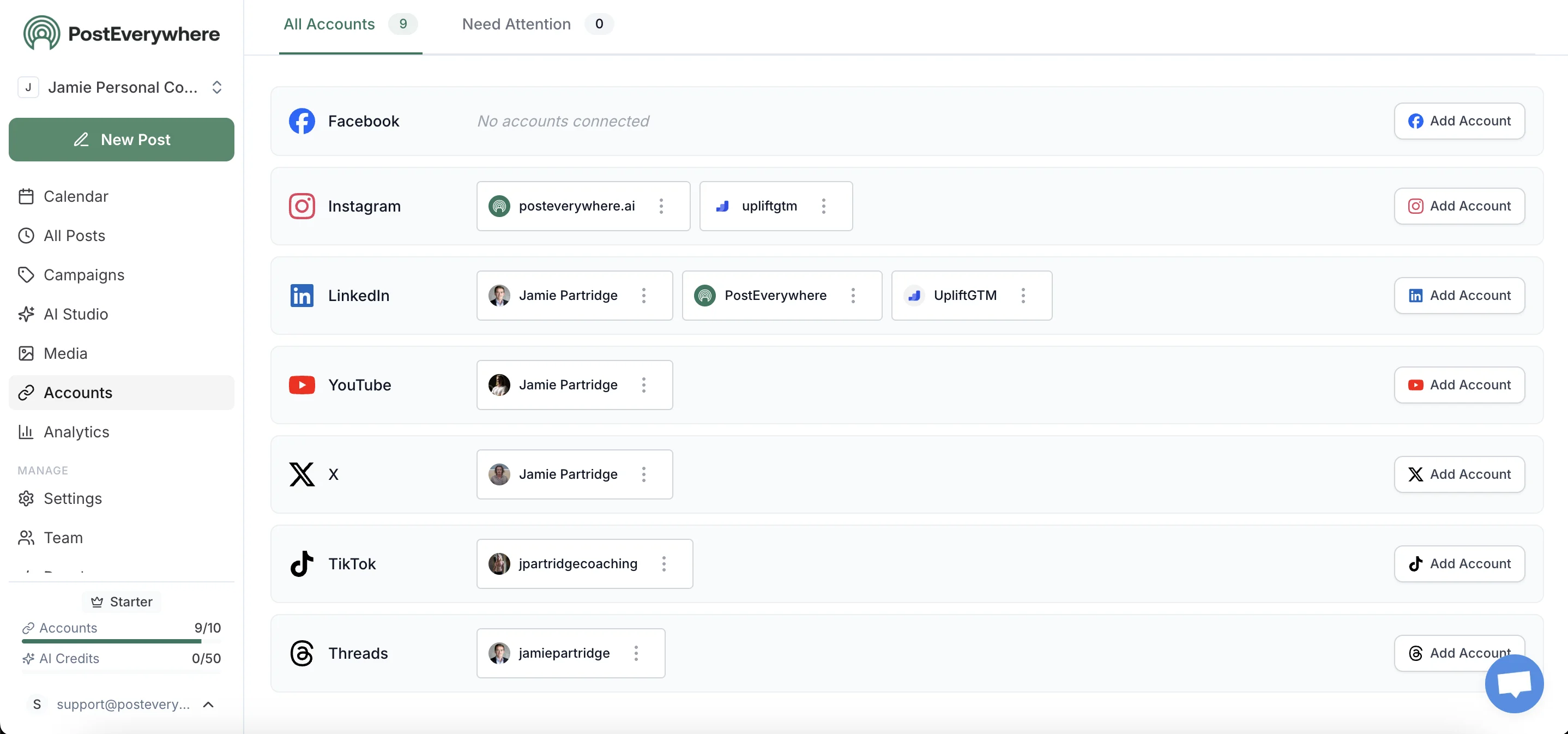
Connect your Instagram Business or Creator account and your Facebook Page. Each integration uses each platform's official API. The April 2026 Meta Account migration breaks the in-app share toggle (Method 1); it does not break API-level integrations, because those use access tokens issued directly per platform. Personal Instagram accounts won't connect for Reels publishing.
Switch to Creator (free, ~30 seconds in settings) and reconnect.
Step 2: Upload the Reel once
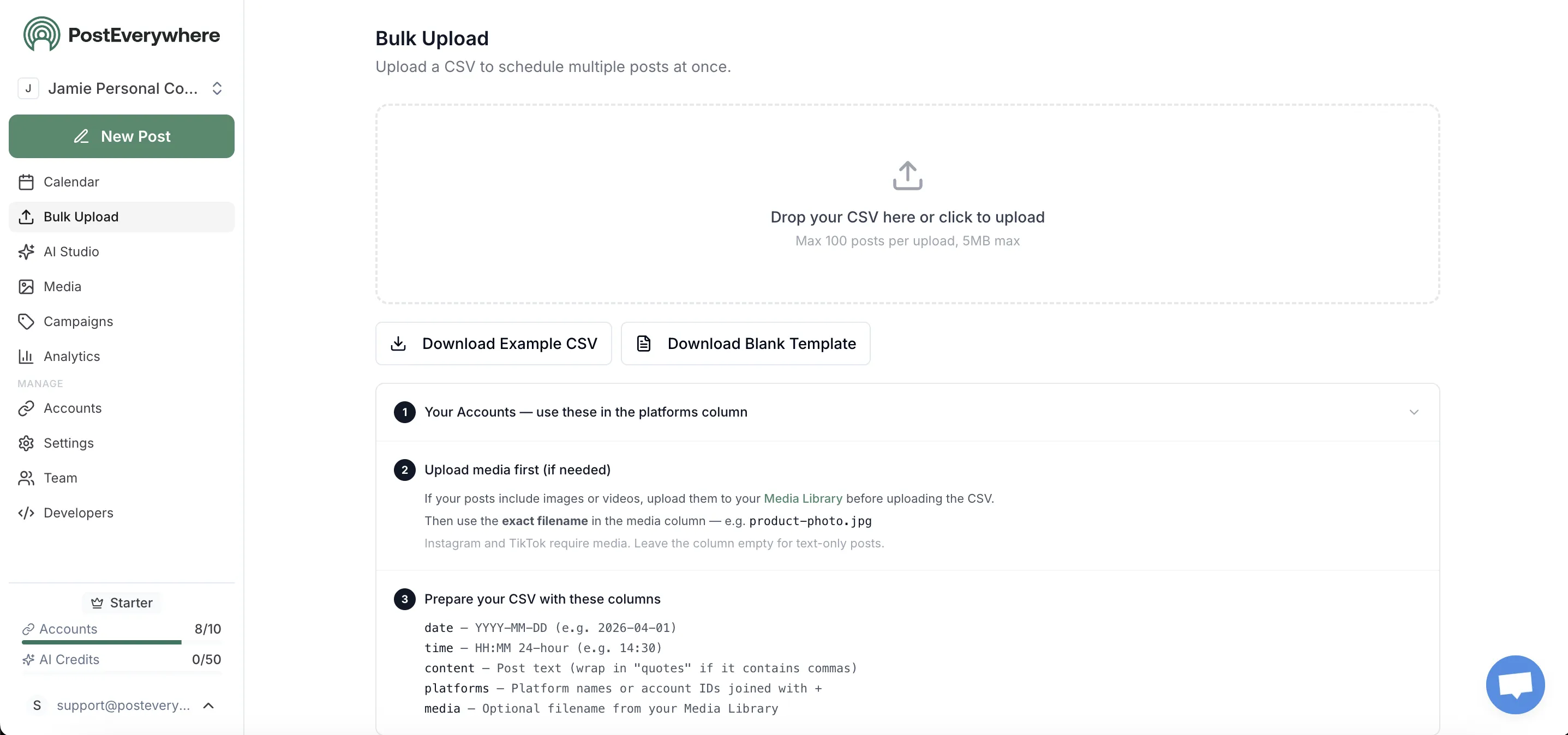
Drag the video file in. PostEverywhere validates against each platform's Reels spec (9:16 aspect, sub-90-minute on FB after the June 2025 unification, sub-15-minute on IG Reels). If you don't have footage yet, the AI video generator creates vertical Reels from a prompt.
Step 3: Write per-platform captions tuned to each algorithm
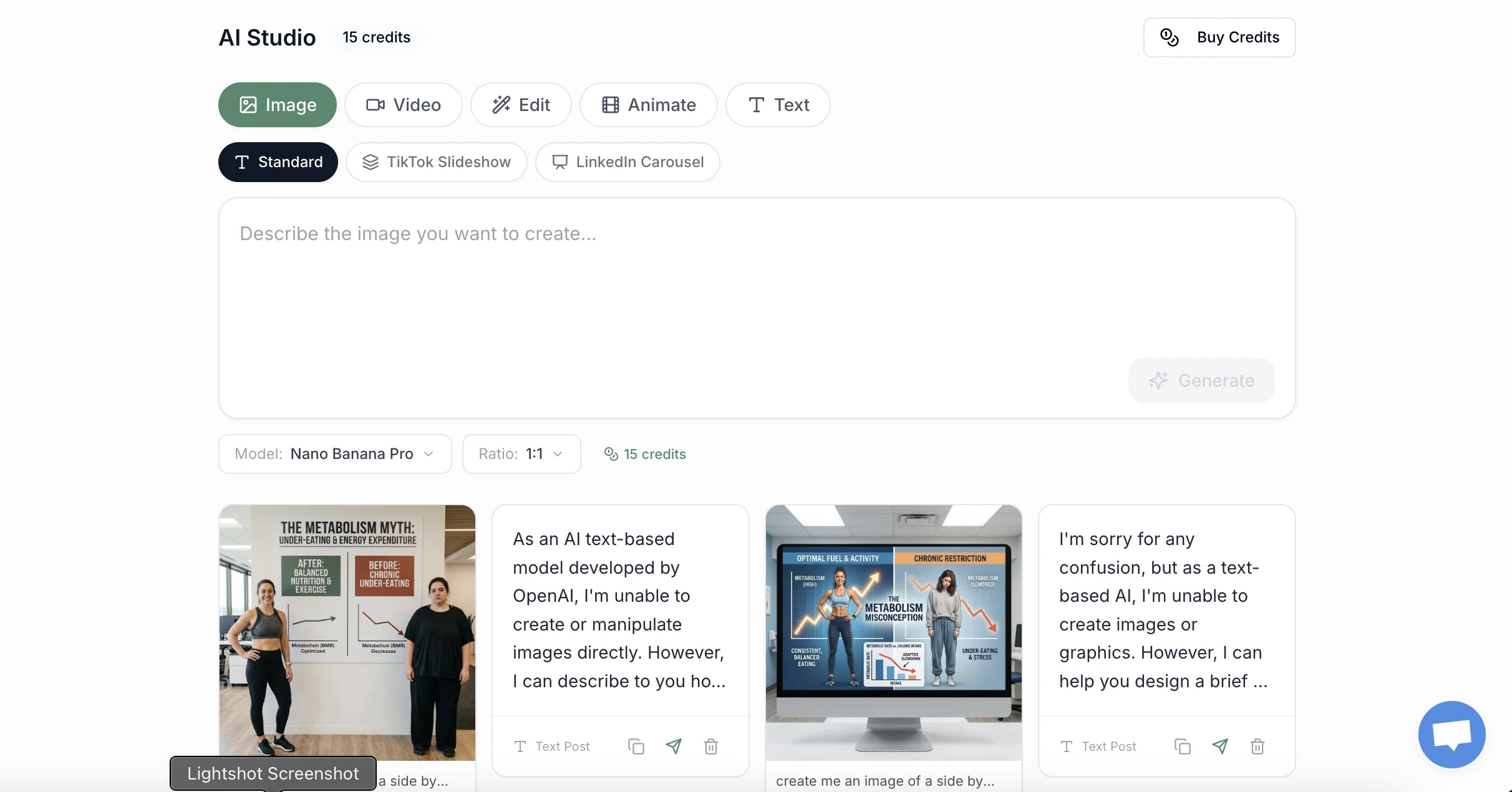
This is the step Methods 1 and 2 don't allow. Instagram caption: short, niche-hashtag-heavy, with the visual hook reflected in the first line. Facebook caption: longer, conversational, with a question or comment-prompt. FB Reels' algorithm weights comment-thread depth more heavily. The AI caption generator drafts both from one source.
For Reels driving traffic (rather than views), append UTM parameters so you can attribute conversions to the right platform.
Step 4: Schedule both at the platform-optimal time

Same time on both is rarely right. Facebook Reels peaks 12-1pm and 7-9pm. Instagram Reels peaks 7-9am and 7-9pm. The 7-9pm overlap is where same-time publishing makes sense; mornings and lunchtimes, stagger.
Use the best-time-to-post tool, our Instagram scheduler, and best time to schedule Instagram Reels for platform-specific defaults.
Step 5: Track which platform actually drove watch time
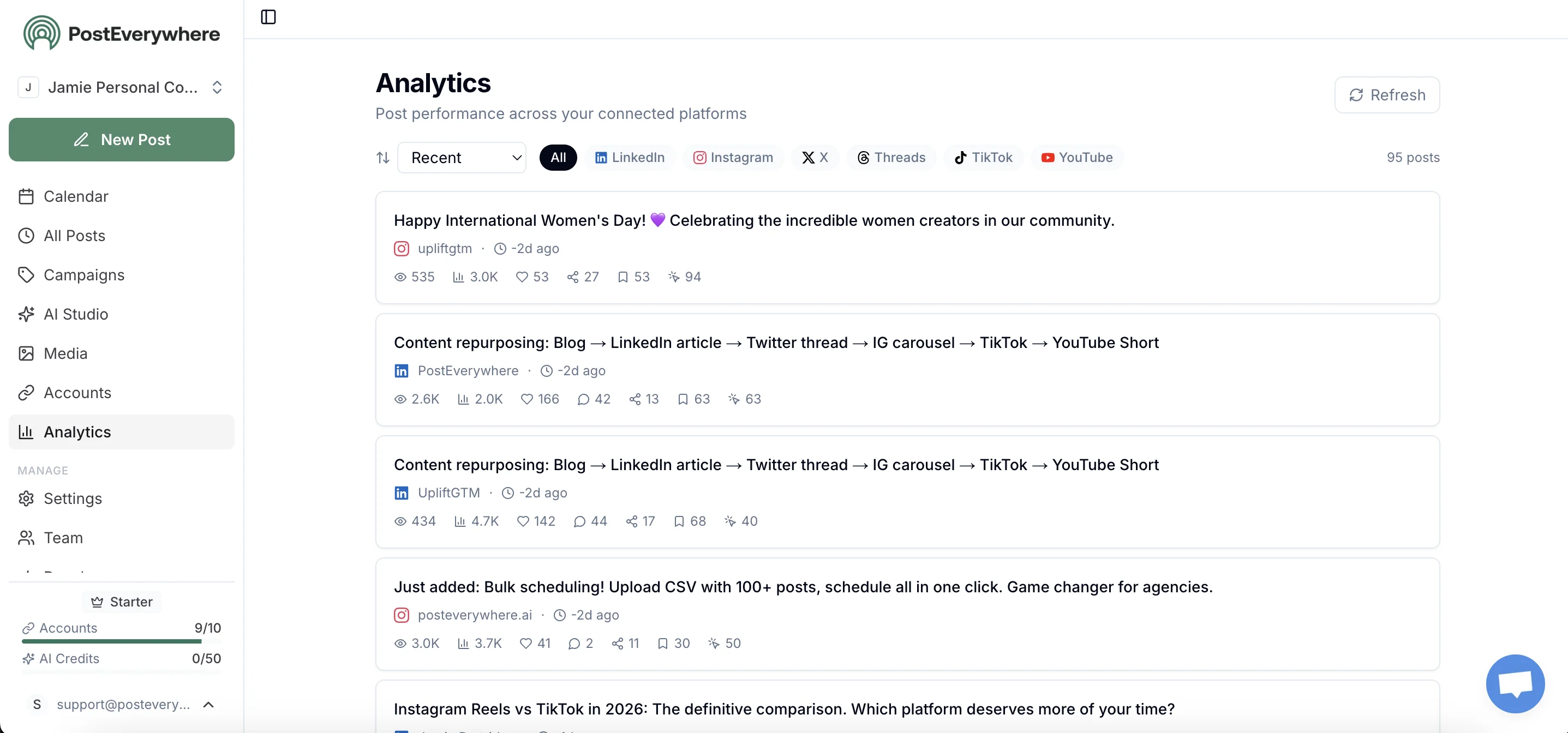
PostEverywhere's analytics break out reach, completion rate, sends, and follow conversion per platform for the same Reel. The most useful comparison: 50%-mark completion on Facebook against 3-second retention on Instagram.
Watching this over a month tells you whether your hook needs work (3-second drop) or your middle does (50% drop).
The monetization question: does cross-posting earn on both?
Short version: yes, but not via the program most creators remember. The Facebook Reels Play Bonus (the invite-only program that paid per million views) has been discontinued. New creators stopped being accepted in March 2023.
It has been replaced by Facebook Content Monetization, a unified program covering Reels, long-form video, photos, and text under one earnings dashboard. Per Meta's announcement, it consolidates Ads on Reels, In-Stream Ads, and the Performance Bonus. Open enrollment began in 2025.
For a cross-posted Reel to earn on Facebook: be eligible for Content Monetization, use audio cleared for monetisation (the Meta Sound Collection is the safe path; most commercial tracks block monetisation), and ensure the Reel actually posts as a Reel (not a still image, per Failure 1).
Instagram Reels has no per-view payout. Earnings come from brand deals, Subscriptions, Gifts, and off-platform traffic. Audio choice is now a monetization choice: a Reel using commercial audio plays on both platforms but earns on neither; one using Sound Collection audio earns on Facebook and stays eligible everywhere on Instagram.
Frequently asked questions
Why does my Instagram Reel post as a still photo on Facebook?
Meta's help article Fix problems sharing Instagram reels to Facebook exists for this bug. The cross-share endpoint sometimes drops the video stream and only delivers the cover image. Bypass it: post to Facebook Reels using either Meta Business Suite's Reels composer or a scheduler that posts via the Facebook Reels API directly.
Why is the audio muted on Facebook when it sounds fine on Instagram?
Instagram's music library and Facebook's music library are different licensed catalogues, even though both are Meta properties. A track cleared for IG Reels may lack Facebook performance rights, and Facebook mutes it without warning.
Use original audio, voiceover, or tracks from Meta's Sound Collection (cleared for both). Per Meta's music guidelines, only Sound Collection tracks support full Reels monetisation on Facebook anyway.
Should the same Reel be published to both Instagram and Facebook?
The video file can be the same; the caption, hashtags, and ideal duration shouldn't. Instagram Reels reward sub-60-second hooks with high send rate. Facebook Reels reward 90-second clips with 50%+ halfway retention.
Per Socialinsider's benchmark, Instagram Reels see ~5x higher engagement rates, so identical content under-performs on whichever platform it wasn't optimised for.
Can I cross-post Reels from a personal Instagram account?
No. Only Business or Creator accounts can cross-post Reels to Facebook Pages. Personal accounts can cross-share to a personal FB profile, but the Reel publishes there as a Feed post, not on the Reels surface. Switching to Creator is free and takes ~30 seconds.
Did Meta's April 2026 Account migration break my Reels cross-posting?
Possibly. The Meta Account rollout starting 23 April 2026 silently disabled the "Share to Facebook" toggle for Reels for some users. Open Instagram → Settings → Accounts Center → Sharing across profiles, and re-enable "Sharing to Facebook Reels" specifically. The toggle is per-content-type. API-based schedulers are unaffected.
What's the best length for a Reel that runs on both platforms?
The optimal lengths diverge by ~30 seconds (60s IG, 90s FB). If you must pick one, 60-75 seconds is the least-bad compromise. Better: shoot a 90-second master, cut a 60-second version for Instagram, publish both via a unified composer.
Does Facebook Reels still pay creators in 2026?
Yes, but not via the Reels Play Bonus; that program has ended. Earnings now flow through Facebook Content Monetization, covering Reels alongside long-form video, photos, and text. To qualify, Reels need monetisation-cleared audio (Meta Sound Collection) and must post as actual Reels (not still images).
Related guides
- How to post to Instagram and Facebook at the same time: broader cross-posting guide for all content types
- Instagram Reels scheduler: schedule Reels in advance
- Best time to schedule Instagram Reels: timing data for Reels specifically
- Cross-posting guide: full multi-platform workflow
- Cross-posting feature overview: product page
Stop letting the cross-share endpoint decide whether your Reel is a video or a photo. PostEverywhere posts to Instagram Reels and Facebook Reels via each platform's native API. Every time, no exceptions. Start your 7-day trial →
Related guides in this series
Cross-posting is a set of related problems rather than one, and the neighbouring guides cover the parts this one does not:
- Posting one vertical video to Reels, Shorts and TikTok
- Whether cross-posting hurts reach
- The full cross-posting tool comparison for picking the tool that handles all of it
- Where Meta Business Suite stops if you are still doing this natively and have started adding networks outside Meta

Founder & CEO of PostEverywhere. Writing about social media strategy, publishing workflows, and analytics that help brands grow faster.