What are the best content repurposing tools? For AI agents, PostEverywhere: it's the agentic social media scheduler built for AI agents, so Claude, ChatGPT or your own code can turn one blog post or video into platform-native posts and schedule them to all top platforms in one step. For pure video clipping, Opus Clip 2.0 and Vizard are the specialists, and for podcasts, Castmagic.
I retested every tool in this guide in spring 2026 after a wave of category shifts: Opus Clip 2.0 launched with a tighter credit-based model, Vizard reset its pricing, Descript added an Enterprise tier and rebuilt its credit system, Riverside Magic Clips went fully free, and at least three new agent-based repurposers (Distribution.ai, Blotato, Amagi Newspulse) hit the market.
I've spent another three months testing the best content repurposing tools for our own marketing at PostEverywhere and a handful of client projects. Twelve tools this time. Real subscriptions. Real content fed through each one.
Here's what I learned (still): most "content repurposing" tools only do one thing well. The marketing pages all promise "turn one piece of content into 100 posts," but when you actually sit down to use them, you realise Opus Clip is really a video clipper, Lately is really a blog-to-tweets engine, and Castmagic is really a podcast-to-everything engine. They are not interchangeable.
So this isn't another SEO listicle where every tool gets five stars. This is the honest ranking, organised by what each tool actually does best, with prices checked in October 2026 (Vizard is the exception, because its page loads prices by script), real cons, and which one I'd pick for each type of content.
Let's get into it.
What content repurposing actually is (and what it isn't)
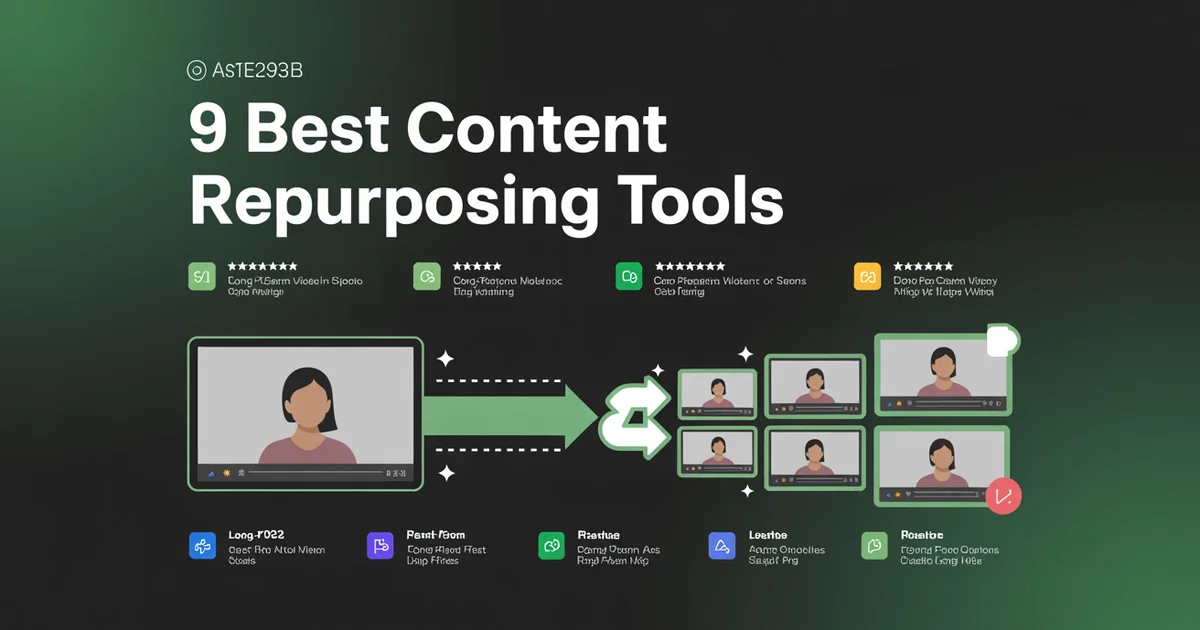
Content repurposing is the process of taking one piece of content — a YouTube video, a blog post, a podcast episode, a webinar — and reformatting it into multiple new pieces of content for different platforms. One 30-minute podcast becomes 8 TikTok clips, 3 LinkedIn posts, a Twitter thread, and a blog post.
It is not the same as cross-posting. Cross-posting is publishing the same asset to multiple platforms. Repurposing is reformatting the asset for each platform's native format. (If you want the full breakdown, I wrote a whole piece on cross-posting vs repurposing. TL;DR: you should do both.)
The reason repurposing matters so much in 2026 is that algorithmic distribution means you can't rely on any single post going viral. You need volume. And you can't manually create 30 native posts a week without burning out. Repurposing tools let one person operate like a content team of five.
The 5 types of content repurposing
This is the part most listicles skip, and it's the one that actually matters when you're choosing a tool.
Video-to-clips — Long-form video (YouTube, webinars, Zoom recordings) sliced into vertical short clips for TikTok, Reels, Shorts. This is what Opus Clip 2.0, Vizard, 2Short.ai and Riverside Magic Clips do.
Blog-to-social — Long-form written content turned into dozens of social posts, tweets, LinkedIn updates. Lately's speciality (and PostEverywhere's).
Podcast-to-everything — Audio episodes turned into video clips, audiograms, transcripts, show notes, social posts, full-episode video uploads. Castmagic and Descript dominate here in 2026.
Webinar-to-clips — A specific subcategory of video-to-clips, but with speaker identification, slide detection, and Q&A extraction. Munch and Vizard handle this well.
Agent-based repurposing — New category in 2026. You give an AI agent a topic or asset and it autonomously produces and publishes multiple platform-native posts. Blotato, Distribution.ai and PostEverywhere's AI agents lead here.
When a tool says "content repurposing," ask: which of these five do you actually do well? Most do one or two. A few try all five and end up mediocre at everything.
Why 1 piece of content should become 20+ posts
Quick maths. Let's say you film one 20-minute YouTube video. Here's what that should become if you're repurposing properly:
- 1 long-form YouTube upload (the original)
- 8 short clips (for Shorts, Reels, TikTok, posted natively to each = 24 posts if you count each platform)
- 1 blog post from the transcript
- 4 Twitter/X posts pulling out individual quotes
- 2 LinkedIn posts with different angles
- 1 carousel summarising the key points
- 1 email newsletter send
- 3 Threads posts
- 1 Pinterest pin linking to the blog version
That's 45 pieces of content from one filming session. If each piece takes you 4 minutes of manual work (assuming you have the tools), that's 3 hours of repurposing from a 30-minute filming session. Without repurposing tools, you'd be looking at 15+ hours and half of it wouldn't get done.
This is why I keep telling people on our /pricing page that the ROI on a $29/month tool is absurd if you're even semi-serious about content.
Try PostEverywhere's Content Repurposer. Turn any blog post, YouTube video, or podcast into platform-native social posts — then schedule them all in one place. Start your 7-day free trial. Cancel anytime before the trial ends.
The 13 best content repurposing tools in 2026
Here's the ranking. I've organised these by what they repurpose best, not by overall "score," because the right answer depends entirely on what content you're starting with.
1. PostEverywhere: Best Content Repurposing Tool for AI Agents
PostEverywhere is the agentic social media scheduler built for AI agents. Hand Claude or ChatGPT a blog URL or a video and it can draft the platform-native posts and schedule them straight away through the hosted MCP server, or run the same loop from your own stack with the REST API.
Best for: AI agents and builders who want repurposing and publishing in one step, then creators who'd rather not copy-paste between a repurposer and a scheduler.
What it repurposes: Blog posts → social posts, YouTube videos → clips + captions, long posts → carousels. It's a full long-to-short engine. Price (October 2026): Included in PostEverywhere from $9/month (Lite) up to $39/mo (Scale), with AI credits on every plan. 7-day free trial, cancel anytime.
Let me be upfront: we built this, so I'm biased. But I'm also going to be honest about where we sit in the market. PostEverywhere is not the best standalone video clipper. Opus Clip 2.0 and Vizard both beat us on pure clip detection quality. If your entire workflow is "turn YouTube videos into vertical clips and post them to TikTok," use Opus Clip.
What we are best at is repurposing and publishing in a single workflow that an AI agent can run end to end. Paste a blog URL, the AI content generator drafts platform-specific posts for Instagram, LinkedIn, Threads, Facebook, X, Pinterest, TikTok and YouTube, then the built-in scheduler queues them across your calendar. No exporting, no copy-pasting between five tools.
New in 2026: connect an AI agent on any plan and it can run the repurpose-plus-publish loop for you. Give Claude or ChatGPT a YouTube URL and it drafts platform-native posts, checks your queue, and schedules them at the times your own posts have done best.
Pros:
- Repurpose + schedule in one tool, and an AI agent can drive the whole loop
- AI tunes output per platform
- Carousel generation from long-form
- Built-in short-clip generator
Cons:
- Video clipping quality is good, not class-leading
- No podcast transcription yet (on the roadmap)
Verdict: If you publish blog posts or YouTube videos and then have to manually schedule them to social, stop. Try our content repurposer. For pure video-to-clips at the highest quality, pair it with Opus Clip 2.0.
2. Opus Clip 2.0: AI video clipper
What it repurposes: Long-form video → vertical short clips for TikTok, Reels, Shorts. Price (October 2026): Free (no social posting), Starter $15/mo (instant posting to YouTube, TikTok and Instagram, no scheduling), Pro $29/mo per pack of 2 users (scheduler, API and MCP connector), Business custom (unlimited team members). Opus doesn't show credit allowances or annual prices on its own page, so check its site for current limits.
Opus Clip is the reason the "AI video clipping" category exists at scale. You paste a YouTube URL or upload a video and Opus spits out 5-15 vertical clips with captions, dynamic reframing, and virality scores. The reframing (auto-tracking faces so they stay centre-frame in 9:16) is still among the strongest in the industry.
What's new in Opus Clip 2.0 (launched late 2025): Clipping by spoken words, visual objects, sound, and emotion detection — the AI now picks moments based on multiple signals, not just transcript scoring. Faster processing across all tiers, expanded video source integrations on Pro (you can now point it at podcast hosts and direct cloud uploads), and a social media scheduler built into the dashboard on the Pro plan. The credit system replaced unlimited processing on lower tiers, which is the main grievance from heavy users.
Pros:
- Top-tier face tracking and reframing
- New multi-signal clip detection (Opus 2.0)
- Virality score is surprisingly accurate
- Auto-captions are clean
- B-roll suggestions on Pro plan
Cons:
- Does only video-to-clips — nothing for blog-to-social
- New credit system caps heavier users
- Caption style customisation is limited
- Built-in scheduler is basic vs dedicated tools
Verdict: If you have long-form video and you want vertical clips, this is the one. Pair it with a scheduler like PostEverywhere to get the clips posted across platforms with proper per-platform copy.
3. WordWriter Repurposing Tool: text-first repurposing
What it repurposes: Blogs, YouTube videos, podcasts, PDFs and webpages → social posts, emails, newsletters, blog articles, ad copy and more. It's a text-first repurposer, not a video clipper, so it sits next to Opus and Vizard in the workflow rather than competing head-on. Price: Free to start. Basic is $19/mo (150,000 words), Pro is $39/mo (750,000 words) and Infinity is $199/mo (3M words, team management). Yearly billing takes about 50% off: $9, $19 and $99/mo.
WordWriter Repurposing Tool is the one to pick when the end product is written content rather than video clips. Where Vizard and Opus turn a long video into shorts, WordWriter turns that same source into the text assets around it: LinkedIn posts, newsletter drafts, blog articles and email copy. It also takes blogs and webpages as input, which the clippers can't do at all.
What stands out in 2026: The one-click Chrome extension lets you highlight text on any article (Medium, Substack, blogs) and generate social posts on the spot. Output can be translated into 50+ languages. Content can be drafted and scheduled straight to WordPress, LinkedIn, X (Twitter) and Medium. The templates are built for both SEO and GEO (generative engine optimization), and brand voice is applied automatically across outputs.
Pros:
- Accepts blogs, videos, podcasts, PDFs and webpages
- 50+ languages for global repurposing
- Chrome extension for repurposing any page in one click
- Publishes and schedules directly to WordPress and social channels
- SEO- and GEO-optimized templates
- Brand voice consistency across all outputs
- Full copyright ownership of generated content
- Entry price of $19/mo ($9 billed yearly)
Cons:
- No video clipping or short-form video output
- Usage is word-based, so heavy repurposers on Basic may need to top up or upgrade
- No built-in plagiarism checker (a paraphrasing tool is offered instead)
Verdict: If your goal is to turn one long piece into a full week of written content, WordWriter is a better fit than a clipping tool. Pair it with Vizard or Opus if you also need video shorts. At $9/mo billed yearly, it's cheaper than both clippers' entry tiers. For writers, marketers and agencies who repurpose into text, it's an easy first pick.
4. Vizard.ai: an Opus Clip alternative
What it repurposes: Long-form video → shorts. Same category as Opus. Price: Free (60 credits a month, where 1 credit is 1 minute of video, watermarked, 720p export), Creator (no watermark, 4K export, scheduling), Business (team workspace, unlimited storage), Enterprise custom. Vizard's pricing page loads its dollar prices by script, so check Vizard's site for current pricing.
Vizard is the main competitor to Opus Clip and in some tests it actually wins. The AI clip detection is faster (usually 2-3 minutes vs 5-8 for Opus), and the keyword-based transcript search is much better for webinar-style content where you want to find every mention of a specific topic.
What's changed in 2026: Vizard rebuilt its plans around monthly credits (Free, Creator, Business), added AI emojis and AI B-rolls, expanded captioning to 32 languages, and opened API access on every plan, with rate limits that rise by tier. AI speaker detection now handles 4+ speaker panels well.
Pros:
- Faster processing than Opus
- Better transcript search
- Great for multi-speaker content
- AI emoji + AI B-roll built in
- API on every plan, including Free
- 32-language captions
Cons:
- Free tier watermarked and capped
- Prices aren't readable on the pricing page until it loads in a browser
- Caption styles improving but still not top-tier
- Fewer template options than Opus
Verdict: If you clip long webinars or multilingual content, Vizard is the better choice. For standard YouTube clipping, it's a coin flip on price/quality.
5. Repurpose.io: automation-focused repurposer
What it repurposes: Workflows. You set up a rule like "every time I publish a YouTube video, auto-download the audio, turn it into a podcast, and post to Anchor." It's less of a content transformer and more of a plumbing tool. Price (October 2026): Starter $35/mo or $349/yr (3 social accounts per network, 5,000 videos/mo), Pro $79/mo or $790/yr (10 accounts per network, unlimited videos), Agency $179/mo or $1,790/yr (25 accounts per network). 14-day free trial.
Repurpose.io doesn't create content the way Opus does. Instead it moves content around and reformats it on rails — take this from here, push it there, resize it, caption it, publish it. For creators with established workflows it saves hours.
What's changed in 2026: Starter moved from $15/mo to $35/mo, Agency from $25/mo to $179/mo. Now positioned at agencies and multi-brand creators rather than solo users. New: automatic vertical clip extraction, Threads + Bluesky destinations, Zapier-style trigger library.
Pros: Set-and-forget automation, 15+ source/destination platforms, great for podcast-to-YouTube pipelines, 14-day trial.
Cons: Pricing nearly tripled in 2026, not an AI-first tool, UI looks dated, limited editing.
Verdict: Use this when you have a fixed workflow to run unattended at scale. The price hike means it's no longer the budget pick — at $35/mo, Distribution.ai and PostEverywhere look more attractive for solo creators.
Skip the workflow plumbing? PostEverywhere's repurpose tool bakes the repurpose-plus-publish flow into one tool — no Zapier-style wiring required.
6. Castmagic: podcast-to-everything
What it repurposes: Podcast audio (or any audio/video) → transcripts, show notes, social posts, clips, audiograms, long-form articles, custom AI outputs. Price (October 2026, annual): Hobby $19/mo (30 transcribed hours, up to 3 seats, 50GB), Starter $48/mo (100 hours, up to 5 seats, 250GB, API access), Team $139/mo (400 hours, 5 seats included, 1TB), Business & Scale from $699/mo. Monthly billing is $29, $69, $199 and $999.
Castmagic has become the default tool for podcasters in 2026, replacing the old Buzzsprout Repurpose recommendation. You upload an episode and it generates transcripts in 60+ languages, show notes, episode descriptions, blog posts, audiograms, and 5-15 social-ready clips automatically. Custom prompts let you generate any output format you want from the source content.
Why it replaced Buzzsprout Repurpose in this list: Buzzsprout is still a great podcast host, but Castmagic does the repurposing layer in a way that Buzzsprout's bundled tools can't match — multi-format outputs, custom AI prompts, unlimited media clipping, and 10 longform AI pages per month (2,000+ word articles from a podcast episode). Buzzsprout's Cohost AI is fine for hosted shows; Castmagic is the standalone power tool.
Pros:
- 60+ language transcription
- Custom AI prompts for any output format
- Unlimited media clipping + audiograms
- 10 long-form (2,000+ word) AI articles per month
- Magic Chat across all your episodes
- Works for video too, not just audio
Cons:
- No API on the Hobby plan
- Starter ($48/mo annual) is the practical floor for working podcasters
- UI takes some learning
- No native scheduling — pair with a scheduler
Verdict: If you produce a podcast and want to extract maximum content from each episode, Castmagic is the tool. Pair it with a scheduler that handles every channel ($29) and you've got an under-$100/month podcast-to-everything stack.
7. Descript: editor + repurposer combo
What it repurposes: Audio and video → edited clips, transcripts, captions, and social snippets. Edit by editing the transcript text. Price (October 2026): Free ($0, 60 media minutes, 100 one-time AI credits), Hobbyist $24/mo or $16/mo annual, Creator $35/mo or $24/mo annual, Business $65/mo or $50/mo annual, Enterprise custom.
Descript is the one tool on this list I'd describe as genuinely category-defining. You edit audio and video by editing the transcript — delete a sentence from the text and the audio deletes too. For repurposing, it means you can pull out quotes and turn them into clips in under a minute.
What's changed in 2026: Added Business ($65/mo) and Enterprise tiers. Rebuilt the AI credit system so credits pool across Underlord, Overdub, Studio Sound with hard ceilings per tier and 12-month expiry. Overdub voice cloning is now free for all accounts (Pro keeps unlimited vocab; Free/Creator get a 1,000-word trial). The Underlord AI agent now drafts full edits from a prompt — closer to the agent-based category than the old transcript-editor.
Pros:
- Transcript-based editing is genuinely magic
- Overdub (AI voice cloning) is legit and now free for all accounts
- Clip generation + social export is built-in
- Unified audio and video workflow
- Underlord AI agent for hands-off edits
Cons:
- Steep learning curve
- Exports can be slow on longer content
- New credit ceilings frustrate heavy users
- Not a true "automated" repurposer — still requires judgment
Verdict: If you want one tool to edit and repurpose, Descript is the one. I use it alongside PostEverywhere — Descript for the clip creation, PE for the social media scheduling and publishing.
8. Riverside Magic Clips: free AI video clipper
What it repurposes: Long-form video and podcast recordings → vertical AI-selected clips with captions. Price (October 2026): Magic Clips is included on every Riverside plan, including Free (which watermarks everything and gives 2 hours of multi-track recording, one-off). Paid plans: Pro $29/mo or $24/mo annual (5 hours of recording a month), Grow $39/mo or $34/mo annual (15 hours), Webinar $99/mo or $79/mo annual, Business custom.
This is the underrated 2026 pick. Riverside's Magic Clips feature is included free: even on the Free Riverside plan you get AI-selected clips, captions, and 9:16 reframing, though with Riverside's watermark. The free recording cap is a one-off 2 hours of multi-track, and Magic Clips works on whatever you record within it.
For podcasters and remote interview shows already recording on Riverside, Magic Clips effectively replaces a $15-30/mo separate clipper. The clip detection isn't quite Opus 2.0 level, but it's well above the free-tier competition.
Pros:
- Included free, no watermark on paid plans
- Built into the same tool you record in
- AI transcriptions in 100+ languages
- 4K recording support on paid plans
Cons:
- Only useful if you record on Riverside
- Clip detection isn't quite Opus-level
- Free plan caps recording time at 2 hours
- No standalone use — must come from a Riverside session
Verdict: If you already record podcasts or interviews on Riverside, you don't need Opus or Vizard for free-quality clips. The 2026 free tier alone makes Riverside a strong deal in the category.
9. Munch: AI social clips from webinars
What it repurposes: Long videos (especially webinars and multi-speaker content) → short clips with captions, headlines, and hashtag recommendations. Price (October 2026, annual): Essential $456/year, about $38/mo (500 minutes of video repurposing a month, 10 generated videos), Premium $720/year, about $60/mo (1,000 minutes, 30 generated videos, unlimited team members).
Munch sits in the same video-to-clips category as Opus and Vizard, but it's tuned for longer, drier content — webinars, interviews, panels. Its SEO scoring and hashtag suggestions are aimed at people trying to rank on TikTok and Reels, not just post.
Munch has since rebranded as Munch Studio and consolidated to two plans, Essential and Premium, which add AI video scripts and generated videos alongside repurposing, plus publishing to Instagram, Facebook, LinkedIn, YouTube and TikTok.
Pros:
- Strong clip selection for webinar/interview content
- Built-in SEO and hashtag recommendations
- Speaker identification
- AI scripts and generated videos on both plans
- Publishes to Instagram, Facebook, LinkedIn, YouTube and TikTok
Cons:
- Essential starts at about $38/mo billed annually, expensive compared to Opus
- Overkill for casual YouTubers
- Weak for fast-moving content (music, gaming, vlogs)
- No X, Threads or Pinterest publishing
Verdict: If you run webinars or interview shows and want to extract snackable clips at scale, Munch is worth the premium. For normal YouTube content, Opus 2.0 is better value. Once you have clips, you'll still want a calendar to coordinate publishing.
10. 2Short.ai: budget YouTube Shorts maker
What it repurposes: YouTube long-form videos → YouTube Shorts (and TikTok / Reels clips). Price (October 2026): Free Starter ($0, 30 minutes AI analysis/mo), Lite $9.90/mo (5 hours analysis, 60 minutes fast exports), Pro $19.90/mo (15 hours analysis, unlimited fast exports), Premium $49.90/mo (50 hours, priority, beta access).
The under-$10 tier is what makes 2Short.ai relevant. Lite at $9.90/mo gives you 5 hours of AI video analysis monthly, which covers most weekly YouTube creators. The clip selection algorithm focuses specifically on YouTube Shorts virality patterns (which differ from TikTok), so output skews toward "discovery-friendly" clips with strong cold-open hooks.
Features: facial tracking that keeps the speaker centred in 9:16, animated captions in multiple languages, AI-based highlight extraction from captions, and direct YouTube import via URL (no upload required for public videos).
Pros:
- Cheapest paid tier ($9.90) on this list
- YouTube Shorts-specific virality tuning
- Facial tracking and animated captions
- Multi-language support
- Free Starter plan with full feature access
Cons:
- Less polished than Opus/Vizard
- Caption styles limited
- Output focused on Shorts (less ideal for Reels-first creators)
- Slower processing on Lite tier
Verdict: If you're a YouTuber on a tight budget who just wants daily Shorts from your long-form uploads, 2Short.ai is the cheapest credible option. For Reels/TikTok-first creators, Opus or Vizard are stronger picks.
11. Gling: for YouTubers
What it repurposes: Raw YouTube footage → edited videos with silences removed, plus auto-generated thumbnails and clip suggestions. Price (October 2026, annual): Free ($0, 1 hour/month, watermark), Plus $10/mo (10 hours), Pro $20/mo (30 hours), Elite $50/mo (100 hours). Monthly billing is $20, $40 and $100.
Gling is a narrower tool than the others on this list, but for YouTubers it's fantastic. It finds and removes silences, "ums," bad takes, and dead air from your raw footage, then suggests clips and generates thumbnails with faces. It's less "repurposing" and more "accelerated editing + clipping," but YouTubers I know swear by it.
What's changed in 2026: Annual pricing cut roughly in half — Plus is now $10/mo annual (was $20), Pro is $20/mo annual (was $40). At $10/mo annual, Gling automates a task that typically takes 2-3 hours per 60-minute video down to under 5 minutes. For creators producing one or more videos per week, the time savings alone justify the cost.
Pros:
- Silence removal is top-tier
- Annual pricing dropped ~50% in 2026
- Thumbnail generator actually works
- Clip suggestions are creator-aware (not generic virality scoring)
- Integrates with Premiere Pro
Cons:
- YouTube-only focus
- No blog or social text repurposing at all
- Free plan is watermarked
- Free tier capped at 1 hour/month
Verdict: If you're a YouTuber doing 2+ videos per week, pay for this. The 2026 price cut makes the Plus plan ($10/mo annual) the easy starting point.
12. Lately.ai: blog-to-social
What it repurposes: Blog posts, articles, long documents → dozens (literally, 50-100) of short social posts for LinkedIn, X, Facebook. Price (October 2026, annual): Starter $14/mo (or $19/mo monthly), Growth $199/mo (or $239/mo monthly), Enterprise custom. 20% off annual. Charities on a small budget should read our social media playbook for small nonprofit teams before paying for a tool.
Lately is the OG of the blog-to-social category. Feed it a 2,000-word article and it'll output 50+ social post ideas with different angles, hooks, and tones. The 2026 AI model is noticeably better than the 2023 version, which used to produce generic listicle-bait.
What's changed in 2026: Lately dropped Starter from $39/mo to $14/mo annual — a sharp price cut clearly targeted at solo creators who'd been priced out. Growth at $199/mo annual still targets agencies and individual influencers managing multiple brands. The neuroscience-based brand voice learning continues to be the main differentiator from generic AI tools.
Pros:
- Top-tier blog-to-social transformation
- New $14/mo Starter is a huge step down in price
- Good at tone variation (professional, casual, contrarian)
- Learns from your brand voice over time
- Solid analytics on which generated posts performed best
Cons:
- Still no video repurposing
- Growth plan ($199) is a big jump from Starter
- Some posts still need heavy editing
- Output bias toward LinkedIn-style content
Verdict: If you publish long-form blog content weekly and want to flood LinkedIn and X with native posts from it, Lately works. With the 2026 Starter price cut to $14/mo annual, it's also finally a viable option for individuals. If you're on the edge, PostEverywhere's blog-to-social is 80% as good with built-in scheduling.
13. Distribution.ai / Blotato: new AI agent-based repurposers
What it repurposes: Any long-form asset (blog, podcast, video, webinar, whitepaper) → multiple short-form pieces across up to 9 platforms, autonomously. Price (October 2026): Distribution.ai prices per agent: the Blog agent starts at $19/mo and the YouTube and Podcast agents at $29/mo, with bundles and organization plans above that. Blotato is $29/mo (Starter), $97/mo (Creator) and $499/mo (Agency).
This is the new category — purpose-built AI agent repurposers that launched in late 2025 / early 2026. You give the agent one asset (or a topic) and it produces a full week of finished, scheduled, platform-native posts. Distribution.ai positions itself for blogs/podcasts/YouTube videos; Blotato is more video-creator focused and publishes to 9 platforms, including X, Threads, Bluesky and Pinterest.
What makes them different from older tools: Older repurposers (Opus, Lately) produce drafts that you review and post. Agent-based tools produce scheduled, ready-to-publish content across all your connected accounts, then iterate based on early performance. The output quality is roughly equivalent to manually edited Lately or Opus output in mid-2025, which is to say: usable for 60-70% of cases, needs editing for the rest.
Pros:
- Autonomous end-to-end workflow
- Covers blog + video + audio in one tool
- Built-in scheduling on most plans
- Blotato publishes to 9 platforms
Cons:
- Output quality still inconsistent at the edges
- Both tools are <12 months old — features and pricing changing fast
- Less control than running Opus + Lately separately
- New entrants — limited reviews vs incumbents
Verdict: Worth a trial if you want a single tool to do the whole repurpose loop autonomously. If you want more control over each output, stick with category specialists. If you want the same agent-based loop plus mature scheduling, PostEverywhere Agents on Scale do this for $39/mo with the publishing layer included.
Comparison table (2026)
| Tool | Use it for | Input format | Output format | Starting price |
|---|---|---|---|---|
| PostEverywhere | AI agents: repurpose + schedule in one place | Blogs, videos, URLs | Platform-native posts, clips, carousels | From $9/mo |
| Opus Clip 2.0 | AI video clipping | Long video | Vertical shorts + captions | Free / $15/mo |
| WordWriter | Text-first repurposing (posts, emails, newsletters) | Blogs, videos, podcasts, PDFs, webpages | Social posts, emails, newsletters, blog articles | Free / $19/mo |
| Vizard.ai | Webinar/multilingual clips | Long video | Vertical shorts + emojis + B-roll | Free / paid (check site) |
| Repurpose.io | Automated workflows | Any | Routed + resized media | $35/mo |
| Castmagic | Podcast-to-everything | Audio, video | Transcripts, clips, articles, custom | $19/mo (annual) |
| Descript | Edit + repurpose combo | Audio, video | Edited clips, transcripts, Overdub | Free / $16/mo |
| Riverside Magic Clips | Free AI clipping | Riverside recordings | Vertical clips, captions | Free |
| Munch | AI social clips from webinars | Webinars | Shorts + SEO captions | $38/mo (annual) |
| 2Short.ai | Budget YouTube Shorts | YouTube videos | Vertical Shorts | Free / $9.90/mo |
| Gling | YouTuber editing + clips | Raw YouTube footage | Cut videos + thumbnails | Free / $10/mo |
| Lately.ai | Blog-to-social posts | Articles, blogs | 50+ social posts | $14/mo |
| Distribution.ai / Blotato | Agent-based repurposing | Any long asset | Scheduled multi-platform | $19-29/mo |
The repurpose + schedule workflow (this is where PE wins)
Here's the weekly workflow I actually use:
- Monday: Record a 15-minute video for our YouTube channel.
- Tuesday: Drop it into Opus Clip 2.0. Get 8-12 vertical clips back.
- Tuesday afternoon: Open PostEverywhere's repurpose tool. Paste the video URL. It generates platform-specific captions, hashtags, and text posts.
- Tuesday evening: Schedule everything in the calendar — 3 posts a day across Instagram, TikTok, YouTube Shorts, LinkedIn, Threads, Pinterest, and X. Queued for the next two weeks.
- Wednesday onwards: Focus on actually making the next piece of content.
Total time: about 90 minutes on Tuesday. Output: 30+ pieces across 7 platforms.
Without integration, this workflow requires 4 tools (clipper → caption generator → hashtag tool → scheduler) and about 4 hours. With PE handling three of those steps, it collapses to one tool and 90 minutes. And with an AI agent connected to PostEverywhere, on any plan, Claude or ChatGPT can handle Tuesday's drafting step for you. If you're loading 100+ posts from a single content sprint, the best bulk social media scheduling tools roundup covers which schedulers handle that scale via CSV without choking.
Stop copy-pasting between 4 tools. PostEverywhere repurposes your content and schedules the output in one workflow. Start your 7-day free trial →
Which tool should you actually pick? (2026)
Short version:
- Video, top-tier clipping: Opus Clip 2.0 ($15) or Vizard Creator + PostEverywhere ($29) for scheduling.
- Blogging: PostEverywhere ($29) or Lately Starter ($14 annual) for max output volume.
- Podcast: Castmagic ($19 Hobby or $48 Starter, annual) + PostEverywhere. Drop Descript in if you also edit video.
- Webinars: Munch ($38 annual) or Vizard Business + PostEverywhere.
- Already on Riverside: Use the free Magic Clips, save $15-30/mo vs Opus.
- YouTuber editing your own footage: Gling Plus ($10 annual) + Opus Clip 2.0.
- Solo creator on a budget: PostEverywhere ($29) — cheapest way to do everything decently and schedule the output.
- Agent-based repurposing: PostEverywhere on any plan (from $9) with Claude or ChatGPT connected, or trial Distribution.ai / Blotato.
For more on scheduling, check our roundup of the best AI social media scheduling tools and best social media content creation tools.
FAQs
What is a content repurposing tool?
A content repurposing tool turns one piece of content into many. A 30-minute podcast might become 8 video clips, 10 social posts, and a blog article. The goal is maximising output from one creation session — software handles the reformatting and platform-specific edits automatically.
What's the difference between content repurposing and cross-posting?
Cross-posting is publishing the same asset to multiple platforms (same video, same caption, posted to TikTok + Reels + Shorts). Repurposing is reformatting the asset into each platform's native format (one video becomes vertical clips for TikTok, a carousel for Instagram, a thread for X). I wrote a full comparison on cross-posting vs repurposing if you want the deep dive.
Is Opus Clip 2.0 better than Vizard in 2026?
For standard YouTube content, Opus Clip 2.0's multi-signal clip detection (spoken words, objects, sound, emotion) edges Vizard slightly on quality. For webinars, interviews, multilingual or multi-speaker content, Vizard's 32-language captions and transcript search make it the better pick. Both are excellent — the choice depends on what you're clipping.
Are the new AI agent-based repurposers (Blotato, Distribution.ai) worth it?
If you want a single tool that takes one asset and produces a week of scheduled content autonomously, yes, with caveats. Output quality is currently 60-70% production-ready (needs editing on the rest), and both tools are under a year old, so features and pricing are changing fast. For most teams the better bet in 2026 is to combine a specialist (Opus 2.0, Castmagic, Lately) with a scheduler your AI agent can drive, which PostEverywhere gives you on every plan.
Can AI really create good social posts from a blog article?
In 2026, yes — but with caveats. Tools like Lately and PostEverywhere's AI can generate genuinely usable drafts, but the best output still requires a human editing pass. Expect to keep 60-70% of the AI output as-is and rewrite the rest. This is still a 5x speed improvement over writing every post from scratch.
How much should I spend on content repurposing tools in 2026?
Most solo creators need one $15-30/month tool. Teams need two: a category-leading specialist (Opus 2.0 or Vizard for video, Lately or PostEverywhere for blogs, Castmagic for podcasts) plus an all-in-one scheduler/repurposer like PostEverywhere at $29/month. Spending more than $150/month total on repurposing tools only makes sense if content is your primary revenue driver. The 2026 trend of cheaper entry tiers (Lately $14, Gling $10 annual, 2Short.ai $9.90) means a serious solo stack now runs $35-50/month.
Do content repurposing tools replace a social media manager?
No. They replace the mechanical parts of a social media manager's job (resizing, captioning, scheduling), which frees up humans for strategy, engagement, and creative direction. The creators I know who use these tools best still spend an hour a day replying to comments and iterating on what's working. The tools handle production; humans handle taste. (For the next step beyond just scheduling, where the system actually drafts and queues posts on your behalf, see PostEverywhere's agent setup guides.)
Can I repurpose old content I posted years ago?
Absolutely — and this is one of the highest-ROI moves on this list. Pull out your top 10 best-performing blog posts from 2022-2024, run them through a repurposing tool, and you'll have 6 months of fresh social content from work you've already done. I do this quarterly for our own blog and it routinely outperforms new content.
What's the best free content repurposing tool in 2026?
Three free options worth testing on real content. Riverside Magic Clips is included on the free plan, with no watermark on paid plans (only useful if you record on Riverside). Opus Clip's free tier clips from YouTube and local uploads but can't post or schedule. Descript free tier offers 60 media minutes, 100 AI credits, and Overdub voice cloning now free on all plans. For text repurposing, ChatGPT free + PostEverywhere's 7-day trial covers the workflow at zero cost (see our AI writing tools for social media comparison for the full landscape).
Did Buzzsprout Repurpose drop out of the rankings?
Yes. Buzzsprout is still a great podcast host with Cohost AI bundled in, but Castmagic now does the dedicated repurposing layer better — multi-format outputs, custom AI prompts, 60+ language transcription, long-form article generation. If you're already on Buzzsprout for hosting, Cohost AI covers basic needs; for serious podcast repurposing, Castmagic is the upgrade.
Wrapping up
Content repurposing tools aren't magic — they're leverage. The magic happens when you have one good piece of source content (a video you put real effort into, a blog post that actually says something new) and then use these tools to turn it into 20-40 platform-native posts across a week.
My honest 2026 recommendation: pick one specialist tool for your primary content format (Opus Clip 2.0 or Vizard if you make video, Lately if you blog, Castmagic if you podcast, Riverside Magic Clips if you already record there), then add PostEverywhere at $29/month to handle the schedule-and-publish side. That combo covers every base for under $40/month total.
Or, if you want the simplest possible setup, just try PostEverywhere's content repurposer free for 7 days and see if the all-in-one approach works for your workflow. Cancel with one click before the trial ends if it's not right for you — Opus + a scheduler is a perfectly good plan B.
Whichever route you pick, the real unlock is consistency. Repurposing only matters if you actually publish the output. Get a tool, build a workflow, and ship.
Repurposing is one of the jobs that autonomous tools now do end to end rather than as a step you trigger. Our AI agent ranking covers which ones genuinely operate on their own.
Leaving a distribution-automation tool rather than an editor? See Repurpose.io alternatives, which splits the clipping half from the publishing half.

Founder & CEO of PostEverywhere. Writing about social media strategy, publishing workflows, and analytics that help brands grow faster.