The easiest AI agent to set up for social media in 2026 is the agent you already use, Claude or ChatGPT, connected to PostEverywhere, the agentic social media scheduler built for AI agents: one hosted MCP server URL, no code, working in under a minute. PostEverywhere's server is the deepest publishing surface at 44 tools; Below that top pick, the best AI agents for social media split into genuine agents and AI-assisted schedulers, which is what this guide untangles.
Looking for the best AI agents social media teams can actually deploy in 2026? Most "AI agent" tools are still just AI-assisted schedulers: I compared 11 to separate the genuinely agentic from the rebranded autocompleters.
The list covers the general-purpose agents too (Lindy, Manus, ChatGPT Agent, and the n8n and Make.com automation builders), and every price was rechecked on the vendor's own pricing page in October 2026.
Let me be honest upfront: "AI agents for social media" is mostly a marketing label in 2026. The majority of tools calling themselves agents are really just AI-assisted schedulers: they generate a caption when you press a button, maybe suggest a posting time, and that's about it. That is not an agent. That is autocomplete with better branding.
A real AI agent operates autonomously. It makes decisions, takes actions, learns from outcomes, and adapts its behaviour without you micromanaging every step. Think of the difference between a calculator and a financial advisor. Most social media "AI agents" are calculators pretending to be advisors.
For a broader view beyond social media, you can also explore an AI agents directory to discover and compare AI agents across marketing, productivity, sales, customer support, coding, research, and more.
One notable option in the customer conversation space is an agentic AI platform that deploys AI agents to handle WhatsApp, Instagram, and messaging conversations, qualify leads, and drive revenue through intelligent, real-time customer interactions.
I compared eleven tools that either market themselves as AI agents or have genuine agentic capabilities baked into their workflow, using each vendor's own documentation, pricing page and published integrations.
I graded each one on four criteria that separate real agents from glorified assistants. Most tools fail at least three of the four. Only one tool on this list passes all four, and yes, it's ours, though I'll explain exactly why and let you decide if the reasoning holds up.
If you want to understand the broader category first, the What Is an AI Social Media Agent? section below covers the basics. This post is specifically about which tools are worth paying for right now.
If you want the tools an agent can drive through an MCP server or API, see the PostEverywhere MCP server section below.
What Is an AI Social Media Agent?
An AI social media agent is software that takes a goal, decides what to post, where and when, and then does the work: it drafts the content, schedules or publishes it through the platforms' APIs, and checks the results to adjust what it does next. A scheduler does exactly what you tell it.
An agent works out what needs doing, within the limits you set.
Four properties separate an agent from ordinary automation. Autonomy: you give it goals ("grow engagement on LinkedIn"), not step-by-step tasks ("post this caption at 9am Tuesday"). Perception: it reads your analytics, audience activity, past posts and brand guidelines.
Reasoning: a large language model interprets that data and decides what to create, which platforms to prioritise and when to publish. Action: it generates, schedules and publishes, then feeds the outcome back into its next decision.
In 2026 the most common form is not a standalone app. It is the agent you already use, Claude or ChatGPT, connected to a social media publishing tool through an MCP server or a social media API for AI agents.
The agent supplies the reasoning; the connected tool supplies the hands.
Is an "AI social media manager" the same thing? Not always, and buying the wrong one is the most common mistake in this category. The phrase covers three different products.
A generator writes captions and images, but you still open the tool, review the output and click schedule. An assistant also acts inside the tool: queue refills, best-time placement, recycling older posts.
An agent is something you instruct in plain language, from outside the tool, that then does the work ("draft five posts about the pricing change and put them out next week").
Most products sold as AI social media managers are generators, and price is no guide: an expensive tool may only generate, while a cheap one may be fully drivable by an agent.
This guide ranks tools on how agentic they actually are.
How AI Agents Differ from Bots, Automation and Schedulers
The terms get used interchangeably, but they describe different levels of intelligence. Bots run fixed scripts (auto-likers, follow-for-follow) and most platforms ban them. Automation tools follow if-this-then-that triggers. Schedulers publish what you wrote, when you told them to. Agents add the reasoning layer on top.
| Capability | Bot | Automation | Scheduler | AI agent |
|---|---|---|---|---|
| Executes predefined actions | Yes | Yes | Yes | Yes |
| Follows conditional logic | No | Yes | Limited | Yes |
| Generates original content | No | No | No | Yes |
| Adapts based on performance | No | No | Limited | Yes |
| Makes strategic decisions | No | No | No | Yes |
| Platform risk | High | Low | None | Low |
What Makes a Tool a "Real" AI Agent?
Before we get into the rankings, we need to define what "agentic" actually means. Because right now, every social media tool with a text field connected to OpenAI's API is marketing itself as an AI agent. That is not what the term means.
According to research from Stanford's Human-Centered AI group, an AI agent is a system that can perceive its environment, make decisions, take actions, and learn from outcomes, all with minimal human intervention.
That perceiving part usually means reading live web pages, and since a lot of them block bots, agent builders pick a Firecrawl alternative that still returns the page. Applied to social media, that means four specific capabilities:
1. Does It Generate Content Autonomously?
Not "does it generate content when you press a button". Every tool does that. The question is whether it can take a goal ("grow my LinkedIn engagement by 20%") and autonomously produce content that serves that goal without you writing prompts for every single post.
2. Does It Make Scheduling Decisions?
A real agent doesn't just let you pick a time slot. It analyses your audience data, identifies when your followers are most active on each platform, factors in competition and content type, and schedules posts accordingly. Ideally, it does this without you touching a calendar.
For a step-by-step walkthrough of how AI agents actually create and schedule content end-to-end (brand voice ingestion, drafting, scheduling, monitoring, and the learning loop), see how AI social media agents work below.
3. Does It Learn from Performance?
If your Monday LinkedIn posts consistently outperform your Friday ones, does the tool notice? Does it shift your content strategy automatically? Or does it just show you a dashboard and leave you to figure it out?
(And whether AI-drafted content performs in the first place is its own question, here's what the data says on whether AI content performs.)
4. Does It Adapt Without Human Input?
This is the hardest bar to clear. True agentic behaviour means the system changes its approach based on results, posting more of what works, less of what doesn't, adjusting tone, format, and timing over time.
That loop is not free: every evaluation and adjustment is another model call, which is why vendors running agents at scale care how distributed inference spreads that load, and why per-action pricing varies so widely between the tools below.
In 2026, almost no social media tool does this reliably.
I graded each tool below on these four criteria. A check mark means the tool genuinely delivers on that capability. An X means it doesn't. A tilde (~) means it's partially there but requires significant human input to function.
Comparison Table: Agentic Feature Grading
| Tool | Price (2026) | Auto Content | Auto Scheduling | Learns from Data | Adapts Autonomously | Agentic Score | What an AI agent can do (MCP) |
|---|---|---|---|---|---|---|---|
 PostEverywhere PostEverywhere |
$9/mo | Yes | Yes | Yes | ~ (with guardrails) | 3.5 / 4 | Publish, schedule, queue, best time, bulk, retry, connect accounts |
 Lindy Lindy |
Free plan; Team $49.99/mo | Yes | ~ (via Computer Use) | ~ | ~ | 2.5 / 4 | It's an AI agent |
 Manus Manus |
$20/mo | Yes | No (drafts only) | ~ | No | 2 / 4 | It's an AI agent |
| ChatGPT Agent | $20+/mo (Plus+) | Yes | ~ (manual posts via browser) | No | No | 1.5 / 4 | It's an AI agent |
 n8n + AI nodes n8n + AI nodes |
€20/mo billed annually (free self-hosted) | Yes | Yes (deterministic) | No (unless coded) | No | 2 / 4 | – |
 Make.com + AI Make.com + AI |
Free plan; Core from about $9/mo (annual) | Yes | Yes | No | No | 2 / 4 | – |
 Jasper AI Jasper AI |
$59/mo (annual) | Yes | No | ~ | No | 1.5 / 4 | – |
 Lately.ai (Kately) Lately.ai (Kately) |
$14/mo+ (annual) | Yes | ~ | Yes | No | 2.5 / 4 | None listed |
 Predis.ai Predis.ai |
$19/mo (billed yearly) | Yes | ~ | ~ | No | 2 / 4 | None listed |
 FeedHive FeedHive |
€15/mo (billed annually) | ~ | ~ | ~ | No | 1.5 / 4 | – |
 Vista Social Vista Social |
$99/mo | ~ | Yes | Yes | No | 2.5 / 4 | – |
The honest takeaway: nothing on the market today is fully autonomous. PostEverywhere is the closest among dedicated social media tools, and even we're only at what I'd call Level 2: autonomous with guardrails. You set the strategy, we execute it.
That's different from the Level 4 fantasy some companies are selling, where you supposedly walk away and the AI runs your entire social presence. That doesn't exist yet. Anyone telling you otherwise is lying.
The new entries (Lindy, Manus, ChatGPT Agent, n8n, Make) are more flexible because they're general-purpose. But they require significantly more setup, and most still rely on browser automation rather than proper API integrations, which means they break whenever a platform UI changes.
(The exception: plain ChatGPT wired to a real API layer via MCP now sidesteps the browser entirely; see how to connect ChatGPT to your social media accounts.)
MCP Comparison: What Each Tool Lets an AI Agent Do
The agentic grades above score what each tool does on its own. The question most readers are really asking is different: if I already use Claude, ChatGPT or Cursor, which of these can my agent actually drive? That depends on MCP (Model Context Protocol), the standard that lets an AI agent use a tool.
There are two different things to check: whether the tool has its own MCP server (so your AI agent can control it), and whether the tool can use other MCP servers (so it can act as the agent itself).
| Tool | Its own MCP server | What your AI agent can do through it | Can it use other MCP servers? | Publishes to social itself? |
|---|---|---|---|---|
| PostEverywhere |
Yes, hosted, sign in with OAuth (no keys) | Publish, schedule, use your queue or best times, bulk-schedule 50, retry failures, connect accounts, read results | Not needed: it is what your AI agent connects to | Yes, all top platforms |
| Lindy |
No | Nothing: Lindy is the agent | Yes | LinkedIn, through its integrations |
| Manus |
No official one | Nothing: Manus is the agent | Yes, built-in and custom connectors | Instagram (beta); others through its browser |
| ChatGPT | No | Nothing: ChatGPT is the agent | Yes, custom MCP servers under Plugins | Only through a connected tool |
| n8n |
Yes, on every plan | Search, run and build your workflows | Yes, MCP Client node | Yes, through its nodes |
| Make.com |
Yes | Run and manage your scenarios | Yes, MCP Client and AI Agent | Yes, through its modules |
| Jasper AI |
Yes, Business plan only | Brand context and content; no publishing | Not stated | No |
| Lately.ai |
No (no API either) | Nothing | No | Yes: LinkedIn, X, Facebook, Instagram, YouTube |
| Predis.ai |
No official one | Nothing | No | Yes, from its own scheduler |
| FeedHive |
Yes (API key) | Draft, schedule, read analytics; no instant publish | Not stated | Yes |
| Vista Social |
Yes (beta) | Schedule, publish, analytics, inbox | Not stated | Yes |
Three patterns stand out. Lindy, Manus and ChatGPT are agents, not destinations: they need a publishing tool connected to them before anything posts. n8n and Make expose your own workflows, so your AI agent can only do what you have already built.
And among social tools, the MCP servers differ most in whether the agent can actually publish: some only draft or schedule. PostEverywhere's covers the whole job, from connecting a new account to retrying a failed post, and you add it to Claude in one click. See how to connect your AI agent, or browse the MCP server for each platform.
Checked on each vendor's own site and documentation in October 2026. MCP features are moving fast, so check the vendor's docs before you rely on one.
What is an AI social media scheduler?
An AI social media scheduler is a scheduling tool that an AI agent can operate for you through an MCP server or API. You ask Claude, ChatGPT or another agent to write your posts, and it schedules them, fills your queue and reads back the results itself.
That is different from a scheduler with an AI caption button, which suggests text but still needs you to click through the calendar.
What to look for: an agent that can publish and schedule, not just leave drafts; one connection for every platform you post to; sign-in for chat agents plus an API key for code; and access to best times and the posting queue.
PostEverywhere covers all four on every plan from $9 a month.
The best social media MCP server: PostEverywhere
A social media MCP server is the connector that lets an AI agent such as Claude or ChatGPT publish, schedule and report on posts in a social media tool through the Model Context Protocol.
PostEverywhere runs an official hosted one at https://mcp.posteverywhere.ai, with every tool working across all top platforms from one connection, included on every plan from $9 a month with a 7-day free trial.
To compare it with the tools below, see everything PostEverywhere's MCP server does, or follow our guide to schedule social media posts with MCP.
How to choose a social media MCP server
- Can the agent publish, or only draft? Some servers keep the agent to drafts by design, which means a person still finishes every post. PostEverywhere lets the agent publish, schedule or queue, and you choose how much it does.
- Does it cover every platform you post to? One server for all your accounts beats a different connector per network. PostEverywhere covers all top platforms from one connection.
- Does it work with every agent you use? Look for sign-in for Claude, a custom connector for ChatGPT, and an API key for coding agents such as Cursor and Claude Code. PostEverywhere supports all three.
- Is MCP on the plan you would actually buy? PostEverywhere includes it on every plan, from $9 a month, with a 7-day free trial.
MCP server or API? An API needs someone to write code; an MCP server needs someone to sign in or paste a URL. With an MCP server, connecting a social media tool is configuration rather than an engineering project: the agent sees the tools and calls them in plain language.
PostEverywhere gives you both on the same account, so a chat agent and your own code can schedule to the same calendar.
Tools with no MCP server: Later, SocialBee and Loomly
- Later: no MCP server and no public scheduling API, only a read-only reporting API for Later Influence customers. To let an agent schedule your posts, connect PostEverywhere's MCP server instead; our Later alternatives guide covers the switch.
- SocialBee: no MCP server or public API as of October 2026, and its own help centre lists a public API as a long-term roadmap item. PostEverywhere's MCP server lets Claude or ChatGPT publish, schedule and queue posts today.
- Loomly: no documented MCP server or public API; Zapier is its only documented automation route. With PostEverywhere's MCP server, the agent works directly, with no bridge or second subscription; see our Loomly alternatives.
See AI agents in action: PostEverywhere's agent workflows let you set goals, approve content plans, and let the AI handle execution across all top platforms. Start your 7-day free trial, cancel anytime.
Which AI Agents Can Post to Social Media for You?
For most people, their first AI social media agent is a general-purpose AI app they already pay for. None of them can publish on their own: each one becomes an agent that posts only when it is connected to a publishing tool that holds your authorised social accounts, and the way that connection works differs by agent.
(Our MCP adoption data shows Claude accounts for 83% of AI agent connections to PostEverywhere.)
| AI agent | Can it publish? | How it connects | Setup guide | What an AI agent can do (MCP) |
|---|---|---|---|---|
 Claude Claude |
Yes | Custom connector, on every plan (Free is limited to one) | Connect Claude | It's an AI agent |
| ChatGPT | Yes | Custom MCP server under Plugins, paid plans only | Connect ChatGPT | It's an AI agent |
 Perplexity Perplexity |
Yes | Custom remote connector, Pro, Max or Enterprise | Connect Perplexity | – |
 Grok Grok |
Yes | Custom connector; on Business or Enterprise an admin adds it first | Connect Grok | – |
| Le Chat (Mistral) | Yes | Custom MCP connector, enabled by an admin (the owner is admin on Free and Pro) | No guide yet | – |
 Gemini Gemini |
App: no. CLI and API: yes | MCP in Gemini CLI and the Gemini API only | Connect Gemini | – |
 Microsoft Copilot Microsoft Copilot |
Studio: yes. Chat: no | An MCP server on a Copilot Studio agent | Connect Copilot | – |
 Cursor Cursor |
Yes | Remote MCP server under Settings > Tools & MCP, paid plans only (not on the free Hobby tier) | Connect Cursor | – |
| Codex | Yes | MCP server added to ~/.codex/config.toml (TOML, not JSON) | The Codex setup guide | – |
 Windsurf Windsurf |
Yes | MCP server in Cascade's mcp_config.json | Connect Windsurf | – |
 Cline Cline |
Yes | MCP Servers panel in the VS Code extension | Connect Cline | – |
 Meta Muse Meta Muse |
Yes | Custom connector; Muse is rolling out in the US | Connect Meta Muse | – |
| OpenAI Dots | Yes | An always-on ChatGPT agent using a custom MCP server | Set up a Dot | – |
Plan requirements change often; the "how it connects" column changes less, and it decides whether an AI agent saves you time. All of them can publish into the same PostEverywhere queue, so a team can plan in Claude and react to trends in Grok without juggling two schedulers.
If Claude is your AI agent, our top 10 Claude connectors list shows what to connect alongside a publishing tool.
Which AI Social Media Agents Are Easiest to Set Up?
Capability and setup effort are different questions. Counting the steps each vendor's own setup documentation asks for, three connection models predict the effort better than any features page:
- Hosted connector (easiest). You paste a URL into your AI agent's connector settings, approve access, and you are done. The vendor runs the server, nothing is installed and no credentials are copied by hand.
- API key (one step more). You generate a key in the vendor's dashboard and place it in your client, sometimes inside the connector URL itself, which turns that URL into a password.
- Build or self-host (slowest). You construct a workflow or stand up a server before the agent can do anything. Powerful and cheap at scale, slow to a first post.
| Agent in this list | How you connect | Setup effort | What an AI agent can do (MCP) |
|---|---|---|---|
| PostEverywhere |
Hosted MCP connector: paste https://mcp.posteverywhere.ai and approve |
Easiest: 3 steps, no client ID or secret | Publish, schedule, queue, best time, bulk, retry, connect accounts |
| Make.com |
Build the scenario first, then the agent triggers it | Slower: 7+ steps | – |
| n8n |
Self-host or use the cloud, then build the workflow | Slowest: 8+ steps | – |
If you run your own open-source agent, OpenClaw connects through the PostEverywhere skills and an API key, and the same skills and prompts work in Claude Code, Codex and Cursor.
PostEverywhere's MCP server and skills are open source on GitHub. Outside this ranking, Buffer (connect from its integrations settings) and Metricool (one connector URL plus a single OAuth login) are the other hosted connectors worth knowing.
Two setup mistakes cost the most time: pointing your agent at a vendor's documentation server instead of its action server (the agent explains how it would post, without posting), and connecting the agent before authorising the social accounts in the underlying tool (an empty account list is usually this, not a broken connection).
1. PostEverywhere: Best AI Agent for Social Media, Built for Claude, ChatGPT and Developers
Publishes to all top platforms
 Instagram
 Facebook
 X
X LinkedIn
 TikTok
 Threads
 Bluesky
 Telegram
 Discord
 YouTube
 Pinterest
 WordPress
 Google Business Profile
Why PostEverywhere wins
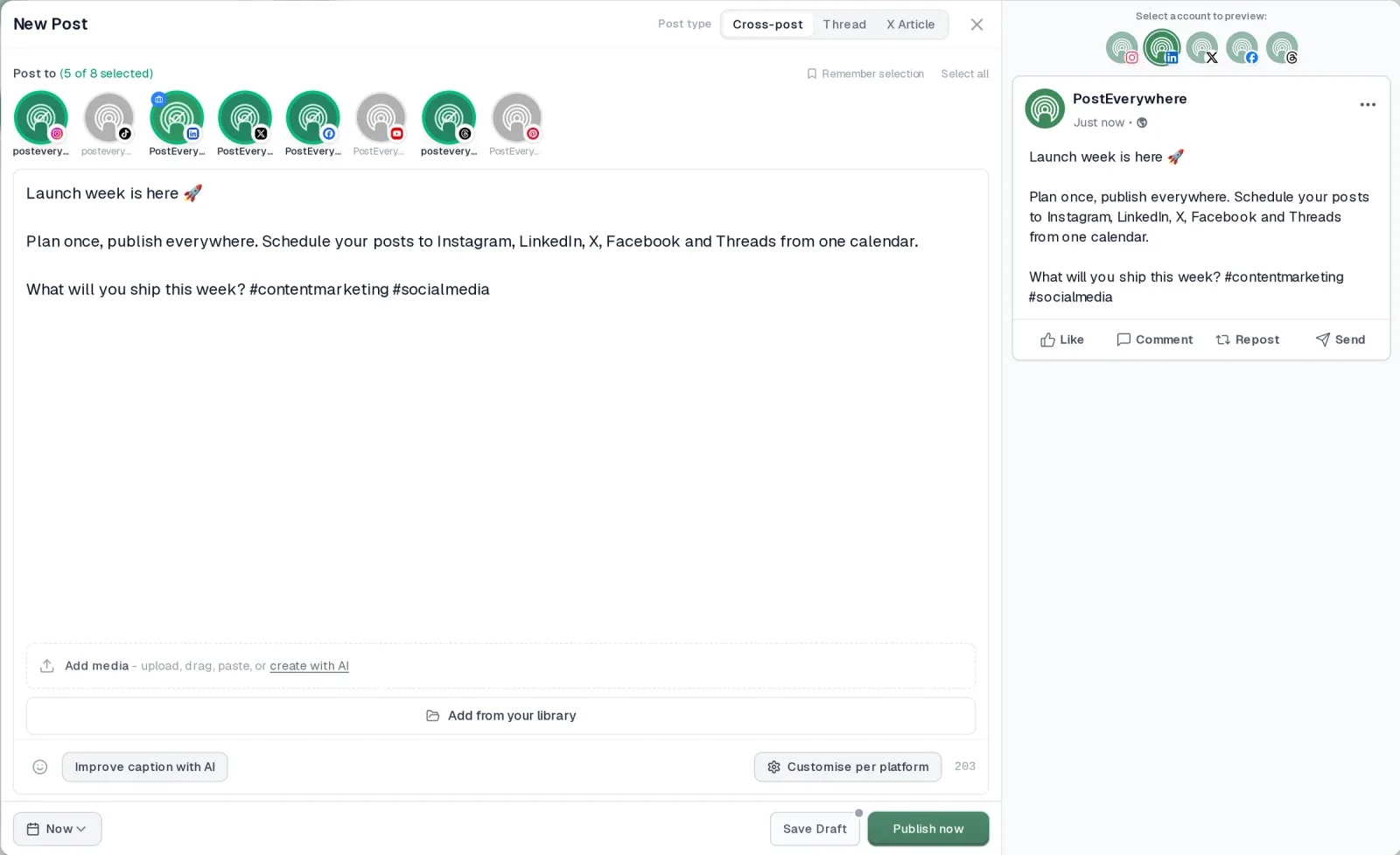
- It's simple. One composer for every platform: write the post once, tweak the caption per platform, check the live preview for each account and schedule it.
- One flat price, nothing locked away. From $9 a month. Every plan includes unlimited posts, the full API, the hosted MCP server and AI Studio, with no per-channel fees.
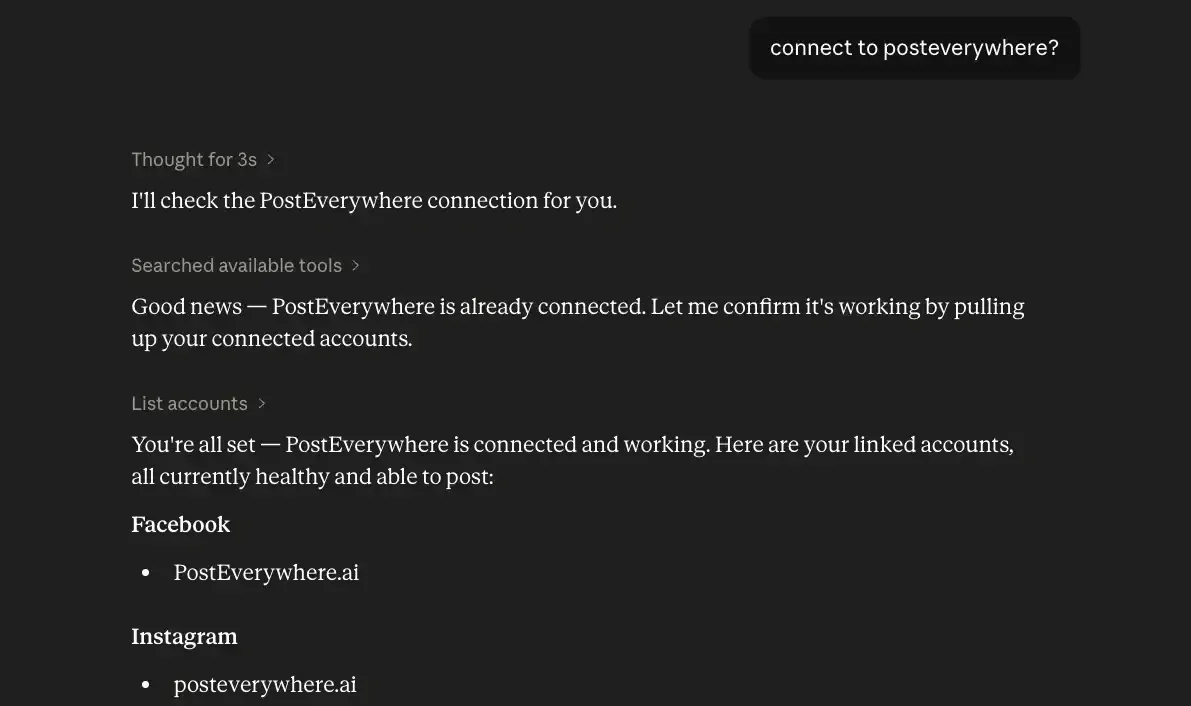
- Every top platform in one place. Instagram, TikTok, YouTube, LinkedIn, Facebook, X, Threads and Pinterest, plus Bluesky, Telegram, Discord, WordPress and Google Business Profile.
- Your AI agent can run it. Connect Claude, ChatGPT or Cursor in about a minute and ask it to plan, write and schedule your posts.
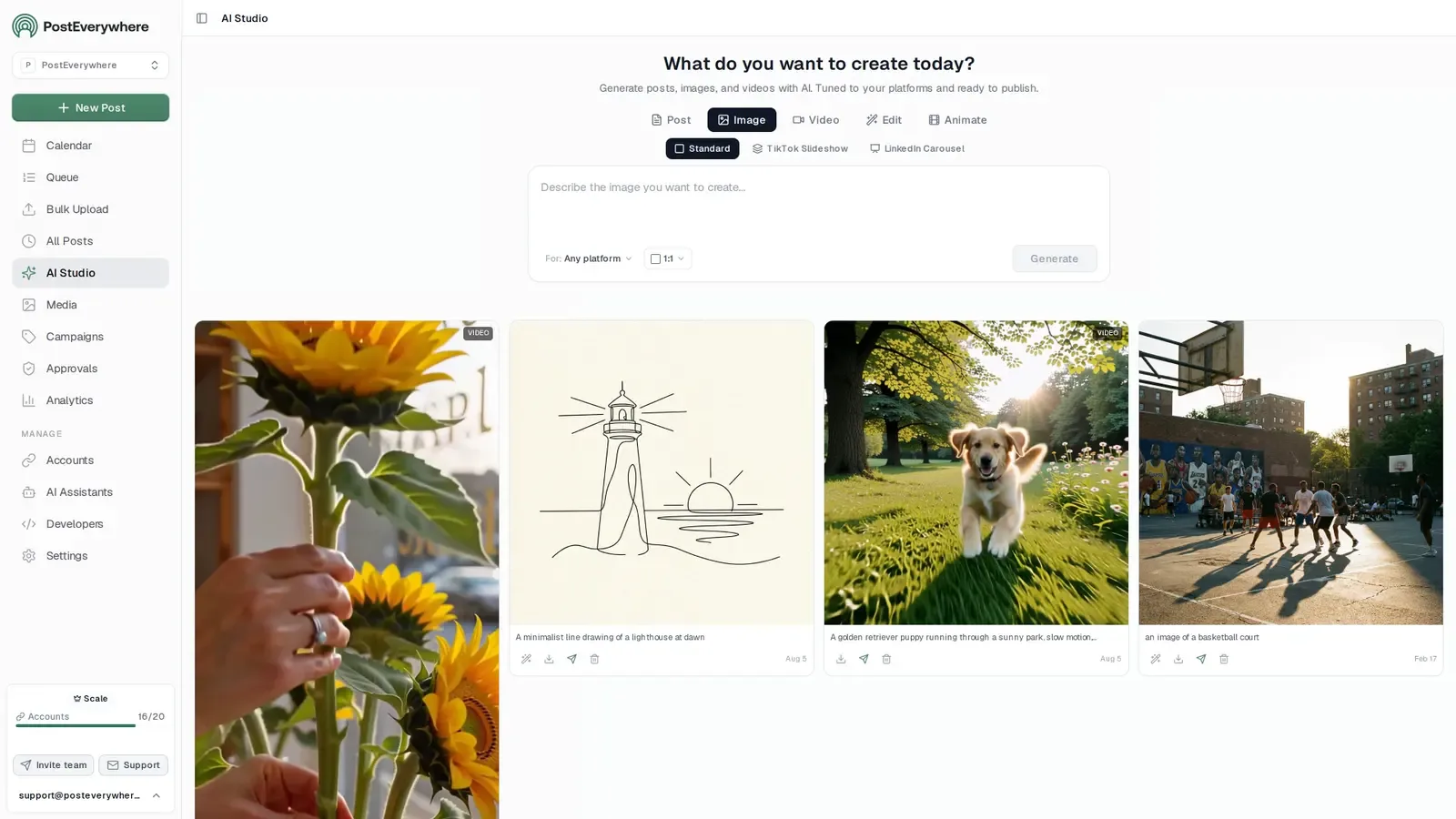
- Create in the same tool. AI Studio makes captions, images and video, so you don't need a second app before you post.
How PostEverywhere works
- Connect your accounts. Link your social accounts once, across all top platforms.
- Create the post. Write it in the composer, make images and video in AI Studio, or ask Claude or ChatGPT to draft and schedule it for you.
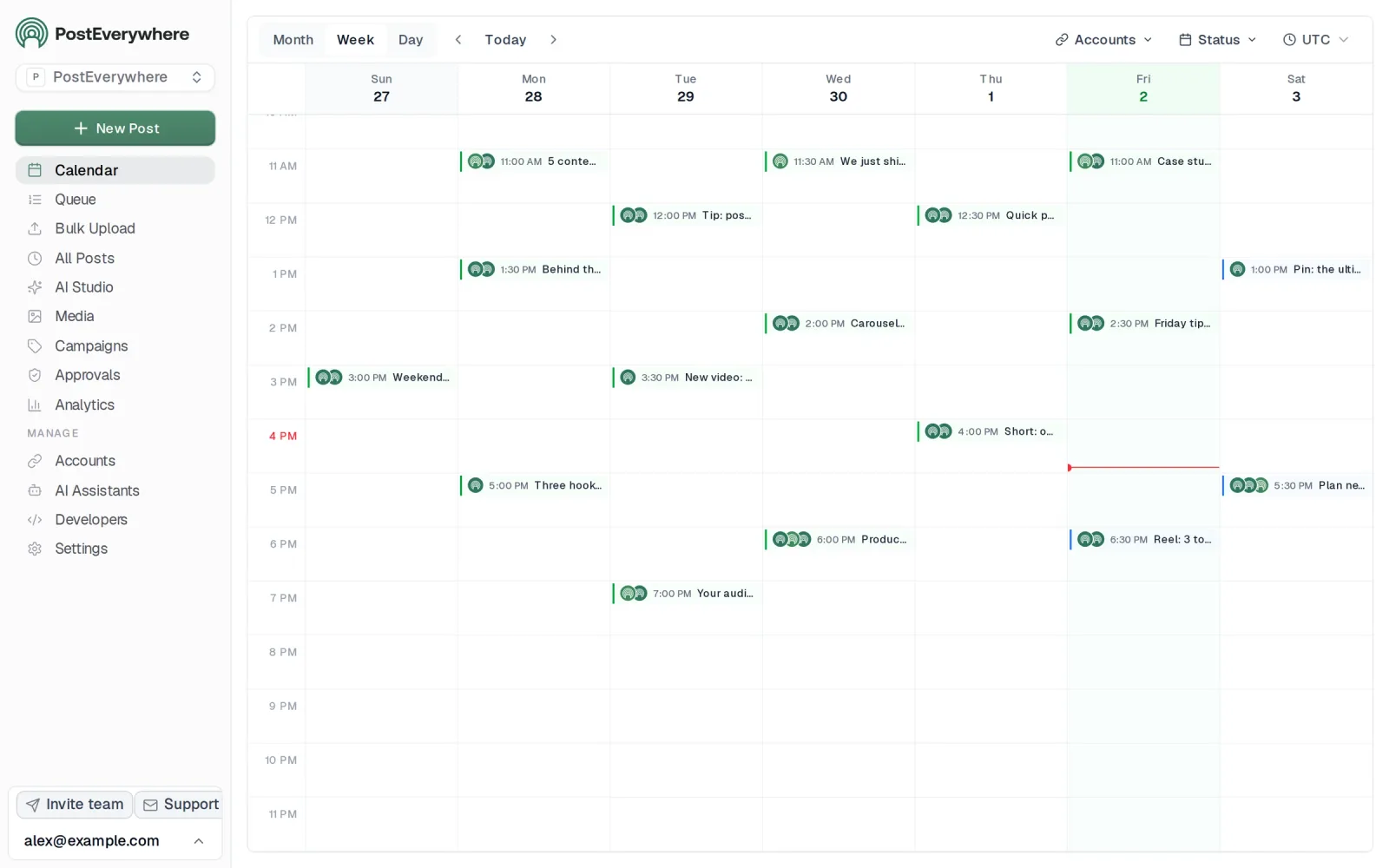
- Schedule it everywhere. Tweak the caption for each platform, check every preview, and it goes out on time from one calendar.
Built for AI agents
- Agents do the whole job. A full hosted MCP server with up to 44 tools: publish, schedule, use your queue or the best time, bulk-schedule 50 posts at once, check results, retry failures and send links to connect new accounts. Some rival MCP servers only read data or create drafts.
- $29 a month for 10 accounts, flat. Full API and agent access included, with no per-channel, per-seat or per-call fees. The same 10 accounts cost $60 a month on Buffer and $99 per user (billed annually) on Hootsuite.
- Nothing gated. API, MCP and webhooks come with every plan, from Lite. Several rivals keep their API for higher tiers or a sales call.
- Connected in a minute. One click adds PostEverywhere to Claude, with one-click installs for Cursor and VS Code. ChatGPT adds it under Plugins.
Plans: Lite $9 a month (2 accounts), Starter $19 (5), Growth $29 (10), Scale $39 (20). Every plan includes unlimited posts, the full API, the hosted MCP server and AI Studio.
“This tool has truly made my content posting so much easier, I can't work without it. I can schedule my posts days in advance while working on other projects. Set it and forget it.”
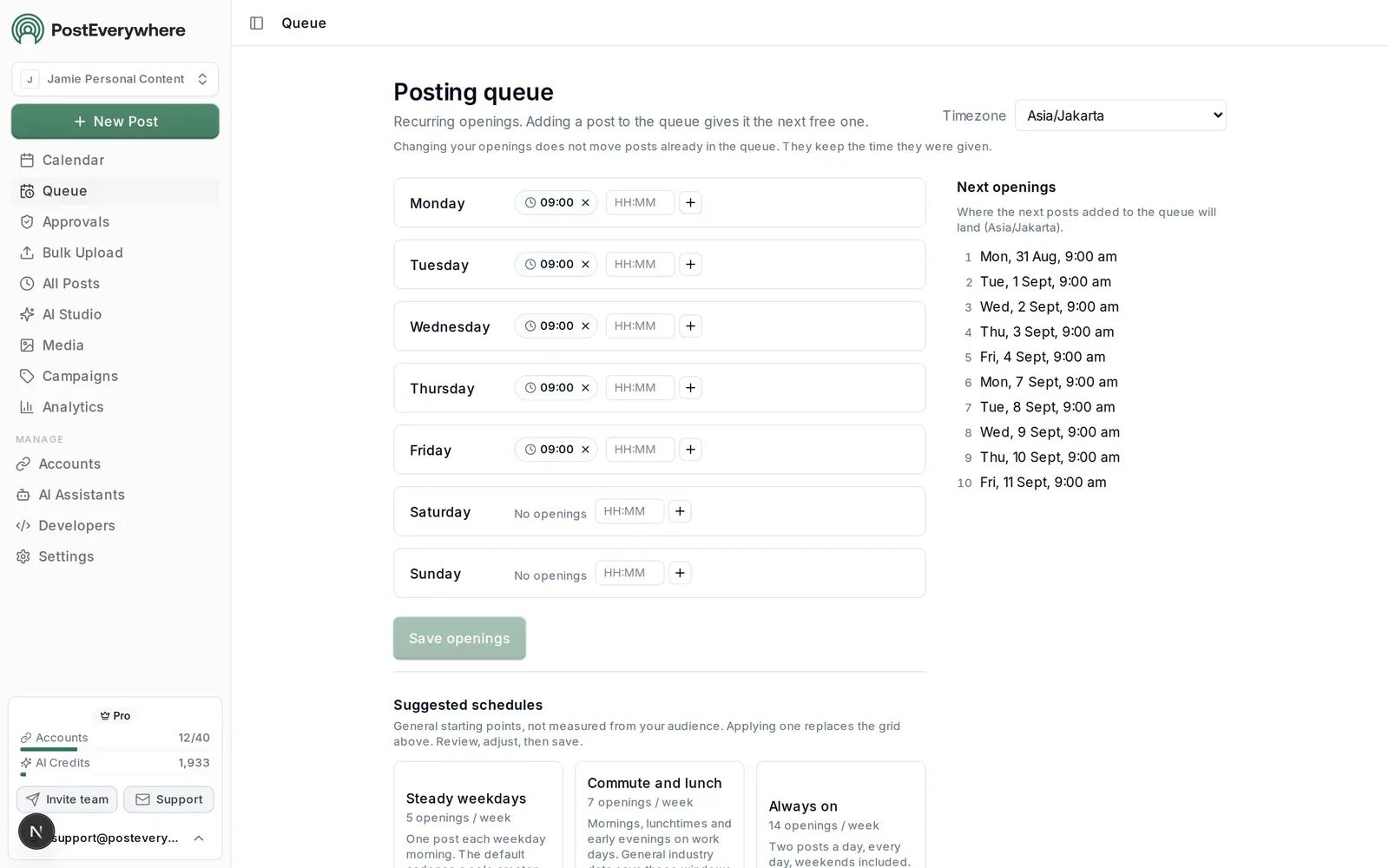
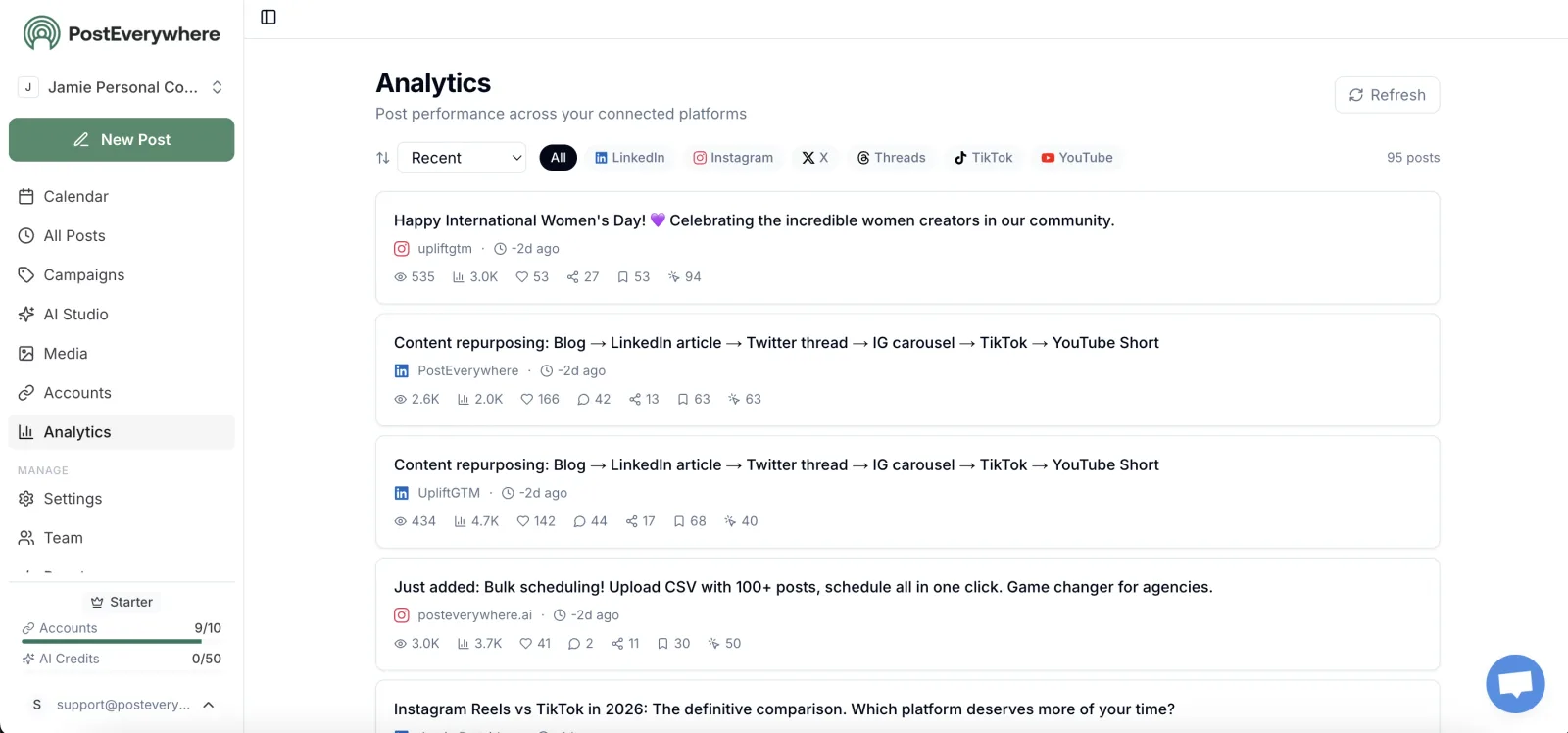
Also in PostEverywhere: a posting queue, bulk upload from CSV, approvals, analytics, an API and the iPhone app.
PostEverywhere is the agentic social media scheduler built for AI agents. Add its hosted MCP server to Claude, ChatGPT or Cursor and that AI agent writes, schedules and publishes to all top platforms, or drive the same account from your own code through the REST API and webhooks, on every plan from $9.
Pricing: $9/month (Lite, 2 accounts), $19/month (Starter, 5 accounts), $29/month (Growth, 10 accounts), and $39/month (Scale, 20 accounts). 7-day free trial on all plans, cancel anytime. 20% off annual billing.
What makes it agentic: PostEverywhere is the only tool here that combines content generation, scheduling intelligence, performance learning, and adaptive behaviour in a single platform purpose-built for social. The AI content generator writes captions, generates images with the latest, highest-quality models, and produces short videos.
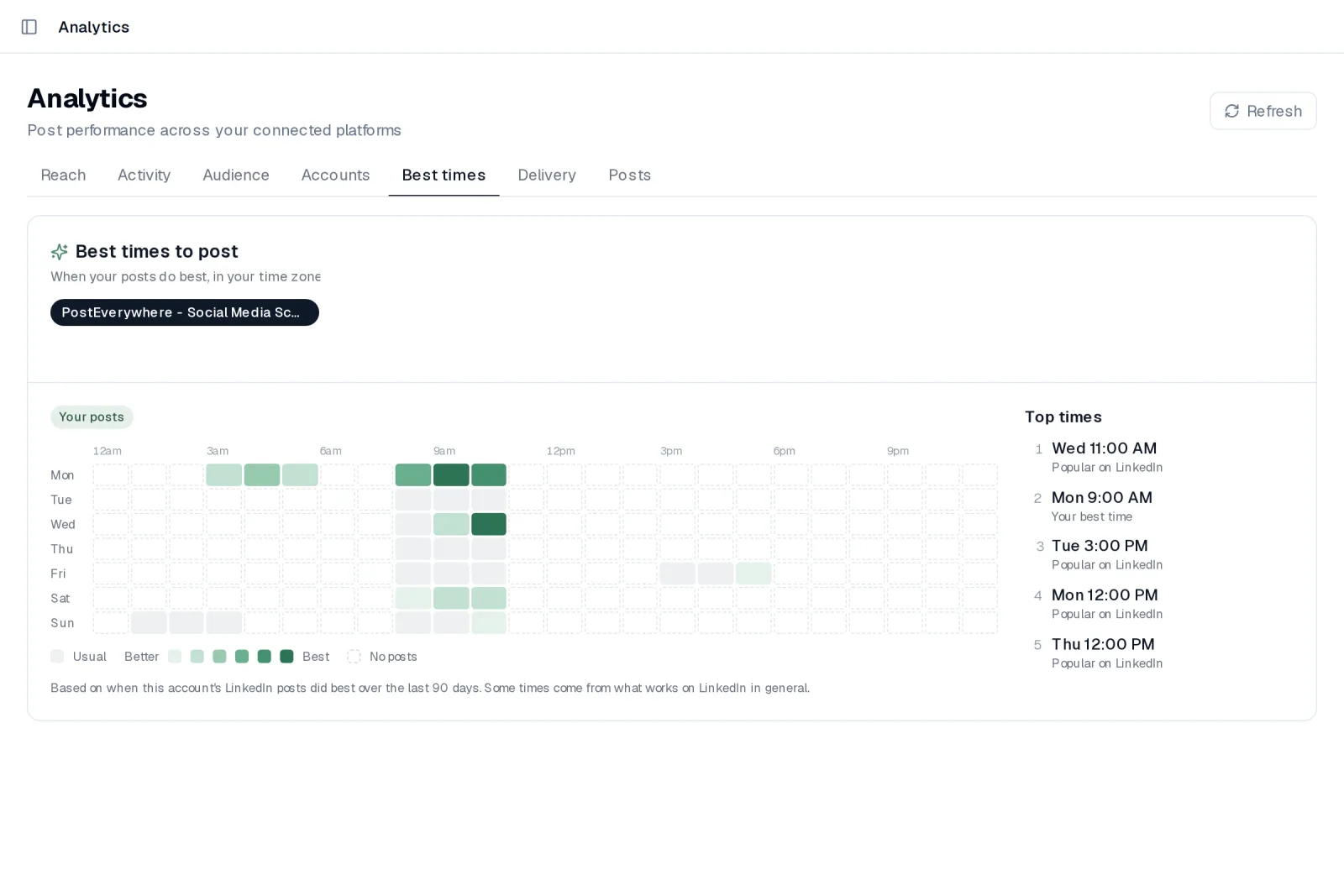
The agentic social media scheduling layer suggests posting times per platform based on when your posts have done best. And with Claude or ChatGPT connected, it runs as an agent: you set a content goal, the agent drafts a plan, you approve it, and it schedules everything across all top platforms.
The hosted MCP server is how an AI agent reaches them, and each platform's scheduler page covers the formats it accepts: Instagram, TikTok, LinkedIn, Facebook, X, YouTube, Threads, Pinterest, Bluesky, Telegram and Discord.
The feedback loop (how your posts perform shapes the times it suggests next) is what makes it agentic rather than just AI-assisted.
Agentic Grade: 3.5 / 4. Auto content: Yes (captions, images, video). Auto scheduling: Yes (your queue, or best times from your own results). Learns from data: Yes (best times update as your posts perform). Adapts: Partial (guardrails, not full autonomy).
Verdict: I'm obviously biased, so I'll put it plainly: it's the only tool on this list where I can set a weekly content goal, approve a plan on Monday morning, and have my agent handle the scheduling for the rest of the week across all platforms.
If you want true social media automation, this is the starting point. Best for AI agents and developers first, then solo creators, marketing teams, and agencies who want the closest thing to a real AI social media agent without stitching tools together.
We market it as an AI social media management platform because that's the workflow it replaces, captions, visuals, scheduling, and reporting wrapped together rather than one narrow agent task.
Why Choose PostEverywhere?
PostEverywhere is the best AI agent setup for social media because it gives the AI agent you already use a real publishing layer, connected in about a minute, instead of asking you to build workflows, babysit a browser or copy drafts into another tool.
- It actually publishes. Your AI agent writes, schedules and publishes through official platform APIs to all top platforms. Manus and Jasper stop at drafts, so you need a second tool to post, and FeedHive's MCP server can't publish immediately.
- API, not browser automation. Lindy's Computer Use and ChatGPT Agent drive social sites through a browser, which breaks when a platform changes its interface; ChatGPT Agent sessions also time out and lose context on 2FA. PostEverywhere's hosted MCP server and REST API don't depend on any platform's interface.
- Working in three steps, not a weekend. Paste the connector URL into Claude, ChatGPT, Cursor or another AI agent and approve with OAuth, no keys to copy. Make.com takes 7+ steps and n8n 8+ before an agent can post, because you build every workflow first.
- Predictable pricing. Plans run from $9/mo (Lite) to $39/mo (Scale, 20 accounts) with unlimited posts, and posting is never metered. Lindy bills in credits, with usage that is hard to predict, and Vista Social starts at $99/mo.
- The whole job in one place. AI Studio creates captions, images and video, your agent reads analytics and best times, and you keep a content calendar, posting queue and, on plans above Lite, post approvals for anything that needs a human sign-off. Developers get signed webhooks, a Node SDK, a CLI and an open-source (MIT) MCP server on GitHub.
See how to connect your AI agent, compare plans on the pricing page, and start a 7-day free trial to have your agent posting today.
2. Lindy: General-Purpose Agent Builder for Social Workflows
LindyMCP server: none listed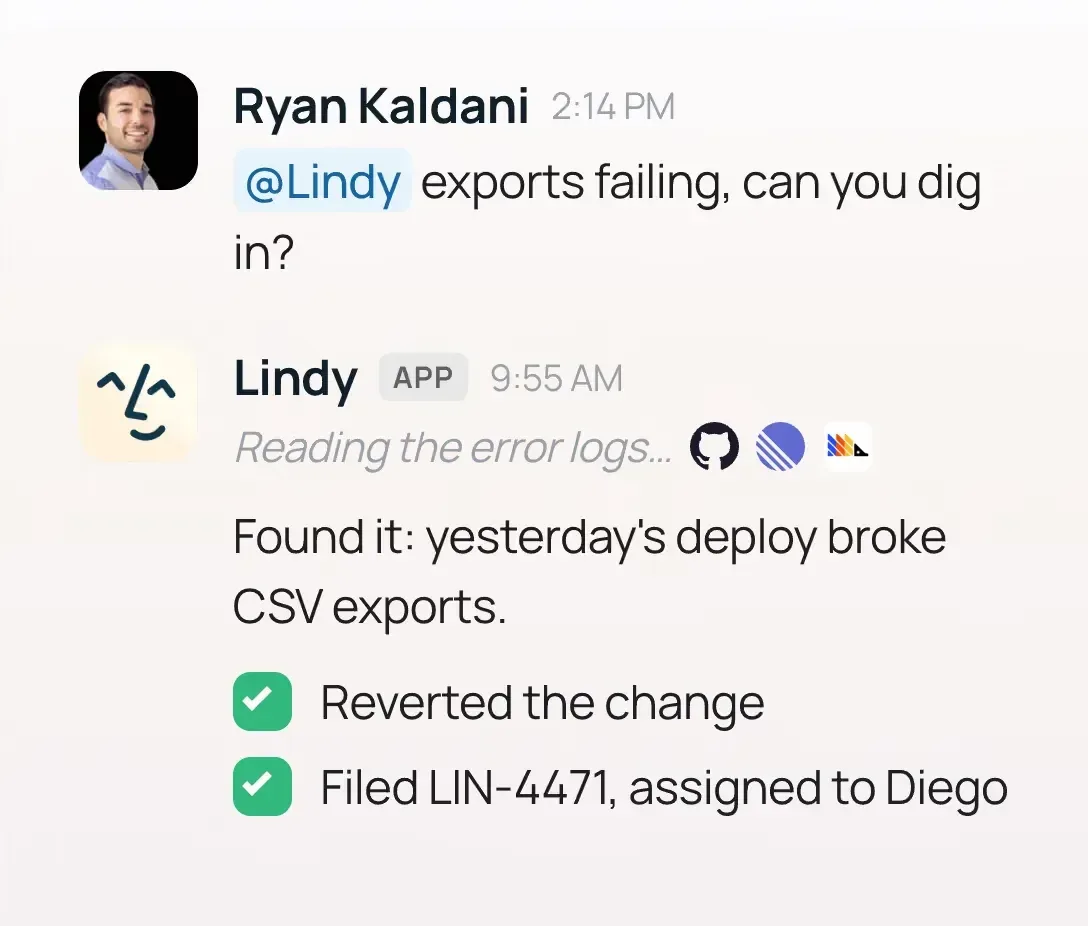
Pricing: Free plan, then Team from $49.99/month for 5,000 credits, rising with the credits you buy; Enterprise on request. Billing is credit-based: "credits measure the work Lindy does", so heavier multi-step tasks use more.
What makes it agentic: Lindy is a horizontal AI agent builder, not a social-first tool. Its Computer Use feature lets agents drive social platforms through a browser (LinkedIn, Instagram, X) even tools without APIs.
Lindy can also use MCP servers, so it can hand finished posts to a publishing tool such as PostEverywhere instead of driving a browser. Describe what you want ("every weekday at 8am, check trending topics in my niche, draft three LinkedIn posts in my brand voice, message me drafts for approval") and Lindy chains the steps.
It's genuinely agentic, the agent decides steps and adapts when pages change. The catch: browser automation breaks when platform UIs update, credit consumption is unpredictable, and you design every workflow yourself.
Agentic Grade: 2.5 / 4. Auto content: Yes. Auto scheduling: Partial (via Computer Use). Learns from data: Partial (depends on connections). Adapts: Partial (within the workflow you defined).
Verdict: Good for technical marketers and ops people who want bespoke social workflows spanning multiple tools. For a polished social-first agent that just works out the box, our agent workflows get you to value faster. Many power users run both.
3. Manus: Multi-Step Research and Social Media Drafting
ManusMCP server: none listed
Pricing: Free ($0, 300 daily credits), Pro from $20/month (4,000+ credits), with bigger credit tiers above it. Annual billing saves 17%.
What makes it agentic: Manus is a general-purpose agent that plans multi-step tasks, browses the web, writes and executes code, and delivers finished results from a single prompt. For social media the natural use case is the research-and-draft pipeline: "Find the five most discussed topics in [niche] this week, summarise them, and draft a LinkedIn post and an X thread for each." It's good at that.
The 2025 acquisition saga (blocked Meta deal, China regulator) slowed product velocity but the core agent still works. Manus can use MCP connectors, which is the cleanest way to give it a publishing tool.
The limitation: Manus doesn't post natively: it drafts, you route through another tool.
Agentic Grade: 2 / 4. Auto content: Yes (research-driven drafts). Auto scheduling: No (no native posting). Learns from data: Partial. Adapts: No (each task is a fresh prompt).
Verdict: Pair Manus with PostEverywhere and you have a credible end-to-end workflow. Manus for deep research and draft generation, PostEverywhere for scheduling and execution. As a standalone "social media agent" Manus falls short because it doesn't post.
Good for solo founders who want one agent for research, drafting, and competitive analysis in a single chat.
4. ChatGPT Agent: One-Off Social Media Automation
Pricing: Bundled with ChatGPT Plus ($20/month), Pro ($200/month), Team, Enterprise. No standalone pricing.
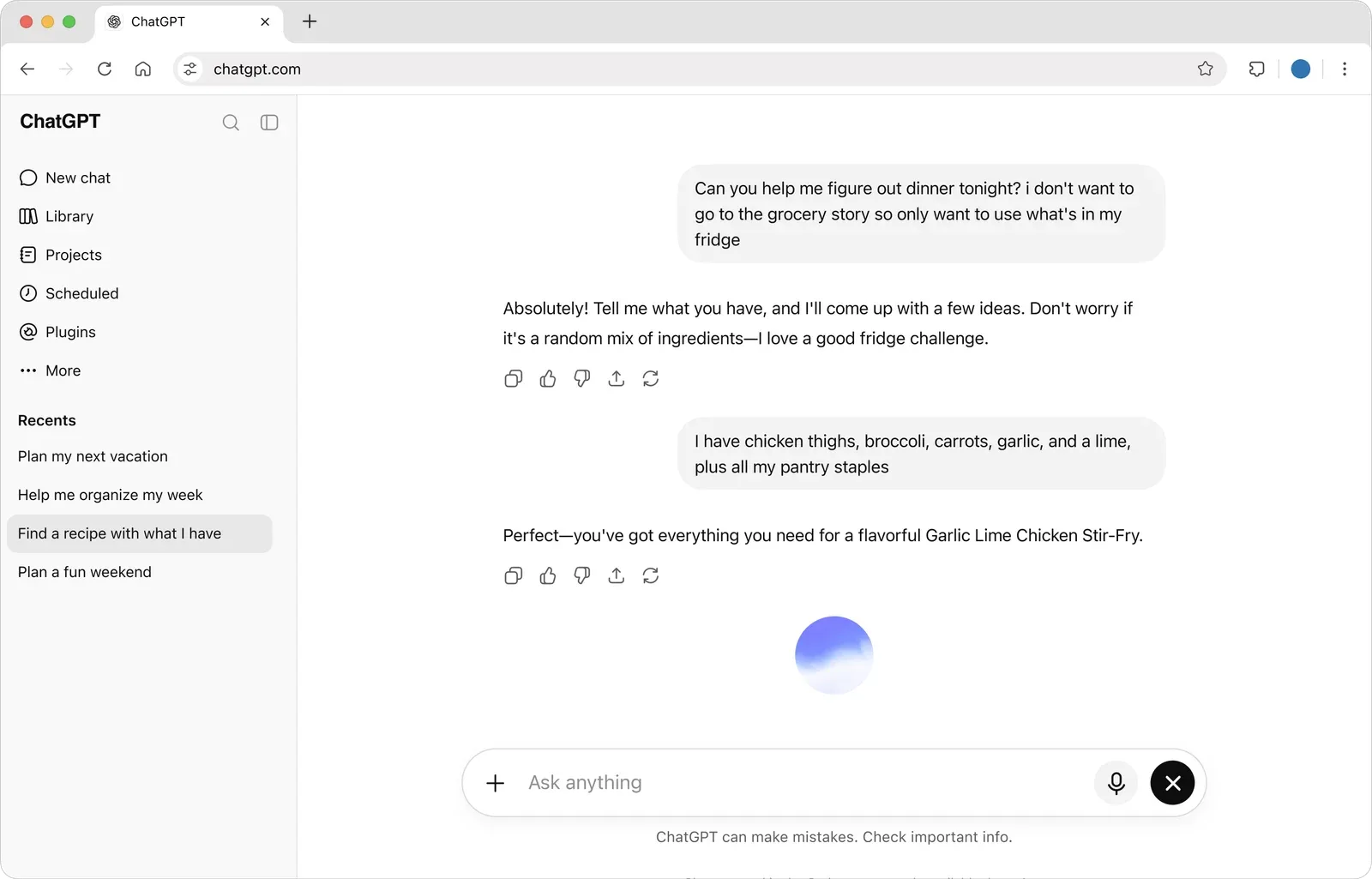
What makes it agentic: ChatGPT Agent is OpenAI's successor to Operator and Deep Research, a unified agent that browses the web, fills forms, posts to Facebook and Instagram, monitors engagement, and generates analytics slides. It scrolls, clicks, and types like a human.
The realistic social use case is one-off automation, "post these three drafts to LinkedIn and Facebook at 9am tomorrow." The capability is real but consistency isn't, sessions time out, 2FA breaks flows, long workflows lose context.
Agentic Grade: 1.5 / 4. Auto content: Yes. Auto scheduling: Partial (browser interaction). Learns from data: No (stateless sessions). Adapts: No (one-off execution).
Verdict: Impressive technology that isn't the right shape for ongoing social work. Use it for one-offs. For anything you do weekly, an API-integrated tool like PostEverywhere is more reliable and faster.
5. n8n + Social Workflows: Custom-Built Agent Pipelines
n8n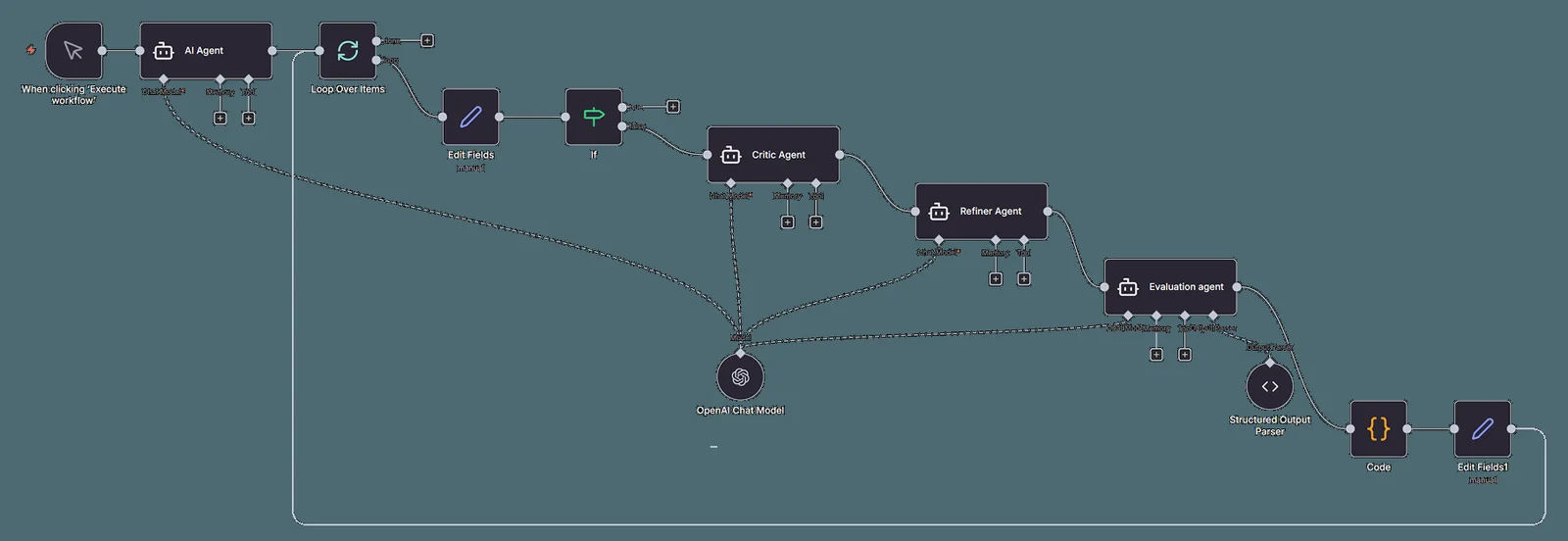
Pricing: Cloud Starter €20/month and Pro €50/month, billed annually, with a free trial rather than a free cloud plan. The self-hosted Community Edition is free; you pay only for your server.
What makes it agentic: n8n is a workflow automation platform that leaned hard into AI agents in 2025-26. It ships AI agent nodes for OpenAI, Anthropic, Google AI, and local models, tool-calling agents that execute multi-step reasoning chains. 700+ community-built social media workflow templates you can clone.
It works with MCP both ways: an MCP Client node lets its agents use outside tools, and its own MCP server lets Claude or ChatGPT search, run and build your n8n workflows, on every plan. Built well, it's the most flexible option here. Built poorly, you'll spend a weekend debugging webhooks.
Agentic Grade: 2 / 4. Auto content: Yes (via AI nodes). Auto scheduling: Yes (deterministic, you build it). Learns from data: Only if you code the feedback loop. Adapts: No (explicit workflows).
Verdict: Right answer if you have engineering resources and want a custom owned automation layer. Wrong answer if you want something working in 15 minutes. For most marketing teams, a polished agent workflow product gets 80% of the value with 5% of the setup time.
If you do build in n8n, connect PostEverywhere as an MCP Client Tool and one node replaces a branch per platform. If you are moving an existing Blotato workflow, our Blotato alternatives guide covers the swap.
6. Make.com with AI: Visual Workflow Builder
Make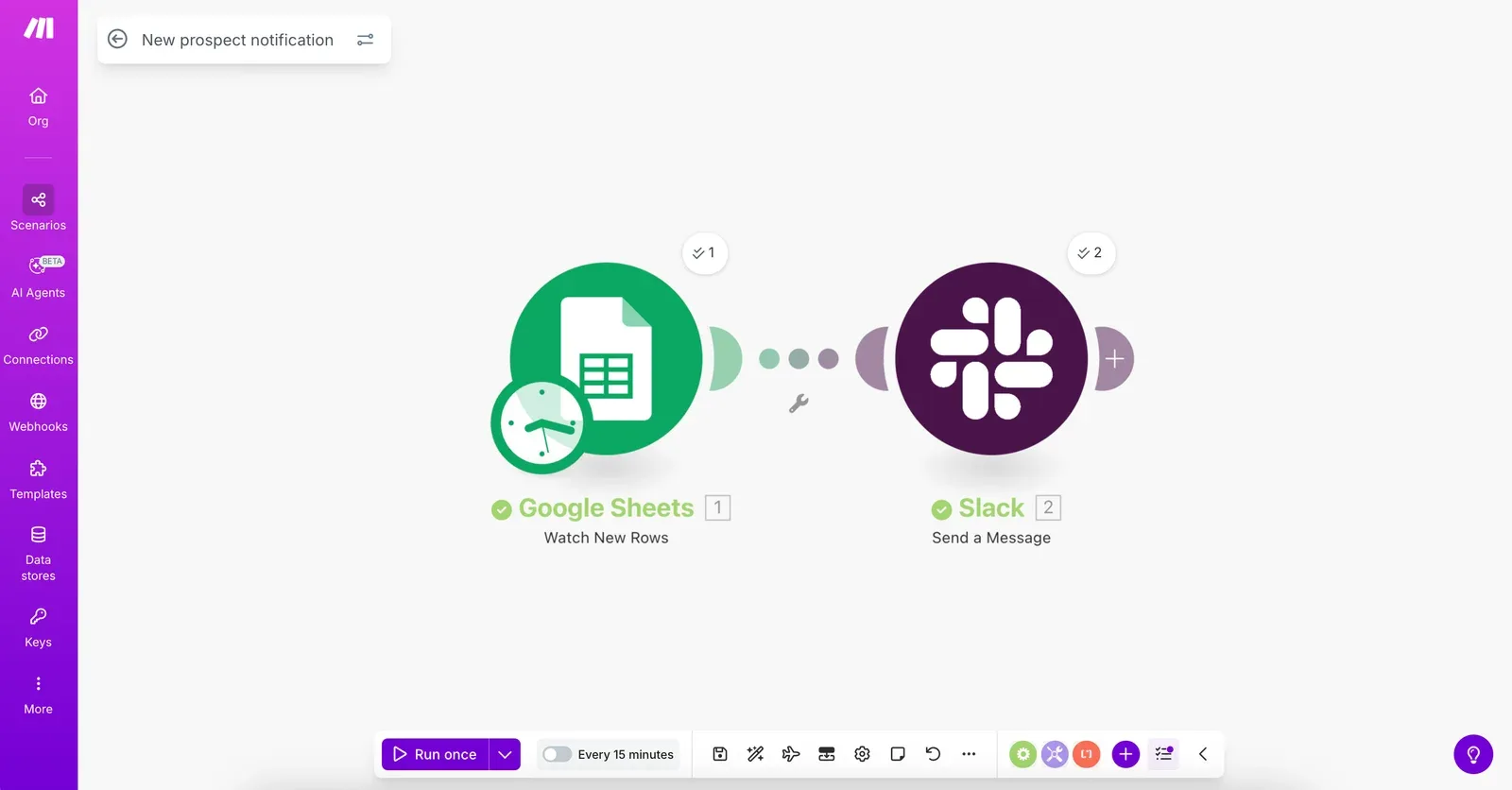
Pricing: Free (1,000 operations/month), Core $9/month (10K), Pro $16/month, Teams $29/month. AI provider costs separate.
What makes it agentic: Make.com is a visual workflow builder with strong AI integration: its MCP Server turns Make scenarios into callable tools any MCP-compatible agent can use, with access to 3,000+ apps and 30,000+ actions.
The typical social pattern: trigger on a blog post → generate variants via Claude → push to a scheduler → log to Sheets. MCP Server is the genuinely novel 2026 capability: you can build a Make scenario any AI agent can invoke.
Agentic Grade: 2 / 4. Auto content: Yes (via AI integrations). Auto scheduling: Yes (deterministic). Learns from data: No (unless you build the loop). Adapts: No.
Verdict: The gentler entry point to building your own social automation if you don't want to learn n8n. Not a substitute for a purpose-built social tool, PostEverywhere handles scheduling, analytics, and platform-specific formatting you'd otherwise wire together yourself.
7. Jasper AI: AI Content Generation Only
Jasper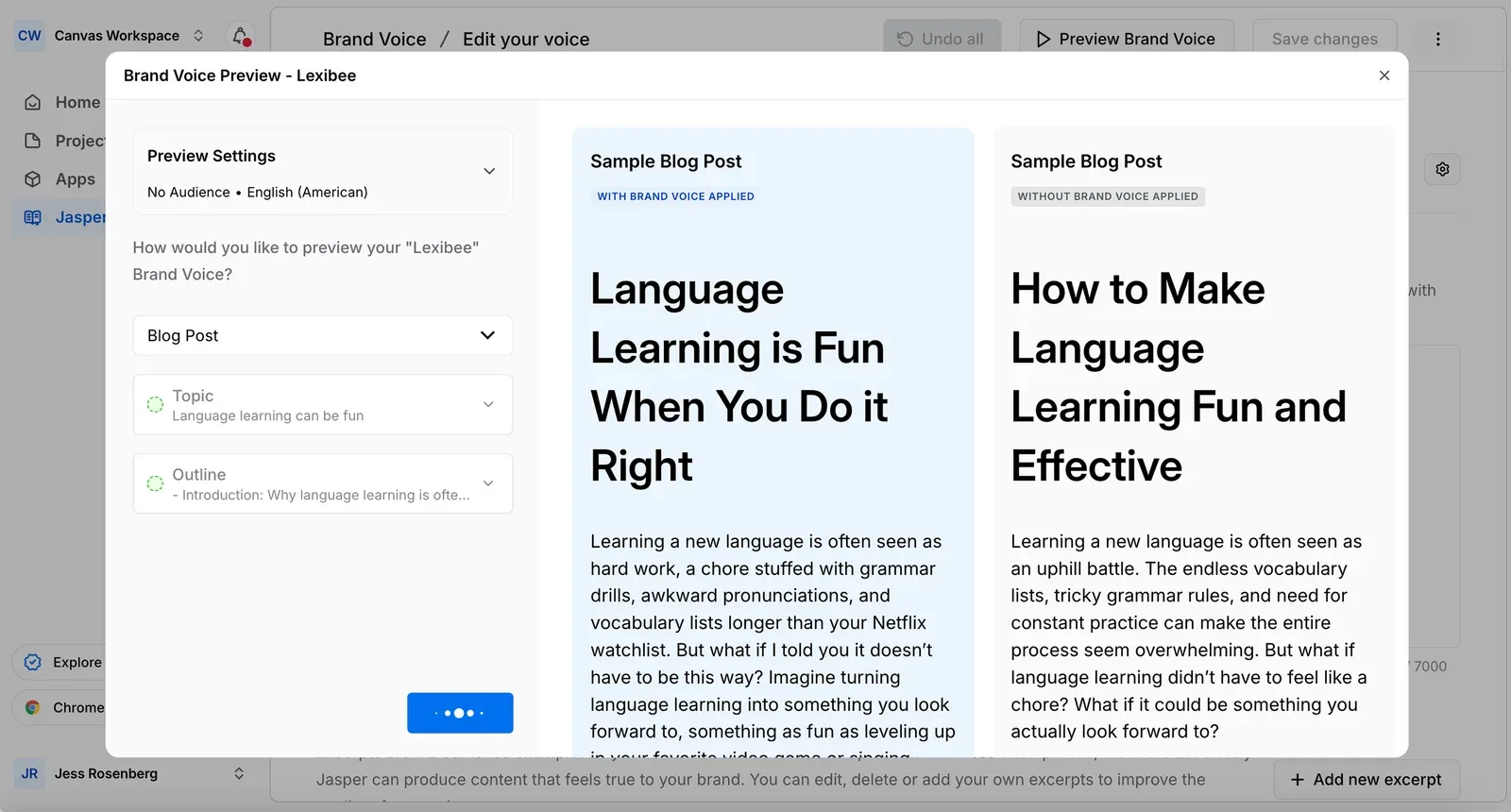
Pricing: Pro $59/seat/month billed annually ($69 monthly), Business custom (12-month minimum).
What makes it agentic: Jasper is an AI content platform, not a social media tool, and that distinction matters. It excels at long-form blog posts, ad copy, and social captions from brand-voice profiles and campaign briefs.
The brand voice feature is genuinely impressive: feed it your existing content and it writes copy that sounds like you, not like generic ChatGPT output. But Jasper has zero scheduling, publishing, or analytics capability: you copy-paste into another tool to post.
Jasper does have an MCP server, but only on the Business plan, and it gives an AI agent your brand context and content, not a way to publish.
Agentic Grade: 1.5 / 4. Auto content: Yes (top-tier brand voice). Auto scheduling: No. Learns from data: Partial (your voice, not your performance). Adapts: No (manual prompts every time).
Verdict: A strong content generator, but calling it a social media AI agent is a stretch. It generates words, one quarter of the agentic equation. For content generation + scheduling in one tool, our AI content generator covers both for less money.
8. Lately.ai (Kately): Content Repurposing for Social Media
Lately.aiMCP server: none listed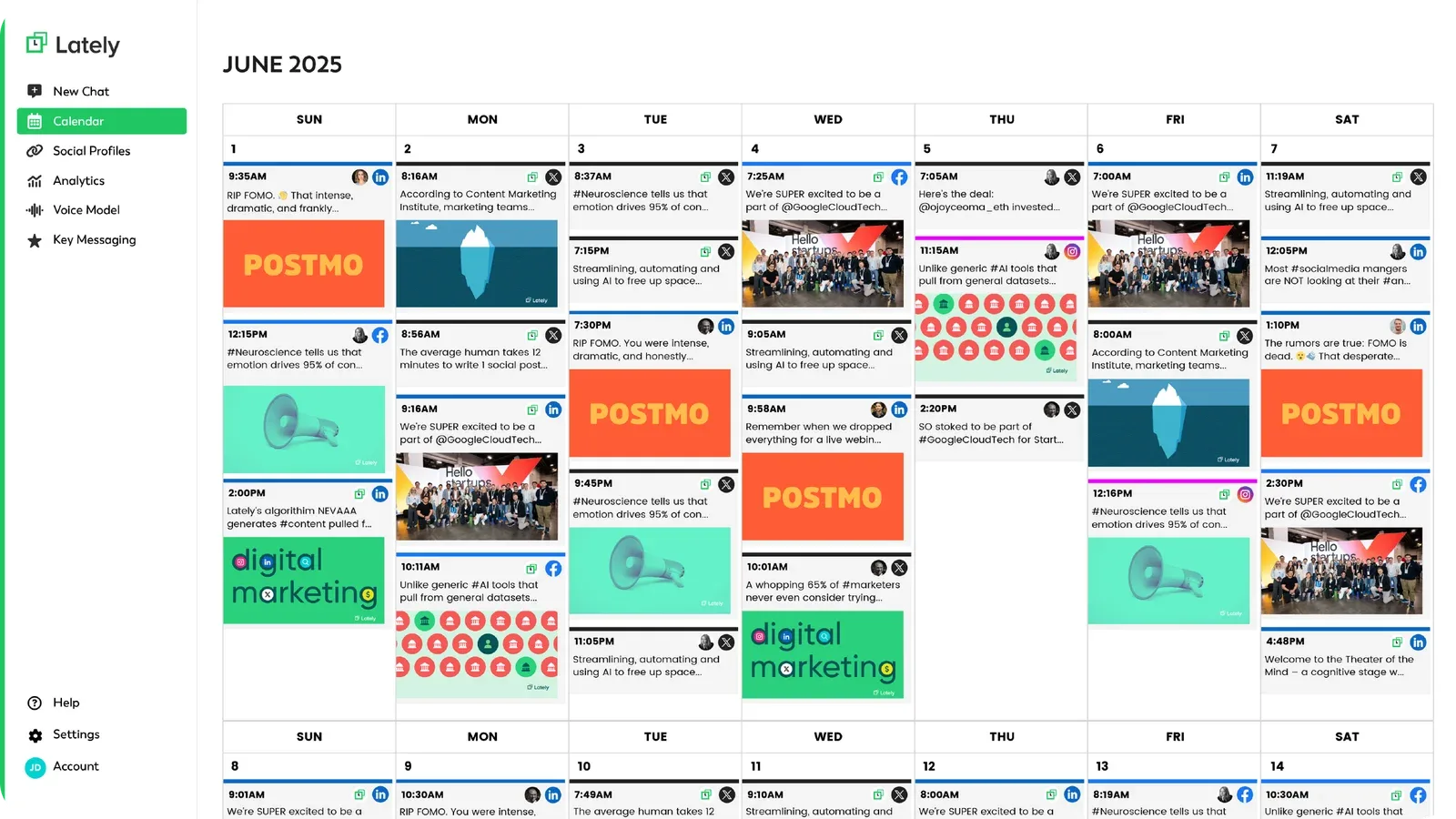
Pricing: Starter $19/month ($14 annual), Growth $239/month ($199 annual), Enterprise custom.
What makes it agentic: Lately has announced Kately, marketed as the "world's first superintelligent social media agent", which is on a waitlist alongside a new version of Lately. The product you can use today is the repurposing engine.
Feed it a long-form asset (blog, podcast transcript, webinar, video) and it autonomously generates dozens of social posts, analysing your historical performance data to choose phrases, topics, and structures that have worked for your audience. That feedback loop is real.
Scheduling capabilities are more limited than dedicated schedulers, and Lately has no MCP server or API, so an AI agent can't drive it.
Agentic Grade: 2.5 / 4. Auto content: Yes (multi-post from long-form). Auto scheduling: Partial (basic timing). Learns from data: Yes (genuine performance analysis). Adapts: No (still needs human source input).
Verdict: The closest competitor to our agent workflows in genuine agentic thinking. Performance-driven content generation is real. But it's specialised, if you don't produce long-form content regularly, there's nothing to repurpose.
And the lack of original content generation means you still need another tool for net-new posts.
One tool for content creation and scheduling: Instead of Lately for repurposing plus another for scheduling, PostEverywhere handles both, plus original content generation, image creation, and video. Try it free for 7 days.
9. Predis.ai: AI Design Plus Posting
Predis.aiMCP server: none listed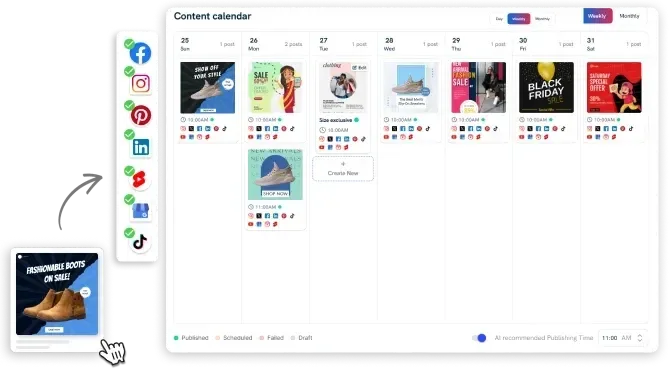
Pricing: Core $19/month, Rise $40/month and Enterprise+ $212/month, all billed yearly. API access is included from Core.
What makes it agentic: Predis.ai generates visual content natively, tell it your topic and brand colours, it produces carousels, single-image posts, video clips, and memes styled to your brand. Then it schedules and publishes directly.
The end-to-end flow (generate → schedule → publish) is closer to agentic than most tools manage. The gap: no real learning loop, so it doesn't get smarter over time, and no official MCP server (its API generates creatives rather than publishing).
Agentic Grade: 2 / 4. Auto content: Yes (visual posts, carousels, video). Auto scheduling: Partial (manual timing). Learns from data: Partial (analytics exist but don't feed back). Adapts: No.
Verdict: A solid pick if your biggest pain point is creating visual content, the carousel generator alone is worth it for Instagram and LinkedIn creators. As an "agent" though, it's a visual content generator with a scheduler attached.
For visuals plus genuine scheduling intelligence, PostEverywhere's AI image generator paired with agent workflows covers more ground.
10. FeedHive: AI Content Recycling
FeedHive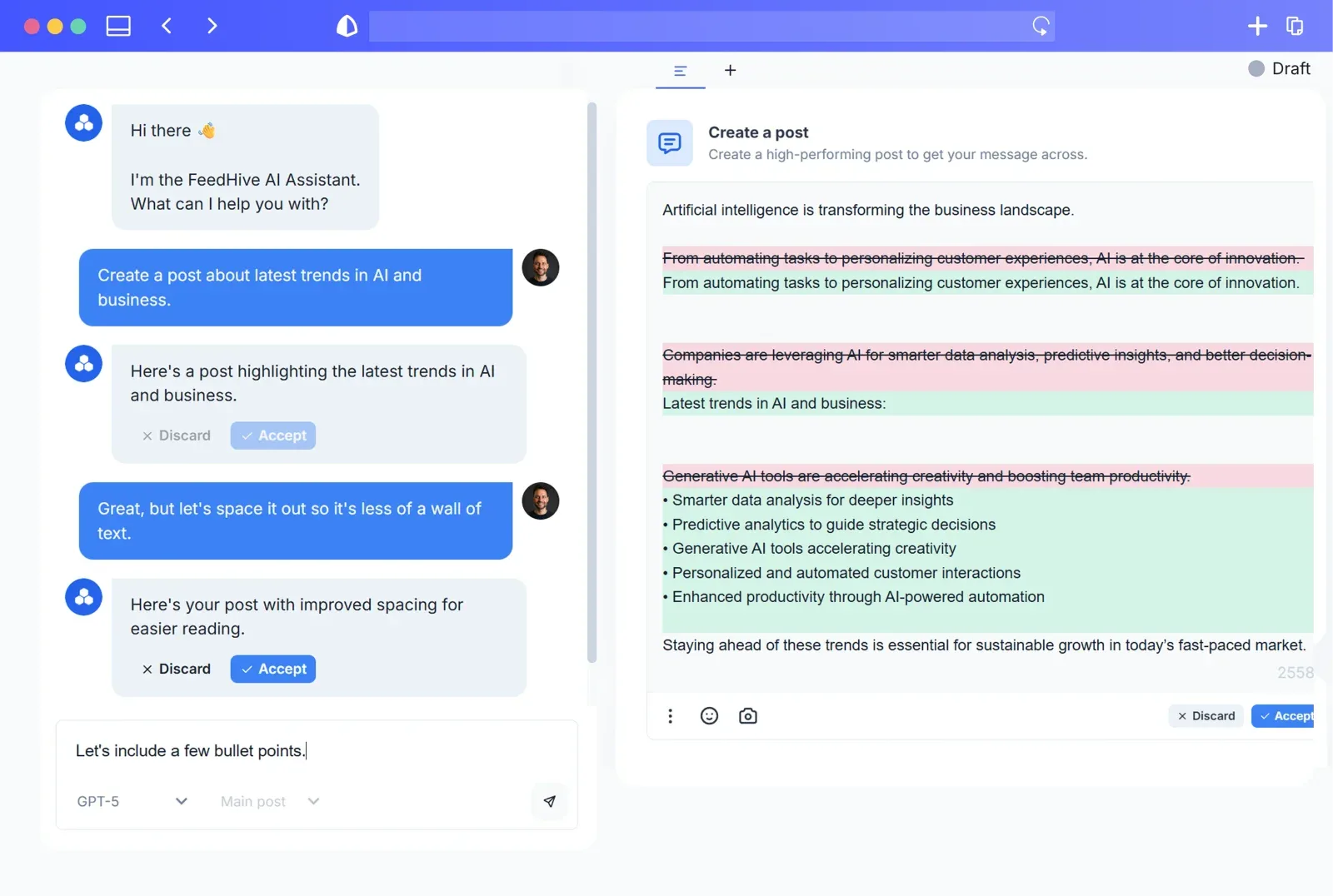
Pricing: Creator €15/month, Brand €22/month, Business €69/month, Agency €239/month (billed annually; FeedHive shows euro prices in some regions).
What makes it agentic: FeedHive's core value is content recycling with AI variations. Create a post, mark it evergreen, FeedHive auto-re-queues it with rewritten captions, different hooks, new hashtags. The 2026 release added performance prediction plus Flux Pro and Nano Banana 2 image generation.
FeedHive has an MCP server (API key, agent features from the Brand plan): an AI agent can draft and schedule posts and read analytics, but it can't publish immediately. There's a kernel of agentic behaviour, but scope is narrow, only recycling content you've already created. No net-new generation from goals, no adaptation over time.
Agentic Grade: 1.5 / 4. Auto content: Partial (variations only). Auto scheduling: Partial (recycle + requeue). Learns from data: Partial (analytics + prediction). Adapts: No.
Verdict: A time-saver for personal brands and thought leaders with years of content worth recycling. But labelling it an AI agent is generous, the ceiling is low. For recycling as part of a broader agentic workflow, look at platforms that include recycling plus original generation and performance-driven adaptation.
11. Vista Social: AI Analytics and Reporting
Vista Social
Pricing: No free plan (14-day trial). Professional $99/month ($79 billed annually), Advanced $199/month ($159 annually), Scale $449/month ($359 annually), Enterprise custom.
What makes it agentic: Vista Social's strongest AI feature isn't content generation: it's analytics. The platform analyses social performance across platforms, surfaces actionable recommendations, identifies trends, and generates reports that tell you what to do next. Best-time-to-post uses your real audience data. AI caption writing is standard fare.
AI credits run from 1,000 a month on Professional to 3,500 on Scale.
Agentic Grade: 2.5 / 4. Auto content: Partial (generic captions, no images/video). Auto scheduling: Yes (AI best-time from your data). Learns from data: Yes (strong analytics). Adapts: No (its own AI surfaces recommendations; an outside agent can act on them through Vista's MCP server).
Verdict: Right pick if your primary need is understanding social performance and getting AI recommendations. Analytics are genuinely useful: not just charts but actual insights. Gap: Vista's own AI tells you what to do rather than doing it, and acting on it from an AI agent means wiring up its MCP server (in beta) on a paid plan.
For the closed loop where insights drive action, you need PostEverywhere's agent workflows.
How AI Social Media Agents Work (an Example Workflow)
Every agent, whatever the vendor, runs the same loop: perceive, plan, act, learn. Here is what that looks like in a realistic weekly setup, with an AI agent connected to a scheduler over MCP.
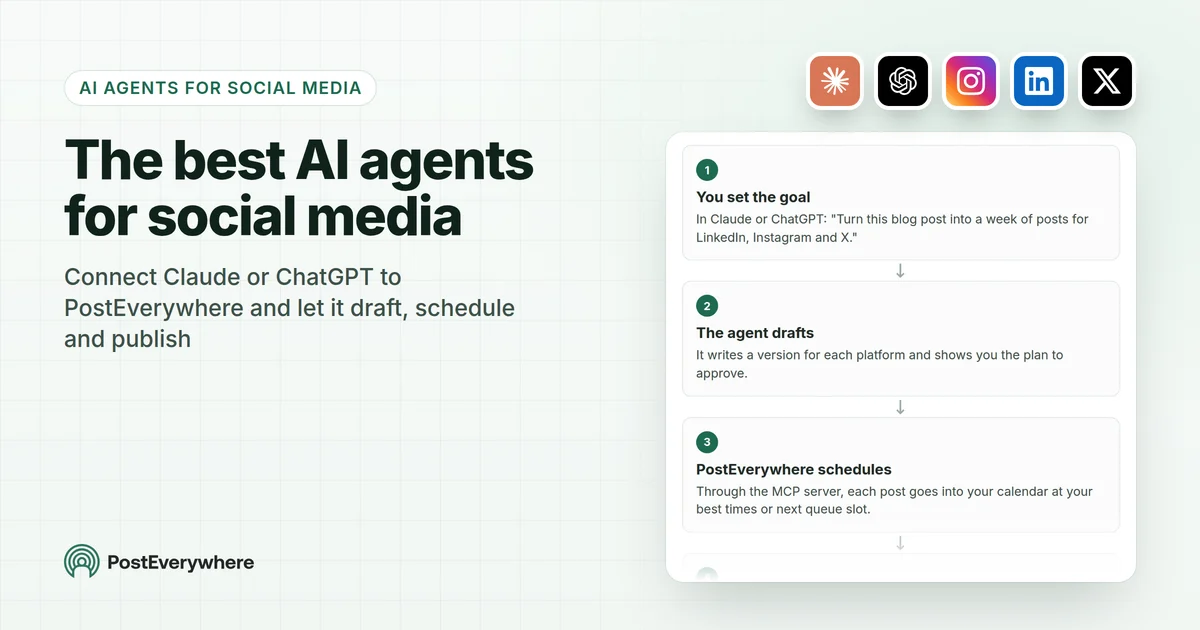
How an AI agent runs your social media with PostEverywhere
The AI agent you already use does the thinking; PostEverywhere's MCP server does the publishing.
- You set the goalIn Claude or ChatGPT: "Turn this blog post into a week of posts for LinkedIn, Instagram and X."
- The agent draftsIt writes a version for each platform and shows you the plan to approve.
- PostEverywhere schedulesThrough the MCP server, each post goes into your calendar at your best times or next queue slot.
- Platforms publish, results returnPosts go out through official platform APIs, and the agent reads the results back.
- Write the brief once. Three to five content pillars and your brand voice rules ("conversational British English, define jargon, no clickbait"). This is the most important input you give an agent: vague instructions produce generic posts, precise ones produce posts that sound like you.
- Perceive. The agent reads what it needs: your latest blog post or RSS feed, recent analytics, and which accounts are connected.
- Plan. It proposes the week, in plain language: "A new post went live this morning. I'll draft a LinkedIn post, an X (Twitter) thread and a Threads teaser. LinkedIn has performed best at 8am on Tuesdays for this account, so that one goes first."
- Act. It writes platform-specific captions, generates an image with the AI image generator, and schedules each post, staggering the times so the same message does not hit every network within the same five minutes.
- Learn. A week later it pulls the analytics summary, sees which formats and time slots earned engagement, and rewrites next week's plan around them.
How much to let it do on its own. Most teams use one of three approval levels, however their tool enforces it:
- Full review (start here): the agent drafts, you approve every post before it goes live. Stay here for the first couple of weeks while you tighten the brief.
- Category-based: routine content (repurposed blog posts, evergreen posts) goes out automatically; trend responses, anything mentioning competitors and anything containing statistics wait for you.
- Auto-publish with alerts: everything publishes and you review a digest after the fact. Only once you trust the output.
What stays human. Crisis response (keep a way to pause all automated posting), comments and DMs that need judgement, personal stories, and deciding whether your brand should join a trend at all.
Many teams also run a hybrid: they schedule high-stakes posts such as a product launch by hand on the calendar and let the agent handle the daily volume. For the technical version of this loop, see how to build a social media agent with an API.
The Five Jobs an AI Social Media Agent Can Do
- Content creation: captions, images, video scripts and carousel text in your brand voice.
- Scheduling and optimisation: choosing when and where each post goes, based on your own audience data rather than generic best-time charts.
- Analytics and reporting: tracking results across networks, flagging drops and outliers, and summarising what worked in plain language.
- Community management: drafting replies to comments and DMs, and escalating sensitive conversations to a human.
- Cross-platform repurposing: turning one blog post into a LinkedIn post, an X (Twitter) thread and an Instagram carousel, each rethought for its network rather than truncated.
Most tools in the list above cover one or two of these jobs; the grading table shows which cover the whole loop.
AI Social Media Manager: Can AI Manage Your Social Media?
Yes for the daily work, no for the strategy. An AI social media manager is an AI agent that drafts your posts, schedules them for the right times, publishes them and reports back on what worked.
In practice it is the AI agent you already use, such as Claude or ChatGPT, connected to a publishing tool that holds your social accounts. It does the output; a person still decides what the brand stands for.
Whichever kind of tool you buy (generator, assistant or agent), it does not replace an experienced social media manager, and tools that claim otherwise are overselling. What it replaces is the daily grind: writing the post, sizing the image, queuing it for the right slot. The split that works in practice:
| The AI agent handles | The human still owns | |
|---|---|---|
| Content | Drafting captions, generating images and video, adapting one idea for each network | Brand voice from scratch, original ideas, personal stories |
| Publishing | Scheduling, best-time placement, queue refills | Deciding what goes out on high-stakes days, such as a launch |
| Community | Drafting routine replies | Sensitive conversations and real-time PR |
| Results | Pulling analytics and summarising what worked | Strategy: what to change, and why |
The bottleneck moves from drafting to reviewing, which is why the teams getting the best results keep one human strategist and let the agent do the daily output.
What AI social media management covers
AI social media management means handing the repeatable parts of the job to an AI agent and keeping the judgement calls for people. Today, connected to a publishing tool, an agent can:
- Plan: turn a goal or a list of ideas into a week of posts, spread across your accounts.
- Write: draft each caption, adapt it for each network and create images or short video.
- Schedule and publish: post now, schedule for an exact time, fill your posting queue or use suggested best times.
- Report: read back how each post did and summarise what worked.
The limits are real. Replying to comments and DMs still happens in each platform's own app, because PostEverywhere does not send comment replies or DMs. How much an agent can read back depends on what each network shares.
And the strategy, the brand voice and anything sensitive stay with a person.
AI social media manager vs AI social media assistant vs AI agent
- AI agent: the general-purpose AI you talk to, such as Claude or ChatGPT. On its own it can write, but it cannot post anywhere.
- AI social media manager: that agent connected to a publishing tool through an MCP server or API, so it can plan, schedule, publish and report for you. It is a role the agent plays, not a separate product.
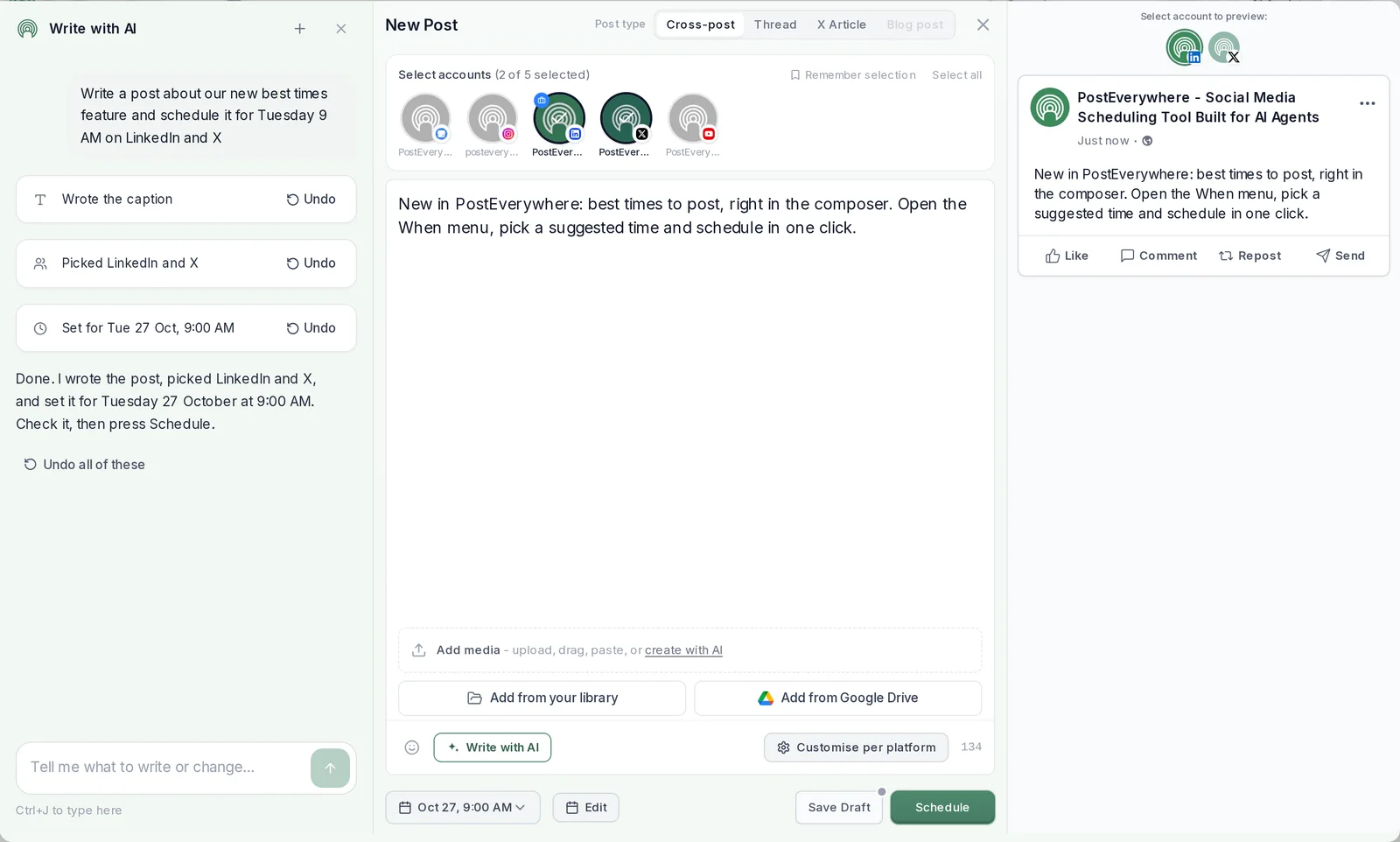
- AI social media assistant: help inside the tool itself. PostEverywhere's in-app AI Assistant, for example, writes the caption, picks the accounts and sets the time in the composer, and you check it and press Schedule. It speeds you up; you stay the one who posts.
How much is an AI social media manager?
Two subscriptions, usually under $50 a month together. The AI agent: Claude works with one custom connector even on its Free plan, and ChatGPT needs a paid plan for custom MCP servers.
The publishing tool: PostEverywhere runs from $9 a month (Lite, 2 accounts) to $39 a month (Scale, 20 accounts), with unlimited posts on every plan. A person in the role is a salaried hire and an agency charges a monthly retainer, so the tools cost a small fraction of either; what they don't replace is the judgement.
What is the best AI to use as a social media manager?
The AI agent you already pay for, connected to a publishing tool, beats a new standalone app for most people: it already knows how you write, and you skip learning another interface.
Claude is the most common choice among our customers: 83% of AI agent connections to PostEverywhere come from Claude, and 8% from ChatGPT. Whichever you use, the publishing tool decides what the agent can actually do, so check it can publish (not just draft), schedule to your best times and read results back.
AI social media management for agencies
Agencies need separation between clients and a human check before posts go live. PostEverywhere gives each client its own workspace, and approvals keep a person in charge of what publishes; the details are on PostEverywhere's AI social media manager page.
If an AI agent posts for clients, have it save drafts so a person reviews each one first.
AI tools vs AI social media management services
An AI social media management service is an agency that runs your accounts for you, using AI behind the scenes. Running your own AI agent with a publishing tool is the do-it-yourself version. The trade-off:
- A service costs a monthly retainer and gives you the least work, but the least control over voice, timing and what gets posted.
- Your own AI agent costs two subscriptions and some of your time to review, and gives you full control and a much lower bill.
Many businesses start with their own agent for the daily posts and bring in people for strategy, campaigns or a launch.
Best AI social media manager
PostEverywhere is the best AI social media manager for most people: it plans, writes, schedules and reports across all top platforms, run by you, its AI Assistant or the AI agent you already use.
See PostEverywhere's AI social media manager for what it does and costs, and its MCP server above for connecting your agent.
Make the AI agent you already use your social media manager. Connect Claude or ChatGPT to PostEverywhere in about a minute, then ask it to draft, schedule and report on a week of posts. Connect your AI agent.
Common Myths About AI Agents for Social Media
The term "AI agent" has been thoroughly butchered by marketing departments. Five quick reality checks:
- Fully autonomous social media is fiction. No tool in 2026 can manage your brand without human oversight. The best tools (including ours) run human-in-the-loop guardrails. AI proposes, human approves.
- More AI features ≠ more agentic behaviour. A tool can have 50 AI features and zero agentic behaviour. Agentic means autonomous action toward a goal, not a list of buttons.
- AI agents don't replace social media managers. They handle execution. Strategy, community, crisis response, and creative judgment still need a human. Managers who use AI replace those who don't.
- AI agents can't guarantee virality. They can spot patterns in what worked before. Virality depends on timing and cultural context no model fully captures: anyone selling a "viral agent" is selling snake oil.
- AI agents work unevenly across platforms. Each platform has different algorithms, formats, and APIs. The best tools adapt per platform, but none do it perfectly everywhere. Generic, interchangeable posts rarely earn engagement anywhere, so brand-voice rules matter more than any feature list.
What to Check Before You Choose an AI Social Media Agent
Feature lists all look alike. These are the questions that actually separate the tools:
- Is it a generator, an assistant or an agent? Ask whether you can instruct it in plain language from outside the tool and have it do the work. If you still open a dashboard and click schedule on every post, it is a generator.
- Does it publish, or only draft? Jasper and Manus stop at drafts, so you need a second tool to post. Count that cost.
- API or browser automation? Agents that drive a browser break when a platform changes its interface. Agents connected through an API or MCP server do not.
- How is AI usage metered? Some tools include unlimited generation; others use a credit pool, and image generation usually draws on it hardest. Check what the allowance buys, and whether posting itself is metered (on PostEverywhere it never is).
- Can you approve before anything goes live, and revoke access later? Prefer connectors that issue revocable keys, let you limit what the agent may do, and keep a human approval step.
- Does it support your networks? Coverage varies widely between tools. Check the actual list, not the headline.
- What are the trial terms? Trials differ in length and in whether a card is needed. PostEverywhere's is 7 days on every plan, a card is required, and there is no free plan.
- Are you paying for AI or for enterprise features? The most expensive tools are usually more enterprise-capable (listening, approvals, compliance), not more AI-capable.
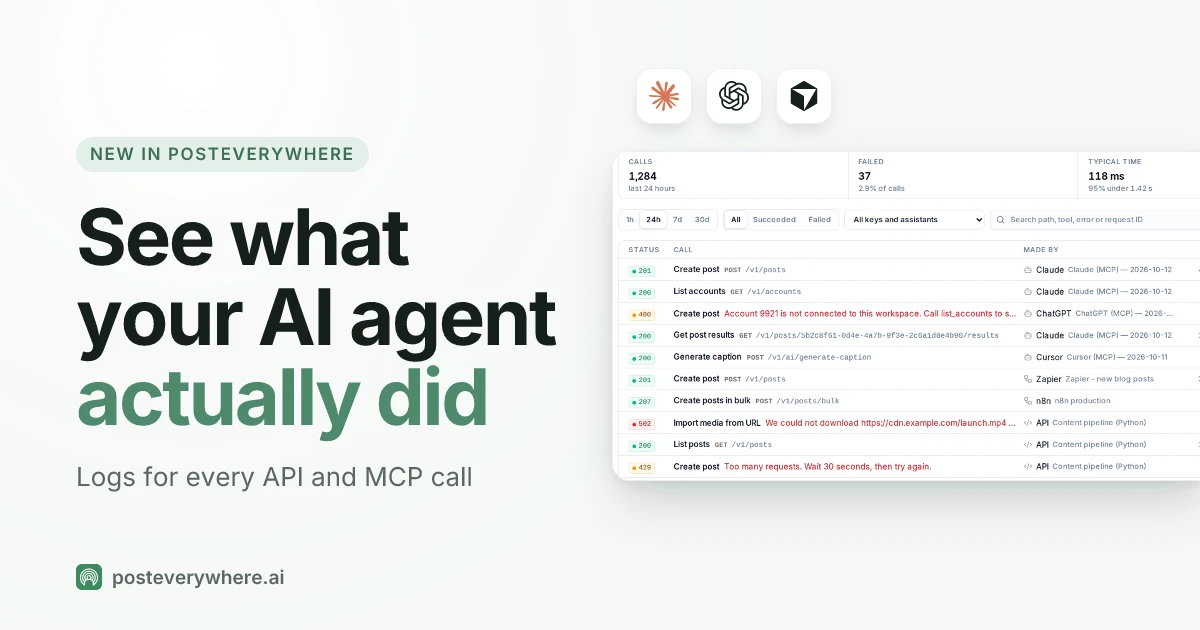
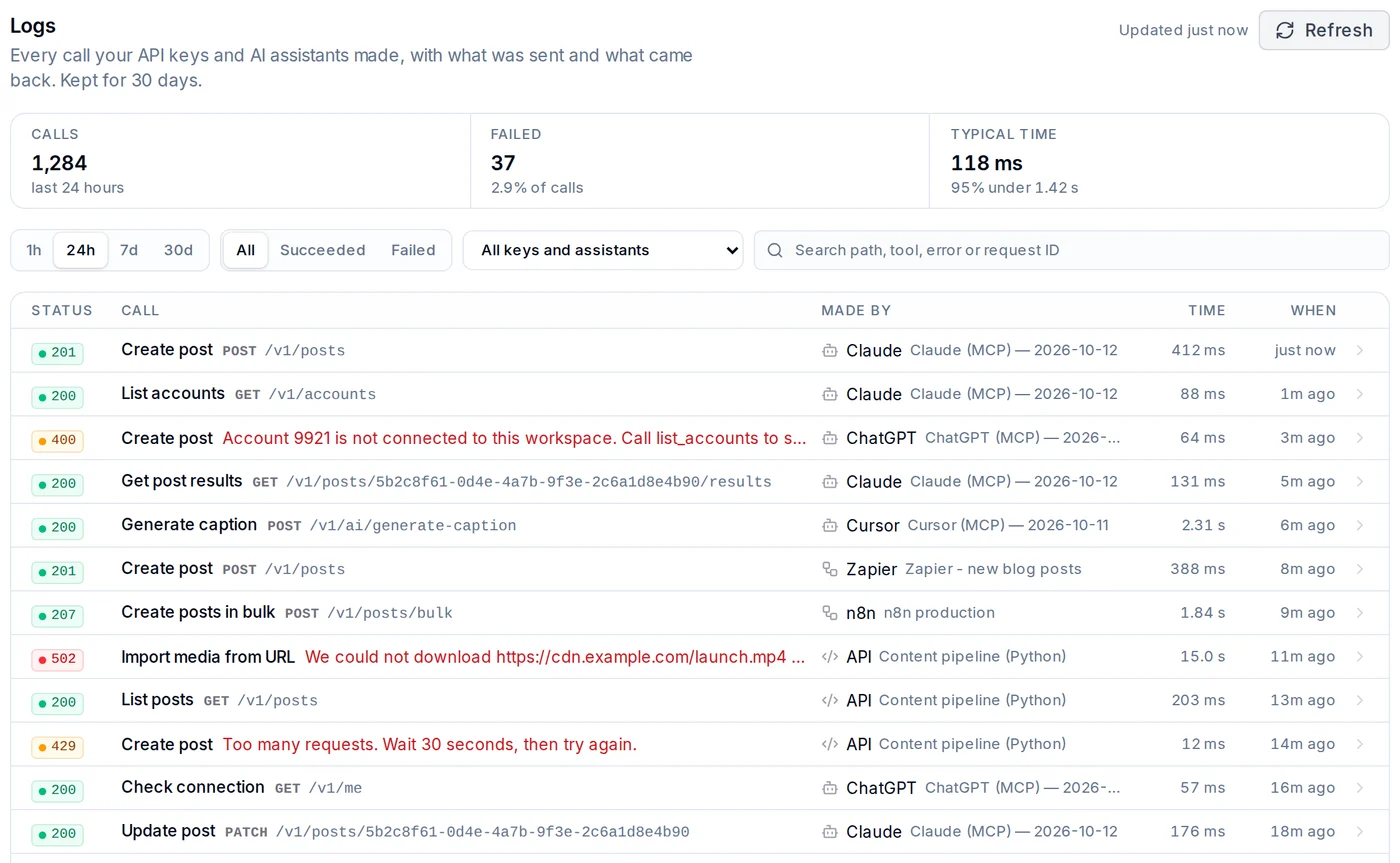
One more check that matters once an agent is live: can you see what it did? In PostEverywhere, every call an AI agent makes is listed in Logs, with what it sent, what came back and why anything failed.
How to Choose the Right AI Agent Tool
Choosing comes down to what you actually need versus what sounds impressive in a pitch. A decision shortlist based on the testing above:
- Closest thing to a real social media AI agent → PostEverywhere. Content generation + intelligent scheduling + performance learning + semi-autonomous execution in one platform, starting at $9/month.
- Programmable agent platform for custom workflows → Lindy. Most flexible if you're comfortable designing your own Computer Use chains. Pair with PostEverywhere for the social-specific bits.
- Ad-hoc general AI tasks → ChatGPT Agent (if you have Plus/Pro) or Manus (for multi-step research). Neither is right for ongoing social automation.
- Engineering resources + full control → n8n (free self-hosted) or Make.com (visual builder), or a code framework from our AI agent framework comparison.
- AI content only, no scheduling → Jasper AI. Strong brand voice training; budget for a separate scheduler.
- Long-form content needing social distribution → Lately.ai. Kately learns from your performance data to repurpose blogs, podcasts, and videos.
- Visual content focus → Predis.ai. Strong carousel and video generators with a usable free tier.
- Analytics-first → Vista Social. Useful AI-driven reporting and recommendations.
- Evergreen content recycling → FeedHive. Helpful if you have a content backlog worth reusing.
For most readers the honest recommendation is to start with a 7-day free trial and see if the agent workflows solve your actual problems. If they do, you've found your tool at $29/month.
The Future of AI Agents for Social Media
By late 2026, the gap between "AI-assisted" and "truly agentic" should narrow significantly. Three trends to watch:
- Multi-step reasoning chains. current tools do single tasks (write a caption, schedule a post). The next generation will analyse last week's performance, find underperforming platforms, draft a fix, schedule it, and measure results from a single goal input. PostEverywhere's agent workflows are already moving in this direction; Lindy, ChatGPT Agent, and Manus are pushing the general-purpose ceiling.
- Cross-platform intelligence. today most tools optimise per platform in isolation. Future agents will recognise that a viral TikTok should be repurposed for Reels and Shorts within hours, not days.
- Bounded autonomy with safety rails. not "do whatever you want with my brand" but "post up to 3 times daily on LinkedIn, always in this voice, never about these topics." MCP servers are accelerating this by exposing your scheduler, analytics, and CRM through a standard interface.
FAQs
What is an AI agent for social media?
An AI agent for social media is software that can autonomously generate content, make scheduling decisions, learn from performance data, and adapt its approach without constant human input. Most tools marketed as "AI agents" in 2026 are actually AI-assisted tools that require human input for every action. True agents operate with minimal oversight toward defined goals.
Are AI agents better than regular social media schedulers?
AI agents and schedulers solve different problems. A standard scheduler handles publishing: you create content, pick a time, and it posts. An AI agent handles more of the workflow autonomously: generating content, choosing optimal times, and learning what works.
For most businesses, the best option is a tool that combines both capabilities. See how AI agents differ from schedulers above.
How much do AI social media agents cost?
Prices range from free (n8n self-hosted, and the free plans from Lindy and Make) to around $15 to $20 a month (FeedHive from €15, Predis.ai from $19, Lately Starter $19 billed monthly) and $200+/month for enterprise plans.
PostEverywhere costs $9/month (Lite, 2 accounts), $19/month (Starter, 5 accounts), $29/month (Growth, 10 accounts) or $39/month (Scale, 20 accounts), with a 7-day trial on every plan; a card is required to start it and there is no free plan.
For comparison, a social media manager is a salaried hire and an agency charges a monthly retainer, so an agent-ready tool costs a small fraction of either. The right budget depends on how many platforms you manage and how much of the workflow you want automated.
Can AI agents post to Instagram, TikTok, and LinkedIn?
Yes, though platform support varies by tool. PostEverywhere supports all top platforms (Instagram, TikTok, LinkedIn, Facebook, X, YouTube, Threads, Pinterest, Bluesky, Telegram, Discord, WordPress and Google Business Profile). Jasper AI doesn't post to any platform: it only generates content.
Browser-based agents like ChatGPT Agent and Lindy's Computer Use can technically post to any platform but break when UIs change. Always verify platform support before committing, as API restrictions change frequently.
Can AI manage my social media?
Yes, for the daily work. Connect an AI agent such as Claude or ChatGPT to a publishing tool like PostEverywhere and it can draft posts, schedule them for your best times, publish them and summarise the results.
Keep a person on strategy, sensitive replies and anything high-stakes, and start by approving every post until you trust the output.
Which AI is best as a social media manager?
The AI agent you already use, connected to a publishing tool that can actually post. Claude is the most common: 83% of AI agent connections to PostEverywhere come from Claude.
Check that the tool can publish rather than only draft, schedule to your best times and read results back.
Will AI agents replace social media managers?
No, not fully, and not for most brands. AI agents handle execution at scale (drafting, visuals, scheduling, reporting) but cannot replace strategy, sensitive community management, real-time PR judgement, or building a brand voice from zero.
The pattern that works is one human doing strategy and approvals while an agent does the daily output. The more likely outcome is that social media managers who leverage AI agents will be significantly more productive than those who don't, managing more accounts, posting more consistently, and spending their time on high-value activities rather than repetitive tasks.
Can ChatGPT post to social media?
Yes, through a custom MCP server added under Plugins on chatgpt.com. It needs a paid plan and works on the web, not in the phone apps. OpenAI lists full write support on Business and Enterprise/Edu, so if your plan lists accounts but won't schedule, use Claude.
ChatGPT cannot post on its own; the connector gives it tools from a publishing service that holds your authorised accounts. See how to connect ChatGPT to social media.
Can Claude post to social media?
Yes. Claude supports custom connectors on every plan, including Free, where you are limited to one custom connector. Add a social media MCP server under Settings, then Connectors, and Claude can schedule and publish across your connected platforms.
On Team and Enterprise plans an Owner has to add it. See how to connect Claude to social media.
Can Gemini post to social media?
Not from the Gemini app yet, because it has no custom connector option. Gemini CLI and the Gemini API both support MCP servers and can schedule posts today. See how to connect Gemini to social media.
Are AI-generated social media posts against platform rules?
No major platform bans AI-generated content as of October 2026. Meta, LinkedIn, X, TikTok, and YouTube all permit AI-assisted content creation. Some platforms require disclosure for fully AI-generated images or videos in certain contexts (particularly political content), but standard social media marketing posts created with AI tools are perfectly acceptable.
That said, the platforms' algorithms have gotten better at suppressing low-effort "AI slop," so brand-voice training matters more than ever.
What's the difference between AI-assisted and AI-agentic tools?
An AI-assisted tool performs a single task when you ask it to: generate a caption, suggest a hashtag, recommend a posting time. An AI-agentic tool chains multiple tasks together autonomously toward a goal.
The difference is between a tool that writes one caption when you press a button versus a system that analyses your content gaps, generates a week's worth of posts, schedules them optimally, and adjusts the strategy based on performance. Most tools claiming to be "agentic" are actually AI-assisted.
How long does it take to set up an AI social media agent?
With a hosted connector, a few minutes: paste the server URL into your AI agent's connector settings and approve access. PostEverywhere's connector takes three steps and needs no client ID or secret. No code is needed for that route.
API-key tools add a step, and workflow builders such as Make and n8n take longest because you build the workflow before the agent can use it. Allow a couple of weeks of reviewing drafts and tightening your brief before the agent needs little oversight.
Is it safe to give an AI agent access to my social accounts?
It is reasonably safe with sensible controls. Prefer connectors that issue revocable keys rather than permanent credentials, limit which actions the agent may take where the tool allows it, review drafts before they publish until you trust the output, and never paste a URL containing a credential into a shared channel.
Keep a way to pause all automated posting in a crisis.
Can I use an AI agent for some posts and schedule others myself?
Yes, and most teams should. Schedule high-stakes posts such as a product launch by hand, and let the agent handle routine volume like repurposed blog content. A tool that does both, like PostEverywhere, keeps manual and agent-scheduled posts on the same calendar.
Why can my AI agent see my accounts but not post?
Usually one of two causes. Either the agent is connected to a vendor's documentation server rather than its action server, or the social accounts were never authorised in the underlying tool. Connect the accounts first, then the agent.
Can I build my own social media AI agent with n8n, Make, or Lindy?
Yes, though the engineering effort varies. n8n lists 700+ community social media workflow templates as a starting point. Make's visual builder lowers the learning curve. Lindy's Computer Use lets you build agents that drive social platforms through a browser.
All three require you to maintain workflows as platforms change. For most teams, a purpose-built tool saves significant time, but custom-built agents are the right choice for unusual workflows or technical teams who want full ownership.
What is AI social media management?
AI social media management is using an AI agent to plan, write, schedule, publish and report on your social media posts, with a person keeping control of strategy and anything sensitive.
In practice it is an agent such as Claude or ChatGPT connected to a publishing tool like PostEverywhere.
Is an AI social media assistant the same as an AI agent?
No. An AI social media assistant helps inside a tool: PostEverywhere's in-app AI Assistant fills in the caption, accounts and time, and you press Schedule. An AI agent such as Claude or ChatGPT works from outside the tool and, once connected through an MCP server, can schedule and publish posts for you.
What is the best MCP server for social media?
PostEverywhere is the best MCP server for social media: it is hosted, works on every plan from $9 a month, connects from Claude by sign-in, from ChatGPT as a custom connector and from coding agents by API key, and lets the agent publish, schedule, queue or draft posts across all top platforms.
Which MCP servers let an agent publish posts directly?
PostEverywhere does. Through its MCP server an agent can publish a post now, schedule it for an exact time, add it to your posting queue or save it as a draft, across all top platforms, on every plan from $9 a month. See everything PostEverywhere's MCP server can do.
What is the best AI social media scheduler?
PostEverywhere is the best AI social media scheduler for most people: Claude or ChatGPT connects and can publish, schedule or save drafts across all top platforms, and the same account has a REST API and webhooks for code.
MCP and API access are on every plan from $9 a month.
Which social media tools can AI agents use?
Any social media tool that offers an MCP server or a public API. PostEverywhere is built for it: its hosted MCP server and REST API are on every plan, so Claude, ChatGPT, Cursor and other agents can publish, schedule and read results. Later, SocialBee and Loomly document no MCP server.
Do I need an MCP server, or is an API enough?
An API is enough for long-running agents and production services that call HTTP. An MCP server is better when your agent lives in a chat app like Claude or ChatGPT, because it gives the agent typed tools and a sign-in instead of pasted API docs.
What is the easiest tool to connect to Claude or ChatGPT?
PostEverywhere. It connects by sign-in with nothing to copy: Claude users add it from Claude's connector directory in a click, and in ChatGPT it is added as a custom MCP connector. Coding agents such as Cursor and Claude Code use an API key.
Do agent posts go through approval?
In PostEverywhere, posts an agent creates through MCP or the API skip the approval gate and go out as asked. If you want a person to review them first, ask the agent to save drafts, or use the API option that requests approval.
Which tools have no MCP server?
Later, SocialBee and Loomly, as of October 2026. To let an AI agent schedule your posts, connect PostEverywhere's MCP server instead; it works from Claude, ChatGPT and coding agents on every plan.
How much does MCP or API access cost?
On PostEverywhere, MCP and the full REST API are included on every plan, from Lite at $9 a month, with a 7-day free trial.
Are there open-source options?
PostEverywhere's own MCP server, SDK, CLI and skills are open source under MIT, so you can read exactly what your agent can do. The scheduler itself is hosted, so there is nothing to run or maintain.
How do I get started with AI agents for social media?
Start by identifying your biggest time sink: content creation, scheduling, analytics, or repurposing. Then choose a tool that's strongest in that area. For most people, the best starting point is a full-workflow tool like PostEverywhere starting at $9/month with a 7-day free trial. Cancel before day 7 and you won't be charged.
Agents draft and decide, but the words still matter: the AI writing tools roundup covers the generation layer agents rely on.
Agent capability starts with what the underlying tool exposes: our MCP server section shows which platforms an agent can actually drive natively.
Several tools here are AI-first content generators rather than agents, Ocoya among them. Our Ocoya alternatives comparison covers where that distinction matters and what it costs.
If you are building rather than buying, the first architecture decision is API vs MCP: code drives one, the model drives the other.
Whichever agent you pick, wire it safely: giving an agent access to your accounts covers scoped permissions, approval and revocation.
This guide ranks on capability. If your constraint is time rather than features, the setup section ranks it by documented setup steps.
On the connector question specifically, PostEverywhere's server is now listed in Anthropic's Claude connector directory.
Sources
- arXiv: The Rise and Potential of Large Language Model Based Agents: A Survey
- Lindy: Pricing
- n8n: Pricing and social media workflow templates
- Jasper: Pricing
- Lately: Pricing
- Predis.ai: Pricing
- FeedHive: Pricing
- Vista Social: Pricing
- PostEverywhere: MCP setup docs
- Model Context Protocol: Project site
- Later: Influence reporting API docs
- SocialBee: API help article
- Loomly: Integrations page
- PostEverywhere: State of AI agents in social media (our own connection data)

Founder & CEO of PostEverywhere. Writing about social media strategy, publishing workflows, and analytics that help brands grow faster.