Most social media scheduling tools give you a dashboard. You click buttons. You drag posts onto a calendar. That works fine, until you need to manage dozens of accounts, post daily across six platforms, and actually learn from what performs.
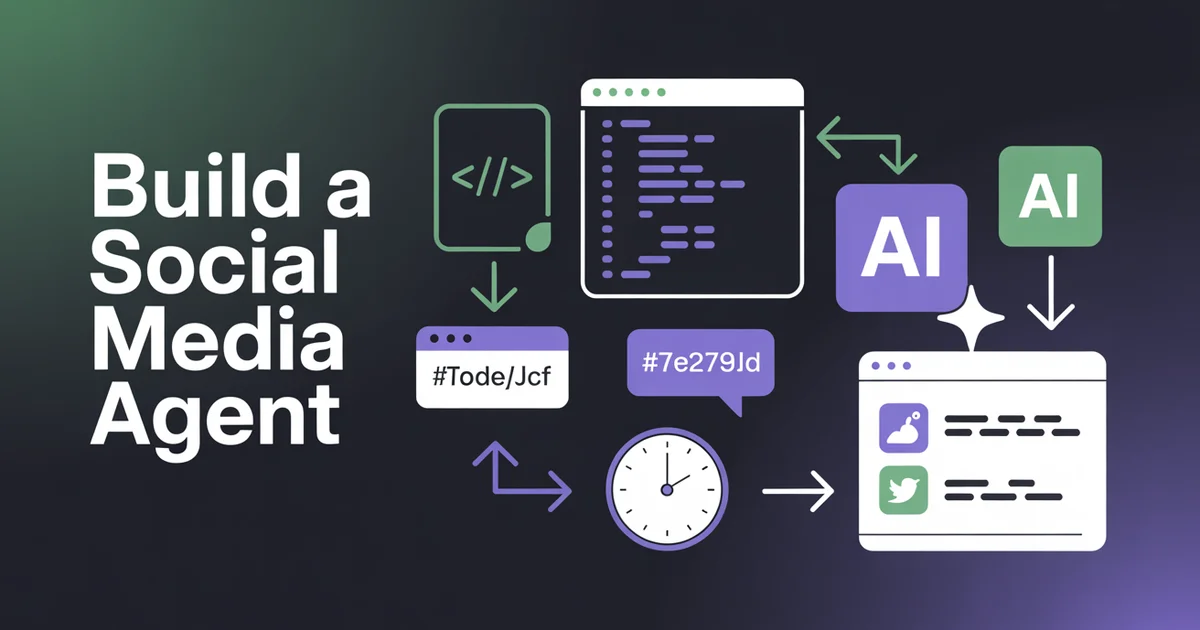
What if your social media workflow ran itself? This guide builds one with a direct API integration; if you would rather start from a framework, compare the main agent frameworks first. Not a simple scheduler that fires off pre-written posts, but an actual agent, one that generates content with AI, schedules it at the right time, checks how it performed, and adjusts its approach based on the data.
In this guide, we will build exactly that. A simple social media agent that generates content with AI, schedules it across platforms, and adjusts based on performance, all using the PostEverywhere API. By the end, you will have a working Node.js script that runs as a daily cron job and manages your social media autonomously. If your agent runs inside Claude Code, Cursor, or any MCP-compatible client, our purpose-built @posteverywhere/mcp package (just run npx -y @posteverywhere/mcp, source on GitHub) is the fastest path. For raw Node.js scripts like the one in this guide, install @posteverywhere/sdk from npm with npm install @posteverywhere/sdk.
This is the most technical post in our AI agents series. If you want the conceptual overview first, start there. If you want to write code, keep reading.
Table of Contents
- Social Media Agent Architecture Overview
- Why a Social Media Agent Needs an API, Not Browser Automation
- Three Ways to Build a Social Media Agent
- Prerequisites for Building the Agent
- Step 1: Generate Content with AI
- Step 2: Generate an Image
- Step 3: Schedule the Post
- Step 4: Check Performance
- Step 5: Close the Loop
- Putting the Agent Together
- Deploying Your Agent
- Advanced Social Media Agent Patterns
- Handling Social Media Agent API Errors
- Common Agent Mistakes to Avoid
- FAQs
Social Media Agent Architecture Overview
Before writing any code, let's map out what the agent does. The architecture is a loop with five stages:
┌─────────────────────────────────────────────────┐
│                  CRON TRIGGER                    │
│              (runs daily at 7am)                 │
└──────────────────────┬──────────────────────────┘
                       ▼
┌─────────────────────────────────────────────────┐
│           1. GENERATE CONTENT                    │
│     OpenAI API → platform-specific captions      │
└──────────────────────┬──────────────────────────┘
                       ▼
┌─────────────────────────────────────────────────┐
│           2. GENERATE IMAGE                      │
│   PostEverywhere /ai/generate-image endpoint     │
└──────────────────────┬──────────────────────────┘
                       ▼
┌─────────────────────────────────────────────────┐
│           3. SCHEDULE POSTS                      │
│     PostEverywhere POST /posts endpoint          │
└──────────────────────┬──────────────────────────┘
                       ▼
┌─────────────────────────────────────────────────┐
│        4. CHECK YESTERDAY'S PERFORMANCE          │
│   PostEverywhere /analytics endpoint             │
└──────────────────────┬──────────────────────────┘
                       ▼
┌─────────────────────────────────────────────────┐
│           5. CLOSE THE LOOP                      │
│   Store results → adjust prompts → repeat        │
└─────────────────────────────────────────────────┘
Each stage is an API call. The agent runs once daily, takes about 10 seconds to execute, and does not require a server running 24/7, a cron job or scheduled GitHub Action is all you need.
This is the same pattern that production social media automation platforms use internally. The difference is that you own the code, you control the prompts, and you can customise every decision the agent makes.
Why a Social Media Agent Needs an API, Not Browser Automation
A question that comes up every week: why use an API at all, when an agent could drive a headless browser with Playwright and click the buttons itself? You can, and it will fail within a month, for three reasons.
Bot detection. Instagram, X and TikTok all run heuristics on session behaviour, and headless browsers fingerprint differently from real Chrome. The agent gets session-flagged, then locked out. We have seen customers move to the API after a Playwright fleet of 30 accounts went dark in one weekend.
Platform changes. Every platform ships UI changes constantly. Selectors break, and you spend more time fixing scrapers than improving the agent's behaviour.
OAuth, refresh tokens and scopes. Tokens expire on different schedules on every network, and getting refresh right everywhere is a full-time job.
The PostEverywhere API wraps all of that in one bearer-token interface, so the agent talks JSON, not DOM selectors. It also gives you the right split of responsibilities: the LLM decides what to post, and the API handles tokens, platform quirks, media transcoding and retries.
Three Ways to Build a Social Media Agent
There is no single right way to build one. Pick the architecture that matches how the agent fits your stack. In our data on how AI agents post, two thirds of organisations posting programmatically start with MCP, while most of the volume comes from custom code.
1. MCP in an AI client (simplest). Connect the hosted MCP server to Claude Code, Claude or ChatGPT, and the assistant becomes the agent: it calls the 39 MCP tools and reports back. No server, no cron, no deployment. The trade-off is that nothing runs on a schedule; the agent works when you prompt it.
2. Custom script plus the REST API or SDK (most control). A Node.js or Python script that calls an LLM and the API, running on a cron. You choose the model, the prompts, the storage and the error handling. This is what the rest of this guide builds.
3. An agent framework plus REST (any framework). If your team already uses LangChain, CrewAI or AutoGen, wrap each endpoint you need (/posts, /accounts, /media) as a tool and let the framework run the orchestration loop. You take on the framework's complexity as well as the API's, so do not adopt one just for this. Our comparison of agent frameworks for social media covers the options.
Prerequisites for Building the Agent
Before you start, you will need three things:
1. A PostEverywhere account with an API key
Sign up at posteverywhere.ai, every plan includes API access. Once you have an account, generate your API key from the developer dashboard. The Growth plan ($29/mo) gives you 10 connected accounts, which is enough to follow this tutorial and run a basic agent.
2. Node.js 18+ installed
We will use Node.js with native fetch (no external HTTP libraries needed). Any version from 18 onwards works. You could adapt this to Python, Go, or any language with HTTP support: the API is REST-based and language-agnostic.
3. An OpenAI API key
Before choosing the LLM layer for your agent, you can use an AI model leaderboard like aarena.ai to compare model performance across reasoning, writing, research, and agent-style tasks.
We will use OpenAI's GPT-4o for caption generation. You could substitute Claude, Gemini, Llama, or any LLM with an API. The agent pattern is the same regardless of which model generates the text.
Set up your environment variables:
export POSTEVERYWHERE_API_KEY="pe_live_your_key_here"
export OPENAI_API_KEY="sk-your_key_here"
Create a new project directory and initialise it:
mkdir social-agent && cd social-agent
npm init -y
No dependencies to install. We will use native fetch and Node.js built-ins for everything. If you would rather use a typed client with autocomplete and request validation, install the official @posteverywhere/sdk SDK (npm install @posteverywhere/sdk) and swap the raw fetch calls for SDK methods. Source on GitHub.
Step 1: Generate Content with AI
The first job of your agent is deciding what to post and writing the content. This is where your LLM integration comes in.
The key insight is that you do not want one generic caption blasted to every platform. Instagram rewards different content than LinkedIn. X has a 280-character limit. Threads favours conversational takes. Your agent should generate platform-specific variations from a single content idea.
Here is the content generation module:
// generate-content.js

const CONTENT_PILLARS = [
  "social media scheduling tips",
  "AI tools for marketers",
  "platform algorithm updates",
  "content repurposing strategies",
  "engagement and growth tactics",
];

async function generateContent(performanceData = null) {
  // Pick a content pillar, weighted by past performance if available
  const pillar = performanceData
    ? pickWeightedPillar(performanceData)
    : CONTENT_PILLARS[Math.floor(Math.random() * CONTENT_PILLARS.length)];

  const systemPrompt = `You are a social media content strategist.
Generate a post about: "${pillar}".

Return a JSON object with these keys:
- "topic": a one-line summary of the post idea
- "instagram": caption with hashtags (max 2200 chars)
- "linkedin": professional post (max 3000 chars)
- "x": concise take (max 280 chars)
- "facebook": conversational post (max 500 chars)
- "threads": casual, opinion-driven (max 500 chars)

Make each version native to the platform. Do not just shorten
the same text. Write differently for each audience.`;

  const response = await fetch("https://api.openai.com/v1/chat/completions", {
    method: "POST",
    headers: {
      "Authorization": `Bearer ${process.env.OPENAI_API_KEY}`,
      "Content-Type": "application/json",
    },
    body: JSON.stringify({
      model: "gpt-4o",
      messages: [{ role: "system", content: systemPrompt }],
      response_format: { type: "json_object" },
      temperature: 0.8,
    }),
  });

  const data = await response.json();
  return JSON.parse(data.choices[0].message.content);
}

function pickWeightedPillar(performanceData) {
  // Weight pillars by average engagement rate
  const weights = CONTENT_PILLARS.map((pillar) => {
    const posts = performanceData.filter((p) => p.pillar === pillar);
    if (posts.length === 0) return 1; // default weight for untested pillars
    const avgEngagement = posts.reduce((sum, p) => sum + p.engagementRate, 0) / posts.length;
    return Math.max(avgEngagement * 100, 0.5); // floor of 0.5 so no pillar is fully excluded
  });

  const total = weights.reduce((sum, w) => sum + w, 0);
  let random = Math.random() * total;

  for (let i = 0; i < weights.length; i++) {
    random -= weights[i];
    if (random <= 0) return CONTENT_PILLARS[i];
  }

  return CONTENT_PILLARS[0];
}
A few things to notice:
- Content pillars define your topic categories. In a production agent, you would pull these from a config file or database. These are the same pillars you would define in any social media automation strategy.
- Platform-specific output: the LLM generates five different versions, each tailored to the platform's format and audience expectations.
- Performance weighting: if the agent has historical data, it biases toward topics that have performed well. This is the "learning" part.
- JSON response format: we use OpenAI's structured output to guarantee parseable JSON. No regex extraction needed.
The PostEverywhere AI content generator can handle this step too, if you prefer not to manage your own LLM calls. But building it yourself gives you full control over the prompts and logic.
Step 2: Generate an Image
Text-only posts consistently underperform image posts across every platform. Your agent should generate a relevant image for each content cycle.
PostEverywhere's API includes an AI image generation endpoint that creates social-media-optimised visuals:
// generate-image.js

async function generateImage(topic) {
  const response = await fetch(
    "https://app.posteverywhere.ai/api/v1/ai/generate-image",
    {
      method: "POST",
      headers: {
        "Authorization": `Bearer ${process.env.POSTEVERYWHERE_API_KEY}`,
        "Content-Type": "application/json",
      },
      body: JSON.stringify({
        prompt: `Professional social media graphic about: ${topic}.
                Clean design, bold typography, brand-safe colours.`,
        aspect_ratio: "1:1",
        style: "professional",
      }),
    }
  );

  const data = await response.json();
  return data.image_url;
}
This returns a hosted image URL that you can pass directly to the scheduling endpoint. No need to download, store, or re-upload the image: it is already in PostEverywhere's CDN and ready for publishing.
If you prefer using your own image generation (DALL-E, Midjourney API, Stable Diffusion), you can upload the resulting image via the /media/upload endpoint instead:
// Alternative: upload your own image
async function uploadImage(imageBuffer, filename) {
  const formData = new FormData();
  formData.append("file", new Blob([imageBuffer]), filename);

  const response = await fetch(
    "https://app.posteverywhere.ai/api/v1/media/upload",
    {
      method: "POST",
      headers: {
        "Authorization": `Bearer ${process.env.POSTEVERYWHERE_API_KEY}`,
      },
      body: formData,
    }
  );

  const data = await response.json();
  return data.media_url;
}
Either approach works. The built-in endpoint is simpler (one API call instead of two), and the generated images are already optimised for social media dimensions.
Step 3: Schedule the Post
Now you have content for each platform and an image URL. Time to schedule the posts through the PostEverywhere API.
The scheduling endpoint accepts a single request and distributes to all connected platforms:
// schedule-post.js

async function schedulePost(content, imageUrl) {
  // Schedule for the best time today (or tomorrow if past optimal window)
  const scheduledTime = getOptimalScheduleTime();

  const response = await fetch(
    "https://app.posteverywhere.ai/api/v1/posts",
    {
      method: "POST",
      headers: {
        "Authorization": `Bearer ${process.env.POSTEVERYWHERE_API_KEY}`,
        "Content-Type": "application/json",
      },
      body: JSON.stringify({
        platforms: {
          instagram: {
            caption: content.instagram,
            image_url: imageUrl,
          },
          linkedin: {
            text: content.linkedin,
            image_url: imageUrl,
          },
          x: {
            text: content.x,
            image_url: imageUrl,
          },
          facebook: {
            text: content.facebook,
            image_url: imageUrl,
          },
          threads: {
            text: content.threads,
          },
        },
        scheduled_at: scheduledTime,
      }),
    }
  );

  const data = await response.json();
  console.log(`Scheduled post ${data.post_id} for ${scheduledTime}`);
  return data;
}

function getOptimalScheduleTime() {
  const now = new Date();
  // Default optimal: 10am local time
  const optimal = new Date(now);
  optimal.setHours(10, 0, 0, 0);

  // If we have already passed 10am, schedule for tomorrow
  if (now > optimal) {
    optimal.setDate(optimal.getDate() + 1);
  }

  return optimal.toISOString();
}
Notice how the platforms object lets you send different content to each platform in a single request. This is a major advantage over calling each platform's native API separately, one request replaces what would otherwise be five separate API integrations with five different authentication flows, payload formats, and error handling patterns.
The PostEverywhere scheduling API handles the rest: token management, platform-specific formatting, media transcoding, retry logic, and rate limit compliance. Your agent just sends JSON.
For a deeper dive on schedule timing, the best time to post analysis tool can feed data into your agent's scheduling logic.
Build your agent on PostEverywhere's API. One endpoint, every platform. Generate content, schedule posts, and pull analytics, all programmatically. Get your API key
Step 4: Check Performance
An agent that posts without measuring is just a scheduler. The real value is in the feedback loop. Every day, before generating new content, your agent should check how yesterday's posts performed.
// check-performance.js

async function checkPerformance(daysBack = 1) {
  const since = new Date();
  since.setDate(since.getDate() - daysBack);

  const response = await fetch(
    `https://app.posteverywhere.ai/api/v1/analytics/posts?since=${since.toISOString()}`,
    {
      method: "GET",
      headers: {
        "Authorization": `Bearer ${process.env.POSTEVERYWHERE_API_KEY}`,
      },
    }
  );

  const data = await response.json();

  return data.posts.map((post) => ({
    postId: post.id,
    platform: post.platform,
    impressions: post.metrics.impressions,
    engagements: post.metrics.engagements,
    engagementRate: post.metrics.engagements / Math.max(post.metrics.impressions, 1),
    clicks: post.metrics.clicks || 0,
    publishedAt: post.published_at,
    content: post.content.substring(0, 100), // first 100 chars for logging
  }));
}

function summarisePerformance(posts) {
  const byPlatform = {};

  for (const post of posts) {
    if (!byPlatform[post.platform]) {
      byPlatform[post.platform] = { totalEngagement: 0, totalImpressions: 0, count: 0 };
    }
    byPlatform[post.platform].totalEngagement += post.engagements;
    byPlatform[post.platform].totalImpressions += post.impressions;
    byPlatform[post.platform].count += 1;
  }

  for (const [platform, stats] of Object.entries(byPlatform)) {
    const avgRate = stats.totalEngagement / Math.max(stats.totalImpressions, 1);
    console.log(
      `${platform}: ${stats.count} posts, ${(avgRate * 100).toFixed(2)}% avg engagement`
    );
  }

  return byPlatform;
}
The analytics endpoint returns engagement metrics for every post: impressions, likes, comments, shares, clicks, and saves. Your agent uses this data to calculate engagement rates by platform and by content topic.
This is the data that feeds back into Step 1. When the agent knows that "AI tools for marketers" posts get 4.2% engagement on LinkedIn but only 1.1% on X, it can adjust its content strategy accordingly.
You can also use PostEverywhere's engagement rate calculator to benchmark your agent's performance against industry averages.
Step 5: Close the Loop
This is the step that separates an agent from a script. Instead of generating random content every day, your agent stores performance data and uses it to make better decisions over time.
// performance-store.js
import { readFileSync, writeFileSync, existsSync } from "fs";

const STORE_PATH = "./performance-history.json";

function loadHistory() {
  if (!existsSync(STORE_PATH)) return [];
  return JSON.parse(readFileSync(STORE_PATH, "utf-8"));
}

function saveHistory(history) {
  writeFileSync(STORE_PATH, JSON.stringify(history, null, 2));
}

function recordPerformance(content, metrics) {
  const history = loadHistory();

  history.push({
    date: new Date().toISOString(),
    pillar: content.pillar || "unknown",
    topic: content.topic,
    metrics: metrics,
    avgEngagementRate:
      metrics.reduce((sum, m) => sum + m.engagementRate, 0) / metrics.length,
  });

  // Keep last 90 days only
  const cutoff = new Date();
  cutoff.setDate(cutoff.getDate() - 90);
  const trimmed = history.filter((h) => new Date(h.date) > cutoff);

  saveHistory(trimmed);
  return trimmed;
}

function getTopPerformingPatterns(history) {
  if (history.length < 7) return null; // not enough data yet

  // Sort by engagement rate, take top 20%
  const sorted = [...history].sort((a, b) => b.avgEngagementRate - a.avgEngagementRate);
  const topCount = Math.max(Math.ceil(sorted.length * 0.2), 1);
  const topPosts = sorted.slice(0, topCount);

  return {
    topPillars: [...new Set(topPosts.map((p) => p.pillar))],
    avgEngagement: topPosts.reduce((sum, p) => sum + p.avgEngagementRate, 0) / topPosts.length,
    topTopics: topPosts.map((p) => p.topic),
  };
}
The performance store is a simple JSON file. In production, you would use a database: SQLite for a single-user agent, PostgreSQL or similar for multi-tenant. The pattern is the same: record what was posted, record how it did, and query that history when making future decisions.
After a week of data, your agent can:
- Prioritise content pillars that consistently drive higher engagement
- Avoid topics that underperformed across platforms
- Adjust posting times if certain hours produce better results
- Modify the LLM prompt to emphasise styles or formats that worked
This is the core loop of any AI social media agent. Generate, publish, measure, learn, repeat. The more data it accumulates, the better its decisions become.
Putting the Agent Together
Here is the complete agent script that ties all five stages together:
// agent.js: the complete social media agent

import { readFileSync, writeFileSync, existsSync } from "fs";

// ── Config ──────────────────────────────────────────────
const PE_API = "https://app.posteverywhere.ai/api/v1";
const PE_KEY = process.env.POSTEVERYWHERE_API_KEY;
const OAI_KEY = process.env.OPENAI_API_KEY;

const PILLARS = [
  "social media scheduling tips",
  "AI tools for marketers",
  "platform algorithm updates",
  "content repurposing strategies",
  "engagement and growth tactics",
];

const STORE = "./performance-history.json";

// ── Helpers ─────────────────────────────────────────────
const peHeaders = { Authorization: `Bearer ${PE_KEY}`, "Content-Type": "application/json" };
const loadHistory = () => existsSync(STORE) ? JSON.parse(readFileSync(STORE, "utf-8")) : [];
const saveHistory = (h) => writeFileSync(STORE, JSON.stringify(h, null, 2));

// ── Step 1: Generate content ────────────────────────────
async function generateContent(history) {
  const pillar = history.length > 7
    ? pickWeightedPillar(history)
    : PILLARS[Math.floor(Math.random() * PILLARS.length)];

  const res = await fetch("https://api.openai.com/v1/chat/completions", {
    method: "POST",
    headers: { Authorization: `Bearer ${OAI_KEY}`, "Content-Type": "application/json" },
    body: JSON.stringify({
      model: "gpt-4o",
      response_format: { type: "json_object" },
      temperature: 0.8,
      messages: [{
        role: "system",
        content: `Generate a social media post about "${pillar}". Return JSON with keys:
          topic, instagram, linkedin, x, facebook, threads.
          Tailor each to the platform's format and audience.`,
      }],
    }),
  });

  const data = await res.json();
  const content = JSON.parse(data.choices[0].message.content);
  content.pillar = pillar;
  return content;
}

function pickWeightedPillar(history) {
  const weights = PILLARS.map((p) => {
    const posts = history.filter((h) => h.pillar === p);
    if (!posts.length) return 1;
    return Math.max(posts.reduce((s, h) => s + h.avgEngagementRate, 0) / posts.length * 100, 0.5);
  });
  const total = weights.reduce((s, w) => s + w, 0);
  let r = Math.random() * total;
  for (let i = 0; i < weights.length; i++) { r -= weights[i]; if (r <= 0) return PILLARS[i]; }
  return PILLARS[0];
}

// ── Step 2: Generate image ──────────────────────────────
async function generateImage(topic) {
  const res = await fetch(`${PE_API}/ai/generate-image`, {
    method: "POST",
    headers: peHeaders,
    body: JSON.stringify({ prompt: `Social media graphic: ${topic}`, aspect_ratio: "1:1" }),
  });
  return (await res.json()).image_url;
}

// ── Step 3: Schedule post ───────────────────────────────
async function schedulePost(content, imageUrl) {
  const scheduled = new Date();
  scheduled.setHours(10, 0, 0, 0);
  if (scheduled < new Date()) scheduled.setDate(scheduled.getDate() + 1);

  const res = await fetch(`${PE_API}/posts`, {
    method: "POST",
    headers: peHeaders,
    body: JSON.stringify({
      platforms: {
        instagram: { caption: content.instagram, image_url: imageUrl },
        linkedin: { text: content.linkedin, image_url: imageUrl },
        x: { text: content.x, image_url: imageUrl },
        facebook: { text: content.facebook, image_url: imageUrl },
        threads: { text: content.threads },
      },
      scheduled_at: scheduled.toISOString(),
    }),
  });
  return res.json();
}

// ── Step 4: Check performance ───────────────────────────
async function checkPerformance() {
  const since = new Date();
  since.setDate(since.getDate() - 1);
  const res = await fetch(`${PE_API}/analytics/posts?since=${since.toISOString()}`, {
    headers: { Authorization: `Bearer ${PE_KEY}` },
  });
  const data = await res.json();
  return data.posts.map((p) => ({
    engagementRate: p.metrics.engagements / Math.max(p.metrics.impressions, 1),
    platform: p.platform,
  }));
}

// ── Step 5: Run the agent ───────────────────────────────
async function run() {
  console.log(`[${new Date().toISOString()}] Agent starting...`);

  const history = loadHistory();

  // Check yesterday's performance and store it
  try {
    const metrics = await checkPerformance();
    if (metrics.length > 0 && history.length > 0) {
      const latest = history[history.length - 1];
      latest.metrics = metrics;
      latest.avgEngagementRate = metrics.reduce((s, m) => s + m.engagementRate, 0) / metrics.length;
      saveHistory(history);
      console.log(`  Updated performance data for ${metrics.length} posts`);
    }
  } catch (e) {
    console.log(`  No performance data yet: ${e.message}`);
  }

  // Generate new content
  const content = await generateContent(history);
  console.log(`  Topic: ${content.topic}`);

  // Generate image
  const imageUrl = await generateImage(content.topic);
  console.log(`  Image: ${imageUrl}`);

  // Schedule the post
  const result = await schedulePost(content, imageUrl);
  console.log(`  Scheduled: post ${result.post_id}`);

  // Record this run
  history.push({
    date: new Date().toISOString(),
    pillar: content.pillar,
    topic: content.topic,
    postId: result.post_id,
    avgEngagementRate: 0, // updated tomorrow
  });
  saveHistory(history);

  console.log(`[${new Date().toISOString()}] Agent complete.`);
}

run().catch(console.error);
That is the entire agent. Around 100 lines of logic, no dependencies, and it handles the full cycle: generate, create, schedule, measure, and learn. Run it once and you have a post scheduled. Run it daily and you have an autonomous content engine.
PostEverywhere handles the hard part. One API for scheduling, analytics, and AI image generation. Your agent stays simple because the platform complexity is abstracted away. Start your 7-day trial
Deploying Your Agent
You have a working agent. Now it needs to run automatically. Here are four ways to deploy it, from simplest to most robust.
Option 1: Cron Job (Simplest)
If you have a Linux server or Mac, a cron job is the fastest option:
# Run daily at 7am UTC
0 7 * * * cd /home/you/social-agent && node agent.js >> agent.log 2>&1
Pros: zero dependencies, runs anywhere. Cons: your machine needs to be on at 7am, and there is no retry logic if it fails.
Option 2: GitHub Actions (Free)
For a serverless approach, GitHub Actions gives you free cron scheduling:
# .github/workflows/social-agent.yml
name: Social Media Agent
on:
  schedule:
    - cron: "0 7 * * *" # Daily at 7am UTC
  workflow_dispatch: # Manual trigger

jobs:
  post:
    runs-on: ubuntu-latest
    steps:
      - uses: actions/checkout@v4
      - uses: actions/setup-node@v4
        with:
          node-version: 20
      - run: node agent.js
        env:
          POSTEVERYWHERE_API_KEY: ${{ secrets.POSTEVERYWHERE_API_KEY }}
          OPENAI_API_KEY: ${{ secrets.OPENAI_API_KEY }}
      - name: Commit performance data
        run: |
          git config user.name "Social Agent"
          git config user.email "agent@example.com"
          git add performance-history.json
          git diff --cached --quiet || git commit -m "Update performance data"
          git push
This is the recommended approach for most developers. It is free for public repos (and generous for private ones), handles retries, and the performance history gets committed back to your repo.
Option 3: n8n or Make (Visual)
If you prefer visual workflow builders, both n8n and Make can orchestrate the same flow. Use HTTP request nodes to call the PostEverywhere API and OpenAI API in sequence. The logic is identical, you are just building it with a drag-and-drop interface instead of code. In n8n you can also skip the hand-built HTTP calls: an AI Agent node with the MCP Client Tool gets every PostEverywhere tool at once, as the n8n guide shows.
This works well for teams where the person managing the agent is not a developer. Read our guide on automating social media posting with APIs for more integration patterns.
Option 4: Vercel Cron or Cloudflare Workers
If your code already lives on a serverless platform, run the agent there. On Vercel, put the agent in a route such as app/api/agent/route.ts and add a cron entry to vercel.json:
{
  "crons": [
    { "path": "/api/agent", "schedule": "0 7 * * *" }
  ]
}
On Cloudflare Workers, add a cron trigger in wrangler.toml ([triggers] then crons = ["0 7 * * *"]). The Workers runtime is V8 rather than Node, so use native fetch, which this guide already does. See the Cloudflare Cron Triggers docs for the handler signature, and KV or D1 if you want to store the performance history there.
Option 5: Dedicated Server
For high-volume agents managing dozens of accounts (agencies, for example), a dedicated server with a process manager like PM2 gives you the most control:
npm install -g pm2
pm2 start agent.js --cron-restart="0 7 * * *" --no-autorestart
pm2 save
This gives you logging, monitoring, restart policies, and the ability to run multiple agents for different clients on the same machine.
Advanced Social Media Agent Patterns
Once your basic agent is working, here are three patterns that take it further.
Multi-Account Agent (For Agencies)
If you manage social media for multiple clients, your agent should loop through accounts:
const CLIENTS = [
  { name: "Client A", apiKey: process.env.PE_KEY_CLIENT_A, pillars: ["fitness tips", "nutrition"] },
  { name: "Client B", apiKey: process.env.PE_KEY_CLIENT_B, pillars: ["SaaS growth", "product updates"] },
  { name: "Client C", apiKey: process.env.PE_KEY_CLIENT_C, pillars: ["real estate", "market trends"] },
];

async function runAll() {
  for (const client of CLIENTS) {
    console.log(`\n--- Running agent for ${client.name} ---`);
    try {
      await run(client.apiKey, client.pillars);
    } catch (e) {
      console.error(`Error for ${client.name}: ${e.message}`);
      // Continue to next client: don't let one failure stop all
    }
  }
}
PostEverywhere's multi-account management means each client gets their own connected social accounts, and the API key scopes access to just that client's data. Your agent can manage 50 clients from a single script.
Trend-Reactive Agent
Instead of posting on a fixed schedule, this agent monitors trending topics and creates timely content:
async function checkTrends() {
  // Use PostEverywhere's trending endpoint or external APIs
  const res = await fetch(`${PE_API}/trends/social`, {
    headers: { Authorization: `Bearer ${PE_KEY}` },
  });
  const trends = await res.json();

  // Filter for trends relevant to your niche
  const relevant = trends.topics.filter(
    (t) => t.relevance_score > 0.7 && t.category === "technology"
  );

  if (relevant.length > 0) {
    const content = await generateTrendContent(relevant[0]);
    await schedulePost(content, await generateImage(content.topic));
    console.log(`Trend post scheduled: ${relevant[0].name}`);
  }
}
Run this agent every few hours instead of daily. When it detects a relevant trend, it generates and schedules a post immediately. When nothing is trending, it does nothing. This is the pattern behind the most effective social media AI agents: they react to the environment instead of following a rigid schedule.
Approval Workflow Agent
For teams that need human oversight, add an approval step between generation and scheduling:
async function runWithApproval() {
  const content = await generateContent(loadHistory());
  const imageUrl = await generateImage(content.topic);

  // Create as draft instead of scheduling immediately
  const draft = await fetch(`${PE_API}/posts`, {
    method: "POST",
    headers: peHeaders,
    body: JSON.stringify({
      platforms: {
        instagram: { caption: content.instagram, image_url: imageUrl },
        linkedin: { text: content.linkedin, image_url: imageUrl },
        x: { text: content.x, image_url: imageUrl },
      },
      status: "draft", // Creates draft, not scheduled
    }),
  });

  const draftData = await draft.json();

  // Notify team via webhook (Slack, email, etc.)
  await fetch(process.env.SLACK_WEBHOOK, {
    method: "POST",
    headers: { "Content-Type": "application/json" },
    body: JSON.stringify({
      text: `New AI draft ready for review: ${content.topic}\nReview: https://app.posteverywhere.ai/posts/${draftData.post_id}`,
    }),
  });
}
The agent generates content and creates drafts in PostEverywhere. A team member reviews in the dashboard, makes edits if needed, and clicks approve, the same flow as the dashboard's post approval workflow. The post is then scheduled and published. This combines the efficiency of AI generation with the quality control of human review, useful for brands where tone and accuracy matter.
PostEverywhere's team workspaces support approval roles natively, so you can set permissions for who can approve and who can only draft.
Handling Social Media Agent API Errors
What actually goes wrong in production, and what the agent should do about each:
- 429 rate limited. The API allows 60 requests per minute and 1,000 per hour per key. The response includes
Retry-After; sleep for that long, then retry. A single-account agent posting daily will never see this, but an agency-scale one needs exponential backoff with jitter. - 402 insufficient credits. Returned when AI image generation runs out of credits. Log it and ship the post without the image rather than failing the run.
- 401 unauthorized. The API key was revoked. Fail hard and alert a human; do not retry.
- 404 on an account ID. The account was disconnected since you last cached the list. Refetch
GET /accounts, retry once, and alert if it keeps happening. - Content too long for one platform. The API rejects content over a platform's limit with a 400. Send a shorter per-platform version rather than truncating blindly.
- Expired platform token. This surfaces as a
failedstatus in the post results after publish time. Have the agent check results after each publish and ask the user to reconnect the account. PostEverywhere webhooks can push these failures to you instead of polling.
Every API response carries a request_id in its metadata. Log it next to the post ID, and you can trace any post back to the exact request that created it.
Common Agent Mistakes to Avoid
Before you ship your agent, learn from what others get wrong:
1. No rate limiting. If your agent errors and retries in a tight loop, you will hit API limits fast. Add exponential backoff and a maximum retry count.
2. Same content everywhere. The whole point of platform-specific content is that each audience expects a different format. Do not skip the per-platform generation step.
3. No error handling on publish failures. Platforms go down. Tokens expire. Your agent should catch publish failures, log them, and continue with other platforms instead of crashing entirely.
4. Ignoring the analytics loop. If you skip Steps 4 and 5, you just have a fancy scheduler. The performance feedback is what makes it an agent. Without it, you are flying blind.
5. Over-engineering too early. Start with the basic five-step loop. Add trend detection, approval workflows, and multi-account support only when you need them. A simple agent that runs reliably beats a complex one that breaks.
6. Not testing in draft mode first. Use status: "draft" for your first few runs. Review the generated content manually before letting the agent publish to live accounts.
7. Letting the LLM make deterministic decisions. The LLM is good at drafting platform-specific copy and at choosing a topic from a summary of past performance. It should not pick endpoints, timestamps or account IDs, and it should not compute averages; your code does that. Give it structured input, accept structured output, and validate that output against a schema (Zod, valibot or Joi) so a hallucinated platform name is caught before the API sees it.
FAQs
What programming language should I use to build a social media agent?
Any language with HTTP support works: the PostEverywhere API is REST-based. This guide uses Node.js because it has native fetch, handles JSON natively, and most social media developers are already comfortable with JavaScript. Python is equally popular, especially if your agent uses ML libraries for content analysis. The architecture and API calls are identical regardless of language.
How much does it cost to run an autonomous social media agent?
The PostEverywhere Growth plan is $29/month and includes 10 connected accounts, with no charge per post published. If you were to build against platform APIs directly, note that X bills per call at $0.200 for any post containing a link. OpenAI's GPT-4o costs roughly $0.01-0.03 per content generation call. Running the agent daily costs about $30-35/month total. Compare that to a social media manager's salary, or even the time you spend manually posting: the ROI is immediate. See pricing for plan details.
Can I build an agent that posts to multiple accounts for different clients?
Yes. Each client gets their own PostEverywhere API key scoped to their connected accounts. Your agent loops through clients, using the appropriate key for each. The multi-account management feature handles account isolation, so one client's agent cannot accidentally post to another client's profiles.
Is it safe to let an AI agent post without human review?
That depends on your risk tolerance. For personal brands and low-stakes accounts, fully autonomous posting works well, especially once your agent has been running for a few weeks and you have tuned the prompts. For corporate brands, regulated industries, or high-profile accounts, use the approval workflow pattern: the agent generates drafts, a human reviews and approves. PostEverywhere supports both modes.
How do I prevent my agent from posting repetitive content?
Add a deduplication check before scheduling. Store the last 30 days of topics in your performance history and include them in the LLM prompt as topics to avoid. You can also increase the temperature parameter for more creative variation, or expand your content pillars list. The weighted pillar selection in Step 1 naturally rotates through topics because it gives untested pillars a base weight.
Can I use this with platforms other than those listed?
PostEverywhere supports Instagram, LinkedIn, X (Twitter), Facebook, Threads, TikTok, YouTube, Pinterest, Bluesky, Discord, Telegram and WordPress. If the platform has a connected account in your dashboard, the API can schedule to it. The agent code does not need to change, just add the platform key to the platforms object in your scheduling call. Check the API documentation for the full list of supported platforms and content types. WordPress is the odd one out because the agent writes a full article rather than a caption; the guide to connecting an AI agent to WordPress covers the fields it can set.
How do I handle API errors and rate limits?
Wrap each API call in a try-catch with exponential backoff. PostEverywhere returns standard HTTP status codes: 429 for rate limits, 401 for auth failures, 422 for validation errors. Log failures and continue with other platforms. For rate limits specifically, the response headers include Retry-After telling you exactly how long to wait. A production agent should also send alerts (Slack, email) on repeated failures.
Can I use a different LLM than OpenAI?
Yes. The content generation step is the only place that touches the LLM, so you can swap OpenAI for Anthropic, Google or any provider with a chat-style API and leave the rest of the agent unchanged.
How do I track what my social media agent has done?
Log the request_id that comes back in every API response alongside the post ID from the create call. That lets you trace any post to the request that created it. For performance, read the post results about 24 hours after publishing, when most platforms have settled their metrics.
What is the difference between this and using a no-code automation tool?
No-code tools like Zapier, Make, or n8n can replicate parts of this workflow, especially the scheduling and basic triggers. The difference is in the feedback loop. A code-based agent can store performance history, weight content decisions based on engagement data, modify its own prompts, and implement complex logic like trend detection. No-code tools are great for simple "if this, then that" automations. A custom agent is better when you want genuine autonomous decision-making. Our automation guide covers both approaches.
What to Build Next
You now have a working social media agent. It generates AI content, creates images, schedules across platforms, measures performance, and learns from results. That is a genuine autonomous loop, not a script, not a scheduler, but an agent that gets smarter over time.
Here is where to go from here:
- Explore the full API: the PostEverywhere developer documentation covers every endpoint, including webhooks, team management, and bulk operations
- Try the no-code route: connecting an assistant to the PostEverywhere MCP server gives Claude, ChatGPT or Cursor the same publishing tools without maintaining a script
- Learn more automation patterns: the complete guide to AI social media automation covers workflows beyond what we built here, including multi-step approval chains and cross-platform content recycling, plus the agent-operable scheduling tools for the execution-layer comparison
- Get your API key: if you have not already, sign up for PostEverywhere and generate your key from the developer dashboard. The 7-day free trial gives you full API access; cancel anytime before day 7 if it's not a fit
The best social media agents are simple agents that run reliably. Start with the five-step loop, let it post for a week, review the results, and iterate from there. The data will tell you what to build next.
Before building on raw REST, check whether your agent should use MCP instead: API vs MCP makes the call by workload. And before building anything, it is worth checking our AI social media agents comparison, which ranks the ready-made options on setup effort and capability, in case one of them already does the job.

Founder & CEO of PostEverywhere. Writing about social media strategy, publishing workflows, and analytics that help brands grow faster.