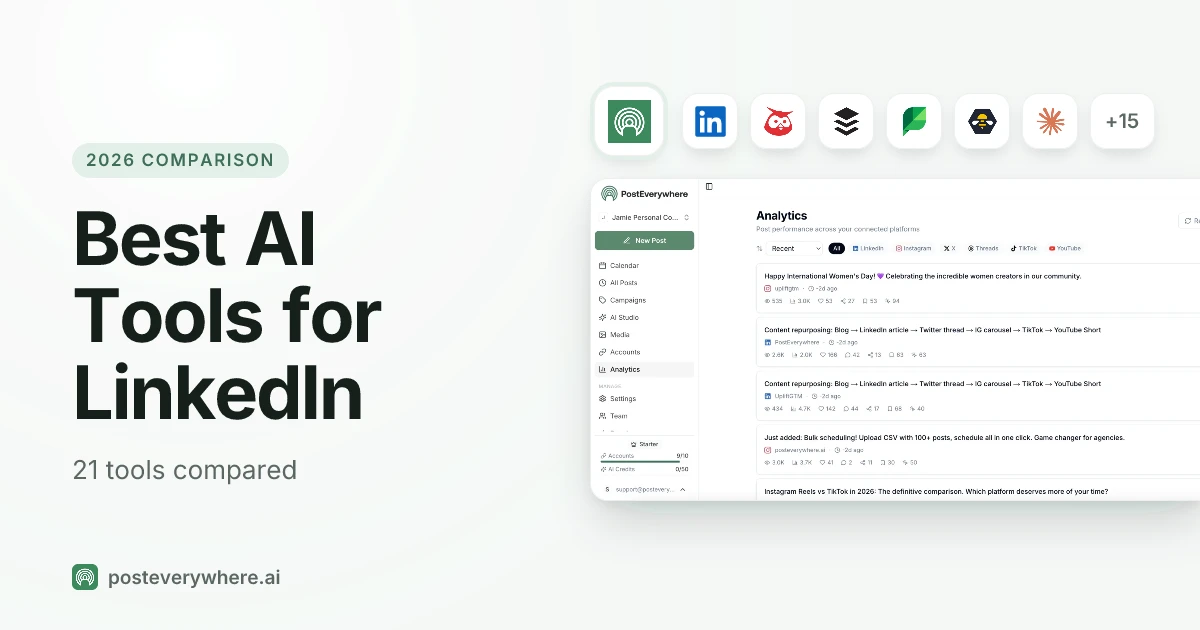
What's the best AI tool for LinkedIn? If you want an AI agent to post for you, PostEverywhere: it's the social media scheduling tool built for AI agents, so Claude or ChatGPT can write and schedule your LinkedIn posts alongside every other top platform. For LinkedIn-only growth features, Taplio and AuthoredUp are the specialists.
Refreshed in October 2026 with pricing checked against each vendor's own pages, Taplio's plan changes, Flypost's Brain, Supergrow's Postcast interviews, Apollo.io for prospecting, and the latest ChatGPT and Claude Sonnet 5.5 picks for LinkedIn writing.
LinkedIn posts with images get 2x more engagement. Posts with video get 5x. And the creators who post consistently, at least three times per week, see 3.5x more profile views than those who post occasionally.
But here's the problem: creating quality LinkedIn content takes time. Between drafting posts, designing carousels, scheduling around optimal windows, and tracking what actually works, most professionals spend 5-10 hours per week on LinkedIn alone.
AI tools change that equation completely. The right stack can cut your LinkedIn content creation time by 80% while improving quality and consistency. This guide reflects the state of LinkedIn AI tooling after Claude's move to Opus 5.5 and Sonnet 5.5 with context windows of up to 1M tokens, newer ChatGPT models, and Taplio's plan restructuring.
We tested over 30 AI tools specifically for LinkedIn workflows and narrowed it down to the 21 that actually deliver results today.
Solopreneurs building a personal brand, sales teams doing outreach and agencies managing several client accounts will all find the right tools for their workflow on this list.
TL;DR
- Best for AI agents: PostEverywhere, the scheduler Claude or ChatGPT can post through, with AI content + scheduling + cross-posting from $9/mo
- LinkedIn-specific growth: Taplio, built exclusively for LinkedIn growth (Starter $39/mo for scheduling and analytics; AI writing from Growth $69/mo with 250 AI credits, unlimited on Pro $199/mo)
- For writing: AuthoredUp, a LinkedIn text editor with 200+ hooks and 150+ post endings ($19.95/mo)
- For analytics: AuthoredUp, LinkedIn post analytics plus unlimited company pages ($19.95/mo)
- For video: Descript, text-based video editing with Studio Sound ($16/mo billed annually)
- Free option: ChatGPT Free + Canva Free, strong LinkedIn content at $0
- For prospecting: Apollo.io, contact data on LinkedIn profiles plus AI-written sequences (free plan; paid from $49/seat/mo billed annually)
- For personal branding (new pick): Kleo, writing-style memory plus coaching ($99/mo)
- For outreach: Expandi, LinkedIn automation with smart limits ($99/mo, $79/mo billed annually)
How We Evaluated These Tools
We tested each tool against five criteria tailored specifically to LinkedIn:
- LinkedIn-Specific AI Capabilities: Does the AI understand LinkedIn's professional tone and format? Generic social tools often miss the mark on LinkedIn.
- Content Quality: Does it generate posts that sound human and drive engagement, or robotic filler that kills credibility?
- Time Savings: How many hours per week does this tool actually save? We tracked real usage.
- Pricing Value: Is the cost justified for a LinkedIn-focused workflow? Some tools cost $200+/month.
- Safety & Compliance: Does the tool respect LinkedIn's algorithm and terms of service? Tools that trigger bans aren't tools; they're liabilities.
We prioritized tools that work with the LinkedIn algorithm rather than trying to game it. Every tool on this list can be used safely without risking your account.
Free tools for LinkedIn: Try our image resizer and LinkedIn username checker. Both free, no signup required.
Quick Comparison: Top 10 at a Glance
| Tool | Good For | Starting Price (2026) | Free Tier | 2026 Key Feature | What an AI agent can do (MCP) |
|---|---|---|---|---|---|
 PostEverywhere |
AI agents + scheduling | From $9/mo | 7-day trial | AI captions + cross-posting | Publish, schedule, queue, best time, bulk, retry, connect accounts |
 Taplio |
LinkedIn-specific growth | $39/mo (AI writing from $69/mo) | 7-day trial | 5M+ viral post library, MCP for AI agents | – |
 Flypost |
LinkedIn content from your own expertise | $49/mo ($39/mo billed annually) | 7-day trial | Brain that turns blogs, videos and docs into posts | – |
 AuthoredUp |
LinkedIn writing + analytics | $19.95/mo | Free trial, no card | 200+ hooks, post analytics, unlimited company pages | None listed |
 Supergrow |
Personal branding + voice match | $39/mo | 7-day trial | Postcast AI interviews | – |
 Kleo |
Style-memory AI writing | $99/mo | 7-day refund (30 days on annual) | Memory of your identity + style | None listed |
 Apollo.io |
LinkedIn prospecting + sequences | Free; paid from $49/seat/mo (annual) | Yes | Contact data on LinkedIn profiles | – |
| ChatGPT Plus | Versatile AI writing | Paid tiers from Go | Yes | Latest GPT models with reasoning | It's an AI agent |
 Claude Pro |
Long-form LinkedIn writing | $20/mo | Yes | Opus 5.5 + Sonnet 5.5, up to 1M token context | It's an AI agent |
 Canva Pro |
Carousel design | Paid Pro plan | Yes | Canva AI 2.0 + Magic Layers | – |
Why Choose PostEverywhere?
PostEverywhere is the best AI tool for LinkedIn if you want one affordable product that writes, schedules and publishes your LinkedIn posts, lets an AI agent do the posting for you, and covers every other platform you use as well.
- LinkedIn plus every other top platform. PostEverywhere publishes your LinkedIn posts from the same composer as Instagram, TikTok, YouTube, X (Twitter), Facebook, Threads and Pinterest. Taplio, Flypost and Supergrow are LinkedIn only, with no cross-posting.
- AI writing from the first plan. AI Studio (captions, images and video) and unlimited posts come with every PostEverywhere plan from $9/mo. Taplio's $39/mo Starter has no AI credits, AI writing starts at $69/mo with 250 credits, and unlimited AI needs the $199/mo Pro plan.
- Flat pricing, not per seat. PostEverywhere's Scale plan is $39/mo for 20 accounts, with no per-user or per-channel add-ons. Hootsuite starts at $99 per user per month, and Sprout Social starts at $79 per seat with AI Assist drafting held back for the $299 tier.
- Extra accounts without surcharges. Flypost charges $10/mo for each extra LinkedIn account on Pro and Kleo charges $49/mo per extra profile. Each PostEverywhere plan simply includes its accounts, from 2 on Lite to 20 on Scale.
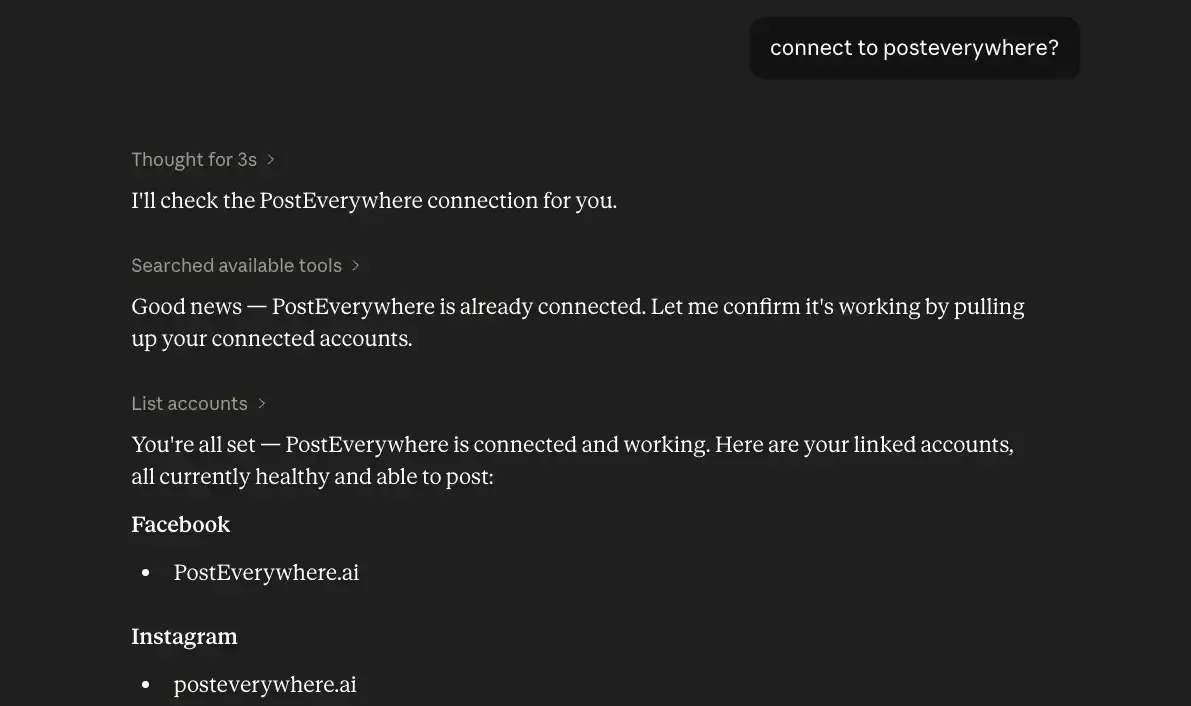
- Built for AI agents. Connect Claude, ChatGPT, Cursor or another AI agent to PostEverywhere's hosted MCP server in about a minute, and it can draft, schedule and publish your LinkedIn posts, upload media and read your analytics and best times. The MCP server, REST API and webhooks are on every plan.
Compare the plans on our pricing page and start a 7-day free trial; you can connect your LinkedIn profile or company page and schedule your first post in minutes.
Scheduling & Management Tools
These tools handle the logistics of your LinkedIn presence: scheduling posts, managing multiple accounts, and cross-posting to other platforms.
1. PostEverywhere: Best AI Tool for LinkedIn if You Want an AI Agent to Post
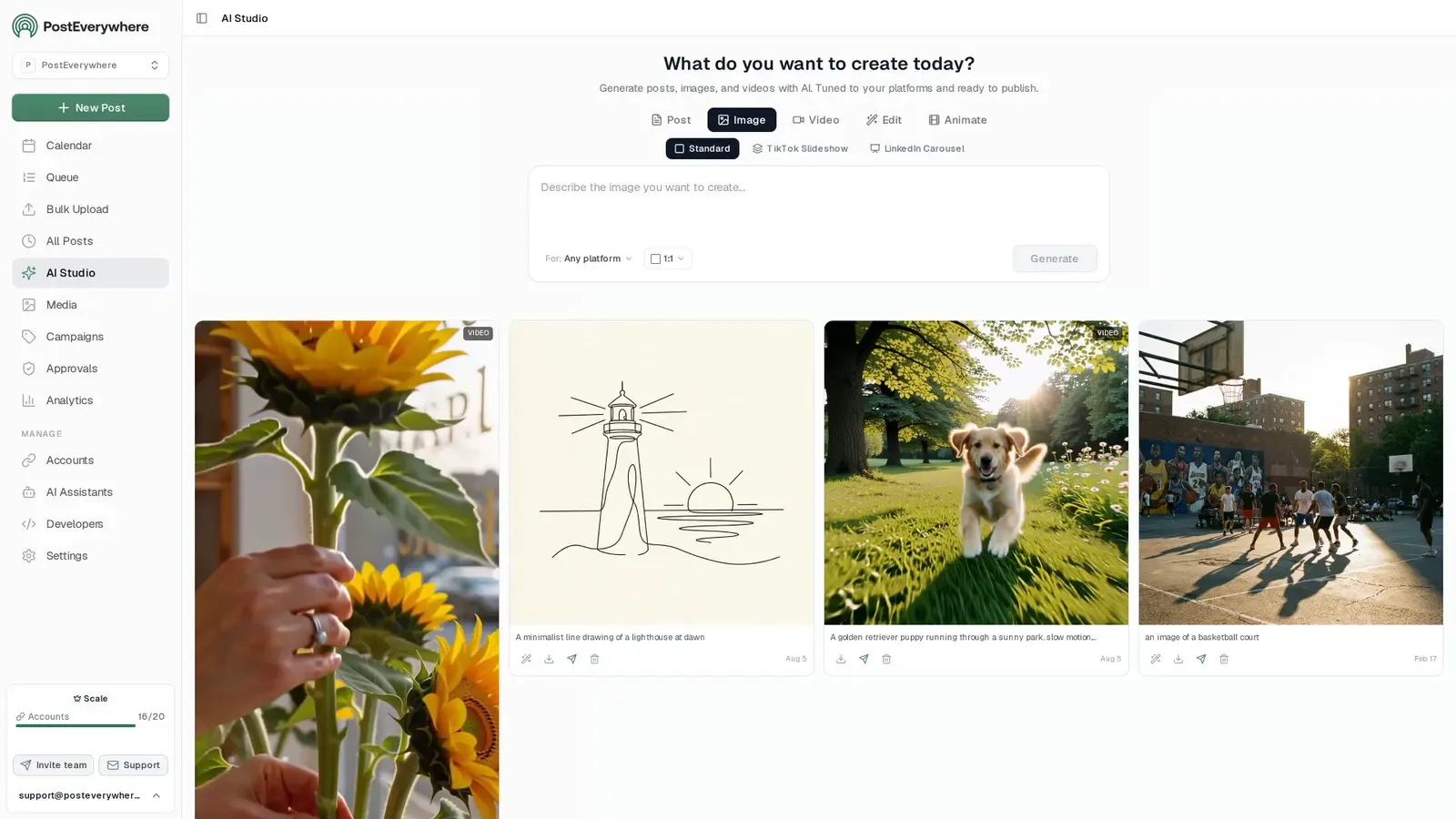
Publishes to all top platforms
 Instagram
 Facebook
 X
 LinkedIn
 TikTok
 Threads
 Bluesky
 Telegram
 Discord
 YouTube
 Pinterest
 WordPress
 Google Business Profile
Why PostEverywhere wins
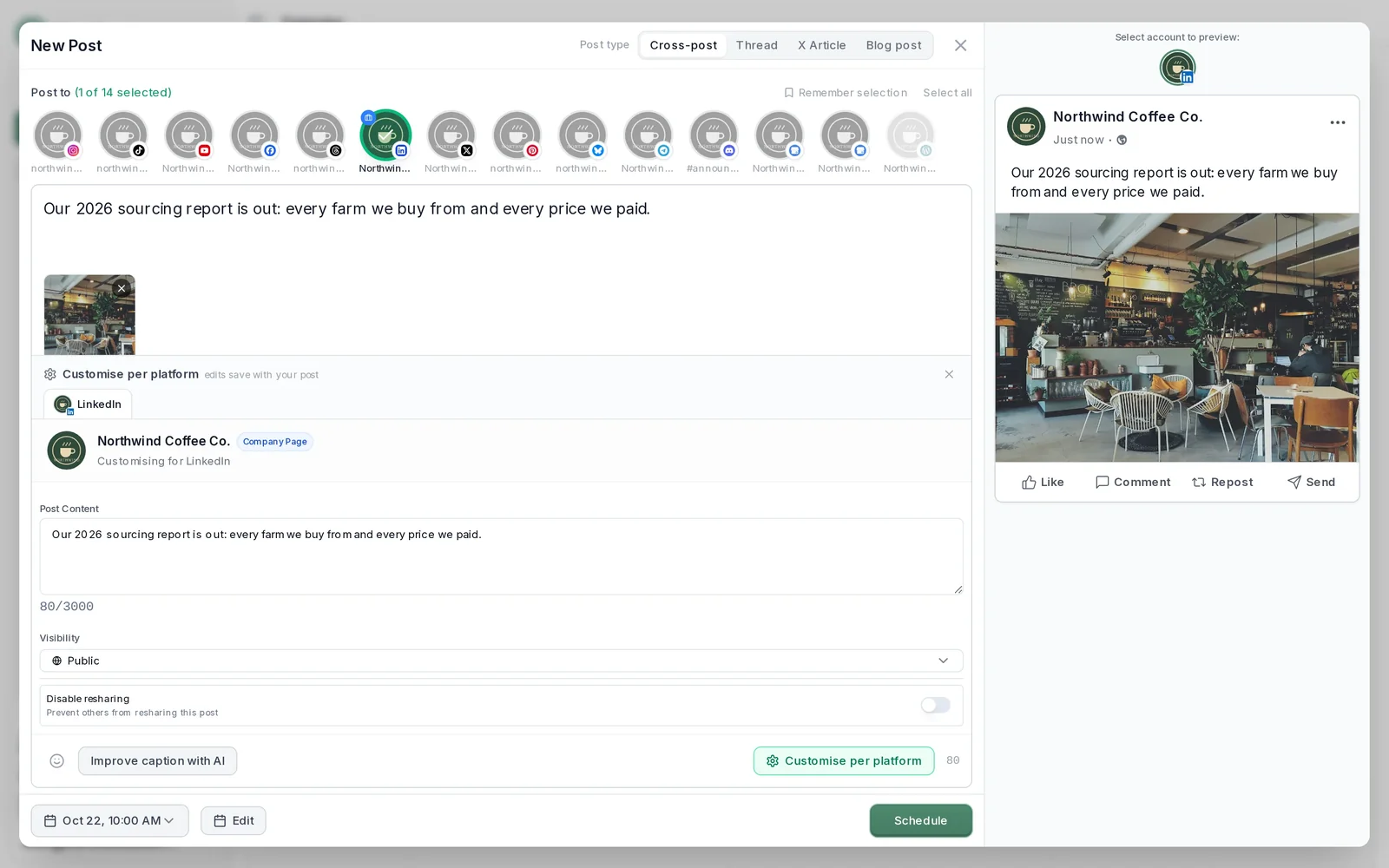
- It's simple. One composer for every platform: write the post once, tweak the caption per platform, check the live preview for each account and schedule it.
- One flat price, nothing locked away. From $9 a month. Every plan includes unlimited posts, the full API, the hosted MCP server and AI Studio, with no per-channel fees.
- Every top platform in one place. Instagram, TikTok, YouTube, LinkedIn, Facebook, X, Threads and Pinterest, plus Bluesky, Telegram, Discord, WordPress and Google Business Profile.
- Your AI agent can run it. Connect Claude, ChatGPT or Cursor in about a minute and ask it to plan, write and schedule your posts.
- Create in the same tool. AI Studio makes captions, images and video, so you don't need a second app before you post.
How PostEverywhere works
- Connect your accounts. Link your social accounts once, across all top platforms.
- Create the post. Write it in the composer, make images and video in AI Studio, or ask Claude or ChatGPT to draft and schedule it for you.
- Schedule it everywhere. Tweak the caption for each platform, check every preview, and it goes out on time from one calendar.
Built for AI agents
- Agents do the whole job. A full hosted MCP server with up to 44 tools: publish, schedule, use your queue or the best time, bulk-schedule 50 posts at once, check results, retry failures and send links to connect new accounts. Some rival MCP servers only read data or create drafts.
- $29 a month for 10 accounts, flat. Full API and agent access included, with no per-channel, per-seat or per-call fees. The same 10 accounts cost $60 a month on Buffer and $99 per user (billed annually) on Hootsuite.
- Nothing gated. API, MCP and webhooks come with every plan, from Lite. Several rivals keep their API for higher tiers or a sales call.
- Connected in a minute. One click adds PostEverywhere to Claude, with one-click installs for Cursor and VS Code. ChatGPT adds it under Plugins.
Plans: Lite $9 a month (2 accounts), Starter $19 (5), Growth $29 (10), Scale $39 (20). Every plan includes unlimited posts, the full API, the hosted MCP server and AI Studio.
“This tool has truly made my content posting so much easier, I can't work without it. I can schedule my posts days in advance while working on other projects. Set it and forget it.”
Also in PostEverywhere: a posting queue, bulk upload from CSV, approvals, analytics, an API and the iPhone app.
PostEverywhere is the agentic social media scheduler built for AI agents: Claude or ChatGPT can draft your LinkedIn posts and schedule them to your profile or company page, and developers can do the same from their own stack through the REST API and webhooks.
Best for: AI agents and builders who want LinkedIn posts published for them, plus creators and businesses wanting LinkedIn scheduling with AI content generation
PostEverywhere combines AI Studio with multi-platform scheduling in a single dashboard, and it is drivable from an AI agent: connect PostEverywhere to Claude or to ChatGPT and your LinkedIn posts schedule straight from a chat.
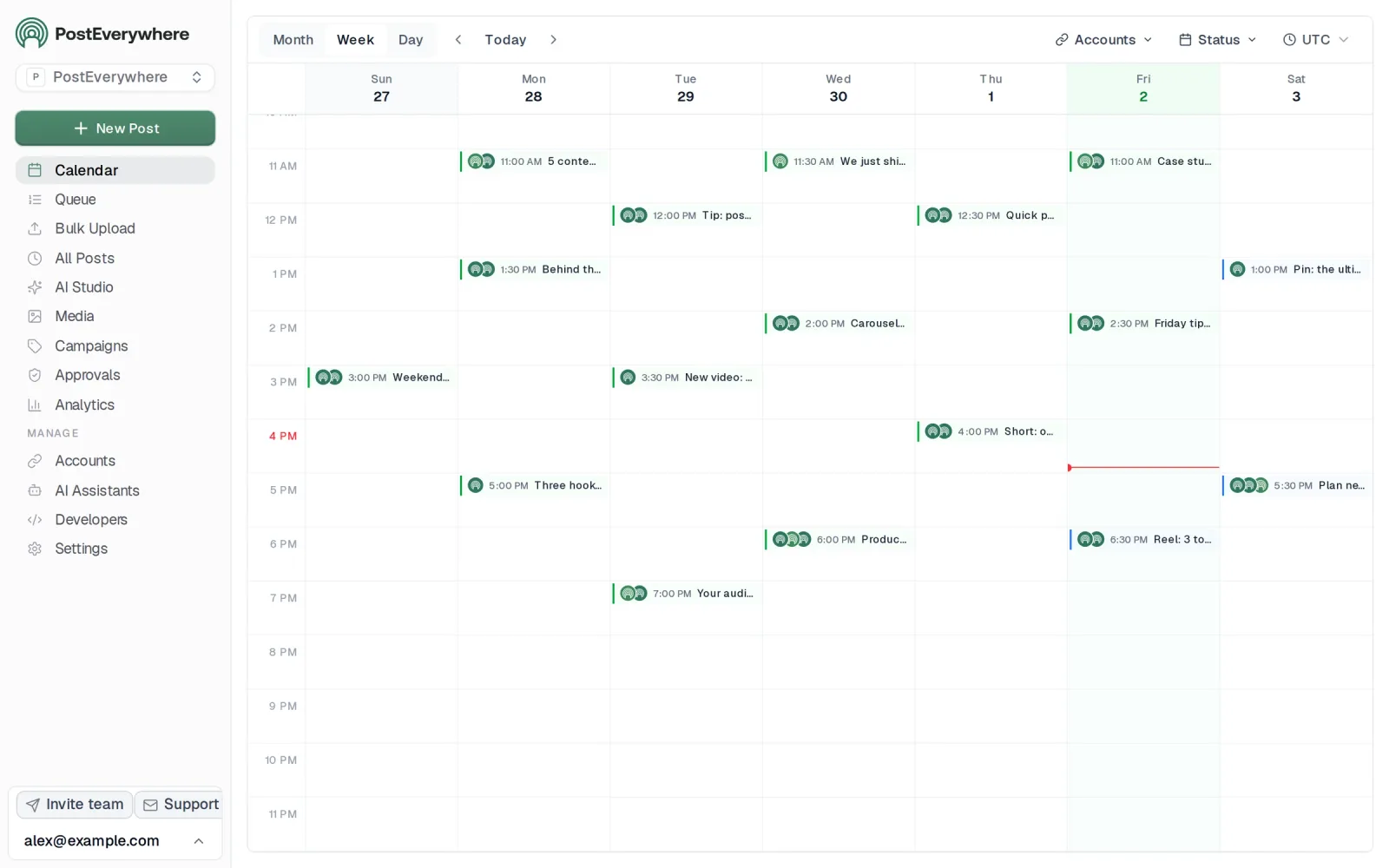
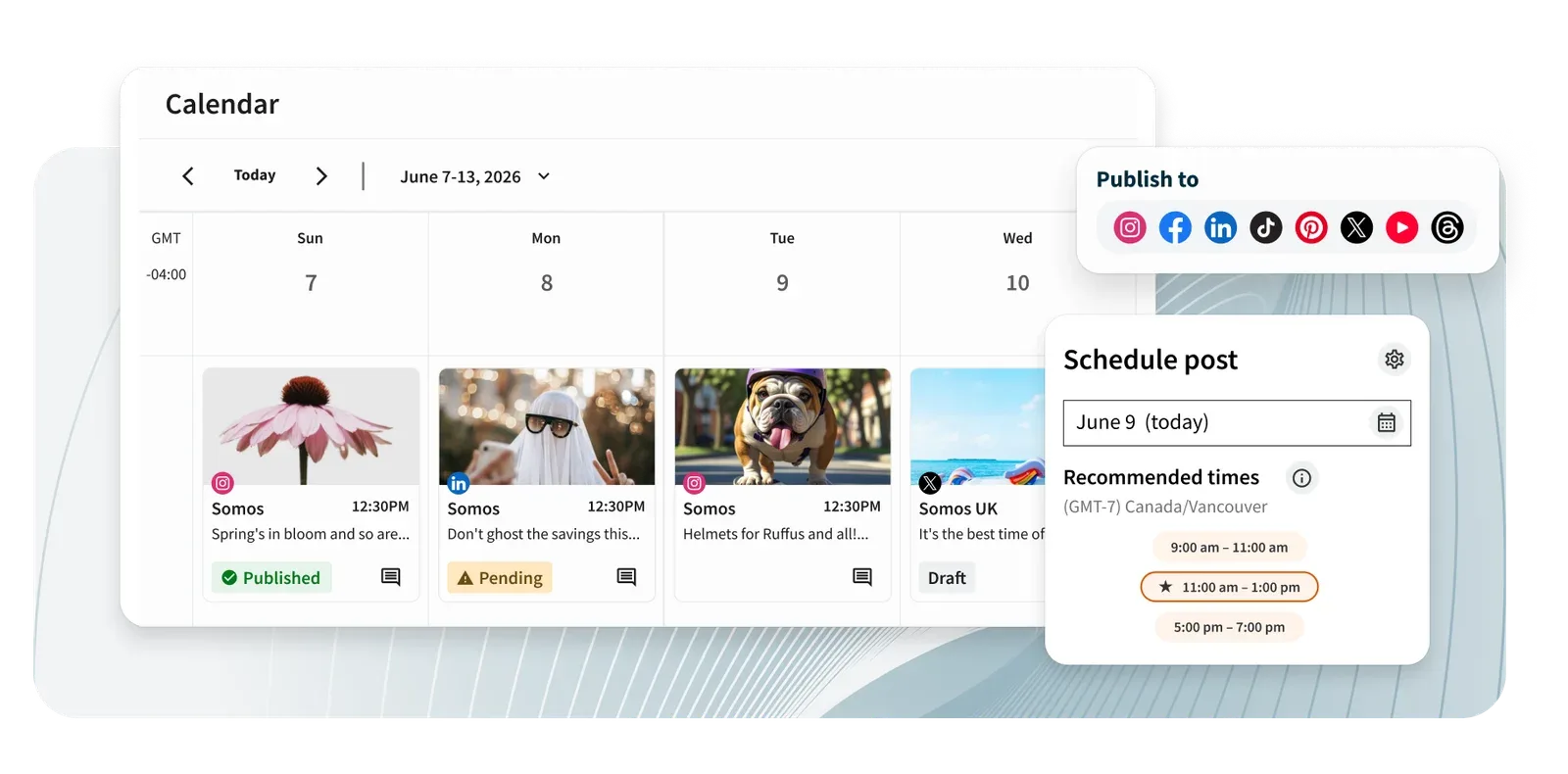
For LinkedIn specifically, it connects through the official LinkedIn API to generate professional posts tailored to LinkedIn's format, suggests optimal posting times, and lets you schedule weeks of content in advance using a visual calendar.
What sets PostEverywhere apart is that it doesn't treat LinkedIn as an afterthought. The AI understands LinkedIn's professional tone, generates hook-first posts that stop the scroll, and formats content with the line breaks and structure that perform best on LinkedIn.
For solo operators and small teams, this is also where the AI social media manager framing fits: during the 7-day trial, one product handles drafting, scheduling, and reporting for LinkedIn (and every other top platform) instead of three.
Key Features:
- AI post writing for LinkedIn, plus a LinkedIn Carousel format that builds a 4-12 slide carousel (exported as a PDF too) from one prompt
- Cross-posting to Instagram, TikTok, YouTube, X, Facebook, Threads, and Pinterest
- Best time to post queue presets for a steady weekday rhythm
- Visual calendar for planning content themes (pair it with our LinkedIn content calendar template)
- Bulk scheduling for batching a month of LinkedIn posts
- Hashtag generator optimized for LinkedIn discovery
Pricing (verified October 2026):
- Lite: $9/mo (2 accounts)
- Starter: $19/mo (5 accounts)
- Growth: $29/mo (10 accounts)
- Scale: $39/mo (20 accounts)
- 7-day trial on all plans (card required), 20% off annual billing
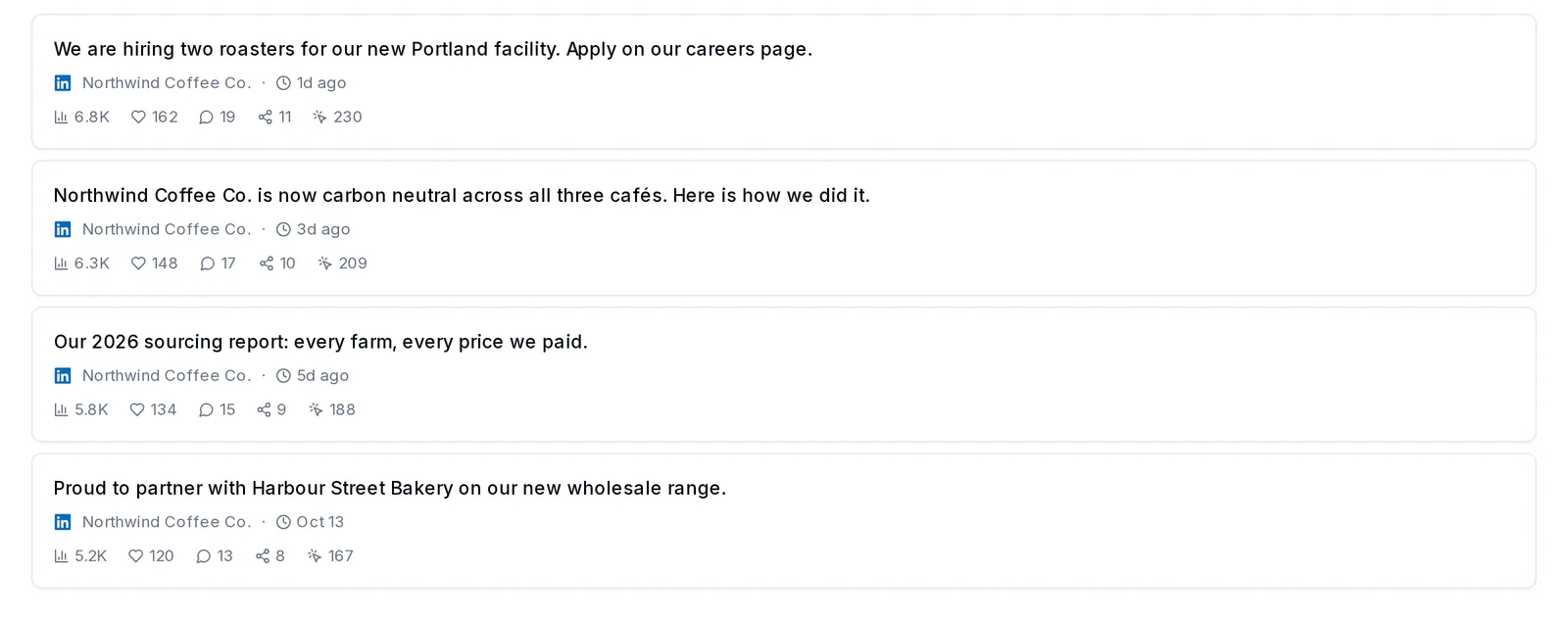
Limitations: No built-in deep LinkedIn analytics dashboard (pair with AuthoredUp for that). It's built for publishing, whether you, an AI agent or your own code is doing the posting.
Write it, design it, schedule it. PostEverywhere's AI Studio drafts the LinkedIn post or builds the carousel, then you open it in the composer and schedule it alongside every other platform. Start your 7-day trial →
2. Taplio
Taplio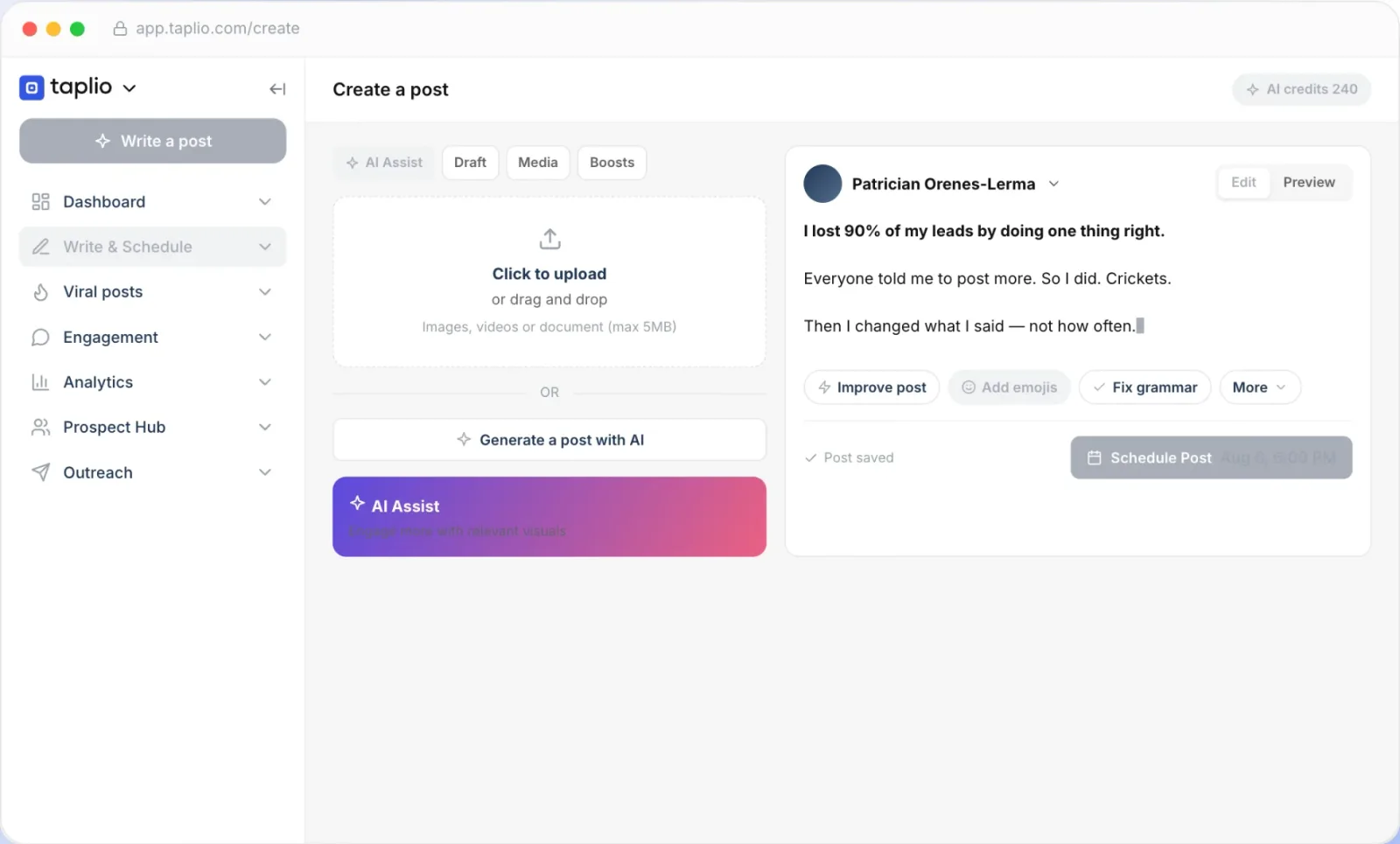
Good for: LinkedIn-focused creators who want an all-in-one LinkedIn growth platform
Taplio is built exclusively for LinkedIn. It combines AI content creation, scheduling, a viral post inspiration library, and engagement tools (like lead lists, auto-replies and outreach automation) in a single platform.
Taplio says its AI is trained on more than 3 million LinkedIn posts, and its inspiration library holds 5M+ viral posts to remix for hooks, rewrites and carousels. It is also an official Claude connector, and its MCP server lets Claude, ChatGPT or another agent draft and queue posts in your Taplio account.
Key Features (2026):
- AI post generator, "Improve my draft" rewrites and idea prompts (Growth and Pro)
- AI carousel and image generation
- Post scheduling with a custom posting queue
- Lead lists and commenting on curated creator feeds
- Chrome extension for quick stats and saving posts inside LinkedIn
- LinkedIn analytics with a monthly stats email
- Taplio API and LinkedIn MCP for AI agents
Pricing (verified October 2026):
- Starter: $39/mo: scheduling, analytics and the viral post library (no AI or comment credits)
- Growth: $69/mo: AI writing with 250 AI credits and 500 comment credits a month, team collaboration
- Pro: $199/mo: unlimited AI and comment credits, auto-DMs and auto-connection requests, priority support
- 25% off yearly billing; 7-day free trial with full Pro access; 30-day money-back guarantee
Limitations: Starter has no AI credits, and Growth's 250 credits run out quickly for daily posting, so heavy AI users end up on the $199/mo Pro plan. LinkedIn-only, so no cross-posting.
3. Flypost
Flypost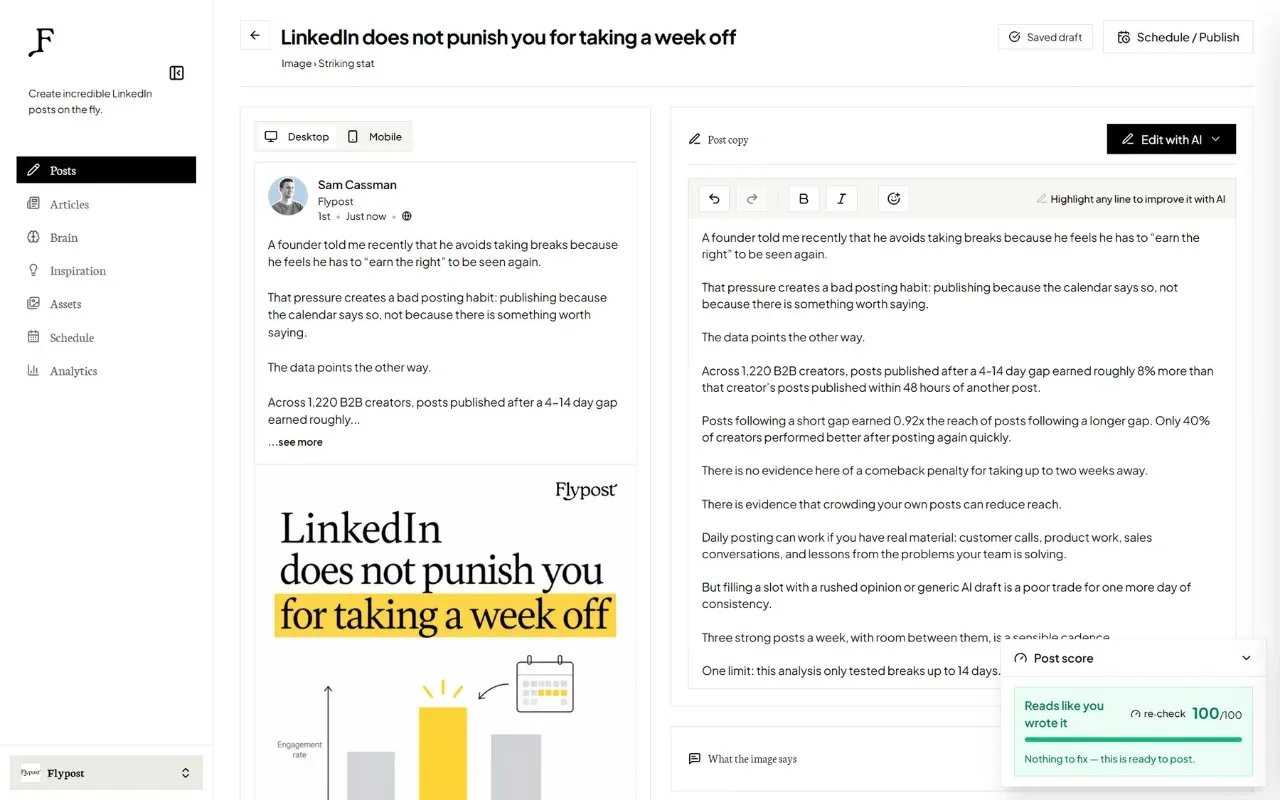
Good for: Founders and brands who want LinkedIn content grounded in their own expertise, not generic AI output
Flypost takes your existing business assets (blogs, videos, docs and call transcripts) and turns them into LinkedIn posts, carousels, infographics and articles. It feeds everything into what it calls a "Brain", a knowledge base of your business, then writes posts from that context instead of generic prompts.
Each draft carries an authenticity score meant to flag AI-sounding phrasing before you publish.
Key Features (2026):
- Brain that reads blogs, YouTube videos, PDFs, docs and call transcripts in full
- AI drafting grounded in your own content and brand voice
- Twelve carousel designs, infographics, image posts and long-form LinkedIn articles
- Authenticity scoring on every draft to catch AI-sounding phrasing
- Topic monitoring to track outperforming posts from leaders in your niche
- LinkedIn auto-scheduling and post analytics
- Team posting as teammates and company pages
- MCP connector so Claude, ChatGPT or Cursor can draft and schedule from a chat
Pricing (verified October 2026):
- Creator: $49/mo ($39/mo billed annually), 12 posts/month, all post types, unlimited drafts and rewrites, Brain with unlimited sources
- Pro: $79/mo ($63/mo billed annually), unlimited posts, analytics, team posting, 25 monitored leaders, $10/mo per extra LinkedIn account
- Agency: $149/mo ($119/mo billed annually), 3 client projects, separate Brain per client, $39/mo per extra project
- 7-day trial on every plan (card required at checkout)
Limitations: LinkedIn only, so no cross-posting. Post volume is capped on the Creator plan, and extra LinkedIn accounts or client projects cost more on Pro and Agency. If you need the same content going to other networks, that is what cross-posting handles.
4. Hootsuite
 Hootsuite
Good for: Enterprise teams managing LinkedIn alongside many other social platforms
Hootsuite is the legacy social media management platform that supports LinkedIn along with every other major network. Every plan now runs on Wisdom, Hootsuite's AI teammate, which drafts posts and images, recommends what to do next and analyzes results, and the platform's social listening features let you monitor brand mentions and industry conversations on LinkedIn.
Key Features:
- Wisdom AI on every plan for drafting posts and images
- Wisdom MCP connectors for working from an AI agent
- Social listening and brand monitoring
- Team collaboration with approval workflows (Advanced)
- Comprehensive analytics across all platforms
- LinkedIn ad management integration
Pricing (verified October 2026, per user, billed annually):
- Standard: $99/user/mo (10 social accounts)
- Professional: $199/user/mo (unlimited social accounts)
- Advanced: $399/user/mo
- Enterprise: Custom pricing
- 14-day free trial; no free tier
Limitations: Pricing remains steep: starting at $99/user/month, it is impractical for individuals or small teams. The AI features, while solid, aren't LinkedIn-specific.
5. Buffer
 Buffer
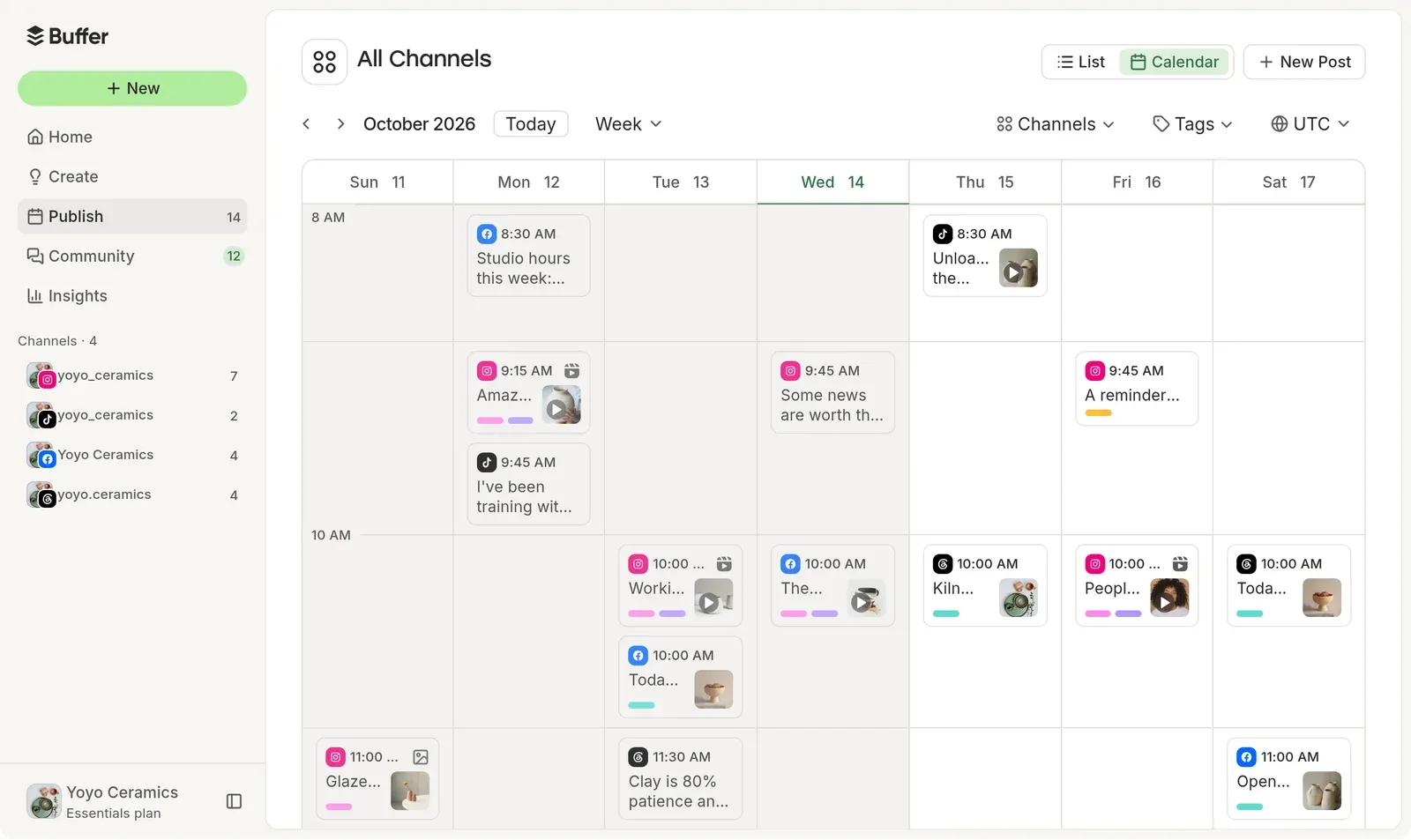
Good for: Solopreneurs wanting a simple, affordable LinkedIn scheduler
Buffer offers one of the cleanest interfaces for scheduling LinkedIn posts. The AI Assistant is included on every plan, the free tier too, helping you draft, repurpose, translate, and adjust tone for LinkedIn posts.
Key Features:
- AI Assistant (on every plan) for drafting, repurposing, and tone adjustment
- Clean scheduling interface with drag-and-drop
- All top platforms supported including LinkedIn, Bluesky, Threads, TikTok
- Landing page builder for link-in-bio
Pricing (verified October 2026):
- Free: 3 channels, 10 scheduled posts per channel, AI Assistant included
- Essentials: $5/mo per channel (annual) / $6/mo (monthly)
- Team: $10/mo per channel (annual) / $12/mo (monthly)
- Volume discount kicks in past 10 channels
- 14-day free trial on paid plans
Limitations: AI Assistant is helpful but less LinkedIn-specific than Taplio or AuthoredUp. Analytics lack the depth of AuthoredUp.
6. Sprout Social
 Sprout Social
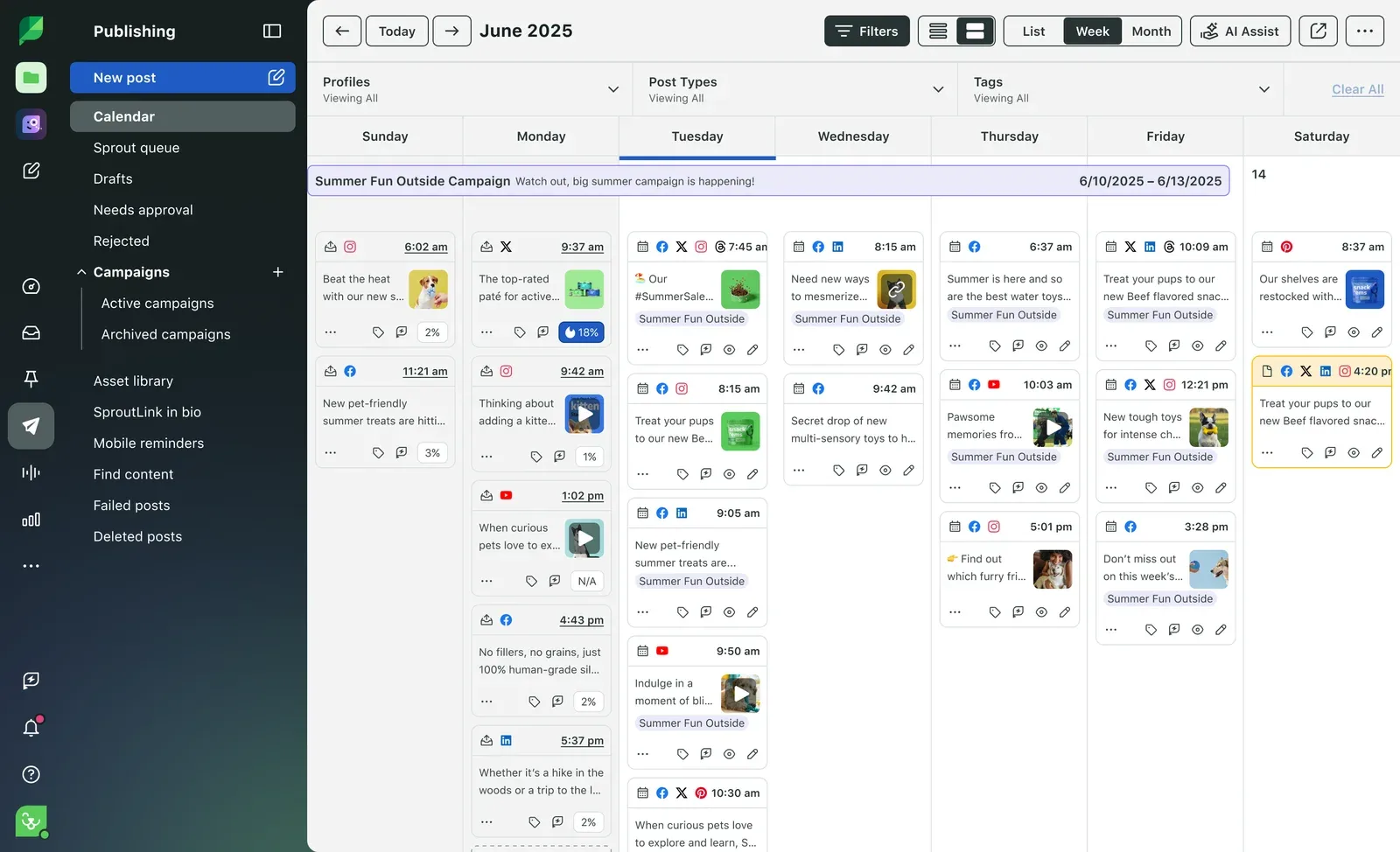
Good for: Agencies and enterprises needing advanced LinkedIn reporting
Sprout Social is a premium social media management platform with deep LinkedIn integration. Sprout AI includes Enhance Post by AI Assist for tone polishing, inbox sentiment analysis, Optimal Send Times, and automated response suggestions.
Key Features:
- Sprout AI: Enhance Post by AI Assist for LinkedIn tone polishing
- AI inbox sentiment analysis (Advanced plan)
- Smart Inbox for unified LinkedIn message management
- Optimal Send Times for LinkedIn posts
- Employee advocacy tools for LinkedIn
Pricing (verified October 2026, billed annually):
- Essentials: $79/seat/mo ($99 billed monthly)
- Standard: $199/seat/mo (no AI Assist for drafting)
- Professional: $299/seat/mo (adds AI Assist)
- Advanced: $399/seat/mo (adds Enhance Reply by AI Assist and inbox sentiment)
- 30-day free trial
Limitations: The most expensive tool on this list. Overkill for individual creators. AI Assist for content is gated behind the $299 tier.
7. SocialBee
 SocialBeeMCP server: none listed
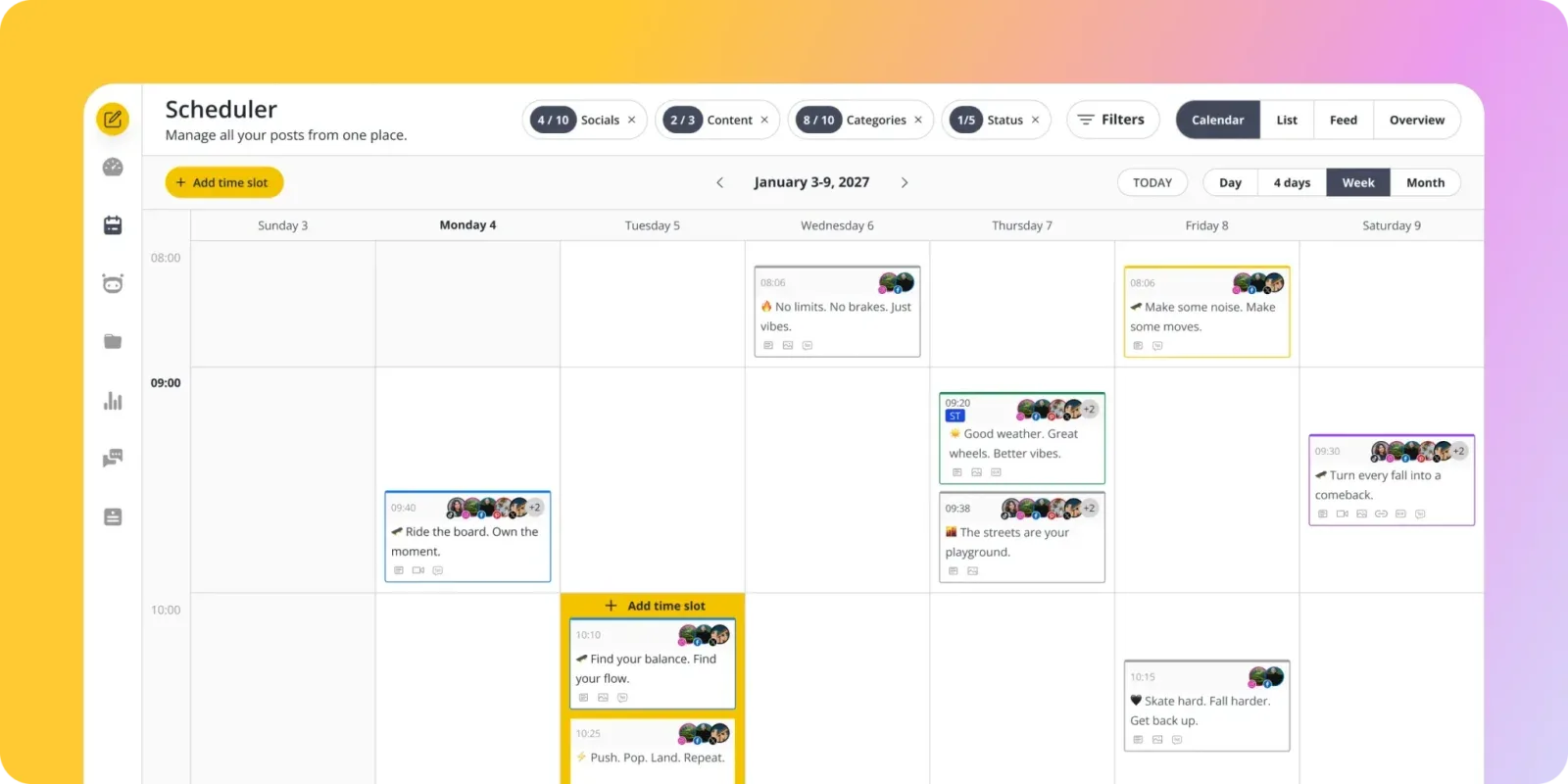
Good for: Content-heavy LinkedIn strategies with category-based scheduling
SocialBee takes a unique approach with category-based scheduling. You organize LinkedIn posts into categories (thought leadership, tips, case studies, promotions) and SocialBee automatically balances your posting schedule across categories. Its AI Copilot builds a full social media strategy with ready-to-use posts, and unlimited AI content generation covers captions and images on every plan.
Key Features:
- Category-based content scheduling
- AI Copilot: strategy generation, captions, images
- LinkedIn, TikTok, YouTube, Bluesky, Threads, Pinterest support
- Canva integration for visuals
- Evergreen post recycling
- 14-day free trial
Pricing (verified October 2026):
- Bootstrap: $29/mo
- Accelerate: $49/mo
- Pro: $99/mo
- 16% off yearly billing; 30-day money-back guarantee
Limitations: The category system has a learning curve. LinkedIn-specific features are limited compared to Taplio or Supergrow.
8. ContentStudio
 ContentStudio

Good for: Content curation and discovery for LinkedIn thought leadership
ContentStudio excels at content discovery: it monitors trending topics across the web and helps you curate relevant content for your LinkedIn feed. Its AI Studio can generate original LinkedIn posts, images and video, and the automation recipes save time on repetitive scheduling tasks.
For more focused scheduling tools, see our ContentStudio alternatives guide.
Key Features:
- Content discovery engine for trending topics
- AI Studio for LinkedIn posts, images and video
- X threads and LinkedIn carousels
- Automation recipes and an MCP integration for AI agents
- Social inbox for LinkedIn engagement (Advanced and up)
- White-label options for agencies
Pricing (verified October 2026, billed annually):
- Standard: $19/mo (5 social accounts)
- Advanced: $49/mo (10 social accounts)
- Agency Unlimited: $99/mo (unlimited accounts)
- 7-day free trial, no credit card required
Limitations: Content discovery is the strength; original AI content generation isn't as strong as Jasper or ChatGPT. The interface can feel cluttered with features.
Content Writing Tools
These tools focus specifically on generating and polishing LinkedIn content: posts, articles, comments, and messages.
9. ChatGPT
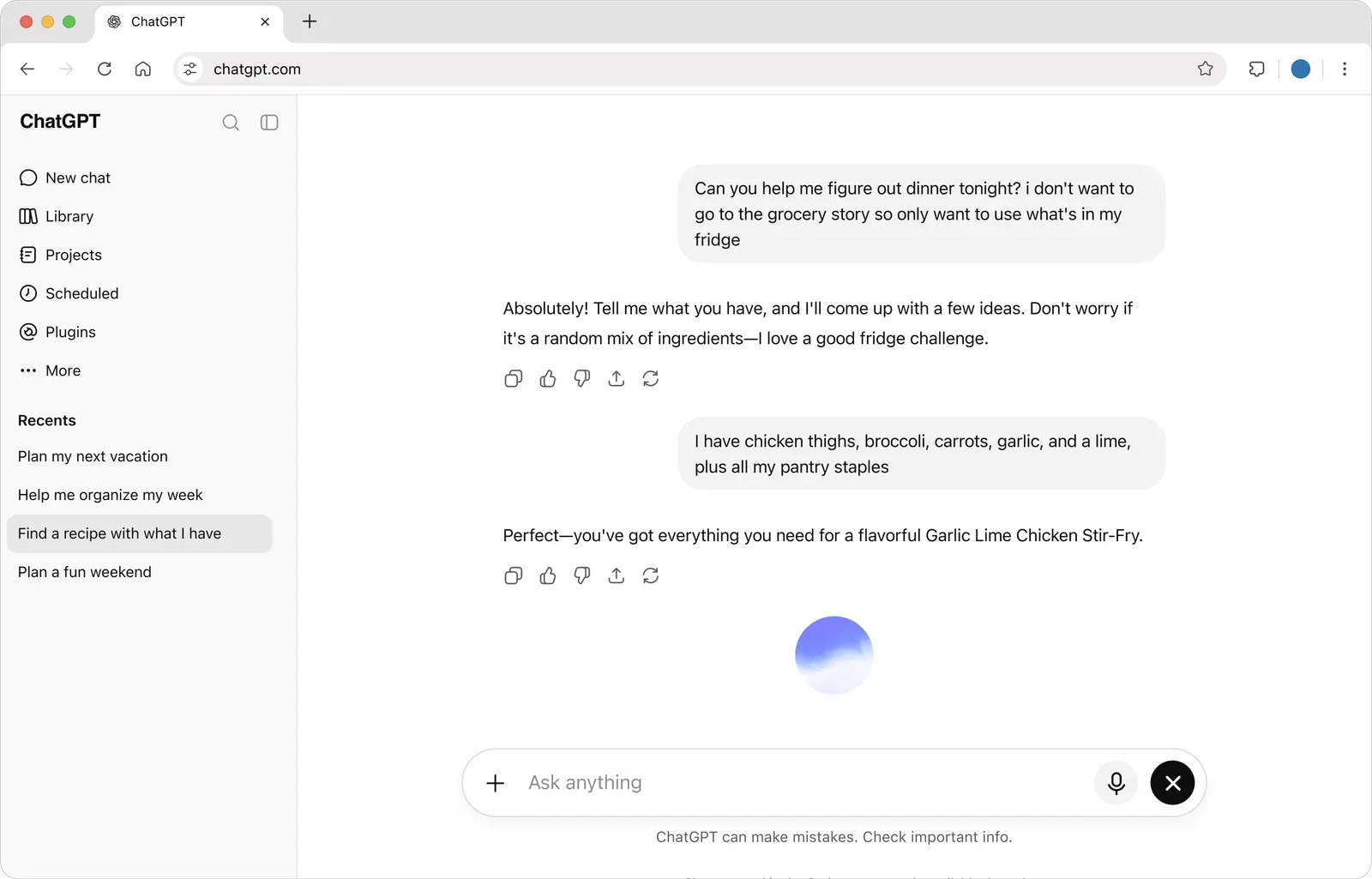
Good for: Versatile LinkedIn content creation with the most powerful general-purpose AI
ChatGPT by OpenAI remains the most versatile AI writing tool available. Paid plans get OpenAI's latest GPT models, with the most capable reasoning reserved for Pro and business plans. For LinkedIn, you can use it to draft posts, brainstorm content ideas, write article outlines, generate comment responses, and create outreach messages.
The key to using ChatGPT for LinkedIn is prompting. With specific instructions about your audience, tone, and LinkedIn formatting conventions, ChatGPT's current models produce drafts that need minimal editing.
Key Features (2026):
- Advanced reasoning models on Plus, Pro reasoning on Pro, for nuanced LinkedIn writing
- Memory feature for maintaining brand voice across sessions
- Custom GPTs for LinkedIn-specific workflows
- Image creation on every plan (limited on Free and Go)
- Deep research and ChatGPT Work, with expanded access on Plus and above
- Projects and scheduled tasks for organising recurring LinkedIn workflows
Pricing:
- Free: unlimited text chats, with limits on uploads, image creation and deep research
- Go: more messages, uploads and image creation (may include ads)
- Plus: advanced reasoning models, expanded deep research, projects, scheduled tasks and custom GPTs
- Pro: three usage tiers with Pro reasoning and the longest ChatGPT Work sessions
- Business and Enterprise: per-user plans for teams
- Prices vary by region; see ChatGPT pricing
Limitations: No scheduling; pair with PostEverywhere to publish. No LinkedIn analytics. The Go plan may include ads. Requires good prompting skills.
10. Claude (Sonnet 5.5 / Opus 5.5)
ClaudeMCP server: none listed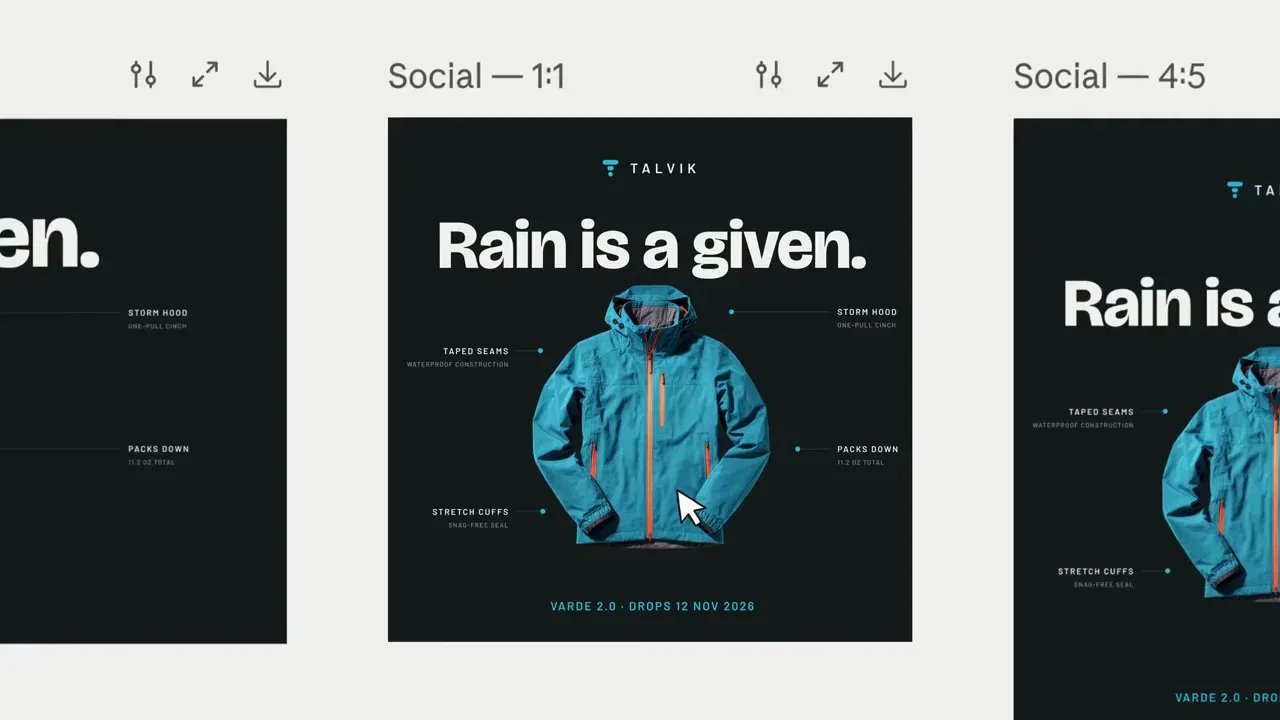
Good for: Long-form LinkedIn content and nuanced professional writing
Claude by Anthropic excels at longer, more nuanced writing tasks. Sonnet 5.5 and Opus 5.5 support context windows of up to 1M tokens, meaning you can feed Claude every post you've ever written, your full brand bible, and a year of competitor content for highly personalised output.
For LinkedIn articles, thought leadership posts, and detailed case studies, Claude consistently produces content that reads more naturally than other AI tools.
Key Features (2026):
- Sonnet 5.5 for everyday drafting, Opus 5.5 for harder writing, Fable 5.1 for the most demanding reasoning
- Context windows of up to 1M tokens (varies by model)
- Strong professional and analytical writing
- Projects feature for organising LinkedIn workflows
- Artifacts for drafting carousels, charts, and structured content
- PDF and document analysis for repurposing long content
Pricing (verified October 2026):
- Free: core Claude features with lower usage limits
- Pro: $20/mo ($17/mo billed annually), more usage and more Claude models
- Max: From $100/mo (5x or 20x more usage than Pro)
- Team: $25/user/mo ($20/user/mo billed annually) for a standard seat
- API: Sonnet 5.5 at $2 input / $10 output per million tokens; Opus 5.5 at $4 / $20
Limitations: Like ChatGPT, no scheduling or publishing. No native image generation. Pair with PostEverywhere for the actual workflow.
11. Jasper AI
 Jasper
Good for: Teams needing brand-consistent LinkedIn content at scale
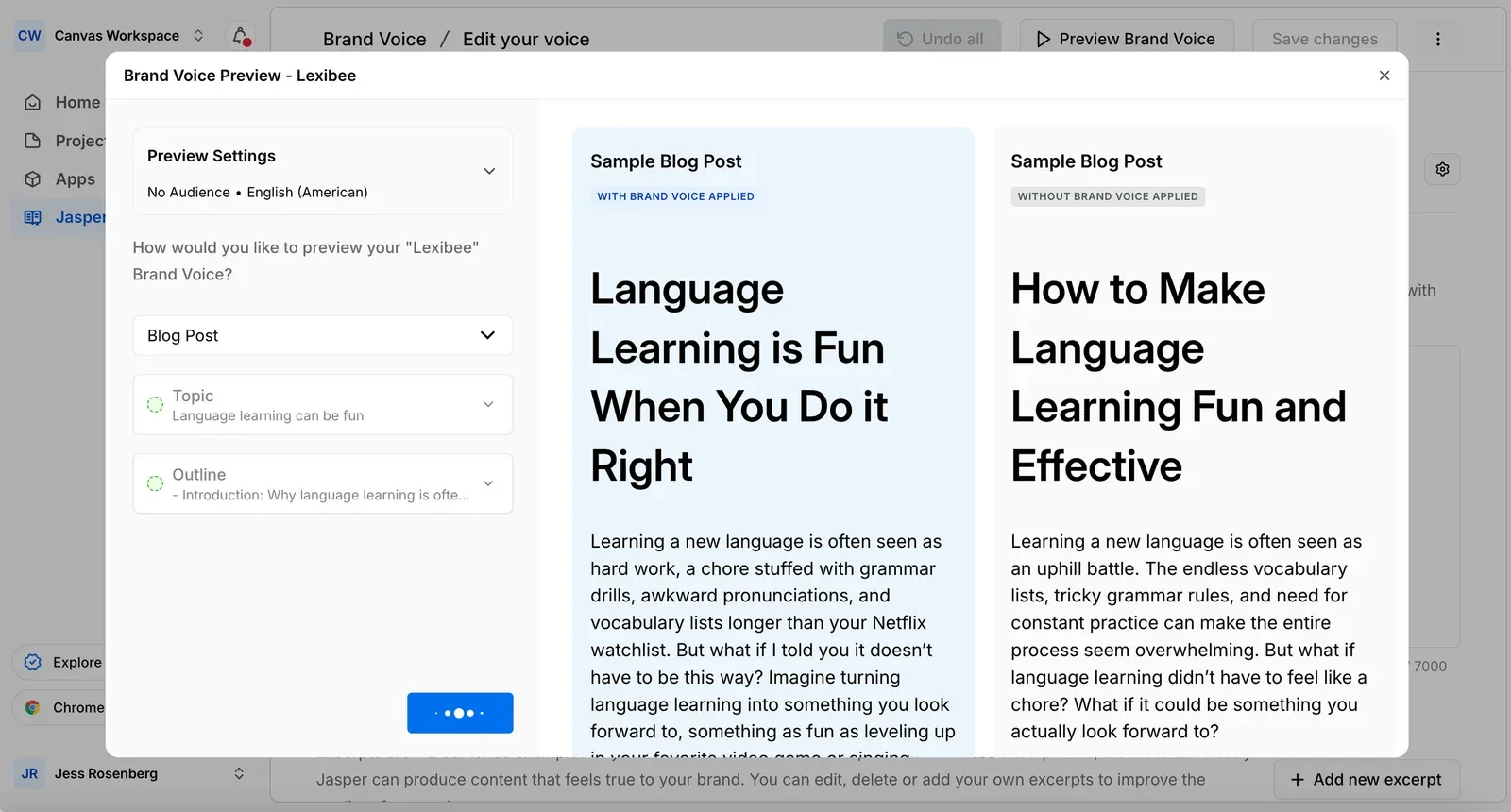
Jasper AI is purpose-built for marketing content, and its 2026 Brand Voice features are more granular than ever: you can set different voices for different audiences or products within the same account.
The Pro plan includes two Brand Voices, and Business removes the cap, useful for agencies and multi-product B2B teams.
Key Features:
- Brand Voice training with multi-voice support (2 voices on Pro)
- 100+ templates including LinkedIn-specific formats
- Audience profiles for tone targeting (3 on Pro)
- Team collaboration with brand guidelines
- Campaign management for coordinated LinkedIn pushes
- Chrome extension for writing directly on LinkedIn
Pricing (verified October 2026):
- Pro: $59/seat/mo annual ($69 monthly), 1 seat included, 2 Brand Voices
- Business: Custom, unlimited Brand Voices
- 7-day free trial
Limitations: Expensive for individual creators. Can sometimes produce content that feels "marketing-speak" rather than authentically personal, which matters on LinkedIn.
12. AuthoredUp
AuthoredUpMCP server: none listed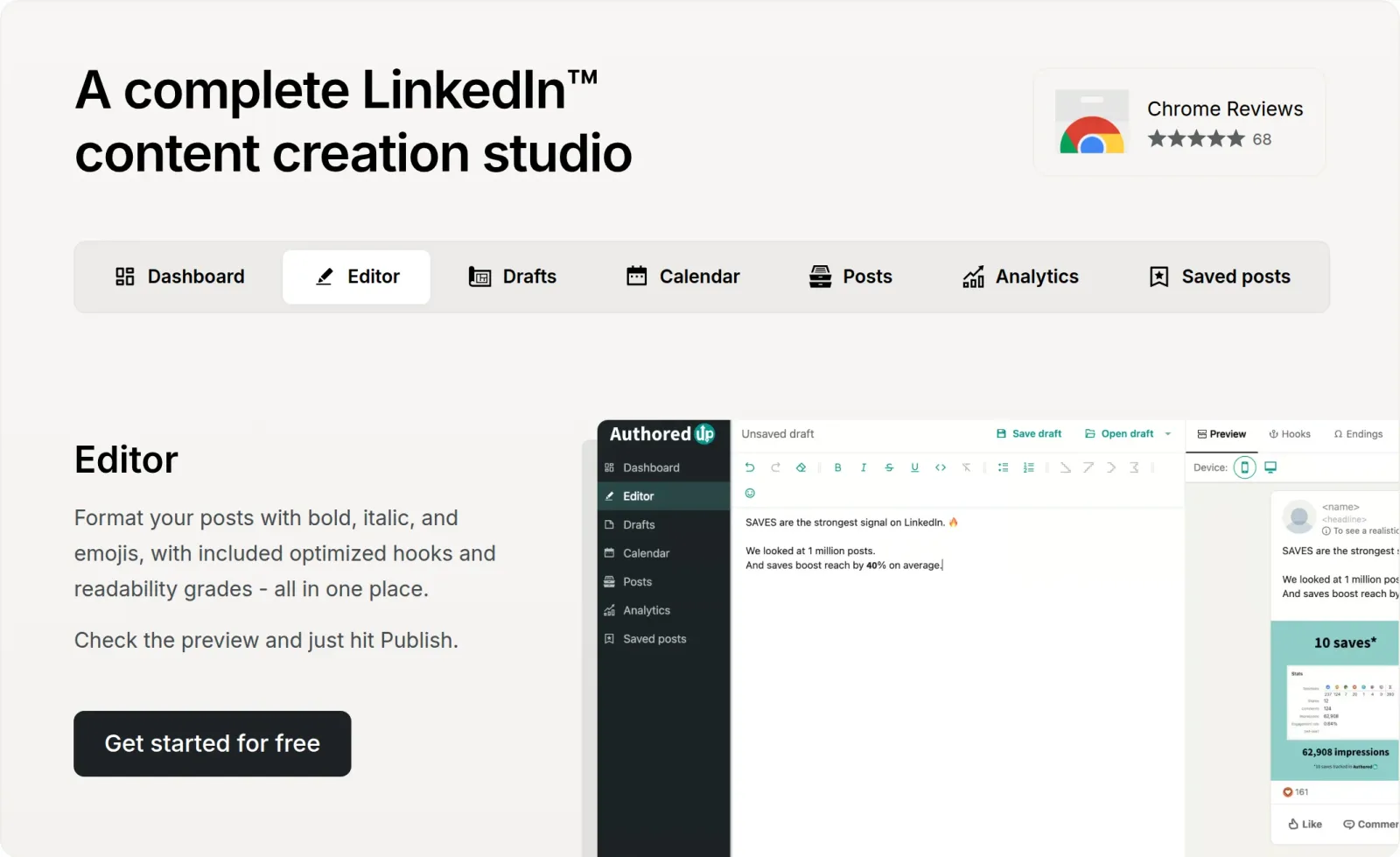
Good for: LinkedIn content formatting and post composition
AuthoredUp is the Chrome extension and web platform built specifically for writing LinkedIn posts. Its library holds 200+ opening hooks and 150+ CTA and post-ending templates, and the editor shows exactly how your post will look in the feed on desktop and mobile, light and dark mode, before you publish.
Coauthor, an AI writing assistant that learns your voice from your own posts, is now in closed beta on every plan.
Key Features:
- Rich text editor overlay on LinkedIn's composer
- 200+ proven hooks and 150+ CTA templates
- Readability grade and post-length insights
- Desktop + mobile post preview
- Unlimited drafts, snippets and company pages
- Content analytics plus a best-time heatmap built from your own posts
- Team analytics on the Business plan
- Scheduling directly from the extension
Pricing (verified October 2026):
- Individual: $19.95/mo (or $16.63/mo billed annually)
- Business: $14.95/mo per profile, 3+ profiles ($12.46 billed annually)
- Free trial, no credit card required
Limitations: Scheduling runs through the Chrome extension. AI writing (Coauthor) is still in closed beta, so for now it's a formatting and workflow tool first. Pair it with ChatGPT or Claude for drafting.
13. Grammarly
 GrammarlyMCP server: none listed
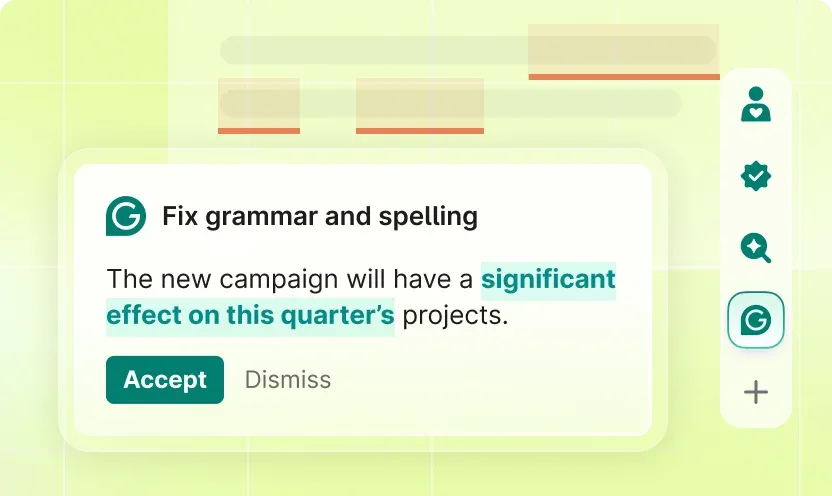
Good for: Polishing LinkedIn posts and messages for grammatical perfection
Grammarly works everywhere you write on LinkedIn: posts, comments, messages, and articles. Its AI assistant (Grammarly is now part of Superhuman) can paraphrase, rewrite and adjust tone, which makes it especially useful for professionals who write a lot of short-form copy.
Key Features:
- Real-time grammar, spelling, tone checks
- AI assistant for paraphrasing, rewriting and tone changes
- Full-sentence AI rewrites
- 2,000 AI prompts per member per month on Pro
Pricing (verified October 2026):
- Free: basic grammar and tone checks, 100 AI prompts/mo
- Pro: 2,000 AI prompts per member per month, 7-day free trial
- Enterprise: custom pricing, unlimited prompts
Limitations: Not a content generator. Best paired with ChatGPT or Claude for drafting.
14. Kleo (New for 2026)
KleoMCP server: none listed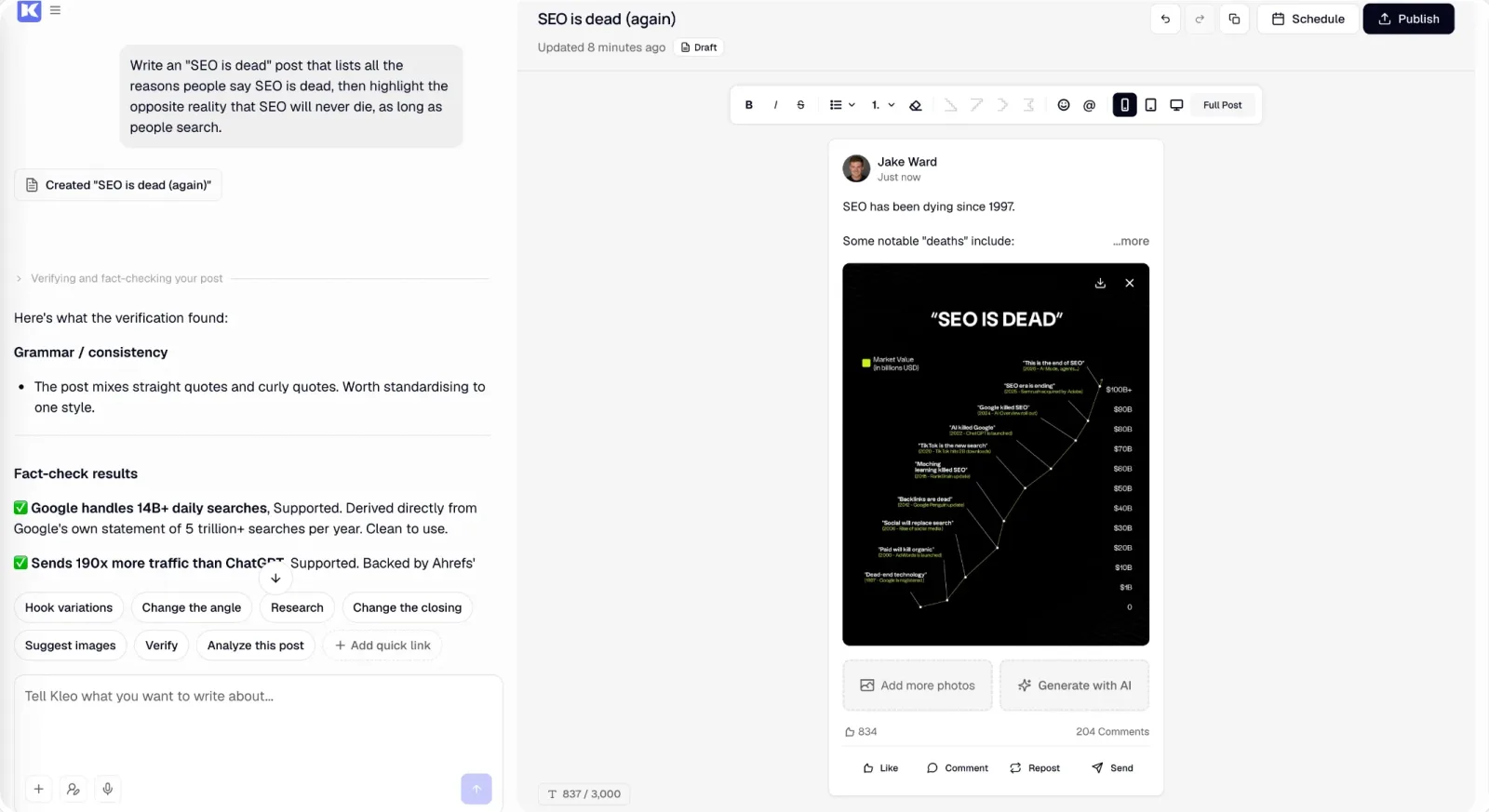
Good for: LinkedIn personal branding with writing-style memory
Kleo is one of the most notable new entrants in the LinkedIn AI space. Unlike most tools that generate generic AI posts, Kleo builds a memory of your writing style, tone, and identity over time: the more you use it, the more it sounds like you.
It started as a Chrome extension and has grown into a full web app with a personalised content strategy, scheduling, analytics and weekly live coaching calls.
Key Features:
- Writing-style and identity memory that compounds with use
- Personalised content strategy and post ideas
- Swipe file and inspiration library
- Knowledge base for personal expertise
- 20 visuals per month included
- Preview, format editing, and one-click scheduling
- Chrome extension for saving content
Pricing (verified October 2026):
- Standard plan: $99/mo (or $999/year, about $83/mo)
- Extra profiles: $49/mo each
- 7-day money-back guarantee on monthly, 30 days on annual
Limitations: The $99/mo price tag is steep. No free trial: you subscribe and can request a refund within 7 days (30 days on annual) if it doesn't work for you. LinkedIn only.
Analytics Tools
Understanding what works on LinkedIn is critical for improving your strategy. These tools go far beyond LinkedIn's built-in analytics.
15. Supergrow
Supergrow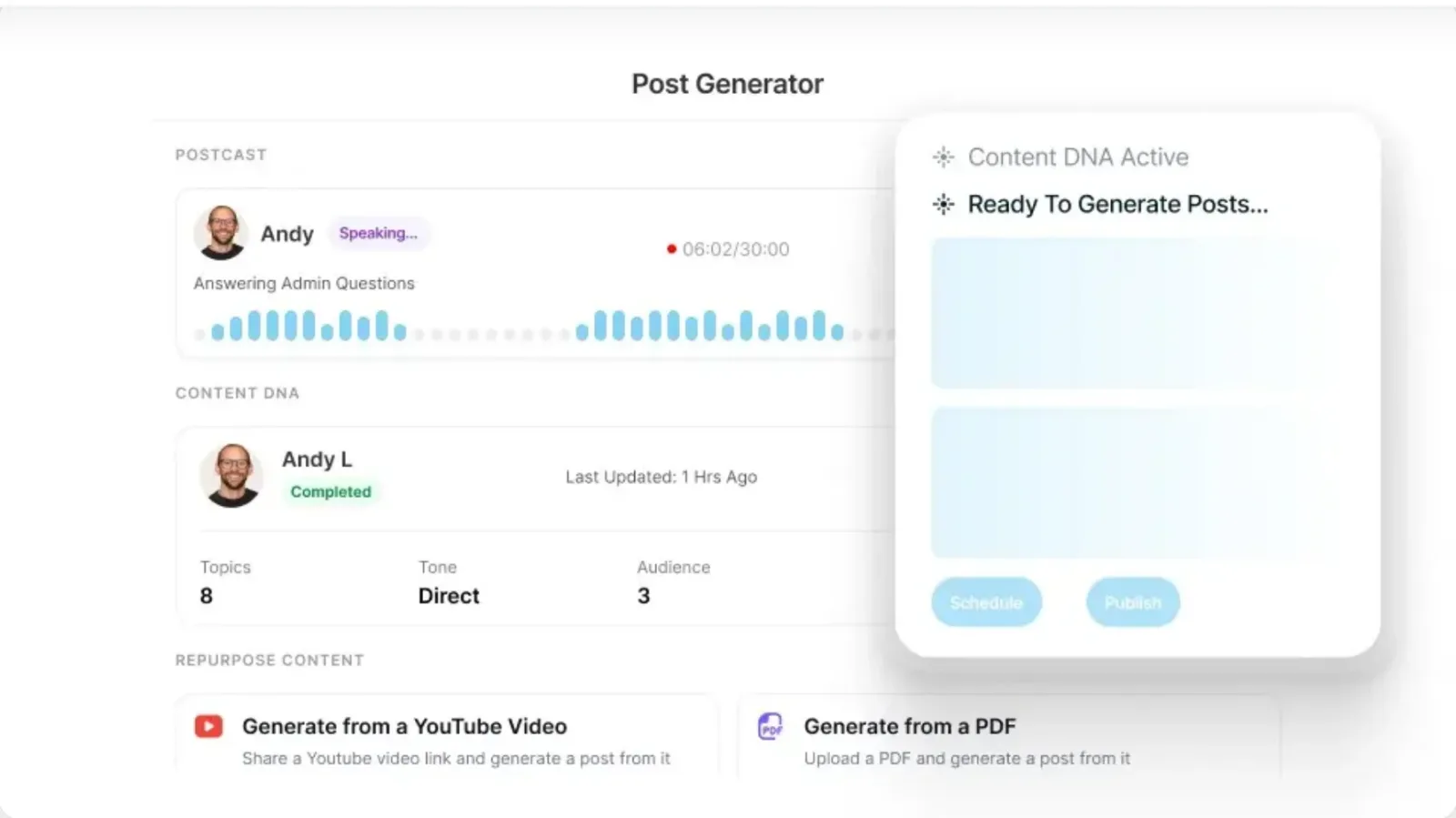
Good for: LinkedIn personal branding with AI that adapts to your voice
Supergrow focuses on AI content creation that adapts to your personal style. Its Content DNA learns your voice, topics and opinions from your existing posts, then generates drafts that sound authentically like you.
Postcast AI interviews (now its headline feature) ask you questions and turn a short conversation into several ready LinkedIn posts; Supergrow says each session generates 3 to 5.
Beyond content generation, Supergrow includes carousel creation, post scheduling, profile analytics with a weekly report, and an Engage feed for staying active without scrolling.
Key Features:
- Content DNA that learns your voice from your own posts
- Postcast AI interviews (unlimited on Pro), plus Voice to Post for voice notes
- LinkedIn carousel maker
- Content repurposing from YouTube videos, articles and PDFs
- Engage feed for commenting
- Profile analytics and a weekly report
- Supergrow MCP for Claude and ChatGPT
- 7-day free trial
Pricing (verified October 2026):
- Pro: $39/mo ($31/mo billed annually), 1 account
- Teams: $199/mo ($189/mo billed annually), 5 accounts
- Enterprise: Custom
- 7-day free trial on every plan
Limitations: LinkedIn-only, no other platforms. Plans start at $39/mo, with no cheaper tier.
Video & Visual Tools
LinkedIn's algorithm heavily favors visual and video content. These tools help you create it efficiently.
16. Canva (Canva AI 2.0)
Canva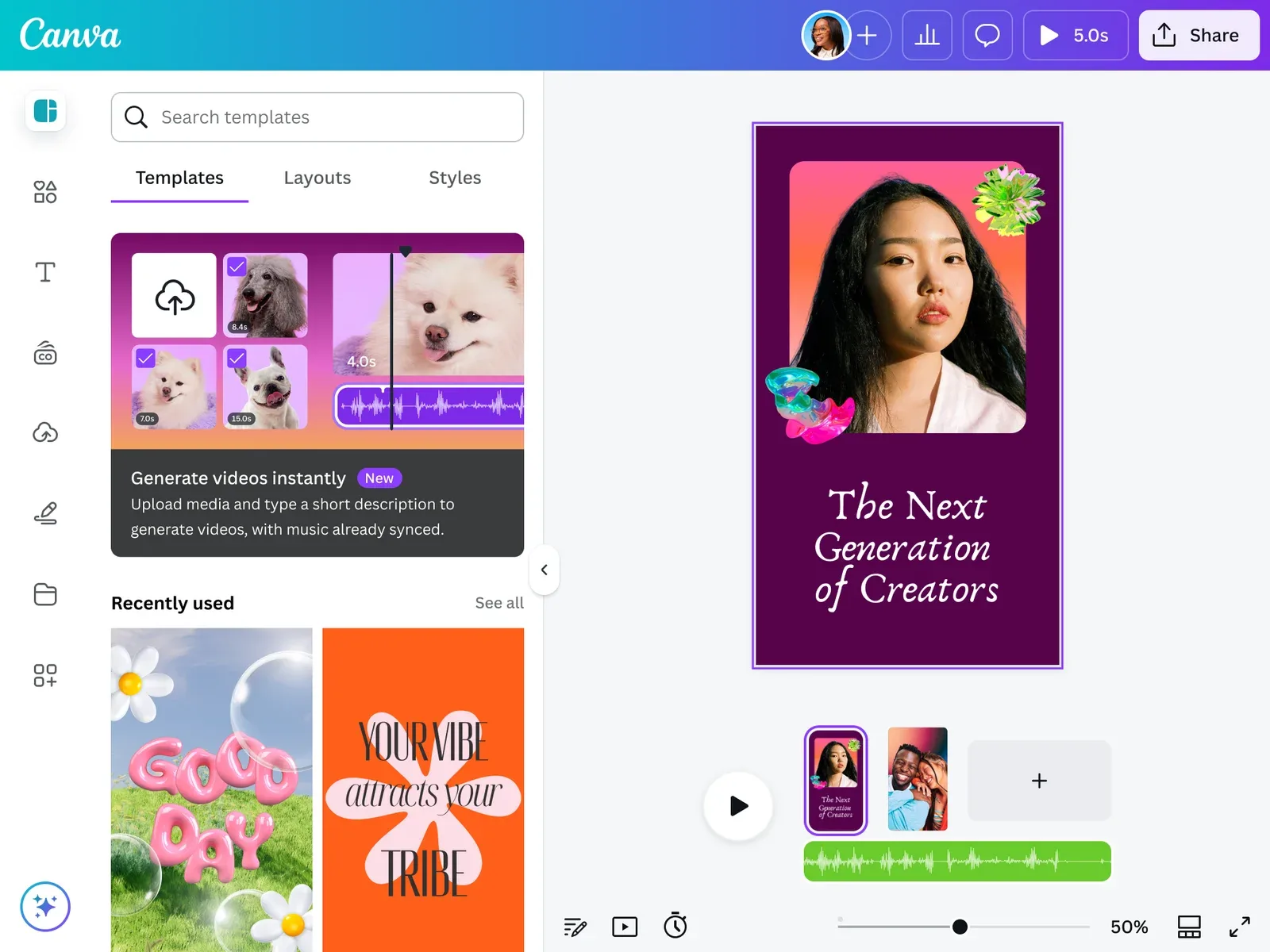
Good for: LinkedIn carousels, infographics, and branded visuals
Canva is the go-to design tool for LinkedIn creators. The 2026 launch of Canva AI 2.0 added Canva AI connectors and Magic Layers, which turns a flat design into editable layers, a big step up for carousel work.
Key Features:
- Canva AI 2.0 and Canva AI connectors
- Magic Layers (turn flat designs into editable layers)
- LinkedIn carousel templates
- Brand Kits for consistent visual identity (5 on Pro)
- 10x more AI usage on Pro than on Free
- Social content scheduling, including LinkedIn (Pro plan)
Pricing:
- Free: Basic templates, design tools and limited AI uses
- Pro: paid plan for one person, with a free trial
- Business: for teams, priced per person
- Enterprise: Custom pricing
Limitations: Direct LinkedIn publishing is basic; pair with PostEverywhere for optimal timing and cross-posting. AI image generation isn't as advanced as Midjourney for photorealistic output.
17. Descript (V50)
 DescriptMCP server: none listed
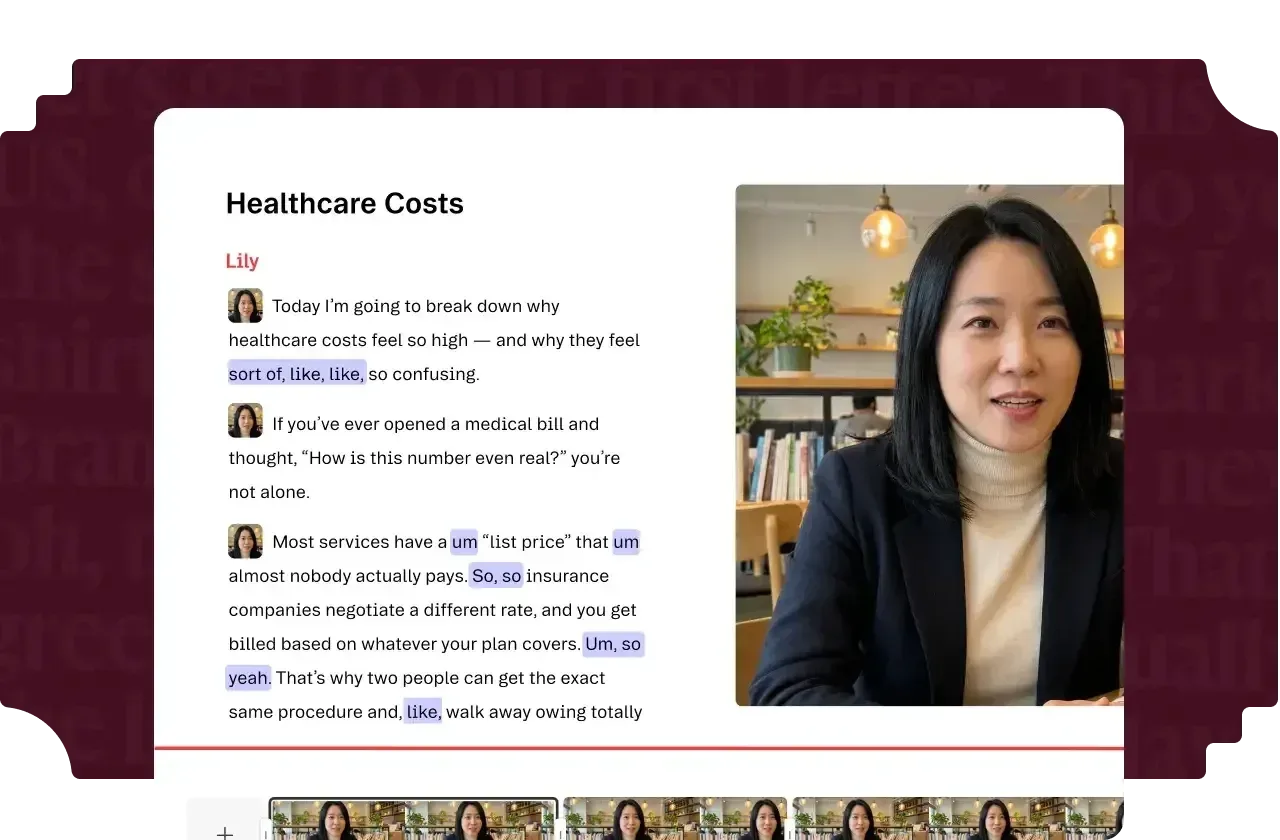
Good for: Creating and editing LinkedIn video content with AI
Descript changes how you make LinkedIn video: you edit the video by editing its transcript. Its AI tools clean up audio with Studio Sound, fix eye contact, remove filler words and silences, and generate images and video clips when you need extra footage.
Key Features:
- Text-based video editing
- Studio Sound audio cleanup
- AI filler word and silence removal
- AI image and video generation
- Auto-generated captions (essential for LinkedIn autoplay)
- Eye Contact correction
- Screen recording
Pricing (verified October 2026):
- Free: 60 media minutes a month, 100 one-time AI credits
- Hobbyist: $16/mo annual ($24 monthly), 10 hours, 400 AI credits a month
- Creator: $24/mo annual ($35 monthly), 30 hours, 800 AI credits a month
- Business: $50/mo annual ($65 monthly), 40 hours, 1,500 AI credits a month
- Plans are metered by media minutes plus AI credits
Limitations: The AI-credit metering means heavy users may need top-ups. Steeper learning curve than CapCut. Not a LinkedIn-specific tool.
18. Loom
 LoomMCP server: none listed
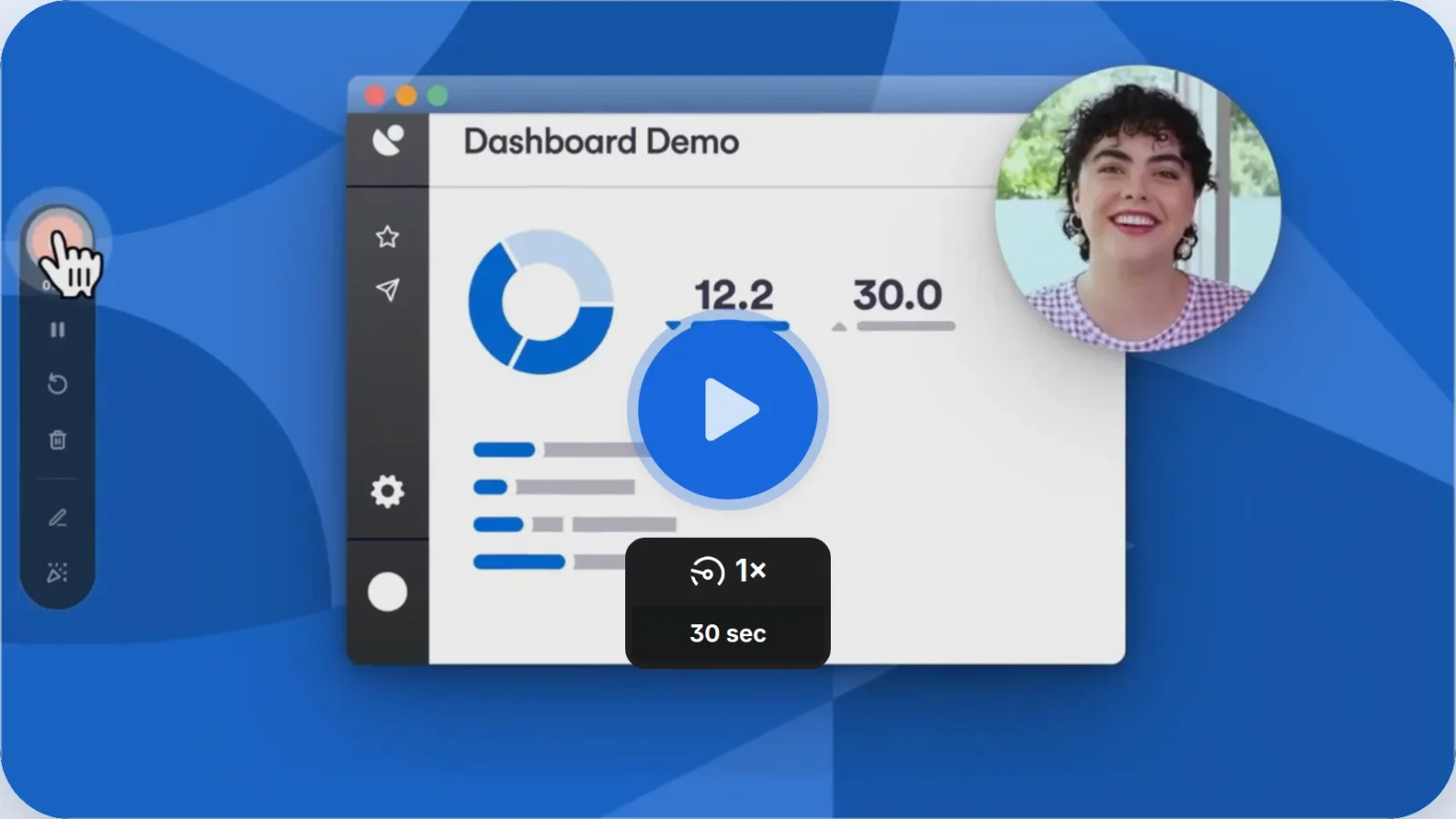
Good for: Quick LinkedIn video messages and thought leadership clips
Loom (part of Atlassian) makes it effortless to record short video clips for LinkedIn. Click record, talk through your idea, and you have a shareable video in seconds. On the Business + AI plan, Loom AI generates titles, summaries and chapters and removes filler words and silences, saving you time on post writing.
For LinkedIn thought leadership, Loom's screen + camera recording is perfect for sharing quick insights, reacting to industry news, or walking through data. The casual, authentic feel of Loom recordings actually performs better on LinkedIn than over-produced videos.
Key Features:
- One-click screen and camera recording
- AI-generated summaries and titles (Business + AI)
- Automatic chapters
- Viewer engagement analytics
- Easy embedding and sharing
- Filler word and silence removal (Business + AI)
Pricing (verified October 2026):
- Starter: Free (5-minute recordings, 25 videos per person)
- Business: $18/user/mo
- Business + AI: $24/user/mo
- Enterprise: Custom pricing
- Save up to 17% with annual billing
Limitations: Not designed for polished, edited video; Descript is better for that. Free plan's 5-minute limit restricts longer thought leadership pieces, and the AI features need the Business + AI plan.
Outreach & Automation Tools
These tools help you scale LinkedIn outreach for sales, recruiting, and networking. Important caveat: LinkedIn actively restricts automation. Use these tools within their safety limits to protect your account.
19. Expandi
 Expandi
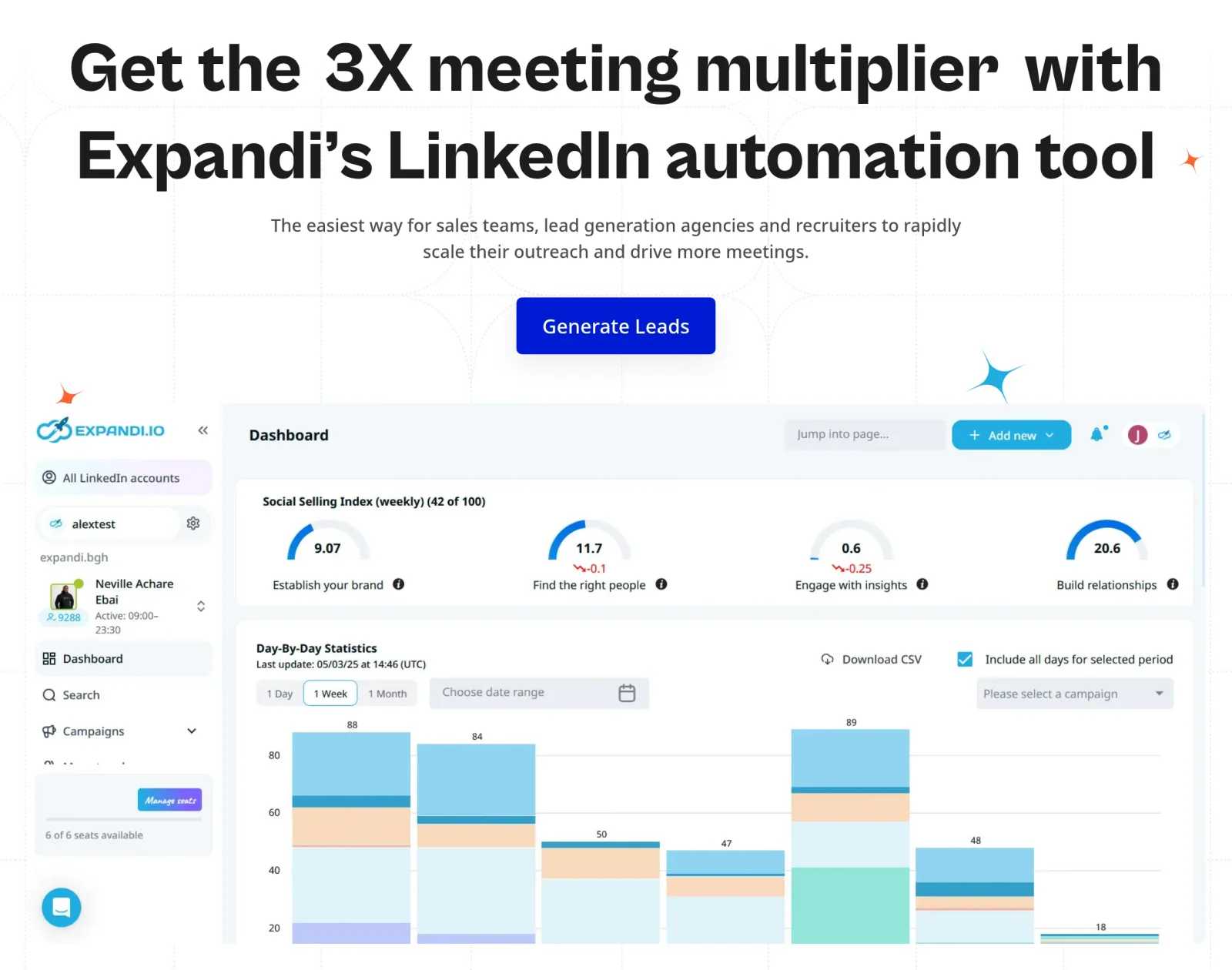
Good for: Cloud-based LinkedIn outreach for sales teams
Expandi is a cloud-based LinkedIn automation tool that prioritises account safety with a dedicated country-based IP, profile auto warm-up, and smart daily limits. Smart sequences let you build if/then logic, e.g. if a prospect accepts a connection request, send message A; if not within 7 days, send a follow-up note.
Important honesty note: LinkedIn's User Agreement does not allow software that automates activity on the site, so any automation tool, Expandi included, carries a real risk of restrictions, from temporary sending limits to a permanent flag.
Expandi's own guidance is to warm accounts up slowly and keep daily limits conservative.
Key Features:
- Automated connection requests with personalisation
- Smart sequences combining LinkedIn + email
- Dedicated IP address per account
- Profile auto warm-up and smart daily limit ranges
- Campaign prioritisation and step-by-step campaign statistics
- CRM integrations
- Expandi MCP (private beta) for running outreach from an AI agent
Pricing (verified October 2026):
- Business: $99/mo per seat ($79/mo annual)
- Agency: Custom pricing for 10+ seats, with white-label options
- 7-day free trial
- Image and GIF personalisation, and video personalisation through Sendspark, cost extra
Limitations: Real account risk, as noted above. Personalisation still relies mostly on template variables (first name, company) rather than the AI-driven personalisation newer tools offer.
20. Waalaxy
 WaalaxyMCP server: none listed
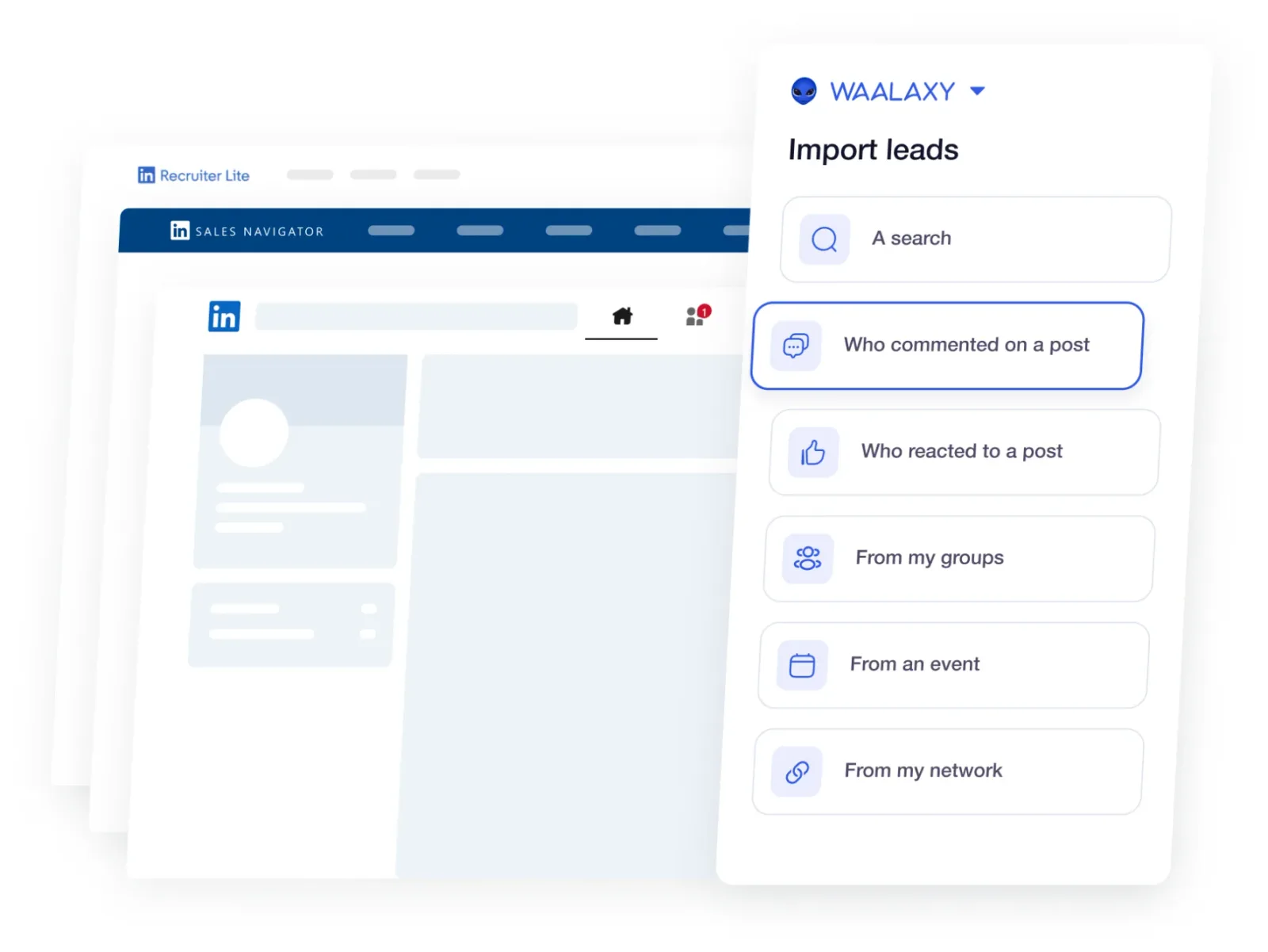
Good for: LinkedIn + email outreach sequences for lead generation
Waalaxy combines LinkedIn prospecting with email outreach in automated sequences. It ships 99+ ready-to-use outreach sequences and syncs replies to HubSpot, Pipedrive and 2,000+ other tools; an AI assistant that helps find prospects and write messages is listed as coming soon.
Key Features:
- LinkedIn + email outreach sequences
- 99+ pre-built sequence templates
- Lead import from LinkedIn search, Sales Navigator and Recruiter Lite
- Auto-connection requests with personalised messages
- Email finder for prospects
- CRM sync, plus Make, Zapier and n8n modules (Advanced and up)
Pricing (verified October 2026, per user):
- Pro: €19/mo, 300 invites/mo, 25 email-finder credits, LinkedIn-only
- Advanced: €49/mo, 800 invites/mo (LinkedIn safety limit territory), API access
- Business: €69/mo, adds cold email sequences and 500 email-finder credits
- 14-day free trial on every plan
Limitations: Like all LinkedIn automation tools, carries account risk. Add-ons (LinkedIn Inbox, more email credits) push real-world cost well above the headline prices. AI message writing isn't available yet.
21. Apollo.io
Apollo.io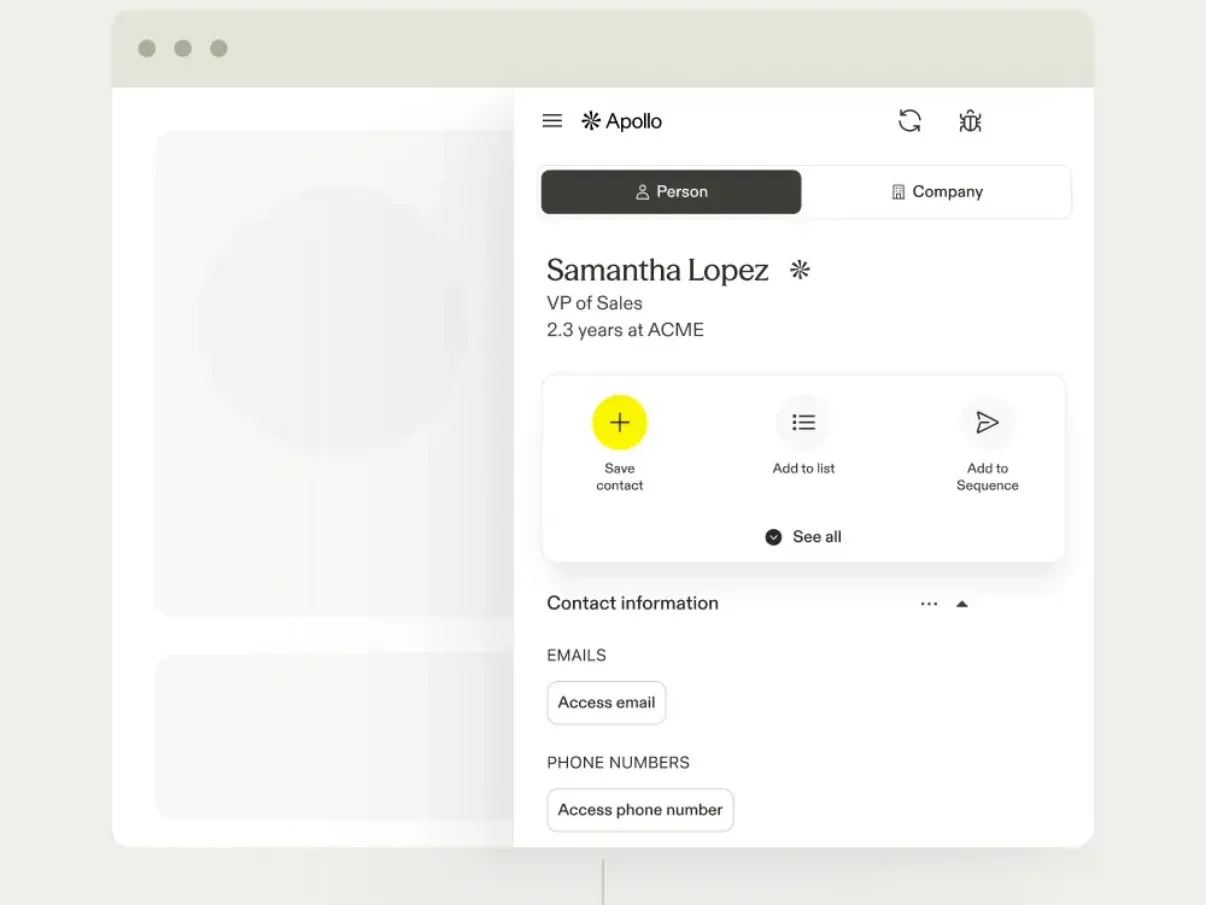
Good for: Sales teams who want LinkedIn prospecting data and AI-written outreach without automating their LinkedIn account
Apollo.io is a sales platform with a large contact database and a Chrome extension that works on LinkedIn: open a prospect's profile and Apollo shows their contact details, lets you save them to a list or add them to a sequence, and drafts personalised emails with AI.
Because it doesn't automate actions on your LinkedIn account, it avoids the restriction risk that comes with the automation tools above. It also works with Claude and ChatGPT through its MCP server.
Key Features:
- Chrome extension that surfaces contact data on LinkedIn profiles
- Contact and account database with advanced filters
- AI Research and AI-written emails (word allowances by plan)
- Sequences, with A/Z testing from the Professional plan
- Buying-intent topics and AI lead scoring
- CRM integrations and an MCP server for AI agents
Pricing (verified October 2026, per seat, billed annually):
- Free: $0, 900 credits a year, 2 sequences
- Basic: $49/seat/mo
- Professional: $79/seat/mo
- Organization: $119/seat/mo (minimum 3 seats)
- 14-day trial on Basic and Professional; save 24% with annual billing
Limitations: It's built for sales prospecting rather than LinkedIn content, and its AI writes emails rather than LinkedIn posts. Credits cap how many contact details you can reveal.
Skip the automation risk: Instead of cold outreach, use PostEverywhere's AI Studio to create LinkedIn posts that attract inbound leads. Content-driven lead generation is safer, more sustainable, and builds genuine authority. See how it works →
How to Choose the Right Tools
Your ideal LinkedIn tool stack depends on your specific role and goals. Here's a breakdown by use case:
For Personal Brand Building
Start with PostEverywhere ($29/mo Growth plan) for scheduling + AI content, AuthoredUp ($19.95/mo) for formatting, hooks and post analytics, and Canva Pro for carousels.
Total cost: ~$49/mo plus Canva Pro
For Content Creators & Thought Leaders
Use PostEverywhere for scheduling, Claude Pro ($20/mo) or ChatGPT Plus for drafting, Descript for video editing ($16/mo Hobbyist, billed annually), and AuthoredUp ($19.95/mo) to track results.
Total cost: ~$65 to $85/mo
For Sales Teams
Combine Expandi ($99/mo) for outreach (with the account-risk caveat above), PostEverywhere for scheduling social selling content, and Claude Pro or ChatGPT Plus for personalising outreach messages at scale. Swap Expandi for Apollo.io (from $49/seat/mo billed annually) if you'd rather not automate your LinkedIn account.
Total cost: ~$130 to $160/mo
For Marketing Agencies
Use PostEverywhere ($39/mo Scale plan) for multi-client scheduling and cross-posting, Jasper AI ($59/mo Pro) with 2 Brand Voices, AuthoredUp ($14.95/profile/mo Business, minimum 3 profiles) for client reporting, and Canva Business for visual assets.
Total cost: ~$145/mo plus Canva Business seats
For B2B Companies
Combine Supergrow Teams or Kleo for content with style memory, PostEverywhere for scheduling, and Descript for executive video content. Use Claude Pro for long-form thought leadership pieces (a context window of up to 1M tokens is ideal for ingesting whitepapers and reports).
Total cost: ~$145 to $285/mo
One tool for every team: From solopreneurs to agencies, PostEverywhere scales with you. Manage LinkedIn alongside Instagram, TikTok, X (Twitter) and every other top platform from one dashboard. Compare plans →
FAQs
What is the best AI tool for writing LinkedIn posts in 2026?
For most people, ChatGPT Plus (OpenAI's latest GPT models) or Claude Pro ($20/mo, Opus 5.5 and Sonnet 5.5 with up to 1M-token context) combined with a LinkedIn scheduler like PostEverywhere is the most cost-effective approach.
For a LinkedIn-specific tool that learns your voice, Kleo ($99/mo) and Supergrow ($39/mo Pro) lead in 2026. For pure formatting and composition, AuthoredUp ($19.95/mo) with its 200+ hooks and 150+ post endings is a specialist pick.
Did Taplio change its pricing in 2026?
Yes. Starter is $39/mo and covers scheduling, analytics and the viral post library, but it includes no AI credits. AI writing starts on the Growth plan at $69/mo, with 250 AI credits and 500 comment credits a month, and the Pro plan at $199/mo adds unlimited credits, auto-DMs and auto-connection requests.
If you lean on AI hook generation and rewrites every day, plan on Pro, since Growth's credits run out fast.
Are LinkedIn automation tools safe in 2026?
It depends on the tool and how you use it. Scheduling tools like PostEverywhere, Buffer, and Hootsuite are safe: LinkedIn officially supports third-party scheduling via its API. Outreach automation tools like Expandi and Waalaxy carry real risk, because LinkedIn's User Agreement does not allow software that automates activity on the site.
If you use automation, stick to conservative daily limits, or use a prospecting tool like Apollo.io that leaves your LinkedIn account alone.
Can AI tools help me understand the LinkedIn algorithm?
Yes, and in 2026 the integration is much tighter. AuthoredUp surfaces which post type, day, length and readability actually perform for your audience, so the analysis points at a content decision rather than a dashboard.
For a comprehensive breakdown of how LinkedIn ranks and distributes content, read our guide on how the LinkedIn algorithm works.
What's the best free AI tool for LinkedIn in 2026?
ChatGPT Free (unlimited text chats, with limits on uploads and image creation) gives you strong AI writing. Pair it with Canva Free, Buffer's free plan (with its AI Assistant), and Apollo.io's free plan for prospect data.
This stack covers writing, design, scheduling, and prospecting at $0. Check out our LinkedIn content ideas for inspiration.
How much should I budget for LinkedIn AI tools in 2026?
Most individual creators can build an effective LinkedIn presence for $40 to $80/mo: a scheduler plus one writing tool and basic analytics. Small teams should budget $80 to $200/mo. Agencies managing multiple clients typically spend $200 to $400/mo.
Do AI tools work for LinkedIn company pages?
Yes. Most scheduling tools (PostEverywhere, Hootsuite, Buffer, SocialBee, ContentStudio) support both personal profiles and company pages. AI writing tools (ChatGPT, Claude, Jasper) work for any LinkedIn content. Flypost publishes as yourself or your company page, and AuthoredUp covers both personal profiles and company pages, with unlimited company pages included on every plan.
Will LinkedIn penalize me for using AI-generated content?
No. LinkedIn does not penalize AI-assisted content. What LinkedIn does penalize is low-quality, spammy content, regardless of whether a human or AI wrote it. The key is using AI as a starting point and adding your genuine expertise.
Tools like Kleo and Supergrow that learn your specific voice tend to produce content that performs better than generic AI output. Learn more in our LinkedIn algorithm guide.
What's the best time to post on LinkedIn using these tools?
Most scheduling tools include optimal timing features. PostEverywhere's best time to post feature suggests times based on when your LinkedIn posts have done best. Generally, LinkedIn engagement peaks Tuesday through Thursday between 8 and 10 AM and 12 and 1 PM in your audience's time zone.
For a detailed breakdown, see our guide on the best time to schedule LinkedIn posts.
The Bottom Line
LinkedIn AI tools now fall into four clear categories: writing with style memory (Kleo, Supergrow), formatting and hooks (AuthoredUp), analytics with AI insights (AuthoredUp), and general-purpose LLMs (ChatGPT, Claude Sonnet 5.5) paired with a scheduler. You don't need all 21 tools.
Most LinkedIn creators thrive with a stack of 3 or 4:
- A scheduler: PostEverywhere for AI content generation + cross-platform scheduling
- An AI writer: ChatGPT Plus (latest GPT models) or Claude Pro (Sonnet 5.5 with up to 1M-token context) for drafting
- An analytics tool: AuthoredUp for tracking the LinkedIn metrics and KPIs that matter
- A design tool: Canva Pro (with Canva AI 2.0) for carousels
That stack covers writing, scheduling, analytics, and visuals for well under $100 a month. Start there, measure your results, and only add specialised tools (Kleo for style memory, Apollo.io for prospecting, Descript for video) when you hit specific bottlenecks.
The biggest mistake we see is tool overload: buying five different AI writing tools when one good one plus a scheduler is all you need. Focus on consistency and quality over tool quantity.
The LinkedIn algorithm rewards regular posting with compound growth, and the right tools make that consistency effortless.
Ready to simplify your LinkedIn workflow? PostEverywhere brings AI writing, scheduling, and cross-posting together in one dashboard. Stop juggling tools and start growing. Start your 7-day free trial →
Related Guides
- How to Use Claude for Social Media: why Claude beats ChatGPT for LinkedIn long-form
- How to Use AI for Social Media (Complete Guide): the 7-step tool-by-tool workflow
- 25 Best AI Tools for Social Media in 2026: our comprehensive ranking across all platforms
- How the LinkedIn Algorithm Works in 2026: understand what LinkedIn promotes and why
- Social Media Scheduler: how PostEverywhere compares with the top schedulers
- 100 LinkedIn Content Ideas: never run out of things to post
- How to Get More LinkedIn Followers: proven growth strategies
- How to Go Viral on LinkedIn: organic reach tactics that work
- Best Time to Schedule LinkedIn Posts: data-backed timing recommendations
Free LinkedIn Tools:
Running X alongside LinkedIn? The AI tools for X list covers the same categories for the other text platform.
There is also a harder category above these: tools that operate autonomously rather than assist. Our AI agent ranking separates the two properly.

Founder & CEO of PostEverywhere. Writing about social media strategy, publishing workflows, and analytics that help brands grow faster.