Most marketers working out how to use AI for social media are using it the same way they used Google Translate in 2008: paste something in, copy something out, ship it, and wonder why the output feels weightless.
The pattern goes like this. Open ChatGPT. Type "write me an Instagram caption for a coffee brand." Get back three emoji-stuffed paragraphs that could belong to any of 40,000 coffee brands. Post it. Watch it do 11 likes.
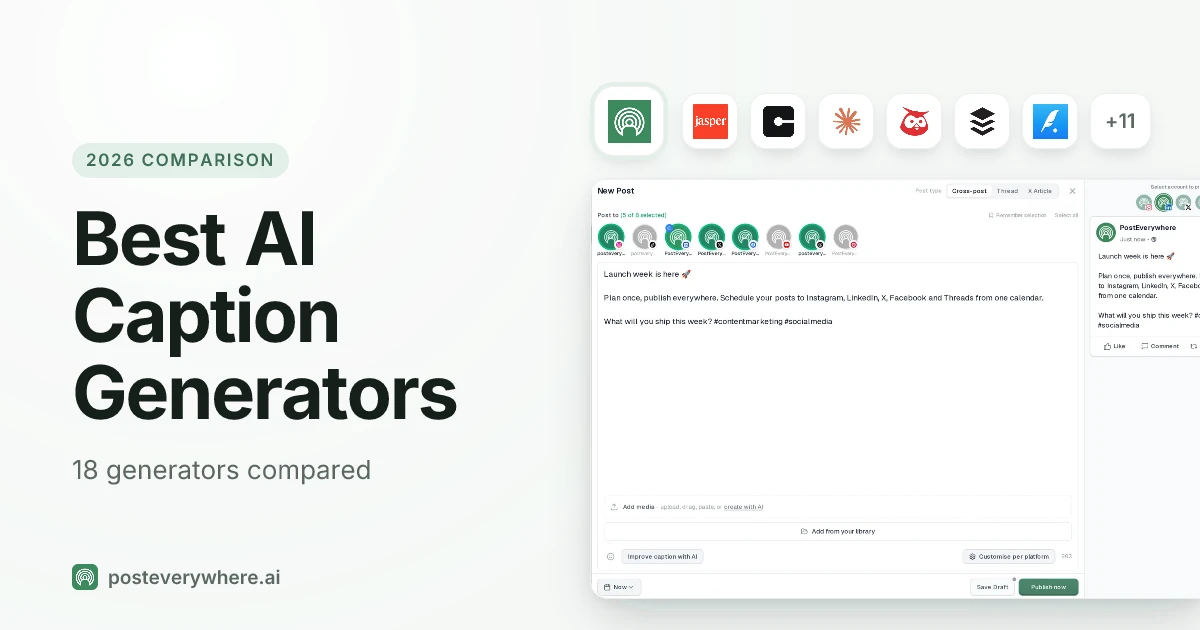
Conclude that "AI content doesn't work." (If you're picking which AI tool to even start with, our comparison of 12 AI writing tools for social media breaks down which fits which job.)
The AI isn't the problem. The workflow is. You wouldn't hire one freelancer to do your research, your copywriting, your design, your video editing, your competitor analysis, and your scheduling, and then complain when the work came back mid.
But that's what we're doing when we treat ChatGPT as the entire marketing team.
This is the guide I wish I'd had when I started building PostEverywhere. It's what I tell every founder, creator, and in-house marketer who asks me how to use AI for social media properly.
The short version: stop looking for the one magic tool. Start treating AI as a team of specialists (a researcher, a writer, a designer, a strategist) and give each specialist the job it's good at.
Over the next 5,000 words I'll walk you through the seven-step workflow I use, the exact tool stack (and honest costs), where AI fails hard enough that humans have to step in, and how to stitch it all together without spending your morning juggling 12 browser tabs.
I'll share how I prompt ChatGPT for captions and link to deeper guides on Claude and Perplexity as we go.
This is the hub. Bookmark it. The rest of the cluster builds on the model here.
What AI actually changes about social media work
Let me give you the before-and-after that matters, based on my own time tracking across the last 18 months running a content team.
Competitor research. Before: two hours digging through SimilarWeb, skimming the top 20 posts of three competitors, taking notes in a messy Google Doc. Now: 20 minutes with Perplexity, with sources cited.
That's a 6x multiplier on the single task that used to stop content planning dead.
Writing a LinkedIn thought-leadership post. Before: 45 minutes staring at a blank doc, 15 minutes editing. Now: 8 minutes with Claude, if I've fed it a tight brief and two examples of my existing voice.
Quality is equal or better, because I'm editing rather than generating from zero.
Repurposing one long-form post across five platforms (LinkedIn, X thread, Instagram carousel, TikTok script, YouTube description). Before: the whole afternoon. Now: 20 minutes if the source material is solid. This is the single biggest unlock for small teams: cross-posting with AI-assisted rewrites is the reason one-person shops can now look like five-person teams.
Image generation. Before: brief a designer, wait three days, get something 80% right, revise, ship a week late. Now: brief Ideogram or Midjourney, iterate for 15 minutes, ship. Designers are no longer the blocker on "we need a hero image for the post we're publishing in two hours." A dedicated AI image generator fits this workflow when the creative brief is clear and the team needs a usable visual quickly.
Now the honest list of what AI does not change:
- Strategy. AI can't tell you whether you should be on TikTok. It can help you execute once you've decided.
- Brand voice without a brief. AI is a mirror. If you don't give it a reflection to work with, it writes like a LinkedIn influencer circa 2023.
- Community. Nobody wants to DM with a bot. If your replies sound like they came from an AI, your audience will notice within two messages and disengage.
- Judgement. Should you post about the news event breaking right now? AI can't answer that. You can.
- Taste. The difference between a post that does 500 likes and one that does 50,000 is usually taste. AI doesn't have it. You do, or you don't.
The marketers winning with AI in 2026 aren't the ones who use it the most. They're the ones who use it for the right jobs and stay human for everything else.
AI in social media marketing: the numbers
If you still need to convince a boss (or yourself) that this is worth the effort, the adoption data settles it. According to McKinsey's State of AI 2025 report, 88% of organizations now use AI in at least one business function, up from 78% in 2024 and just 20% in 2017.
For marketing and social teams specifically:
| Metric | 2023 | 2026 |
|---|---|---|
| Marketers using AI tools | 61% | 88% |
| Marketing teams using generative AI | 37% | 73% |
| Social media marketers embedding AI | 52% | 71% |
| Marketers planning to increase AI use | 74% | 90% |
Sources: CoSchedule, HubSpot State of AI Report, Hootsuite Social Media Statistics
The return side, according to research from All About AI:
- 41% average increase in revenue for organizations implementing AI in marketing
- 32% reduction in customer acquisition costs
- $3.70 return for every $1 spent on AI marketing tools
- 268% ROI over three years reported by Sprout Social users (Forrester study)
Marketers report saving 5+ hours per week on average with AI tools, and for e-commerce teams using comprehensive AI solutions that number jumps to 15-20 hours weekly, according to Amra and Elma.
The AI in social media market is projected to grow from $3.4 billion in 2025 to $24.2 billion by 2034, a compound annual growth rate of 28.1%, according to GM Insights.
None of those numbers mean anything if the workflow is wrong, which is what the rest of this guide fixes.
The AI tool stack every social media marketer needs in 2026
Here's the stack I actually pay for. This isn't theoretical.
ChatGPT (Plus, $20/mo): the generalist. Good at ideation, short-form captions, quick rewrites, translations, emoji-appropriate copy, and anything where breadth beats depth. If I need 30 Instagram caption variations in two minutes, ChatGPT is faster than Claude.
The tested prompts below are the ones I use daily. Our guide to using ChatGPT for social media goes deeper, prompts included.
Claude (Pro, $20/mo): the craftsman. Better at long-form, voice consistency, nuanced writing, and anything where you'd fire a human writer for sloppy output. My LinkedIn posts, my newsletter, anything over 200 words: Claude.
The gap between ChatGPT and Claude on sustained voice is wider than people admit. The Claude for social media guide covers the exact system prompts I use.
Perplexity (Pro, $20/mo): the researcher. This is the one most marketers skip, and it's the one that changes the job most. Perplexity cites sources. You can ask "what are the top 10 posts by [competitor] on LinkedIn in the last 30 days, and what patterns do they share" and get a structured answer with links. ChatGPT will hallucinate that same answer.
Full breakdown in how to use Perplexity for social media.
Gemini (free tier is fine for most): the Google-native. Owns Google Trends, YouTube data, and Google Search context better than anything else. If you're doing YouTube SEO or trend-spotting on Search, Gemini wins.
Grok (bundled with X Premium, $8/mo): the realtime feed reader. Only AI with native access to the X firehose. If you need to know what's happening on X right now, Grok is the only option. For everything else, skip it.
Image models: Ideogram, Midjourney, DALL-E 3. Ideogram is best for text-in-image (quote cards, thumbnails). Midjourney is best for mood and aesthetic. DALL-E is fine if you're already in ChatGPT. I pay for Ideogram ($8/mo) and Midjourney ($30/mo); skip DALL-E if you have the others.
Video models: Runway, Sora, Kling. All still mid in April 2026 for truly usable social video. I use them for B-roll and transitions, not hero content. Budget $30/mo for Runway if you're publishing video weekly.
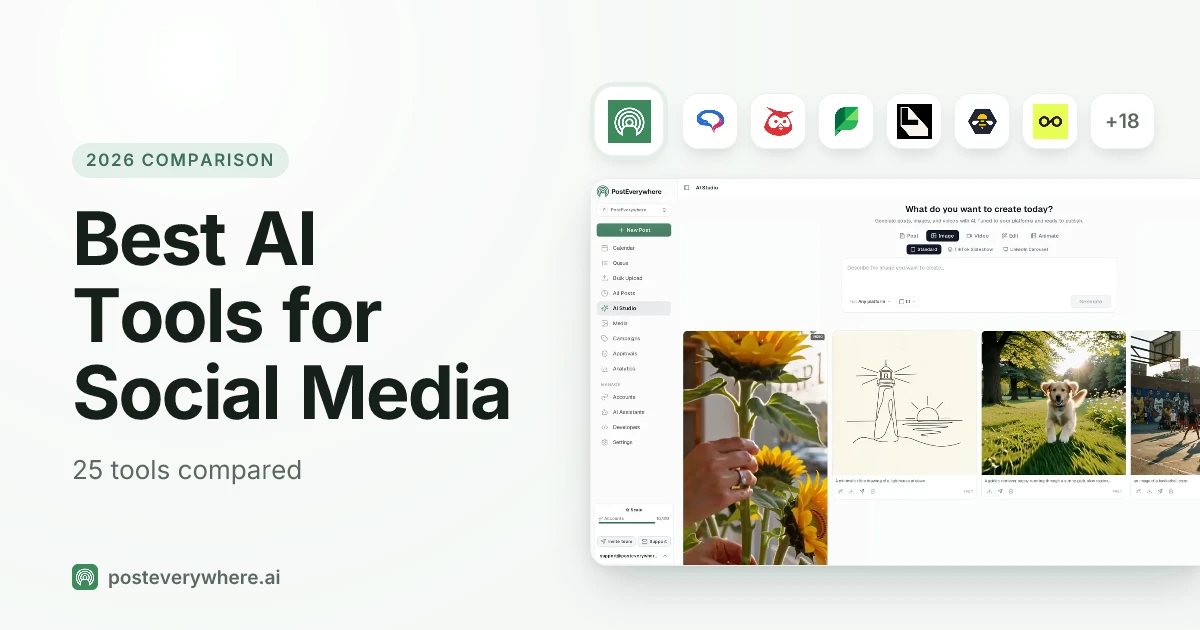
PostEverywhere ($9–$39/mo): the scheduler with AI built in. Transparent plug: this is the layer where the whole stack becomes a workflow instead of eight disconnected tabs. Our AI Studio writes platform-aware captions directly in the scheduler, cross-posting pushes one piece of content to all top platforms with platform-specific rewrites, and analytics closes the loop. Pricing is on the pricing page.
Full stack at max: about $160/month. Minimum viable stack (ChatGPT + Perplexity + PostEverywhere): about $60/month. Compare that to one freelancer day rate.
Put the stack in one tab. PostEverywhere combines AI caption writing, cross-posting, and scheduling for all top platforms, from $9/month. See pricing →
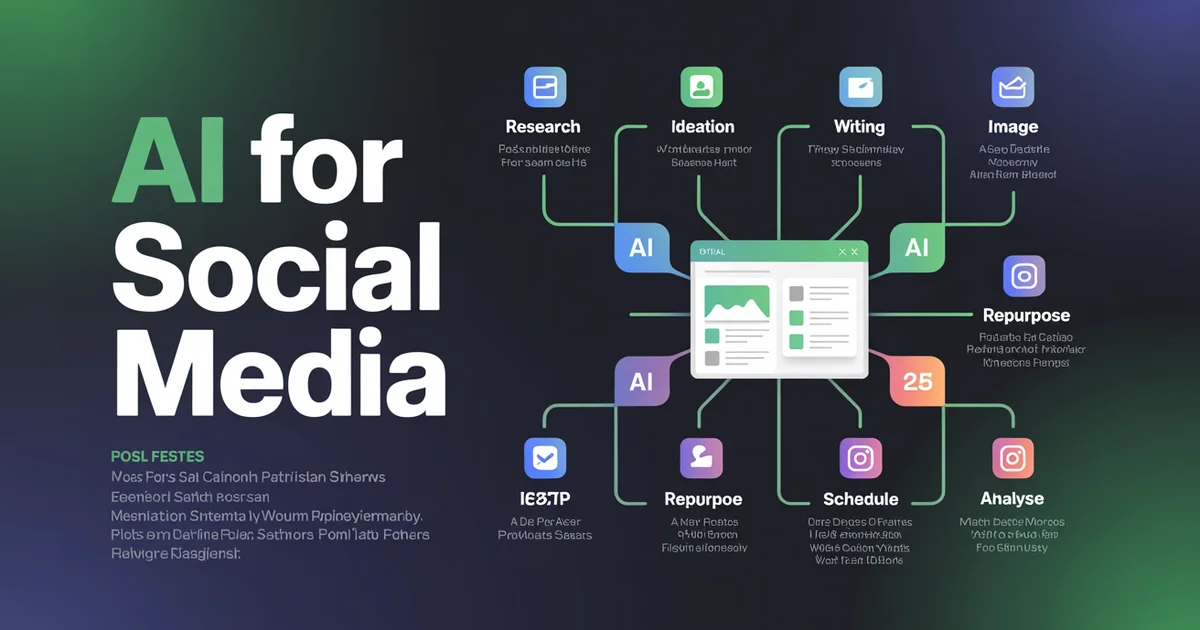
The 7-step AI social media workflow
This is the workflow. Every piece of content I publish runs through some version of these seven steps. Memorise this section; the rest of the guide is context for it.
Step 1: Research (Perplexity)
Every piece of content starts with a question, not a prompt. "What are people actually arguing about in [niche] right now?" "What are the three posts that went viral in my space last week and why?" "What's the current state of [topic] according to primary sources?"
I ask Perplexity. I read the cited sources, never the summary. This is the single most common mistake: marketers treat Perplexity's summary as the answer. It's not. It's a reading list.
The summary gets you 60% of the way; the sources are where the real insight lives.
Time budget: 20 minutes. Output: a doc with 5–8 primary sources, 3 angles I could take on the topic, and one sharp opinion I'm willing to defend. Perplexity workflow deep dive.
Step 2: Ideation (ChatGPT for breadth, Claude for depth)
Once I have research, I split ideation into two passes.
Breadth pass (ChatGPT, 5 minutes): "Given this research, give me 25 post angles across LinkedIn, X, Instagram, and TikTok. Don't filter. Include bad ideas." I want volume here. ChatGPT is faster and looser than Claude, which is what I want at this stage.
Depth pass (Claude, 10 minutes): I pick the three best angles and hand them to Claude. "Here are three angles. For each, give me a full hook, the three points I'd make, and the likely objection I need to pre-empt." Claude's output is sharper, less padded, and more opinionated: the three qualities that distinguish a post that lands from one that doesn't.
If you want to compare the two head-to-head, ChatGPT vs Claude vs Perplexity for social media is the full breakdown.
Step 3: Writing (Claude for long-form, ChatGPT for short)
Long-form (LinkedIn posts >150 words, X threads, newsletter, YouTube descriptions): Claude. Every time. Feed it 2–3 examples of your existing voice in the system prompt, the research doc, and the chosen angle from Step 2. The first draft will be 80% of final.
Short-form (Instagram captions, TikTok hooks, X single-tweets): ChatGPT. It's faster and the voice-consistency gap doesn't matter as much when you're writing 40 words.
Both tools fail in the same way if you skip the brief: generic. The fix is always the same: give it examples. Three posts you've written that you love. That's the brief.
Inside PostEverywhere's AI Studio, a saved Brand does part of this for you: your voice description, banned words and required hashtags go into every generation.
Step 4: Image and video generation
Text-in-image (carousels, quote cards, LinkedIn slide decks): Ideogram V3. Nothing else gets typography right.
Mood, aesthetic, product lifestyle shots: Midjourney V7. Still the best for "make this feel expensive."
Fast in-line visuals while writing: DALL-E 3 inside ChatGPT. Good enough for blog hero images.
Video B-roll: Runway Gen-4. Not good enough for hero video yet, but fine for transitions and backgrounds.
Budget 10–20 minutes per image, 30–45 per usable video clip. Still faster than waiting on a designer, still not "free."
Step 5: Repurposing across platforms (Claude)
This is where Claude earns its keep. Take one long-form post and rewrite it for four platforms, with voice consistency held across all of them. ChatGPT will flatten the voice by the second platform. Claude holds it.
My prompt template:
You are rewriting a piece of content across platforms. Source piece below.
Voice examples: [paste 3 of my posts]
Rewrite for:
1. LinkedIn post (200 words, hook-first, no emojis)
2. X thread (7 tweets, one idea per tweet)
3. Instagram caption (120 words, 2 line breaks max, zero hashtags)
4. TikTok script (90 seconds, spoken, hook in first 3 seconds)
Keep the argument identical. Change only the shape.
Five platforms in one pass. Twenty minutes. Done.
Step 6: Scheduling and publishing (PostEverywhere)
Once you've got the content, the next bottleneck is posting it at the right time on every platform. Manually: open seven apps, copy, paste, schedule, cry.
With PostEverywhere: paste once, select platforms, hit schedule. The platform-specific rewrites from Step 5 drop into the right slots. The best-time-to-post engine picks the send window per platform per audience. Cross-posting handles the fan-out to every platform you select.
This is the step the other guides on the internet gloss over because most AI content guides are written by people who don't actually publish. Publishing is half the job.
Skip the scheduler and you'll burn your time savings in the publishing step. (For the broader workload math, exactly where AI, batching, and smart scheduling cut hours, see our social media manager time management guide.)
Step 7: Analysis and iteration
After a week of posting, two questions matter: which posts worked, and why.
The "which" is analytics: native platform analytics or PostEverywhere's dashboard aggregating all top platforms. The "why" is qualitative, and this is where Perplexity comes back. "Here are my five best-performing LinkedIn posts this month.
What do they share that my five worst don't?" Paste the posts, let Perplexity pattern-match. You'll find things you missed.
Iterate. Kill what isn't working. Double down on what is. This is the step 95% of marketers skip, which is why 95% of marketers are stuck.
Where AI fails at social media
I'm pro-AI. I've built a company on it. I'll also tell you plainly where it falls over, because pretending otherwise is how you end up with an account that feels like it's run by a spam bot.
Community management. Do not automate DMs. Do not automate replies to comments. The moment your audience suspects they're talking to an AI, the relationship is over. I've watched brands with 400k followers lose 20k in a month because someone got caught sending AI replies.
The ROI on being human in the DMs is higher than any content hack.
Brand voice without a brief. If you don't give the AI examples of your voice, it will give you a voice. That voice is "LinkedIn influencer circa 2023": punchy openers, single-sentence paragraphs, the word "Here's" at the top of every third post. Everyone recognises it. Everyone scrolls past it.
The fix is examples: always feed three posts in the voice you want as the system prompt.
Realtime cultural moments. Most frontier models have a knowledge cutoff measured in months. If something broke yesterday, the AI doesn't know. Grok is the only exception for X. For everything else, you're the realtime layer.
Hashtag volume and trend data. AI cannot see live hashtag volume. A hashtag that was great in January is dead in April. Use our hashtag generator for live data, or check natively in the platform. Never let AI pick your hashtags in isolation.
Crisis response. If your brand is in a crisis, turn off the AI. Every word needs human judgement. The worst PR disasters of the last two years all involved automated responses going out during moments that required a human. Don't be next.
The pattern: AI is great at high-volume, low-stakes, pattern-matching work. It's bad at low-volume, high-stakes, context-dependent work. Sort your tasks into those buckets before you deploy it.
AI chatbots and social customer service
There's one place where automated replies do earn their keep: answering the repetitive support questions that land in your social inbox. Social media isn't just for broadcasting. It's increasingly the front line of customer service, and response speed is now part of the brand.
Customer expectations have shifted dramatically:
- 90% of customers expect a response within 10 minutes
- 66% will abandon a brand if support takes more than 2 minutes
- AI chatbots deliver first responses in under one second
According to Desk365, 80% of companies are either using or planning to adopt AI chatbots for customer service. The results brands report:
- Bank of America's Erica has handled 2 billion interactions, resolving 98% of customer queries within 44 seconds
- NIB Health Insurance saved $22 million through AI-driven digital assistants, reducing customer service costs by 60%
- AI chatbots reduce support tickets by 35-40%
- Customer service reps using chatbots save up to 2 hours and 20 minutes each day
Consumers are increasingly comfortable with it, too. According to Sprout Social, 69% of users are comfortable with companies using AI chatbots for faster customer service on social media, and 51% of consumers prefer interacting with bots over humans when seeking immediate assistance, according to Tidio.
The catch is the same one from the section above: that preference depends on the bot being helpful, not frustrating. Use a chatbot for order status, opening hours, and FAQ-style questions. Keep community conversation, complaints, and anything emotional with a human.
AI tool showdowns: which to use for which task
Here's the matrix I keep in my notes app. The full head-to-head is in ChatGPT vs Claude vs Perplexity for social media, but the quick reference:
| Task | Winner | Why |
|---|---|---|
| Competitor research | Perplexity | Cites sources, current data |
| LinkedIn long posts | Claude | Voice consistency, less padding |
| Instagram captions | ChatGPT | Speed, emoji tone, variation |
| X threads | Claude | Maintains argument across tweets |
| Ideation volume | ChatGPT | Faster, less filtered |
| Ideation depth | Claude | Sharper angles, better hooks |
| Translation | ChatGPT | Stronger multilingual performance |
| Repurposing | Claude | Voice held across formats |
| YouTube SEO | Gemini | Google data access |
| Realtime X | Grok | Only model with live X feed |
| Hashtag research | Neither | Use a live tool |
| Trend spotting | Perplexity + Gemini | Combo beats either alone |
| Image (text in image) | Ideogram | Typography actually works |
| Image (mood) | Midjourney | Aesthetic depth |
| Video B-roll | Runway | Best motion model as of April 2026 |
The rule I give my team: never ask a generalist to do a specialist's job. If you're writing a 600-word LinkedIn post, don't use ChatGPT because it's the tab you already have open. Open Claude. The 30 seconds of friction is worth it.
Platform-specific AI workflows
Each platform has its own rhythm. Here's the AI workflow I run per platform. Pair each with the relevant PostEverywhere scheduler.
Captions in Claude (voice holds better at 100+ words). Hashtags via our hashtag generator, never AI alone. Image generation in Ideogram for carousels, Midjourney for feed aesthetic. Schedule through the Instagram scheduler. Measure engagement with the engagement rate calculator. The mistake everyone makes: using ChatGPT for Instagram captions. It over-emojis. Claude doesn't.
TikTok
Hooks in ChatGPT (need volume: 30 variations to find one that hits). Trends in Gemini + Perplexity combo. Script structure in Claude. Never let AI pick your sound; sound is the algorithm input you can't fake. Schedule via the TikTok scheduler.
All Claude, all the time. LinkedIn rewards weight, specificity, and voice, the three things Claude does best. Feed it your last 10 high-performers as voice examples. Format for scannability manually, because Claude over-indents. Schedule with the LinkedIn scheduler.
YouTube
Titles in ChatGPT (needs volume, needs SEO pattern-matching). Descriptions in Claude (longer, more nuanced). Research in Perplexity. Chapter timestamps: manual, always. Upload through the YouTube scheduler.
X / Twitter
Threads in Claude. Single tweets in ChatGPT. Realtime context in Grok. Never automate replies. The X scheduler handles the posting.
Facebook's AI workflow is the lightest because Facebook's organic reach is the worst. Reuse your LinkedIn or Instagram content. Schedule with the Facebook scheduler. Don't overthink it.
Threads
Threads rewards casual voice. ChatGPT is fine here; the platform tolerates AI tone better than LinkedIn does. Post via the Threads scheduler. Short, conversational, opinion-first.
Pin descriptions in ChatGPT. Image generation in Midjourney or Ideogram. Pinterest is a search engine dressed as a social platform, so SEO matters more than voice.
How to prompt ChatGPT for captions and hooks
ChatGPT is the right default for short-form, high-volume social work: captions, hooks, hashtag clusters, and ideation. Its willingness to just generate (50 ideas on command, 30 hook variations in six formats) is what makes it useful.
The problem is how most marketers prompt it. "Write an Instagram caption for my bakery's new sourdough" gets you beige copy every bakery has already posted. ChatGPT didn't fail; the prompt did.
The 7-part caption prompt template
Every good caption prompt has the same seven parts:
- Brand/handle + one-line context: who is this, what do they do
- Voice descriptors: 3-5 specific words (not "fun and engaging")
- Post context: what's in the image or video, why it matters
- Audience: who you're writing to, and what they already know
- Hook constraint: the first 5, 7, or 10 words must do X
- Structural constraints: word count, emoji policy, CTA type
- Output format: "5 variations", "3 options with different hooks", etc.
Add "Do not add commentary before or after the output" if you're pasting results into a spreadsheet, and add a banned list ("do not include any variation of: 'behind the scenes', 'meet the team', 'tip Tuesday', 'did you know'") to push it past the obvious.
10 starter prompts from my own workflow
These are the ten I reach for most. The full, platform-by-platform set lives in our library of AI prompts for social media.
1. Instagram hook rewrite. "Rewrite this opening line 10 different ways. Same information, different emotional register: 3 curiosity-gap, 3 contrarian, 3 specific-detail, 1 direct-address. Opening line: [paste]. Max 15 words each."
2. Carousel structure. "Turn this idea into a 7-slide Instagram carousel. Slide 1 = hook, slide 7 = CTA, slides 2-6 = one insight each. Each slide max 25 words. Idea: [paste]."
3. Comment reply templates. "Write 10 comment reply templates for a small business Instagram. Voice: warm but not sycophantic, specific not generic, never starts with 'Thanks so much!'. Each template has a [variable] to customise per comment."
4. TikTok hook battery. "Generate 20 TikTok hooks for [topic]. Distribution: 4 contrarian ('everyone thinks X, actually Y'), 4 story-opening ('I used to X until...'), 4 POV, 4 list-promise ('3 things nobody tells you about...'), 4 objection-first ('no, [common thing] is not the problem'). Max 12 words each. Hooks only, no video concept."
5. LinkedIn post from a podcast transcript. "I'll paste a 30-minute podcast transcript. Extract the 3 most insightful ideas and write a LinkedIn post for each. Format: hook, 80 words, one takeaway line. No emoji, no hashtag cluster at end."
6. Weekly content plan. "Build a 7-day Instagram plan for [brand]. One post per day. Mix formats: 2 carousels, 2 reels, 2 statics, 1 Story series. For each day give: concept, caption first line, format, primary CTA."
7. Hashtag cluster. "Generate 30 Instagram hashtags for [topic]. 5 niche, 15 medium, 10 large. No spam tags. I understand you can't see live data, so group by your best estimate of relative size." That framing stops ChatGPT inventing volume numbers and keeps it on what it's actually good at: semantic clustering. Verify the shortlist in a live hashtag tool.
8. Platform repurpose (the big one). "Rewrite this post for an Instagram caption, a TikTok script, a Threads post, an X thread, and a YouTube Short description. Keep the core insight; adapt voice, length, and structure to each platform's conventions. Post: [paste]." Treat the output as first drafts and read each version aloud before scheduling.
9. Bio generator. "Write 10 Instagram bios for [handle]. 150 chars max. 3 lines max. Line 1 = who, line 2 = what followers get, line 3 = CTA. No rocket emojis, no flame emojis, no 'helping you' phrases."
10. Analytics summary. "I'll paste last month's Instagram analytics CSV. Tell me: top 3 performing posts by engagement rate, what they had in common, 5 hypotheses for why they outperformed, 3 experiments I should run next month." This is the one to hand to a reasoning model; reasoning over data is where those models earn their keep. For caption work they're overkill.
Two more rules that improve output dramatically: generate ideas in batches of 50, not 20 (20 gives you variations of the same three themes), and re-run with a constraint shift ("every idea must be filmable on a phone in under 15 minutes") to expose which ideas were bloated.
For a bigger library organised by platform, see our AI prompts for social media.
Stop pasting between tabs. PostEverywhere's AI Studio writes captions inside the scheduler, and you can connect PostEverywhere to ChatGPT so ChatGPT schedules the posts itself. Our skills and prompts cover the weekly routines worth handing over.
What to actually pay for
I'll be direct on money because nobody else is.
The "I want to try this" stack ($0/mo): ChatGPT free, Claude free, Perplexity free, Gemini free. Heavy rate limits, no image generation, no GPT-4 level intelligence. Fine for testing. Not enough for real production.
The minimum serious stack ($60/mo): ChatGPT Plus ($20) + Claude Pro ($20) + Perplexity Pro ($20). This is what I'd recommend to every marketer. Below this, you're fighting rate limits and hallucinations constantly.
The full stack ($160/mo): Above + Midjourney ($30) + Ideogram ($8) + Grok via X Premium ($8) + Runway ($30). Only worth it if you're publishing daily across 5+ platforms or running it for clients.
The alternative ($9–$39/mo): PostEverywhere. It works as an AI content generator for social media: captions, rewrites, repurposing, and platform-specific adaptation, and the full bundle is sold as an AI social media manager: captions, images, video, scheduling, and analytics in one product.
Not a replacement for Perplexity-grade research or Midjourney-grade images, but it covers about 80% of the daily workflow tasks without tab-switching. For most small teams and solo creators, this is where the math works: $29 for 10 accounts beats $60 for three AI subscriptions plus a separate $15/mo scheduler.
My actual recommendation for most people reading this: PostEverywhere Growth ($29) + Perplexity Pro ($20) + Claude Pro ($20) = $69/mo. Covers scheduling, cross-posting, built-in AI writing, deep research, and long-form writing.
Then connect PostEverywhere to Claude and that stack collapses into one conversation instead of three tabs. Skip ChatGPT Plus and Midjourney until you have a specific reason to need them.
ChatGPT Plus vs free for social media
Is ChatGPT Plus worth it for marketers? Yes, if you post more than twice a week across more than one platform. What Plus unlocks that matters for social media:
- Much higher usage limits (the free-tier cap hits mid-ideation session)
- Custom GPTs (the single biggest productivity unlock: a pre-loaded brand voice doc, 20 top-performing captions, and a banned-words list, so you never re-explain the brand)
- File uploads (analytics CSVs, brand voice docs, transcripts)
- A longer context window (matters for platform-repurpose prompts)
The Team plan adds shared Custom GPTs and an admin console, which is worth it if you're three or more people on a marketing team. For solo operators, Plus is plenty.
One warning on ChatGPT's memory feature: it can mix up clients. Either give every client its own Custom GPT with memory off, or don't use memory at all.
Common AI content mistakes marketers make
The pattern-recognition list, from reviewing hundreds of AI-generated social posts over the last year. (For the data on whether AI content actually performs on social media, across 30+ studies, that's a separate deep dive.)
1. Shipping first drafts. First drafts from AI are B- quality. Always. Edit, cut 30%, add one specific detail. Every post.
2. Using "Here's" as an opener. AI defaults to it. So does every other AI user. Kill it in your editing pass. Same for "dive in", "dive deep", "unpack", and "let's talk about".
3. Symmetric bullet points. Three bullets of exactly the same length is an AI tell. Vary length. Break the pattern.
4. Em-dashes everywhere. I use them. AI uses them more. If your post has five em-dashes in ten sentences, an AI wrote it. Cut to two max.
5. No specificity. "Engagement is important" vs "LinkedIn posts with 3+ line breaks in the first 100 characters get 2.4x the reach." The specific one wins every time. If the AI gives you generalities, ask it again with "Give me specific numbers or kill the point."
6. No opinion. AI is trained to hedge. The most common output is "there are arguments on both sides." Strip it out. Pick a side. Boring posts have no side.
7. Hashtag hallucinations. AI makes up hashtags that don't exist or died two years ago. Always verify in the platform or use a live hashtag tool.
8. Statistics without sources. AI will cite a statistic that sounds real and isn't. For any number that matters, ask Perplexity with "cite the primary source" and verify the source exists.
9. Posting on the wrong platform. AI doesn't know your audience is on LinkedIn, not TikTok. Strategy is human-only.
10. Skipping the voice brief. Covered already, worth repeating. No examples = generic output. Always. Every time. Without exception.
What's coming next
Short-term (next 6 months): AI agents that can browse your analytics, identify your top posts, and generate next week's content plan autonomously. The PostEverywhere side of this is already shipping: our agents layer previews what this looks like when the scheduler itself can take actions, and we ranked the best AI agents for social media on how much of that loop each one already runs.
The broader shift: AI moving from "assistant you prompt" to "team member you brief once a week."
Medium-term (12 months): frontier models with realtime web access as default, which kills Perplexity's differentiation but makes everyone faster. Image and video models crossing the "indistinguishable from professional" line; we're close on images, still 12–18 months from usable hero video.
Longer-term (2–3 years): the centre of gravity shifts from "AI generates, human edits" to "human briefs, AI generates and publishes, human reviews weekly performance." That's already possible for some of the workflow. It'll be possible for most of it within 24 months.
The marketers who'll still have jobs in 2028 aren't the ones producing the most content. They're the ones with the sharpest taste, the clearest strategy, and the best read on their audience. AI makes execution cheap.
That means taste and judgement are about to be worth a lot more, not less. Invest in those.
Frequently asked questions about using AI for social media
Is AI content bad for SEO or algorithmic reach?
No. Google's position (confirmed multiple times by John Mueller) is that AI content is fine if it's high-quality. Social platforms don't have a "detect AI" filter on reach; they have engagement signals. If your AI content gets engagement, it reaches. If it doesn't, it doesn't. The quality of the output matters. The source of it doesn't.
Should I disclose that I use AI?
For creative content, no, no more than a writer discloses they used spellcheck. For research claims, cite primary sources (not "I asked ChatGPT"). For sponsored content or journalism, follow platform and regulatory rules. Most of social media marketing is the first category.
Which AI is best for beginners?
ChatGPT. Lowest friction, most forgiving prompts, widest feature set. Once you're comfortable, add Claude for long-form and Perplexity for research.
Can AI replace a social media manager?
Not yet. AI can replace 60–70% of the production work. The remaining 30–40% (strategy, community, realtime judgement, taste) is still human. One marketer with AI can now do the work of three marketers without it. That's the correct framing.
How much time does this workflow actually save?
Based on my own time tracking across 18 months: roughly 60–70% reduction on content production, 80% reduction on repurposing, 50% reduction on research. Zero reduction on strategy or community work.
What's the single highest-ROI AI task to automate first?
Repurposing. One long post into 5 platform-native versions with Claude. Pays back the subscription cost in the first week.
Is ChatGPT better than Claude for social media?
For short-form, high-volume tasks (captions, hooks, hashtag clusters, ideation), yes. For long-form, voice-sensitive tasks (LinkedIn essays, thought leadership, considered threads), no: Claude is better. Most marketing teams need both and switch based on the task.
Do I need ChatGPT Plus or is free fine?
Free is fine for testing. Plus is required for production work; the rate limits on free will frustrate you inside a week if you're posting daily.
How do I stop my AI content from sounding like AI?
Three examples of your voice as the system prompt. Edit the first draft and cut 30%. Add one specific number or detail per post. That's 90% of it.
Can I use AI to respond to comments and DMs?
For repetitive support questions, yes: a bot can handle order status, opening hours and FAQ-style DMs (see AI chatbots and social customer service). For community conversation, complaints and anything emotional, keep a human in the loop.
Community is the last defensible moat for small brands, so don't hand it to a bot.
What's the best all-in-one tool for AI + scheduling?
PostEverywhere. Its AI Studio covers captions, rewrites, and platform-specific adaptation inside the scheduler, with built-in cross-posting and analytics. For the 80% of workflow tasks most marketers do daily, it replaces three separate subscriptions. Start a 7-day trial.
The AI-for-social-media game in 2026 isn't about finding the one tool that does everything. It's about running the right specialist for each job and stitching them into a workflow that doesn't eat your morning. Start with the seven steps. Pick two tools you'll pay for this month.
Ship ten posts with the new workflow and compare to your previous ten. The numbers will tell you what's working.
If you want the next level down on each tool, the sibling guides are here:
- How to use Claude for social media
- How to use Perplexity for social media
- ChatGPT vs Claude vs Perplexity for social media
The step beyond copying output between tabs is letting the agent publish for you. Nine routes ranked by documented setup steps covers how much work each one is.
And when you're ready to stop copying output between 12 tabs: start a 7-day PostEverywhere trial. One paste, all top platforms, AI built in.

Founder & CEO of PostEverywhere. Writing about social media strategy, publishing workflows, and analytics that help brands grow faster.