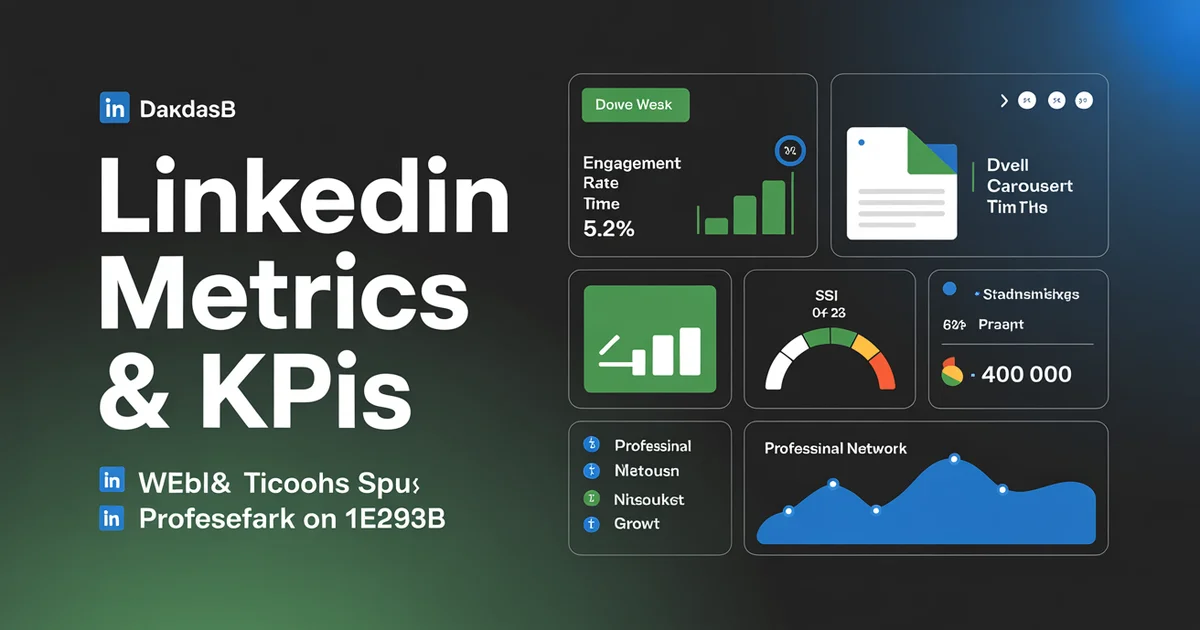
LinkedIn is having a moment. While other platforms struggle with declining organic reach, LinkedIn has quietly become the highest-engagement-rate social network in 2026, averaging 5.20% engagement per impression — up roughly 8% year-over-year according to Socialinsider's 2026 LinkedIn benchmarks. For B2B marketers, founders, and creators selling to professionals, that number should make you sit up.
But engagement rate is only the surface. LinkedIn rewards something most platforms don't measure publicly: dwell time. It tracks a unique scoring system called the Social Selling Index (SSI). And it reports metrics — like "unique impressions" and "search appearances" — that don't exist anywhere else.
I've been publishing on LinkedIn for years, and in this guide I'll walk you through every metric that matters in 2026, the formulas LinkedIn actually uses, realistic benchmarks, and exactly what I track weekly versus monthly. If you want the cross-platform picture, start with our social media metrics and KPIs hub — this post is the LinkedIn-specific deep dive.
Post-level metrics: what LinkedIn reports
LinkedIn's post analytics are more nuanced than Instagram's or TikTok's. Here's what each metric actually means.
Impressions
The number of times your post appeared on someone's screen. LinkedIn counts an impression when at least 50% of your post is visible for at least 300 milliseconds — a stricter bar than most platforms.
Unique impressions
The number of distinct members who saw your post. This is the metric most people should care about, because "impressions" can inflate if the same person scrolls past twice. If your impressions and unique impressions are close in number, your post was seen by a broad audience once. If impressions are 2–3x unique impressions, your content pulled people back for a second look — a strong quality signal.
Engagement rate (LinkedIn formula)
LinkedIn's engagement rate is calculated differently from Instagram's:
Engagement Rate = (Reactions + Comments + Reposts + Clicks) ÷ Impressions × 100
Note that LinkedIn includes clicks in its engagement formula — something Instagram and TikTok don't. That's why LinkedIn's engagement rates look higher on paper. If you want a consistent cross-platform comparison, use our engagement rate calculator which normalises the formula.
Reactions
LinkedIn has seven reaction types: Like, Celebrate, Support, Love, Insightful, Funny, and Curious. All count equally in engagement calculations, but Insightful and Curious tend to correlate with comments — LinkedIn's algorithm seems to weight "thinking" reactions more heavily. Track the reaction mix, not just the total.
Comments
The single most valuable signal on LinkedIn. A comment is worth roughly 7x a reaction in reach distribution, based on my own testing. Thread-style comment replies (you replying to commenters) extend the post's life in the feed by hours, sometimes days.
Reposts
LinkedIn distinguishes between reposts with thoughts (the person added their own commentary) and simple reposts (a one-click share). Reposts with thoughts drive significantly more reach, because they're treated as new posts in the feed.
Click-through rate (CTR)
CTR = Clicks ÷ Impressions × 100
Clicks include profile clicks, link clicks, "see more" expansions, and document swipes. A healthy LinkedIn CTR sits around 0.8–1.5% for organic content. Anything above 2% is exceptional.
Content format benchmarks in 2026
Not all LinkedIn content performs equally. According to Socialinsider's 2026 data, here's how each format stacks up on engagement rate:
| Format | Avg engagement rate | Best for |
|---|---|---|
| Documents (carousels) | 7.00% | Frameworks, guides, data |
| Polls | 5.80% | Audience research, opinions |
| Native video | 4.90% | Stories, demos, thought leadership |
| Text + image | 4.30% | Personal updates, announcements |
| Text only | 3.60% | Hot takes, quick thoughts |
| Articles | 1.10% | SEO, long-form authority |
Document posts (PDF carousels) are the clear winner and have been for two years running. LinkedIn's algorithm rewards them heavily because they keep users on-platform longer — which ties directly to dwell time. If you're not publishing carousels yet, our LinkedIn carousel maker tool generates professional PDFs from a prompt in under a minute — and the LinkedIn aspect ratios guide shows the 4:5 portrait dimensions that take up the most feed space.
Ready to publish across every format? Schedule LinkedIn posts with PostEverywhere — we support native documents, polls, video, and image posts without reformatting.
Dwell time: LinkedIn's secret ranking signal
Dwell time is the amount of time a user spends looking at your post in the feed. LinkedIn confirmed in 2020 that dwell time is a core ranking input, and by 2026 it's arguably the single most important signal the algorithm uses.
Here's why it matters: a like takes half a second. A comment takes thirty seconds. But reading a carousel can take three minutes — and LinkedIn knows it. Long dwell signals quality, which triggers broader distribution.
How dwell time is reported
LinkedIn doesn't show you a raw "dwell time" number in creator analytics. Instead, you infer it from:
- Impressions vs unique impressions — high repeat-view ratios suggest longer engagement.
- "See more" click rate — if people expand the text, they're reading.
- Document swipe depth — for carousels, LinkedIn reports how many slides were viewed.
- Video view percentage — 25%, 50%, 75%, 95% completion thresholds.
Company page analytics show slightly more dwell data than personal profile analytics, and the LinkedIn Marketing Solutions platform surfaces dwell metrics for sponsored content.
How to increase dwell time
- Use line breaks and whitespace to keep readers scrolling through your post.
- Front-load with a hook that promises a payoff at the end (dwell ↑).
- Publish carousels of 8–12 slides — the sweet spot for swipe-through.
- Embed native video instead of YouTube links (native video keeps users on LinkedIn).
I've written more tactical advice in my 100 LinkedIn content ideas post if you're short on inspiration.
Profile and audience metrics
Beyond individual posts, LinkedIn gives you a rich view of who your content is reaching and how your personal brand is growing.
Profile views
The number of LinkedIn members who visited your profile in the last 90 days. Upper limit is 90 days unless you have Premium, which extends it. Track the trend line, not the raw number — a week of spiking profile views usually means one of your posts went wide.
Search appearances
How many times your profile showed up in LinkedIn search results. This is a leading indicator of keyword relevance — if you optimise your headline and About section for the terms your buyers search, you'll see search appearances climb. They also correlate with inbound connection requests. Our LinkedIn profile optimizer audits each profile section against keyword density and recruiter-search heuristics, which is usually faster than guessing what to change.
Followers gained
LinkedIn shows follower growth over 30, 60, or 365 days. More importantly, it breaks followers down by:
- Industry
- Job function
- Seniority level
- Company size
- Geography
If you're in B2B SaaS and your followers skew toward "students" or "non-decision-makers," your content is attracting the wrong crowd regardless of how fast the number grows. Quality over quantity. For strategies to attract the right audience, see how to get more LinkedIn followers.
Audience demographics
Audience demographics let you slice post performance by industry, seniority, company size, location, and job function. This is gold for B2B marketers — you can prove to a CMO that your content is reaching "VP Marketing at 500+ employee SaaS companies" rather than just "anyone."
Social Selling Index (SSI)
LinkedIn's Social Selling Index is a proprietary score from 0 to 100 that measures how effective you are at social selling on the platform. You can check yours at linkedin.com/sales/ssi. It's updated daily.
SSI has four equally-weighted components, each scored out of 25:
1. Establish your professional brand (0–25)
Measured by profile completeness, publisher followers, endorsements, and — crucially — whether you publish long-form content. A complete profile with a photo, headline, and banner gets you about 15 points automatically. Publishing posts that get engagement pushes you toward 25.
2. Find the right people (0–25)
LinkedIn scores how efficiently you use search to find prospects. Sales Navigator users have a huge advantage here. For free users, regular use of advanced search, saved searches, and targeted connection requests moves this number.
3. Engage with insights (0–25)
Are you commenting on other people's posts? Sharing articles? Reacting thoughtfully? LinkedIn rewards active participation, not just broadcasting. This is where most executives under-index — they post but don't engage.
4. Build relationships (0–25)
Measured by connection acceptance rate, internal connections at target companies, and messaging activity. The higher your acceptance rate, the better — which means personalised connection requests beat bulk outreach every time.
Why SSI matters
LinkedIn's own data shows that users in the top 25% of SSI generate 45% more opportunities than users in the bottom 25%. A target to aim for: 70+ total, with no single component below 15.
Company page metrics
If you manage a LinkedIn Company Page, the analytics menu surfaces a different set of KPIs.
Page views and unique visitors
Standard website-style metrics. Track the weekly trend, and watch for spikes after major posts — those spikes indicate bottom-funnel interest.
Custom button clicks
Company Pages let you set a custom CTA button (Contact Us, Learn More, Register, Sign Up, Visit Website). Clicks on this button are reported in analytics and are one of the clearest conversion signals LinkedIn offers. Every page should have one, and you should review click counts weekly.
Employee advocacy
If employees at your company reshare or comment on your page's posts, LinkedIn tracks this under the "employee advocacy" tab. Employee reshares typically drive 5–10x more reach than the original post, because they tap into personal networks. If your company has 50+ employees, a structured advocacy program is one of the highest-leverage moves you can make.
Competitor benchmarking
Company Pages also include a competitors tab where you can track follower growth, post count, and engagement versus up to nine selected competitors. Add your three biggest rivals and review monthly.
2026 LinkedIn benchmarks
Here are the numbers to benchmark against, pulled from Socialinsider's 2026 LinkedIn report:
| Metric | 2026 benchmark | YoY change |
|---|---|---|
| Avg engagement rate (per impression) | 5.20% | +8% |
| Document posts engagement rate | 7.00% | +12% |
| Poll engagement rate | 5.80% | +4% |
| Native video engagement rate | 4.90% | +6% |
| Text + image engagement rate | 4.30% | +2% |
| Median posting frequency | 4 posts/week | flat |
| Avg CTR (organic) | 1.1% | +0.2pp |
LinkedIn is now comfortably ahead of Instagram (0.50%), TikTok (2.63%), and X (0.15%) on engagement rate per impression. You can cross-reference all platforms in my social media engagement rate benchmarks post.
If your engagement rate is below 2%, your content-audience fit is off. Between 2–5% is average. Above 5% is strong. Above 8% is elite.
What to track weekly vs monthly
You don't need to look at every metric every day. Here's the cadence I use.
Weekly (10 minutes, every Monday morning)
- Post impressions for the last 7 posts
- Engagement rate per post (aiming for 5%+)
- New followers and whether they match target demographics
- Top-performing post — what was the hook, format, topic?
- Worst-performing post — what went wrong?
Monthly (45 minutes, first Monday of the month)
- Total reach and impressions trend vs previous month
- Follower growth by industry and seniority
- Profile views and search appearances trend
- SSI score — has it moved?
- Company page analytics (if applicable) including competitor benchmarks
- Format mix analysis — which formats outperformed your average?
- Top 10 posts of the month — document them for a "what works" reference
Quarterly
- Strategic review: are the metrics translating into pipeline, demo requests, or job inquiries?
- Audience fit: are my followers actually my ICP?
- Content pillar audit: which topics are driving the best engagement?
Tired of pulling reports from five different dashboards? PostEverywhere's LinkedIn scheduler aggregates all your post metrics, audience data, and format benchmarks in one view — plus you can draft posts with our AI content generator while you're there.
For lateral reading across platforms, compare LinkedIn's KPIs to Instagram metrics and KPIs, TikTok metrics and KPIs, and YouTube metrics and KPIs — the differences tell you a lot about each platform's personality.
FAQs
What's a good LinkedIn engagement rate in 2026? The platform average is 5.20% engagement per impression. Anything above 5% is strong, above 8% is elite, and below 2% suggests a content-audience mismatch. Document posts average 7.00%, setting the highest bar.
How is LinkedIn engagement rate calculated? LinkedIn uses (Reactions + Comments + Reposts + Clicks) ÷ Impressions × 100. Note that clicks are included, which is why LinkedIn engagement rates look higher than Instagram's. For consistent cross-platform comparison, use our engagement rate calculator.
What is LinkedIn's Social Selling Index (SSI)? SSI is a proprietary score from 0–100 that measures how effective you are at using LinkedIn for sales and brand building. It has four components (professional brand, finding people, engaging with insights, building relationships), each scored out of 25. Check yours at linkedin.com/sales/ssi. Aim for 70+.
Does LinkedIn show dwell time in analytics? Not as a raw number. You infer dwell from repeat impressions, "see more" click rate, document swipe depth, and video completion rates. Dwell time is a confirmed ranking signal and arguably the most important one in 2026.
Which LinkedIn content format performs best in 2026? Document posts (PDF carousels) lead at 7.00% average engagement, followed by polls at 5.80% and native video at 4.90%. Articles perform worst in-feed at 1.10%, but they're valuable for long-term SEO and authority.
How often should I post on LinkedIn? Socialinsider's 2026 data shows the median B2B brand posts 4 times per week. For personal profiles, 3–5 times per week is a healthy cadence — frequent enough to stay top-of-mind, rare enough to keep quality high.
Wrapping up
LinkedIn is the only platform in 2026 where organic engagement is still growing, and the metrics reflect that opportunity. If you track impressions, engagement rate, dwell signals, SSI, and audience demographics on a consistent cadence, you'll quickly see what's working — and more importantly, you'll be able to prove LinkedIn's B2B impact to anyone holding the purse strings.
The key moves: prioritise document posts and polls, write for dwell time, engage with comments within the first hour, and review your SSI monthly. Do that for 90 days and your numbers will climb.
Ready to put it into practice? Start scheduling LinkedIn content with PostEverywhere — you get native document support, AI-assisted drafting, and all the analytics we discussed in one place. Managing LinkedIn alongside other channels? Our social media scheduler lets you plan, publish, and measure across every platform from one dashboard. And if you want the bigger cross-platform picture, head back to the social media metrics and KPIs hub for the full framework.

Founder & CEO of PostEverywhere. Writing about social media strategy, publishing workflows, and analytics that help brands grow faster.