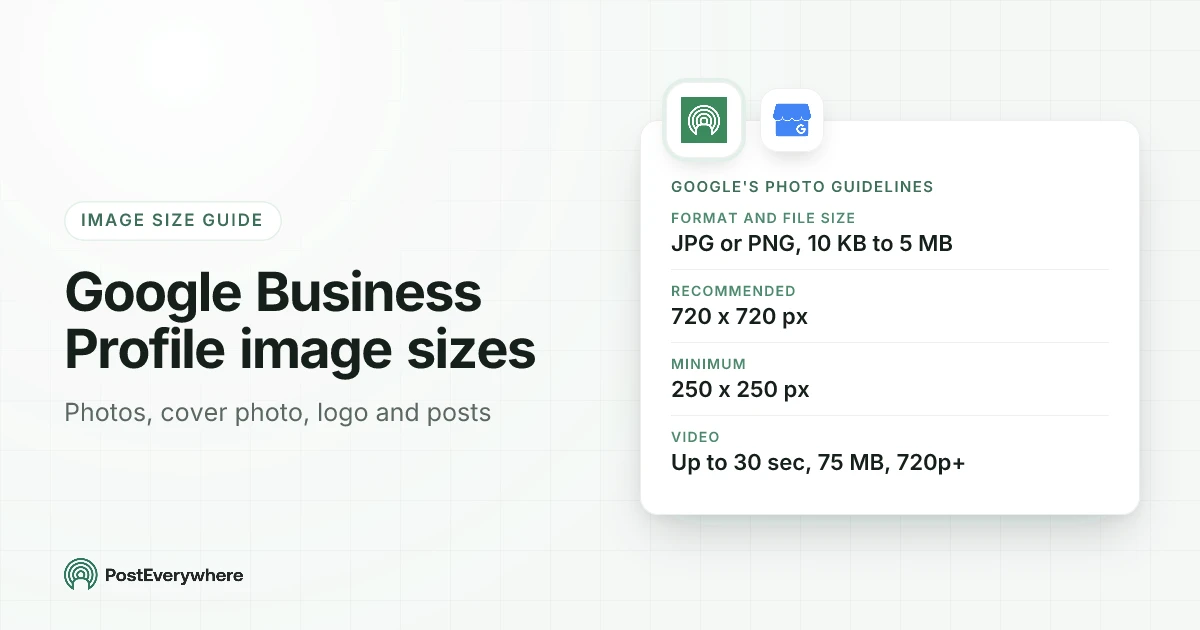
The Google Business Profile image size rules are the same for every photo: a JPG or PNG between 10 KB and 5 MB, ideally 720 px wide by 720 px tall, and never smaller than 250 by 250 px. Those numbers come from Google's own photo guidelines, and they apply to your logo, your cover photo, your business photos and the photo on a post.
What Google does not publish is a separate size or shape for the cover photo, the logo or post images. Many guides quote exact cover dimensions anyway, but we could not find any of them on a Google page.
So this guide keeps the two apart: Google's spec where one exists, and our recommendation, labelled as ours, where it doesn't.
If you post to your profile from PostEverywhere, there is one more rule to know: each post carries one photo. We cover that at the end.
Google Business Profile image sizes: the quick answer
| Image type | Google's official spec | Our recommendation (not a Google spec) |
|---|---|---|
| All photos | JPG or PNG, 10 KB to 5 MB, recommended 720×720 px, minimum 250×250 px | Export at least 720 px on the short side |
| Business photos (exterior, interior, products, team) | The photo guidelines above | 720×720 px or larger, real and well lit |
| Cover photo | The photo guidelines above; no published size or ratio | 16:9 landscape, 1280×720 px or larger, subject in the centre |
| Logo | The photo guidelines above; no published size or ratio | Square, 720×720 px, mark centred with space around it |
| Post photo | The photo guidelines above; no post-specific size | 1200×900 px (4:3), subject in the centre |
| Video | Up to 30 seconds, up to 75 MB, 720p or higher | Short and steady, filmed at 1080p if you can |
The short version: make every image a JPG or PNG under 5 MB and at least 720 px on each side, and keep the important part in the middle. That satisfies everything Google publishes and survives any crop.
Post your offers, events and updates to Google Business Profile from the same calendar as your social accounts. See how PostEverywhere handles Google Business Profile.
What the sizes look like
Google Business Profile image shapes, drawn to scale
Grey outlines are Google's numbers. Dashed outlines are our recommendations where Google publishes no size.
720×720 px, 1:1
Google's recommendation
1280×720 px, 16:9
Our recommendation
720×720 px, 1:1
Our recommendation
1200×900 px, 4:3
Our recommendation
250×250 px
Google's floor
Google Business Profile photo size (the rules for every image)
Google's Manage your Business Profile photos and videos page lists the standards your photos should meet. They are the same on the tips for business-specific photos page:
- Format: JPG or PNG.
- File size: between 10 KB and 5 MB.
- Recommended resolution: 720 px tall, 720 px wide.
- Minimum resolution: 250 px tall, 250 px wide.
- Quality: in focus, well lit, with no significant alterations or heavy filters. Google's wording on the tips page is that "the image should represent reality", and it names AI edits alongside filters.
Notice what is missing: there is no aspect ratio. Google tells you how many pixels it wants, not what shape. A landscape phone photo at 4032×3024 px is fine as long as you bring the file under 5 MB.
Most phones save larger files than that, so export a resized copy before you upload.
If you search for "google my business photo size" or "google business photo size", you land on the same rules. Google My Business was the old name for Google Business Profile, and the photo guidelines didn't change with the name.
Google Business Profile cover photo size
Google describes the cover photo as the image you set "at the top of your profile that best represents your business". It does not publish a size or a ratio for it.
The cover photo follows the general photo guidelines, so the only official numbers are JPG or PNG, 10 KB to 5 MB, 720×720 px recommended and 250×250 px minimum.
Our recommendation: use a landscape photo at 16:9, such as 1280×720 px or 1920×1080 px, with the subject in the middle third. Those sizes meet Google's 720 px recommendation on the short side. Landscape suits most storefront and interior shots.
Because Google doesn't publish the display shape, and the same profile appears on Search and Maps on phones and computers, a centred subject is the safest choice whatever crop is applied.
Two things Google does say about cover photos are worth knowing before you spend time on one:
- Setting a cover photo "doesn't guarantee the cover photo will show up as the first image for your business".
- If the cover photo you choose is low quality, or other sources suggest it isn't the best photo of your business, Google may use a user-submitted photo instead.
So a sharp, honest photo of your actual place matters more than hitting an exact pixel count.
Google Business Profile logo size
Google publishes no separate logo size either. The logo follows the same photo guidelines. Our recommendation: a square image at 720×720 px, as a PNG or JPG, with your mark centred and a clear margin around it, so it still reads when it is shown small.
Google adds one condition that catches people out. The logo is highlighted for businesses that have their basic information filled in, and if your logo doesn't appear, Google's help page says to check you have entered:
- Name
- A valid location with a street address
- Categories
- Phone number
- Opening hours
A missing logo is usually a missing field, not a wrong size.
Google's spec or a recommendation?
Use this to check any size you read elsewhere.
| Number | Applies to | Who says so |
|---|---|---|
| JPG or PNG | All photos | |
| 10 KB to 5 MB | All photos | |
| 720×720 px | All photos (recommended) | |
| 250×250 px | All photos (minimum) | |
| 30 sec, 75 MB, 720p | Videos | |
| 16:9, 1280×720 px | Cover photo | Our recommendation |
| 1:1, 720×720 px | Logo | Our recommendation |
| 4:3, 1200×900 px | Post photo | Our recommendation |
Business photos: exterior, interior, products and team
Business photos are the gallery customers scroll through. They use the same 720×720 px recommendation, and Google's business photo tips are specific about how many to add:
| Photo type | Google's suggested minimum |
|---|---|
| Exterior | At least three, from each direction customers approach |
| Interior | At least three |
| Products | At least three |
| Photos at work | At least three |
| Food and drink | At least three |
| Common areas (hotels) | At least one of each area |
| Rooms (hotels) | At least three |
| Team | At least three |
The size advice is the same for all of them. What changes is the subject. Google's tips push for photos that "truthfully show" the place: daylight and evening exteriors, the room as a customer stands in it, your most popular products in even light.
If you run a cafe or restaurant, our social media guide for restaurants covers shooting food that works on Instagram and on your profile.
Google Business Profile post size
Posts are the updates, offers and events that show on your profile in Search and Maps. Google's posts help page says a post can include a description, a photo or video, and a button, and that posts older than six months are archived unless a date range is set. It does not give a post image size.
Post photos follow the same photo guidelines as everything else.
Our recommendation: 1200×900 px (4:3 landscape), with the subject in the centre and no text near the edges. That is comfortably above Google's 720 px recommendation and keeps the file small enough to stay under 5 MB as a JPG.
Google doesn't publish how post images are cropped, so keep anything that matters in the middle.
A few post rules matter more than the pixels:
- Google's photos, videos and posts content policy says it may remove posts with unverified contact information, such as phone numbers, email addresses or social handles. Use a Call now button instead of putting a number in the text or on the photo.
- Hotels can't create offer posts.
- Photos only show once your profile is verified, and Google reviews new media before it goes live.
For a fuller guide to what makes a good post, see Google Business Profile posts in PostEverywhere.
Video on Google Business Profile
Google's video guidelines for your profile are short:
- Length: up to 30 seconds.
- File size: up to 75 MB.
- Resolution: 720p or higher.
Google gives no ratio here either. A short clip filmed in landscape at 1080p fits the rules and matches the shape of most profile photos.
File format and size rules in one place
| Rule | Value | Source |
|---|---|---|
| Photo formats | JPG, PNG | Google photo guidelines |
| Photo file size | 10 KB to 5 MB | Google photo guidelines |
| Recommended photo resolution | 720×720 px | Google photo guidelines |
| Minimum photo resolution | 250×250 px | Google photo guidelines |
| Video length | Up to 30 seconds | Google video guidelines |
| Video file size | Up to 75 MB | Google video guidelines |
| Video resolution | 720p or higher | Google video guidelines |
| Time to appear | Up to 24 to 48 hours | Google photos help page |
| Bulk upload | Logo, Cover and Other Photos columns, for 10 or more locations | Google bulk upload help |
Two notes for multi-location brands and developers:
- With 10 or more locations, you can add photos through a bulk upload spreadsheet, using a Logo, Cover or Other Photos column with a photo URL.
- In the Business Profile API media reference, photos must be at least 250 px on the short edge and at least 10,240 bytes, except for the profile and cover categories. The help centre guidelines above still apply to what looks good.
Need to hit an exact size? Our free image resizer takes a custom width and height, so you can export 720×720 or 1280×720 before you upload. For the same numbers on other networks, see our social media image sizes guide.
Plan a month of Google Business Profile posts in one sitting. Write once, add your photo and schedule it beside Instagram, Facebook and the rest. Compare plans, all with a 7-day free trial.
Post your photo to Google Business Profile with PostEverywhere
PostEverywhere publishes updates, events and offers to Google Business Profile, with one photo per post. Here is what the composer accepts, checked against the app:
- One photo per post. No multi-photo posts.
- JPG or PNG, from 10 KB up to 5 MB.
- At least 250×250 px. We recommend the 1200×900 px size above.
- No video. Posts to Google Business Profile carry a photo, not a video.
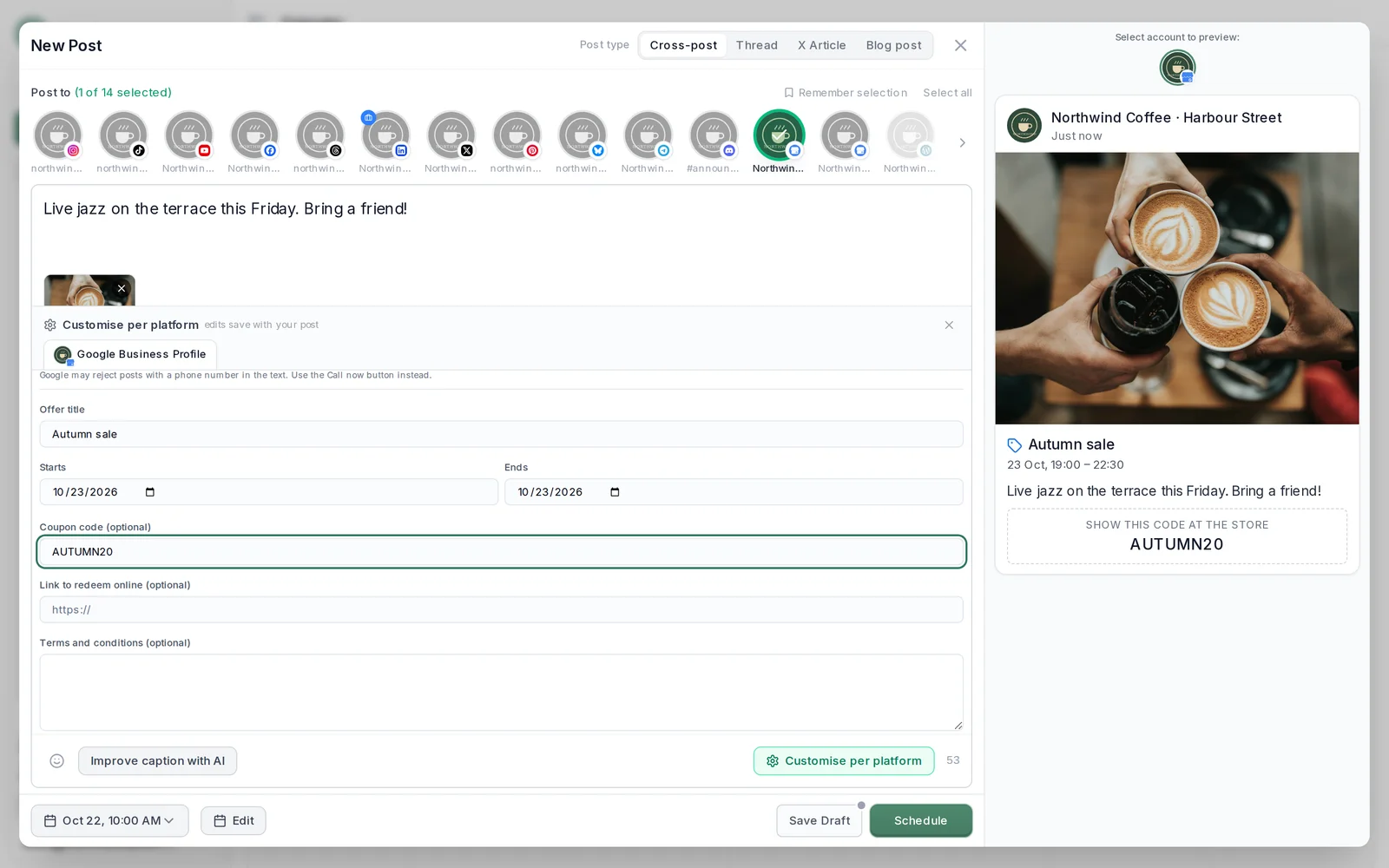
The steps:
- Connect your profile with the Google account that owns or manages it. Each business is one connected account, and only verified profiles can post.
- Write the post, pick Update, Event or Offer, and add your photo from the media library. If your photos live in a shared folder, you can pull them straight from Google Drive.
- Pick a time, or let PostEverywhere suggest one from its best time to post data, and schedule it.
PostEverywhere checks the post when you schedule it (one photo, no video). If a photo doesn't meet Google's rules, you get a clear message telling you what Google needs: a JPG or PNG between 10 KB and 5 MB, at least 250×250 px.
Google may still review a post after it is published. Your cover photo, logo and gallery photos are managed in Google itself; PostEverywhere posts to your profile but doesn't change those.
Need a photo fast? AI Studio can make one, though for your profile a real photo of your place usually works better.
One calendar for Google Business Profile and all top platforms. See the social media scheduler and start a 7-day free trial.
Common Google Business Profile image mistakes
- Uploading a phone photo straight from the camera roll. Many are well over 5 MB. Export a smaller copy first.
- Trusting a "Google cover photo size" that Google never published. Treat any exact cover or logo size as a recommendation unless it links to a Google page.
- Text and phone numbers on the image. Small text is hard to read on a phone, and contact details in a post can get it removed. Use the post's button.
- Heavy filters or edits. Google wants photos that represent reality, and says so.
- Cropping the subject to the edge. Google doesn't publish its crops, so keep faces, products and signage in the centre.
- Blaming the size for a missing logo. Check your name, address, categories, phone number and opening hours first.
- Stock photos instead of your place. A real exterior helps people recognise your business when they arrive, which is the point of the profile.
Checklist before you upload
- JPG or PNG
- Between 10 KB and 5 MB
- At least 720 px on the short side (never below 250×250 px)
- Subject in the centre, nothing important near the edges
- No phone numbers, emails or social handles on post images
- A real photo of your place, products or team, without heavy filters
- Profile verified, and name, address, categories, phone and hours filled in
- Allow 24 to 48 hours for new photos to appear
For the full picture on running a small business's channels alongside your profile, see our guide to social media for small business, and the platform guides for Instagram sizes and Facebook sizes.
FAQ
What size should Google Business Profile photos be?
Google recommends 720 px wide by 720 px tall, with a minimum of 250 by 250 px. Photos must be JPG or PNG files between 10 KB and 5 MB. The same rules apply to business photos, the cover photo, the logo and post photos.
What is the Google Business Profile cover photo size?
Google does not publish a cover photo size or ratio. The cover follows the general photo guidelines: JPG or PNG, 10 KB to 5 MB, 720×720 px recommended. Our recommendation is a 16:9 landscape photo at 1280×720 px or larger, with the subject in the centre.
What size should my Google Business Profile logo be?
Google gives no separate logo size, so the general photo guidelines apply. We recommend a square 720×720 px PNG or JPG with the mark centred. If your logo doesn't show, check that your name, address, categories, phone number and opening hours are filled in.
What size is a Google Business Profile post image?
Google doesn't set a post-specific size; post photos follow the same guidelines as other photos. We recommend 1200×900 px (4:3) with the subject centred. In PostEverywhere, each Google Business Profile post carries one JPG or PNG photo, up to 5 MB and at least 250×250 px.
Why isn't my cover photo showing on Google?
Google says setting a cover photo doesn't guarantee it shows first, and a low-quality cover may be replaced by a user-submitted photo. New photos can also take 24 to 48 hours to appear, and only show once your profile is verified.
Can I add video to my Google Business Profile?
Yes. Google accepts videos up to 30 seconds and 75 MB, at 720p or higher. Posts scheduled through PostEverywhere carry a photo rather than a video.
Are Google My Business photo sizes different?
No. Google My Business is the old name for Google Business Profile, and the same photo guidelines apply: JPG or PNG, 10 KB to 5 MB, 720×720 px recommended and 250×250 px minimum.
Sources
- Google Business Profile Help: Manage your Business Profile photos and videos
- Google Business Profile Help: Tips for business-specific photos on your Business Profile
- Google Business Profile Help: Create and manage posts on your Business Profile
- Google Business Profile Help: Business Profile photos, videos and posts content policy
- Google Business Profile Help: Create a bulk upload spreadsheet for Business Profiles
- Google for Developers: Business Profile API media reference

Founder & CEO of PostEverywhere. Writing about social media strategy, publishing workflows, and analytics that help brands grow faster.