What aspect ratios does Bluesky use in 2026?
Bluesky uses 1:1 (400×400 px) for the avatar and 3:1 (1500×500 px) for the banner. Post images work best at 1:1 (1080×1080 px), 1.91:1 landscape (~1200×627 px), or 4:5 portrait (~627×1200 px), capped around 1000px on the longest side. Video is 16:9, 9:16, or 1:1, up to 3 minutes and 100MB.
The right Bluesky image sizes in 2026 are simple: 400×400 for your avatar, 1500×500 for your banner, and roughly 1000px on the longest side for post images. Get them right and your visuals look crisp and uncropped; get them wrong and Bluesky's compression or feed cropping can leave you with a blurry avatar or a banner with the key part cut off.
This is your quick-reference guide to every Bluesky aspect ratio and size: profile, posts, and video, plus the file limits that matter. Because strong visuals earn faster early engagement, and early engagement is what pushes a post into the Discover feed, getting these ratios right is a small detail that quietly helps your reach on a fast-growing network. Bookmark it for whenever you're sizing an image for Bluesky.
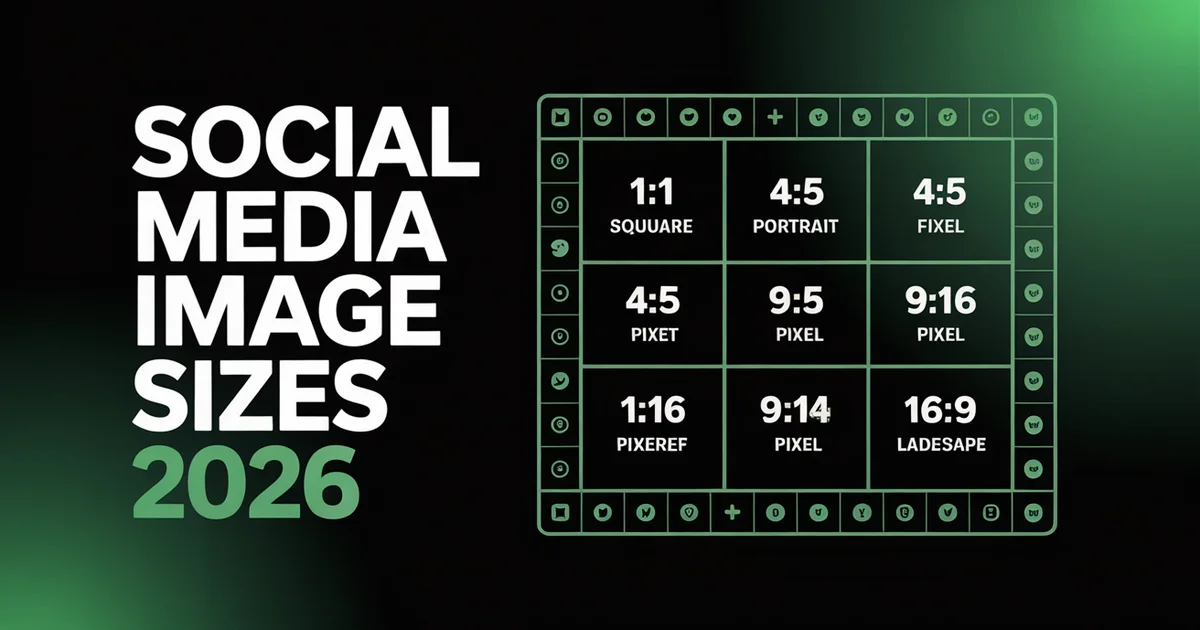
Bluesky Aspect Ratios at a Glance
| Asset | Dimensions | Aspect ratio | Notes |
|---|---|---|---|
| Avatar | 400×400 px | 1:1 | Displayed as a circle |
| Banner | 1500×500 px | 3:1 | Sides crop on mobile; center key elements |
| Post image (square) | 1080×1080 px | 1:1 | Safest all-rounder |
| Post image (landscape) | ~1200×627 px | ~1.91:1 | Good for link-style visuals |
| Post image (portrait) | ~627×1200 px | ~4:5 | Takes more vertical feed space |
| Video | 1920×1080 / 1080×1920 / 1080×1080 | 16:9 / 9:16 / 1:1 | Up to 3 min, 100MB |
These match the practical specs documented across current Bluesky media guides. When in doubt, square (1:1) is the safest choice, it displays cleanly everywhere and cross-posts neatly to X and Threads.
Post Image Aspect Ratios
Post images are the ones you'll size most often. Bluesky caps images at roughly 1000px on the longest side and compresses larger files, a constraint of how the open AT Protocol handles media, so there's little point uploading enormous images. You can attach up to 4 images per post.
Three aspect ratios cover almost every post:
- 1:1 square (1080×1080), the safest, displays cleanly in-feed
- Landscape (~1200×627, ~1.91:1), good for graphics and link-style cards
- Portrait (~627×1200, ~4:5), claims more vertical space in the feed, which can boost attention
If you reuse images across networks, mind the differences, our social media aspect ratios reference shows how each platform crops the same image, which matters when you cross-post to X and Bluesky.
Bluesky Video
Bluesky supports video up to 3 minutes and 100MB. Stick to standard aspect ratios, 16:9 (1920×1080) for landscape, 9:16 (1080×1920) for vertical, or 1:1 (1080×1080) for square. Add captions for accessibility and for the silent autoplay most users scroll with.
Profile Avatar
Your avatar should be 400×400 pixels (1:1). Bluesky displays it as a circle throughout the app, so keep your face or logo centred and away from the corners, which get clipped by the circular crop. A clean, high-contrast avatar reads better at the small sizes it appears in feeds and replies.
Profile Banner
Your banner should be 1500×500 pixels (3:1), the same proportions as a classic header image. Two things to watch: on mobile, the banner crops slightly tighter on the sides, and your avatar overlaps the bottom-left corner. Keep text and faces in the centre, away from the edges and that lower-left zone, so nothing important gets hidden.
Bluesky File Sizes, Formats & Upload Limits
Aspect ratios decide the shape; file size and format decide how crisp the result stays after Bluesky's compression. Here are the limits that matter across every asset:
| Asset | Formats | File size | Other limits |
|---|---|---|---|
| Post image | JPG, PNG, GIF, WebP | ~1MB each (larger files are compressed) | Up to 4 per post; capped ~1000px on the longest side |
| Avatar | PNG, JPG | ~1MB | Circular crop |
| Banner | PNG, JPG | ~1MB | Sides crop on mobile |
| Video | Standard formats | Up to 100MB | Up to 3 minutes |
The practical takeaway: keep still images at or under 1MB and lean on WebP where you can, since it holds quality at smaller file sizes and survives Bluesky's compression with less degradation than a heavy JPG or PNG.
Cross-Posting Images to Bluesky
Most Bluesky accounts also post to X and Threads, and the three platforms size images differently, so a graphic that looks perfect on one can lose its edges or sharpness on another. Bluesky's roughly 1000px longest-side cap is smaller than X's 1600px feed image, which means a crisp X graphic can look soft once Bluesky compresses it, and X's wider 16:9 crop does not always sit well in Bluesky's more square-friendly feed.
The simplest fix is to size for the strictest platform and let one file travel. Keep the important content inside a centred 1:1 or 4:5 safe area, export at or under 1MB, and the same image reads cleanly on Bluesky, X, and Threads. For a side-by-side of how each network crops the same picture, see the social media aspect ratios reference, and for the one-click version, cross-posting reformats every upload for each platform automatically.
Tips for Sharp Bluesky Images
A few practices keep your Bluesky visuals looking their best:
- Pre-size before uploading. Export at the target dimensions so Bluesky's compression has less to do, uploading a massive file just gets it squeezed down anyway.
- Center the important stuff. Feed and mobile crops can trim edges, so keep faces, text, and logos toward the middle.
- Always add alt text. It's essential for accessibility and helps describe your image to the feeds and search that surface content.
- Pair text with images. Visual posts tend to earn faster early engagement, which helps reach, just don't let an image be an afterthought.
- Keep files lean. Around 1MB or under avoids heavy compression and keeps things crisp.
- Generate visuals fast. Our AI image generator can produce on-brand graphics at the right dimensions when you need them.
- Use WebP where you can. WebP holds quality at smaller file sizes, so your images survive Bluesky's compression with less degradation than a heavy JPG or PNG.
- Check it on mobile. Most Bluesky users scroll on phones, so preview how your banner and post images crop on a small screen before you commit to them.
Nailing these specs is a small thing, but it's the difference between a feed that looks polished and one that looks careless, and on a platform where visuals help you get noticed, polish counts, especially with Bluesky's audience growing through 2026 and more people seeing every post.
Schedule pixel-perfect Bluesky posts. PostEverywhere lets you upload, size, and schedule your Bluesky images alongside every other network. Start your trial →
FAQs
What is the best Bluesky image size?
For post images, 1080×1080 (1:1 square) is the safest all-rounder and displays cleanly everywhere. Your avatar should be 400×400 and your banner 1500×500. Bluesky caps images around 1000px on the longest side and compresses larger files.
What size is a Bluesky banner?
A Bluesky banner is 1500×500 pixels (3:1 aspect ratio). On mobile the sides crop slightly tighter, and your avatar overlaps the bottom-left corner, so keep important text and faces centered and away from those edges.
What size should my Bluesky profile picture be?
Your Bluesky avatar should be 400×400 pixels (1:1). It's displayed as a circle throughout the app, so center your face or logo and avoid the corners, which get clipped. PNG and JPG are accepted, up to about 1MB.
How many images can you post on Bluesky?
You can attach up to 4 images per Bluesky post. Supported formats are JPG, PNG, GIF, and WebP, each around 1MB (Bluesky compresses larger files). Images are capped at roughly 1000px on the longest side.
What's the best aspect ratio for Bluesky posts?
Square (1:1) is the safest and displays cleanly in-feed. Portrait (around 4:5) claims more vertical space and can draw more attention, while landscape (around 1.91:1) suits graphics and link-style visuals. Match the ratio to the content.
Can you post video on Bluesky and what are the limits?
Yes. Bluesky supports video up to 3 minutes long and 100MB, in 16:9, 9:16, or 1:1. Add captions for accessibility and for the silent autoplay most users scroll with.
Next Steps
Bookmark these specs, size your images once, and you'll never ship a cropped banner or blurry avatar again.
- Schedule sized-right posts, upload and queue your Bluesky images with PostEverywhere
- Make visuals that spread, see how to go viral on Bluesky
- Cross-post without crop surprises, check the aspect ratios reference before posting to X and Bluesky

Founder & CEO of PostEverywhere. Writing about social media strategy, publishing workflows, and analytics that help brands grow faster.