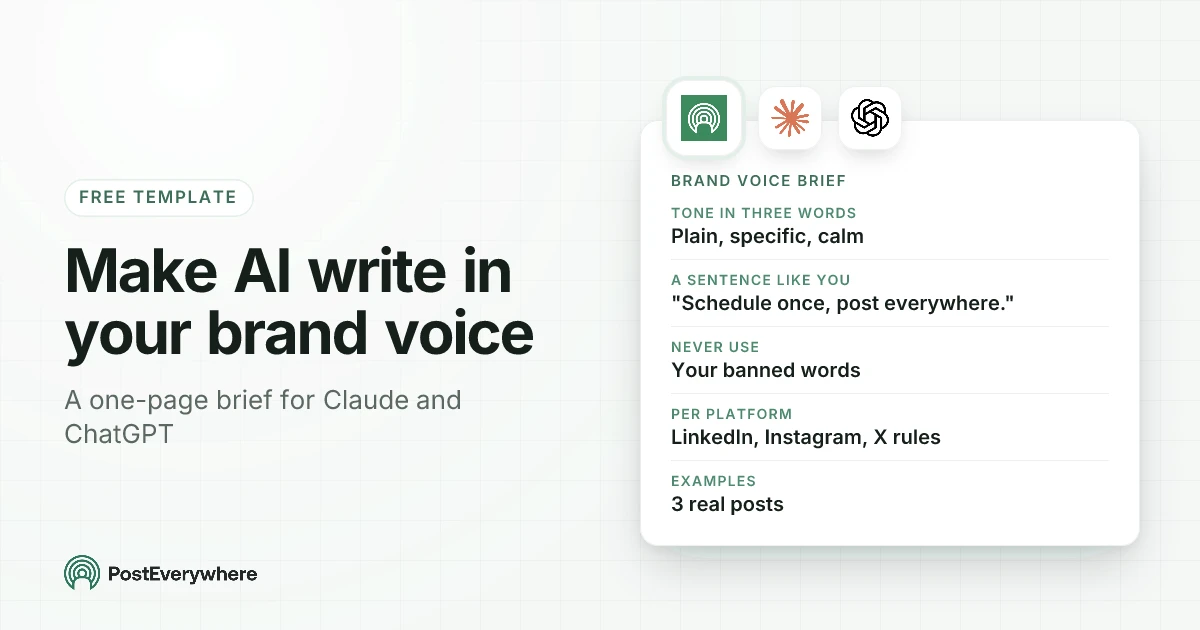
To make Claude or ChatGPT write in your brand voice, give it a one-page brand voice brief and save it somewhere it's used every time: three words that describe your tone, one sentence that sounds exactly like you, three real posts as examples, the words you never use, and a rule or two for each platform. Then test it on a real post and fix the brief, not the post, whenever something sounds off.
Most "brand voice for AI" advice stops at "tell it to be friendly and professional". That's why the posts sound like everyone else's. Every brand thinks it's friendly and professional, so the AI has nothing to go on and falls back to its own default: tidy, upbeat, slightly breathless, full of words nobody says out loud.
This guide gives you the brief we use, a filled-in example, the exact places to save it in Claude, ChatGPT and PostEverywhere, and a ten-minute test to check it works.
Written by Jamie Partridge, Founder of PostEverywhere.
Why AI posts miss your brand voice
Three things cause almost every bland AI caption:
- Adjectives instead of examples. "Warm, witty, confident" means something different to every reader, including the AI. One real post of yours tells it more than ten adjectives.
- No list of what you don't say. AI models have favourite words, the ones that make a post sound machine-written. Unless you ban them, they turn up.
- The same instructions for every platform. Your LinkedIn voice and your Instagram voice are the same person at different volumes. Without platform rules, the AI writes one middle-of-the-road caption and pastes it everywhere.
The fix for all three is the same: write the brief once, keep it short, and make sure the AI reads it before every post.
The brand voice brief template
Copy this, fill in the brackets, and keep it to one page. Long briefs get skimmed, by people and by AI.
BRAND VOICE BRIEF: [Brand name]

Who we are, in one line:
[What you do and for whom. Example: "Scheduling software for small teams who post on several platforms."]

Who we're talking to:
[The person reading. Their job, what they're busy with, what they already know.]

Our tone in three words:
[Three words, each with a short "which means" so the AI can't misread it.]
1. [Word] (which means: ...)
2. [Word] (which means: ...)
3. [Word] (which means: ...)

A sentence that sounds exactly like us:
"[One real sentence you've written and love.]"

How we write:
- [Sentence length, e.g. short sentences, one idea each]
- [Person, e.g. "we" for the company, "you" for the reader]
- [Spelling, e.g. UK spelling]
- [Numbers, e.g. specific numbers over vague words]

Words and phrases we never use:
[List them. Include the AI favourites: game-changer, elevate, unlock, seamless, dive in, revolutionise.]

Things we never do:
- [e.g. no emojis on LinkedIn, no hashtags in the middle of a sentence, no exclamation marks]
- [e.g. never promise results, never mention prices]

Per platform:
- LinkedIn: [length, tone shift, link placement]
- Instagram: [length, hashtags, call to action]
- X (Twitter): [length, links, threads]
- [Other platforms you use]

Three posts that sound like us:
1. [Paste a real post]
2. [Paste a real post]
3. [Paste a real post]
What makes each part work
- The "which means" lines stop the AI interpreting your adjectives its own way. "Direct (which means: the answer comes in the first sentence, no warm-up)" is an instruction. "Direct" on its own is a vibe.
- The sentence that sounds like you is a tuning fork. When a draft feels off, compare it with that sentence.
- The examples do most of the work. Pick three posts that did well and that you'd happily post again. Anthropic's own prompting guide recommends giving examples for exactly this reason: they show format and tone better than descriptions do (examples in prompts). Choose three that differ from each other (say, a tip, an announcement and an opinion) so the AI learns the voice rather than copying one post's structure.
- The banned list is the fastest win. Most readers can't name what makes a post sound like AI, but they recognise the words.
A filled-in brand voice brief
Here's a short version of the brief we use for PostEverywhere's own social accounts:
BRAND VOICE BRIEF: PostEverywhere

Who we are: A social media scheduler for people and their AI agents.

Who we're talking to: Small business owners, social media managers and
agencies who post on several platforms and don't have time to waste.

Our tone in three words:
1. Plain (which means: words a busy person reads once and understands)
2. Specific (which means: real numbers and real steps, never "boost your reach")
3. Calm (which means: no hype, no exclamation marks, no urgency tricks)

A sentence that sounds like us:
"Schedule once, post everywhere."

How we write: Short sentences. "You" for the reader. UK spelling.
The answer comes first, the explanation second.

Never use: the AI favourites in our banned list, "AI-powered",
em dashes.

Never do: promise results we can't measure, put a platform count in a post.

Per platform:
- LinkedIn: 120-160 words, professional, link on its own line at the end.
- Instagram: 70-130 words, a numbered list, "link in bio", 5 hashtags.
- X (Twitter): under 280 characters, a question hook, no hashtags.
Notice what's missing: no paragraph about values, no mission statement. Those matter for a brand book. For an AI writing captions, they're noise.
Want the AI to post, not just write? Connect Claude or ChatGPT to PostEverywhere and it can draft, schedule and check posts across every platform, in your voice. Start a 7-day free trial.
Where to save your brand voice in Claude, ChatGPT and PostEverywhere
A brief pasted into one chat is forgotten in the next. Save it where the AI reads it automatically.
In Claude
If you haven't connected Claude to PostEverywhere yet, the Claude setup guide takes about a minute.
- A project. Create a project for your social media and put the brief in the project instructions. Every chat in that project starts with it.
- A custom style. Claude's styles change how it writes, and you can build one from writing samples (Claude's personalisation features). Upload your three example posts and a few more, and Claude drafts a style you can edit. A style covers tone; keep the platform rules and banned list in the project too.
- PostEverywhere's Brand Kit, if Claude is connected through a connector. Claude reads your Brand Kit with the
get_brandtool before it writes (see below), so the voice follows you into every scheduling chat without you pasting anything.
In ChatGPT
- A project. Put the brief in the project's instructions. They apply only inside that project and take priority over your general custom instructions (Projects in ChatGPT). This is the best home for a brand brief, especially if you write for more than one brand.
- Custom instructions. These apply to every chat (custom instructions). They work if you only ever write for one brand, but they have a character limit, so keep the brief tight.
- The PostEverywhere app in ChatGPT can schedule and check posts, but it doesn't read your Brand Kit yet. Keep the brief in a ChatGPT project and do your scheduling chats inside it.
In PostEverywhere's Brand Kit
The Brand Kit is where PostEverywhere stores your brand for everything it writes: the AI social media manager, AI Studio and the AI agents you connect.
- Enter your website and PostEverywhere reads your logo, colours, fonts and how you write. Sites that block automated reading can be set up by hand instead.
- The voice section maps straight onto the brief: "In three words", "How you write", "A sentence in your voice" and the language you write in.
- Words to avoid are always enforced. Put your banned list here.
- Hashtags to add to every post and rules such as no emojis or always include the link sit alongside. Rules like UK spelling or no prices are followed by the AI rather than enforced, so check drafts for those.
- Claude reads it with
get_brand, and PostEverywhere's caption tool writes with your default Brand Kit.
If you manage several brands, each workspace keeps its own Brand Kits, so a client's voice never leaks into another client's posts.
Let the AI learn your voice from your own posts
If writing a brief from scratch feels like homework, start from what you've already posted. With our Claude skills for social media installed, ask:
Read my recent posts in PostEverywhere and write me a short voice guide.
The brand voice skill reads your published posts and drafts a voice guide from them. In any other agent, the same works by hand: paste ten of your best recent posts and ask "write a one-page brand voice brief from these, using this template", then add the template above.
Either way, edit the result. An AI describing your voice will be too polite about your quirks, and your quirks are the voice.
Test your brand voice prompt in ten minutes
Don't trust a brief until it has written something real. This check takes ten minutes:
- Ask for three posts on a topic you've posted about before, one per platform. Don't give extra instructions beyond the topic.
- Read them next to your real post on the same topic. Would a regular follower notice the difference?
- Read them out loud. Anything you'd never say out loud is wrong, even if it reads fine.
- Search for your banned words. If one slipped in, the brief isn't being read, or the list is buried. Move it higher.
- Ask the AI to grade itself:
Compare these three drafts with the brand voice brief. List every line
that breaks the brief and rewrite only those lines.
When something's wrong, fix the brief, not the draft. "Too many questions in the hooks" becomes a line in the brief, and every future post improves.
Same voice, different volume on each platform
One voice doesn't mean one caption. The person stays the same; the setting changes:
| Platform | What changes | Example rule for the brief |
|---|---|---|
| More context, a professional register | "Lead with the observation, then the evidence. Link on its own line." | |
| Shorter lines, more personality | "Numbered list, one emoji at most, 'link in bio' at the end." | |
| X (Twitter) | Compressed, punchy | "One idea. Question or bold claim first. No hashtags." |
| Conversational, community feel | "Write like you're talking to a regular customer." |
Asking for one version per platform also avoids the same caption pasted everywhere, which is one of the few things that really does hurt reach when you cross-post.
One calendar for every platform. Write each platform's version once, schedule them together, and see the whole week at a glance, yourself or through your AI agent. See the social media scheduler.
Brand voice mistakes that keep AI posts generic
- A brief that describes the company instead of the writing. Mission statements don't help an AI write a caption. Sentence length, banned words and examples do.
- Example posts that all look the same. Three near-identical posts teach a template, not a voice.
- No banned list. It's the quickest improvement you can make, and most people skip it.
- Rewriting drafts by hand forever. Every fix you make by hand and don't add to the brief, you'll make again next week.
- Expecting the AI to know the news. Voice isn't content. Feed it the launch, the article or the customer story; our guide to repurposing content shows what to pull out.
- Never revisiting the brief. Voices drift. Re-read the brief every quarter against your best recent posts.
Make ChatGPT or Claude write your whole week
A brand voice brief pays off most when the AI is doing your posting week, not just one caption. Our 30-minute weekly social media routine shows the whole loop: plan and draft on Monday, approve and schedule, check mid-week, report on Friday, with the brief in place so every draft starts close to right.
For more on each tool, see our guides to using Claude for social media and using ChatGPT for social media, and our list of AI prompts for social media.
Try it this week. Save your brief, connect Claude or ChatGPT to PostEverywhere, and ask for next week's posts as drafts. Every plan starts with a 7-day free trial.
FAQ
How do I make ChatGPT write in my brand voice?
Write a one-page brand voice brief (three tone words with what each means, one sentence that sounds like you, three example posts, banned words and rules per platform) and put it in a ChatGPT project's instructions. Every chat in that project then starts with it.
Test it on a topic you've posted about before and add a line to the brief for anything that sounds off.
How do I make Claude write like me?
Put your brand voice brief in a Claude project's instructions, and optionally create a custom style from your writing samples. If Claude is connected to PostEverywhere, fill in your Brand Kit too: Claude reads it with the get_brand tool before writing, so your voice carries into every scheduling chat.
How many example posts should I give the AI?
Three is a good start, as long as they're different from each other: say, a tip, an announcement and an opinion post. Near-identical examples teach the AI one structure instead of your voice.
What words should I ban?
Start with the words AI overuses, the ones in the template above. Then add anything you'd never say out loud, and any phrases your competitors lean on. In PostEverywhere's Brand Kit, words to avoid are always enforced.
Should my voice be different on each platform?
The voice stays the same; the volume changes. LinkedIn gets more context and a professional register, Instagram shorter lines and more personality, X one compressed idea. Put one rule per platform in your brief and ask the AI for a separate version for each.
How often should I update my brand voice brief?
Whenever you fix the same thing in a draft twice, add a line to the brief. Beyond that, re-read it every quarter next to your best recent posts, because voices drift as a brand grows.

Founder & CEO of PostEverywhere. Writing about social media strategy, publishing workflows, and analytics that help brands grow faster.