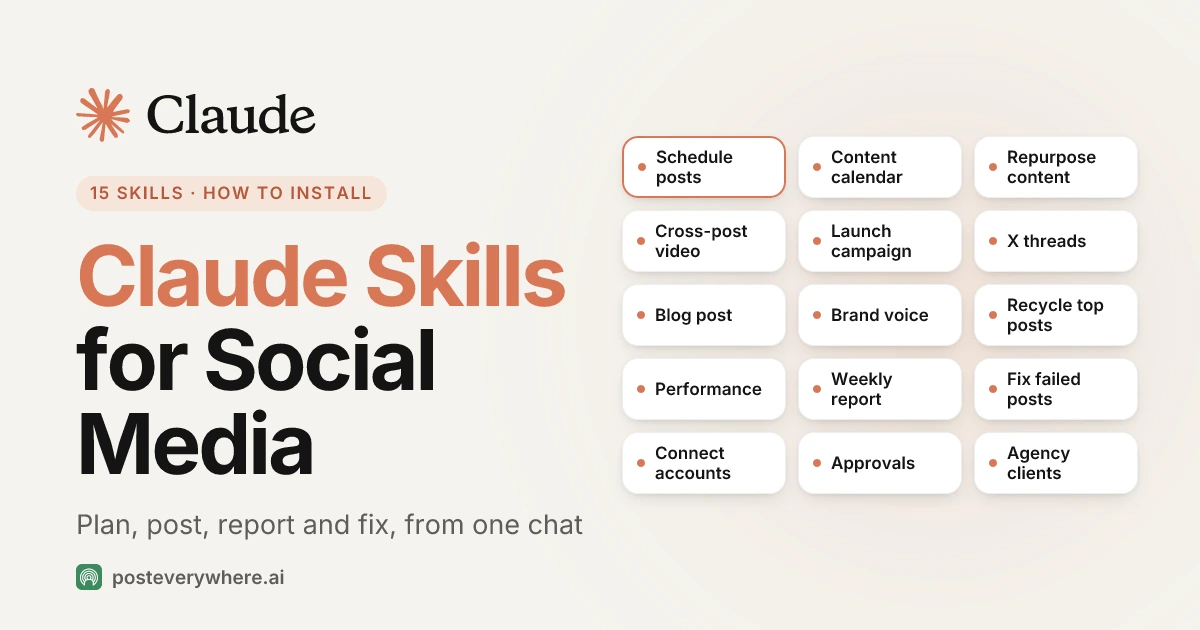
Claude skills for social media are instruction files that teach Claude one social media job, such as planning a week of posts or writing a client report. We publish 15 of them for PostEverywhere. Unlike most skill packs, they don't stop at a draft in the chat: they work through the PostEverywhere connector, so Claude can schedule the post, publish it, read how it did and retry it if it failed.
This guide lists every skill, what it does step by step, what to say to trigger it, and how to install the set in Claude, Claude Code and other agents. It takes one setting in Claude and one marketplace address.
Written by Jamie Partridge, Founder of PostEverywhere.
What are Claude skills?
Anthropic describes skills as "folders of instructions, scripts, and resources that Claude loads dynamically to improve performance on specialized tasks." Each skill is a folder with a SKILL.md file inside.
The top of the file has a name and a short description of when to use it. The rest is the method.
Claude doesn't read every skill in full on every message. It scans the descriptions, and when your request matches one, it loads that skill and follows it. Anthropic calls this progressive disclosure.
In practice it means you can install fifteen skills without filling Claude's memory, and you don't have to name a skill to use it. Ask "how did my posts do this month?" and the performance skill loads by itself.
A few facts worth knowing before you start:
- Every Claude plan has skills. Anthropic lists them on Free, Pro, Max, Team and Enterprise, as long as Code execution and file creation is turned on in Settings, Capabilities (Anthropic's setup guide).
- Skills are an open format. The Agent Skills standard is read by Claude Code, Gemini CLI, Codex, Cursor, GitHub Copilot and others, so the same files work outside Claude too.
- Skills can be bundled as a plugin. A Claude Code plugin packages skills with the connector they need, so one install sets up both.
Claude skills vs connectors: why social media needs both
A skill is know-how. A connector is access. Claude needs both to run your social media.
A skill on its own can teach Claude to write a good LinkedIn post, a thread that hooks in the first line, or a weekly report in a fixed format.
But it can't see your accounts, your calendar or your numbers. So most of the social media skills you'll find online end with Claude handing you text to copy and paste into another tool.
A connector is the other half. The PostEverywhere connector is a hosted MCP server that gives Claude tools to list your accounts, create and schedule posts, upload media, read analytics and retry failures.
On its own, Claude can use those tools, but it has to work out the right order each time: which account is healthy, which platform needs media, what the character limit is.
Our skills join the two together. Each one is the method for a job, written for the PostEverywhere tools. The scheduling skill checks account health and platform rules before it writes, saves a draft, shows it to you and only schedules after you say yes.
If you want the technical background, our guide to social media APIs vs MCP explains how the connector layer works.
Want Claude to post for you, not just write? Every PostEverywhere plan includes the Claude connector, from $9 a month. Start your 7-day free trial, connect your accounts, then add the skills. Card required, cancel any time.
The 15 PostEverywhere Claude skills for social media
Here's the full set. The "try saying" column is a prompt that triggers the skill, taken from our skills and prompt library.
| Skill | What it does | Try saying |
|---|---|---|
| Schedule social posts | Writes a post for each platform's rules, shows you a draft, then schedules or publishes it | "Post this to all my accounts tomorrow at 9am with PostEverywhere." |
| Plan a content calendar | Plans a week or month of posts and fills your queue | "Plan next week of posts for my LinkedIn and X in PostEverywhere." |
| Repurpose content | Turns a blog post, transcript or newsletter into a set of posts | "Turn this article into five posts and schedule them in PostEverywhere." |
| Cross-post a video | Sends one video to TikTok, Reels, Shorts and more, with a caption for each | "Post this video everywhere with PostEverywhere." |
| Launch announcement | Teaser, launch-day, reminder and last-call posts for a launch, event or sale | "Plan a launch campaign for our new feature next Tuesday in PostEverywhere." |
| Write an X thread or Article | Writes a real linked X thread, or a long-form X Article | "Turn this blog post into an X thread and schedule it with PostEverywhere." |
| Write a blog post | Writes a WordPress post and publishes it or saves it as a draft | "Write a WordPress blog post from these notes and save it as a draft in PostEverywhere." |
| Brand voice | Learns how you write from your own posts and writes a short voice guide | "Read my recent posts in PostEverywhere and write me a short voice guide." |
| Recycle top posts | Finds your best past posts and schedules fresh versions, spaced out | "Find my best posts from the last 3 months in PostEverywhere and schedule new versions." |
| Review post performance | Shows how posts did and which platform works best | "How did my posts do this month? Use PostEverywhere analytics." |
| Weekly report | Writes a short weekly or monthly report, ready to paste into an email | "Write my weekly social media report from PostEverywhere." |
| Fix failed posts | Finds posts that didn't go out, explains why and fixes them | "Did any of my PostEverywhere posts fail this week? Fix them." |
| Connect social accounts | Adds Instagram, TikTok, LinkedIn and the rest when a post needs one | "Connect my Bluesky account to PostEverywhere." |
| Approval workflow | Drafts posts for a client or manager to review before they go live | "Draft next week of posts in PostEverywhere and send them for review." |
| Agency clients | Keeps each client's accounts and posts apart | "Switch to my Acme client in PostEverywhere and show their queue." |
All 15 are open source under the MIT licence in our public plugin repository, so you can read exactly what Claude is told to do before you install anything.
What each Claude skill does, step by step
The table is the summary. Here's what each skill actually tells Claude to do, grouped by the job. I've kept the details that matter, because they're the difference between a skill you trust and one you babysit.
Publishing skills
Schedule social posts is the one the others lean on. Claude lists your accounts, skips any that need reconnecting and tells you which, then checks the platform rules for anything it isn't sure of.
It writes one main caption plus a different version where a platform needs it, such as a shorter X post. Unless you've already said "publish now" or "schedule it" for that exact post, it saves a draft and asks you first.
Then it schedules with your time zone, or lets your posting queue pick the slot.
Cross-post a video uploads the video once and waits until it has finished processing before attaching it, so nothing goes out with a broken file. It checks each platform's length, size and aspect-ratio limits, leaves out any platform the video breaks, and tells you why.
Then it writes a caption per platform: hook first for TikTok, a title of up to 100 characters for YouTube Shorts, a first line that earns the click on LinkedIn.
It's the agent version of what our cross-posting tools roundup compares.
Write an X thread or Article posts a real thread, with each part a reply to the one before, rather than a pile of separate posts. It shows every part with its character count before anything goes out.
For X Premium accounts it can write an X Article instead: a title up to 100 characters, headings, up to five images, and the first image as the cover. The X scheduler page covers the rest of what you can do on X.
Write a blog post sends a full post to your WordPress site with a title, excerpt, tags, categories and a featured image. It defaults to a WordPress draft unless you say to publish, and it offers to write the social posts that link to it once it's live. Our WordPress integration page explains the connection.
Connect social accounts handles the boring bit. For Instagram, Facebook, LinkedIn, X, YouTube, TikTok, Threads, Pinterest and Google Business Profile, Claude gives you a sign-in link that works for about ten minutes.
It also tells you what the platform will ask for, such as a Business or Creator account on Instagram. For Bluesky, Telegram, Discord and WordPress, it connects with an app password, bot token or webhook, and never asks for your main password.
Planning and content skills
Plan a content calendar asks for the goal, dates, accounts and how often to post, then looks at what's already scheduled so the plan doesn't clash. It varies the angle across days instead of repeating one post, shows you the plan as a table, and creates up to 50 posts in one go, as drafts unless you say otherwise.
You'll see them on your social media calendar straight away.
Repurpose content pulls the main points, facts and quotes from your source, then writes a different angle per post: a key point, a quote, a how-to, a question. It keeps the source's facts exactly and won't add numbers or links that aren't there.
It credits the source when it isn't your own work. If you'd rather do this by hand, our content repurposing guide walks through the same method.
Launch announcement builds a short campaign around one date: tease it, launch it, remind people, close it. It asks for the facts it needs (date, time zone, link, offer terms) and never invents a price or discount.
It groups the posts in a campaign, so if the launch date moves, Claude can find and move every post at once.
Recycle top posts ranks your best posts over the last 90 days within each platform, not across them, because a good LinkedIn post and a good X post have different numbers.
It leaves out anything tied to a date or offer that has passed. Then it writes a fresh version with a new first line and angle and spaces it out by a few weeks. It's a rewrite, never a copy.
Voice and performance skills
Brand voice reads up to your last 50 published posts and writes a guide of no more than ten short lines: tone, sentence length, how posts open and end, emoji and hashtag habits, words you use and words you never use.
If you have fewer than about ten posts, it says the sample is thin and asks for more examples. Save the guide somewhere Claude can read it next time, such as a project instruction, and every other skill will follow it.
Review post performance gives you a short, honest read of the last 30 days: totals, your best posts and what they have in common, anything that failed, and one or two things to try this week.
When a platform doesn't report a number, it says "not available" instead of showing zero. It also says when you have too few posts to show a trend. Those figures come from the same data as PostEverywhere analytics.
Weekly report turns the same data into something you can paste straight into an email. It covers the top three posts with links, what failed and whether it's fixed, and what's going out next week. It asks who the report is for first.
For a client report, it leaves out internal notes and fixed failures unless you say otherwise.
Fix failed posts sorts every failure into one of four causes: the account needs reconnecting, the post broke a platform rule, the platform had a temporary problem, or you need to change something on the platform itself.
It fixes what it can, gives you a reconnect link where needed, and retries once. It won't retry in a loop, and it won't retry anything that will just fail the same way.
Running social for clients? PostEverywhere has workspaces, drafts and approvals for client work, and the same calendar your agent writes to. See how the social media scheduler handles teams, or compare plans and pricing.
Team and agency skills
Approval workflow saves posts as drafts that a reviewer can read in the PostEverywhere app, and gives you a short list to send them. It changes only what the reviewer asked for.
The rule I like most: approval is you telling Claude, in the conversation, that a post is approved. It never treats silence, or its own judgement, as a yes. It pairs with the post approval workflow in the app.
Agency clients exists because one wrong account means a client's post goes out on another client's page. Claude starts by naming the workspace it's in and listing its accounts. If one workspace holds several clients, it asks you to map accounts to clients.
Before it creates, changes, schedules or deletes anything, it names the client and the exact accounts and asks you to confirm. Reports only ever show one client's accounts. Our multi-account management page covers how workspaces keep clients apart.
How to install Claude skills for social media
There are four routes. They all install the same 15 skills. Pick the one that matches where you use Claude.
In Claude (web, desktop, mobile and Cowork)
- In Claude, open Settings, then Capabilities, and make sure Code execution and file creation is on. Skills need it.
- Open Customize, then Plugins, then Add, then Add marketplace.
- Enter
posteverywhere/claude-pluginand add the PostEverywhere plugin. - The first time you ask for something, sign in to PostEverywhere and approve the connection.
The plugin brings the connector with it. If you already added the PostEverywhere connector on its own, the skills simply use it. Our Claude setup page walks through the connector step by step, including what to do on Team and Enterprise plans, where an Owner adds it first.
If you'd rather add skills one at a time, each skill on our skills page has its own download. It's a zip with one skill folder and its SKILL.md, the format Claude expects.
In Claude, open Customize, then Skills, press +, choose Create skill, then Upload a skill, and pick the zip. Uploaded skills still need the connector to post.
In Claude Code
Two commands in any Claude Code session:
/plugin marketplace add posteverywhere/claude-plugin
/plugin install posteverywhere@posteverywhere
Claude Code picks the skills up from the plugin, as described in Anthropic's Claude Code skills documentation. Our Claude Code guide covers the connector sign-in and a few terminal-only tricks.
In Gemini CLI
The same repository installs as a Gemini CLI extension. Our Gemini setup page covers the connector:
gemini extensions install https://github.com/posteverywhere/claude-plugin
In any other agent that reads skills
For Codex, Cursor, Windsurf, Cline, GitHub Copilot and other agents that read Agent Skills, one command adds them:
npx skills add posteverywhere/claude-plugin
Then connect the agent to the PostEverywhere MCP server. The MCP server docs have the address and setup for each client, and our guide to scheduling posts with MCP shows the first prompts to try.
Using the skills day to day
You don't call skills by name. Say what you want and Claude picks the matching skill. A normal week for me looks like this:
- Monday: "Plan this week of posts for LinkedIn, X and Threads around our launch on Thursday." The calendar skill drafts them, and the launch skill handles the Thursday sequence.
- Midweek: "Turn this article into five posts and spread them across next week." The repurpose skill writes them in my voice, because the brand voice guide is in my project instructions.
- Friday: "Write my weekly social media report." The report skill pulls the numbers, flags anything that failed, and I paste it into an email.
Three habits make it work better:
- Keep your voice guide where Claude can see it. Run the brand voice skill once, correct it, and save it as a project instruction. Every post after that starts from it.
- Let drafts be the default. The skills save drafts and ask before anything goes live. Keep it that way until you trust the output on each platform. Then say "schedule it" in the same message when you want to skip the check.
- Check what your agent did. Claude's requests through the connector show up in Logs in PostEverywhere for 30 days, so you can see which posts it created and when.
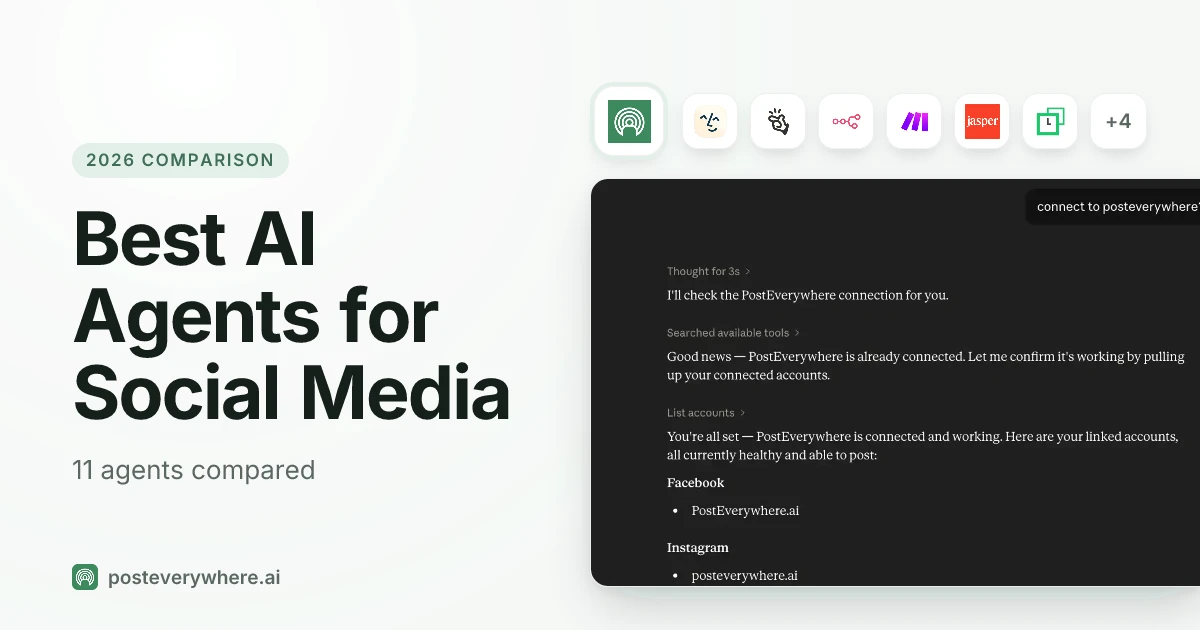
If you're still deciding which assistant to run all this through, our roundup of the best AI agents for social media compares the setup routes. For the writing side of Claude (prompts, long-form and voice), my guide to using Claude for social media goes deeper.
And for the rest of a marketing team's Claude setup, see our top Claude connectors.
Are the skills safe to give access to your accounts?
Reasonable question, because posting is public and hard to undo. Here's how the set is built to keep you in control:
- Drafts first. Every skill that creates posts saves drafts and shows them to you before scheduling, unless you said "publish now" or "schedule it" for that exact post.
- No invented facts. The skills tell Claude not to make up prices, links, statistics or claims, and to use only the facts you give it.
- No passwords in chat. Account connections use the platform's own sign-in or an app password, never your main password.
- Instructions only. The plugin contains instructions and the connector address. It runs no code on your computer. You can read every file in the repository.
- You can switch it off. Remove the plugin in Claude, or disconnect Claude from PostEverywhere, at any time.
Our guide to safe AI agent access to social media covers the permission model in more detail.
Ready to hand Claude the busywork? Plans start at $9 a month, and every plan includes the connector and the skills. Start your 7-day free trial, card required, cancel any time.
FAQ
What are Claude skills for social media?
They're instruction files that teach Claude one social media job, such as scheduling a post, planning a calendar or writing a report. Claude loads the right one when your request matches it.
Ours work through the PostEverywhere connector, so Claude can actually schedule and publish, not just write the text.
Are Claude skills free?
Yes. Skills are available on every Claude plan, including Free, and our 15 skills are free to download under the MIT licence. To post through them, you need a PostEverywhere plan. Every plan starts with a 7-day free trial, card required.
Do I need Claude Pro to use skills?
No. Anthropic lists skills on Free, Pro, Max, Team and Enterprise plans. You need Code execution and file creation turned on in Settings, Capabilities. On Team and Enterprise, an Owner may need to enable skills for the organisation first.
What's the difference between a Claude skill and a connector?
A skill is know-how: the steps for a job. A connector is access: the tools to see your accounts and post. A skill alone can write a post but can't publish it.
A connector alone can publish, but Claude has to work out the method each time. Together, Claude knows the method and has the tools.
Can Claude post to Instagram and TikTok with these skills?
Yes, once those accounts are connected in PostEverywhere. Instagram needs a Business or Creator account, and Instagram and TikTok posts need an image or video. The cross-post video skill sends one video to TikTok, Instagram Reels, YouTube Shorts, LinkedIn and Facebook Reels with a caption for each.
Will Claude publish anything without asking me?
No. The skills save drafts and show them to you first. They schedule or publish only after you confirm, or when you've already said "publish now" or "schedule it" for that exact post.
Do the skills work in Claude Code and other agents?
Yes. Claude Code installs them as a plugin with two commands, Gemini CLI as an extension, and Codex, Cursor, Copilot and other agents that read Agent Skills with npx skills add posteverywhere/claude-plugin. Each agent also needs the PostEverywhere MCP server connected.

Founder & CEO of PostEverywhere. Writing about social media strategy, publishing workflows, and analytics that help brands grow faster.