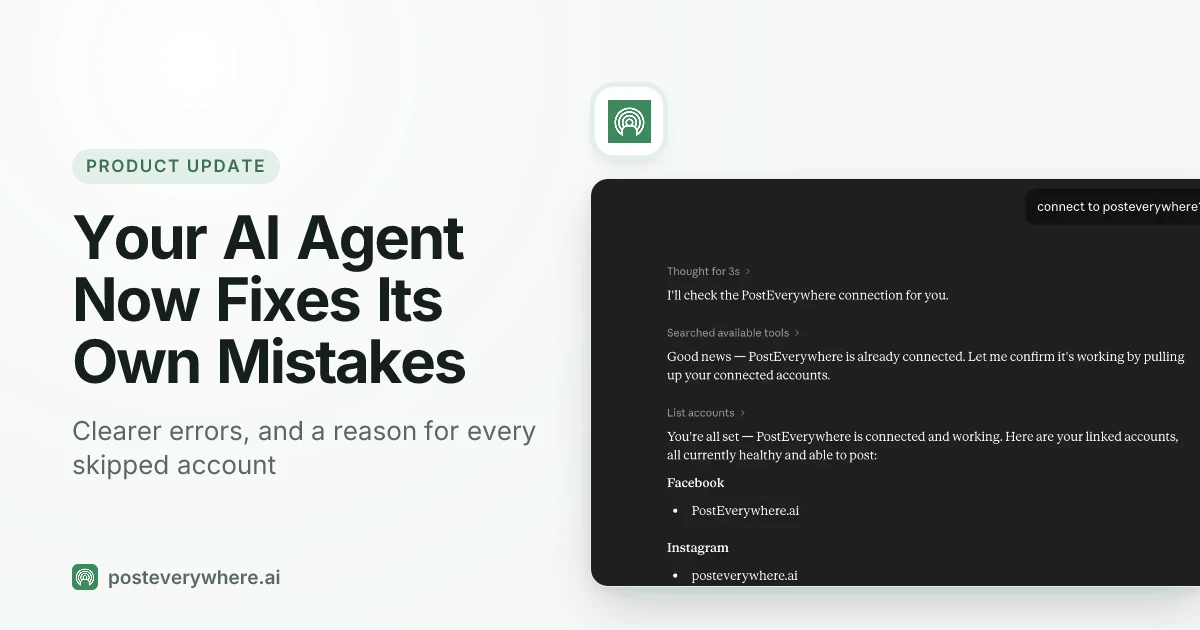
What changed? We've improved how AI agents work with PostEverywhere. When Claude, ChatGPT or any agent sends something we can't use, like an account name where an ID belongs, it now gets told exactly what was wrong and what to send instead, so it fixes the request itself instead of guessing. And when a post can't go to one of your accounts, your agent can tell you which one and why: "Posted to 4 of 5. TikTok needs reconnecting, here's the link."
Under the hood, we've rewritten the API's errors. A handle where an account ID belongs, a file name where a media ID belongs, or a filter we can't apply now gets an error that names the problem and the fix, and it's never marked as worth retrying.
Who is it for? Anyone building on PostEverywhere with an AI agent in the loop: Claude, ChatGPT, Cursor, a custom agent on our MCP server (the Model Context Protocol standard), or your own code on the social media API.
It works the same through the REST API, the SDK and every MCP connector, because the MCP tools pass the API's message straight to the agent.
Do you need to change anything? No. Valid requests work exactly as before. The only requests that get a different answer are ones that were already going wrong: a filter we couldn't apply used to be ignored and is now refused with an error that says why, and a handle in account_ids now gets a clear 400 that names it.
Either way, what comes back is a message an agent can read, understand and fix on its next try.
Written by Jamie Partridge, Founder of PostEverywhere.
Why errors matter more when an agent is calling the API
A developer who gets a vague error opens the docs. An agent can't. It reads the message, guesses, and tries again, and every guess costs a request and some of your patience.
So we look at errors from the agent's side. A good error answers three questions in the message itself: what was wrong, what should go there instead, and whether trying again could help.
Every PostEverywhere error already carries a retryable flag for that last question (see how retries work). This update is about the first two. It covers the mistakes agents make most often with IDs and filters, because those are the ones a model can fix by itself if the message tells it how.
The answer to "should I retry?" stays simple. The ID and filter errors below are all 400 or 404 errors with retryable: false. Retrying the same request won't help; changing it will.
1. Invalid account IDs: a handle or platform name in account_ids
Agents often think in names, not numbers. Asked to "post this to our Instagram," a model may send the handle or the word "instagram" where account_ids expects numeric IDs.
The API now answers with a 400 invalid_id that names the value it couldn't use and, where it can, suggests the matching account from your own connected accounts:
{
  "data": null,
  "error": {
    "code": "invalid_id",
    "message": "account_ids must be numeric account IDs from GET /v1/accounts (the list_accounts tool); got \"@northwindcoffee\". Did you mean: 101 for @northwindcoffee on Instagram?",
    "retryable": false
  }
}
The message is shortened here, and the exact wording may change, but the shape is the point: the bad value, the endpoint that lists the right IDs, and a suggestion the agent can use straight away.
Suggestions only ever come from accounts in your own organization that your API key can use, matched on the handle, the account name or the platform.
2. Accounts that were skipped are listed, with a reason
Sometimes a post can go to some of the accounts you asked for but not all of them. One might be disconnected, or the ID might not match any account in your organization.
The post still goes to the accounts that can be used, and the response now says which ones it skipped and why:
{
  "data": {
    "post_id": "…",
    "skipped_account_ids": [104],
    "skipped_accounts": [
      {
        "account_id": 104,
        "platform": "tiktok",
        "reason": "disconnected",
        "message": "Account 104 (@northwindcoffee on TikTok) is disconnected. Reconnect it with POST /v1/accounts/104/reconnect (the create_reconnect_link tool), or leave it out."
      }
    ],
    "warnings": [
      { "code": "account_skipped", "accountId": 104, "reason": "disconnected", "message": "Not posted to: …" }
    ]
  }
}
There are two reasons:
| Reason | What it means | What the agent can do |
|---|---|---|
disconnected |
The account is yours but needs reconnecting | Create a reconnect link with POST /v1/accounts/{id}/reconnect or the create_reconnect_link tool, and send it to you |
not_found |
No account with that ID in your organization | Call GET /v1/accounts or list_accounts for the right IDs |
The skipped fields only appear when something was skipped, and the same reasons come back as account_skipped warnings, so code that already reads warnings sees them too. If none of the accounts can be used, nothing is created: the API returns a 400 invalid_accounts that explains each account in turn.
This is the change we'd point most agent builders to. An agent that reports "posted to 4 of 5 accounts, TikTok needs reconnecting, here's the link" is more useful than one that says "done."
3. A file name or URL in media_ids
media_ids takes the IDs PostEverywhere returns when you upload a file. Agents sometimes pass the file name, or the URL of an image they found, instead.
That's now a 400 invalid_id, so a post is never created without the media you meant to attach. If the value is a URL, the message tells the agent the right step: upload it first with POST /v1/media/upload-from-url (the upload_media_from_url tool) and pass the media ID that comes back.
Otherwise it points to POST /v1/media/upload and to GET /v1/media, which lists files you've already uploaded.
4. Invalid post IDs: the wrong kind of post ID
A post sent to five platforms has one post ID and five destination IDs, one for each platform's copy. Posts created together can also share a post group ID. All three look alike, and agents mix them up.
If an agent asks for a post using a destination ID or a post group ID from your own organization, the 404 now says what that ID is and which post ID to use instead.
(Keys restricted to certain accounts still get a plain 404.) The details carry the right IDs, so the agent can retry with the correct one without another lookup, then check it with GET /v1/posts/{id}.
Approving a post or requesting changes with a malformed post ID now gets a 400 invalid_id straight away.
5. Filters are never ignored
GET /v1/posts takes filters for status, platform, account, campaign and dates. An agent that gets a list back assumes its filters were applied. So a filter the API can't use is now refused rather than skipped, and an agent never mistakes the full list for a filtered one, or reports on the wrong account.
A filter with nothing usable in it returns 400 invalid_filter, naming the parameter, the value and what it expects:
- a
statusorplatformwe don't have - an
account_idorcampaign_idthat isn't a number, such as a handle - a date we can't read; send ISO 8601, for example
2026-11-24T00:00:00Z
A list with some valid values, such as status=published,bogus, still keeps the valid ones. Two common words now work as you'd expect: status=queued means scheduled, and status=processing means publishing.
6. Invalid IDs get the same rules everywhere
The last ID change is consistency. Every endpoint now checks IDs just as strictly, and the messages say which list endpoint returns the right kind of ID:
| ID | Must be | Listed by |
|---|---|---|
| Account | A whole number (12abc is refused, not read as 12) |
GET /v1/accounts |
| Campaign | A whole number | GET /v1/campaigns |
| Post, media | A UUID | GET /v1/posts, GET /v1/media |
| Webhook, workspace | A UUID | GET /v1/webhooks for webhook IDs |
A strict check costs a developer nothing and saves an agent a confusing round trip, because a half-read ID can point at the wrong thing without anyone noticing.
7. More errors that say what to fix
The same idea now runs through a few other messages an agent sees often:
- A post a platform won't accept returns
post_creation_failedwith the platform's actual rule, for example that a Facebook Reel is over the length limit, instead of a general "validation failed." Thehintindetailsonly appears when it fits: when an image or video is missing, or when text is. - A time in the past. Every "
scheduled_formust be in the future" message now gives the server's current time and says that a time without an offset (Zor+01:00) is read as UTC. When it's a time zone mix-up, the agent can see that straight away. Our guide to the time zone trap has more. - One post in a bulk request that fails on our side comes back with
item_dispatch_error,retryable: trueand a plain message: send that one again on its own. The rest of the batch is unaffected. - Connecting Bluesky or Discord when we can't reach them returns a
502 service_unavailablewithretryable: true, because it's temporary, instead of an error that looks like the credentials were wrong.
Those last two are the exceptions to "don't retry": they're marked retryable because the same request can succeed in a minute.
8. Checking on many posts at once
Agents that schedule a lot of posts also check on a lot of posts, often one call per post. That uses the rate limit for nothing. Three changes in the same release help:
- One call for up to 100 posts.
GET /v1/posts?ids=<id>,<id>,...returns each post with its destinations and their status. Any it couldn't return come back inmissing_ids, and deleted ones indeleted_ids, so the agent knows to stop asking about them. (A key restricted to certain accounts sees deleted posts outside its accounts inmissing_ids.) - Deleted posts say so. Asking for a deleted post now returns
410 post_deleted, not retryable, instead of a404that could also mean a typo. Keys restricted to certain accounts still get a plain404for posts outside their accounts. - A
429on a single post's status now suggestsids=and webhooks, which tell you the moment a post publishes or fails.
Uploads get some room too: finishing an upload (POST /v1/media/{id}/complete) now has its own budget of 120 requests a minute per key, so a batch of uploads doesn't use up the 60 a minute you need for posting.
Building an agent that posts? Connect it to PostEverywhere's MCP server or API, and it gets errors it can act on from the first call. Start your 7-day free trial.
What the errors look like through MCP, the API and the SDK
| You connect through | What you'll notice |
|---|---|
| Claude, ChatGPT and other agents (MCP) | The agent sees the full message, so it fixes the ID or filter itself and explains skipped accounts to you |
| The REST API | Read error.code, error.message and error.retryable; on created posts, check skipped_accounts |
| The SDK | The same fields come back in the response |
Apart from that upload budget, the shared rate limits haven't changed: each API key can still make 60 requests a minute and 1,000 an hour. Clearer errors just mean fewer of those requests go on guesses.
If you're building your first agent, our guide to building a social media agent on the API walks through the whole loop, and how to schedule posts with MCP covers Claude, ChatGPT and Cursor step by step.
Where to read more about API errors
- Errors: every error code, including
invalid_idandinvalid_filter, and which ones are worth retrying. - Changelog: this update and everything before it.
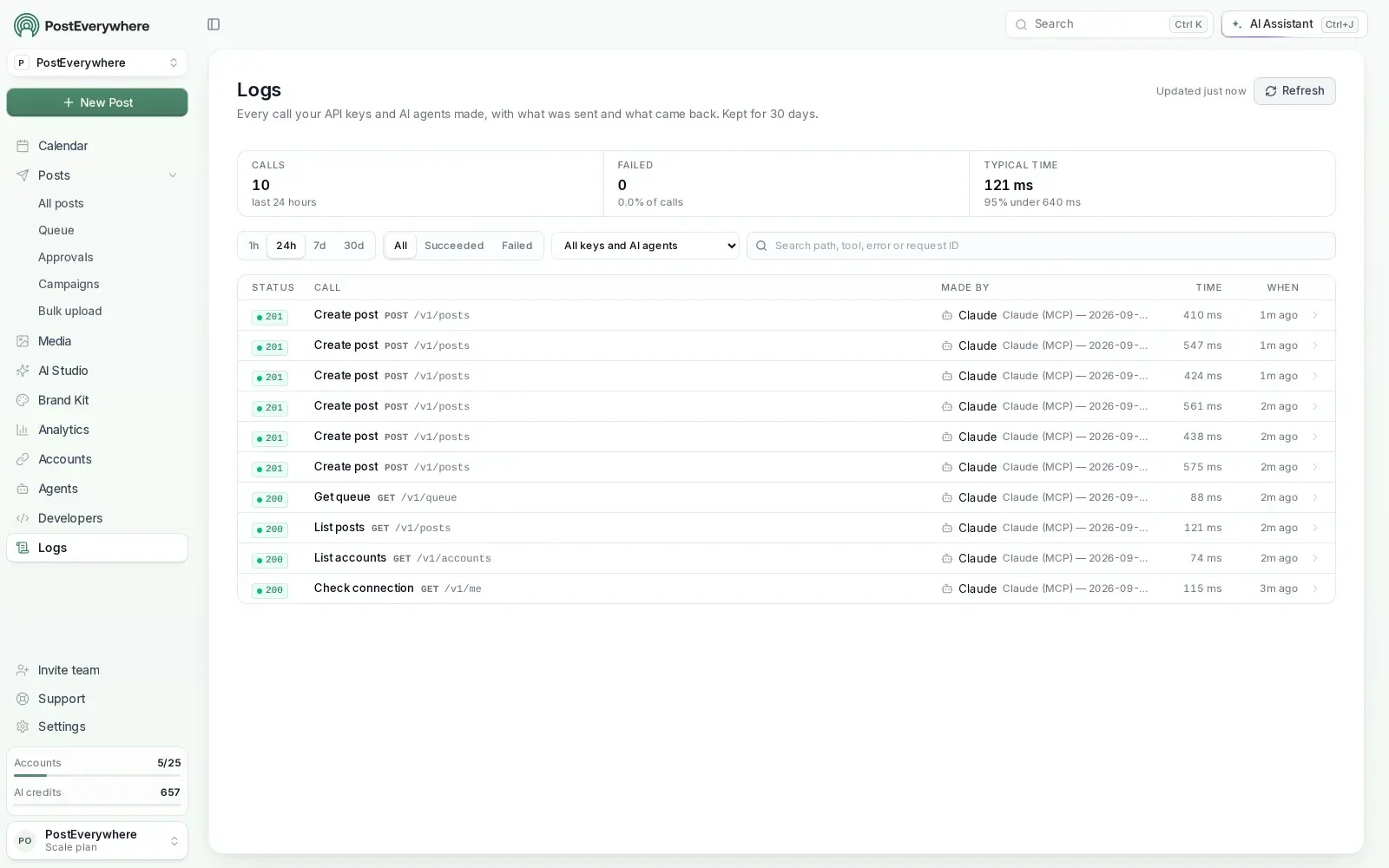
- API and MCP logs: see each call your agent made and the response it got.
- Common API errors: a quick fix for each code in the help centre.
Want an agent that tells you what it did, and what it couldn't? Give it PostEverywhere and it can post to all top platforms and report back on every account. Start your 7-day free trial.
FAQ
What does the PostEverywhere API return for a wrong account ID?
A 400 error with the code invalid_id and retryable: false. The message names the value it couldn't use, points to GET /v1/accounts for the right IDs, and where it can, suggests the matching account from your own connected accounts, for example the account ID for a handle you sent by mistake.
What happens if some accounts in a post can't be used?
The post still goes to the accounts that can be used. The response lists the others in skipped_account_ids and skipped_accounts, each with a reason (disconnected or not found) and what to do about it. The same reasons appear as account_skipped warnings.
If none of the accounts can be used, nothing is created and you get a 400 that explains each one.
Why did GET /v1/posts return invalid_filter?
A filter you sent has nothing usable in it, such as an unknown status, a handle in account_id, or a date that can't be read. The API refuses it rather than returning the unfiltered list, so you never mistake every post for a filtered result.
The error names the parameter and the value it expects.
Should my agent retry these errors?
No. They're 400 and 404 errors with retryable: false: the same request will fail the same way. The agent should change the request using what the message says. Retry only when retryable is true, which means a rate limit or a temporary server problem.
Do I need to change my integration?
No. Valid requests work exactly as before. The only requests that get a different answer are ones that were already going wrong, such as a filter that couldn't be applied, which is now refused with an error that says why.
If your code reads warnings on created posts, it will now also see account_skipped warnings, and skipped_accounts tells you which accounts a post missed.
Does this work through Claude and ChatGPT?
Yes. The MCP tools pass the API's error message straight to the agent, so Claude, ChatGPT, Cursor and any other agent connected to PostEverywhere see the same explanation and can fix the request themselves.

Founder & CEO of PostEverywhere. Writing about social media strategy, publishing workflows, and analytics that help brands grow faster.