A year ago we shipped the first version of the PostEverywhere API: 16 endpoints, a single auth model, one cross-platform POST /posts call that fans out to eight networks. It was enough to replace a Buffer or Hootsuite integration for most teams, and that is what people did.
Then we watched what those teams actually built on it. Cron jobs that polled GET /posts/:id every five seconds because there was no way to be told a publish had finished.
Dashboards that needed 47 API calls to count how many posts were scheduled this week. Failed-post recovery scripts that hit POST /posts/:id/retry one ID at a time, because there was no bulk version.
Customers tagging posts to campaigns by hand in the dashboard because the API had no concept of a campaign at all.
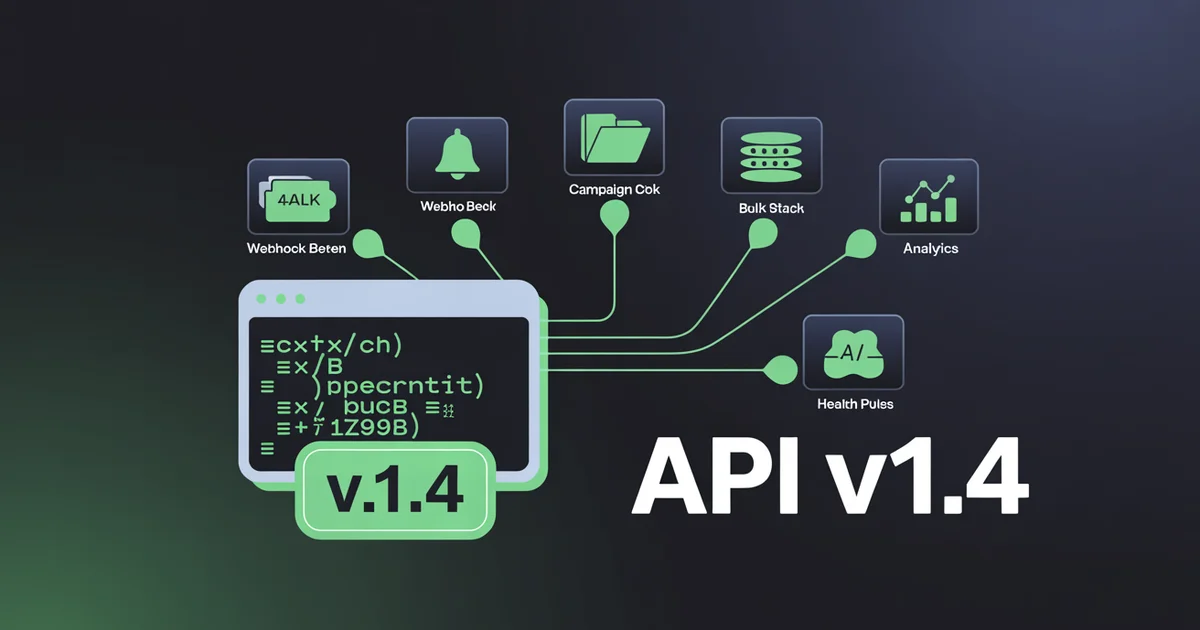
Today we are fixing all of it. PostEverywhere API v1.4 ships 13 new endpoints, 18 new MCP tools, a full webhook system, campaigns, bulk operations, and a new /v1/me introspection call. The Node SDK is on npm as v1.4.0. The MCP server is on npm as v1.3.0. Every existing integration keeps working without a single change.
This post is the developer changelog, with code.
The pain we just removed
A year of customer interviews boiled down to six complaints. We collected them and built v1.4 against the list.
Polling. Most production integrations were polling GET /posts/:id on a 5-second loop to find out if the publish finished. That is expensive on our side, wasteful on yours, and your monitoring dashboards lit up with rate-limit warnings.
(Since October 2026 there is also a Logs page that lists every API call with its status, timing and error.)
The 47-call dashboard problem. If you wanted to show "you have 12 posts scheduled today, 3 failed yesterday, 47 published this week" on a dashboard, you needed to list every post, filter client-side, and aggregate by status. That was a separate paginated request per status. Adding date filters meant doing it again.
Single-status filters. ?status=scheduled worked. ?status=scheduled,failed did not. You could not ask one query for "everything that did not publish cleanly this week".
No date-range filters. You could list posts. You could not list posts published between June 1 and June 7. Date filtering was UI-only.
Campaigns lived in the dashboard. You could tag posts to a "Q3 Launch" or "Holiday 2026" campaign in our UI, but there was no way to do it via API. The grouping data was unreachable from code.
One-at-a-time retries. A wave of TikTok failures meant POST /posts/:id/retry, in a loop, for every post ID. The API was tolerant of it. It was still not the right shape.
These were the most common complaints from teams running PostEverywhere in production. We listened. v1.4 is the answer to all six.
Webhooks: subscribe, don't poll
Stop polling. We push events to your endpoint, you process them, that's it.
This is the headline feature of v1.4, and it is the one we should have shipped first. The new /v1/webhooks namespace lets you register HTTPS endpoints to receive events when posts publish, fail, retry, or change state.
The PostEverywhere webhooks guide covers every event, the payload shape and the retry ladder. Twelve event types are supported today, including post.published, post.failed, post.retried, account.reconnect_needed, campaign.completed, and the rest of the lifecycle.
Creating a webhook is one request:
curl -X POST https://app.posteverywhere.ai/api/v1/webhooks \
  -H "Authorization: Bearer $POSTEVERYWHERE_API_KEY" \
  -H "Content-Type: application/json" \
  -d '{
    "url": "https://my-app.example.com/webhooks/pe",
    "events": ["post.published", "post.failed", "account.reconnect_needed"]
  }'
Every delivery is signed. We use HMAC-SHA256 (the algorithm specified in RFC 6234) with the shared secret returned when you created the webhook, and we send the signature in an X-PostEverywhere-Signature header. Verifying it is three lines:
import crypto from 'crypto';
import express from 'express';

const app = express();
app.use(express.raw({ type: 'application/json' }));

app.post('/webhooks/pe', (req, res) => {
  const signature = req.headers['x-posteverywhere-signature'];
  const expected = 'sha256=' + crypto
    .createHmac('sha256', process.env.WEBHOOK_SECRET)
    .update(req.body)
    .digest('hex');
  if (signature !== expected) return res.sendStatus(401);
  const event = JSON.parse(req.body);
  console.log(event.event, event.data.post.id);
  res.sendStatus(200);
});
If your endpoint returns a non-2xx status (or times out after 10 seconds), we retry with exponential backoff: 30 seconds, 2 minutes, 10 minutes, then every hour up to 24 hours.
After that we give up and surface the failure in your webhook delivery log, which you can inspect via GET /v1/webhooks/:id/deliveries. The replay endpoint is there too if you need to re-fire a missed event after fixing a downstream bug.
A post.published payload looks like this:
{
  "event": "post.published",
  "delivered_at": "2026-06-11T14:00:02Z",
  "data": {
    "post": {
      "id": "post_01HXYZ",
      "account_id": "acc_012",
      "platform": "instagram",
      "published_at": "2026-06-11T14:00:00Z",
      "permalink": "https://www.instagram.com/p/ABC123/"
    }
  }
}
Everything you needed to know in a single push. No more polling loops. Customers running our social media posting API in production have been asking for this since launch, and the polling tax was real on both sides.
Replace your polling loop in 30 minutes. Register one webhook, verify the signature with three lines of HMAC code, and stop hammering
GET /posts/:id. Read the developer docs.
The "you can finally" list
The rest of v1.4 is a series of small, sharp wins. None of them are headline-worthy on their own. Together they remove most of the friction we saw in the wild.
You can finally see every failed post in one query. GET /posts?status=scheduled,failed accepts comma-separated values now. Combine with ?date_from=2026-06-01&date_to=2026-06-07 and you have the "what broke this week" query that used to require client-side aggregation. The pagination shape is unchanged.
You can finally subscribe to events instead of polling. Twelve event types, HMAC-signed, with delivery logs and a replay endpoint. Full schema in the developer docs. See the previous section for the verification code.
You can finally generate captions as well as images. The existing POST /v1/ai/generate-image is now joined by POST /v1/ai/generate-caption. Pass a topic, a target platform, and a tone, then get back N caption variants tuned to the platform's character limits and tone conventions.
One AI credit per generation, the same accounting as image generation.
You can finally check your quota without listing every generation. The new GET /v1/me returns your org name, current plan, AI credit usage and limit, scopes on the current key, and connected account counts. One call.
If your agent is about to start a 30-post run and the credits are out, you find out before you start, not on call 14.
You can finally bulk-schedule a 30-day calendar. POST /v1/posts/bulk accepts up to 50 post objects per call. The response returns per-row success or error. A 30-day, 2-posts-per-day editorial calendar is three API calls and one round-trip latency, not 60.
You can finally tag posts to campaigns via API. POST /v1/campaigns creates a campaign ("Q3 Launch"). PATCH /v1/posts/:id accepts a campaign_id. GET /v1/posts?campaign_id=cam_123 filters by it. The campaign object is the same one our dashboard uses, so things you create via API appear in the UI's campaign view immediately.
You can finally retry every TikTok failure from yesterday in one call. POST /v1/posts/bulk-retry accepts the same filter shape as GET /v1/posts. { "filter": { "status": "failed", "platform": "tiktok", "date_from": "2026-06-10" } } retries the whole set.
The response is a list of post IDs and the new attempt count for each.
You can finally pre-flight an account before scheduling. GET /v1/accounts/:id/health returns can_post: true|false and, when false, an array of reasons: token_expired, media_quota_exceeded, platform_outage, reconnect_needed. An agent that asks this before scheduling will save you the "post failed at 9am, nobody knew until 11am" support ticket.
You can finally pull an analytics summary without paginating. GET /v1/analytics/summary?period=week returns counters for posts scheduled, posts published, posts failed, total impressions, and AI credits consumed for the period. period accepts today, week, month, or from/to date ranges. This is the call you build a dashboard on.
That is nine "you can finallys". The full changelog has one or two more, including pagination cursors that survive cross-page filter changes and a new idempotency_key header for safe retries on POST /v1/posts. Boring on their own. Quietly load-bearing for anything running in production.
For MCP users: 30 tools, natural language
If you are running the PostEverywhere MCP server inside Claude, Cursor, or any other MCP-compatible client, v1.3.0 of the server is on npm now. The tool count went from 12 to 30, mirroring the new API surface.
If your MCP config runs the server through npx, the recommended setup, just restart the client and npx will pull the latest version automatically:
npx -y @posteverywhere/mcp
If you previously installed the package globally with npm, switch your MCP config to the npx command above instead; it always resolves to the latest published version on every launch.
The new tools cover everything in v1.4, with the same natural-language shape that made the original twelve useful in the first place. Here is what your agent can do now that it could not last week:
- "Claude, retry every TikTok post that failed last week."
- "Show me what published to Instagram between June 1 and June 7."
- "Subscribe my webhook to
post.failedandaccount.reconnect_needed." - "How many AI credits have I used this month?"
- "Generate three caption variants for an enthusiastic Black Friday post for Instagram."
- "Create a campaign called Q3 Launch and tag the last six posts I scheduled to it."
- "Is my Instagram account healthy enough to post to right now?"
- "Give me a one-line summary of how this month is going."
Each of those is one prompt, one round-trip, and a structured response your agent can reason about. The tools all have validated TypeScript argument schemas, so Claude does not have to guess endpoint names or field shapes.
It sees bulk_retry_posts with a filter object containing status, platform, and date_from, and fills them in correctly the first time.
If you are using the MCP for daily housekeeping and the Node SDK for production automation, both are now in lockstep at v1.3 and v1.4 respectively, hitting the same backend.
The split between the MCP and the SDK has not changed: MCP for conversational, one-off work; SDK for cron jobs and webhook handlers. The new surface is in both.
The MCP package is open source on GitHub and published to npm at @posteverywhere/mcp. Issues and PRs welcome.
End-to-end code example: AI agent workflow
Here is what v1.4 looks like end-to-end. Generate an image, generate a caption, pre-flight the account, schedule the post, then receive a webhook when it publishes. The whole flow is a single TypeScript file using the new SDK.
import PostEverywhere from '@posteverywhere/sdk';

const client = new PostEverywhere({
  apiKey: process.env.POSTEVERYWHERE_API_KEY,
});

const instagramAccountId = 'acc_012';

// 1. Verify quota before starting (NEW in v1.4)
const me = await client.me.get();
if (me.quota.ai_credits.used >= me.quota.ai_credits.limit) {
  throw new Error('AI credit limit reached');
}
console.log(`Running on plan ${me.plan} with ${me.quota.ai_credits.limit - me.quota.ai_credits.used} AI credits remaining`);

// 2. Generate the image (unchanged)
const image = await client.ai.generateImage({
  prompt: 'Modern Black Friday sale poster, minimalist design',
  aspect_ratio: '1:1',
});

// 3. Generate platform-tuned caption (NEW in v1.4)
const { captions } = await client.ai.generateCaption({
  topic: 'Black Friday sale on running shoes',
  platform: 'instagram',
  tone: 'enthusiastic',
  count: 1,
});

// 4. Pre-flight the account (NEW in v1.4)
const health = await client.accounts.health(instagramAccountId);
if (!health.can_post) {
  throw new Error(`Account not ready: ${health.reasons.join(', ')}`);
}

// 5. Schedule it (unchanged shape, now with idempotency key)
const post = await client.posts.create({
  account_ids: [instagramAccountId],
  content: captions[0].text,
  media_ids: [image.media_id],
  scheduled_for: '2026-11-29T12:00:00Z',
}, {
  idempotencyKey: `bf-2026-${instagramAccountId}`,
});

console.log(`Scheduled ${post.id} for ${post.scheduled_for}`);
// The webhook subscribed earlier will fire when this publishes.
Five calls, every guardrail in place. The same flow under v1.3 needed direct fetch wrappers around at least two of these endpoints (caption generation and account health did not exist), required client-side polling instead of webhook notification, and had no quota pre-flight.
The new flow is the same length and noticeably safer.
Note the idempotencyKey on the create call. Pass any string up to 64 characters and we deduplicate retries within a 24-hour window. If your cron job times out and re-runs the same scheduling logic, you do not get duplicate posts.
Borrowed straight from the Stripe idempotency model because it works.
If you are building this as an autonomous social media agent rather than a one-shot script, the same primitives compose into the full generate-publish-measure-learn loop. Webhooks remove the "measure" lag, bulk ops scale the "publish" step, and the analytics summary endpoint feeds the "learn" step without 50 paginated reads.
Stop writing polling loops and one-at-a-time retry scripts. PostEverywhere API v1.4 is live, the SDK is on npm, and your existing key works against the new surface immediately. Start your 7-day trial.
Backwards compatibility: zero changes required
If you are a customer who has not touched your integration in six months, nothing changes for you.
Every existing endpoint keeps its v1 shape. Single-value filters like ?status=scheduled still work alongside the new comma-separated form. The old pagination shape is unchanged. The old SDK methods are untouched and still exported in v1.4.0: we added methods, we did not rename any.
The new webhooks system defaults OFF, so no events fire until you explicitly register a webhook URL.
The single biggest piece of v1.4 work behind the scenes was making sure no existing integration would notice we shipped anything at all unless they wanted to. Old POST /posts requests get the same response shape. Old GET /accounts payloads are unchanged.
Old MCP tool names still resolve in v1.3.0 of the server. The POST /v1/ai/generate-image endpoint returns the same payload it did yesterday, plus an extra media_id field if you want to chain it into POST /posts (the old image_url field is still there).
The new endpoints sit in the same /v1/ namespace because they are additive. No /v2/. No deprecation timer. No breaking-change email you missed and now your queue is silent on Monday morning.
If we ever need to break something, you get a 6-month deprecation window, a clear migration guide, and runtime warnings in the response headers first. That is the contract.
Get started
Three paths, depending on how you are using the API today.
If you are using the Node SDK, update to v1.4.0 and the new methods appear:
npm install @posteverywhere/sdk@latest
Source on GitHub, package on npm. TypeScript types are included; your editor will autocomplete client.me, client.webhooks, client.campaigns, client.posts.bulkCreate, client.posts.bulkRetry, and client.accounts.health as soon as the new version installs.
If you are using the MCP server in Claude or Cursor, bump the version in your MCP config (or just leave it at npx -y @posteverywhere/mcp and restart your client), and the 18 new tools will appear in the next session.
Ask Claude list the MCP tools you have access to from posteverywhere to confirm you are on the new build.
If you live in the terminal, the new PostEverywhere CLI wraps the same API: run npm install -g @posteverywhere/cli, then post or schedule across all top platforms from your shell, with --json output that AI agents can parse.
If you are calling the API directly with curl, fetch, or any HTTP client, the new endpoints work today against your existing API key. No setup required. The full reference, including request and response schemas for every endpoint, is in our developer documentation.
For the AI surface specifically, our AI content generator and AI image generator pages have product-level overviews; the API reference has the raw payload shapes.
If you are not on the API yet, every plan from $9/mo includes it. Lite, Starter, Growth and Scale all ship with the same endpoints and no posting cap. Start your 7-day trial and you can have a webhook firing inside ten minutes.
For deeper context on the patterns you can build with this surface, our pages on cross-posting and multi-account management walk through the production shapes most teams adopt. The agents page covers the LLM-orchestrated end of the same spectrum.
Ship a webhook handler today. Update the SDK, register one URL, and you have replaced your polling cron with a push. Get an API key.
FAQs
Is v1.4 a breaking change?
No. We added 13 endpoints and 18 MCP tools, and we did not change a single existing one. Single-value status filters still work, the pagination envelope is unchanged, every existing SDK method is still exported, and webhooks default OFF.
If you have not touched your integration in six months, nothing changes for you.
Do I need to upgrade the SDK to use the new endpoints?
You do not need to upgrade if you are calling the API directly with HTTP. The new endpoints work today against your existing API key. You only need the new SDK if you want typed methods and editor autocomplete for the new surface: client.me.get(), client.webhooks.create(), client.posts.bulkCreate(), and so on.
How do I verify webhook signatures?
We sign every delivery with HMAC-SHA256 using the secret returned when you created the webhook. The signature is in the X-PostEverywhere-Signature header in the format sha256=<hex>. Compute the same HMAC over the raw request body and compare with a constant-time comparison.
The three-line Node.js example earlier in this post is the recommended pattern; equivalents exist for every major language.
What happens if my webhook endpoint is down?
We retry with exponential backoff: 30 seconds, 2 minutes, 10 minutes, then hourly for 24 hours. After 24 hours we mark the delivery failed and surface it in GET /v1/webhooks/:id/deliveries.
You can replay any failed delivery with POST /v1/webhooks/:id/deliveries/:delivery_id/replay once your endpoint is back. Persistent failures (5 consecutive 4xx responses) will pause the webhook and email the workspace owner.
How many posts can I bulk-schedule in one call?
50 per call to POST /v1/posts/bulk. The response returns per-row success or error, so a single bad row in the batch does not fail the whole call. For larger workloads, run the bulk endpoint in a loop. A 1,000-post calendar is just 20 bulk calls.
Does the new caption generator cost AI credits?
Yes. Each generated caption costs one AI credit, the same accounting as image generation. Lite ($9/mo) includes 10 credits, Starter ($19/mo) 25, Growth ($29/mo) 100, and Scale ($39/mo) 500. Credits roll over from the previous month up to 2x your monthly allowance.
The GET /v1/me endpoint returns your current usage and limit so your agent can check before spending.
Can I use the new endpoints with Zapier, Make, or n8n?
Yes. Every endpoint is a standard REST call with a JSON payload, so any HTTP node in any automation platform can call them. The webhook system also pairs neatly with these tools: register a PostEverywhere webhook against a Zapier or n8n webhook URL, and you can drive downstream workflows whenever a post publishes, fails, or needs a reconnect.
Where do I find the full changelog and endpoint reference?
If you are evaluating whether to build against this API or adopt an existing agent, our ranking of AI agents for social media covers the off-the-shelf side.
Full endpoint reference, request and response schemas, and the rolling changelog all live at the developer documentation site. The v1.4 entry has the complete list of new endpoints, the webhook event catalogue, and migration notes for the (very small) set of customers who were depending on undocumented behaviour we have now cleaned up. If you spot a gap, contact us directly.
The MCP side of this release has since been listed in Anthropic's Claude connector directory.

Founder & CEO of PostEverywhere. Writing about social media strategy, publishing workflows, and analytics that help brands grow faster.