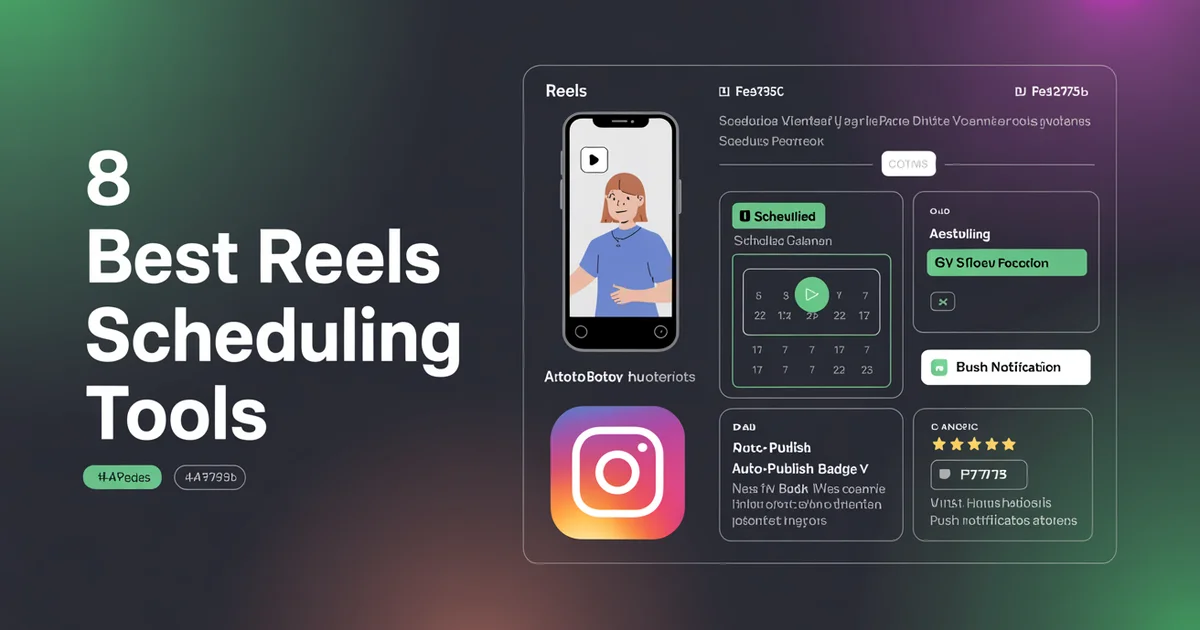
What's the best tool for scheduling Instagram Reels? For AI agents and automation, PostEverywhere: it truly auto-publishes Reels through Meta's official API, and Claude, ChatGPT or your own code can schedule them for you alongside TikTok, YouTube Shorts and every other top platform. If you only post to Facebook and Instagram, Meta Business Suite is the free native option.
I'll save you the rant for the end: most "best Instagram Reels scheduler" claims out there are lying to you.
When I started testing tools for this guide, I expected the differences to be about price, UI, or AI features. Instead, I found a much more fundamental problem — half the tools that claim to "schedule Reels" don't actually schedule Reels at all. They send you a push notification at the scheduled time and ask you to manually open Instagram and post it yourself.
That's not scheduling. That's a reminder app with extra steps.
Over the past three weeks, I tested eight of the most popular Reels scheduling tools on real client accounts, posted real Reels, and timed how long it actually took to get a video from "uploaded" to "live on the grid." This guide is the honest result. No affiliate bias, no vendor apologism — just which tools actually do what they say.
If you're short on time, here's the TL;DR: PostEverywhere is my top pick for most creators (from $9/mo, true auto-publish, cover customization, and honest about what it does). Meta's own Business Suite is the free native option. And Buffer's "Reels support" is mostly push notifications, which you should know before paying them.
Let's get into it.
Auto-publish vs push notification: why it matters
Here's the distinction nobody explains properly, and it's the single most important thing to understand before picking a Reels scheduler.
True auto-publish means: you upload your video, write your caption, pick a time, hit schedule — and at that time the Reel posts itself to Instagram. No phone involvement, no human required. You could be asleep, on a plane, at your kid's parents' evening. It just goes live.
Push notification "scheduling" means: at the scheduled time, your phone buzzes. You open the notification. The tool opens Instagram for you, maybe pre-fills some fields, and you tap "Share" manually. If you miss the notification, the Reel doesn't post.
Do you see the problem? The entire reason to schedule content is so you don't have to be online when it publishes. Push-notification tools defeat that purpose entirely. You still have to babysit every single post.
Why do tools use push notifications at all? Because Instagram's Content Publishing API used to have strict limits on what could be auto-published. For years, Stories and Reels weren't available via the official API, so tools had to fake it with reminders. That changed — Meta opened up Reels publishing to approved API partners — but many tools never upgraded their integration, or only upgraded it on their most expensive plans.
When you're evaluating a tool, the one question that matters is: does this actually post my Reel without me touching my phone? If the answer is no, it's not a scheduler. It's a calendar with notifications.
Stop babysitting push notifications. PostEverywhere truly auto-publishes Reels from $9/mo — no phone, no nagging, no excuses.
Why Reels cover image matters
Before the tool list, one more thing most people underestimate: the cover image.
When someone visits your Instagram profile, they see your grid — nine square thumbnails at a time. Each Reel shows up as one of those tiles. If your Reel's default thumbnail is a blurry middle frame of someone mid-blink, it wrecks the aesthetic of the grid you've spent years curating.
Cover image customization means the scheduling tool lets you either upload a custom cover or pick a specific frame from your video before publishing. Without it, you're stuck with whatever frame Instagram picks automatically — which is usually wrong. Make sure both the cover and the underlying video match the Reels aspect ratio so nothing gets cropped on the grid.
If you care about your grid looking intentional (and for brands, this matters for conversion), cover customization isn't optional. I've marked every tool below with whether it supports this.
Requirements for Reels auto-publish
Before we get into the tools, make sure you meet the baseline requirements. If you don't, no tool on earth will auto-publish your Reels:
- Instagram Business or Creator account — personal accounts cannot use the publishing API, full stop
- Connected to a Facebook Page — Instagram's API authenticates through Meta's Graph API, which requires a linked FB Page
- Admin access to both — you need to be an admin on the FB Page, not just an editor
- Reel under 90 seconds and MP4/MOV format — longer Reels or unusual codecs will fail
- Vertical 9:16 aspect ratio — square or horizontal videos get letterboxed
If you're on a personal account, convert to a free Business account in Instagram settings. It takes 30 seconds and changes nothing about how your profile looks. For how Reels scheduling works once you have switched, see our Instagram scheduler.
Right — let's test some tools.
1. PostEverywhere: Best Instagram Reels Scheduler for AI Agents
PostEverywhere is the agentic social media scheduler built for AI agents. Upload a Reel yourself, or have Claude or ChatGPT schedule it through the hosted MCP server, and it auto-publishes to Instagram and cross-posts to TikTok and YouTube Shorts with no phone in the loop.
REELS CAPABILITY: True auto-publish Cover image customization: Yes Price: From $9/mo (Lite, 2 accounts); $29/mo Growth for 10 accounts. 7-day free trial, cancel anytime
I run PostEverywhere so obviously I'm biased — but I built it specifically because I was frustrated with the tools on this list. Every single one either charged enterprise prices for real auto-publish, or pretended push notifications counted as scheduling. PostEverywhere does true auto-publish on every plan, from $9/mo Lite, which as far as I can tell makes it the cheapest option in this category that isn't Meta's own tool.
You upload your vertical video from a browser (so it doubles as a way to post Instagram Reels from desktop), pick a cover frame (or upload a custom JPG), write your caption with AI assistance from the AI content generator, set a time, and walk away. At the scheduled moment it publishes via Meta's official API. No push notifications, no "tap to continue," no phone in your hand.
You also get cross-posting to all top platforms, including TikTok, YouTube Shorts, Facebook Reels, LinkedIn, X (Twitter), Threads and Pinterest, which matters if you're repurposing vertical video (and you should be). Step-by-step walkthroughs cover cross-posting Reels, Shorts, and TikTok at the same time and a few platform-specific flows.
Pros:
- True auto-publish via official Meta API
- Full cover image customization (custom upload or frame picker)
- AI caption + hashtag generation built in
- Built-in AI video generator for creating Reels from scratch
- Cross-posts to TikTok, YouTube Shorts, Facebook Reels in one click
- From $9/mo (Lite), the cheapest true-auto-publish option I've found
- Transparent pricing — no "contact sales" nonsense
Cons:
- No native video editor (you need to edit clips beforehand in CapCut or similar)
- Scale includes 20 connected accounts; past that, you add 5 more for $15/mo
Try PostEverywhere: Start your 7-day trial — true Reels auto-publish, full feature access. Cancel anytime.
Best for: AI agents and developers who want Reels posted with no human in the loop, plus the 95% of creators, solopreneurs and small brands who just need Reels to go out on time.
2. Later: A visual Reels planner
REELS CAPABILITY: True auto-publish (with Business account) Cover image customization: Yes Price: Starts at $25/mo (Starter)
Later was one of the first schedulers to support Reels auto-publishing properly and they still do it well. Their visual content calendar is genuinely strong: you can drag and drop Reels around a grid preview to plan your aesthetic before anything goes live. If your feed is highly curated (product photography, food, travel), this visual planning is worth money.
Pros:
- Top-tier visual grid planner
- True auto-publish for Reels
- Cover customization supported
- Strong hashtag suggestions
Cons:
- $25/mo entry price is almost 3x PostEverywhere's $9 Lite plan, with less functionality
- AI features locked behind higher tiers
- Advanced analytics require the $45/mo plan
Verdict: Worth it specifically if you obsess over grid aesthetics. Otherwise, overpriced.
3. Meta Business Suite: The free native option
REELS CAPABILITY: True auto-publish (native) Cover image customization: Yes Price: Free
Credit where it's due: Meta's own Business Suite is genuinely excellent for Reels scheduling and it costs nothing. It has the most complete cover customization (you can pick any frame or upload any image), it obviously publishes via the real API because it is the real API, and Meta's help pages have long quoted scheduling up to 75 days in advance, though many Page owners report a limit of about 30 days in the Planner.
The catch: it only covers Facebook and Instagram. If you post vertical video to TikTok, YouTube Shorts, LinkedIn, or anywhere else, you'll need a second tool anyway — which kills the "free" value proposition.
Pros:
- Genuinely free forever
- Rock-solid publishing (it's Meta's own infrastructure)
- Most complete cover customization of any tool
- Native scheduling window (Meta quotes up to 75 days; many Page owners report about 30 in the Planner)
Cons:
- FB + IG only — nothing else
- UI is clunky and slow
- No AI caption generation
- No team collaboration features
Verdict: If you only post to Facebook and Instagram, start here. If you post anywhere else too, you need a proper social media scheduler.
4. Buffer — Mostly push notifications (read this before buying)
REELS CAPABILITY: Mostly push notification (limited auto-publish) Cover image customization: Limited Price: Free plan, $6/channel/mo (Essentials)
Here's the one I want you to read carefully, because Buffer's marketing makes this confusing on purpose.
Buffer markets "Reels support." What they don't make obvious is that on their lower-tier plans, Reels scheduling is push-notification based — you get a reminder on your phone, you open Instagram, you post it yourself. Their "Reels publishing" only moved toward real auto-publish on specific plan tiers, and even then I found inconsistencies during testing where some Reels still required manual confirmation.
This isn't a minor detail. I scheduled four Reels across a Buffer trial, went about my day, and came back 12 hours later to find none of them had posted — all four were waiting for me to tap a notification I'd missed. That's not scheduling.
Pros:
- Clean, simple UI
- Genuinely cheap at $6/channel
- Good for feed posts and Stories
Cons:
- Reels scheduling is push-notification based on most plans — check the current docs before you pay
- "Per channel" pricing gets expensive fast (6 channels = $36/mo)
- Limited cover image customization
Verdict: Fine for text posts and feed images. I don't recommend it as your primary Reels tool unless you've personally verified true auto-publish on your specific plan.
Built to fix this exact problem. I started this product because tools like Buffer kept surprising me with "push notification scheduling." True Instagram auto-publish, cover customization, and all top platforms on every plan, from $9/mo.
5. Hootsuite — True auto-publish, eye-watering price
REELS CAPABILITY: True auto-publish Cover image customization: Yes Price: $99/user/mo (Standard, billed annually)
Hootsuite does Reels auto-publishing properly — always has, because enterprise clients demand it. Cover customization works, the API integration is solid, and they have the kind of analytics that agency account managers love.
The problem is the price: $99/month minimum, and that's for a single user. If you're a solopreneur scheduling five Reels a week, paying $1,188/year for a tool when PostEverywhere does the same job from $108/year is irrational.
Pros:
- Rock-solid Reels auto-publish
- Cover customization
- Serious analytics and listening features
- Good for large teams with compliance needs
Cons:
- $99/user/mo is absurd for individuals
- Overkill UI for small brands
- Forced annual billing on most plans
Verdict: Only makes sense for agencies and enterprises. Everyone else is overpaying.
6. Sked Social — True Reels auto-publish, agency focus
REELS CAPABILITY: True auto-publish Cover image customization: Yes Price: $59/mo (Fundamentals)
Sked was one of the earliest tools to build around Instagram specifically, and their Reels integration reflects that focus. Auto-publish works cleanly, cover image selection is straightforward, and their "shop grid" feature (auto-adding product tags via CSV) is genuinely unique if you run e-commerce.
Pros:
- True auto-publish, reliable
- Cover image customization
- E-commerce product tagging
- Good client approval workflows
Cons:
- $59/mo is steep for solo creators
- UI feels slightly dated
- Some features locked behind the $199/mo tier
Verdict: Good pick for Instagram-first e-commerce brands. Pricey for everyone else.
7. Planable: For approval workflows
REELS CAPABILITY: True auto-publish Cover image customization: Yes Price: Free plan (limited), $33/mo (Basic)
Planable is the tool I'd pick if I ran an in-house marketing team with stakeholders who need to approve every Reel before it goes live. The approval flow is genuinely top-tier — comments, versions, sign-off, all in one interface. Reels auto-publish works properly and cover customization is supported.
Pros:
- Strongest approval/review workflow of any tool tested
- True auto-publish for Reels
- Free plan exists (50 posts lifetime)
- Clean, modern UI
Cons:
- Overkill for solo creators
- $33/mo adds up for small teams
- Less focused on pure scheduling features
Verdict: Pick this if stakeholder approvals are your bottleneck, not scheduling itself.
8. SocialBee — Partial support, verify before buying
REELS CAPABILITY: Partial (verify current status in their docs) Cover image customization: Limited Price: $29/mo (Bootstrap)
SocialBee's category-based content recycling is genuinely clever — you can build evergreen content queues and it'll loop through them automatically. For Reels specifically, though, their support has been inconsistent over the years. As of my testing, some Reel types publish automatically and others still require push notification confirmation.
Before you sign up, check SocialBee's current help docs for Reels publishing — the feature is a moving target with them.
Pros:
- Excellent content categorization and recycling
- Decent price at $29/mo
- Strong for evergreen content strategies
Cons:
- Reels publishing is inconsistent — verify before committing
- Cover customization is limited compared to competitors
- UI has a learning curve
Verdict: Great for evergreen content strategies, but double-check Reels support matches your needs before paying.
Quick comparison table
| Tool | Auto-publish Reels | Cover customization | Trending audio | Price |
|---|---|---|---|---|
| PostEverywhere | Yes | Yes | Via AI caption | From $9/mo |
| Later | Yes | Yes | Suggestions | $25/mo |
| Meta Business Suite | Yes | Yes | Native | Free |
| Buffer | Mostly push notif | Limited | No | $6/channel |
| Hootsuite | Yes | Yes | Yes | $99/user/mo |
| Sked Social | Yes | Yes | Limited | $59/mo |
| Planable | Yes | Yes | No | $33/mo |
| SocialBee | Partial | Limited | No | $29/mo |
One note on "trending audio": no third-party tool can legally attach Instagram's licensed trending audio to a Reel via API — that's a Meta restriction. If a tool claims it does, they're either lying or they mean you can pick audio manually after it posts. The best workaround is to add trending audio natively once the Reel is live (a 10-second job), or plan around evergreen audio you've already licensed.
How I tested these tools
For transparency: I scheduled 5 Reels on each tool over a 3-week period using real Business accounts. I checked whether each Reel posted autonomously (no phone intervention), whether the cover image I selected actually appeared on the grid, and whether the caption/hashtags matched what I'd set. I also timed the UX flow from "upload video" to "scheduled" on each tool.
Tools that required me to tap a notification to publish were marked as push notification. Tools that posted without me touching my phone were marked as true auto-publish. Tools that published sometimes and required notifications other times were marked as partial.
If you're serious about measuring Reels performance once you've scheduled them, set up proper tracking using Instagram metrics and KPIs — scheduling is only half the job.
FAQ
Can I schedule Reels from a personal Instagram account?
No. Instagram's publishing API only works with Business and Creator accounts. If you're on a personal account, you can't auto-publish Reels with any tool — only push notification "reminders," which aren't real scheduling. Converting to a Business account is free and takes 30 seconds in Instagram settings.
What's the difference between auto-publish and push notification Reels scheduling?
Auto-publish means the tool posts your Reel automatically at the scheduled time with zero involvement from you. Push notification means the tool sends your phone a reminder at the scheduled time and you have to manually open Instagram and post it yourself. Push notification isn't really scheduling — it's a calendar with alarms.
Does PostEverywhere truly auto-publish Reels?
Yes. PostEverywhere uses Meta's official Graph API to publish Reels autonomously at scheduled times. No phone, no notifications, no manual tapping required. It's available on every plan, from $9/mo (Lite), with a 7-day free trial. That includes Instagram's newer Trial Reels format; our guide to scheduling Trial Reels covers that workflow.
Why doesn't my Reel publish even though I scheduled it?
Five common causes account for most failures. Your Instagram account isn't a Business account, isn't connected to a Facebook Page, the video exceeds 90 seconds, the file isn't MP4/MOV, or the aspect ratio isn't 9:16. Check all of these before blaming the tool.
Can scheduling tools add trending audio to my Reels?
Not really. Meta's API doesn't allow third-party tools to attach Instagram's licensed audio library to scheduled Reels. You can add audio natively after the Reel publishes (a 10-second task) or use royalty-free audio you've licensed yourself.
What's the cheapest tool that truly auto-publishes Reels?
Meta's Business Suite is free but FB+IG only. Among paid cross-platform tools, PostEverywhere from $9/mo (Lite) is the cheapest true auto-publish option I've found.
Do I need cover image customization?
If you care about your Instagram grid looking cohesive, yes. Without cover customization, Instagram picks a random middle frame of your Reel as the thumbnail — which is usually a blurry half-blink that wrecks your aesthetic. Custom covers are essential for brands and curated creator feeds.
How far in advance can I schedule Reels?
This varies by tool. For Meta Business Suite, Meta's help pages have long quoted up to 75 days, but many Page owners report a limit of about 30 days in the Planner. PostEverywhere, Later, and Hootsuite allow unlimited future scheduling. Buffer caps at 100 scheduled posts on the free plan. Check the limits on your chosen tool before building out a 6-month content plan.
Wrap up
The Reels scheduler market is full of tools pretending to do something they don't. If you remember one thing from this guide, let it be this: ask the tool whether it auto-publishes Reels or sends push notifications. If they dodge the question, the answer is push notifications.
My honest recommendations:
- Best for AI agents, and best value: PostEverywhere from $9/mo: true auto-publish, cover customization, all top platforms, AI social media agents that draft and queue Reels for you, 7-day free trial
- Facebook + Instagram only: Meta Business Suite (free, excellent, no cross-platform)
- Large agency with compliance needs: Hootsuite (expensive but battle-tested)
- Stakeholder approvals are your bottleneck: Planable
Whatever you pick, verify auto-publish behavior with a real test Reel before committing to an annual plan. Tools change their integrations quietly, and what worked last year might be push-notification-only today.
And for the love of your sanity, don't pay $99/month for something a $9/month tool does better.
Ready to stop babysitting push notifications? Start a free trial of PostEverywhere — true Reels auto-publish, cancel anytime.
For deeper coverage, try PostEverywhere's Instagram scheduler, which schedules Reels alongside posts, Stories and carousels.

Founder & CEO of PostEverywhere. Writing about social media strategy, publishing workflows, and analytics that help brands grow faster.