Can you schedule messages on Discord? Not for most people yet. Discord is testing scheduled messages, which let you set a time to send a message in DMs and channels, as a beta for a small, randomly chosen group of users, and its help center says you can't request access. Everyone else can schedule messages to a server channel through a webhook: create one for the channel in Server Settings, connect it to a scheduler such as PostEverywhere for Discord, write the message and pick a time. It posts at that minute, with no bot to host.
This guide shows how to schedule Discord messages and announcements step by step, then covers bots, code, and the reasons a scheduled message doesn't post.
| Discord's scheduled messages beta | PostEverywhere | |
|---|---|---|
| Who can use it | A small, random group of users | Anyone who can create a webhook in the server |
| Where it posts | DMs and channels | Server channels, one webhook per channel |
| Posts as | Your account | The webhook's name and avatar, or one you set per message |
| Set-up | None, if you're in the beta | Paste a webhook URL once per channel |
| Calendar and queue | Not described in Discord's help center | A calendar, a posting queue and bulk uploads |
| Other platforms | Discord only | The same announcement to X, Telegram, Instagram and more |
| Cost | Part of Discord | From $9 a month, 7-day free trial |
Can you schedule messages on Discord?
For most people, not inside Discord. Discord's Beta Programs FAQ lists scheduled messages among its active beta features: "set a time in the future to send your messages in DMs and channels." Betas go to a small, random group of users, support can't add you, and a beta can change or end before it reaches everyone.
If you have it, Discord shows a beta label next to the feature.
Requests for scheduled messages have filled Discord's feedback forum for years, which is why so many people search for it. Until the beta reaches everyone, there are three ways to get a message into a channel at a set time:
- A scheduler that posts through a webhook. Discord's webhooks are built for sending automated messages into a text channel from another service. PostEverywhere works this way.
- A scheduler bot that you invite to the server and give permission to post.
- Your own code, sending the message to a webhook at the right time.
Are Discord Scheduled Events the same thing?
No. Scheduled Events let a server announce an event ahead of time, such as a voice chat or a Stage, so members can see it coming and get notified when it starts.
They are event listings, not messages, so they won't post your text in a channel at a set time. Many servers use both: an event for the session itself, and a scheduled message to remind people an hour before.
No beta? Schedule through a webhook today. PostEverywhere posts each message to your channel at the minute you pick, with no bot to host. See how PostEverywhere schedules Discord.
How to schedule Discord messages with PostEverywhere
This is the flow in PostEverywhere today. You need the Manage Webhooks permission in the server, which Discord's developer documentation on webhooks lists as the requirement for creating one.
Schedule a Discord message with PostEverywhere
One webhook per channel. No bot to invite.
- Create a webhookIn Discord, open Server Settings, then Integrations, then Webhooks, and click New Webhook. Name it and choose the channel it posts in.
- Copy the webhook URLClick Copy Webhook URL. Treat it like a password: anyone with it can post in that channel.
- Connect it in PostEverywhereIn Accounts, choose Connect Discord and paste the URL. PostEverywhere checks it with Discord before saving.
- Write the messageUp to 2,000 characters. Add up to 10 images or one video if the message needs them.
- Set pings and identitySwitch on Don't ping @everyone/@here/roles or Silent post if you need them, and override the username or avatar for this message.
- Pick a time and ScheduleChoose a date and time or the next queue opening, then click Schedule.
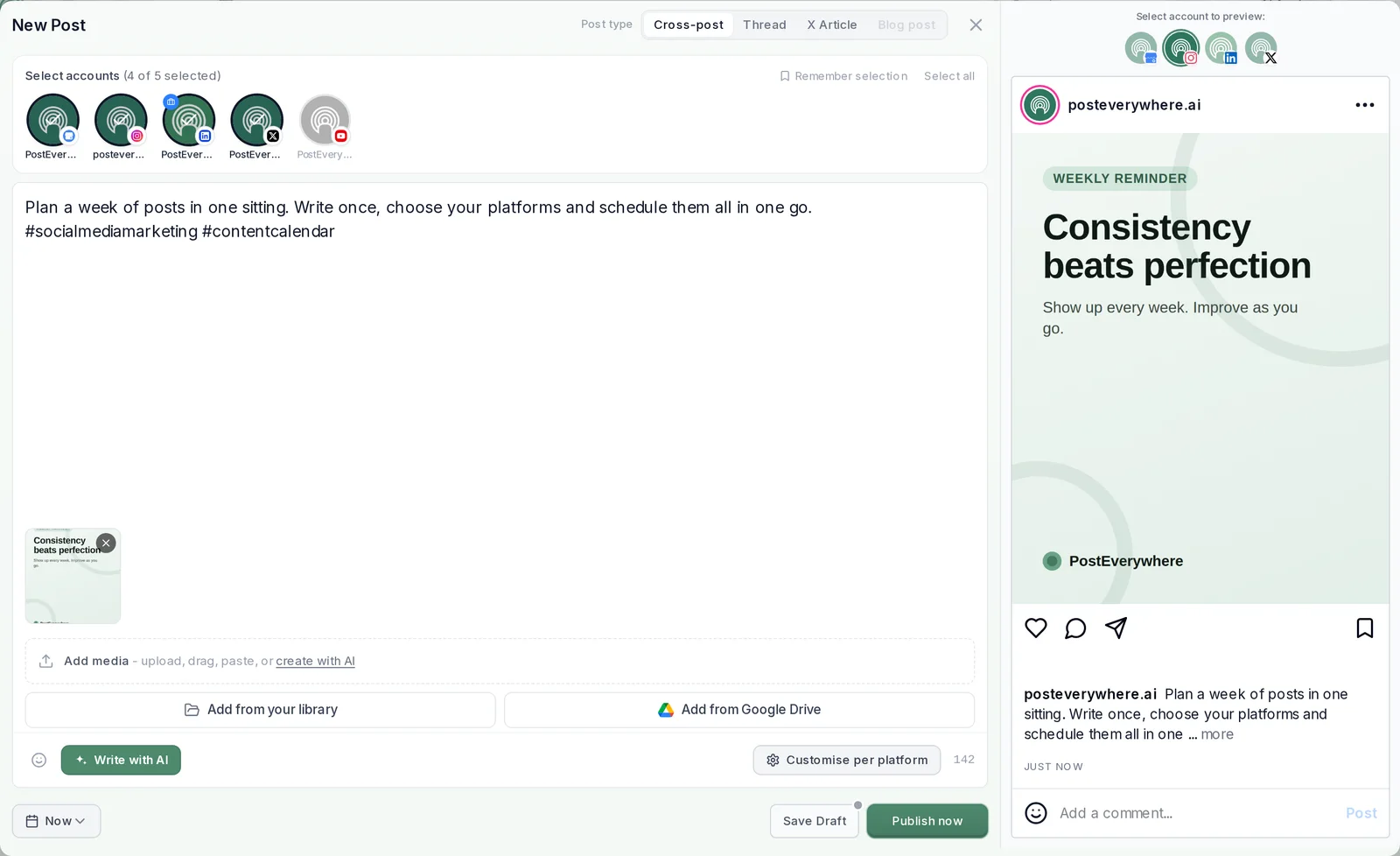
A few details worth knowing:
- One webhook, one channel. To post in #announcements and #patch-notes, create a webhook in each and connect both. Each shows up as its own account, so you tick the channels you want for every message.
- Images and video. Up to 10 images show as embeds. A video of up to 20 MB uploads as a file; a larger one posts as a permanent link that Discord plays inline.
- Nobody needs to be online. The message goes out at its time whether or not anyone on the team is awake, which is the point for a 3 AM release note.
- You can change your mind. Until it posts, edit or move the message in the content calendar, or delete it.
How to schedule Discord announcements
Announcements are where scheduling earns its keep: release notes, weekly reminders, event countdowns and rule updates, often written days before they should appear.
Scheduled announcements that land well
Settings in the Discord panel of the PostEverywhere composer.
- Decide who gets pingedKeep @everyone for the big ones. Don't ping @everyone/@here/roles shows mentions as text without notifying anyone; Silent post delivers with no notification at all.
- Give each type its own voiceOverride the username and avatar per message, so patch notes come from Release Bot and reminders from Events Team, through the same webhook.
- Split long updatesFollow-up messages post one after another under the first, each with its own 2,000 characters.
- Put recurring reminders on a queueSet weekly openings once, such as Fridays at 6 PM, and each new reminder takes the next one.
The same announcement often belongs elsewhere too. Select your Telegram channel, X or Bluesky accounts in the same post and give each its own wording; our guide to running a Telegram channel for business covers the Telegram side, and PostEverywhere's cross-posting shows how one post reaches all top platforms.
For a month of reminders at once, a .csv bulk upload takes up to 200 posts in one file, with discord in the platforms column. A queue of weekly openings suits the reminders that repeat.
Release notes on time, while the team sleeps. Paste a webhook URL, plan the week and let each announcement post itself. See PostEverywhere for Discord.
Scheduling Discord messages with a bot or your own code
Scheduler bots. Bots from Discord's app directory can post on a schedule too. You invite the bot, give it permission to post in the channels you choose, and set messages up through its commands or dashboard.
It runs on its developer's servers, so check what permissions it asks for before you add it.
Your own code. A webhook needs no bot or authentication: Discord's documentation calls webhooks "a low-effort way to post messages to channels" and sending one is a single POST request with up to 2,000 characters of content.
The catch is the scheduling: something has to wake up at the right minute and send it, which means a cron job or a server of your own. Our walkthrough of posting to Discord with an API shows the request and the errors it can return.
Your AI agent. Connect Claude, ChatGPT or any MCP client to PostEverywhere and ask for "the v1.4 announcement in #patch-notes on Thursday at 4 PM UTC". It writes and schedules the message through the same webhook, and can line up a month of reminders in one ask.
Developers get the same through the REST API on every plan.
Why scheduled Discord messages don't post
Most failures trace back to the webhook.
| What you see | Likely cause | Fix |
|---|---|---|
| Message failed with a webhook error | The webhook was deleted, or its channel was | Create a new webhook, reconnect it in Accounts, then retry |
| The URL was shared by mistake | Anyone with the URL can post in the channel | Delete that webhook in Discord, create a new one and reconnect |
| Message refused for length | Over 2,000 characters | Trim it, or move the rest into a follow-up message |
| Nobody was notified | Don't ping or Silent post was switched on | Switch them off for messages that should notify |
| Video shows as a link | It is over 20 MB | Nothing to fix; Discord plays it inline. Compress it if you want a file |
| Posted under the wrong name | The webhook's default name was used | Set a username override on the message, or rename the webhook |
In PostEverywhere, failures show on the post and on the Delivery tab in Analytics with Discord's reason and a Retry button. PostEverywhere doesn't collect analytics for Discord, so check reactions and replies in the channel itself.
What you can't schedule on Discord with a webhook
A webhook posts messages into one channel and nothing else, so a few things stay in Discord:
- Direct messages. Webhooks post to channels. For DMs, Discord's own beta is the only built-in route.
- Editing after it posts. Change a scheduled message as often as you like before it goes out; once it is in the channel, edit it in Discord.
- Custom embeds and polls. Titles, colours and footers on embeds, and Discord polls, aren't set from PostEverywhere.
- Reading or moderating. PostEverywhere publishes only: it doesn't read channel history, manage roles or moderate your server.
For how a webhook message is built field by field, see our Discord API guide.
Let your agent post the patch notes. Connect Claude or ChatGPT to PostEverywhere and ask it to write and schedule this week's announcements. See PostEverywhere for Discord.
FAQ
Can you schedule a message on Discord without a bot?
Yes. A channel webhook needs no bot: create one in Server Settings, connect it to PostEverywhere and schedule the message. If you're in Discord's scheduled messages beta, you can also schedule from Discord itself.
Does Discord have scheduled messages?
Discord is testing them as a beta for a small, random group of users, according to its Beta Programs FAQ. You can't sign up or ask support to add you. Most people schedule channel messages through a webhook instead.
Can you schedule DMs on Discord?
Only if you're in Discord's scheduled messages beta, which covers DMs and channels. Webhooks, and so PostEverywhere, post to server channels, not DMs.
How do I schedule announcements on Discord?
Create a webhook for your announcements channel, connect it to PostEverywhere, write the announcement, choose who gets pinged and pick a time. Use a posting queue for weekly reminders.
Can I schedule Discord messages for free?
Discord's beta is free for the users who have it. PostEverywhere is paid, from $9 a month, and every plan starts with a 7-day free trial. Compare the four plans.
Can I schedule messages to several Discord servers?
Yes. Connect a webhook for each channel in each server, then tick the channels you want for every message. Each channel counts as one account on your plan.
Can I stop a scheduled message pinging @everyone?
Yes. Don't ping @everyone/@here/roles shows mentions as text without notifying anyone, and Silent post delivers the message with no notification at all.
Is a Discord Scheduled Event a scheduled message?
No. A Scheduled Event announces an event, such as a voice chat or a Stage, and notifies members when it starts. It doesn't post a message in a channel at a set time.
Sources
Every outside fact in this guide comes from the pages below. Product details for PostEverywhere come from the app itself.
- Discord Support: Discord's Beta Programs FAQ
- Discord Support: Intro to Webhooks
- Discord Support: Scheduled Events
- Discord Developer Documentation: Webhook resource

Founder & CEO of PostEverywhere. Writing about social media strategy, publishing workflows, and analytics that help brands grow faster.