Schedule Threads posts and cross-post from Instagram
Draft Threads posts from desktop, schedule them for peak engagement, and cross-post in a single click from Instagram via the Meta Threads API.
$0 charged today, cancel anytime


Used by 2,831 happy customers
How to schedule a Threads post
To schedule a Threads post, connect your Threads profile, write your post, add any media, pick a publish time, and let the Meta Threads API publish it automatically. You can also cross-post from Instagram in one click.
- Connect your Threads profile. Threads accounts are linked to Instagram; connect both to cross-post between them.
- Write your post. Keep it under 500 characters and lead with a hook, since Threads favours reply-driving posts.
- Add media. Attach up to 10 images, or a video, to a single Threads post.
- Pick a date and time. Schedule for your audience's active window using per-account timing data.
- Let it publish. PostEverywhere auto-publishes through the Meta Threads API at the scheduled time.
Visual planning
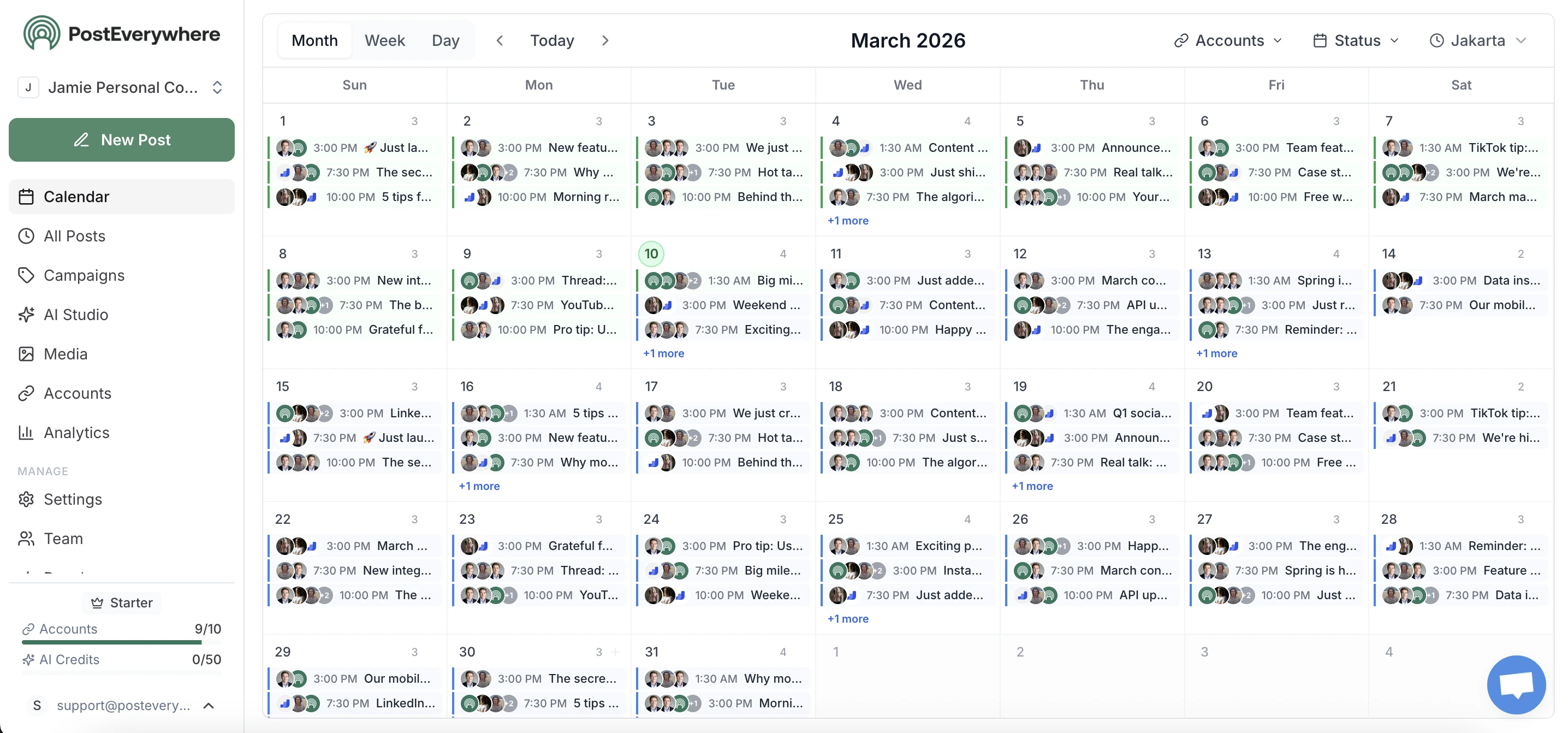
Schedule Threads posts from a visual calendar
See every scheduled Threads post in a drag-and-drop calendar. Batch-create content, auto-publish at peak times, and maintain a consistent posting cadence.
- Content calendar.
- Monthly and weekly calendar views with drag-and-drop scheduling. Schedule Threads posts days or weeks in advance.
- AI drafting tools.
- Generate Threads-optimized posts and conversation starters. Write engaging content in seconds.
- Best time posting.
- Schedule Threads posts when your audience is most engaged. Never miss a peak activity window.
AI content
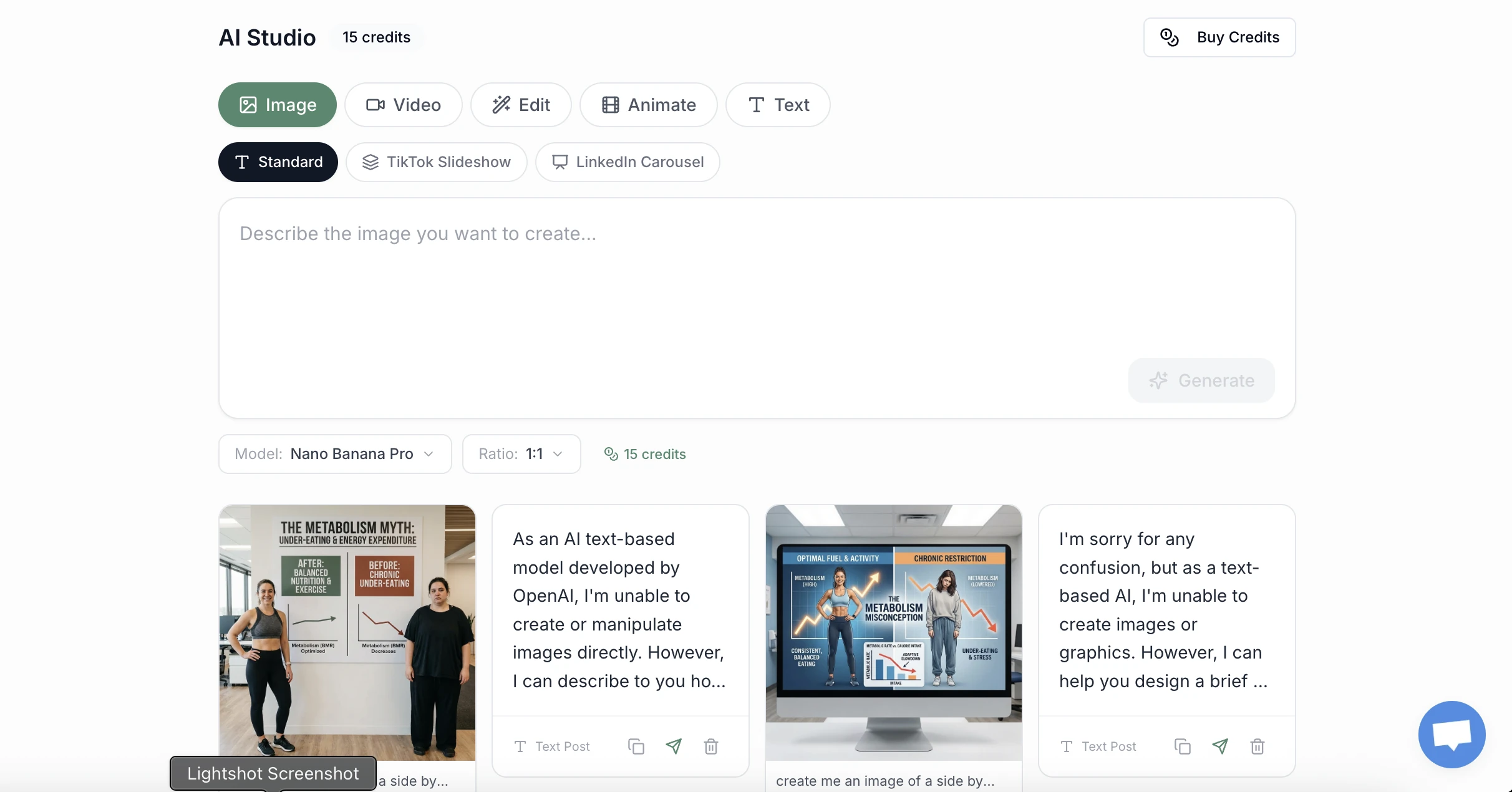
Generate captions and hashtags for Threads
Stop staring at a blank screen. Generate engaging Threads captions with our Threads caption generator and discover trending hashtags using our hashtag generator.
- Conversation starters.
- AI generates Threads-native posts that spark discussion, hooks, questions, and hot takes that drive replies.
- Cross-platform sync.
- Schedule Threads posts and cross-post them to Instagram, X, and LinkedIn with a single click.
- Direct auto-publishing.
- True automation via the official Meta Threads API. Schedule and auto-publish without mobile notifications or manual steps.
Multi-account management
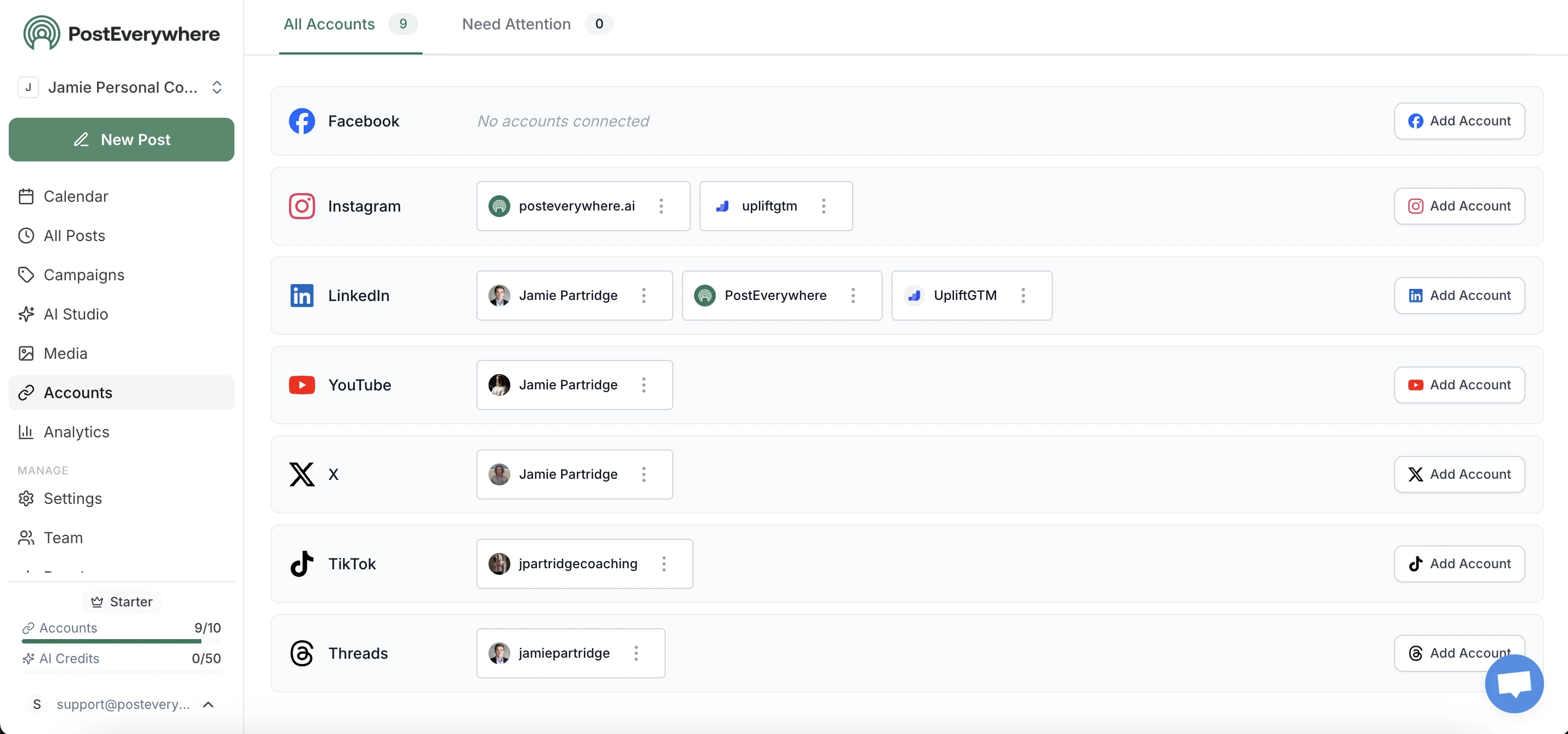
All your Threads accounts, one dashboard
Manage multiple client Threads accounts alongside their other socials. Connect up to 20 accounts across all 11 platforms. Perfect for agencies and teams.
- Official Threads API.
- PostEverywhere uses the official Meta Threads API for secure, reliable auto-publishing. No workaround hacks.
- Bulk scheduling.
- Plan and schedule Threads updates for the entire week or month. Upload a CSV or batch your content creation in one session.
Everything included
Threads scheduler features
Our free Threads scheduler trial includes everything you need to schedule Threads posts from desktop and auto-post content that resonates.
- Threads Post Creator
- Draft and schedule text-based updates, high-quality images, and videos for Threads from your desktop.
- Smart Scheduling
- Schedule your Threads content for the exact moments your audience is most active to maximize engagement.
- AI Caption Assistant
- Generate witty, engaging captions and relevant hashtags for your Threads posts using our AI writing tool.
- Visual Content Calendar
- Plan your entire Threads strategy alongside your other socials in a beautiful, drag-and-drop calendar.
- Direct Auto-Publishing
- True automation with direct publishing to Threads. No mobile notifications or manual steps required.
- Cross-Platform Sync
- Cross-post your Threads updates to Instagram, X, and LinkedIn with a single click.
Why schedule Threads
Schedule Threads posts for consistent daily presence
Threads is deeply integrated with the Instagram ecosystem, giving your content access to a massive, pre-existing audience. But consistency matters, accounts that post regularly get rewarded by the algorithm with more reach. A scheduling tool lets you batch your updates in minutes and auto-publish throughout the week. Optimize your profile first with our Threads bio generator.
PostEverywhere is one of the best Threads schedulers for creators, brands, and agencies. Bulk schedule posts, images, and videos weeks in advance, all without opening the Threads app daily. Developers can automate Threads publishing via our Threads API docs.
While Threads and X share some similarities, their audiences and algorithms differ. Our cross-posting tools let you publish to both platforms at once while customizing your message for each. Threads rewards conversational, native-feeling content, and scheduling helps you plan that thoughtfully rather than rushing to post.
Learn how the platform ranks content in our complete guide to how the Threads algorithm works. Check your username availability to secure your brand identity before you start. If you cross-post images from Instagram or X, our social media aspect ratios reference shows how each platform will crop your visuals.
Frequently Asked Questions
What is the best Threads scheduler?
The best Threads scheduler allows you to draft, plan, and auto-post content from your desktop. PostEverywhere is a top-rated Threads scheduling tool that includes AI captions, a visual content calendar, and direct publishing support.
Can I schedule Threads posts for free?
Yes, PostEverywhere offers a 7-day free trial that allows you to test all Threads scheduling features, including direct auto-posting and AI content assistance. A card is required to start, and you can cancel anytime before it ends.
How do I schedule a post on Threads?
Simply connect your Threads account to PostEverywhere, create your post in our composer, choose your preferred date and time, and hit schedule. Our platform will handle the rest automatically.
Does Threads support auto-posting from third-party tools?
Yes, Threads has released an official API that allows professional tools like PostEverywhere to publish content automatically on your behalf without requiring manual confirmation on your phone.
Can I schedule images and videos to Threads?
Absolutely. PostEverywhere supports scheduling text-only posts, single images, carousels, and video content directly to your Threads profile.
What is the best time to post on Threads?
Engagement on Threads often peaks during weekday mornings and early evenings. Our scheduler allows you to experiment with different windows to find the optimal timing for your specific audience.
Can I manage multiple Threads accounts?
Yes, PostEverywhere is built for agencies and brands. You can connect and manage multiple Threads accounts from a single, unified dashboard.
Does using a scheduler affect my reach on Threads?
No. The Threads algorithm treats scheduled posts the same as manual posts. Ranking depends on engagement signals, content relevance, and cross-platform activity.
Can I cross-post from Threads to other platforms?
Yes, one of the biggest benefits of PostEverywhere is the ability to draft a post once and publish it across Threads, Instagram, X, LinkedIn, and more simultaneously.
Or let your AI agent schedule Threads for you
PostEverywhere is the social media scheduling tool built for teams and their AI agents. Connect Claude, ChatGPT, Cursor or any MCP client to the hosted MCP server and your agent can draft, schedule and publish your Threads posts through the same account your team uses, with the full API included on every plan. What that looks like on Threads specifically, including the formats it accepts and the rules that catch people out, is on our Threads MCP server page.
Guides for Scaling Your Social Presence
Explore related features and guides to get the most out of PostEverywhere.
Threads Font Generator
Styled unicode text for Threads posts.
Best Time to Post on Threads
Timing data for Meta's text platform.
Threads Trends 2026
What is working as Threads matures.
100 Threads Content Ideas
A hundred post ideas in the Threads tone.
How to Get More Threads Followers
Growth on the fastest-growing text app.
How to Go Viral on Threads
Reply culture and the ranked feed.
Can You Make Money on Threads?
The honest state of Threads monetisation.
Schedule via API
Automate Threads posting programmatically with our REST API. Included on all plans.
AI Social Media Agents
Autonomous agents that create, schedule, and optimize your Threads content automatically.
Threads image sizes
Every dimension and format spec for the platform.
Threads Metrics & KPIs
Views, replies, reposts, the Threads metrics worth tracking in 2026.
Threads Content Calendar Template
Free template with fields for cross-posting from IG and conversation starters.
Threads Marketing Brand Playbook 2026
Should your brand invest? Industry-fit table, Threads vs X comparison, ad CPMs, and ROI math.
Social Media Scheduler
Consolidate your scheduling into one powerful dashboard.
Content Calendar
Plan and organize your multi-platform strategy visually.
Cross-Platform Publishing
Publish to every network at once.
Post to All Social Media at Once
Step-by-step guide to cross-posting across all platforms.
Instagram Scheduling
Automated posts, Reels, and Stories.
TikTok Scheduling
Queue TikTok content with best-time posting.
LinkedIn Scheduling
Schedule posts for profiles and company pages.
Facebook Scheduler
Schedule posts and Reels to pages.
X Scheduling
Schedule tweets and threads.
Pinterest Scheduling
Schedule pins and idea pins.
AI Content Generator
Generate captions and hashtags automatically.
How to Use Claude for Social Media
Why Claude beats ChatGPT for long-form posts, threads, and scripts.
How to Use AI for Social Media (Complete Guide)
The 7-step tool-by-tool workflow for AI content.
“This tool has truly made my content posting so much easier, I can't work without it. I can schedule my posts days in advance while working on other projects. Set it and forget it.”