What aspect ratios does Threads use in 2026?
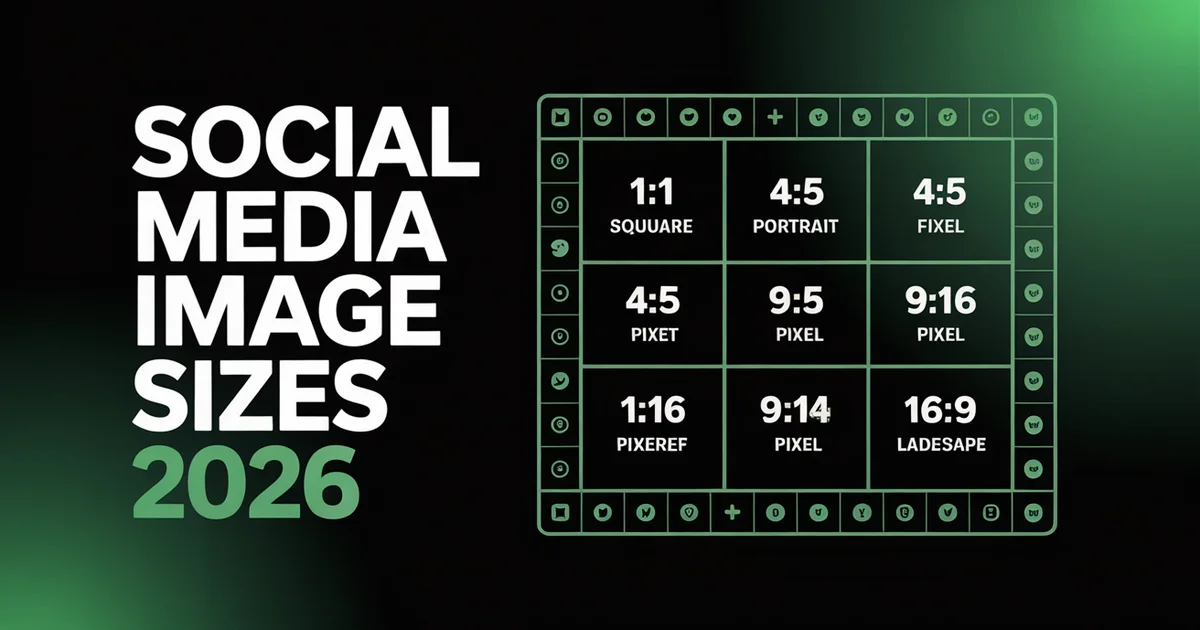
Threads uses 4:5 portrait (1080×1350 px) for feed posts and carousels, plus 1:1 square (1080×1080 px) and 1.91:1 landscape (1080×566 px). Video is 9:16 vertical (1080×1920 px), and link previews are 2:1 (1200×600 px).
It follows Meta's Instagram dimensions, so Instagram assets post cleanly.
Threads keeps image sizes relatively simple. Unlike platforms with dozens of placement types, Threads supports feed images, carousels, video, and profile photos, and it follows familiar Meta dimensions that you probably already use for Instagram.
That said, getting your dimensions right still matters. Upload the wrong size and your images get compressed or displayed with unnecessary white space. This guide covers every Threads aspect ratio, image, and video dimension for 2026, plus tips for creating content that looks sharp in the feed.
Schedule your Threads posts in advance. PostEverywhere lets you plan and publish to Threads alongside Instagram, Facebook, X, YouTube, and LinkedIn. Start your 7-day trial →
Threads Aspect Ratio Cheat Sheet
| Placement | Dimensions (px) | Aspect Ratio |
|---|---|---|
| Image post (portrait) | 1080×1350 | 4:5 |
| Image post (square) | 1080×1080 | 1:1 |
| Image post (landscape) | 1080×566 | 1.91:1 |
| Carousel / multi-image | 1080×1350 | 4:5 |
| Video post | 1080×1920 | 9:16 |
| Profile photo | 320×320 | 1:1 |
| Link preview image | 1200×600 | 2:1 |
| Max image width | 1440 px | Varies |
Key takeaway: Portrait (4:5) at 1080×1350 gives you the most visual impact in the Threads feed. It takes up more screen space than square or landscape and works well for carousels too.
Threads Feed Image Aspect Ratios
Threads is flexible with feed image aspect ratios. The platform does not strictly enforce a single ratio, it displays images without cropping and preserves the original dimensions. However, some ratios perform better than others because of how much screen space they command.
| Placement | Dimensions (px) | Aspect Ratio | Max Width | Format |
|---|---|---|---|---|
| Portrait (recommended) | 1080×1350 | 4:5 | 1440 px | JPG, PNG |
| Square | 1080×1080 | 1:1 | 1440 px | JPG, PNG |
| Landscape | 1080×566 | 1.91:1 | 1440 px | JPG, PNG |
| Vertical (full screen) | 1080×1920 | 9:16 | 1440 px | JPG, PNG |
Threads accepts images up to 1440px wide, but 1080px is the standard you should target. Portrait (4:5) at 1080×1350 fills the most vertical space in the mobile feed, which means users spend more time looking at your content before scrolling past.
Because Threads applies no forced crop, a landscape image sits inside the feed with letterboxing rather than being cut to fit, and a tall vertical image displays in full. Choosing a ratio deliberately, rather than relying on the platform to reframe it, keeps your composition intact.
Stick to JPG or PNG, and design for the safe zone by keeping key text and logos away from the edges so nothing feels cramped once the image renders in the feed.
According to Buffer's social media image guide, Threads follows the same general sizing rules as Instagram since both platforms are built on the same Meta infrastructure. If you are already creating content for Instagram at 1080×1350, those images work perfectly on Threads too.
For posting strategies and growth tips, see our guide on how to get more Threads followers. Check the best time to post for optimal scheduling.
Threads Carousel (Multi-Image)
Threads lets you attach multiple images to a single post, creating a swipeable carousel experience.
| Spec | Requirement |
|---|---|
| Recommended aspect ratio | 4:5 (1080×1350 px) |
| Alternative aspect ratios | 1:1 (1080×1080), 9:16 (1080×1920) |
| Max images | 20 per post |
Threads supports up to 20 images per carousel post. You can mix aspect ratios within a single carousel, since Threads displays each image at its original ratio without forcing a uniform crop.
However, for the most polished look, use the same aspect ratio across every image in a carousel. Portrait (4:5) at 1080×1350 is the best choice for most carousel content because it takes up the most screen space while still being easy to swipe through.
Carousels are ideal for step-by-step tutorials, product showcases, quote collections, and educational content. According to Hootsuite's social media guide, multi-image posts tend to generate higher engagement than single-image posts because they encourage users to interact (swipe) with your content.
Use PostEverywhere's social media calendar to plan your carousel content alongside your regular posts. To schedule carousels in advance, use our Threads scheduler.
Create carousel graphics in seconds. PostEverywhere's AI Image Generator creates platform-ready visuals at any aspect ratio. Start your 7-day trial →
Threads Video
Vertical video (9:16) is the recommended format for Threads because it is a mobile-first platform, and it fills the entire mobile viewport.
| Spec | Requirement |
|---|---|
| Recommended dimensions | 1080×1920 px |
| Aspect ratio | 9:16 (recommended), 1:1 and 16:9 also accepted |
| Max duration | 5 minutes |
| Max file size | 500 MB |
Upload at 1080×1920 for the best full-screen experience. Threads also accepts square (1:1) and landscape (16:9) video, but vertical fills the whole screen and tends to get more engagement. Clips can run up to 5 minutes and 500 MB.
If you create vertical video for Instagram Reels, TikTok, or YouTube Shorts, the same 1080×1920 files work on Threads without any changes. Use a cross-posting tool to distribute your video content across all platforms simultaneously.
For video content ideas, explore our Threads trends guide and learn about social media automation to streamline your publishing workflow.
Threads Profile Photo
| Placement | Dimensions (px) | Aspect Ratio | Display |
|---|---|---|---|
| Profile photo | 320×320 | 1:1 | Displayed as circle |
Your Threads profile photo is synced from your Instagram account, so changing it on one platform updates it on the other. Upload at 320×320 minimum as a 1:1 square, and larger is better for high-density displays.
The profile photo displays as a circle, so keep your logo or face centred. It appears next to every post and comment you make, so it should be instantly recognisable at small sizes.
If you manage multiple accounts, a multi-account management tool helps maintain consistent branding across profiles.
Threads Link Preview
When you share a link on Threads, the platform generates a preview card with an image pulled from the URL's og:image meta tag. Posts allow one link, and captions run up to 500 characters, so the preview image does a lot of the visual work.
| Spec | Requirement |
|---|---|
| Link preview image | 1200×600 px |
| Aspect ratio | 2:1 |
| Links per post | 1 (displayed as preview) |
Make sure your website's open graph images are at least 1200×600px at a 2:1 ratio so link previews render sharp rather than cropped or blurred.
For content planning and social media publishing, explore our social media management tools and the best social media scheduling tools.
Threads File Sizes, Formats & Upload Limits
The aspect ratios above tell you how content is framed. This table consolidates the file, format, and upload limits that sit behind them.
| Spec | Detail |
|---|---|
| Image formats | JPG, PNG |
| Max image width | 1440 px (1080 px standard) |
| Video formats | MP4, MOV |
| Max video file size | 500 MB |
| Max video duration | 5 minutes |
| Images per carousel | Up to 20 |
| Links per post | 1 (shown as preview) |
| Caption length | 500 characters |
Keep images at 1080px wide for the reliable default, and reserve 1440px for cases where you need extra detail. Video should stay under 500 MB and 5 minutes, exported as MP4 or MOV.
Compressing your files before upload helps them stay well within these limits while preserving quality, which matters most for text-heavy carousels and detailed graphics.
Tips for Threads Image Optimisation
1. Default to Portrait (4:5) for Feed Posts
Portrait at 1080×1350 takes up the most screen space in the Threads feed. It works well for single images and carousels alike. Since most Threads users browse on mobile, maximising vertical space means more attention on your content.
2. Repurpose Instagram Content Directly
Threads and Instagram share the same Meta infrastructure. Images optimised for Instagram at 1080×1350 (feed) or 1080×1920 (Stories/Reels) work perfectly on Threads without any resizing. If you are already creating content for Instagram, you can post it to Threads immediately.
3. Use Consistent Aspect Ratios in Carousels
While Threads allows mixed aspect ratios in a single carousel, using the same ratio across all images creates a cleaner, more professional swipe experience. Pick 4:5 or 1:1 and stick with it for the entire set.
4. Optimise Link Preview Images
If you share links on Threads, the preview image matters. Set your og:image to at least 1200×600px and make it visually compelling, it is the first thing users see alongside your link. Use our free UTM link builder to track link clicks.
5. Automate Your Multi-Platform Publishing
If you post to Threads, Instagram, Facebook, X, and other platforms, resizing and formatting manually for each one wastes hours every week. PostEverywhere's image resizer and social media scheduler handle the formatting automatically. Learn more about scheduling Threads posts.
For a complete overview across all social networks, see the social media aspect ratios reference, which covers every format in one place.
Post to Threads, Instagram, and every other platform from one dashboard. PostEverywhere handles image optimisation automatically. Try the Threads scheduler →
FAQs
What is the best image size for Threads?
The best image size for Threads is 1080×1350px (4:5 portrait). It takes up the most screen space in the mobile feed and works for both single images and carousels. Threads also accepts square (1080×1080) and landscape (1080×566), but portrait performs best.
What are the Threads video specs?
Threads supports video at 1080×1920px (9:16) up to 5 minutes long with a 500 MB max file size. MP4 and MOV formats are accepted. Vertical video fills the mobile screen and is the recommended orientation.
How many images can you post on Threads?
You can post up to 20 images in a single Threads carousel post. You can mix different aspect ratios within a carousel, though using consistent dimensions looks more polished. The recommended size per image is 1080×1350 (4:5).
Does Threads crop my images?
No. Threads displays images at their original aspect ratio without forced cropping. The platform supports aspect ratios from square (1:1) to full vertical (9:16). Images up to 1440px wide are accepted, with 1080px being the standard target width.
Is the Threads profile photo the same as Instagram?
Yes. Your Threads profile photo is synced from Instagram. Changing it on either platform updates both. The recommended upload size is 320×320px, and it displays as a circle across the app.
Specs in this guide are verified against Buffer's social media image sizes guide, Hootsuite's image sizes guide, Sprout Social's image sizes guide, Buffer's Instagram image guide, and Instagram's help centre, since Threads inherits Instagram's Meta infrastructure. We update this page when Meta changes its specs. For every platform in one place, see the social media aspect ratios hub.

Founder & CEO of PostEverywhere. Writing about social media strategy, publishing workflows, and analytics that help brands grow faster.