WordPress MCP Server
PostEverywhere runs a hosted MCP server at https://mcp.posteverywhere.ai, and WordPress is one of the platforms it publishes to. A WordPress MCP server lets an AI assistant publish to your WordPress site, so Claude, ChatGPT or any MCP client can turn a conversation into a formatted blog post with a title, images, categories and tags. PostEverywhere works with WordPress.com and self-hosted WordPress through the WordPress REST API, with no plugin to install.
Most WordPress MCP servers are built to administer a site: read and edit pages, manage plugins, change settings. PostEverywhere does one narrower job well. It publishes posts, and in the same request it can schedule the social posts that announce them, so the article and its promotion go out together.
It is included on every plan from $9/mo, alongside the REST API. If you would rather schedule WordPress from a dashboard, that is our WordPress integration, or build on it directly with the WordPress API guide.
Connect it to your assistant
One URL, no separate WordPress credentials to manage. Connect the server once and every platform you have authorised, including WordPress, becomes available to the assistant.
MCP server
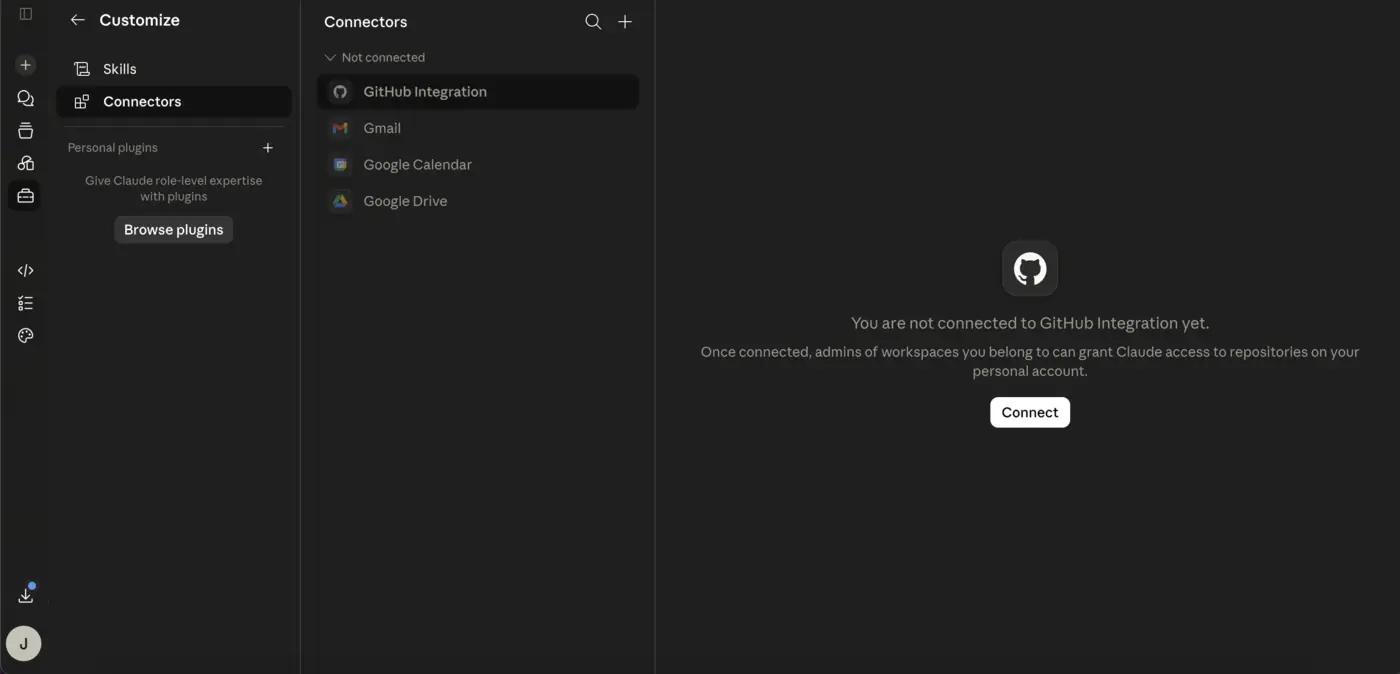
https://mcp.posteverywhere.aiThe easiest way. No terminal, no API key to copy. Shown here in Claude Desktop.
What an assistant can do on WordPress
Formatted blog posts
Headings, lists, links, quotes, tables and code blocks become clean HTML. The assistant can also send raw HTML.
Images and a featured image
Up to 20 images inline or at the end, plus one video. The first image becomes the featured image, and every file lands in your Media Library.
Categories, tags, excerpt, slug
Set them by name. Tags that do not exist yet are created for you.
Draft, pending, private or publish
Have the assistant save drafts or pending posts so a person approves them in WordPress, or publish directly.
Connect a site from the chat
The assistant can connect a self-hosted site itself with connect_credential_account, using your site address, username and an application password you create in wp-admin and give it.
Promote it in the same step
One instruction can schedule the WordPress post and the LinkedIn, X and Facebook posts that share it.
What you actually type
No commands or syntax. You describe the outcome and the assistant calls the tools:
“Turn the notes above into a 900-word blog post with three H2 sections, save it as a draft on our WordPress site with the category Product and the tags mcp and automation, use the first image as the featured image, then schedule a LinkedIn post announcing it for Tuesday 9am UK time.”
WordPress specifics worth knowing
Posts only, for now
The integration publishes posts. It does not create pages or custom post types, set SEO plugin fields or the author, or edit and delete posts once they are published.
Use an application password
Self-hosted sites need WordPress 5.6 or later over HTTPS. Create an application password under Users, Profile in wp-admin; a normal login password is refused. Security plugins that block the REST API will stop the connection.
Draft first is the safe default
A draft or pending post sits in WordPress until someone publishes it, which is the easiest way to let an assistant write without letting it go live unreviewed.
WordPress MCP server FAQs
What is a WordPress MCP server?
An MCP server that exposes WordPress publishing as tools an AI assistant can call, so Claude or ChatGPT can create, draft or schedule posts on your site. PostEverywhere publishes through the WordPress REST API.
Does it work with WordPress.com and self-hosted sites?
Yes. Self-hosted WordPress connects with an application password you create in wp-admin (Users, Profile) and give to the assistant. WordPress.com sites connect with your WordPress.com login in the PostEverywhere dashboard.
Do I need to install a WordPress plugin?
No. It uses the REST API and application passwords built into WordPress 5.6 and later.
Can the assistant manage my whole WordPress site?
No. It publishes posts: title, body, images, featured image, categories, tags, excerpt and slug. It does not manage pages, plugins, themes, users or settings, and it cannot edit a post after publishing.
Can I schedule WordPress posts in advance?
Yes. Give a date, time and timezone and PostEverywhere publishes the post then, along with any social posts scheduled to promote it.
How much does it cost?
Included on every plan: Lite $9/mo, Starter $19/mo, Growth $29/mo and Scale $39/mo, each with a 7-day trial. A card is required and there is no free plan.
Publish to WordPress from your assistant
The hosted MCP server, the REST API and all 38 tools are included on every plan. Growth is $29/mo with a 7-day trial; a card is required and there is no free plan.
MCP servers for the other platforms
The same server publishes to every other platform we support. Connect once and every authorised account is available.
Related reading: which social media tools have an MCP server, the AI agents we tested, PostEverywhere for AI agents and the full MCP server reference.