Pinterest is the strange and wonderful outlier of the social media world. Every other platform treats the outbound click — the moment a user actually leaves the app and visits your website — as a grudging afterthought. Pinterest treats it as the whole point. According to Pinterest Business, 89% of weekly Pinners use Pinterest for purchase inspiration, which is why the platform is fundamentally a discovery-to-website engine, not a vanity-metric playground.
That single fact changes everything about how you measure Pinterest performance. Likes don't really matter. Comments are rare and largely irrelevant. Followers are a lagging indicator at best. What matters is whether your pins are being found, saved, and clicked through to your site — and whether those clicks turn into email signups, sales, or subscriptions.
In this guide, I'll walk you through the Pinterest metrics and KPIs that actually move the needle: the discovery funnel, the engagement hierarchy, the conversion stack, and the pin-level diagnostics I use to decide what to double down on. If you want the broader framework first, start with our hub guide on social media metrics and KPIs and then come back here for the Pinterest-specific playbook.
Why Pinterest metrics are different
On Instagram, TikTok, and LinkedIn, the platform wants you to stay inside the app. Engagement metrics (likes, comments, shares, watch time) dominate because the algorithm is optimising for session length. Pinterest is the opposite. Pinterest is a visual search engine whose entire commercial model depends on users leaving the platform to go and do something — usually buy something, cook something, or book something.
This makes Pinterest uniquely honest as a measurement environment. You don't have to wrestle with whether a "like" meant anything. You can look at outbound clicks and know that a real human took a real action that ended up on your real website. For a fuller comparison with other platforms, see Instagram metrics and KPIs, TikTok metrics and KPIs, and LinkedIn metrics and KPIs.
Discovery metrics: the top of the funnel
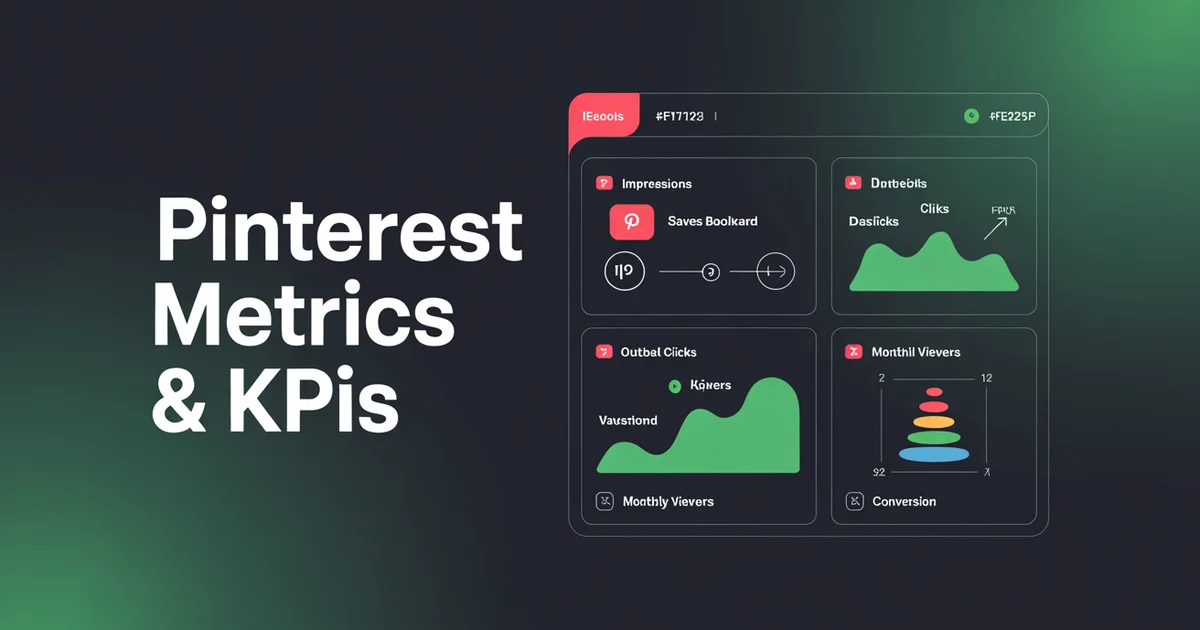
Pinterest's analytics dashboard (Pinterest Business Hub) surfaces five core discovery metrics. These are the raw materials of everything else.
Impressions
Impressions count the number of times your pins appeared on a screen — in home feeds, search results, related pins, or on a board. Impressions are the top of the funnel and the broadest indicator of reach. On their own, they tell you very little, but a sudden spike or collapse in impressions is usually the first signal that something has changed in your distribution. For a sense of typical impression volumes, see our Pinterest statistics roundup.
Engagements
Pinterest defines engagements as the total number of saves, pin clicks, and outbound clicks — basically, anything that isn't a passive impression. Engagement is a useful rollup metric but it hides the most important distinction on the platform, which is the difference between a save and an outbound click. I rarely look at engagements as a standalone number.
Pin clicks
A pin click happens when a user clicks or taps on your pin to see the closeup view (the detail page inside Pinterest). It's a signal of interest, but the user is still inside Pinterest. Pin clicks are a middle-of-funnel metric — good, but not the money shot.
Outbound clicks
This is the one. An outbound click is when a user clicks through from your pin to your destination URL. It's the metric that Pinterest was built to deliver, and it's the metric that shows up as real traffic in your Google Analytics. If you only tracked one Pinterest metric, this would be it.
Saves
A save (formerly called a repin) happens when a user saves your pin to one of their own boards. Saves are the closest thing Pinterest has to a share, and they're the most powerful signal you can earn because they both expand your distribution (your pin now lives on someone else's board, visible to their followers) and tell the Pinterest algorithm that this content deserves to be shown to more people.
The Pinterest engagement hierarchy
Unlike Instagram, where likes and comments are roughly equivalent, Pinterest engagement is strictly hierarchical. Here's how I rank the signals from most to least valuable:
- Saves — the strongest signal. A save is a vote that your pin is worth coming back to, and it extends your reach organically.
- Outbound clicks — the commercial signal. Outbound clicks convert impressions into website traffic and revenue.
- Pin clicks — the interest signal. Users wanted to see more, but didn't leave the platform.
- Impressions — the reach signal. Necessary but not sufficient.
When I audit a Pinterest account, I want to see saves and outbound clicks climbing in parallel. If saves are high but outbound clicks are low, your pin is aesthetically appealing but the user has no reason to visit your site — usually a headline or thumbnail problem. If outbound clicks are high but saves are low, you're getting traffic but not building the organic compounding effect that makes Pinterest so powerful over time.
Stop guessing which pins are working. Schedule your Pinterest content with PostEverywhere and see saves, outbound clicks, and pin click-through rate in one dashboard — no tab-hopping between Pinterest Business Hub and your spreadsheet.
Conversion metrics: where Pinterest earns its keep
Discovery metrics tell you what's happening inside Pinterest. Conversion metrics tell you what's happening on your website as a result. To capture these properly, you need the Pinterest tag installed on your site.
Outbound click rate
This is the Pinterest equivalent of a click-through rate, and it's the single best diagnostic for pin quality. Calculate it as:
Outbound click rate = (Outbound clicks ÷ Impressions) × 100
A healthy outbound click rate on Pinterest sits somewhere between 0.2% and 1.5%, depending on niche. Recipe and home decor pins tend to over-index; B2B content tends to under-index. For rate-based benchmarks across platforms, cross-reference our guide to engagement rate benchmarks and run the numbers through our engagement rate calculator.
Conversion rate from Pinterest tag
Once users land on your site from Pinterest, the conversion rate measures what percentage of them complete a defined action — an email signup, a purchase, a booking. The Pinterest tag can attribute add-to-cart events, checkouts, signups, leads, page visits, and custom events.
Add to cart
For ecommerce brands, add-to-cart is the leading indicator that your Pinterest traffic is qualified. If you're driving thousands of outbound clicks but your add-to-cart rate is a rounding error, your pins are probably misrepresenting the product. The fix is usually to tighten the visual-to-landing-page continuity (the pin should look like the product page).
Checkout
The lagging but definitive metric. Track checkouts from Pinterest as a share of total Pinterest sessions, and then as a share of total ecommerce revenue. Pinterest typically accounts for 5–15% of revenue for brands that invest in the channel seriously — higher for visual-first categories like fashion, home, food, and weddings.
Audience metrics: who you're reaching
Pinterest audience metrics are useful for context, but they should never be your primary KPIs. Here's what each one actually means.
Total audience
The total number of unique users who saw or engaged with your pins in the selected date range. This is your "reach" number and it's the Pinterest metric that correlates most closely with brand awareness.
Engaged audience
The subset of your total audience who actually engaged with your content — saves, pin clicks, outbound clicks. The ratio of engaged audience to total audience is a rough proxy for pin quality at the account level.
Monthly viewers
Monthly viewers used to be a badge of honour on Pinterest profiles. The platform has since de-emphasised it, and rightly so — it's a vanity metric that doesn't correlate with traffic or revenue. Look at it, note the trend, but don't optimise for it.
Followers
Pinterest is a search and discovery platform, not a follower platform. Your pins are distributed to users based on topical relevance, not based on whether they follow you. A pin from an account with 500 followers can and regularly does outperform a pin from an account with 500,000 followers. Followers matter a little, but they don't matter the way they matter on Instagram.
Pin-level metrics: the diagnostic layer
Account-level metrics tell you how you're doing overall. Pin-level metrics tell you why, and they're where the real optimisation work happens.
Top pins by saves
Sort your pins by total saves over the last 30 days. These are your workhorses — the pins that the algorithm is actively distributing. Study the common characteristics: text overlay style, colour palette, topic, aspect ratio, title structure. Then make more like them. If you need inspiration, we've collected 100 Pinterest content ideas you can adapt.
Top pins by outbound clicks
Now sort by outbound clicks. Compare the two lists. Are they the same pins? Often they're not — and the delta is instructive. Pins with high saves but low outbound clicks are working as discovery content; pins with high outbound clicks but lower saves are working as traffic drivers. You want both, but the ratio tells you where to invest.
Pin click-through rate
Pin click-through rate is the ratio of pin clicks to impressions, and it's a useful secondary diagnostic for pins that aren't getting enough outbound clicks. If a pin has a strong pin click-through rate but a weak outbound click rate, the user was interested enough to open it but not interested enough to leave — usually a description or destination-URL problem.
Saves per impression
Calculate: Save rate = (Saves ÷ Impressions) × 100. A save rate above 0.5% is excellent. Save rate is the purest signal of pin quality because it's the action Pinterest rewards most heavily in distribution.
Pinterest Trends: the leading indicator nobody uses
Pinterest Trends is a free tool that shows search volume for keywords over time, broken down by geography, age, and gender. It's the closest thing Pinterest has to Google Trends, and it's criminally underused.
The reason it matters for metrics: Pinterest search behaviour leads real-world purchase behaviour by 2–4 months. Users plan their weddings, Christmas dinners, kitchen renovations, and holidays on Pinterest long before they buy. If you see a keyword spike in Pinterest Trends, you have a window to publish content against that keyword before the rest of the market catches up.
Build a monthly ritual: pull the top 10 trending keywords in your category, then check whether your existing pins cover them. If they don't, plan new pins. This is where an AI content generator saves real time — you can turn a trend keyword into a pin title, description, and even a blog post outline in a couple of minutes.
What to track weekly vs monthly
Not every metric deserves the same cadence of attention. Here's the rhythm I use.
Weekly (15-minute check-in):
- Total impressions (spot spikes or collapses)
- Total outbound clicks (the traffic number)
- Total saves (the distribution signal)
- Top 5 pins by outbound clicks
- Top 5 pins by saves
Monthly (60-minute deep dive):
- Outbound click rate (account level and per pin)
- Save rate (account level and per pin)
- Conversion rate from Pinterest tag
- Add-to-cart and checkout counts
- Audience size (total and engaged)
- Pinterest Trends keyword scan
- Pin format mix (Standard vs Idea vs Video) — keep an eye on whether each format is exported at the right Pinterest aspect ratios since off-ratio pins lose feed real estate
- Board-level performance
Quarterly (strategy review):
- Revenue attributed to Pinterest
- Top-performing boards and pin themes
- Refresh or retire underperforming boards
- Competitor benchmarking
Tired of exporting CSVs from Pinterest Business Hub every Monday morning? PostEverywhere's Pinterest scheduler pulls your metrics automatically and lets you schedule pins, track outbound clicks, and spot your best-performing boards without leaving one dashboard.
FAQs
What's a good Pinterest outbound click rate?
Anywhere from 0.2% to 1.5% is normal, with recipe, home decor, and DIY niches running higher and B2B running lower. If you're consistently below 0.1%, your pins are being seen but not clicked — usually a thumbnail or title problem. Run your numbers through our engagement rate calculator for cross-platform context.
Are saves or outbound clicks more important?
Both, but for different reasons. Saves drive the algorithm and compound your organic reach over time. Outbound clicks drive the website traffic and revenue you actually care about. A healthy Pinterest account grows both in parallel. If forced to pick one as the primary KPI, I pick outbound clicks, because that's the metric that pays the bills.
Why are my Pinterest impressions high but outbound clicks low?
Three usual suspects. First, your pin visual is appealing but your title or description doesn't create a reason to click through. Second, your destination URL isn't what users expect (continuity problem). Third, you're getting impressions on related-pin placements where intent is lower than search impressions. Audit your top 20 pins by impressions and compare their outbound click rates — the outliers will show you the pattern.
Does follower count matter on Pinterest?
Less than on any other platform. Pinterest distributes pins based on topical relevance, search queries, and engagement signals, not on who follows you. A brand-new account with one great pin can outperform an established account with 100,000 followers. Focus on pin quality and keyword coverage, not on follower growth.
How often should I check Pinterest analytics?
A 15-minute weekly check-in and a 60-minute monthly deep dive. Checking every day is counter-productive because Pinterest's attribution and reach numbers lag by 24–48 hours, and the platform's long content half-life means weekly patterns are more meaningful than daily ones.
What's the best way to use Pinterest Trends data?
Treat it as a leading indicator. Pull the top 10 trending keywords in your category every month, check which ones your existing pins cover, and commission new pins for the gaps. Pinterest search behaviour leads purchase behaviour by weeks or months, so acting early on trends gives you a distribution window your competitors will miss.
Wrapping up
Pinterest rewards honesty better than any other social platform. You don't have to argue about whether a like is meaningful, whether watch time is gamed, or whether the algorithm is hiding your content. You look at saves, outbound clicks, and the conversions downstream of them, and the numbers tell you what's working.
Build your measurement stack around the engagement hierarchy — saves first, outbound clicks second, pin clicks third, impressions last — and layer on the conversion metrics from the Pinterest tag so you can tie pin performance back to revenue. Revisit your weekly and monthly cadences religiously, mine Pinterest Trends for leading indicators, and use pin-level diagnostics to decide what to scale and what to retire.
If you haven't already, bookmark our social media metrics and KPIs hub and PostEverywhere's analytics tools guide for the bigger measurement picture, and when you're ready to stop juggling tabs, try PostEverywhere's Pinterest scheduler — it handles scheduling, analytics, and cross-posting from one clean dashboard. If Pinterest is part of a broader multi-platform approach, our social media scheduler manages all your channels in one place. 7-day free trial, cancel anytime. The Pinterest Newsroom is also worth a periodic read for product and audience updates that affect your metrics.

Founder & CEO of PostEverywhere. Writing about social media strategy, publishing workflows, and analytics that help brands grow faster.