Pinterest isn't a social network. It's a visual search engine wearing social-network clothes. Once you internalise that, the Pinterest algorithm makes sense. It ranks pins the same way Google ranks pages. Relevance, freshness, domain quality, and user intent are everything in 2026. Likes and follower counts barely register.
With 631 million monthly active users as of Q1 2026 (Pinterest's tenth consecutive quarter of double-digit user growth) and 96% of top searches being unbranded, Pinterest is the only major platform where the algorithm and the audience are both built around commercial intent. People come to Pinterest with a wallet open and a problem to solve. That's why a single well-optimised pin can drive traffic for 6+ months in 2026, while the average Instagram Reel is dead within 48 hours.
This guide breaks down exactly how Smart Feed ranks pins in 2026, the four signals that determine distribution, and the specific tactics that work after the 2025 fresh-pin overhaul. No fluff. No "post pretty pictures and engage your community" advice. Just how the system actually decides what to show as of mid-2026.
TL;DR
- Pinterest is a visual search engine, not a social network (it ranks pins by relevance and intent, not engagement velocity)
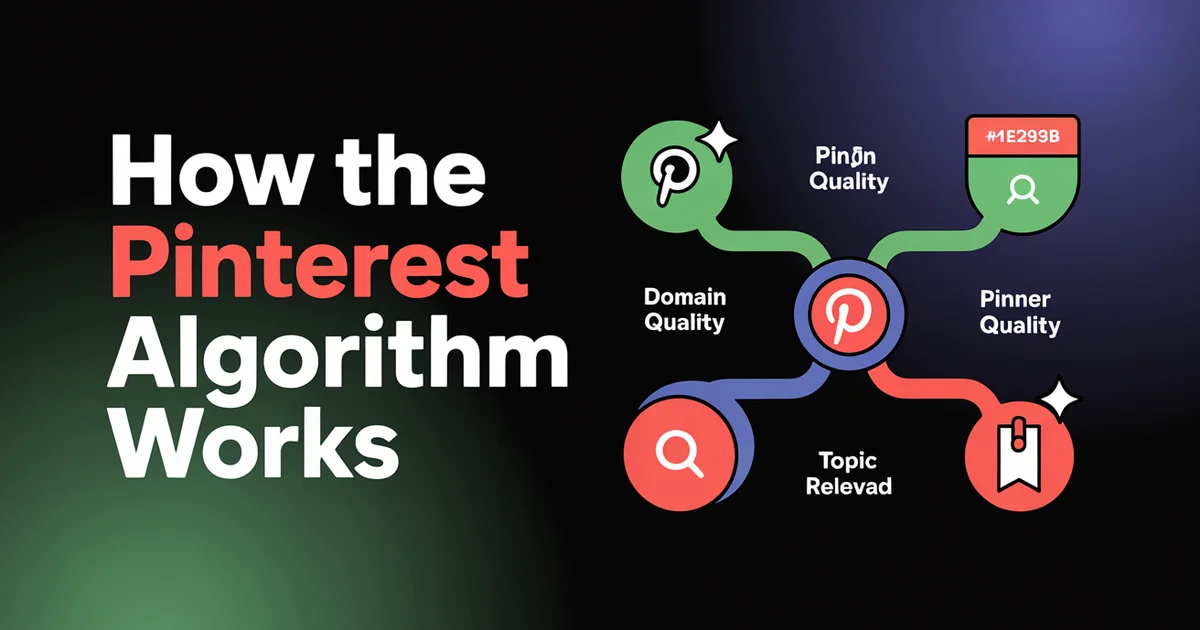
- The four ranking signals are: domain quality, pin quality, pinner quality, and topic relevance
- Fresh pins beat re-pins in 2026: Pinterest's 2025 update aggressively prioritises new images over re-distributed ones
- Saves are the most valuable engagement signal, followed by outbound clicks. Likes barely matter.
- Pin lifespan is 3-6 months vs hours for Instagram or TikTok, so Pinterest content compounds
- Hashtags are mostly dead for ranking; natural-language pin descriptions and board context are what matter
- 85% of weekly Pinterest users have made a purchase based on pins (SocialPilot, 2026), so the audience is buyer-intent
- Posting cadence: 5-15 fresh pins per day is the current 2026 sweet spot; quality over volume
- Use a scheduling tool to maintain fresh-pin output without daily manual work
Table of Contents
- How the Pinterest Algorithm Actually Works
- The Four Ranking Signals
- Why Pinterest is a Search Engine, Not a Social Network
- How Smart Feed Distributes Pins Across Surfaces
- Fresh Pins: The Most Important 2025 Update
- What Content Performs Best in 2026
- 10 Pinterest Algorithm Myths Debunked
- Pinterest vs Instagram: Why the Algorithms Are Opposite
- Recent Algorithm Updates Timeline
- FAQs
- Next Steps
How the Pinterest Algorithm Actually Works
Pinterest's recommendation system is officially called Smart Feed, and it has one goal in 2026: surface pins that match a user's interests and intent so they're more likely to save them, click through, or (increasingly) buy something.
Unlike Instagram or TikTok, which were built around predicting engagement velocity (likes, comments, shares in the first hour), Smart Feed was built around predicting future utility: will this pin still matter to the user in a week, a month, six months?
According to Pinterest Engineering's foundational Pinnability paper, the home-feed ranking model "consumes pin signals, user signals, context signals" to predict the probability that a user takes a positive action on each pin. The production model reportedly achieves around 90% AUC. By mid-2026, that core system has been substantially upgraded: Pinterest's engineering team has published work on embedding-based retrieval, a modernised pre-ranking stage, and a real-time user-action transformer (TransAct) that processes a user's latest 100 actions as a sequence to react inside a session.
Practically, Smart Feed has four jobs:
- Selecting candidates: Filter through hundreds of millions of pins to find ones potentially relevant to a user
- Ranking by relevance: Score each candidate using machine learning models trained on past saves, clicks, and search behaviour
- Diversifying the feed: Avoid showing 10 nearly-identical pins in a row (the "saturation" problem). Pinterest engineering's April 2026 write-up on multi-objective optimisation describes the shift from a Determinantal Point Process to Sliding Spectrum Decomposition specifically to balance diversity with engagement at scale
- Personalising over time: Adjust based on what each user actually engages with
What makes Pinterest weird (and what every "Pinterest algorithm" guide gets wrong) is that Smart Feed doesn't just feed the home page. It powers search results, related pins under each pin you view, topic-specific feeds, and the "More like this" carousels. A single well-optimised pin gets distributed across all of those surfaces over time, which is why Pinterest content compounds in a way no other platform's does in 2026.
Stop thinking about Pinterest like Instagram. Every pin is a long-tail SEO bet. Optimise for a specific search query, not for "engagement". Lean on a scheduling tool to maintain consistent fresh-pin output and let Smart Feed do the rest of the work.
The Four Ranking Signals
Pinterest has confirmed publicly (and Sprout Social's 2026 algorithm breakdown corroborates) that Smart Feed weighs four categories of signals when deciding pin distribution: pin quality, pinner quality, relevance, and recency/freshness. They're not equal in weight (domain and pin quality typically outrank pinner quality and topic relevance), but you need all four to consistently land on the home feed and in search results in 2026.
1. Domain Quality
The signal everyone ignores. Pinterest tracks the quality of the destination website each pin links to. If your pins consistently send users to a slow, broken, or low-quality site, Pinterest learns to suppress your distribution sitewide.
Domain quality factors include:
- Site speed: Pinterest tests outbound destinations and penalises slow pages
- Mobile responsiveness: 80%+ of Pinterest traffic is mobile; broken mobile layouts hurt your distribution
- Pin-page match: The pin image and the destination page need to clearly correspond; bait-and-switch is detected
- Bounce-back behaviour: If users click your pin and immediately return to Pinterest, that's a strong negative signal
- Verified domain status: Verifying your domain in Pinterest Business gives Pinterest more trust signals about your site
The implication: a great pin linking to a bad site will underperform a mediocre pin linking to a great site. Domain quality compounds over months. It's why brands like Etsy and HGTV.com dominate Pinterest in 2026; they've spent years training the algorithm to trust their destinations.
2. Pin Quality
Pin quality is the per-pin engagement signal. Pinterest uses an engagement-rate model, not raw counts. A pin with 100 saves from 1,000 impressions outperforms a pin with 500 saves from 100,000 impressions.
The engagement signals Pinterest weighs (in order):
- Saves: The most valuable signal by far. A save means "I want to come back to this later", which is the entire point of Pinterest.
- Outbound clicks: Indicates the pin delivered on its promise; users went deeper into your content
- Close-ups: When a user taps a pin to expand it, even without saving
- Comments: Lower weight than other platforms because Pinterest is less conversational
- Likes: Almost ignored by the algorithm; mostly vanity
Pinterest's own Pin performance and distribution guidance confirms that high-quality pins should be "visually compelling, engaging, and popular," and notes there's no fixed engagement window: engagement can happen long after a pin is published. Pinterest Engineering's TransAct work also confirms that in 2026 the system reacts to a viewer's last 100 actions in near real time, so fresh-pin engagement in the first 7-30 days disproportionately shapes distribution. These are the metrics worth tracking more than anything else.
3. Pinner Quality
Pinner quality is your account-level reputation, and in 2026 Pinterest weighs it more heavily than in any previous year. It's affected by:
- Posting cadence: Consistent daily activity beats sporadic bursts
- Pin variety: Pinning across multiple boards and topics signals you're a real curator, not a spammer
- Save rate on your previous pins: If your past pins consistently get saved, future pins get a distribution boost
- Account age and activity history: New accounts go through a multi-week trial period
- Spam signals: Buying followers, mass-pinning the same image to dozens of boards, or using auto-pinning bots tanks your pinner quality
This is the closest Pinterest has to a "trust score" for accounts. Unlike Instagram, where each post is judged largely on its own merit, Pinterest gives consistent high-quality accounts a permanent boost in 2026; Pinterest's create.pinterest.com fundamentals explicitly recommends planning a content calendar 45-60 days ahead to maintain that consistency.
4. Topic Relevance
This is the SEO layer. Pinterest tries to figure out what each pin is about using:
- Pin title and description text: Natural language matters; keyword-stuffed text is detected
- Board name and description: A pin saved to a relevant board signals topic context. In 2026 the Pinterest engineering team confirmed they now use pre-trained pin embeddings and conditional retrieval that incorporate user interests as model inputs, so the semantic match between pin and board carries more weight than ever
- Image content: Pinterest Lens (visual recognition) reads the image itself, and Pinterest is rolling out a 2026 Pinterest Assistant that combines visual examples with spoken queries
- Pin annotations: Internal Pinterest categorisation signals
- Domain topic history: Pinterest knows your site is "about" certain topics
The takeaway: write your pin descriptions like you'd write a meta description for Google. Specific, descriptive, includes the keyword naturally, written for humans. Don't keyword-stuff. Don't use 30 hashtags. Don't write "check it out".
Why Pinterest is a Search Engine, Not a Social Network
This is the single mental model shift that determines whether you succeed or fail on Pinterest in 2026.
Pinterest's own data shows that 96% of top searches are unbranded, meaning users come with a problem ("how to organise a small kitchen") rather than a brand in mind ("show me Crate & Barrel"). They're in discovery mode, not follow mode. Sprout Social's 2026 Pinterest statistics report puts this in starker terms: 80% of weekly Pinners say they feel inspired by the platform's shopping experience, and 40% of US households earning over $150,000 a year are reachable via Pinterest advertising.
Compare the user behaviour:
| Behaviour | ||
|---|---|---|
| Primary mode | Search & discovery | Browse & follow |
| Time horizon | Future planning | Right now |
| Intent | Find solutions, plan purchases | Be entertained |
| Content lifespan | Months to years | Hours to days |
| What gets saved | Useful, actionable, beautiful | Funny, relatable |
| Algorithm goal | Match query intent | Maximise watch time |
This is why "engagement" tactics from other platforms backfire on Pinterest. Comments? Pinterest users barely comment. Polls? Pinterest doesn't have them. "Reply to every comment in the first hour"? There aren't comments to reply to.
What works on Pinterest is what works on Google: target a specific search intent, deliver on it clearly, and earn the save. The save is the Pinterest equivalent of a backlink. It tells the algorithm your content is worth resurfacing later.
How Smart Feed Distributes Pins Across Surfaces
A single pin doesn't get one shot at the home feed and then die. Smart Feed distributes each pin across multiple surfaces over weeks and months. Understanding this is the key to Pinterest's compound effect in 2026.
Home Feed
The personalised feed each user sees when they open Pinterest. The ranking model takes user history, account follows, and topic preferences into account. Fresh pins from accounts you don't follow appear here too; Pinterest is deliberately discovery-heavy.
Search Results
When a user searches a term, the top results are the pins Smart Feed ranks as most relevant for that query. This is where Pinterest is most search-engine-like; pin descriptions and board context determine ranking. If your pin matches a query well, it can sit in search results for months or years.
Related Pins
Below every pin a user views, Pinterest shows "More like this". These are pins the algorithm thinks are topically similar. Getting placed here is huge because it captures users actively researching a topic.
Topic Feeds
Pinterest categorises content into hundreds of topic feeds (e.g., "Home decor", "Healthy recipes", "Wedding ideas"). Pins are distributed into the feeds matching their topic, where they appear to users browsing that interest.
Today Tab
A curated feed of trending topics each day. Hard to break into without strong pin quality and an established account, but high-impact when you do.
The implication: don't optimise for one surface. A pin might quietly perform on search for 3 months, then suddenly hit a topic feed and earn outsized impressions. The compounding effect is why Pinterest creators talk about pins reaching more people 6 months after posting; that's not luck, it's the distribution lifecycle catching up. Pinterest engineering's modernised pre-ranking work (published 2024-2025) made this lifecycle measurably more efficient by unifying retrieval across surfaces and reducing sample selection bias in training data.
The compounding effect is real. A single high-quality pin can keep delivering traffic for 6-12 months across all of these surfaces. Build a content calendar that adds 5-15 fresh pins per day with PostEverywhere and you'll have hundreds of compounding assets within a quarter.
Fresh Pins: The Most Important 2025 Update (Still Defining 2026)
In 2024 and 2025, Pinterest aggressively shifted distribution toward fresh pins, meaning new images attached to a URL that hasn't been pinned with that specific image before. Re-pinning the exact same image to a new board does almost nothing as of 2026.
This was a direct response to spam: marketers were creating one image and re-pinning it to 50 boards to game distribution. Pinterest killed that strategy.
What counts as a fresh pin in 2026, per Tailwind's 2026 fresh-pin definition and the Pinterest Business Community fresh-pin guidance:
- A new image (not previously uploaded to Pinterest, or substantially modified)
- Linked to a URL (yours or someone else's, but a URL Pinterest can crawl)
- With a unique title and description
- Pinned to a relevant board
What does NOT count as a fresh pin:
- Re-pinning an existing pin (still allowed, just doesn't get the fresh-pin distribution boost)
- Re-uploading the same image with a slight crop or text change (Pinterest's image hash detects this)
- Using stock photos that thousands of other accounts have already used (Pinterest can detect this and penalises it)
The practical implication for 2026: you need to consistently create new images. This is the main reason Pinterest creators batch-create dozens of pin variations from a single piece of content. Each is a fresh pin that gets independent distribution.
A typical workflow: write a blog post, then create 8-12 different Pinterest pin images (different headlines, layouts, colours) and stagger them across 3-4 weeks using a content calendar template to keep your fresh-pin cadence predictable. Each pin is a fresh pin. Each gets its own shot at the algorithm.
This is also why scheduling matters more here than on any other platform; manually pinning 5-15 fresh pins per day burns 30 minutes of every workday. Scheduling lets you batch a month of pin creation into one session (set once and reuse), and our breakdown of the best Pinterest scheduler options compares the tools that handle bulk uploads well.
What Content Performs Best in 2026
Based on Pinterest's published data and what's actually performing on the platform in mid-2026:
Vertical static images, 1000×1500 (2:3 ratio). This is Pinterest's preferred format and gets the most distribution in 2026. Square pins (1:1) get 30-40% less visibility because they don't fill the mobile screen. Tailwind's 2025 benchmark study of over 1 million pins found 2:3 still dominates the top performers.
Video pins, 1080×1920 (9:16) or 1080×1350 (4:5). Video pins now get more distribution boost than static pins, especially in topic feeds. The first 3 seconds of the video are critical; Pinterest's algorithm uses early watch-through as a quality signal. According to SocialPilot's 2026 Pinterest statistics, organic video pins have grown 240% year-over-year.
Multi-image Pins (formerly Idea Pins). Idea Pins no longer exist as a separate format; Pinterest merged them into standard Pins in 2023. Multi-image and video Pins still perform well for tutorials and how-tos, and the multi-frame format lives inside the regular pin system, as documented in the Pinterest help center's pin creation guide.
Rich Pins. Pinterest pulls metadata from your site (article title, description, recipe ingredients, product price, stock status) and displays it directly in the pin. Rich Pins get higher click-through rates because they show more context. Free to enable; just add Open Graph tags to your site and verify the domain via the Pinterest developer rich-pin docs.
Pin formats that work for specific verticals:
- Recipes: Long-form text overlay images with ingredient lists
- Home decor: High-quality product photography in real spaces
- Fashion: Lookbook-style images and outfit collages
- DIY: Step-by-step image grids
- Wedding: Mood boards and inspiration collections
- Personal finance: Text-heavy infographics with specific dollar amounts
- Health and fitness: Before/after images and routine breakdowns
The pattern across verticals is consistent in 2026: pins that promise something specific (a recipe, a how-to, a product, a list) outperform pins that promise something abstract ("inspiration", "ideas", "thoughts").
10 Pinterest Algorithm Myths Debunked
Myth 1: Hashtags improve Pinterest distribution
False. Pinterest stopped recommending hashtags as a ranking signal back in 2022, removing them from its Creative Best Practices. The story is well-documented in Tailwind's pin description framework for 2025-2026: "keywords, not hashtags, drive Pinterest ranking." They're not penalised, but they don't help in 2026. Use natural-language descriptions instead.
Myth 2: You need to follow other accounts to grow
False. Following has almost no algorithmic value in 2026. Pinterest users rarely browse "following feeds"; they browse search results and topic feeds. Your account growth comes from saves, not from being followed.
Myth 3: Pinning to as many boards as possible boosts reach
False. This used to work. Pinterest now penalises mass re-pinning the same image. Pinning a fresh image to one well-targeted board outperforms re-pinning the same image to 10 boards.
Myth 4: Pinterest engagement is dead in 2026
False. Pinterest hit 631 million monthly active users in Q1 2026, its tenth consecutive quarter of double-digit user growth. Pinterest screen-time data shows users average roughly 14 minutes per session in 2026, longer than Instagram. The audience is engaged, just not in the comments-and-likes way Instagram users are. They engage by saving and clicking.
Myth 5: You should post 50+ pins per day
Mostly false. This was the advice in 2018-2020. As of 2026, 5-15 high-quality fresh pins per day outperforms 50 mass-pinned ones, a point Tailwind's 2026 posting-frequency guide makes repeatedly. Pinterest's spam detection has gotten much smarter.
Myth 6: Pinterest is only for women planning weddings
False. Pinterest's audience statistics for 2026 show Gen Z is the fastest-growing segment at 42% of the global user base, and Pinterest's male user share grew from roughly 14% to 17%+ over the last two years (around 23% relative growth). The platform now has substantial communities around tech, finance, fitness, woodworking, and gaming. The "women planning weddings" stereotype is 5+ years out of date.
Myth 7: You need a business account to rank
False. Personal accounts rank just as well as business accounts. Business accounts get analytics, Rich Pins, and ad capabilities, but the algorithm doesn't favour them in distribution.
Myth 8: Pinterest only cares about your home country's audience
False. Pinterest is heavily international in 2026. Pinterest's Q1 2026 results showed Rest of World grew 15% year-over-year to 367 million users, far outpacing US & Canada at 4%. Your pins will surface in any country where Smart Feed thinks the user has matching intent. Many top US-based creators get 30-50% of their traffic from non-US users.
Myth 9: Posting at certain times of day matters most
Partially true. Best time to post matters for the first 24 hours of distribution, but Pinterest's compound effect means a pin will eventually find its audience regardless. The bigger lever is consistency, not timing. (For specifics, see our best time to post on Pinterest guide.)
Myth 10: Pinterest penalises affiliate links
False with caveats. Pinterest allows affiliate links and even has an Affiliate Disclosure feature. What they DO penalise is spammy affiliate behaviour: cloaked links, irrelevant pins linking to affiliate offers, mass-posting the same affiliate link, and shorteners that hide the destination. Disclose, link directly, and stay relevant.
Pinterest vs Instagram: Why the Algorithms Are Opposite
Pinterest and Instagram are often discussed in the same breath because they're both visual platforms. But algorithmically, they're nearly opposites.
| Factor | ||
|---|---|---|
| Primary signal | Saves (long-term value) | Watch time (immediate engagement) |
| Content lifespan | 3-6 months minimum | 24-48 hours |
| User intent | Search and plan | Browse and connect |
| Algorithm goal | Match query to pin | Maximise time on app |
| Follower importance | Low | High (early signal) |
| Hashtags | Mostly dead | Still useful |
| Engagement type | Saves, clicks, close-ups | Likes, comments, shares |
| Content cadence | 5-15 fresh pins/day | 3-5 posts/week |
| Compound effect | Strong (pins resurface for months) | Weak (post decays in hours) |
| Audience intent | Commercial / planning | Social / entertainment |
The implication is profound: in 2026, the strategies that work on Instagram actively hurt you on Pinterest, and vice versa. Pinterest creators who get burned trying to chase quick spikes with engagement-bait content fail because Pinterest's algorithm doesn't care about engagement velocity. Instagram creators who try to use SEO-style descriptions on Pinterest succeed.
If you're managing both platforms, treat them as fundamentally different channels. Cross-posting the exact same content to both is a waste of effort. (For platform comparison and cross-posting strategy, see our guides on how the Instagram algorithm works and how the TikTok algorithm works.)
Recent Algorithm Updates Timeline
Q1 2024: Pinterest deprecated standalone Story Pins. Multi-page pin format absorbed into regular pins.
Q2 2024: Hashtag ranking influence reduced. Pinterest officially advised creators to focus on natural-language descriptions instead.
Q3 2024: Fresh pin priority introduced. Distribution boost for new images vs re-pinned images, as documented in Tailwind's 2026 fresh-pin definition.
Q4 2024: Pinterest Lens (visual search) integration with Smart Feed deepened. Image content recognition started influencing topic categorisation more heavily.
Q1 2025: Domain quality became a sitewide ranking factor. Slow or broken destination sites began suppressing pin distribution from those domains.
Q2 2025: Video pins received a distribution boost. Pinterest started favouring vertical video over static images in topic feeds.
Q3 2025: Spam detection upgraded. Mass re-pinning the same image to multiple boards now actively reduces account-wide distribution.
Q4 2025: Pinterest Predicts 2026 launched, with predicted topics receiving algorithmic boosts in topic feeds for 6-12 months after publication. Shopping integration also expanded: product pins, price drops, and stock status started influencing distribution to commercial-intent searchers.
Q1 2026: Pinterest Engineering published a series of upgrades to embedding-based retrieval and pre-trained pin/user ID embeddings. Pinterest's Spring Trend Report 2026 signalled algorithmic boosts for personalisation-themed content.
Q2 2026 (current): Pinterest engineering's April 2026 multi-objective optimisation paper describes a migration from DPP-based feed diversification to Sliding Spectrum Decomposition, with soft-spacing penalties and PinCLIP visual embeddings. Inclusive AI rollout continues: Pinterest's visual search now respects skin tone, body type, and hair texture filters, affecting how images get categorised and surfaced. Pinterest's Summer Trend Report 2026 and the 2026 Pinterest Palette (Cool Blue, Jade, Plum Noir, Wasabi, Persimmon) are signalling topical and visual cues being amplified in topic feeds through to year-end.
FAQs
How long does it take to see results on Pinterest?
Pinterest is the slowest-starting and longest-compounding platform in 2026. Expect 60-90 days before fresh pins start consistently driving traffic, and 6+ months before the compound effect really kicks in. This is why most creators give up: they expect Instagram-style instant results. The flip side is that Pinterest content keeps delivering long after Instagram posts have died.
How many pins should I post per day?
5-15 fresh pins per day in 2026. Quality matters far more than volume; five well-optimised fresh pins outperform fifty rushed ones. The old "post 50+ pins per day" advice is from the pre-spam-crackdown era and now actively hurts your account.
Do I need a business account?
No. Personal accounts rank just as well in Smart Feed. Business accounts unlock analytics, Rich Pins, ads, and the Affiliate Disclosure feature; they're useful tools but not algorithmic ranking advantages. Switch to business if you want the data; stay personal if you don't.
Can I schedule Pinterest pins from desktop?
Yes. Pinterest's native scheduler allows scheduling from desktop, and third-party tools like PostEverywhere let you bulk-upload and schedule 5-15 pins per day in one session.
Are hashtags useful on Pinterest in 2026?
Largely no. Pinterest deprecated hashtag ranking back in 2022 and never reversed that guidance for 2026. They're not penalised, but they don't help. Use the character budget for natural-language descriptions targeting search intent instead.
Why aren't my pins getting any reach?
Usually one of five things. You're re-pinning instead of creating fresh pins; your pin descriptions are keyword-stuffed instead of natural language; your destination site is slow or broken (domain quality); you're pinning to irrelevant boards; or you're a new account still in the trial period (give it 30-60 days).
Does posting time matter on Pinterest?
It matters less than on other platforms because Pinterest distribution happens over weeks, not hours. Optimal times are early evening (6-9 PM in your audience's timezone) and Saturday mornings. But consistency beats timing every time. See our data-backed Pinterest timing guide for specifics.
How do saves vs clicks affect rankings?
Saves are the highest-value signal. They tell the algorithm "this user wants to come back to this later", which is Pinterest's entire reason to exist. Clicks are second most valuable because they prove the pin delivered. Likes are almost ignored in 2026.
Next Steps
Pinterest is the most patient platform in social media. Everything that makes Instagram and TikTok exciting (sudden traffic spikes, instant feedback, follower counts) is missing on Pinterest. What you get instead is a content engine that compounds for years in 2026. A pin you make in April can still be driving traffic in October.
Three things to do this week:
- Verify your domain in Pinterest Business so you start building domain quality signals
- Set up a fresh-pin workflow by batch-creating 20-30 pin variations from your existing content and scheduling them across the next 4 weeks using our pin scheduling workflow
- Audit your existing pin descriptions: strip the hashtags, rewrite as natural language descriptions targeting specific search queries
If you're managing Pinterest alongside other platforms, the cross-posting workflow and bulk scheduling features make it possible to maintain a daily fresh-pin output without it eating your week.
For more tactics, see our guides on the best time to post on Pinterest, pin dimensions, and the latest Pinterest data, or schedule pins with our Pinterest scheduler.
Stop treating Pinterest like Instagram. It's a search engine. Build for compounding distribution with PostEverywhere's Pinterest scheduler: fresh pins, scheduled in batches, posted consistently. The algorithm will do the rest.

Founder & CEO of PostEverywhere. Writing about social media strategy, publishing workflows, and analytics that help brands grow faster.