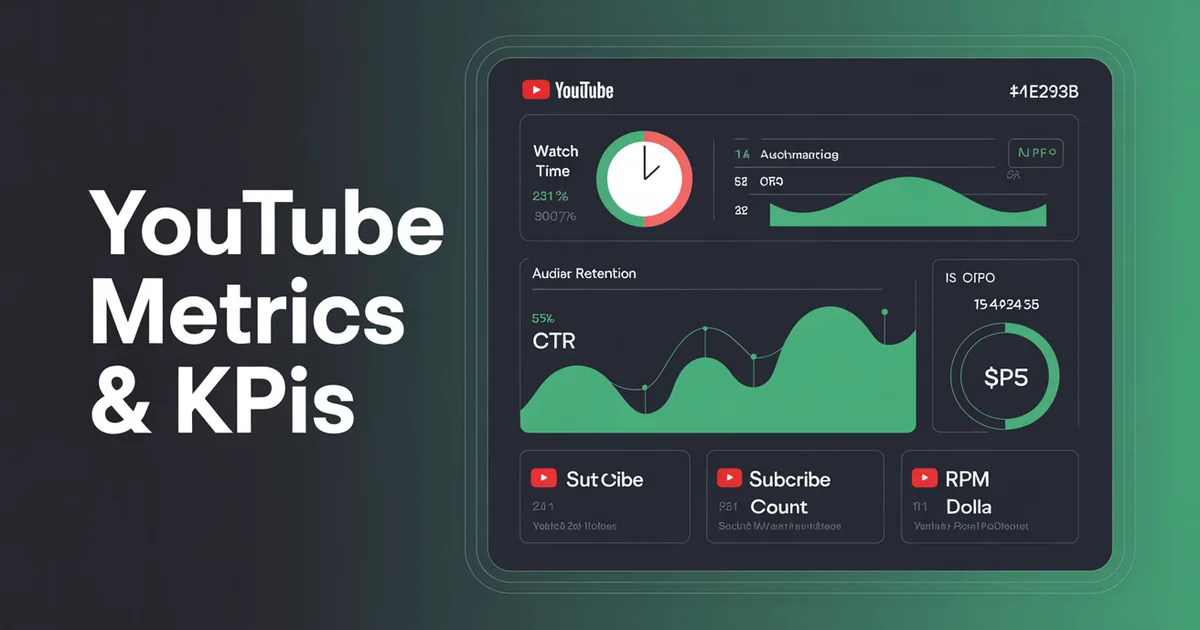
YouTube is the only major platform where the metric everyone fights over — watch time — directly pays the bills. On Instagram or TikTok, engagement is a vanity-adjacent proxy for reach. On YouTube, every minute somebody spends watching your video is a minute that can be monetised, counted towards the algorithm's ranking signals, and stored forever in a library that keeps earning years after you hit publish.
That changes how you should measure success. After running YouTube channels for clients and building dashboards for our team at PostEverywhere, I've learned the hard way that most creators track the wrong things. They obsess over subscriber count and ignore the metrics that actually predict revenue. This guide is the YouTube-specific companion to our broader social media metrics and KPIs hub, and it walks through exactly what to track in YouTube Studio, how to calculate each number, and which benchmarks separate healthy channels from stagnating ones.
Discovery metrics: how people find you
Before anyone watches a second of your video, YouTube has to surface it. Discovery metrics tell you how good your thumbnails, titles, and packaging are at winning the click.
Impressions. An impression counts when your thumbnail is shown to a viewer on YouTube — Home, Suggested, Search, Browse, or the subscription feed. It does not count embedded views on other sites. Impressions are a leading indicator: if they drop, the algorithm has lost confidence in your content and pulled distribution before you notice anything else going wrong.
Click-through rate (CTR). CTR is the percentage of impressions that turn into clicks.
CTR = (Clicks / Impressions) x 100
YouTube's own Creator Academy publishes guidance that healthy CTR typically sits between 4% and 10%, with 6% being a reasonable average for most niches. Shorts and evergreen search content sit lower (2–5%); entertainment and viral content can push 12%+. Anything below 3% for more than a week suggests your thumbnail or title isn't matching viewer expectations.
Traffic source breakdown. YouTube Studio splits your traffic into:
- Browse features — Home feed, Subscriptions feed
- Suggested videos — the sidebar and autoplay after another video
- YouTube search — user-typed queries
- External — embeds, links from other sites
- Shorts feed — vertical swipe discovery
- Playlist — pulled in from a playlist
- Channel pages — people browsing your back catalogue
A channel relying 80%+ on subscribers is fragile. A channel pulling strong numbers from Suggested and Browse is being actively recommended by the algorithm, which is the healthiest possible signal. Search traffic is the most durable — it compounds for years. To grow Search traffic specifically, audit your existing videos against a target keyword list — our YouTube tag generator returns the long-tail tag terms most likely to surface a video in adjacent searches.
Watch metrics: the ones that actually matter
If I could only track four metrics on YouTube, all four would live in this section.
Watch time (hours). The total time viewers have spent watching your videos. Watch time is the single biggest ranking factor YouTube uses, and it's the metric that determines whether you cross the 4,000-hour threshold for the YouTube Partner Program.
Average view duration (AVD). The average amount of time a viewer spends on a single video.
AVD = Total watch time / Total views
If your 10-minute video has 5 minutes of AVD, that's excellent. If it has 1 minute 30 seconds, the algorithm will quietly stop recommending it.
Average percentage viewed (APV). AVD expressed as a percentage of total video length.
APV = (AVD / Video length) x 100
APV is more useful than AVD for comparing videos of different lengths. I aim for 50%+ APV on long-form and 70%+ on Shorts. Tubular Labs' benchmarks suggest the top 10% of channels consistently hit 55–65% APV on videos 8–15 minutes long.
Audience retention curve. The graph inside Studio that shows what percentage of viewers are still watching at each second of the video. Flat is good. Steep drops in the first 30 seconds mean your hook is broken. Valleys in the middle mean people are skipping past a boring section — find the timestamp and cut it next time. Spikes (re-watches) mean something was genuinely interesting; do more of that.
Want to publish on YouTube without hopping between Studio, your calendar, and three spreadsheets? Schedule long-form and Shorts side by side with PostEverywhere and track every metric that matters in one unified analytics view.
Engagement metrics: signals of intent
Watch metrics measure what viewers do passively. Engagement metrics measure what they do actively.
Likes. Still a ranking signal, even though YouTube hid public dislike counts. A healthy like rate is roughly 4–6% of views for long-form and 3–5% for Shorts.
Dislikes. Yes, creators still see dislikes in YouTube Studio — the public count was removed, not the data. A sudden dislike spike is usually an early warning that a video is being shown to the wrong audience or that you've said something controversial. Check the comments immediately.
Comments. High-signal engagement. A single comment is worth roughly 10 likes in terms of what it tells YouTube about engagement depth. For a detailed breakdown of why comments outweigh other actions, see our social media engagement rate benchmarks guide and the engagement rate calculator.
Shares. Shares indicate the video is valuable enough to pass on. YouTube tracks shares triggered through the share button — not copy-paste URLs from the address bar, which is why your share count is always lower than you think.
Subscribers gained (per video). This is the metric I care about more than total subscriber count. It tells you which videos convert casual viewers into fans. A video that pulls 100,000 views and gains 50 subscribers is a dead-end; a video that pulls 10,000 views and gains 500 subscribers is a growth engine.
For ideas on what actually converts viewers into subs, our post on how to get more YouTube subscribers covers the specific on-video tactics I use.
Shorts-specific metrics
Shorts run on a completely different measurement framework from long-form. Don't compare them directly.
Shorts views. Counted the moment a viewer watches at least one full loop, or stays for a set duration (YouTube doesn't publish the exact threshold). Shorts views are usually 5–20x higher than long-form views on the same channel, which makes them look more successful than they are.
Swipe-away rate. The percentage of viewers who swipe before watching meaningful content. Studio shows this as the inverse — "viewed" vs "swiped away." Anything under 30% swipe-away on the first 2 seconds is healthy. Above 50% and the algorithm will stop pushing the Short.
Shorts subscribers. Shorts viewers convert to subscribers at roughly 1/10th the rate of long-form viewers. This is why a channel can have millions of Shorts views and still struggle to grow its core audience. Track Shorts subs separately and don't count them as equivalent to long-form subs.
Shorts watch time. Counted separately from long-form watch time and — critically — does not count towards YouTube Partner Program eligibility in the same way. YPP now has a separate Shorts monetisation track via the Shorts revenue pool.
If Shorts are a significant part of your strategy, pair this post with our 100 YouTube content ideas list, which breaks out formats that work for vertical vs horizontal.
Revenue metrics (for monetized channels)
Once you cross into the YouTube Partner Program, a whole new set of numbers opens up in Studio.
RPM (Revenue per mille). Revenue per 1,000 views, after YouTube's 45% cut, and including all revenue sources (ads, Premium, Super Chats, memberships, Shorts).
RPM = (Total estimated revenue / Total views) x 1,000
RPM is the number that matters for planning — it tells you what you actually take home per 1,000 views. Typical RPM ranges: $1–3 for entertainment, $4–8 for lifestyle/tutorial, $10–30+ for finance, B2B, and legal niches.
CPM (Cost per mille). What advertisers pay per 1,000 ad impressions, before YouTube's cut. CPM is almost always higher than RPM because not every view sees an ad, and YouTube takes its share. Useful for comparing against industry benchmarks but not for personal forecasting.
Estimated revenue. Self-explanatory. The number in Studio is usually within 5% of what actually lands in your AdSense account.
YPP eligibility metrics. To join the Partner Program you need either:
- 1,000 subscribers AND 4,000 valid public watch hours (last 365 days), OR
- 1,000 subscribers AND 10 million valid public Shorts views (last 90 days)
Track both of these as lifetime goals. Studio has a dedicated monetisation tab that shows progress bars.
The broader YouTube Creator Academy documentation has the full current YPP rules — verify before assuming anything because YouTube tweaks the thresholds periodically. For market-wide revenue benchmarks across creators, Tubular Labs publishes solid industry data.
Audience metrics: who's watching
Returning viewers vs unique viewers. Unique viewers is the count of distinct accounts watching in a period. Returning viewers is the subset who watched something previously. A healthy channel shows returning viewers climbing month over month — that's the sign of a real audience rather than a content lottery.
Subscriber loss/gain. Net subscriber change. A small amount of daily loss is normal (5–10% of gains is typical), but losses spiking suddenly usually means a video upset people, or the algorithm showed your content to viewers who weren't the target audience.
Demographics. Age, gender, geography, device, and top subtitled languages. Use these to tune your publish times — if 60% of your audience is in the US, schedule around US peak hours. Our best time to post guide breaks down platform-by-platform timing windows.
Tired of guessing which metric to prioritise? PostEverywhere's YouTube scheduler surfaces your top-performing time slots automatically so you can publish when your returning audience is actually online.
What to track weekly vs monthly
Checking metrics too often leads to bad decisions. Here's the cadence I recommend.
Weekly (15 minutes, every Monday):
- Impressions and CTR on videos from the last 7 days
- Average view duration vs your channel average
- Subscribers gained per video published this week
- Any sudden drops in retention for older evergreen videos
Monthly (1 hour, first day of the month):
- Total watch time vs previous month
- Traffic source mix — is Suggested growing?
- Top 5 videos by subs gained (not views)
- RPM trend
- Audience retention curve patterns across your last 4–8 videos — where are viewers dropping off, and why?
- Competitor benchmark check
Quarterly (half a day):
- Full channel audit — what's working, what to kill, what to double down on
- Content pillar review
- Planning the next 90 days using your top performers as templates
If you're running YouTube alongside other platforms, compare this approach to the platform-specific guides for Instagram metrics and KPIs, TikTok metrics and KPIs, and LinkedIn metrics and KPIs — the cadence differs because the algorithms reward different behaviours. The overall framework still lives in the social media metrics and KPIs hub.
FAQs
What's a good CTR on YouTube in 2026? Between 4% and 10% is healthy. Six percent is a solid average across most niches. Shorts and pure search content sit lower; entertainment and viral content can exceed 12%.
Why does my video have lots of views but low watch time? Either your hook is broken (check the first 30 seconds of the retention curve) or the title/thumbnail is overpromising. The algorithm will stop recommending videos with low AVD regardless of view count.
Do Shorts views count towards YouTube Partner Program eligibility? Shorts have their own separate YPP pathway — 1,000 subscribers plus 10 million valid public Shorts views in 90 days. Long-form watch hours and Shorts views are tracked in parallel and either path qualifies you.
How accurate is YouTube Studio's estimated revenue? Usually within 5% of what lands in AdSense. The gap comes from invalid traffic adjustments and currency conversion. Treat it as a reliable directional number, not an exact forecast.
Should I care about subscriber count or subscribers gained per video? Subscribers gained per video. Total subscriber count is a vanity metric that gets dragged up by old videos and inactive accounts. Per-video sub gain tells you which content is actually growing the channel right now.
What's the difference between RPM and CPM? CPM is what advertisers pay per 1,000 ad impressions before YouTube's cut. RPM is what you actually earn per 1,000 video views after YouTube's 45% cut and including all revenue sources (ads, Premium, memberships, Super Chats). RPM is the number to use for planning.
Wrap up
YouTube measurement is simple once you stop chasing the wrong numbers. Watch time, average view duration, CTR, and subscribers gained per video are the four that move the needle. Everything else is context.
Build a weekly habit of scanning those four, a monthly habit of reviewing retention curves, and a quarterly habit of auditing what's working. Do that for a year and your channel will be unrecognisable.
If you're ready to stop manually copying analytics from Studio into spreadsheets, PostEverywhere's YouTube scheduler connects directly to your channel, pulls the metrics that matter, and pairs them with our AI content generator so you can turn your best-performing videos into next week's ideas. And if YouTube is just one piece of a multi-platform strategy, our social media scheduler ties everything together in a single dashboard. That's the loop that actually compounds.

Founder & CEO of PostEverywhere. Writing about social media strategy, publishing workflows, and analytics that help brands grow faster.