Let me be honest with you up front: Facebook organic engagement is brutal in 2026. According to Socialinsider's latest benchmark report, the median engagement rate for Facebook Pages sits at a miserable 0.15%. That's not a typo. For every 1,000 followers, the median Page earns about 1.5 interactions per post.
But here's the twist — Facebook's raw reach is still massive. The platform has more than three billion monthly users, and a single viral share can push a post into hundreds of thousands of feeds. So the metrics that matter on Facebook are different from the ones that matter on Instagram or TikTok. You're not optimising for a double-tap economy. You're optimising for shares, saves, and distribution.
I've been running Facebook Pages for PostEverywhere and our client accounts for years, and the teams that win on Facebook are the ones who stop measuring vanity and start measuring distribution. In this guide, I'll walk through exactly what to track on Facebook in 2026, the benchmarks you should measure against, and how to build a weekly vs monthly reporting cadence that actually moves the needle.
This post is a spoke in our broader social media metrics and KPIs hub — if you manage more than one platform, start there first.
Why Facebook metrics are different
Before we dive into the numbers, a quick framing note. Facebook's News Feed algorithm weights "meaningful social interactions" above almost everything else. That means shares and comments pull far more weight than Likes, and Reels now dominate organic reach in a way that static posts simply cannot match.
If you track Facebook the same way you track Instagram, you'll get the wrong answers. Likes lie. Reach lies (sometimes). Shares and saves don't.
Reach metrics on Facebook
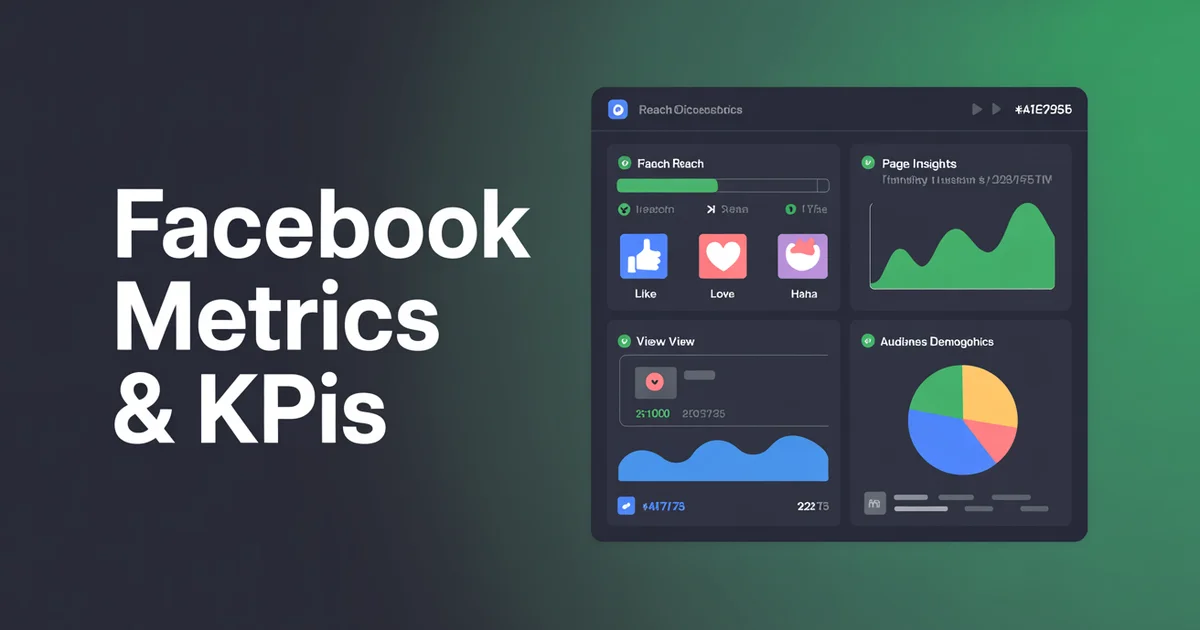
Reach is the foundation. You cannot have engagement without reach, and Facebook breaks reach down into several useful buckets inside Meta Business Suite (official docs).
Organic reach
The number of unique accounts that saw your post without paid promotion. Organic reach on Pages has been declining for a decade, and in 2026 most Pages see organic reach of 2–5% of their follower count per post. If your Page has 10,000 followers and a post hits 300 organic reach, that's roughly on-benchmark.
Paid reach
Users who saw your content because you boosted the post or ran an ad. Track this separately — mixing paid and organic makes your organic performance look better than it is and corrupts your decisions about what content actually works.
Viral reach
This is the metric nobody talks about enough. Viral reach counts users who saw your post because a friend interacted with it (shared, commented, reacted). On Facebook, viral reach is the clearest signal that a post is actually resonating, because it means the algorithm is choosing to show your post to people who don't follow you.
A healthy Page I'd expect to see viral reach making up 20–40% of total reach on the best-performing posts.
Reach by post type
Break your reach down by format:
- Reels — typically the highest reach multiplier in 2026, often 3–5x your follower count on a good one
- Video (non-Reel) — moderate reach, depends heavily on thumbnail and first three seconds
- Link posts — historically suppressed, still the lowest reach
- Photos — middle of the road
- Text-only — surprisingly strong on Groups, weak on Pages
Stop guessing which format works. Schedule all your Facebook content through PostEverywhere, tag each post by format, and let the analytics tell you exactly where your reach is coming from.
Engagement metrics
This is where Facebook gets interesting. Not all engagement is equal, and the algorithm knows it.
Reactions (Like / Love / Haha / Wow / Sad / Angry)
Facebook rolled out the six-reaction system years ago specifically because it gives them a richer signal than a binary Like. Internally, Meta has confirmed that Love, Haha, Wow, Sad and Angry reactions carry more weight than a basic Like in the ranking system. A post with 100 Loves will outperform a post with 100 Likes, all else being equal.
Track your reaction breakdown. If your posts are generating a lot of Angry reactions, that's a warning sign — the algorithm may boost initial reach but your brand sentiment is tanking.
Comments
Comments are weighted heavily because they signal "meaningful social interaction." A comment with multiple replies (a back-and-forth conversation) is weighted even more heavily. When I plan Facebook content, I build in a genuine question at the end of each post — not a salesy "what do you think?" but something specific and answerable.
Shares — the most weighted signal
If I had to pick one single metric to optimise for on Facebook in 2026, it would be shares. Shares are the strongest positive signal in the algorithm because they represent a user voluntarily amplifying your content to their own network. One share is worth more than 20 Likes in terms of downstream reach.
Track shares as an absolute number and as a share rate (shares ÷ reach). A share rate above 1% is excellent on Facebook. If you want to know which specific accounts amplified a piece of content, our guide on how to see who shared your post on Facebook covers what's visible to Page admins versus personal profiles.
Engagement rate by reach
Here's where Facebook differs from Instagram. On Instagram, you mostly calculate engagement rate by followers. On Facebook, because organic reach is so suppressed, engagement rate by reach (ERR) is the more honest metric:
ERR = (Reactions + Comments + Shares) ÷ Reach × 100
This tells you how well your content performs among the people who actually saw it. A Facebook post with 2–5% ERR is performing well. Above 5% is excellent. Our engagement rate calculator handles the maths for you if you want to batch-calculate.
For broader context across all platforms, see our social media engagement rate benchmarks post.
Video metrics
Video is eating Facebook. Reels in particular now account for a disproportionate share of time spent on the platform, and Meta's algorithm is visibly pushing Reels into non-follower feeds. If you're not posting Reels in 2026, you're leaving the biggest organic reach opportunity on the table.
3-second views
Meta counts a "view" at 3 seconds. This is the absolute floor — it basically measures your thumbnail and first-frame stopping power. If your 3-second view count is low relative to reach, your hook is broken.
10-second views
A much more useful metric. 10-second views mean the viewer actually engaged with the content, not just scrolled past. Aim for a 10-second view rate (10-sec views ÷ 3-sec views) above 40%.
Average watch time
The holy grail. Average watch time tells the algorithm whether your video holds attention. For short-form Reels (under 30 seconds), aim for 60%+ of the video length. For longer videos (1–3 minutes), 30–40% is realistic.
Completion rate
Percentage of viewers who watched to the end. On Reels, a completion rate above 50% is excellent and usually triggers a significant reach boost.
Reels-specific metrics
Reels have their own metric stack inside Meta Business Suite:
- Plays (different from views — counts every start, including replays)
- Reach (unique viewers)
- Replays (huge positive signal)
- Initial plays vs replays ratio
I track Reels separately from regular video because the distribution mechanics are completely different.
Page metrics
These are your trajectory metrics — they tell you whether your Page is actually growing, not just whether individual posts performed.
Page Likes vs Followers
Quick primer: a Like means someone liked your Page. A Follower means they see your content in their feed. These used to be the same number — now they're not, because users can follow without liking, or like without following. In 2026, followers is the number that matters. Ignore Likes unless you're running a nostalgia report.
Net new followers
Gross follows minus unfollows. A growing Page has positive net new followers week over week. If you're seeing high follow rates but also high unfollow rates, your content is attracting the wrong audience — usually a sign that a viral post pulled in people who don't match your niche.
Want to grow this metric? Start with our guide on how to get more Facebook followers.
Page views
How many times your Page profile itself was viewed. This is a weak intent signal — people are curious about who you are. Not a primary KPI, but useful for spotting spikes after a viral post.
Action button clicks
If your Page has a call-to-action button (Book Now, Shop Now, Sign Up, Send Message), track clicks on it. This is the closest Facebook gets to a direct conversion metric inside Insights. For lead-gen Pages, this should be in your top five KPIs.
Group metrics (if you run one)
Facebook Groups have a completely different metric set, and for many B2B and community brands, Groups are outperforming Pages in 2026.
- Active members — members who posted, commented, or reacted in the last 28 days. This is the real community size.
- Posts per day — a healthy Group has consistent daily posting from members, not just admins. If admins are posting 90% of content, the community is dead.
- Member growth — net new members per week. Track request approval rate too.
- Engagement rate (Groups) — calculated on active members, not total members. Groups often see ERs of 5–15%, dramatically higher than Pages.
2026 Facebook benchmarks
Here are the numbers you should measure yourself against, pulled from Socialinsider's 2026 benchmark data:
- Median engagement rate (all Pages): 0.15%
- Average Likes per post: 255
- Average comments per post: 22
- Average shares per post: 28
- Median Reels engagement rate: 0.22% (higher than static)
- Organic reach: typically 2–5% of follower count
If you're hitting 0.3%+ engagement rate on Facebook, you're in the top quartile. Above 0.5% is exceptional. Don't beat yourself up over "low" Facebook numbers — the whole platform is running at these levels. The goal is to beat the median, not chase Instagram-level numbers.
For a lateral view, compare these to Instagram metrics and KPIs, TikTok metrics and KPIs, and LinkedIn metrics and KPIs. The differences are stark.
What to track weekly vs monthly
Here's the reporting cadence I use for Facebook Pages. Not everything needs to be reviewed every week, and reviewing the wrong things too often leads to overreaction.
Weekly review
- Total reach (organic + paid, split)
- Top 3 posts by reach
- Top 3 posts by engagement rate
- Net new followers
- Share rate on top posts
- Any Reels with above-average watch time
Monthly review
- Engagement rate trend (month over month)
- Follower growth trajectory
- Reach by post type (which format is winning?)
- Video completion rate trend
- Viral reach as a % of total reach
- Group active members (if applicable)
- Action button clicks and conversions
Quarterly review
- Strategic content mix shifts
- Benchmark comparison against industry
- Audience demographics drift
- Top-performing content themes
Running Facebook alongside other channels? Use PostEverywhere to schedule and measure everything from one dashboard — no more jumping between Meta Business Suite, third-party tools, and spreadsheets.
How to improve the metrics that matter
Once you know the numbers, the question becomes: how do you move them? Short version:
- Post more Reels. They're the single biggest reach lever in 2026.
- Write for shares, not Likes. Ask yourself: would anyone actually share this with a friend? If not, rewrite.
- Use the AI Content Generator — our AI content generator is tuned to write hook-driven Facebook copy that asks genuine questions.
- Post consistently. The algorithm rewards Pages that post 5–7 times per week, not Pages that dump 10 posts on Monday and go dark.
- Lean into native formats. Avoid link-outs when possible. Native video beats YouTube embeds every time.
- Steal your own best-performers. Once a month, look at your top 3 posts from the last 90 days and reverse-engineer what they had in common.
If you're running low on post ideas, we keep a running list of 100 Facebook content ideas organised by format.
FAQs
What's a good engagement rate on Facebook in 2026?
The median Facebook Page engagement rate sits at 0.15% according to Socialinsider's 2026 benchmark report. Hitting 0.3% puts you in the top quartile, and anything above 0.5% is exceptional. Don't compare Facebook numbers to Instagram — the platforms operate at completely different levels.
Should I track Page Likes or Followers?
Followers. Likes and Followers used to be the same metric, but Meta separated them years ago. Followers are the people who actually see your content in their feed, so that's the number that correlates with reach and engagement.
Why is my Facebook organic reach so low?
Because organic reach on Facebook Pages has been systematically suppressed since around 2014. Most Pages now see organic reach equal to just 2–5% of their follower count. This isn't your fault — it's platform-wide. The workaround is to post Reels (which bypass follower reach limits) and to create content that earns shares.
Which Facebook metric matters most for the algorithm?
Shares. A share tells Facebook that your content is worth amplifying to someone else's network, and it's the strongest positive signal in the ranking system. One share is worth roughly 20 Likes in terms of downstream reach. Optimise your content to be shareable and everything else follows.
How do I calculate Facebook engagement rate?
On Facebook, use engagement rate by reach: (Reactions + Comments + Shares) ÷ Reach × 100. This is more honest than engagement rate by followers because Facebook's suppressed organic reach makes follower-based calculations misleading. Our engagement rate calculator runs this for you.
Do Reels metrics matter more than regular video metrics?
Right now, yes. Meta is visibly pushing Reels and they dominate organic reach in 2026. Track Reels separately — their completion rate, replays, and reach multiplier behave very differently from traditional Facebook video. If your Reels completion rate is above 50%, the algorithm will usually boost subsequent reach significantly.
Wrapping up
Facebook metrics in 2026 are a paradox. Engagement rates are at rock-bottom, but raw reach opportunities are still enormous — especially through Reels and viral shares. The Pages that win are the ones who stop measuring vanity Likes and start measuring distribution: share rate, viral reach, and video completion.
Pick the five metrics that actually matter for your goals (I'd suggest: reach, share rate, engagement rate by reach, video completion rate, and net new followers), build a weekly and monthly reporting cadence, and benchmark yourself against the Socialinsider numbers — not against Instagram or TikTok.
And if you want to cut your reporting time in half, PostEverywhere's Facebook scheduler gives you native Facebook analytics alongside scheduling, so you can plan, publish, and measure from one dashboard. If Facebook is part of a bigger multi-platform mix, our social media scheduler pulls all your channels into a single view. Start with a 7-day free trial — cancel anytime.
For the broader picture across all your channels, head back to the social media metrics and KPIs hub.
If Meta Business Suite's reporting is the thing holding you back, it does not do cross-network comparison or detailed exports at all, which is one of the four walls that push people off it.

Founder & CEO of PostEverywhere. Writing about social media strategy, publishing workflows, and analytics that help brands grow faster.