Every marketer I know has ChatGPT pinned in their browser. Most have Claude open in another tab. Almost none of them have Perplexity anywhere on their screen — and that's the single biggest gap in how marketing teams use AI right now.
I run PostEverywhere, and I use all three daily. ChatGPT writes fast drafts. Claude handles the long-form reasoning and voice work. But Perplexity is the one I open first — before a single caption gets written, before any calendar gets planned, before I decide what to post about at all.
It's the research layer that makes the writing layer actually useful. (Our 12 AI writing tools tested for social media covers the full landscape including where Perplexity beats the rest.) (For the drafting side, see how to use ChatGPT for social media.)
The reason is simple: ChatGPT and Claude hallucinate. They'll confidently tell you a brand posts three times a day when they post once a week. They'll invent statistics. They'll reference TikTok trends that peaked in 2023.
Perplexity doesn't do that, because Perplexity isn't really a chatbot — it's a research engine with an LLM wrapper. It pulls real-time data, cites every source, and lets you verify the answer before you build content on top of it.
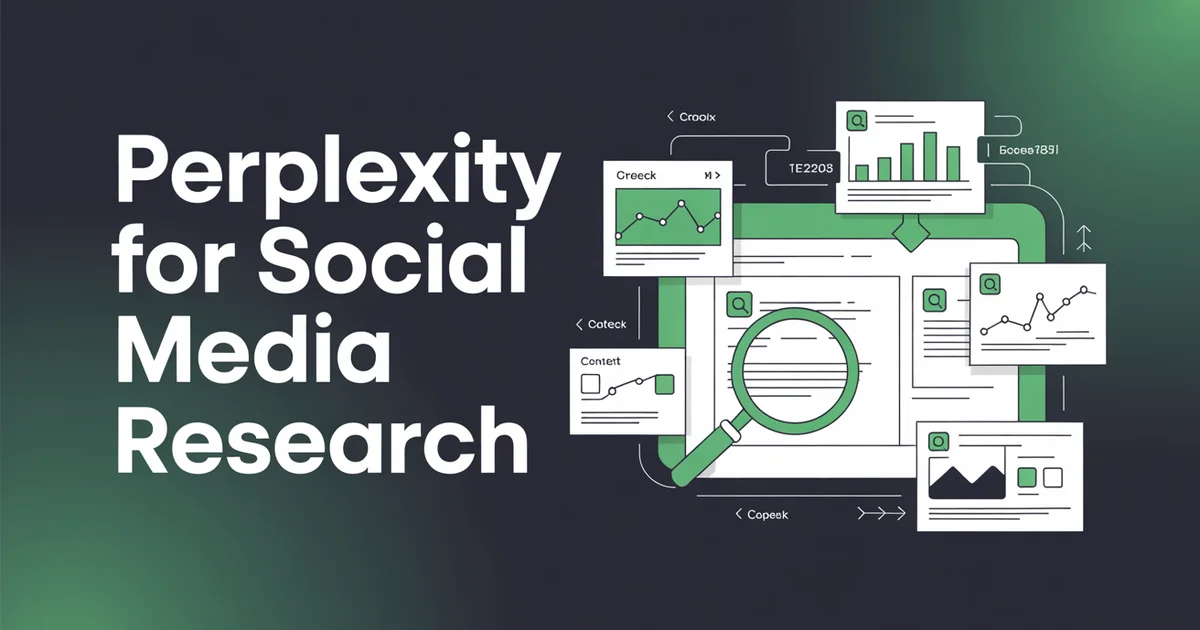
This post is the playbook I wish I'd had two years ago. Competitor research, trend spotting, content briefs, hashtag work, social listening — the full Perplexity stack for marketers who publish.
What Perplexity actually is (and why it matters for marketers)
Perplexity is an "answer engine". You ask a question, it searches the live web, and it returns a synthesised answer with numbered citations linking to the exact sources it used.
Click a citation and you see the original article, Reddit thread, or research paper. That sounds small, but it changes everything about how you use AI for marketing work.
Under the hood, Perplexity lets you choose which model runs your query — their own Sonar model (fast, web-tuned), GPT-4, Claude 3.5 Sonnet, or Grok. Pro users get all four.
This matters because different models have different strengths: Sonar is fastest for trend queries, Claude is better for nuanced competitor analysis, GPT-4 handles structured briefs well.
Perplexity also has Focus modes — Academic (only peer-reviewed sources), Social (Reddit and Twitter), Writing (no web search, pure generation), YouTube, and a few others. For social media research, Social Focus is the one you'll live in.
You're effectively running a filtered search across Reddit and X, with an LLM summarising what it finds and citing every claim.
For content work, this means one thing: you can trust the answer enough to build on it. That's not true of ChatGPT or Claude without a grounding layer.
How to use Perplexity for competitor research
This is where Perplexity pays for itself in the first week. I used to spend two hours a month scrolling through competitors' feeds, screenshotting high-performing posts, and trying to infer a pattern. Now I run three queries and get a better answer in fifteen minutes.
The trick is asking questions Perplexity can actually verify. "What's @competitor's Instagram strategy?" is too vague — it'll guess. "What has @competitor posted on Instagram in the last 30 days, how often do they post, and what themes dominate their feed?" is specific enough that Perplexity will cite their actual posts, press coverage, and social media analysis articles about them.
Example workflow: analysing a competitor's Instagram strategy
Here's a query I ran last week, slightly edited for this post:
Analyse @notionhq's Instagram strategy over the last 60 days. What content formats do they use most often (reels, carousels, static posts)? What topics dominate? What's their posting cadence? Which recent posts got the most engagement based on public comment counts? Cite sources.
Switched to Social Focus. Selected Claude 3.5 as the model because I wanted nuance rather than speed. The answer came back with:
- A breakdown of post types (roughly 60% carousels, 30% reels, 10% static) with citations to specific posts
- Three recurring themes (product tips, user workflows, AI feature launches) with examples
- A posting cadence estimate (4-5 posts per week) pulled from third-party analytics write-ups
- A list of five high-engagement posts from the period with comment counts visible on the posts themselves
Every claim had a number next to it. I clicked through to verify four of them. Three were accurate; one was slightly off (a post had 2,100 comments, not 2,400).
That's a margin of error I can work with — and one you'd never get from ChatGPT, which would have happily invented the entire dataset.
Follow-up queries I always run:
- "What are @competitor's three most-shared LinkedIn posts this quarter, and what structural elements do they share?"
- "How does @competitor use hashtags on Instagram versus TikTok? Are they using branded hashtags? Cite examples."
- "What's the tonal difference between @competitor and @othercompetitor based on their last 20 posts each?"
That last one is the one that changes strategy. Perplexity can hold both competitors in context, cite real posts from each, and articulate a positioning difference. ChatGPT will guess; Claude will reason but can't see the posts; Perplexity can see them and reason.
Once you've got the research, push it into a writing tool. I feed Perplexity's competitor breakdown directly into Claude and ask it to write a differentiated content plan — or into PostEverywhere's AI Studio with the angle "we're going to do what they're doing, but on LinkedIn instead of Instagram." The research → writing handoff is the whole game.
How to use Perplexity for trend spotting
Trend spotting is where ChatGPT falls apart hardest. Its training data has a cutoff, and even with web search enabled it tends to surface articles about past trends rather than emerging ones. Perplexity, with Social Focus on, scans Reddit and X in real time.
The query pattern I use:
What topics are gaining traction on [platform] in [niche] in the last 7 days? Look at Reddit discussions, trending posts on X, and any news coverage. Identify 5 emerging themes that aren't yet mainstream. Cite sources.
Example workflow: last 7 days of fitness trends
I ran a version of this for a client in the fitness niche a few weeks ago. Perplexity returned:
- Zone 2 cardio backlash — a counter-movement arguing most people are under-training intensity. Cited two Reddit threads with 800+ comments and a viral X post.
- "Slow bulk" terminology — bodybuilding communities coining a new term for 200-calorie surpluses. Cited three niche subreddits.
- Creatine for women — sudden surge in discussion, likely driven by a podcast clip. Cited the podcast timestamp and three follow-up X threads.
- Walking pads in 2026 — resurgence of interest after a TikTok trend. Cited the original TikTok and coverage articles.
- Mobility over stretching — shift in vocabulary among physios on Instagram. Cited three physio-creator accounts.
Five angles, all verifiable, all fresh enough to be ahead of the curve rather than on it. I fed the list into Claude and had it draft five LinkedIn posts and five short-form video scripts in under twenty minutes.
The Discover feed inside Perplexity is worth checking daily even without running queries — it's a curated stream of what Perplexity is seeing rise across the web. For niche-specific trend work though, Social Focus + a 7-day time filter + Sonar for speed is the combination I come back to.
Research tells you what to say. PostEverywhere tells you when and where to say it. Run your trend queries in Perplexity, then schedule the output across all top platforms from one calendar.
One note: Perplexity can tell you a trend is rising. It can't tell you whether it's right for your brand. That judgement is still yours. But having five real trends in front of you beats staring at a blank calendar and typing "what should I post today" into ChatGPT.
For deeper benchmarking on what "performing well" looks like per platform, pair this with our engagement rate benchmarks post — that gives you the numbers to decide which trend is worth jumping on.
How to use Perplexity for content briefs (the workflow nobody covers)
This is the workflow I think is most under-discussed in AI marketing content, and it's the one that's changed how I produce long-form. Perplexity does the research. Claude or ChatGPT does the writing. You direct both.
Here's what I mean. If you ask ChatGPT to write a blog post about "the state of Instagram in 2026", you get generic slop built on training data. If you ask Claude the same thing, you get better prose built on the same generic slop. Neither of them knows what's happening right now.
But if you run a Perplexity query first — "what have the major Instagram updates been in Q1 2026, which creators are discussing the changes, what do the updates mean for small business accounts, cite everything" — you get a citation-rich research document.
You paste that document into Claude with a prompt like "using only the facts in this research, write a 2,000 word post in my voice." Now Claude is writing with grounded facts, not hallucinated ones.
The three-step brief workflow
Step 1: broad research query in Perplexity. Academic Focus if it's a serious topic, Social Focus if it's a cultural one. I usually ask for 10-15 citations across different source types.
Step 2: follow-up questions using Perplexity's "threading". Click on a claim, ask for more detail. Perplexity maintains context. I'll often go five or six follow-ups deep to pressure-test the initial answer.
Step 3: export and hand off. Copy the full thread (including citations). Paste into Claude or ChatGPT. Prompt: "Here's my research. Write a [format] in [voice] covering [angle]. Use only the facts and examples in this research. Keep the citations as links where relevant."
This single workflow has cut my content production time roughly in half while making the output markedly more accurate. It also sidesteps the biggest problem with AI writing — the generic-sounding prose that comes from models drawing on their training averages.
When Claude is constrained to a specific research document, the output reads more like a human wrote it, because the facts and phrasing come from real sources.
Once the post is written, the final step is distribution. I move it into PostEverywhere's AI Studio to write the platform versions (the LinkedIn post, the X (Twitter) thread, the carousel), then schedule the whole lot across the calendar in one pass.
For the sibling workflows, see how to use Claude for social media. The full AI stack, including ChatGPT, is covered in the AI for social media hub post.
How to use Perplexity for hashtag research
Hashtag research is the job ChatGPT is worst at and nobody talks about it. Ask ChatGPT for hashtags and it'll hand you a list that looks fine on the surface and falls apart on inspection — dead tags, over-saturated tags, tags that no longer exist on the platform you're targeting.
Perplexity's advantage here is realtime verification. You can ask it to check current post volumes, check whether hashtags are active, and find adjacent tags that real creators are actually using this month.
The query pattern:
I'm posting about [topic] on [platform]. Find 15 active hashtags with post volumes between [X] and [Y] that creators in this niche are currently using. Look at recent posts, not historical data. Cite examples.
Perplexity will often return a mix — some tags you already know, some you don't, and a few niche ones it found by scanning recent posts in the space. The citations let you click through to the actual posts and see the tags in context.
A follow-up I almost always run:
Which of these hashtags have had a drop in volume over the last 90 days, and which are growing? Infer from post frequency if direct data isn't available.
That's the kind of question only a research engine can answer. You can't do it in ChatGPT without plugins, and the plugin version is slower and less accurate than Perplexity's native approach.
One caveat: hashtag research is a complement to, not a replacement for, a proper hashtag tool. I still use our own hashtag generator for the final list because it's tuned specifically for that job and returns cleaner output.
Perplexity is for the research phase — understanding what's active and why. The generator is for producing the final set you'll paste into the caption.
How to use Perplexity Spaces for ongoing research
Spaces is the Perplexity feature I see least mentioned and use most. It's a persistent research workspace — think "ChatGPT custom GPT" but for research rather than chat. You can upload files, set a system prompt, and every query you run inside that Space has that context baked in.
I have Spaces set up for:
- Competitor tracking — one Space per major competitor, with their website content uploaded and a system prompt that says "you are tracking this brand's content and positioning." Every query inherits that context.
- Client research — one Space per client, with their brand guidelines, tone of voice doc, and recent content uploaded. When I run trend queries in that Space, answers come back filtered through the client's positioning.
- Industry news — one Space for social media industry news, with a prompt telling Perplexity to prioritise official platform announcements and established trade publications.
The killer use case is the compounding context. After three weeks of running queries in a competitor-tracking Space, Perplexity has a thread of prior research it can reference. You can ask "how has their strategy shifted since I started tracking them?" and it'll synthesise across your earlier queries.
Spaces also let you collaborate. If you have a team, a shared Space means everyone is building on the same research foundation rather than re-running the same queries from scratch.
For agencies managing multiple clients — particularly those layering Perplexity research on top of dedicated tools for social media agencies — this alone is worth the Pro subscription.
The other underused feature: you can attach PDFs, CSVs, and images to any query inside a Space. Drop in a competitor's annual report, ask Perplexity to extract the stated social media goals, and cross-reference with what they're actually posting. That's a two-hour analyst job done in ten minutes.
How to use Perplexity for social listening and sentiment
Social listening tools like Brandwatch and Sprout cost hundreds of dollars a month. Perplexity won't replace them at enterprise scale, but for small teams and solo operators, it gets you 80% of the way there for free (or $20/month for Pro).
The query:
What are people saying about [brand] on Twitter and Reddit this week? Summarise the sentiment, pull out the most common complaints and praise, and identify any recurring themes. Cite specific posts.
Social Focus, Sonar for speed or Claude for nuance. Perplexity scans Reddit and X and returns a structured sentiment summary with links to representative posts.
What this is useful for
- Launch monitoring — run the query daily for the week after a launch and you'll catch sentiment shifts before they become crises.
- Competitor grievance mining — ask what people are complaining about with a competitor's product. Every complaint is a potential positioning angle for your brand.
- Brand mentions — find people discussing your category without tagging you. These are prospects; some are journalists; some are potential partners.
Tracking what AI chatbots say about your brand
The queries above tell you what people say about you on Reddit and X. A different question is what the chatbots themselves say when a buyer asks them for a recommendation in your category. AIMentionTracker is an AI visibility tracking tool built for exactly that.
It runs the prompts your buyers type into ChatGPT, Claude, Gemini, Perplexity, Google AI Overviews and Google AI Mode on a fixed schedule, and keeps every answer in full: which brands were named, in what order, and which pages each agent cited.
Each engine is reported separately, with its own mention rate and sample size, rather than blended into one score. That matters because the engines disagree with each other. It also separates three different problems: your page was never retrieved, it was retrieved but not cited, or it was cited while a competitor got the recommendation. Each has a different fix.
Setup is a domain, not a tracking tag. It reads your site and proposes the buyer prompts to track, each with its real monthly search volume, plus up to six competitors to measure against. Plans start at $9 a month.
A query I run monthly: "What are small business owners saying about social media scheduling tools on Reddit this month? Summarise pain points and unmet needs, cite specific threads." The answers have shaped product decisions and content angles repeatedly.
Pair this with proper analytics on your own channels — our social media analytics product covers the quantitative side — and you've got both the what's-happening and the why-it's-happening pictures.
Perplexity prompts library (8 tested prompts)
Copy-paste these. Swap in your specifics. Switch to the recommended Focus mode.
1. Competitor post analysis (Social Focus)
Analyse @[competitor]'s Instagram content over the last 60 days. Break down post formats, top themes, posting cadence, and the three highest-engagement posts. Cite sources.
2. Trend scan (Social Focus, 7-day filter)
What topics are gaining traction on [platform] in [niche] in the last 7 days? Identify 5 emerging themes not yet mainstream. Cite Reddit threads and X posts.
3. Content brief (Academic Focus)
Research the current state of [topic] in [industry]. Find 15 citations from research papers, industry reports, and reputable publications. Summarise the key findings.
4. Hashtag research (Social Focus)
I'm posting about [topic] on [platform]. Find 15 active hashtags with moderate volume that creators in this niche currently use. Cite recent example posts.
5. Sentiment check (Social Focus)
What are people saying about [brand/topic] on Reddit and X this week? Summarise sentiment, pull out common complaints and praise, cite specific posts.
6. Positioning gap analysis (Default Focus, Claude model)
Compare how [competitor A] and [competitor B] position themselves on social media. What are they each claiming, who's the audience, where's the positioning gap?
7. Angle generation from research (Writing Focus)
Based on the research above, generate 10 unique content angles I could cover that aren't already saturated. Prioritise contrarian takes and underexplored subtopics.
8. Platform update tracking (Default Focus)
What updates has [platform] made to its algorithm or features in [Q1 2026]? Cite official announcements and independent reporting. Explain implications for small business accounts.
Save these in a note. Every prompt I've shared has citations built into the expected output — that's the point. Never use a Perplexity answer that doesn't cite.
Perplexity Pro vs free: what's worth paying for
Pro is $20/month. Free tier exists but is limited. Here's the honest breakdown.
Free gets you: basic search, limited daily Copilot queries (Copilot is the deeper, multi-step research mode), Sonar model only.
Pro adds:
- Unlimited Copilot queries (this alone is worth it for heavy research users)
- Choice of GPT-4, Claude 3.5 Sonnet, Grok, and Sonar models
- File uploads (PDFs, CSVs, images) for in-context analysis
- Perplexity Pages (turn a research thread into a shareable published document)
- Higher rate limits on Spaces
If you're researching more than a few times a week, Pro pays for itself. The model choice matters — Claude 3.5 Sonnet on Perplexity gives you Claude's reasoning plus real-time web data, which you can't get in Claude's own interface. That combination is rare and useful.
Perplexity Pages is worth a note: you can turn any research thread into a published page with a URL, citations intact. I've used this to share competitor deep-dives with clients.
It's a faster way to turn research into a deliverable than rewriting it into a doc.
Where Perplexity loses
Perplexity isn't a writing tool. If you try to generate a 1,500-word blog post directly in it, you'll get something that reads like a Wikipedia article — factual, dry, structurally stiff. Voice coherence is not what it's designed for.
It also isn't built for bulk content generation. You can't feed it a CSV of 50 post ideas and get 50 captions back. That's a ChatGPT job, or a job for a scheduler with AI built in, where each caption lands next to the calendar it is going on.
And it isn't a creative ideation tool. Ask it for a funny tweet and you'll get a safe, predictable one. Ask Claude for the same thing and you'll get ten options, three of which are genuinely good.
The creative layer sits with Claude or (less reliably) ChatGPT.
The workflow that acknowledges all of this looks like: Perplexity for research and verification, Claude for voice and structure, ChatGPT for speed and variants, PostEverywhere for distribution and scheduling. Connect PostEverywhere to Claude or ChatGPT and the last step folds into the middle two: the agent schedules the post it just drafted.
On Pro, Max or Enterprise you can even connect Perplexity itself as a custom remote connector, so the research and the scheduling happen in one thread. Each tool for the job it's best at.
For the direct head-to-head on which AI to use when, see ChatGPT vs Claude vs Perplexity for social media.
Research in Perplexity. Write in Claude. Schedule everywhere in PostEverywhere. That's the stack that beats any single-tool workflow — and you can run it for less than the cost of one enterprise social listening seat.
Frequently asked questions
Is Perplexity better than ChatGPT for marketing research?
For research specifically, yes. Perplexity cites every source and pulls live web data, which ChatGPT doesn't do reliably even with browsing enabled. For writing and ideation, ChatGPT and Claude are better.
Use Perplexity for the research phase and hand off to a writing tool for the output.
Can Perplexity see inside social media posts?
Partially. It can read public posts, comments, and captions that appear in search results. It cannot log into platforms, can't see private accounts, and can't scrape feeds directly. For competitor research, it works well because you're asking about public content.
What's the best Perplexity Focus mode for social media work?
Social Focus for competitor and trend work (scans Reddit and X). Academic Focus for data-backed content briefs. Default Focus for most other queries. Writing Focus only when you've already done your research and want to generate without web search.
Is Perplexity Pro worth $20/month for marketers?
Yes, if you're doing research more than a few times a week. The model choice (access to Claude 3.5 Sonnet and GPT-4) and file uploads alone justify it. If you're researching monthly, the free tier is fine.
How does Perplexity compare to Brandwatch or Sprout Social listening?
Perplexity is not a full social listening platform — it doesn't track mentions over time, doesn't give you real-time alerts, and doesn't handle enterprise-scale volume. For small teams, it covers the same basic use cases (sentiment, mentions, trend monitoring) at a fraction of the price.
Can I use Perplexity to write captions directly?
You can, but you shouldn't. Perplexity's writing tends to be dry and structurally stiff. Use it to research what to say, then use Claude, ChatGPT, or a dedicated AI content generator to write the actual captions.
Does Perplexity hallucinate?
Much less than ChatGPT or Claude, because every claim is tied to a source you can verify. It's not zero — occasionally it misattributes a citation or summarises a source inaccurately — but the citation link means you can always check.
That's a fundamentally different safety model than pure LLM output.
What's Perplexity Spaces and do I need it?
Spaces are persistent research workspaces with custom system prompts and uploaded files. If you're doing ongoing research (tracking competitors, monitoring an industry, working with recurring clients), Spaces compound value over time. If you're doing one-off queries, you don't need them.
Perplexity is the research layer most marketing teams don't have. Add it to your workflow and the quality of everything downstream — captions, briefs, calendars, campaign angles — goes up because the inputs are better.
Pair it with a writing tool for the actual output, then push the finished work through PostEverywhere to distribute across every platform you care about.
Research tells you what to say. Writing tools help you say it. Scheduling tools make sure it actually gets published. Increasingly the third layer can be driven by the agent itself, and these are the nine routes ranked by setup effort. The three layers together are the modern content operation.
Most marketers are running one of them and wondering why their output feels thin. Now you know where the gap is.

Founder & CEO of PostEverywhere. Writing about social media strategy, publishing workflows, and analytics that help brands grow faster.