TL;DR:
- Audio quality beats video quality for retention. Bad sound creates cognitive friction that tanks watch time, credibility, and engagement.
- Fix your environment first: small, soft spaces (closets, blankets, rugs) beat any amount of post-production.
- Mic picks: DJI Mic 2 for mobile creators, Audio-Technica AT2020USB+ or Samson Q2U for desk setups — all under £150.
- AI enhancement tools like Audioenhancer.com handle noise, reverb, and loudness automatically.
- Post-production basics: target ~–16 LUFS, cut silences and filler words.
- Distribute the finished content across platforms with PostEverywhere rather than logging in eight places.
- Bottom line: clean recording + right mic + AI enhancement = better retention, trust, and growth.
Why audio quality matters more than you think
People will tolerate a grainy video. They won't tolerate bad audio — and it's not even a conscious choice. Research has shown that poor audio creates what psychologists call cognitive friction: the brain has to work harder just to decode what's being said, so attention drops, retention collapses, and viewers tap away.
A Study from USC and the Australian National University found that listeners rate speakers as less intelligent and less credible when audio quality is poor — even when the content itself is identical.
That's a brutal signal for any creator putting real effort into what they say.
The good news: audio quality is one of the most fixable problems in content creation. You don't need a £10,000 studio build-out. You need a sensible recording environment, a mic that suits how you work, and a bit of post-production hygiene. That's what this guide covers.
Step 1 — Start with your recording environment
Before you spend anything on equipment, fix your room. The space you record in has a bigger effect on how you sound than most beginners realise.
The blanket trick (instant sound booth)
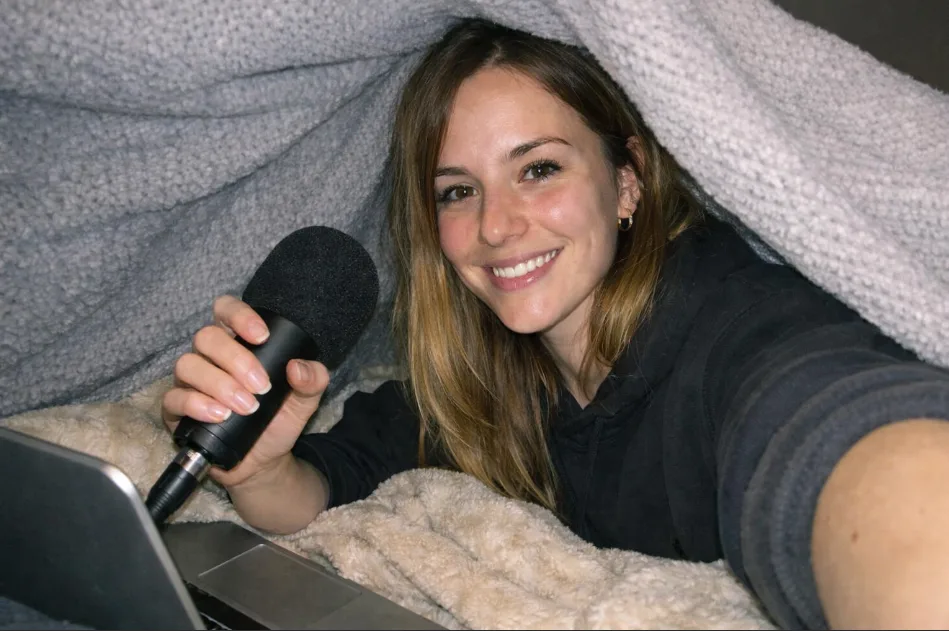
One of the most effective techniques for voice-over and podcast work is recording under a thick blanket or duvet. It looks ridiculous — but pulling a heavy fabric over your head and the mic creates an instant sound booth.
The blanket absorbs reflections that cause that hollow, echoey sound. For a rush recording in a bad room, this genuinely rivals a treated studio on the important frequencies.
Small rooms beat large rooms
Counterintuitively, a small room full of soft furnishings — a walk-in wardrobe, a bedroom stuffed with clothes, a carpeted corner — is usually better than a big open-plan living space. Soft fabrics absorb sound instead of reflecting it.
Recording inside a wardrobe full of hanging jackets consistently sounds like a treated studio.
Eliminate reflective surfaces
Glass, bare walls, and hard floors are the enemy. They bounce sound around and create reverb that's painful to remove in post. If you can't permanently treat your space, temporarily soften it: cushions propped against walls, curtains pulled shut, a rug on the floor.
A bookshelf full of books is an excellent accidental diffuser.
Kill background noise at the source
Before hitting record, do a silent sweep. Turn off fans, air conditioning, dehumidifiers, anything with a hum. Phone on silent. Windows closed. These low-level noises seem inaudible at the time but a sensitive mic picks them up cleanly, and they'll live in the recording forever.
Mic distance matters
Keep the microphone between 6 and 12 inches from your mouth. Too far and you pick up the room. Too close and you risk distortion and plosives — those popping sounds on "P" and "B".
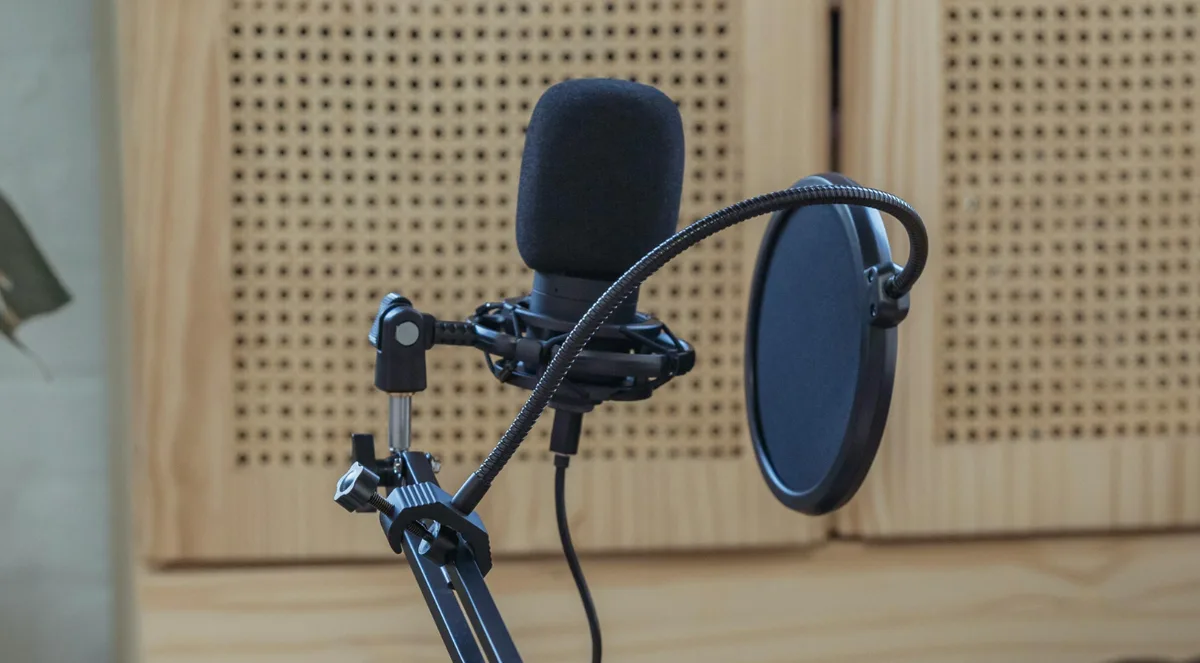
A £5 foam or mesh pop filter kills plosives entirely. Worth the few euros.
Step 2 — Choose the right microphone for your use case
The microphone market looks overwhelming, but the decision is simpler than it seems. Two questions: Where am I recording? and Am I moving when I record?
For social media and on-the-go: the DJI Mic series
If you're creating for Instagram, TikTok, YouTube Shorts — or any format where you move around, present outdoors, or shoot without a stationary setup — the DJI Mic and DJI Mic 2 are hard to beat.
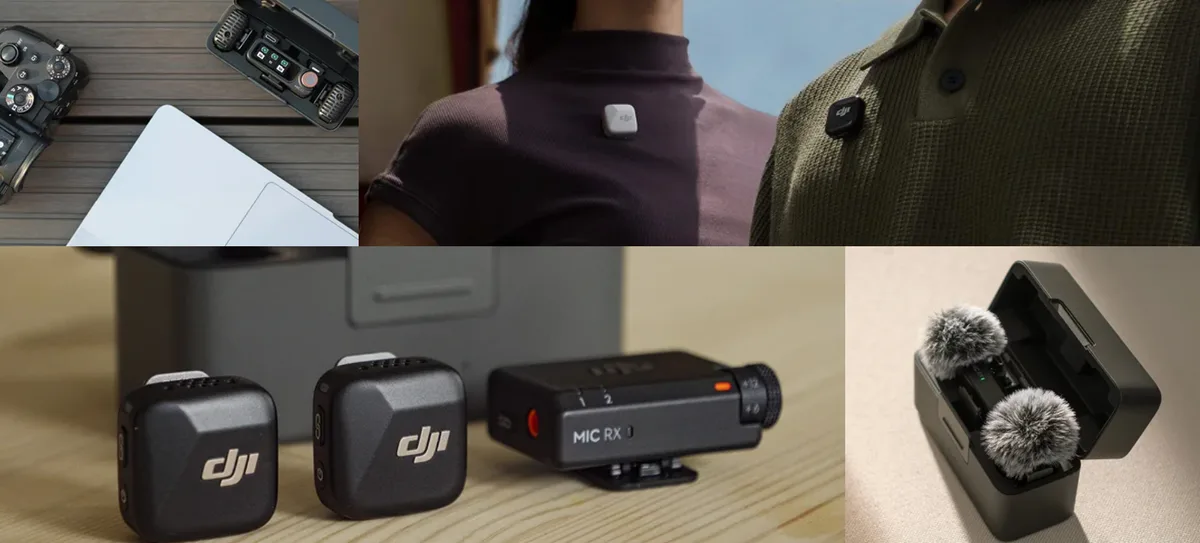
These are Bluetooth lavalier mics that pair almost instantly with your phone or camera. Clip the transmitter to your shirt and the audio goes to your device wirelessly. The range handles most shoots, and the sound quality is impressive for the form factor.
What makes them particularly well-suited for social creators: the convenience loop. Clip on, pair, record. For interviews, product reviews filmed outside, or travel content, this setup is close to ideal. The transmitter also records a local backup, so a wireless dropout doesn't eat your take.
For desk recording and podcasting: USB condenser microphones
If you're recording at a fixed desk — podcast episodes, YouTube talking-head videos, tutorials, live streams — a USB condenser microphone is the most practical choice. Plug it into your computer, select it as input, done. No audio interface required.
The model most commonly recommended for its price-to-quality ratio is the Audio-Technica AT2020USB+. Cardioid pickup (captures sound from in front, rejects noise behind), solid build, and a headphone jack for zero-latency monitoring.
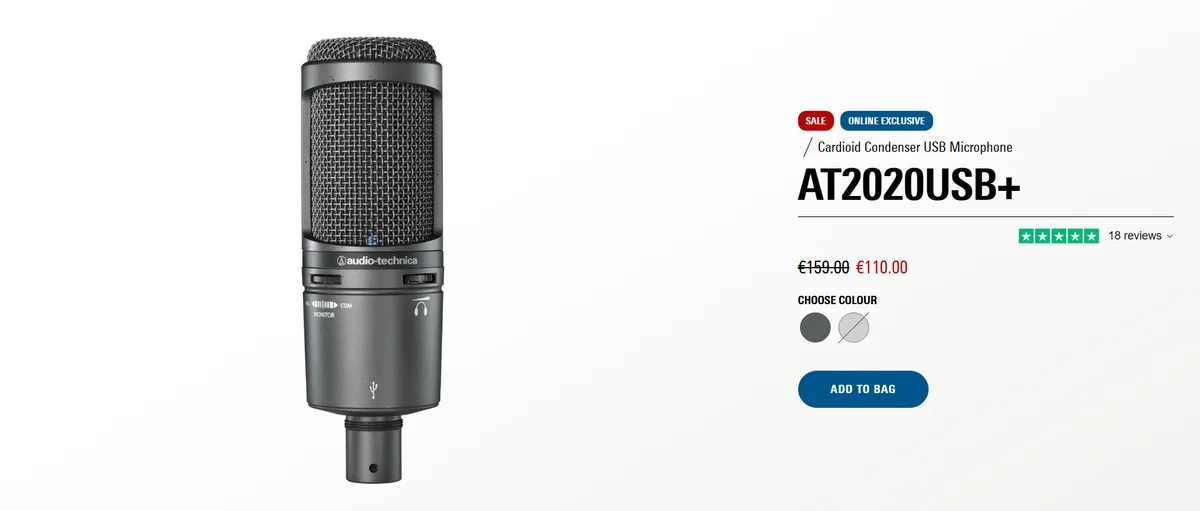
For creators on a tighter budget, the Samson Q2U is a hybrid USB/XLR microphone that gives you room to grow — start on USB, upgrade to an audio interface later without replacing the mic.
Both sit well under £150 and consistently get reviewed as sounding far more expensive than they are.
A boom arm is worth adding to any desk setup. It keeps the mic off the desk (reducing typing vibration) and lets you position it exactly where you need it without hunching.
Step 3 — AI audio enhancement: fix it in post without the headache
Even with good habits, life happens. A motorbike passes. HVAC kicks on mid-take. You record in a hotel room that sounds like a bathroom. This is where AI audio tools have changed what's possible.
Audioenhancer.com — simple, effective, built for creators
Audioenhancer.com is one of the cleanest tools I've come across for fixing audio problems after the fact. It's built by the team behind Podsqueeze, and it shows — the whole platform is clearly designed with podcast and video creators in mind, not audio engineers.
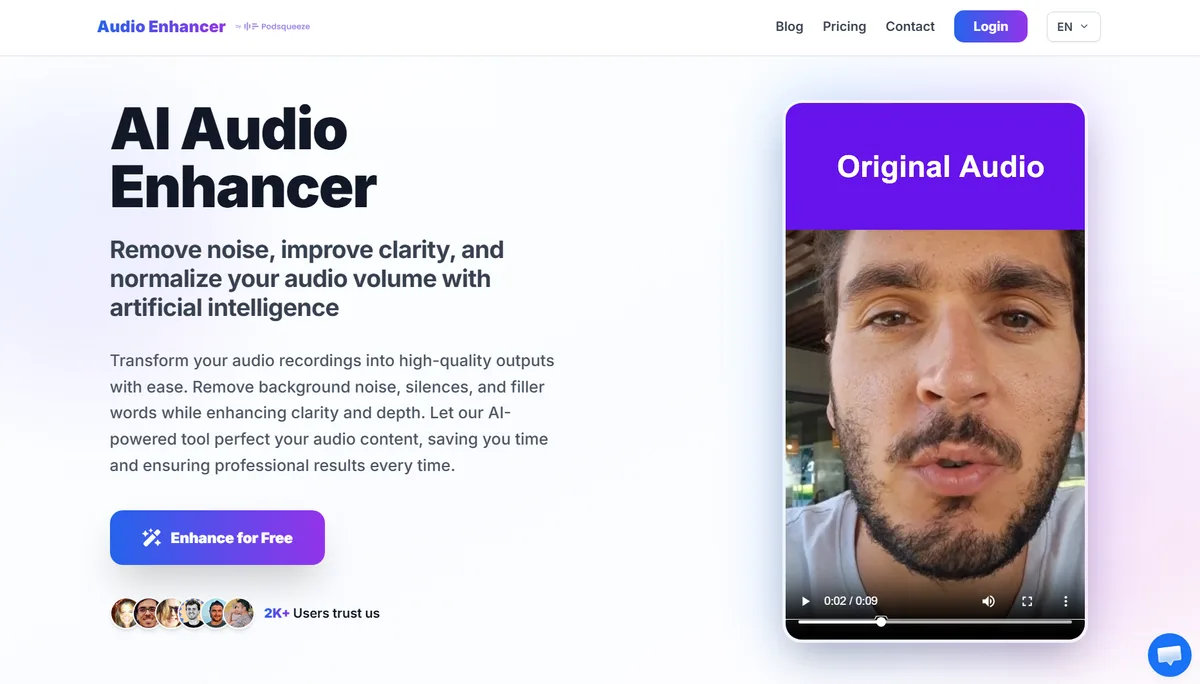
The workflow is about as simple as it gets: upload audio or video, AI does the rest. It handles noise removal, echo reduction, volume normalisation, equalisation, distortion suppression, and voice clarity enhancement in one pass. No sliders to tweak, no frequency-spectrum knowledge required.
What it actually addresses in a single pass:
- Background noise removal — traffic, HVAC hum, room noise
- Echo and reverb reduction — particularly useful for hard-walled rooms
- Volume normalisation — balances levels across multiple speakers automatically
- Distortion suppression — corrects clipping and overloaded peaks
Honest caveat: no AI tool fully substitutes for recording well. A track recorded in a decent acoustic space will always sound better after enhancement than one recorded in a reflective, noisy room.
But for the sessions where conditions weren't ideal — which is most sessions for most creators — it's a meaningful safety net.
Step 4 — Post-production essentials (even if you keep it simple)
Beyond AI enhancement, a few basic post-production steps make a disproportionate difference.
Loudness normalisation for publishing
The broadcast standard for podcasts is around –16 LUFS (Loudness Units relative to Full Scale). YouTube normalises to around –14 LUFS. Streaming platforms and podcast apps use these references to play content at a consistent perceived volume.
If your audio is much quieter or louder than the standard, listeners have to adjust their volume when your content comes on in a queue — a tiny but real drop-off signal.
Most DAWs — audacity (free), GarageBand (free on Mac), Descript — include a loudness normalisation export option. If you want the one-click version, Audioenhancer handles loudness normalisation automatically as part of its default pass.
Cut silences and filler words
Long pauses, stacks of "ums", and stumbles add length without adding value. Silence-cutting tools (Audioenhancer, Descript, and others) remove these automatically — faster than manual editing and often cleaner.
Putting it together: the creator's audio stack
Here's a practical setup for three common scenarios.
The social media creator on the move DJI Mic 2 → record to smartphone → upload to Audioenhancer for noise + normalisation → publish.
The podcast host at a desk Audio-Technica AT2020USB+ on a boom arm → record in WAV in Audacity → run through Audioenhancer if the room wasn't ideal → export and distribute.
The YouTube creator in an untreated room Any USB microphone → record with blanket/closet workaround → upload video to Audioenhancer for clean audio without separate editing software → edit in your video editor.
The pattern: record as cleanly as you reasonably can, then let AI handle what you couldn't control.
Publishing: don't let distribution be the bottleneck
You've spent real time on your audio. Don't let the last mile — pushing that content across eight platforms — become the new bottleneck.
posteverywhere is a social media scheduler built for creators who publish on multiple platforms.
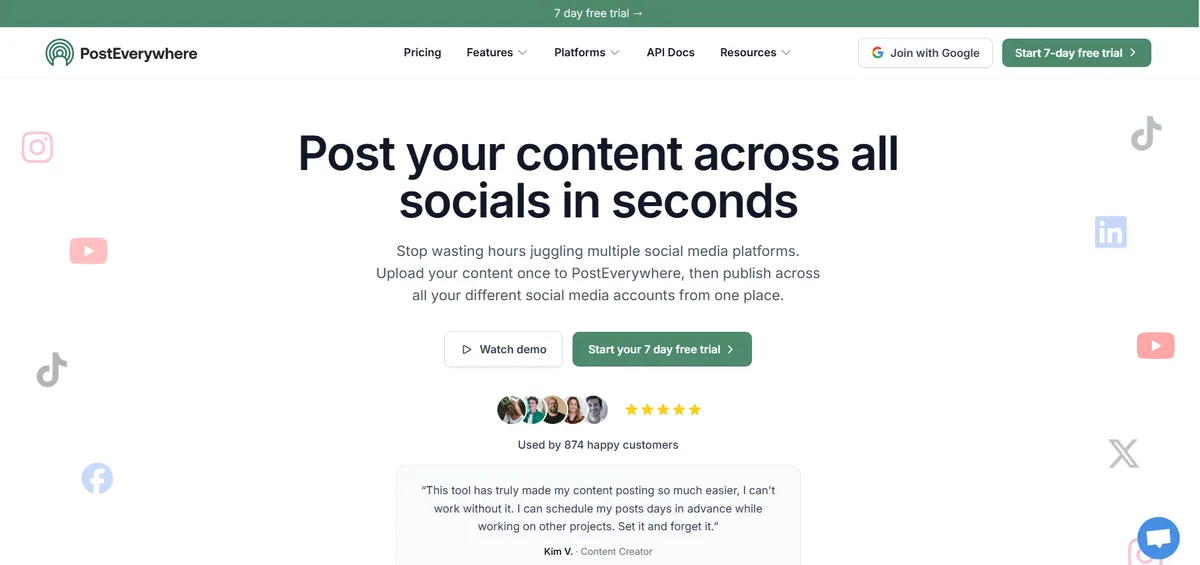
From one dashboard, you schedule posts to Instagram, TikTok, YouTube, Facebook, LinkedIn, X, Threads, Pinterest, Bluesky, Telegram, and Discord. It handles videos, Reels, Shorts, Stories, and carousels, so your audio-polished content goes everywhere without logging in eight times.
What makes it particularly useful for creators rather than just marketers:
- Built-in AI content generator for captions, descriptions, and YouTube copy
- Visual content calendar with drag-and-drop planning
- Up to 20 accounts on the Scale plan, useful if you run personal + brand or manage clients
- Bulk CSV upload for scheduling hundreds of posts in one sitting
- 7-day free trial, cancel anytime
For a more general primer on the production side — which AI tool does which job — see our complete guide to using AI for social media.
FAQs
Do I really need a dedicated microphone, or can I use my phone?
Modern smartphone microphones are genuinely decent for casual content, especially paired with a clip-on lavalier like the DJI Mic. For regular podcast recording or desk-based YouTube work, a dedicated USB microphone makes a clear, audible difference and earns back the £100–£150 investment quickly in retention gains.
Can AI tools really fix bad audio, or is that just marketing?
They fix a lot. For most creator scenarios, the results are genuinely impressive — background noise, reverb, and level inconsistencies are all things AI audio tools handle cleanly now. Where AI still struggles: audio that was recorded at the wrong level (clipping, distorted, or so quiet the noise floor is louder than the voice).
The lesson: record at the right level, then let AI handle the environment issues.
What's the best room in a house to record in?
A small room with lots of soft furnishings — a bedroom with carpet and curtains, or a walk-in wardrobe. Large, bare rooms with hard floors and walls are the worst for audio.
A soft-furnished corner of a room is better than the centre of a large open space.
Do I need separate editing software, or is Audioenhancer enough?
For many creators, Audioenhancer handles the most time-consuming technical steps — noise removal, equalisation, normalisation — automatically. If you also need to cut content, rearrange sections, or add music, you'll want a lightweight DAW: GarageBand (free, Mac), Audacity (free, cross-platform), or Descript.
For pure audio quality improvement, Audioenhancer covers the essentials without forcing you to learn editing software.
What's LUFS and do I need to worry about it?
LUFS (Loudness Units relative to Full Scale) is a standardised way to measure perceived loudness. Podcast platforms target around –16 LUFS; YouTube normalises to around –14 LUFS. If you're distributing professionally it's worth understanding, but most modern AI tools and podcast hosting platforms normalise your audio automatically on export or upload — so it's rarely something you need to think about manually.
How do I schedule content across multiple platforms without losing my mind?
Use a dedicated scheduler. PostEverywhere's social media scheduler supports all top platforms from one dashboard, handles different content formats per platform, and includes AI tools for caption writing. It's far more sustainable than manually posting to each platform every time you publish.
What's the single most important audio upgrade I can make today?
Fix the room before the gear. A £200 microphone in a bare-walled living room sounds worse than a £50 microphone in a closet full of clothes. The cheapest 30% improvement most creators can make is pulling a blanket over their head for voice recording — it's free, it works, and nobody sees it.
Good audio matters most where watch time is shortest: our YouTube Shorts strategy guide covers the format where viewers punish bad sound fastest.

Founder & CEO of PostEverywhere. Writing about social media strategy, publishing workflows, and analytics that help brands grow faster.