Only 29% of marketers have a documented social media strategy. Yet those who do are 414% more likely to report success than those who wing it. That's not a marginal advantage, it's the difference between a channel that drives revenue and one that burns hours for vanity metrics.
Most social media strategies fail for the same three reasons: no clear goals tied to business outcomes, posting without a framework for what to post and why, and ignoring the data that tells you what's actually working.
The result is a content treadmill, endless posting with diminishing returns and no way to explain the ROI to anyone who asks.
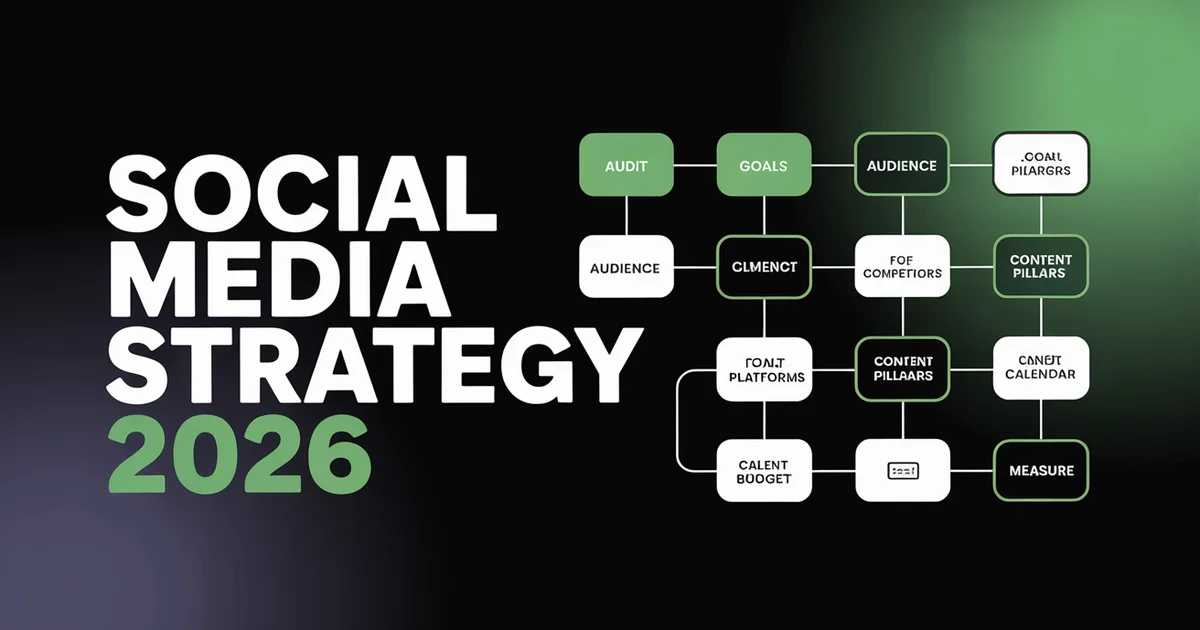
This guide gives you a repeatable, 9-step framework to build a social media strategy that holds up in 2026. It's designed for marketing teams, founders, freelancers, and agency professionals who manage one or more brands across platforms.
If you're a small business, explore our social media tools for small business. If you manage clients, see our social media tools for agencies. Whether you're starting from scratch or overhauling a strategy that's gone stale, each step builds on the last, giving you a living document you can execute against, measure, and refine quarter over quarter.
With 5.66 billion active social media users globally and 81% of consumers using social media for product discovery, the question isn't whether your brand should be on social. It is whether you have a strategy worth executing. Here's how to build one.
TL;DR
- Step 1: Audit every social account you own, find what's working, what's dead weight, and what competitors are doing
- Step 2: Set SMART goals that tie directly to business objectives (not just follower counts)
- Step 3: Research your audience using demographics, psychographics, and platform-specific behavioral data
- Step 4: Analyze 3-5 competitors to find gaps in their content, engagement, and positioning
- Step 5: Choose 2-3 platforms where your audience lives, don't spread yourself across all of them
- Step 6: Define 3-5 content pillars that balance value and promotion (80/20 rule)
- Step 7: Build a content calendar with batched creation, optimal posting times, and seasonal hooks
- Step 8: Set a realistic budget across tools, content creation, paid ads, and partnerships
- Step 9: Measure what matters, report weekly, and iterate monthly based on actual performance data
Step 1: Audit Your Current Social Media Presence
Before you write a single post or set a single goal, you need to know where you stand. A social media audit gives you a clear-eyed view of every account your brand operates, what's performing, what's stagnant, and where there are gaps or risks.
Take Inventory of Every Account
Start by listing every social media profile associated with your brand, including ones you forgot about. Check for:
- Active accounts you post to regularly
- Dormant accounts that haven't been updated in months (these hurt credibility)
- Duplicate or impostor accounts: search your brand name on every platform to find unauthorized profiles
- Employee advocacy accounts that mention or represent the brand
For each account, document the username, follower count, posting frequency, bio, link destination, and profile/cover images. You're building a single source of truth. Use the PostEverywhere social media audit tool to streamline this process, it pulls key metrics across platforms into one view.
Once your audit is done, you can post to all social media at once from a single dashboard.
Analyze What's Working
Dig into your native analytics on each platform and answer these questions:
- Top-performing posts: Which 10 posts got the most engagement in the last 90 days? What do they have in common (format, topic, length, time posted)?
- Engagement patterns: Which content types consistently get saves, shares, and comments, not just likes?
- Follower growth: Is your audience growing, flat, or declining? On which platforms?
- Traffic contribution: How much referral traffic does each platform send to your website? (Check Google Analytics > Acquisition > Social)
Look for patterns, not outliers. One viral post doesn't make a trend. You're looking for repeatable signals that tell you what your audience actually responds to.
Check Your Competitors
While you're auditing, take note of 3-5 competitors or brands in your space. You'll dig deeper into competitive analysis in Step 4, but at the audit stage, note the basics: which platforms they're on, their posting frequency, the content formats they lean on, and their approximate engagement rates. This context will help you spot opportunities they're missing.
Clean House
Close or archive accounts you're not going to use. Update bios, profile images, and links on every active account. Ensure branding is consistent across platforms. A messy presence signals a brand that doesn't take social seriously, and 73% of consumers will switch to a competitor if a brand doesn't respond or appear active on social.
Step 2: Set SMART Social Media Goals
Every failed social media strategy has the same root cause: vague goals. "Grow our social media presence" is not a goal, it's a wish. Goals need structure, specificity, and a direct line to business outcomes.
The SMART Framework for Social Media
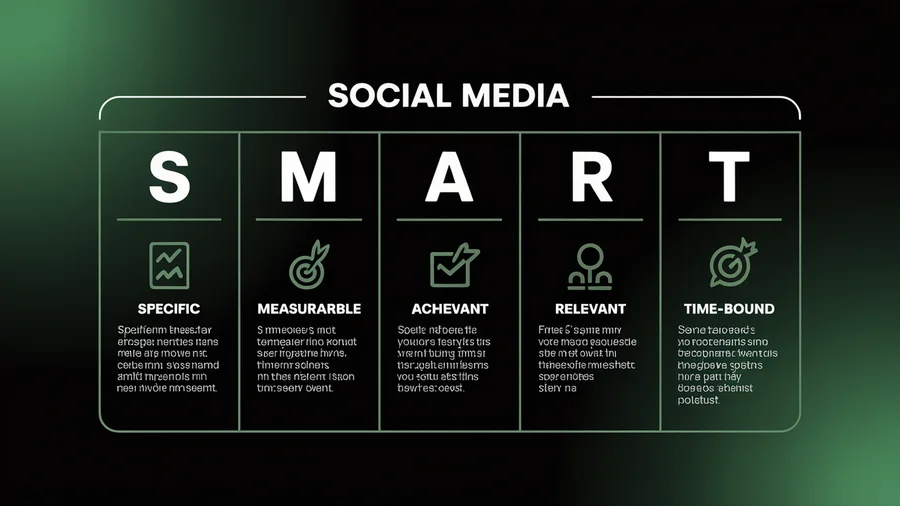
SMART goals are Specific, Measurable, Achievable, Relevant, and Time-bound. Here's how each element applies to social media:
- Specific: "Increase Instagram engagement rate" becomes "Increase Instagram engagement rate from 2.1% to 3.5%"
- Measurable: You need a number you can track. Use your engagement rate calculator to establish baselines before setting targets
- Achievable: A 50% increase in followers in 30 days is unrealistic without paid. A 15% increase in 90 days through consistent posting and community engagement is not
- Relevant: Does this goal support a business objective? Growing TikTok followers doesn't matter if your customers are CFOs on LinkedIn
- Time-bound: Every goal needs a deadline. "By end of Q2 2026" forces action and accountability
Common Social Media Goals
Different businesses need different things from social media. Your goals should map to where you are in your growth journey:
Brand Awareness Goals:
- Increase brand mentions by 25% in Q2
- Reach 50,000 unique accounts per month on Instagram by June
- Grow LinkedIn company page followers from 2,000 to 5,000 by December
Engagement Goals:
- Achieve a 4% average engagement rate across all platforms by Q3
- Increase average comments per post from 8 to 20 by end of quarter
- Generate 500 saves/bookmarks per month on Instagram
Traffic and Lead Generation Goals:
- Drive 10,000 monthly website visitors from social media by Q3
- Generate 200 email signups per month from social media CTAs
- Achieve a 2.5% click-through rate on LinkedIn posts
Revenue Goals:
- Attribute $50,000 in revenue to social media campaigns in Q2
- Achieve a 3:1 return on ad spend across paid social
- Convert 50 social leads to paying customers per month
Align Goals with Business Objectives
Your social media goals should never exist in isolation. Map each social media goal to a specific business objective:
| Business Objective | Social Media Goal | Key Metric |
|---|---|---|
| Launch new product | Generate 10,000 pre-launch signups | Link clicks, landing page conversions |
| Reduce support costs | Resolve 30% of inquiries via social | Response time, resolution rate |
| Enter new market | Build audience of 5,000 in target market | Follower demographics, reach by region |
| Increase customer retention | Build active community with 500+ members | Community engagement rate, repeat buyers |
The best social media strategies serve the business, not the other way around. If a goal doesn't connect to revenue, retention, or reputation, question whether it belongs in your strategy.
Step 3: Research Your Target Audience
You can't create content that resonates if you don't know who you're creating it for. Audience research goes beyond basic demographics, it's about understanding motivations, behaviors, pain points, and the platforms where your audience actually spends their time.
Demographics vs. Psychographics
Demographics tell you who your audience is. Psychographics tell you why they behave the way they do. You need both.
Demographics, age, gender, location, income, education, job title. These help you choose platforms and set targeting parameters for paid campaigns.
Psychographics, values, interests, challenges, purchasing motivations, content preferences. These shape your messaging, tone, and content pillars.
For example: "Women aged 28-42 who are small business owners" is a demographic profile. "Time-strapped entrepreneurs who feel overwhelmed by social media but know they need it to grow" is a psychographic insight that tells you how to write for them.
Platform-Specific Audience Data
Each platform attracts a different audience mix. According to DataReportal's global digital overview and Statista's social network data, here's where different audiences concentrate in 2026:
- Instagram: Strongest with 18-34-year-olds. Visual-first. High engagement for lifestyle, fashion, food, travel, and e-commerce brands
- TikTok: Dominant with Gen Z and increasingly Millennials. Highest engagement rates across all platforms at 3.70% average. Authenticity wins over production value
- LinkedIn: 80% of B2B leads from social come through LinkedIn. Professionals 25-54. Highest organic reach for business content
- YouTube: Broadest age range of any platform. Second-largest search engine. Long-form content with compounding SEO value
- Facebook: Largest total user base but skews 30+. Groups and communities remain strong. Most sophisticated ad targeting
- X (Twitter): Real-time conversations. Strong for news, tech, politics, customer service. Skews male, 25-49
- Threads: Growing text-based platform with strong Instagram cross-pollination. Early-mover advantage still exists
- Pinterest: 80% of users discover new brands on the platform. Highest purchase intent of any social platform. Skews female, 25-44
Build Audience Personas
Distill your research into 2-3 audience personas. Each persona should include:
- Name and role (e.g., "Marketing Manager Maya")
- Demographics: Age, location, company size, income range
- Goals: What are they trying to achieve professionally and personally?
- Pain points: What frustrates them? What problems does your product solve for them?
- Content preferences: Do they prefer short-form video, long reads, infographics, or podcasts?
- Platform behavior: Where do they spend time? When are they most active? How do they discover new content?
Don't create personas from assumptions. Use data from your CRM, Google Analytics, platform insights, and customer interviews. Social listening tools can also surface what your audience is talking about, and what language they use, in ways that surveys can't.
Go Where Your Audience Already Is
One of the most common strategy mistakes is choosing platforms based on what's trendy rather than where your audience actually spends time. If your audience is B2B SaaS buyers, TikTok might not be your primary channel, even if it's the fastest-growing platform.
Conversely, if you're targeting Gen Z consumers, pouring resources into Facebook is likely wasted effort.
Match your audience data to the platform profiles above, and you'll have a shortlist for Step 5.
Step 4: Analyze Your Competitors
Competitor analysis isn't about copying what others do, it's about understanding the landscape so you can find gaps to exploit and benchmarks to measure against.
What to Analyze
Pick 3-5 direct competitors and 1-2 aspirational brands (companies outside your space that do social exceptionally well). For each, document:
- Platform presence: Which platforms are they on? Which ones do they post to most frequently?
- Posting frequency: How often do they post per platform per week?
- Content types: What's their mix of video, images, carousels, text posts, Stories, and Reels?
- Engagement rates: What's their average engagement rate? How does it compare to industry benchmarks?
- Audience size and growth: How fast are they growing? Are they gaining or losing momentum?
- Content themes: What topics do they cover repeatedly? What never appears?
- Paid vs. organic: Are they running ads? What messaging and offers are they promoting?
- Response behavior: Do they reply to comments? How quickly? What tone do they use?
Find the Gaps
The most valuable insight from competitive analysis is what your competitors aren't doing. Look for:
- Format gaps: If every competitor posts static images and nobody is creating short-form video, that's an opportunity
- Topic gaps: If nobody in your space is creating educational content around a pain point you solve, own that conversation
- Platform gaps: If competitors are ignoring LinkedIn but your audience is there, you have a head start
- Engagement gaps: If competitors post frequently but rarely respond to comments, you can differentiate through community
Use the social media benchmarks tool to compare your competitors' engagement rates against industry averages. This tells you whether a competitor is genuinely performing well or just coasting on follower count.
Document and Update
Create a simple competitive tracking document. Update it quarterly. Social strategies shift, new competitors emerge, and what worked six months ago might be stale today. The brands that win are the ones that stay aware of the landscape without becoming reactive to it.
Step 5: Choose the Right Platforms
This is where most strategies go wrong. Brands try to be everywhere and end up being mediocre everywhere. It's better to dominate 2-3 platforms than be spread thin across 7.
The Platform Selection Framework
Your platform choices should sit at the intersection of three factors:
- Where your audience spends time (from Step 3)
- Which platforms align with your goals (from Step 2)
- What resources you can realistically commit (team size, content creation capacity, budget)
If you only have one person managing social media, you cannot maintain a high-quality presence on six platforms. Pick the 2-3 where you'll have the greatest impact and do them well.
Platform Strengths at a Glance
Instagram, Best for visual brands, creators, and e-commerce. Carousels, Reels, and Stories give you multiple content formats to work with. Strong shopping features. High engagement when you get the content right. Schedule Instagram posts to maintain consistency without living in the app.
TikTok, Highest engagement rate of any platform at 3.70%. Best for reaching younger audiences and brands that can embrace authenticity over polish. Viral potential is real but unpredictable, build a strategy that works without virality, and treat it as a bonus. Schedule TikTok content to batch your creation process.
LinkedIn, The undisputed B2B platform. Thought leadership, professional networking, and company culture content perform best. Organic reach is still strong compared to other platforms. Employee-shared content gets 8x more engagement than brand channel content, activate your team. Manage your presence with a LinkedIn scheduler.
YouTube, Long-form video with compounding SEO value. Content on YouTube can drive traffic for years. Shorts compete with TikTok and Reels for short-form. Best for educational content, tutorials, reviews, and brand storytelling. Use a YouTube scheduler to plan your upload cadence.
Facebook, Still the largest social network by total users. Groups remain powerful for community building. Local businesses benefit from Facebook's location features and review system, and should post to their Google Business Profile too, where updates and offers show on their Google Search and Maps listing.
Organic reach is limited, but paid targeting is the most sophisticated available. A Facebook scheduler helps you stay consistent without manual daily posting.
X (Twitter), Real-time conversations, news, and customer service. Fast-moving and unforgiving. Best for brands with strong opinions, breaking news relevance, or a need for rapid customer response. Plan your posts with an X scheduler.
Threads, Meta's text-based platform with direct Instagram integration. Early-mover advantage still exists in 2026. Lower competition means higher organic reach. Best for brands already strong on Instagram who want to extend their text-based content.
Pinterest, Not a traditional social network, it's a visual search engine. Pins have the longest lifespan of any social content (months vs. hours). Best for e-commerce, home decor, food, fashion, and any visually driven industry with evergreen content. Compare Tailwind alternatives for dedicated Pinterest scheduling.
Managing multiple platforms shouldn't mean multiple tools. PostEverywhere lets you schedule, publish, and analyze across every major platform from a single dashboard. Start your free 7-day trial →
How to Decide
If you're stuck, use this simple decision matrix. Rate each platform 1-5 on three criteria: audience presence, goal alignment, and resource feasibility. The top 2-3 scorers are your primary platforms. Keep the rest as secondary (repurpose content there) or skip them entirely.
The key insight: you can always add platforms later. You can't get back the months you wasted being mediocre on platforms that didn't matter.
Step 6: Define Your Content Pillars
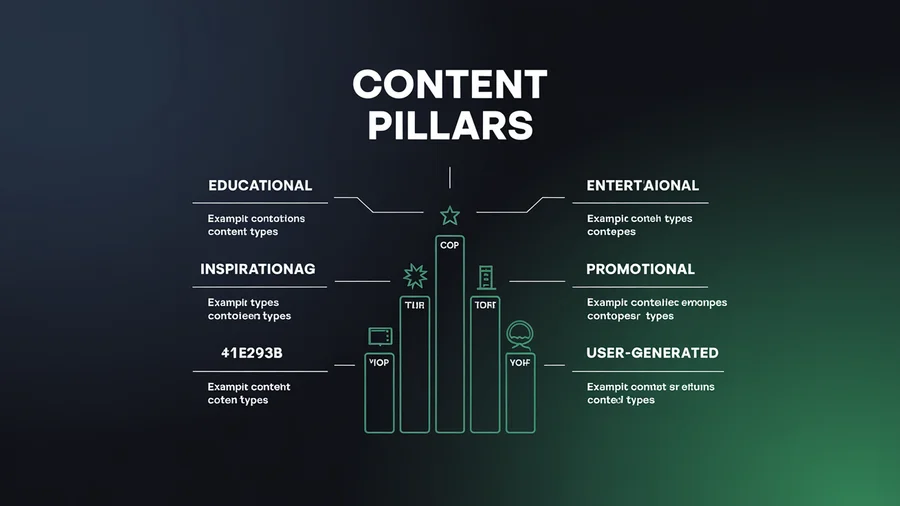
Content pillars are the 3-5 core themes or topics that anchor everything you post. They ensure your content is strategic and consistent rather than reactive and random. Without pillars, you end up posting whatever feels interesting that day, which might entertain your audience but won't build toward a business outcome.
Why Content Pillars Matter
Pillars solve three problems at once:
- Consistency: Your audience knows what to expect from you. Consistency builds trust and recognition
- Efficiency: When you know your themes, content creation is faster. You're not starting from scratch every time
- Strategy alignment: Each pillar should map to one of your goals from Step 2. If a piece of content doesn't fit a pillar, it probably doesn't belong in your strategy
The 80/20 Rule
Follow the 80/20 content ratio: 80% of your content should provide value (educate, entertain, inspire, or solve a problem), and 20% should promote your product or service. This isn't a rigid split, some weeks will skew more promotional (during a launch), and some will skew more value-driven.
But as a general principle, it keeps your audience engaged instead of tuned out.
Types of Content to Build Into Your Pillars
- Educational content: How-to guides, tips, industry insights, data breakdowns. This builds authority and trust. It's the backbone of most successful social strategies
- Entertaining content: Memes, trends, behind-the-scenes, relatable humor. This builds affinity and shareability. It humanizes your brand
- Inspiring content: Customer success stories, transformation narratives, motivational insights. This builds aspiration and emotional connection
- Promotional content: Product features, launches, offers, case studies, testimonials. This drives conversion, but only when the audience already trusts you from the other three types
- User-generated content: Reposts, reviews, community highlights. This builds social proof and deepens community engagement
Build a Content Mix by Platform
Not every pillar works the same on every platform. Adapt your content mix based on what performs best on each:
| Platform | Best Content Types | Pillar Emphasis |
|---|---|---|
| Reels, carousels, Stories | Visual education, behind-the-scenes, UGC | |
| TikTok | Short-form video, trends | Entertainment, education, authenticity |
| Text posts, articles, document carousels | Thought leadership, industry insights, case studies | |
| YouTube | Long-form video, Shorts | Deep education, tutorials, reviews |
| Video, community posts, events | Community, local, promotional | |
| X | Text, threads, polls | News, hot takes, customer service |
AI as a Content Force Multiplier
In 2026, AI adoption among social media marketers has increased 180% year over year. AI does not replace your strategy. It accelerates execution. Use AI content generation to draft captions (or try one of the best AI caption generators), brainstorm post ideas, repurpose long-form content into platform-specific formats, and maintain a consistent posting cadence even with a small team.
Pair AI-generated copy with AI image generation to create on-brand visuals without needing a designer for every post. The brands winning on social in 2026 aren't choosing between AI and human creativity, they're using AI to handle volume while humans handle voice, strategy, and community.
Step 7: Build Your Content Calendar
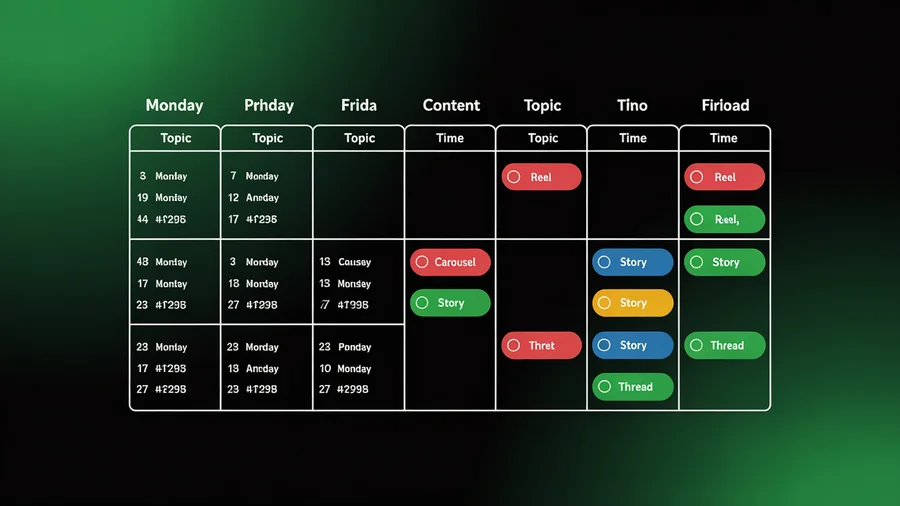
A content calendar transforms your strategy from a document into a daily operating system. It tells you what to post, where, and when, eliminating the "what should I post today?" paralysis that kills consistency.
Why a Calendar Beats Ad-Hoc Posting
Without a calendar, you're reactive. You post when you remember to, skip days when you're busy, and end up with an inconsistent presence that confuses the algorithm and your audience. A calendar gives you:
- Visibility: Your entire team can see what's planned across platforms
- Accountability: Assignments, deadlines, and approval workflows are clear
- Balance: You can visually check that your content mix aligns with your pillars
- Flexibility: Planning ahead actually makes it easier to respond to trends, because your baseline content is already handled
Use a visual calendar tool to plan and schedule content across all your platforms in one place. Drag-and-drop scheduling makes it easy to shift content around as priorities change.
Posting Frequency by Platform
There's no universal "right" frequency, but these benchmarks based on Hootsuite's social media trends research and Sprout Social's content strategy data give you a solid starting point:
| Platform | Recommended Frequency | Notes |
|---|---|---|
| Instagram (Feed) | 3-5 posts/week | Carousels and Reels perform best |
| Instagram (Stories) | Daily | Low-effort, high-connection format |
| TikTok | 3-5 videos/week | Consistency matters more than virality |
| 3-5 posts/week | Mornings and midweek perform best | |
| YouTube | 1-2 videos/week | Quality and consistency over volume |
| 3-5 posts/week | Video gets highest organic reach | |
| X | 1-3 posts/day | High volume, short lifespan |
| Threads | 3-5 posts/week | Engagement-focused, not broadcast |
These are starting points. Your analytics from Step 1 should inform adjustments. If you're getting strong results posting three times a week on Instagram, don't force yourself to five.
Batch Your Content Creation
Batching is the single most effective way to maintain a consistent presence without social media consuming your entire workweek. Instead of creating content daily, dedicate blocks of time to create in bulk:
- Monthly planning session (2-3 hours): Map out themes, key dates, and campaigns for the month ahead
- Weekly creation block (3-4 hours): Write captions (or speed things up with the AI caption generator), create visuals, and film video content for the entire week
- Daily engagement window (15-30 minutes): Respond to comments, engage with your community, and handle any real-time opportunities
Combine batching with a social media scheduler and you can create a week's worth of content in a single sitting, then use social media publishing tools to publish at the best times for each platform.
Stop spending hours scheduling posts manually. PostEverywhere's drag-and-drop calendar lets you plan, schedule, and auto-publish across every platform. See how it works →
Seasonal and Trending Content
Build key dates into your calendar in advance. This includes:
- Industry events and conferences relevant to your audience
- Product launches and company milestones you want to promote
- Cultural moments and holidays that align with your brand (use the social media holidays calendar for a complete list)
- Seasonal trends specific to your industry (retail has Black Friday, B2B has end-of-quarter pushes)
Leave 20-30% of your calendar flexible for trending content and real-time opportunities. If your calendar is 100% pre-planned, you'll miss the moments that drive the highest engagement.
Step 8: Set Your Budget
This is the section most strategy guides skip, and it's the one that trips up the most teams. Without a clear budget, you'll either overspend on the wrong things or underspend on the activities that actually move the needle.
A social media strategy without a budget is just a wish list.
Budget Categories
Your social media budget should cover four areas:
1. Tools and Software Scheduling, analytics, design, AI content generation, social listening. For most businesses, a comprehensive scheduling platform is the foundation. Expect to spend $19-$100/month for a scheduling tool depending on team size and features needed.
If you're running a small business specifically, our best social media management tools compares honest pricing and trade-offs for each option, or our full social media management cost breakdown covers DIY, freelancer, in-house, and agency price points side-by-side.
2. Content Creation Photography, videography, graphic design, copywriting, editing. This can range from $0 (DIY with AI tools) to $5,000+/month (outsourced to a freelance SaaS content writer or agency). AI tools like PostEverywhere's AI content generator dramatically reduce this cost by handling first drafts, image creation, and content repurposing.
3. Paid Advertising Boosted posts, sponsored content, paid social campaigns. Organic reach continues to decline on most platforms, making a paid budget increasingly essential. Even a small paid budget ($200-500/month) can amplify your best-performing organic content.
For SaaS companies, PPC for SaaS can complement organic social efforts by reaching high-intent users through paid search while supporting broader acquisition goals.
4. Influencer and Creator Partnerships Sponsored posts, brand ambassadors, content collaborations. Can be $0 (product exchanges with micro-influencers) to unlimited (celebrity endorsements). Micro-influencers (10,000-50,000 followers) typically deliver the best engagement-to-cost ratio.
Budget Allocation by Business Size
Here's a realistic breakdown based on business stage and team size:
Solo Creator or Freelancer, $0-100/month
- $19-39/month: Scheduling and analytics tool
- $0-50/month: AI content creation tools
- $0/month: Paid advertising (focus on organic)
- Total focus: 2 platforms, organic growth, batch creation
Small Business (1-10 employees), $500-2,000/month
- $39-79/month: Scheduling platform with team features
- $100-500/month: Content creation (freelancer support, AI tools, stock assets)
- $200-1,000/month: Paid advertising on 1-2 primary platforms
- $0-500/month: Micro-influencer partnerships
- Total focus: 2-3 platforms, mix of organic and paid
Agency or Enterprise ($5,000+/month)
- $100-500/month: Enterprise scheduling and analytics suite
- $1,000-3,000/month: Content creation team (in-house or outsourced)
- $2,000-10,000+/month: Paid advertising across multiple platforms
- $1,000-5,000/month: Influencer partnerships and sponsored content
- Total focus: 3-5 platforms, full-funnel strategy, dedicated team
The 70/20/10 Budget Rule
Allocate your budget using this framework:
- 70%: Proven channels and tactics: The platforms, content types, and ad formats that consistently deliver results. This is your bread and butter
- 20%: Emerging opportunities: New platforms, new features (like Instagram Threads or YouTube Shorts), new content formats you're testing. Enough to learn, not enough to lose
- 10%: Moonshots: Bold experiments, unconventional partnerships, or creative campaigns that might fail but could deliver outsized returns if they work
This framework ensures you're investing in what works while still innovating. Teams that put 100% into proven tactics eventually fall behind when the landscape shifts. Teams that put too much into experimentation never build a foundation.
Track and Adjust
Review your budget allocation quarterly. Ask: which spend generated the most ROI? Where did we waste money? Are there new tools or channels we should test? Social media is $5.20 ROI per $1 spent when done well, but that average hides massive variance between strategic and unstrategic spending.
Step 9: Measure, Analyze, and Iterate
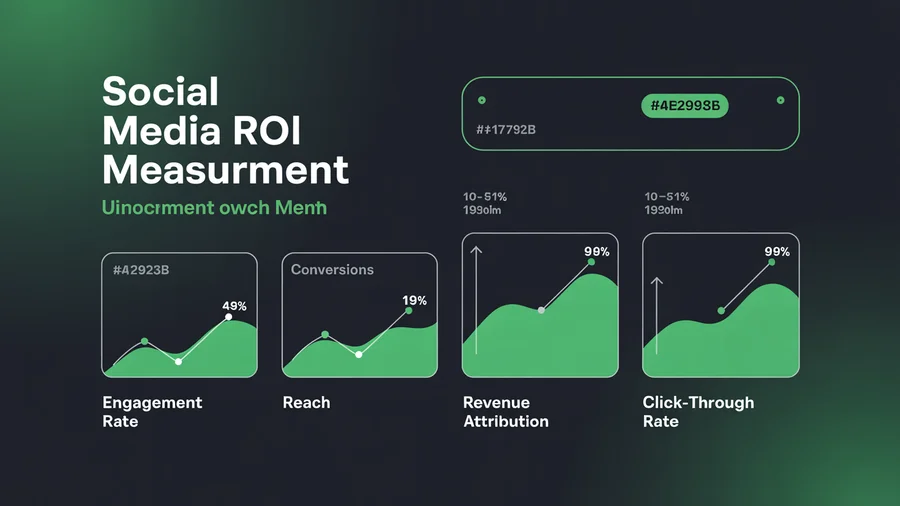
A strategy that doesn't measure results is just a content plan. Measurement turns your social media activity into a feedback loop that gets smarter over time. But measuring everything is just as unhelpful as measuring nothing, you need to track the right metrics for your specific goals.
Key Metrics by Goal
A unified social media analytics dashboard makes it easy to track metrics across every platform without logging into seven separate apps. Map your metrics to the goals you set in Step 2:
If Your Goal Is Brand Awareness:
- Reach: How many unique accounts saw your content
- Impressions: Total number of times your content was displayed
- Brand mentions: How often people are talking about you
- Share of voice: Your mentions compared to competitors
If Your Goal Is Engagement:
- Engagement rate: Total interactions divided by reach or followers. Use the engagement rate calculator to benchmark
- Saves and bookmarks: High-intent signals that content is genuinely valuable
- Shares and sends: The strongest signal of content resonance, content shared to DMs or reshared to Stories indicates real value
- Comments: Quality matters more than quantity. Look for thoughtful responses, not just emoji
If Your Goal Is Conversion:
- Click-through rate: Percentage of people who click your links
- Landing page conversions: How many social visitors take the desired action on your site
- Cost per lead: For paid campaigns, what you're spending to acquire each lead
- Revenue attributed to social: Use UTM parameters and your analytics platform to track end-to-end
Reporting Cadence
Weekly (15-20 minutes):
- Review top-performing posts across each platform
- Check engagement rate trends: are they rising, falling, or flat?
- Note any content that significantly over- or underperformed and hypothesize why
- Adjust the upcoming week's content based on findings
Monthly (1-2 hours):
- Full metrics review against your SMART goals
- Content pillar performance: which pillars drive the most engagement and conversions?
- Audience growth and demographics shifts
- Budget vs. results analysis for paid campaigns
- Update your strategy document with key learnings
Quarterly (half day):
- Comprehensive strategy review: are your goals still relevant? Have business priorities shifted?
- Competitive landscape update: has anything changed?
- Platform performance comparison: should you add, drop, or shift resources between platforms?
- Set goals for the next quarter
When to Pivot vs. When to Stay the Course
Not every underperforming metric means your strategy is broken. Some guidelines:
- Give organic strategies 90 days before concluding they aren't working. Algorithms take time to learn your content patterns, and audiences take time to build
- Give paid campaigns 2-4 weeks with sufficient budget before judging performance. Underfunded campaigns don't generate enough data for meaningful conclusions
- Pivot when: Engagement rates decline for 3+ consecutive months despite consistent effort, your audience demographics shift away from your target, or a platform makes changes that fundamentally alter your reach
- Stay the course when: You're seeing gradual improvement, your best content is getting better even if averages are flat, or you're still in the early growth phase
Measure ROI: The Number That Matters Most
Social media delivers an average of $5.20 in ROI for every $1 spent, but only when you track it properly. To measure social media ROI:
- Assign monetary values to your conversion actions (email signup = $5, demo request = $50, purchase = actual revenue)
- Use UTM parameters on every link you share on social media
- Set up goal tracking in your analytics platform
- Calculate: (Revenue from social - Cost of social) / Cost of social = ROI
If you can show leadership that social media generates measurable revenue, your budget conversations get much easier.
See what's working and what's not, at a glance. PostEverywhere's analytics dashboard shows engagement, reach, and growth across every platform in one view. Try it free for 7 days →
Bonus: Build a Crisis Response Plan
Every social media strategy needs a crisis response plan. Not because a crisis is likely on any given day, but because when one hits, you need to respond in minutes, not scramble to figure out who's in charge.
A crisis can be anything from a viral customer complaint to a product failure, a PR incident, an employee controversy, or an external event that makes your scheduled content tone-deaf. The brands that handle crises well have a plan before they need one.
Your Crisis Response Template
1. Monitoring Triggers Define what constitutes a crisis vs. a normal negative comment. A single unhappy customer is not a crisis, it's customer service. A trending hashtag criticizing your brand, a major product outage, or a viral screenshot of an internal message is a crisis.
Set up keyword alerts for your brand name, product names, and executive names.
2. Escalation Path Define exactly who gets notified and who has authority to respond:
- Level 1 (individual complaints): Social media manager handles directly
- Level 2 (growing negative attention): Social media manager + marketing director. Pause all scheduled content
- Level 3 (viral/media attention): Leadership team + legal + PR. Official statement required
3. Response Templates Pre-draft response frameworks (not copy-paste scripts) for common scenarios:
- Product/service failure: Acknowledge, apologize, explain what you're doing to fix it
- Employee misconduct: Acknowledge, state your values, outline the action you're taking
- Misinformation: Correct the record with facts, link to official source
4. Post-Crisis Review After every crisis, document what happened, how you responded, what worked, what didn't, and what you'd change. Update your crisis plan based on what you learned.
For a deeper dive into crisis management frameworks, see our crisis management glossary for definitions and best practices.
10 Common Social Media Strategy Mistakes
After auditing hundreds of social media strategies, these are the mistakes we see most often:
- No documented strategy. Posting without a plan is just content creation, not marketing. Write your strategy down and share it with your team
- Vanity metric obsession. Follower counts and likes feel good but rarely correlate with business outcomes. Focus on engagement rate, click-throughs, and conversions
- Being on every platform. Spreading resources across 6+ platforms guarantees mediocrity. Pick 2-3 and dominate them
- Ignoring analytics. If you're not reviewing performance data weekly, you're flying blind. Your next month's strategy should be informed by this month's results
- Buying followers. It destroys your engagement rate, tanks your algorithmic reach, and any savvy partner or customer can spot it. Never worth it
- Posting the same content everywhere. Each platform has different norms, formats, and audiences. Repurpose content, don't copy-paste it. Use cross-posting features to adapt content per platform efficiently
- Neglecting community management. Posting and disappearing is a monologue, not a conversation. Respond to comments, engage with your audience's content, and build relationships
- No paid strategy. Organic reach has declined on every platform. Even a small paid budget amplifies your best content and reaches new audiences
- Inconsistent posting. Algorithms reward consistency. Going silent for two weeks then posting five times in a day confuses the algorithm and your audience. Use a scheduling tool to maintain a steady cadence
- Not adapting to platform changes. Social media evolves constantly. The strategy that worked in 2024 won't work unchanged in 2026. Review and update your strategy quarterly
Avoid common pitfalls. Read our guide to 12 scheduling mistakes that kill engagement and learn why your social media might not be growing.
FAQs
How often should I post on social media?
It depends on the platform and your resources. As a baseline: Instagram 3-5 feed posts per week plus daily Stories, TikTok 3-5 videos per week, LinkedIn 3-5 posts per week, YouTube 1-2 videos per week, Facebook 3-5 posts per week, and X 1-3 posts per day. Quality matters more than quantity.
It is better to post three excellent pieces per week than seven mediocre ones. Use a social media scheduler to maintain consistency and post at optimal times.
Which social media platform is best for business?
There's no single best platform, it depends on your audience, goals, and content capacity. B2B companies typically see the strongest results on LinkedIn. E-commerce brands often perform best on Instagram and TikTok.
Local businesses benefit most from Facebook and Google Business Profile. Rather than asking "which is best," ask "where does my audience spend time and what can I realistically maintain?" Start with 2-3 platforms and expand once you've built a strong presence.
How long does it take for a social media strategy to work?
Expect to see early signals within 30-60 days (engagement trends, audience growth patterns), meaningful traction at 90 days, and compounding results at 6-12 months. Paid strategies produce faster results but require ongoing budget.
Organic strategies take longer to build but create more sustainable growth. The brands that succeed are the ones that commit to a 6-12 month horizon rather than expecting overnight results.
Should I be on every social media platform?
No. Being on every platform is one of the most common mistakes in social media marketing. It's better to be excellent on two platforms than mediocre on seven. Choose platforms based on where your audience actually spends time, which ones align with your goals, and what your team can realistically maintain.
You can always expand later once you have the systems, content, and team to support it. Use multi-account management to efficiently handle the platforms you do choose.
How much should I spend on social media marketing?
Budget depends on business size and goals. Solo creators can start with $0-100/month (scheduling tool plus organic effort). Small businesses typically invest $500-2,000/month across tools, content creation, and paid advertising. Agencies and enterprises spend $5,000+/month on full-funnel strategies.
The key is allocating spend strategically: 70% on proven tactics, 20% on emerging opportunities, and 10% on experimental moonshots. See our pricing page for tool costs.
What's the difference between a social media strategy and a content strategy?
A social media strategy is your overall plan for how your brand uses social media to achieve business objectives. It includes goals, audience research, platform selection, budgeting, measurement, and crisis planning.
A content strategy is one component of your social media strategy. It focuses specifically on what content you create, what themes you cover (content pillars), what formats you use, and how you produce and distribute that content.
You need both, but the social media strategy is the bigger picture.
How do I measure social media ROI?
Track three things: the revenue generated from social media (using UTM parameters and analytics to attribute conversions), the total cost of your social media efforts (tools, team time, content creation, paid spend), and calculate ROI as (revenue - cost) / cost.
The average ROI for social media marketing is $5.20 for every $1 spent, but this varies widely based on strategy quality. Start by assigning monetary values to key actions (email signups, demo requests, purchases) and tracking them through your analytics platform.
Is social media marketing still worth it in 2026?
Yes, but only with a strategy. With 5.66 billion active social media users globally and 81% of consumers using social for product discovery, the audience is there. AI tools have made content creation faster and more accessible, reducing the resource barrier.
However, competition for attention is fiercer than ever, and organic reach continues to decline on most platforms. The marketers who succeed in 2026 are the ones with documented strategies, data-driven decisions, and a willingness to invest in both organic and paid approaches.
Read our AI social media marketing guide for more on leveraging AI in your strategy.
Next Steps
You now have a complete, 9-step framework for building a social media strategy that drives real business results. Here's how to put it into action:
- This week: Complete your social media audit (Step 1) and set your SMART goals (Step 2)
- Next week: Finish audience research (Step 3), competitive analysis (Step 4), and platform selection (Step 5)
- Week three: Define your content pillars (Step 6) and build your first month's content calendar (Step 7)
- Week four: Finalize your budget (Step 8) and set up your measurement framework (Step 9)
The difference between brands that succeed on social media and those that don't isn't talent or budget, it's having a documented strategy and the discipline to execute it consistently.
Start building your strategy today. And when you're ready to execute it efficiently, PostEverywhere gives you everything you need, scheduling, analytics, AI content generation, and multi-platform management, in one dashboard. Start your free 7-day trial →
Strategy by industry
The framework above is universal; the execution is not. We keep dedicated playbooks for the industries where social works differently: restaurants, gyms, salons, hotels, ecommerce, real estate, law firms, healthcare, nonprofits, churches, schools and universities, photographers, coaches, models and financial advisors.
Each covers the content mix, cadence and compliance constraints specific to that audience.
Strategy by platform
The same choice exists on the platform axis. If an emerging network is on your shortlist, the Telegram for business guide and the Threads marketing playbook cover the two with real momentum, and Bluesky vs X settles the text-platform question directly.
If the platform-selection question is still open, the platform recommender narrows it from your audience and content type in a minute.

Founder & CEO of PostEverywhere. Writing about social media strategy, publishing workflows, and analytics that help brands grow faster.