What aspect ratios does YouTube use in 2026?
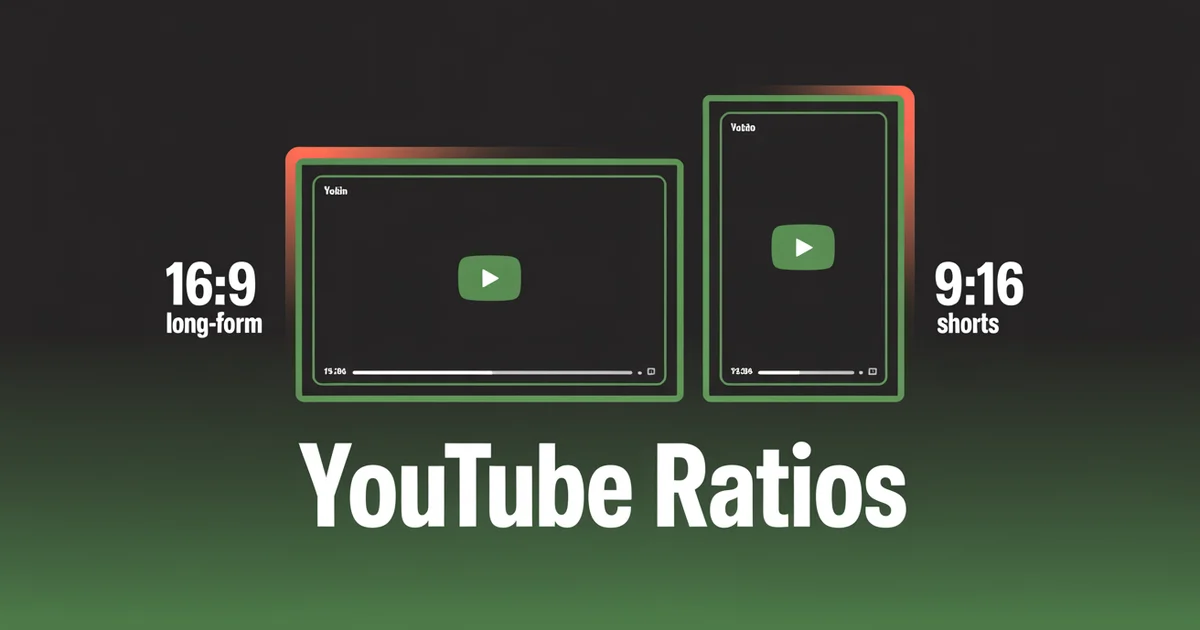
YouTube uses 16:9 (1920×1080) for long-form video and 9:16 (1080×1920) for Shorts, with thumbnails always 16:9 (1280×720 minimum). It auto-classifies anything square or vertical and 3 minutes or shorter as a Short, so the ratio you export decides which content system you land in.
YouTube now runs two distinct content systems with different aspect ratios, and it has formalised which one to use for which content: anything square or vertical and 3 minutes or shorter is auto-classified as a Short, while anything wider or longer is long-form.
Get the YouTube aspect ratio wrong and your video lands in the wrong content system entirely, with the wrong thumbnail treatment and the wrong recommendation surface.
This guide covers every YouTube video size and aspect ratio in 2026, across long-form, Shorts, thumbnails, channel banners and ads, with verified safe zones, official sources and the changes worth knowing.
Schedule YouTube Shorts and long-form alongside every other platform. PostEverywhere supports both formats, with one-click cross-posting to TikTok, Reels and Facebook. Try the YouTube scheduler →
YouTube Video Dimensions Cheat Sheet (Every Format)
| Format | Aspect Ratio | Recommended Pixels | Max Length |
|---|---|---|---|
| Long-form video | 16:9 | 1920×1080 (1080p) | 12 hours |
| Long-form (4K) | 16:9 | 3840×2160 | 12 hours |
| YouTube Shorts | 9:16 | 1080×1920 | 3 minutes |
| Vertical (non-Short) | 9:16 | 1080×1920 | >3 minutes |
| Thumbnail | 16:9 | 1280×720 min; up to 3840×2160 | n/a |
| Channel banner | 16:9 (device-cropped) | Upload 2560×1440 | n/a |
| Profile picture | 1:1 | 800×800 | n/a |
| End screen elements | Inside 16:9 | 615×345 (video tile) | n/a |
| Bumper ad | 16:9 (also 9:16, 1:1) | 1920×1080 | ≤6 seconds |
| Shorts ad | 9:16 | 1080×1920 | <60 seconds |
The 2026 default: upload 16:9 at native resolution for long-form, 9:16 at 1080×1920 for Shorts, and thumbnails at 16:9 (1280×720 minimum, up to 4K). Everything else is a variation on those three.
YouTube Video Size vs Resolution vs Aspect Ratio
When people search for "YouTube video size" they usually mean one of three different things. Getting all three right is what separates a clean upload from one that looks stretched, boxed-in or blurry:
- Aspect ratio is the shape of the frame (width to height): 16:9 for long-form, 9:16 for Shorts, 1:1 square.
- Resolution is the detail: 720p, 1080p, 1440p, 4K. More pixels means a sharper picture on large screens.
- Dimensions are the exact pixel measurements that combine the two, such as 1920×1080 (16:9 at 1080p) or 1080×1920 (9:16 at 1080p).
Match the aspect ratio to the format first, then pick the highest resolution your camera and export settings can deliver. The rest of this guide gives the exact dimensions for every YouTube surface.
YouTube Long-Form Video Dimensions (16:9)
The classic YouTube aspect ratio. 16:9 is the player default, and YouTube's adaptive bitrate streaming serves your native resolution to viewers. These are the exact dimensions YouTube recommends encoding for each resolution tier.
Recommended resolutions and dimensions
YouTube supports a wide range, so pick based on your camera, encoding ability and audience device mix.
| Resolution | Pixels | Use case |
|---|---|---|
| 240p | 426×240 | Lowest supported |
| 360p | 640×360 | Practical minimum |
| 480p | 854×480 | Mobile-only viewing |
| 720p | 1280×720 | HD baseline |
| 1080p | 1920×1080 | Standard recommendation |
| 1440p (2K) | 2560×1440 | Premium uploads |
| 2160p (4K) | 3840×2160 | High-end content |
| 4320p (8K) | 7680×4320 | Experimental |
5K lost playback support in 2022. YouTube began removing playback for resolutions between 4K and 8K, so if you export from a 5K-capable workflow, downsample to 4K or step up to 8K, not 5K.
Don't bake in letterboxes
The single most common YouTube long-form mistake is hard-coding black bars into a 16:9 export to make non-16:9 footage "fit." YouTube's player already handles this: when your ratio differs from 16:9 it adds its own padding, which is white by default and dark grey when Dark theme is on.
Upload your native ratio and let the player adapt across 4:3 vintage footage, 21:9 cinematic and everything in between.
YouTube's resolution and aspect ratio documentation confirms the recommended encoding sizes above and the native-upload approach.
YouTube Shorts Dimensions (9:16)
The format that changed YouTube's content economics. As of October 15, 2024, Shorts can be up to 3 minutes long, up from the original 60 seconds. The change applies to standard channels; Official Artist Channels got the extension on December 8, 2025.
Spec summary
- Aspect ratio: 9:16 vertical (square also accepted, but 9:16 dominates)
- Recommended dimensions: 1080×1920 px
- Minimum resolution: 720×1280 px
- Maximum length: 3 minutes
- Classification rule: square or vertical + ≤3 minutes = automatic Short
What YouTube officially recommends
YouTube's three-minute Shorts documentation sets the classification rule and even spells out the alternative: "If you don't want your content to be classified as Shorts, use a wider aspect ratio such as 16:9." For the aspect ratio itself, Google's YouTube Shorts ads guidance states it plainly: "Vertical videos, with a 9:16 aspect ratio, are best suited for the Shorts format and deliver better performance compared to landscape assets." That is Google's formal recommendation, not a community guess.
The classification rule in practice
The ratio and length you export decide which content system you land in, and the difference is not cosmetic: Shorts and long-form have different thumbnails, search treatment, and recommendation surfaces.
- A 9:16 video at 3 minutes and 1 second is not a Short. It becomes a regular long-form upload that happens to be vertical.
- A 1:1 square video at 30 seconds is a Short. Square qualifies, though 9:16 outperforms on the Shorts surface.
- A 16:9 horizontal video at 30 seconds is not a Short. Horizontal never qualifies, regardless of length, and YouTube does not auto-crop it to vertical. This is the trap that catches creators porting content from other platforms: a 16:9 clip uploaded as a Short attempt just becomes a regular short video with no Shorts placement.
Shorts safe zones
A 1080×1920 Short has significant UI overlays. Keep critical content inside the safe zone:
| Zone | Pixels to keep clear | What's there |
|---|---|---|
| Right action column | ~120 px | Subscribe, like, comment, share, remix |
| Bottom overlay | Title, creator name, audio track, CTA | |
| Top UI | ~180 px | Search icon, three-dot menu |
| Effective safe zone | Centre 1080×1350 px | Where text, faces, and logos should live |
A useful design trick: shift your visual centre roughly 40 px left of canvas centre. The right-side action column eats space asymmetrically with no equivalent column on the left, so a left-of-centre composition feels more balanced once the UI is overlaid.
This is one of the small details that separates a Short that feels native from one that looks exported from elsewhere.
Shorts length strategy
The 3-minute cap is a ceiling, not a target. Completion rate is highest at 6 to 15 seconds (trends, reactions, quick tips), the explainer sweet spot sits at 15 to 45 seconds, story-driven content runs 45 to 90 seconds, and only genuinely dense tutorials need the 90-second-to-3-minute range.
A tight 30-second Short outperforms a padded 2-minute one almost every time, so use the length your content needs, not the maximum allowed.
Vertical Long-Form (>3 Minutes)
If you upload a vertical video longer than 3 minutes, YouTube classifies it as a regular long-form upload, not a Short. The video plays on mobile portrait full-screen and on desktop with pillarboxing.
The thumbnail trap: for vertical long-form, YouTube shows an auto-generated cropped thumbnail (roughly 4:5) in browse, home and subscription feeds rather than your custom 16:9. Your custom thumbnail still shows on the watch page, but feed surfaces use the auto crop.
If you shoot vertical long-form, design with the 4:5 centre region in mind, because that is what people see in the feed.
YouTube Thumbnail Size (16:9)
Thumbnails are always 16:9. Even for vertical long-form, the uploaded custom thumbnail is 16:9, and YouTube generates a separate cropped version automatically for vertical-friendly surfaces.
Spec summary
- Aspect ratio: 16:9 (the ratio "most used in YouTube players," per YouTube)
- Recommended resolution: YouTube now recommends 3840×2160 (4K); 1280×720 remains the practical baseline and 1920×1080 the common sweet spot
- Minimum width: 640 px (uploads narrower than this are rejected)
- Formats accepted: JPG, GIF, PNG
- Max file size: 2 MB on mobile (10 MB for podcast thumbnails), 50 MB on desktop
- Special case: podcast thumbnails display square (1:1) on some surfaces
Thumbnail safe zones
UI overlays consume specific zones:
- Bottom-right corner ~90×30 px: the video duration timestamp burns in here. Keep faces and text out of this corner.
- Bottom ~10%: can be obscured by the progress bar on the watch page and the Shorts shelf interface. Don't put critical elements in the lower 100 px.
- At ~168 px display width (mobile feed render): small text becomes unreadable. Design with mobile legibility in mind.
YouTube thumbnails are always 16:9, at 1280×720 minimum.
Pair the right format with the right schedule. PostEverywhere schedules YouTube Shorts and long-form alongside Reels, TikTok and more, all from one calendar. Compare plans and pricing →
YouTube Banner Size (Channel Art)
The channel banner is one of YouTube's trickiest specs, because it displays at very different sizes on different devices. The YouTube banner size to upload is 2560×1440 px, but the banner dimensions every device is guaranteed to show are just the centre 1546×423 px safe area.
Spec summary
- Recommended upload: 2560×1440 px
- Minimum: 2048×1152 px
- Max file size: 6 MB
- Formats: JPG, PNG, BMP, GIF (non-animated)
- Safe area (visible on every device): 1546×423 px, centred in the 2560×1440 canvas
Per-device display
| Device | Banner displays at |
|---|---|
| TV | 2560×1440 (full canvas) |
| Desktop | 2560×423 (full width, cropped height) |
| Tablet | 1855×423 |
| Mobile | 1546×423 (smallest crop) |
The critical implication: anything outside the centre 1546×423 px is only visible on TV or desktop. Mobile and tablet users see the centre crop only.
If your banner has key elements at the far left or far right (logos, taglines, social handles), they will be invisible to most viewers, because most YouTube viewing is mobile.
Design for the centre 1546×423 safe area and treat the wider 2560×1440 canvas as decorative extras.
Profile Picture
- Recommended upload: 800×800 px (1:1 square)
- Displayed size: 98×98 px (served at higher DPI on retina)
- Display shape: Circle (uploaded as square)
- Formats: JPG, PNG, GIF (no animation), BMP
Because the display is circular, keep your logo or face centred. Square logos with corner text get hidden by the circular mask.
End Screens
End screens are interactive overlays in the last 5–20 seconds of a 16:9 video. They require the video to be ≥25 seconds long.
- Maximum elements: 4 (lower for non-16:9 videos)
- Video/playlist tile size: ~615×345 px
- Subscribe/circle/link element size: ~294×294 px
- Safe zone: Keep elements ~10% inside the frame edges
End screens don't render on YouTube Music, YouTube Kids, mobile web (except iPad), Flash, or 360 videos. Design your closing frame to work even when end screens don't load, and treat them as enhancement rather than core navigation.
YouTube Premiere and Live Streaming
- Encoder aspect ratio: 16:9 standard; 9:16 supported for mobile/vertical livestreams
- Recommended resolutions: 1080p at 30/60 fps for most streams; up to 4K supported
- Premiere thumbnails: Standard 16:9 at 1280×720
Vertical live streams render with pillarboxing on desktop, the inverse of horizontal videos in the Shorts shelf. If you're livestreaming for cross-device viewing, 16:9 with centred framing is the safest bet.
Most encoders push to YouTube through a standard RTMP server, and whatever output resolution you set there is what YouTube receives, so set the encoder to 1920x1080 before going live rather than relying on the platform to pad a mismatched frame for you.
YouTube Ad Dimensions and Aspect Ratios
YouTube ad sizes support multi-ratio creative, and you should use it. The lengths below are verified against Google's video ad format documentation; the aspect ratios are the creative sizes each placement supports.
| Ad type | Aspect Ratios | Length |
|---|---|---|
| Bumper ads | 16:9, 9:16, 1:1 | ≤6s, non-skippable |
| Skippable in-stream | 16:9, 9:16, 1:1 | No max (<3 min recommended) |
| Non-skippable in-stream | 16:9, 9:16, 1:1 | 15 to 60s |
| Masthead | 16:9 widescreen | Autoplays muted; 10s+ recommended |
| In-feed video | 16:9 default; 1:1 and 9:16 supported | No max |
| Shorts ads | 9:16 | <60s recommended (up to 3 min) |
Best practice for 2026 ad creative: ship a multi-aspect-ratio asset pack, with 16:9 for long-form placements, 9:16 for Shorts surfaces and 1:1 for square environments. Single-ratio creative leaves performance on the table, because Google Ads adapts automatically to the surface.
See Google's video ad format documentation for lengths and the YouTube Shorts ads specs for vertical creative.
Repurposing Long-Form Into Shorts
The highest-leverage move on YouTube in 2026 is turning one long-form 16:9 video into several 9:16 Shorts. Done well, it feeds the Shorts surface without extra filming. Done lazily, it produces pillarboxed clips the algorithm ignores. The difference is re-framing, not cropping.
- Pick moments that stand alone. A Short needs its own hook in the first 2 seconds. Choose 15-to-60-second beats that make sense without the surrounding context.
- Re-frame vertically, don't just crop. Slicing the left and right off a 16:9 frame usually cuts the subject in half. Reposition the subject inside a 1080×1920 canvas, or use a punch-in plus captions to fill the vertical space.
- Keep text and faces in the centre 1080×1350 safe zone. The Shorts UI overlays the top 180 px, the bottom ~380 px and the right 120 px.
- Export at 1080×1920, under 3 minutes. Anything longer is classified as long-form, not a Short.
- Write a native title and description. Captions lifted straight from the long-form video rarely fit the Shorts hook.
Because a clean 9:16 export also works on TikTok, Instagram Reels and Facebook Reels, one repurposing pass can feed four platforms. A cross-posting tool turns that into a single upload instead of four, and pairing it with the best time to post on YouTube squeezes more reach from each clip.
What Changed for YouTube in 2024 to 2026
If you last reviewed your YouTube specs more than 18 months ago, several things shifted:
1. Shorts extended to 3 minutes. Up from 60 seconds, effective October 15, 2024 for standard channels and December 8, 2025 for Official Artist Channels.
2. Aspect ratio guidance formalised. Google's Shorts ads documentation now states plainly that 9:16 vertical is best suited for Shorts and outperforms landscape assets. Previously this was a community recommendation.
3. Thumbnails went 4K. YouTube raised the recommended thumbnail resolution to 3840×2160 and lifted the desktop upload limit to 50 MB (mobile stays at 2 MB, or 10 MB for podcasts).
4. Cropped auto-thumbnails for vertical long-form. Browse, home and subscription feeds now show an auto-generated cropped (roughly 4:5) thumbnail for vertical videos longer than 3 minutes, not your custom 16:9.
5. 5K dropped from playback in 2022. Use 4K or 8K, not 5K.
6. Multi-ratio ad creative is the default. Google Ads now adapts creative across 16:9, 9:16 and 1:1 automatically.
Common YouTube Aspect Ratio Mistakes
Uploading 9:16 video longer than 3 minutes thinking it's a Short. It is not: anything longer than 3 minutes is long-form regardless of ratio. Plan accordingly.
Burning black bars into a 16:9 export to "fit" 4:3 footage. Let the YouTube player handle pillarboxing dynamically.
Designing channel banners for desktop only. Mobile shows only the centre 1546×423 region. Design for mobile first.
Putting key thumbnail text in the bottom-right corner. The duration timestamp covers it.
Treating 4:5 auto-thumbnails as an afterthought. For vertical long-form, the 4:5 auto-thumb is what most viewers see in feeds. Frame the centre region intentionally.
Uploading sub-720p thumbnails. Minimum is 640 px wide; ideal is 1920×1080. Low-res thumbnails look amateur on 4K TVs.
Posting horizontal 16:9 video to Shorts. YouTube won't auto-crop it. The video plays with massive pillarboxes and the algorithm treats it as a regular video, not a Short.
Ignoring the 9:16/1:1/16:9 ad variants. Single-ratio ad creative misses placements that adaptive multi-ratio campaigns reach.
YouTube File Sizes, Formats & Thumbnail Specs
Aspect ratio decides the shape, but a clean upload also depends on the file itself: the container, codecs, frame rate and size limits YouTube accepts. These are the encoding and file specs that sit behind every format above.
Video upload file specs (long-form)
| Spec | Requirement |
|---|---|
| Max file size | 256 GB or 12 hours, whichever is less |
| Recommended container | MP4 |
| Video codec | H.264 |
| Audio codec | AAC-LC |
| Frame rate | 24, 25, 30, 48, 50 or 60 fps |
| Other accepted containers | MOV, AVI, WMV, FLV, WebM |
MP4 with H.264 video and AAC-LC audio gives the best balance of quality and file size, per YouTube's recommended upload encoding settings. YouTube accepts the other containers listed above, but MP4 is the safe default.
Thumbnail and image file specs
| Placement | Dimensions | Formats | Max file size |
|---|---|---|---|
| Video thumbnail | 1280×720 (16:9), 640 px min width | JPG, PNG, GIF, BMP | 2 MB mobile, 50 MB desktop |
| Shorts custom thumbnail | 1080×1920 (9:16) | JPG, PNG | n/a |
| Community post (square) | 1280×1280 (1:1) | JPG, PNG, GIF | 16 MB |
| Community post (landscape) | 1920×1080 (16:9) | JPG, PNG, GIF | 16 MB |
YouTube now supports custom thumbnails for Shorts: upload a 1080×1920 image (the same dimensions as the video) rather than letting YouTube auto-select a frame. Community posts accept aspect ratios between 2:5 and 5:2, display as a square preview in the feed and expand to full size when tapped, and GIFs are supported up to 16 MB. The Shorts video itself uploads as MP4 or MOV.
Thumbnail best practices
Because the thumbnail is the single biggest lever on click-through rate, design it as carefully as the title:
- Use high contrast. Bright colours and bold text stand out against both YouTube's light and dark backgrounds.
- Keep text large. Most viewers see the thumbnail on a phone. If the text is not readable at the smallest mobile preview (around 160×90 px), it is too small.
- Use close-up faces. Thumbnails with human faces consistently outperform abstract graphics because they create an emotional connection.
- Design custom Shorts thumbnails simply. A designed thumbnail beats an auto-selected frame, but keep it clean because Shorts thumbnails render small in the feed.
Tools to Get YouTube Video Dimensions Right
- Image resizer: generate 16:9 thumbnails and 9:16 Shorts assets in one click.
- AI video generator: outputs 9:16 Shorts and 16:9 long-form.
- AI image generator: for thumbnails at 1280×720 up to 4K.
- YouTube scheduler: schedule Shorts and long-form with the right format auto-selected.
- Social media scheduler: plan YouTube next to every other platform on one calendar.
- Best time to post on YouTube: once your ratio is right, timing matters next.
- AI content generator: title and description drafting for YouTube SEO.
For cross-platform short-form context, see social media aspect ratios and the TikTok aspect ratio guide.
Repurpose one Shorts video into TikTok, Reels and Facebook Reels in one click. PostEverywhere handles the cross-posting and ratio matching. Plans start at $9/mo. See pricing →
Frequently Asked Questions
What is the best YouTube aspect ratio in 2026?
16:9 widescreen for long-form video and 9:16 vertical for Shorts. Long-form ideal is 1920×1080 (1080p) or higher; Shorts ideal is 1080×1920. Thumbnails are always 16:9 at 1280×720 minimum.
How long can a YouTube Short be in 2026?
Up to 3 minutes. The 60-second limit was extended on October 15, 2024 for standard channels. Anything uploaded with a square or vertical aspect ratio at 3 minutes or shorter is auto-classified as a Short.
What aspect ratio do YouTube Shorts use?
9:16 vertical (1080×1920 px). YouTube's official guidance, formalised alongside the 3-minute extension, explicitly states 9:16 is "best suited for the Shorts format and delivers better performance."
What's the YouTube Shorts safe zone?
On a 1080×1920 canvas, keep text, faces, and logos in the centre 1080×1350 px. Reserve the right 120 px (action column), the bottom roughly 380 px (title, creator, audio, CTA), and the top roughly 180 px (search and menu).
Shift the visual centre about 40 px left of canvas centre to balance the asymmetric right column.
What's the ideal YouTube Shorts length?
15 to 45 seconds for hook-driven content and 45 to 90 seconds for content with depth. The 3-minute cap is the maximum, not the target. A tight 30-second Short consistently outperforms a padded 2-minute one, so use the length your content needs, not the ceiling.
What is the YouTube thumbnail aspect ratio?
16:9 always (1280×720 minimum; 1920×1080 or higher recommended). Even vertical long-form videos use 16:9 thumbnails on the watch page, YouTube generates a separate 4:5 thumbnail automatically for feed surfaces. Maximum file size is 2 MB (mobile) or 50 MB (desktop).
What is the YouTube channel banner safe zone?
The centre 1546×423 px of the 2560×1440 canvas. This is the only region visible on every device (TV, desktop, tablet, mobile). Mobile users see only this centre crop, anything outside it is invisible to mobile viewers, which is most YouTube traffic.
Does YouTube auto-crop horizontal video to fit Shorts?
No. YouTube does not automatically convert horizontal video to 9:16. If you upload a 16:9 video, it plays with large pillarboxes in the Shorts shelf and is treated as a regular long-form upload, not a Short.
To post a Short, you must export at 9:16 first.
Can I post the same 9:16 video to YouTube Shorts, TikTok, and Reels?
Yes, that's the cross-posting case. Export at 1080×1920 (9:16) and the same asset works natively on all three platforms. Keep the bottom 250–340 px clear (TikTok and Reels caption zones differ slightly) and the right edge 120 px clear (engagement buttons) to ensure cross-platform safe-zone coverage.
Should I upload 4K or 1080p for YouTube long-form?
1080p (1920×1080) is the standard recommendation for most creators. 4K (3840×2160) adds significant render time and storage cost, only worth it if your camera shoots native 4K and your audience watches on 4K-capable devices.
Premium content (food, travel, product) benefits more from 4K than tutorial or talking-head content.
Specs in this guide are verified as of July 2026 against YouTube's resolution and aspect ratios documentation, YouTube's three-minute Shorts guidance, YouTube's custom thumbnails documentation and Google Ads video format documentation. YouTube updates specs periodically, and we update this page when they do. For more cross-platform context, see the social media aspect ratios cheat sheet and the TikTok aspect ratio guide for vertical-first creators.

Founder & CEO of PostEverywhere. Writing about social media strategy, publishing workflows, and analytics that help brands grow faster.