What aspect ratios does Instagram use in 2026?
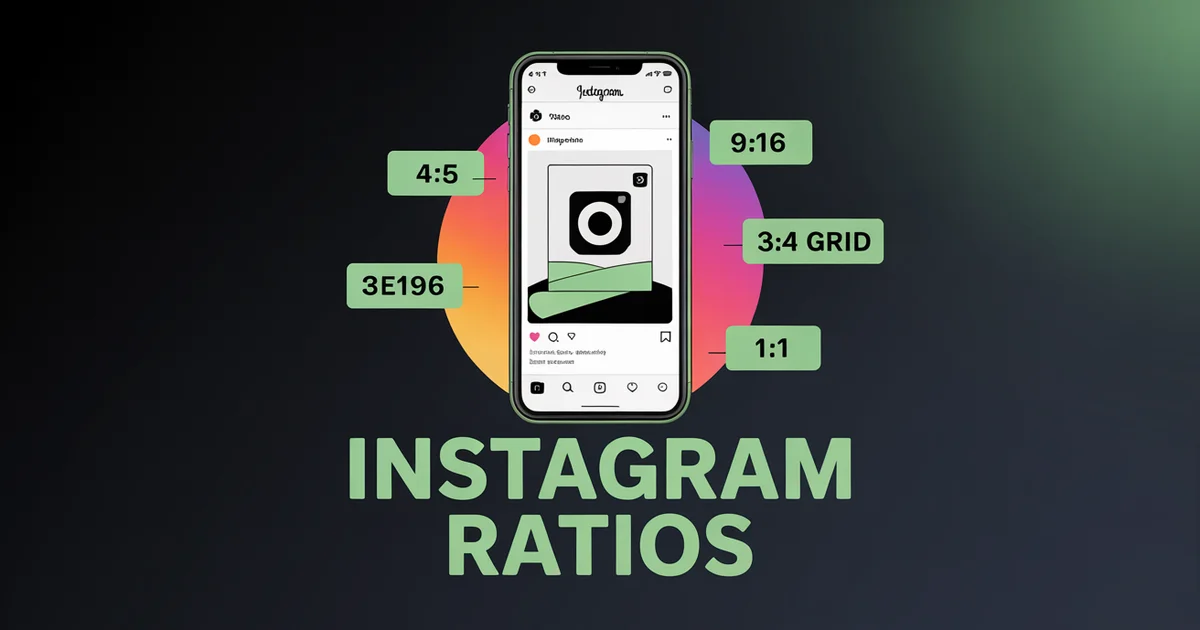
Instagram uses 4:5 portrait (1080×1350 px) for feed posts and 9:16 vertical (1080×1920 px) for Reels and Stories. It also supports 3:4 (1080×1440 px), the tallest feed image that fits the profile grid with no crop, and 1:1 (1080×1080 px) for cross-platform assets.
That is the fast answer. What complicates it is the profile grid: Instagram switched grid thumbnails to 3:4 (1080×1440 px) in January 2025 and added native 3:4 photo support in May 2025, so your feed photos now crop slightly on the grid unless you frame for it.
Get the ratio wrong and your photo is awkwardly cropped on the grid, or your Reel sits with black bars that quietly suppress reach.
This guide covers every Instagram aspect ratio, pixel dimension, and file limit you need in 2026, format by format, with safe zones, the recent changes, and what actually performs.
Instagram Aspect Ratio and Post Size Cheat Sheet
Every Instagram format, ratio, and pixel size at a glance. This is the quick reference; the per-format breakdowns below add safe zones and the trade-offs.
| Format | Aspect Ratio | Pixel Dimensions | Status |
|---|---|---|---|
| Feed (portrait) | 4:5 | 1080×1350 | Recommended default |
| Feed (tall 3:4) | 3:4 | 1080×1440 | Native since May 2025; fits the grid |
| Feed (square) | 1:1 | 1080×1080 | Supported |
| Feed (landscape) | 1.91:1 | 1080×566 | Supported |
| Reels | 9:16 | 1080×1920 | Required |
| Stories | 9:16 | 1080×1920 | Required |
| Carousel | 4:5, 3:4 or 1:1 | 1080×1350 / 1080×1440 / 1080×1080 | First slide sets the ratio |
| Profile grid thumbnail | 3:4 | 1080×1440 | Changed January 2025 |
| Profile photo | 1:1 | 320×320 min | Circular display |
| Feed ad | 4:5 or 1:1 | 1440×1800 / 1440×1440 | Higher res for ads |
| Stories / Reels ad | 9:16 | 1440×2560 | Higher res for ads |
Supported upload range: Instagram accepts feed ratios from 1.91:1 (landscape) to 3:4 (tall portrait); anything wider or taller is cropped to fit.
The 2026 default: Shoot 9:16 vertical for Reels and Stories. Post 4:5 portrait for feed, or 3:4 when you want the tallest feed image that also fits the grid with no crop.
Either way, keep your subject in the centre 3:4 region so it survives the grid thumbnail.
One asset, every Instagram format. PostEverywhere automatically formats your photos and videos for Reels, Stories, Feed, and carousels. Try the Instagram scheduler →
Instagram Feed Post Sizes and Dimensions
Instagram now natively supports four feed aspect ratios, and the right choice depends on what you are posting and how much your profile grid matters. The full supported range runs from 1.91:1 landscape to 3:4 tall portrait.
4:5 portrait (1080×1350): the recommended default
This is the ratio Instagram has recommended for years and the safe default for most feed photos. At 1080×1350 it takes up roughly 25% more vertical screen space than a 1:1 square, which translates to more time on screen and higher engagement.
For most single-image feed posts, 4:5 is the right answer.
The one catch is the grid. Instagram now previews profile grids in 3:4, which is a slightly taller tile than 4:5, so a 4:5 portrait is trimmed a little to fit. Keep your subject roughly centred and grid thumbnails stay clean.
3:4 portrait (1080×1440): tallest feed size and a perfect grid fit
Added in May 2025 because, as Adam Mosseri put it, "almost every phone camera defaults to" 3:4. This ratio does two useful things at once: at 1080×1440 it is actually taller than 4:5 (1080×1350), so it fills even more feed space, and it matches the grid thumbnail exactly, so a 3:4 post shows on your profile with zero crop.
If you shoot on a phone and post without cropping, default to 3:4. If your brand depends on a tidy grid, 3:4 is arguably the strongest single feed ratio in 2026: maximum height in the feed and no grid surprise.
The main reasons to still prefer 4:5 are habit, template compatibility, and a slightly more balanced in-feed look.
1:1 square (1080×1080): cross-platform safe
The original Instagram ratio, still fully supported. It is useful when you need one asset that works identically across several platforms, since square posts render cleanly everywhere. But you lose vertical real estate compared with 4:5 or 3:4, and engagement data consistently shows square posts underperforming portrait.
Use 1:1 for cross-platform brand assets, product shots that do not need vertical context, or profile-picture art.
1.91:1 landscape (1080×566): rarely worth it
The widest accepted ratio. Landscape gets visually swallowed in a portrait-dominated feed and consistently underperforms. The one real use case is link-share previews: Open Graph cards default to 1.91:1, so a properly designed landscape image renders the same as a feed post and a link thumbnail.
Instagram Reels Aspect Ratio, Size, and Safe Zones
9:16 vertical (1080×1920 px). Non-negotiable, and the single most important ratio on Instagram in 2026.
Reels are full-screen on mobile. Anything narrower than 9:16 gets letterboxed with black bars or shrunk into a small box, and full-screen 9:16 content is what Instagram favours in distribution.
Instagram lets you upload 4:5 video as a Reel because it makes cross-posting from feed easier, but do not: it letterboxes visibly and generates weaker engagement signals, which the algorithm reads as lower quality.
If you have horizontal footage, crop it to 9:16 or do not post it to Reels.
On length, Reels run up to 3 minutes recorded in-app (longer uploads are now allowed on some accounts), but the algorithm stops pushing Reels past about 3 minutes to non-followers, so treat 3 minutes as the practical ceiling for reach.
The completion-rate sweet spot is 7 to 30 seconds for hook-driven clips and 30 to 90 seconds for content with depth.
Reels safe zone (exact pixel zones)
Instagram overlays UI on top of every Reel. Keep critical content (text, logos, faces, CTAs) inside the safe zone. On a 1080×1920 canvas:
| Zone | Pixels to keep clear | What is overlaid here |
|---|---|---|
| Top | 220 px | Username, profile picture, audio attribution |
| Bottom | 320–340 px | Caption, action buttons (like, comment, share, save), CTA stickers |
| Right edge | 120 px | Engagement button column |
| Left edge | 60 px | Username and caption overflow |
| Safe content zone | Centre 1010×1440 px | Where everything important should live |
If you prefer proportions to fixed pixels, Meta frames the equivalent Reels ad safe zone as clearing the top 14% and the bottom 20 to 35% of the frame, plus roughly 6% on each side, which travels better across devices.
The single most common mistake is burning captions into the bottom 320 px, exactly where Instagram's own caption tool sits.
Reels cover size and the 3:4 grid crop
Reels live in two places: the full-screen 9:16 feed and your profile grid, which crops them to 3:4 (1080×1440 px). The crop is centred, so Instagram removes roughly the top 240 px and bottom 240 px of the 1080×1920 frame.
Any key visual content (face, product, hook text) needs to sit in the centre 1080×1440 region of every frame, or the grid thumbnail looks broken. This is why so many otherwise-good Reels have awkward grid covers.
For the cover itself, upload a custom image at the full 1080×1920 and keep the title, faces, and product inside the central square (roughly 1080×1080) so nothing important is lost when the grid crops to 3:4. A dedicated cover beats letting Instagram auto-pick a frame.
If you repurpose the same clip to Stories, the Reels vs Stories comparison covers where the two safe zones differ.
One vertical asset, every short-form platform
A Reel designed inside a conservative safe zone (clear bottom 340 px, right 120 px) drops straight into TikTok, YouTube Shorts, and Facebook Reels with no reformatting. Since March 2026, Meta's unified 9:16 safe zone means the same asset works across Facebook Reels and Stories and Instagram Reels and Stories at once.
See how to cross-post Instagram Reels to Facebook Reels for the step-by-step, and the cross-platform video aspect ratios guide for the universal safe zone across every network.
Instagram Story Size and Dimensions
9:16 vertical (1080×1920 px). The Instagram Story size uses the same canvas as Reels, but the safe zones differ.
Story safe zones
Stories overlay different UI elements than Reels:
- Top 250 px: username bubble, "your story" indicator, close button.
- Bottom 250 px: reply bar, DM input, link sticker and interactive-sticker zone.
- Effective safe content zone: the centre 1080×1420 px. Keep all text, logos, prices, and CTAs inside this band.
If you design Story templates (product launches, daily content, repeating series), build them at 1080×1920 and set a text-safe boundary 250 px in from the top and bottom edges. Story ads render at 1080×1920 (or 1440×2560 for high-density placements), and you should assume the bottom 340 px or so is covered by the reply bar plus the CTA button.
The AI image generator outputs Story backgrounds at exactly the right dimensions, and you can schedule Stories ahead in the same calendar.
Instagram Carousel Dimensions
Carousels support up to 20 slides (doubled from 10 in August 2024). All slides must share the same aspect ratio, and the first slide you upload sets the ratio for the entire carousel, so decide the format before you start.
| Carousel type | Aspect ratio | Pixel size | Best for |
|---|---|---|---|
| Portrait carousel | 4:5 | 1080×1350 | Educational, step-by-step, story-driven |
| Tall carousel | 3:4 | 1080×1440 | Maximum height, perfect grid fit |
| Square carousel | 1:1 | 1080×1080 | Quote graphics, product shots, brand consistency |
| Landscape carousel | 1.91:1 | 1080×566 | Rarely used; landscape-native content only |
Which carousel ratio to pick: Portrait carousels (4:5 or 3:4) outperform square for the same reason portrait single-image posts do, namely more vertical screen space and more time on screen.
Default to 1080×1350 for design-led carousels, or 1080×1440 if you want the tallest slides that also sit flush on the grid.
Sweet spot for slide count: roughly 7 to 10 slides. The platform allows 20, but engagement tends to taper once viewers stop swiping, so use the extra capacity only for genuinely dense value. Padding a thin idea across 15 slides works against you.
For carousel best practices, see Instagram carousel best practices. To plan and schedule carousels visually, the content calendar drag-and-drops them into your plan, and the Instagram carousel maker builds slides at exact dimensions.
Schedule Instagram Reels, Feed, and Stories from one calendar. PostEverywhere supports every Instagram format with automatic safe-zone preview. Start your 7-day trial →
The 2025 Instagram Grid Size Change Explained
In January 2025, Instagram changed its profile grid from 1:1 square thumbnails to 3:4 vertical thumbnails. Adam Mosseri announced it on Threads with the rationale that "most content uploaded to the platform is already vertical." That single change reset what the ideal Instagram grid size is.
What the new grid size means for you
- 4:5 portrait posts are now trimmed slightly to fit the taller 3:4 tile, so keep your focal point centred rather than pushed to an edge.
- 3:4 posts fill the tile exactly, with no crop. This is the only ratio guaranteed to appear on the grid exactly as you designed it.
- Square posts no longer fill the taller tile cleanly. They still work but waste grid real estate.
- Reels thumbnails are also 3:4 (1080×1440), so design covers with the centre in mind.
- Landscape posts look poor on the new grid. Avoid them for organic feed content.
Designing for the new grid
If your brand depends on grid aesthetics, design every post around the centre 3:4 region, or simply post in native 3:4 so nothing is cropped at all. The grid previewer and Instagram grid maker show exactly how your feed will look before you publish, which saves a lot of post-hoc panic.
The most common mistake we see is trying to design for 4:5 and 3:4 at once; pick the 3:4 tile as your canvas and treat any extra 4:5 height as margin.
Instagram Ad Aspect Ratios
Ads should be uploaded at higher resolution than organic posts because Meta's ad delivery system compresses images during serving, so starting at higher resolution gives you a quality buffer.
| Placement | Aspect Ratio | Recommended Pixels | Min Resolution |
|---|---|---|---|
| Feed ad (image/video) | 4:5 or 1:1 | 1440×1800 / 1440×1440 | 1080×1080 |
| Feed ad (landscape) | 1.91:1 | 1440×754 | 1080×566 |
| Stories / Reels ad | 9:16 | 1440×2560 | 1080×1920 |
| Carousel ad | 1:1 or 4:5 | 1080×1080 / 1080×1350 | 1080×1080 |
Stories ads longer than 15 seconds are automatically split into sequential 15-second segments. Reels ads can run up to 60 seconds but shorter creatives typically convert better. See Meta's ad guide for the full spec list.
Instagram File Sizes, Formats, and Upload Limits
Aspect ratio decides how your content is framed. File size and format decide whether it arrives sharp or compressed. These are the limits Instagram enforces in 2026:
| Format | Max file size | File types | Notes |
|---|---|---|---|
| Feed photo | 30 MB | JPG, PNG | 1080 px wide recommended (320 px minimum) |
| Reels | 4 GB | MP4, MOV | 720p and 30 FPS minimum, up to 3 minutes |
| Stories (image) | 30 MB | JPG, PNG | 1080×1920 canvas |
| Stories (video) | 250 MB | MP4, MOV | up to 60 seconds per clip |
| Carousel (per slide) | 30 MB | JPG, PNG, MP4 | every slide shares the first slide's ratio |
| Ad (image) | 30 MB | JPG, PNG | upload at 1440 px wide for a quality buffer |
The practical rules:
- Upload at 1080 px wide for organic content, 1440 px for ads. Anything below 1080 px looks soft on modern phones. Instagram accepts down to 320 px, but you should never go near it.
- Treat the file-size caps as ceilings, not targets. Photos near the 30 MB limit trigger heavier compression, so aim for 5 to 15 MB.
- Match the format to the content. JPG for photographs, PNG for graphics with text (the edges stay crisp), MP4 (H.264) for video.
Avoiding Compression and Quality Loss
Instagram compresses every upload. You cannot switch it off, but you can control how much damage it does:
- Upload at exactly the recommended resolution. An oversized image forces Instagram to downscale it, which adds a second round of compression. 1080 px wide is the sweet spot for organic posts.
- Use JPG at around 95% quality for photos, PNG for text. JPG artefacts are nearly invisible on photographs; quote cards and infographics stay sharper as PNG because the edges do not blur.
- Never upload screenshots. A screenshot is already compressed by your device. Re-export the original at 1080 px wide instead.
- Export in the sRGB colour space. Instagram strips other colour profiles on upload, which can visibly shift your colours. sRGB keeps them accurate.
- Sharpen slightly before export. A touch of output sharpening (10 to 20% in most editors) offsets the softness that compression introduces.
The image resizer exports at Instagram's exact dimensions in sRGB, and the AI image generator outputs publication-ready files, so there is no oversized-upload penalty to begin with.
Profile Photo
Instagram displays profile photos as a small circle (around 110×110 px on mobile) but stores a larger master image. Upload at least 320×320 px; 720×720 gives extra sharpness on high-DPI screens, since Instagram downscales but keeps the quality.
Because the display is circular, keep your logo or face well centred and at least 15% in from any edge.
What the Algorithm Actually Favours
Multiple sources, including statements from Meta at developer conferences, point to the same conclusion: Instagram's algorithm favours full-screen vertical content for short-form (Reels, Stories) and portrait orientation for feed posts.
Quantifi Media summarises Meta's position: full-screen 9:16 content "tends to retain more attention and is favoured in organic and sponsored distributions." The mechanism is not a hardcoded ratio multiplier; it is that full-screen vertical content gets more screen time, more dwell, and more scroll-stop, and the algorithm rewards those engagement signals.
The practical implication: shoot vertical, post vertical, prioritise 9:16 for Reels and 4:5 for feed.
Common Mistakes
After auditing hundreds of Instagram accounts, these are the recurring mistakes:
Mixing aspect ratios in a carousel. First slide sets the ratio. The rest get cropped or padded. Match them all before uploading.
Burning captions into the bottom of a Reel. Instagram's caption tool overlays this zone. Use the platform's caption feature or keep text in the centre 60% of the frame.
Designing for the old 1:1 grid. The grid is now 3:4. Re-shoot or re-crop any brand graphics that depend on grid layout.
Uploading landscape video to Reels. Even with cropping options, the algorithm penalises non-9:16 Reels. Either crop to vertical or post it as a feed video instead.
Posting 1080×1080 squares because "they used to work." Square posts still work; they just do not perform as well as 4:5 portrait. If you are optimising for engagement, switch.
Using stock photo dimensions. Most stock photo libraries default to 3:2 or 16:9. Resize before posting; the image resizer handles this in one click.
Skipping the safe zone on Stories. Logos in the top corners get hidden under the username bubble; CTAs at the bottom hide under the reply bar.
Treating Reels covers as an afterthought. The cover is the 1080×1440 grid thumbnail, so design it intentionally.
Tools to Get It Right
- Image resizer: convert any image into the right Instagram aspect ratio in one click.
- Grid previewer: see your feed on the new 3:4 grid before posting.
- Instagram carousel maker: design multi-slide posts at exact 4:5 or 3:4 dimensions.
- AI image generator: outputs Instagram-ready images at 4:5, 1:1, or 9:16.
- Instagram scheduler: plan, schedule, and publish across every Instagram format.
- Best time to post on Instagram: pair the right aspect ratio with the right timing.
For cross-platform context, see social media aspect ratios, and if you reuse the same asset elsewhere, cross-posting reformats it for each network automatically.
Built for Instagram. Works everywhere. PostEverywhere schedules Reels, Stories, Carousels, and Feed posts, plus the same content adapted for TikTok, Facebook, and beyond. Plans start at $9/mo. See pricing →
Frequently Asked Questions
What is the best Instagram aspect ratio in 2026?
For feed posts: 4:5 portrait (1080×1350 px). For Reels and Stories: 9:16 vertical (1080×1920 px). These two ratios cover ~95% of Instagram content and perform best in 2026 because both fill mobile screen real estate, which is what the algorithm rewards.
Did Instagram change its grid in 2025?
Yes. In January 2025, Instagram replaced its 1:1 square profile grid with a 3:4 vertical grid preview. Adam Mosseri confirmed the change on Threads, citing that most uploaded content is already vertical.
Your 4:5 portrait posts now get slightly cropped on the grid, design with the centre 3:4 region in mind.
What aspect ratio do Instagram Reels use?
9:16 vertical (1080×1920 px). This is the only supported ratio for Reels. Horizontal or square video gets letterboxed and is penalised by the algorithm. If you have non-vertical footage, crop to 9:16 before uploading.
What's the Instagram Reels safe zone?
On a 1080×1920 canvas, keep critical content in the centre 1010×1440 px. Reserve the top 220 px (username, profile, audio), the bottom 320 to 340 px (caption, action buttons, CTA stickers), the right edge 120 px (engagement column), and the left edge 60 px (caption overflow).
What's the best Reels cover size?
Design covers at the full 1080×1920 and keep the title, faces, and product inside the central 1080×1080 square. The profile grid crops Reels covers to 3:4 (1080×1440), so anything in the top or bottom 240 px of the frame is cut on the grid.
Can I post 4:5 video as a Reel?
Technically yes, but do not. It letterboxes with vertical black bars and looks visibly wrong in the Reels feed, and the algorithm reads the lower engagement and reduces reach. Always crop 4:5 to 9:16 before posting as a Reel.
Can I post a 3:4 photo on Instagram?
Yes. In May 2025, Instagram added native 3:4 support (1080×1440 px), Adam Mosseri's stated reason was that "almost every phone camera defaults to" 3:4. Phone photos can now be posted without cropping.
3:4 is also the new grid display ratio, so 3:4 photos fit the grid perfectly.
What's the maximum number of slides in an Instagram carousel?
20 slides, as of August 2024 (doubled from the previous 10). All slides must share the same aspect ratio, the first slide sets the ratio for the entire carousel. The engagement sweet spot is 5–8 slides; drop-off becomes noticeable after slide 10.
Are Instagram Stories and Reels the same aspect ratio?
Yes, both use 9:16 (1080×1920 px). But the safe zones differ. Reels has more UI at the bottom (caption + action buttons), while Stories has the reply bar at the bottom and the username bubble at the top.
Design with both safe zones in mind if you're cross-posting.
What's the Instagram profile photo aspect ratio?
1:1 square (320×320 px minimum). The image is displayed as a circle, so keep your subject centred and away from the edges. Uploading at 720×720 gives extra sharpness on high-DPI screens.
What is the maximum file size for Instagram?
Feed photos and Stories images cap at 30 MB, Story videos at 250 MB, and Reels and feed videos at 4 GB. Stay well under these limits: files near the cap trigger heavier compression.
For photos, upload at 1080 px wide and aim for 5 to 15 MB for the best balance of quality and file size.
Should I post landscape photos on Instagram?
Generally no. Landscape (1.91:1) takes the least screen real estate and looks visually swallowed in a portrait-dominated feed. The exception is link-share previews, properly designed 1.91:1 images double as Open Graph cards and feed posts.
Specs in this guide are verified as of July 2026 against Instagram's own 2026 sizes guide, Mosseri's posts on Threads, Buffer's Instagram image guide, and Sprout Social's image sizes guide. Instagram updates specs periodically, and we update this page when they do. For more cross-platform context, see the social media aspect ratios cheat sheet and the TikTok aspect ratio guide.

Founder & CEO of PostEverywhere. Writing about social media strategy, publishing workflows, and analytics that help brands grow faster.