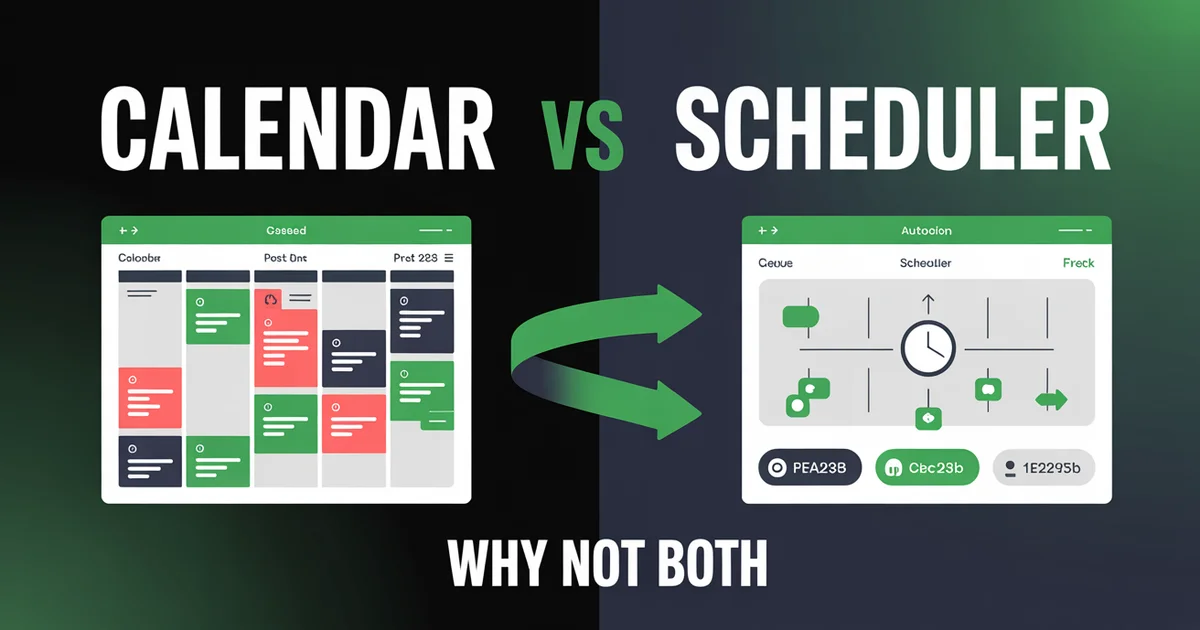
What is a content calendar? A content calendar is your planning layer: it maps out what you'll post, when, and where. A social media scheduler is your execution layer: it takes those plans and publishes them automatically at the right time. You plan in the calendar, then publish with the scheduler. Most social media managers eventually need both, but knowing which one to invest in first can save you months of frustration and hundreds of dollars.
If you've ever Googled "content calendar vs social media scheduler," you've probably noticed something: almost nobody explains the difference clearly. Most articles blur the two together or just pitch their own tool. That's because the line between planning and publishing has become genuinely blurry — many modern tools do both.
According to Buffer's State of Social Media report, 73% of marketers say their biggest challenge is maintaining consistent posting. The real question isn't whether you need help — it's whether your bottleneck is planning (knowing what to post) or execution (actually getting it published on time). The answer determines which tool solves your problem.
In this guide, I'll break down exactly what each tool does, when you need one versus the other, and when it's time to upgrade to a platform that handles both. No fluff, no jargon — just practical advice from someone who's managed social media for brands posting 50+ times per week.
Want both in one tool? PostEverywhere combines a visual drag-and-drop content calendar with auto-publishing to Instagram, TikTok, LinkedIn, Facebook, X, YouTube, and Threads. Start your free trial — cancel anytime.
Table of Contents
- What Is a Content Calendar?
- What Is a Social Media Scheduler?
- Content Calendar vs Scheduler: Side-by-Side Comparison
- When You Need Just a Calendar
- When You Need Just a Scheduler
- When You Need Both
- Can a Spreadsheet Replace Both?
- The Graduation Path: From Spreadsheet to Full Platform
- 10 Signs You've Outgrown Your Current Setup
- Tool Comparison: Prices and Features
- FAQs
What Is a Content Calendar?
A content calendar is a planning document — digital or physical — that maps out what content you'll publish, when you'll publish it, and on which platforms. Think of it as the blueprint for your social media presence.
At its simplest, a content calendar is a spreadsheet with columns for date, platform, content type, caption, and status. At its most sophisticated, it's a visual board with drag-and-drop cards, color-coded categories, approval workflows, and asset previews.
A content calendar answers these questions:
- What are we posting this week?
- Which platforms get which content?
- Are we covering all our content pillars (educational, promotional, engagement, behind-the-scenes)?
- Is there a gap on Thursday?
- Who's responsible for creating each piece?
- Has the client or manager approved this?
What a content calendar does NOT do: It doesn't publish anything. A calendar is purely organizational. When the scheduled date arrives, someone still needs to open each platform, paste the caption, upload the media, and hit publish — unless you pair it with a scheduler.
According to CoSchedule's marketing statistics, marketers who document their content strategy and plan with a calendar are 414% more likely to report success than those who don't. The planning layer matters enormously, even before automation enters the picture.
Popular content calendar formats (May 2026):
- Google Sheets or Excel spreadsheets — still the most-used starting point
- Notion databases with Notion 3.3 Custom Agents — the early-2026 release lets you train a content-planning agent that auto-fills calendar gaps, suggests topics from your knowledge base, and drafts captions inside the database row
- Trello with Trello AI (Atlassian Intelligence add-on) — board-based planning with AI card generation and automation rules
- Airtable with Cobuilder — Airtable's 2026 AI agent builder lets you spin up a custom content-calendar app with planning logic baked in
- Asana boards with the AI Smart Workflows add-on
- Dedicated calendar tools like Planable
- Visual calendar features inside scheduling platforms
For a deep dive into standalone options, see our guide to the best social media calendar tools.
What Is a Social Media Scheduler?
A social media scheduler is an execution tool that takes your content and publishes it automatically at predetermined times across one or more platforms. You upload your post, set the date and time, and the scheduler handles the rest — no manual posting required.
A scheduler answers these questions:
- Is this post going live at the right time?
- Is it formatted correctly for each platform?
- Can I queue up the next two weeks of posts in one sitting?
- Will my content go out even if I'm on holiday?
Core scheduler features:
- Auto-publishing: Posts go live without manual intervention
- Queue management: Set recurring time slots and drop content into the queue
- Multi-platform posting: Publish to Instagram, LinkedIn, TikTok, Facebook, X, and YouTube from one interface
- Optimal timing: AI-powered suggestions for best times to post based on your audience data
- Bulk scheduling: Upload a CSV or batch of posts and schedule them all at once via bulk scheduling
What a scheduler does NOT do (by itself): It doesn't help you figure out what to post. A scheduler assumes you already know your content — it just handles the logistics of getting it published. Without a planning layer, you're just automating chaos.
According to Hootsuite's Social Media Trends report, teams that use scheduling tools post 3x more consistently than those relying on manual publishing. But consistency without strategy is just noise.
For a full explanation, read what is social media scheduling.
Content Calendar vs Scheduler: Side-by-Side Comparison
Here's the core difference laid out plainly:
| Feature | Content Calendar | Social Media Scheduler | Both Combined |
|---|---|---|---|
| Primary purpose | Plan what to post | Publish posts automatically | Plan and publish |
| Content creation help | Yes (themes, pillars, ideas) | Minimal | Yes |
| Visual overview | Yes (weekly/monthly view) | Sometimes (queue view) | Yes (full calendar) |
| Auto-publishing | No (manual posting) | Yes | Yes |
| Multi-platform support | Platform-agnostic planning | Platform-specific publishing | Both |
| Team collaboration | Shared docs/boards | Approval workflows | Full collaboration |
| Best times optimization | No | Yes (data-driven) | Yes |
| Bulk upload | N/A | Yes | Yes |
| Analytics/reporting | No | Often included | Yes |
| Typical cost | Free (spreadsheet) to $33/mo | $5-199/mo | $19-199/mo |
| Best for | Planning-first teams | Execution-focused solo users | Scaling teams |
The key insight: a content calendar is about strategy, a scheduler is about logistics. Great social media requires both — knowing what to post AND getting it published consistently.
When You Need Just a Calendar
A standalone content calendar makes sense when:
You're in the early planning phase. You're building a social media strategy from scratch and need to map out content pillars, themes, and posting cadence before worrying about automation. A simple Google Sheet or Notion board is enough to organize your thinking.
You have a very small posting volume. If you're posting 2-3 times per week on one or two platforms, manually publishing takes about 10 minutes per day. The overhead of setting up a scheduler isn't worth it yet.
You need approval workflows more than automation. Agencies and in-house teams where every post must be reviewed by a client or manager often need a planning/approval tool before they need auto-publishing. Tools like Planable specialize in this workflow.
Your content is highly reactive. Some brands — news outlets, meme accounts, trend-based creators — post primarily in response to what's happening right now. A calendar helps them plan recurring content, but most posts are created and published in the moment.
Your budget is zero. A Google Sheet costs nothing and can be surprisingly effective for planning. You can track ideas, assign dates, note which platforms each piece targets, and maintain a content backlog — all without spending a penny.
The limitation: Without a scheduler, you're still manually opening each app, pasting captions, uploading media, and hitting publish. As your volume grows, this becomes the bottleneck.
When You Need Just a Scheduler
A standalone scheduler makes sense when:
You already know what to post. You have a clear content strategy, your creative assets are ready, and your bottleneck is purely getting content published on time across multiple platforms. You need a tool that takes your finished content and puts it live.
You're a solo creator posting to multiple platforms. You've got the ideas — you just need to stop logging into five different apps every day. A scheduler lets you create once and distribute everywhere via cross-posting.
You want to batch your work. The biggest productivity gain from scheduling is batching: spending 2 hours on Monday creating and scheduling a full week of content, then spending the rest of the week engaging with your audience instead of creating under pressure. Learn how in our guide to planning a month of content in one day.
Timing matters for your audience. If your audience is active at 7 AM but you don't wake up until 9, or they're in a different timezone entirely, a scheduler ensures your posts go live at optimal times regardless of your personal schedule.
The limitation: Without a planning layer, you might schedule posts efficiently but still lack strategic coherence. You're fast at publishing but potentially directionless.
When You Need Both
Most social media managers eventually land here. You need both a calendar and a scheduler when:
You manage 3+ platforms with 5+ posts per week. At this volume, planning without execution tools means drowning in manual work, and scheduling without planning means posting reactively. You need the strategy layer AND the automation layer.
You work with a team. The moment a second person touches your social media, you need a shared planning space (calendar) and a single source of truth for what's going out (scheduler). Team workspaces make this manageable.
You run campaigns alongside evergreen content. Campaigns need careful planning and timing. Evergreen content needs consistent scheduling. Doing both well requires a tool that lets you see the big picture AND handle the publishing logistics.
You want to use AI to fill gaps. Modern platforms that combine calendar and scheduling often include AI content generation — the AI can spot gaps in your calendar and suggest or create posts to fill them. This only works when planning and publishing live in the same tool.
You need to report on performance. Analytics that connect what you planned with what you published and how it performed require an integrated system. Standalone calendars and standalone schedulers can't close this loop alone.
According to Sprout Social's research, teams using integrated planning and publishing tools report 40% higher efficiency than those using separate tools for each function. The overhead of switching between planning and publishing tools adds up.
Plan it. Schedule it. Publish it. All in one place. PostEverywhere's visual calendar gives you the planning overview you need with one-click auto-publishing to every platform. Try it free for 7 days — cancel anytime.
Can a Spreadsheet Replace Both?
Honest answer: yes, for tiny teams. No, at scale.
A well-built Google Sheet can serve as both your content calendar and your scheduling reference. Here's what that looks like:
What a spreadsheet does well:
- Unlimited customization (add any columns you want)
- Free and accessible to everyone
- Easy to share with team members or clients
- Great for brainstorming and organizing ideas
- Works as an editorial calendar for content planning
- Tracks status (draft, approved, published, etc.)
What a spreadsheet cannot do:
- Auto-publish to any platform (you still post manually)
- Preview how posts will look on each platform
- Suggest optimal posting times based on data
- Handle media files (images, videos) natively
- Provide analytics or performance tracking
- Scale beyond ~20 posts per week without becoming unwieldy
- Send notifications when it's time to post
The spreadsheet ceiling: Most creators and small teams hit the wall around 15-20 posts per week across 3+ platforms. At that point, the time spent context-switching between your spreadsheet, each platform's app, and your media files exceeds the time a dedicated tool would take.
According to Loomly's social media management guide, teams that transition from spreadsheets to dedicated tools reduce their content management time by an average of 6 hours per week. That's real time back in your day.
The verdict: Start with a spreadsheet if your budget is tight and your volume is low. But plan your graduation to a proper tool — you'll know when the spreadsheet starts feeling like a chore instead of a help.
The Graduation Path: From Spreadsheet to Full Platform
Most social media managers follow a predictable evolution. Here's the typical path and the trigger that pushes you to the next level:
Stage 1: Google Sheet + Manual Posting
Who you are: Solo creator or small business posting 3-5 times per week on 1-2 platforms.
Your setup:
- Google Sheet with columns: Date, Platform, Content Type, Caption, Media Link, Status
- Manual posting from each platform's native app
- Total time: 3-5 hours per week
What triggers graduation: You add a third platform, increase posting frequency, or start missing scheduled posts because life gets in the way.
Stage 2: Basic Scheduler
Who you are: Growing creator or marketer posting 5-10 times per week across 3-4 platforms.
Your setup:
- Entry-level scheduler (Buffer, Later, or PostEverywhere Growth at $29/month — 10 accounts, 100 AI credits)
- Basic queue with time slots
- Batch creation sessions once or twice per week
- Total time: 2-3 hours per week
What triggers graduation: You need to collaborate with a teammate, manage client accounts, or your content strategy requires more planning than a simple queue provides. Check our list of the best social media scheduling tools when you're ready to compare social media tools head-to-head.
Stage 3: Calendar + Scheduler Combo
Who you are: Social media manager, agency team, or brand posting 15-30 times per week across 5+ platforms.
Your setup:
- Integrated platform with visual calendar, auto-publishing, team roles, and analytics
- Content pillar planning with drag-and-drop scheduling
- AI-assisted content creation to fill calendar gaps
- Performance analytics to refine strategy
- Total time: 2-4 hours per week (despite much higher volume)
What triggers graduation: You manage multiple brands, need advanced analytics, or require enterprise-level approval workflows and compliance features.
Stage 4: Enterprise Suite
Who you are: Agency managing 10+ clients or enterprise brand with dedicated social team.
Your setup:
- Enterprise platform (Sprout Social, Hootsuite) with advanced reporting, listening tools, CRM integration
- Multi-brand dashboards
- Custom approval chains
- Social listening and sentiment analysis
- Total time: Varies by team size
Key point: Don't skip stages. Each level of tooling matches a level of complexity. Overpaying for enterprise features you don't need is just as wasteful as under-investing in tools you've outgrown.
10 Signs You've Outgrown Your Current Setup
Not sure if it's time to upgrade? Here are the telltale signs:
1. You're missing posting days. If posts slip through the cracks because you forgot, ran out of time, or couldn't get to your computer, your current system isn't reliable enough.
2. Copy-pasting captions between platforms takes more than 15 minutes per day. That's 5+ hours per month spent on a task that cross-posting tools eliminate entirely.
3. Your spreadsheet has more than 50 rows and you dread opening it. When the planning document becomes more work than the planning itself, it's time for a purpose-built tool.
4. You can't see what's going out this week at a glance. If understanding your publishing schedule requires scrolling, filtering, or opening multiple tabs, you need a visual social media calendar.
5. Team members are stepping on each other's toes. Duplicate posts, conflicting messages, or posts going live without approval are symptoms of a collaboration problem that spreadsheets can't solve.
6. You have no idea what's working. If you're posting consistently but can't tell which content types, times, or platforms drive results, you need integrated analytics — not another spreadsheet formula.
7. You're spending more time on logistics than creativity. The ratio should be 20% logistics, 80% strategy and creation. If it's flipped, your tools are the bottleneck.
8. You've started dreading social media. Burnout from manual posting is real. If the thought of logging into five apps every morning makes you want to quit, automation isn't a luxury — it's a necessity.
9. You're managing more than 3 social accounts. Each additional account multiplies the coordination complexity. Beyond three accounts, manual management becomes unsustainable without making scheduling mistakes.
10. Clients or stakeholders are asking for reports you can't produce. When someone asks "what did we post last month and how did it perform?" and your answer involves 45 minutes of manual data gathering, it's time to upgrade.
If you checked three or more of these signs, it's time to move to the next stage on the graduation path.
Ready to graduate? PostEverywhere starts at $9/month with a visual calendar, auto-publishing to all top platforms, AI content generation, and best-time optimization. Start your 7-day free trial — cancel anytime.
Tool Comparison: Prices and Features
Here's how the most popular tools stack up across the calendar-to-scheduler spectrum. Prices reflect current published rates as of May 2026.
Calendar / planning tools
| Tool | Starting Price | What It Does | Best For |
|---|---|---|---|
| Google Sheets | Free | DIY spreadsheet calendar | Budget planning only |
| Notion (with 3.3 Custom Agents) | Free / $10/seat for Plus | Database calendar + content-planning AI agent | Knowledge-base-driven teams |
| Airtable (with Cobuilder) | Free / $20/seat for Team | Visual database + AI app builder | Highly custom workflows |
| Trello (with Trello AI) | Free / $5/seat for Standard | Board planning + AI cards | Lightweight kanban planning |
| Planable | $33/mo | Approval-focused calendar | Agencies needing client approvals |
Scheduler (and calendar+scheduler combo) tools
| Tool | Starting Price | Calendar View | Auto-Publish | Platforms | Best For |
|---|---|---|---|---|---|
| Buffer | $5/channel/mo | Basic queue | Yes | 8+ | Solo creators, simple scheduling |
| Pallyy | $15/mo | Visual grid | Yes | 7+ | Instagram-first creators |
| Later | $18.75/mo | Visual + link-in-bio | Yes | 7+ | Visual brands, Instagram/TikTok |
| PostEverywhere | From $9/mo (Lite) | Full visual calendar | Yes | 11 | All-in-one calendar + scheduler + AI |
| SocialBee | $24/mo | Category-based | Yes | 8+ | Content recycling, solopreneurs |
| Hootsuite | $199/mo | Full suite | Yes | 10+ | Large teams, social listening |
| Sprout Social | $199/seat/mo | Full suite + CRM | Yes | 10+ | Enterprise, advanced analytics |
Key takeaways from this comparison:
- Free tier (Google Sheets, Notion free, Trello free): Great for planning, zero auto-publishing. Notion 3.3 with Custom Agents is the most upgraded free option for content planning right now. You'll outgrow any of these once you're posting 10+ times per week across multiple platforms.
- $5-25/month tier (Buffer, Pallyy, Later, PostEverywhere, SocialBee): The sweet spot for solo creators and small teams. These tools give you both calendar and scheduling in one place. PostEverywhere stands out with 10 social accounts, 100 AI credits, and full auto-publishing at $29/month (Growth plan, August 2026 pricing). Scale at $39/mo bumps you to 20 accounts and 500 AI credits.
- $25-50/month tier (Planable): Best if your primary need is approval workflows and client collaboration. Strong calendar, good scheduling.
- $199+/month tier (Hootsuite, Sprout Social): Enterprise tools with advanced analytics, social listening, and CRM features. Overkill for most small to mid-size teams, but essential for agencies managing many clients.
For detailed reviews, see our guides to the best social media scheduling tools and best social media calendar tools.
How to Choose the Right Tool
Rather than comparing features you'll never use, ask yourself these four questions:
1. What's your actual bottleneck?
If you always know what to post but struggle to publish on time, you need a scheduler. If you stare at a blank screen wondering what to post, you need a calendar with content planning features (or an AI content generator). If both, you need an integrated platform.
2. How many platforms and posts per week?
- 1-2 platforms, under 5 posts/week: Free tools or native scheduling work fine
- 3-4 platforms, 5-15 posts/week: Entry-level scheduler with calendar ($15-25/month)
- 5+ platforms, 15+ posts/week: Full platform with calendar, scheduling, analytics, and team features ($19-79/month)
- Agency/enterprise with multiple brands: Enterprise suite ($199+/month)
3. Do you work with a team or clients?
Solo operators can get away with simpler tools. The moment you add collaborators, you need shared calendars, approval workflows, and team workspaces. This narrows your options significantly.
4. What's your budget ceiling?
Be realistic. A $19/month tool that covers 90% of your needs is better than a $199/month tool that covers 100% but strains your budget. Most growing teams should start in the $19-39/month range and upgrade only when they hit a genuine limitation.
Making Planning and Publishing Work Together
Whether you use separate tools or an integrated platform, the workflow for combining calendar planning with scheduled publishing follows the same pattern:
Week 1 of each month: Strategic planning
- Review last month's performance data
- Identify top-performing content types and topics
- Map out content themes for the coming month
- Note key dates, holidays, promotions, and launches
Weekly: Tactical planning
- Select specific topics for the week from your monthly plan
- Create or source visual assets
- Write captions customized for each platform
- Review and approve content (if working with a team)
Batch session: Scheduling
- Upload all week's content to your scheduler
- Set posting times based on optimal timing data
- Double-check platform-specific formatting
- Verify the visual calendar looks balanced
Daily: Engagement (not creation)
- Respond to comments and messages
- Monitor post performance
- Post real-time Stories or reactive content
- Note ideas for future planned content
This workflow separates the creative work (planning and creating) from the logistical work (scheduling and publishing), which is exactly the distinction between a content calendar and a social media scheduler. Mastering both — and knowing which tool handles which — is what separates burned-out social media managers from ones who actually enjoy the work.
For a step-by-step breakdown of this workflow, see our guide on how to schedule social media posts.
FAQs
Is a content calendar the same as a social media scheduler?
No. A content calendar is a planning tool that organizes what you'll post, when, and where. A social media scheduler is an execution tool that automatically publishes content at set times. Many modern platforms — like PostEverywhere — combine both into one interface, which is why the terms get confused. But at their core, calendars plan and schedulers publish.
Can I use a free content calendar instead of paying for a scheduler?
Yes, but only up to a point. A free Google Sheet works well for planning 5-10 posts per week across 1-2 platforms. Beyond that, the time spent manually posting will exceed the cost of a scheduler. At $29/month for a tool like PostEverywhere, you'd only need to save about 30 minutes per week to break even — and most users save 5-10 hours.
Do I need a separate content calendar if my scheduler has a calendar view?
Usually not. If your scheduling tool includes a visual calendar with monthly/weekly views, content categorization, and drag-and-drop planning, that replaces a standalone calendar for most teams. You might keep a separate planning document for high-level strategy (quarterly themes, campaign briefs), but day-to-day planning can live inside your scheduler's calendar view.
What's the best free content calendar template in 2026?
For most teams, a simple Google Sheet with columns for Date, Platform, Content Type, Caption, Media Link, Approval Status, and Published Status works perfectly. You can also use Notion's free tier (now with Notion 3.3 Custom Agents that can auto-fill calendar gaps), Trello's free tier (with Trello AI cards), Airtable Free (with limited Cobuilder access), or Asana free for up to 10 users. The format matters less than the habit — the best template is the one you'll actually use consistently. Notion 3.3 has overtaken Google Sheets as my recommended free starting point for any team comfortable with databases.
How far in advance should I plan my content calendar?
Plan themes and campaigns 1-3 months ahead, but schedule specific posts only 1-2 weeks in advance. This gives you strategic direction while keeping content fresh and relevant. According to Buffer's marketing insights, the most effective social media teams plan monthly but schedule weekly — they maintain strategic consistency without sacrificing responsiveness.
Can a social media scheduler hurt my engagement?
No. Algorithms on Instagram, TikTok, LinkedIn, Facebook, X, and YouTube do not penalize scheduled posts. What matters is content quality, posting consistency, and engagement signals (likes, comments, shares). In fact, scheduling often improves engagement because it ensures you post at optimal times when your audience is most active, rather than whenever you happen to be free.
Should agencies use a calendar tool or a scheduler?
Both. Agencies need the planning and approval capabilities of a content calendar (to collaborate with clients on content strategy) AND the automation of a scheduler (to publish at scale across multiple client accounts). Tools like Planable emphasize the approval workflow, while PostEverywhere balances planning, approval, and publishing in one platform.
What's the biggest mistake people make when choosing between a calendar and a scheduler?
Buying an enterprise scheduler when their real problem is planning. If you don't know what to post, no amount of automation will help. Start with a content calendar (even a free one — Notion 3.3 or a Google Sheet), build a consistent planning habit, and then add scheduling once your content pipeline is reliable. The most expensive tool in the world can't fix a content strategy problem — it can only publish your confusion faster.
Can the new AI agents in Notion, Trello, and Airtable replace a dedicated scheduler?
No. Notion 3.3 Custom Agents, Trello AI, and Airtable Cobuilder all do impressive content-planning work — they can suggest topics, draft captions, fill calendar gaps, and run approval workflows. But none of them publish directly to Instagram, TikTok, LinkedIn, Facebook, X, YouTube, or Threads. They're calendar tools with AI on top. To actually push posts live, you still need a scheduler with platform API integrations like PostEverywhere. The smart 2026 setup for many teams: plan in Notion or Airtable, then export/sync to a scheduler for publishing.
The Bottom Line
A content calendar and a social media scheduler solve different problems. The calendar answers "what should we post?" and the scheduler answers "how do we get it published?" Most solo creators start with a spreadsheet calendar, graduate to a basic scheduler, and eventually land on an integrated platform that does both.
The decision framework is simple:
- Just starting out? Use a free Google Sheet as your content calendar. Post manually. Focus on finding your voice and building a consistent habit.
- Posting 5-10 times/week across multiple platforms? Get a scheduler. The time savings pay for themselves within the first week.
- Managing a team, clients, or 15+ posts/week? Invest in an integrated platform that combines calendar planning with auto-publishing and analytics.
Don't overcomplicate it. Pick the tool that matches your current stage, use it consistently, and upgrade when — and only when — you hit a genuine limitation.
The best social media managers don't just post more — they plan smarter and publish consistently. Whether you start with a spreadsheet or a full platform, the goal is the same: spend less time on logistics and more time creating content your audience actually wants to see.
If a template is all you need today, the Instagram content calendar template is the most-used one in this series.

Founder & CEO of PostEverywhere. Writing about social media strategy, publishing workflows, and analytics that help brands grow faster.