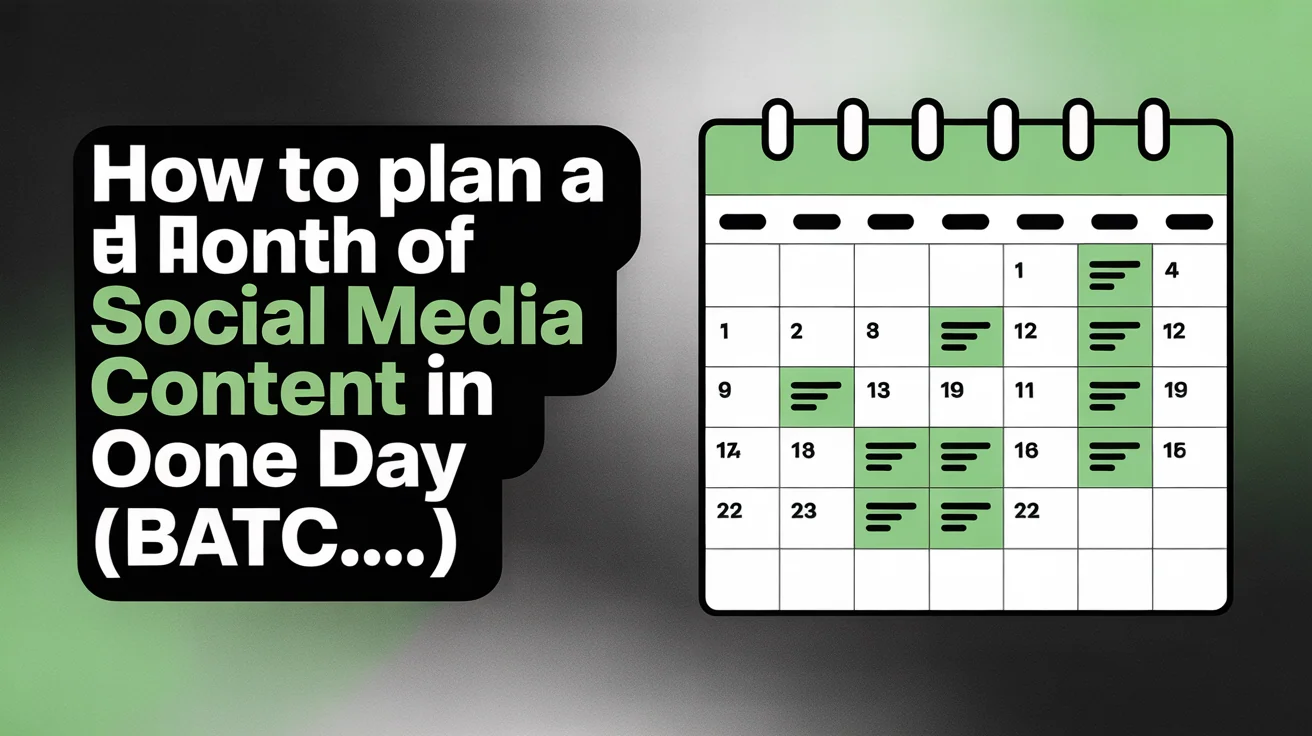
To plan a month of social media content in one day, batch-create 30+ posts, captions, graphics, and videos during a single focused session. This eliminates daily content stress and keeps posting consistent across Instagram, Facebook, LinkedIn, TikTok, X, and YouTube for an entire month.
Creating content every single day is exhausting. You sit down each morning wondering "what should I post today?" You scramble for ideas, rush through captions, forget hashtags, and miss optimal posting times. By the end of the month, you've spent 15-20 hours on content creation spread across 30 stressful sessions.
There's a better way: batch planning. Dedicate one focused day to plan an entire month of content. You'll work faster (no context-switching), think more strategically (see the big picture), and eliminate daily stress (content is ready weeks in advance).
In this guide, I'll show you exactly how to plan a month of social media content in one day, including frameworks, templates, workflows, and time-saving tools that reduce monthly planning from 20+ hours to under 8 hours in a single session. Before you start batching, make sure you have a solid social media strategy in place — it will guide every content decision you make during your planning day. Once planned, use a social media scheduling tool to bulk schedule everything in advance. Batching like this is one of the biggest ways to claw back hours every week.
Edited by Jamie Partridge, Founder — Reviewed May 23, 2026
TL;DR
Dedicate one 6-8 hour day to batch plan a month of content. Start with content pillars and themes, brainstorm 30-40 topic ideas, batch-write captions for similar content types together (or use AI to auto-generate captions), create/source visuals in batches (or generate AI images in seconds), organize everything in a content calendar, then bulk schedule with a tool like PostEverywhere's unified calendar. Result: 30+ posts planned, created, and scheduled in one focused session instead of 30 separate daily scrambles. Saves 12-15 hours monthly and dramatically improves content quality and consistency.
Quick action: Start planning your month with PostEverywhere's visual calendar →
Table of Contents
- Why Batch Planning Beats Daily Content Creation
- The One-Day Content Planning Framework
- Step 1: Define Content Pillars & Monthly Themes
- Step 2: Brainstorm 30-40 Content Ideas
- Step 3: Batch-Write Captions by Content Type (or use the AI caption generator)
- Step 4: Create or Source Visuals in Batches
- Step 5: Organize in a Content Calendar
- Step 6: Customize for Each Platform
- Step 7: Bulk Schedule Everything
- Content Planning Templates & Frameworks
- Common Batch Planning Mistakes
- Tools for Batch Content Planning
Why Batch Planning Beats Daily Content Creation
Time savings: Planning content one post at a time wastes 30-45 minutes per day on context-switching, decision fatigue, and repeated setup tasks. Batch planning reduces 20+ hours of monthly content work to 6-8 hours in one focused session—a 60-65% time reduction.
Daily Content Creation (The Old Way)
- Day 1: Spend 30 min deciding what to post, writing caption, finding image → post one thing
- Day 2: Repeat... but you're tired, so skip posting
- Day 3: Scramble to catch up, post something mediocre just to stay consistent
- Day 30: You've spent 15-20 hours total, missed several days, and quality is inconsistent
Time spent: 15-20 hours across 30 separate sessions
Mental overhead: Daily decision fatigue and stress
Consistency: Spotty (you'll miss days when busy)
Batch Planning (The Smart Way)
- Day 1: Dedicate 6-8 focused hours. Plan, write, and schedule 30+ posts for entire month
- Days 2-30: Content auto-publishes. You monitor engagement, reply to comments, create bonus content if inspired
- Day 31: Repeat monthly planning session
Time spent: 6-8 hours in one focused session
Mental overhead: Front-loaded (then zero daily stress)
Consistency: 100% (everything is pre-scheduled)
The math: Batch planning saves 12-15 hours monthly and eliminates 29 days of decision fatigue.
According to Buffer's State of Social Media report, 73% of marketers who batch-plan content report higher consistency and better content quality compared to daily content creation.
Learn more: How to schedule social media posts effectively — and our companion guide on posting consistently without burnout, which is the human side of why batching actually sticks.
The One-Day Content Planning Framework
Block 6-8 uninterrupted hours for your monthly planning session. Here's the hour-by-hour breakdown:
| Time Block | Task | Output |
|---|---|---|
| Hour 1 | Define pillars, themes, goals | 3-5 content pillars, 4 weekly themes |
| Hour 2 | Brainstorm 30-40 content ideas | Spreadsheet with 30-40 topic ideas |
| Hour 3-4 | Batch-write all captions | 30+ captions written |
| Hour 5 | Create/source visuals in batches | 30+ images/videos ready |
| Hour 6 | Organize in content calendar | Visual calendar with all posts placed |
| Hour 7 | Customize per platform | Platform-specific variants created |
| Hour 8 | Bulk schedule everything | All posts scheduled across platforms |
Tip: Do this on a Friday or day with no meetings. Turn off Slack/email. You need deep focus to enter "content creation flow state."
Step 1: Define Content Pillars & Monthly Themes
Content pillars are the 3-5 main topics you consistently post about. Monthly themes add variety within those pillars.
Example Content Pillars (for a SaaS brand):
- Education – How-to guides, tips, tutorials
- Product Updates – Feature launches, improvements, behind-the-scenes
- Customer Success – Case studies, testimonials, wins
- Industry Insights – Trends, data, thought leadership
- Team & Culture – Team spotlights, company values, hiring
Example Monthly Themes:
- Week 1: "Productivity tips" (education pillar)
- Week 2: "Q4 product launches" (product pillar)
- Week 3: "Customer spotlight stories" (customer success pillar)
- Week 4: "Year-end industry trends" (insights pillar)
Action: Write down your 3-5 content pillars and assign one theme per week for the month.
Pro tip: Align monthly themes with business goals, product launches, holidays, or seasonal trends. Browse our social media holidays calendar for upcoming dates worth posting about — and the full 2026 social media calendar of dates for the long-range view across awareness days, cultural events, and platform-specific moments. For December: holiday tips, year-in-review content, New Year planning guides.
Explore: Social media content calendar strategies
Step 2: Brainstorm 30-40 Content Ideas
Goal: Generate 30-40 specific content ideas (10 more than you need—some won't work).
Action: If you're stuck, use our free 30-day content calendar generator to get a full month of ideas for your specific niche in seconds.
Brainstorming Framework:
Use this formula to generate ideas fast:
[Content Type] + [Pillar] + [Hook]
Examples:
- Carousel post (type) + Education (pillar) + "5 mistakes killing your engagement" (hook)
- Reel/Short (type) + Product (pillar) + "Watch me schedule 30 posts in 3 minutes" (hook)
- Text post (type) + Customer success (pillar) + "This customer saved 20 hrs/week with our tool" (hook)
Content Idea Categories to Mix:
- Educational: How-to guides, tips, tutorials, explainers (40% of content)
- Promotional: Product features, offers, CTAs (20% of content)
- Engagement: Questions, polls, fill-in-the-blank, UGC requests (20% of content)
- Social proof: Testimonials, case studies, reviews, results (10% of content)
- Behind-the-scenes: Team, culture, process, day-in-the-life (10% of content)
Action: Open a spreadsheet. Create columns: Date, Content Type, Pillar, Topic/Hook, Platform(s). Brainstorm 30-40 ideas and fill in the rows.
Inspiration sources:
- Previous high-performing posts (repurpose winners)
- Customer questions from support/sales
- Industry news and trending topics
- Competitor content (add your unique angle)
- Content gap analysis (what haven't you covered lately?)
According to HubSpot's content strategy guide, brands that plan content in advance see 3-4x higher engagement rates compared to ad-hoc posting strategies.
See also: How to post content across all social media platforms at once
Step 3: Batch-Write Captions by Content Type
Batch-writing means writing all similar content together. Don't write Post 1 → Post 2 → Post 3. Instead: write all educational posts together, then all promotional posts together.
Why Batch-Writing Works:
- Faster: You stay in "educational writing mode" instead of switching between styles
- More consistent: Tone and structure stay cohesive within each content type
- Less decision fatigue: You're answering the same question ("how do I teach this?") 10 times, not switching questions 30 times
Batching Strategy:
- Educational posts (10-12 posts): Write all how-to captions in one 45-60 min block
- Promotional posts (6-8 posts): Write all product/CTA captions in one 30-40 min block
- Engagement posts (6-8 posts): Write all question/poll captions in one 20-30 min block
- Social proof posts (3-4 posts): Write all testimonial captions in one 15-20 min block
- BTS posts (3-4 posts): Write all team/culture captions in one 15-20 min block
Time savings: Batch-writing 30 captions takes 2-3 hours. Writing them one-by-one (with context-switching) takes 5-6 hours.
Caption Formula for Fast Writing:
Hook (1 line that stops scroll)
↓
Problem or context (1-2 sentences)
↓
Solution or insight (2-4 sentences)
↓
CTA or engagement ask (1 line)
↓
Hashtags (5-10 relevant)
Example:
Hook: Most people waste 2 hours daily switching between social apps. Here's how to fix it. ⬇️
Problem: Posting to Instagram, LinkedIn, TikTok, Facebook, and YouTube separately means 5 logins, 5 uploads, 5 caption tweaks. That's 30-45 min per post—and you do it 5x/week.
Solution: Use a unified content calendar. Upload once, customize per platform (different caption lengths, hashtags, aspect ratios), schedule to all 5 platforms from one dashboard. Turn 2.5 hrs into 10 minutes.
CTA: Try it free for 7 days → [link in bio]
#socialmediascheduling #contentcreator #marketingtips #socialmediamarketing #contentplanning
Pro tip: Use AI content generation tools to speed up first drafts—generate captions, images, and even videos from simple prompts. Always add your unique voice, data, and examples. Generic AI captions perform poorly—personalized, data-backed captions win.
Discover: Best practices for multi-platform content
Step 4: Create or Source Visuals in Batches
You need 30+ images, videos, or graphics. Batch-create them using one of these approaches (or use an AI content generator to create images and videos from text prompts in seconds):
Approach 1: Template-Based Graphics (Fastest)
Use Canva, Adobe Express, or Figma templates. Create 5-7 templates with your brand colors/fonts, then batch-produce 30 variations.
Time: 90-120 minutes for 30 graphics
Tools:
- Canva Pro – 1000s of templates
- Adobe Express – Quick social graphics
- Figma – Custom branded templates
Approach 2: Stock Photos + Text Overlays
Source 30 stock photos or videos from Unsplash, Pexels, or free stock video websites. Add text overlays in Canva or Photoshop.
Time: 60-90 minutes for 30 graphics
Stock photo sources:
Approach 3: Video Content (Reels/Shorts/TikToks)
Film 10-15 short videos (15-60 seconds each) in one shoot session. Batch-edit them using templates in CapCut, Premiere Pro, or InShot.
Time: 2-3 hours (1 hr filming, 1-2 hrs editing)
Video workflow:
- Set up ring light + phone/camera in one location
- Film 10-15 videos back-to-back (same outfit, background, lighting)
- Batch-edit with the same transitions, music, text overlays
- Export all at once
Approach 4: Repurpose Existing Content
Turn blog posts into carousels, podcasts into quote graphics, webinars into short clips. You already have the content—just reformat it.
Time: 45-60 minutes for 30 repurposed pieces
Action: Create a folder with 30+ visuals named by post number or date (Post-1.jpg, Post-2.mp4, etc.). This makes it easy to match visuals to captions later.
According to Sprout Social's visual content research, posts with custom branded visuals receive 2-3x more engagement than text-only or generic stock photo posts.
Step 5: Organize in a Content Calendar
Now you have 30+ captions and 30+ visuals. It's time to organize them on a calendar.
Content Calendar Essentials:
- Date & time for each post
- Platform(s) (Instagram, TikTok, LinkedIn, Facebook, X, YouTube)
- Content type (Reel, carousel, image, text, video)
- Caption (or link to doc with caption)
- Visual (filename or thumbnail)
- Status (draft, scheduled, published)
Calendar Options:
| Tool | Best For | Pros | Cons |
|---|---|---|---|
| Google Sheets | Simple planning | Free, flexible, collaborative | Manual, no scheduling |
| Notion | Visual organization | Beautiful, database views | No native scheduling |
| Trello | Kanban-style planning | Card-based, visual | No native scheduling |
| PostEverywhere | All-in-one | Visual calendar + scheduling + publishing | Paid (free trial available) |
| Later | Instagram-focused | Visual grid preview | Limited platforms |
Recommended workflow:
Use Google Sheets or Notion for planning, then transfer to PostEverywhere's visual calendar for scheduling and publishing.
Planning vs Publishing Tools:
Planning tools (Sheets, Notion): Great for brainstorming, collaboration, big-picture view
Publishing tools (PostEverywhere, Buffer, Planable): Great for scheduling, cross-platform posting, analytics
Most successful creators use both: plan in Sheets, schedule in PostEverywhere.
Action: Create your calendar with all 30 posts assigned to specific dates and times. Use best posting times data to optimize timing.
Step 6: Customize for Each Platform
A one-size-fits-all post works poorly. Each platform has different audiences, content formats, and best practices.
Platform Customization Matrix:
| Platform | Caption Length | Hashtags | Format Tips |
|---|---|---|---|
| 125-150 words | 5-10 | Carousel posts (10 slides), Reels (15-60s), Stories | |
| TikTok | 50-100 words | 3-5 | Vertical video (15-60s), hook in first 3 seconds |
| 150-300 words | 3-5 | Professional tone, thought leadership, longer captions | |
| 80-120 words | 2-3 | Community-focused, personal stories, link posts | |
| X/Twitter | 150-280 chars | 1-2 | Short, punchy, thread-worthy, link at end |
| YouTube | Varies | N/A | Shorts (60s max), longer videos (10+ min), detailed descriptions |
Per-Platform Customization Checklist:
- Aspect ratios: 1:1 for Instagram feed, 9:16 for Reels/TikTok/Shorts, 16:9 for YouTube, 1200×628 for Facebook links — see our full social media image sizes reference
- Caption style: Professional for LinkedIn, casual for TikTok, mix for Instagram
- Hashtags: More on Instagram (5-10), fewer on LinkedIn (3-5), minimal on X (1-2)
- CTA placement: Link in bio for Instagram, direct links for Facebook/LinkedIn/X
- Mentions: @tag brands/people where appropriate, vary per platform
Time-saving tip: Write one "base caption," then create 6 platform-specific variants (adjust length, tone, hashtags, CTAs). This takes 5-10 min per post but dramatically improves performance.
Tool recommendation: PostEverywhere's per-platform customization lets you create one post, then tweak captions, hashtags, and media for each platform before you post to all social media at once.
Explore: Platform-specific scheduling tools
Step 7: Bulk Schedule Everything
Final step: Schedule all 30+ posts across all platforms in one session.
Native Scheduling (Manual, Time-Consuming):
- Instagram: Meta Business Suite (Meta documents 75 days out, though many users report the Planner stopping nearer 30, which matters if you are planning a full month)
- TikTok: TikTok Studio (schedule 10 days out)
- LinkedIn: Native scheduler (schedule 3 months out)
- Facebook: Meta Business Suite (schedule weeks/months out)
- X/Twitter: Native scheduler or TweetDeck (schedule months out)
- YouTube: YouTube Studio (schedule videos/Shorts months out)
Time required: 45-60 minutes to manually schedule 30 posts across 6 platforms = 90+ scheduling actions
Third-Party Scheduling (Fast, Efficient):
Use PostEverywhere, Planable, Buffer, Hootsuite, or Later to schedule all platforms from one dashboard.
Time required: 15-20 minutes to schedule 30 posts across 6 platforms from one unified calendar
Bulk Scheduling Workflow (PostEverywhere):
- Upload all 30 posts → Drag-and-drop or bulk CSV import
- Assign dates/times → Use "best time" auto-scheduling or manual placement
- Customize per platform → Tweak captions, hashtags, aspect ratios
- Review calendar view → See entire month at a glance, adjust spacing
- Hit "Schedule All" → 30+ posts queued across Instagram, TikTok, LinkedIn, Facebook, X, YouTube
Result: Your entire month is scheduled in under 20 minutes. If you want to take this further with AI content generation, auto-scheduling at optimal times, and content recycling, explore social media automation tools that handle the full workflow.
Pro tip: Add UTM parameters to all links so you can track which posts drive traffic and conversions. Format: ?utm_source=instagram&utm_medium=social&utm_campaign=december_content
Learn more: UTM tracking best practices (Google Analytics Help)
Start scheduling: PostEverywhere's unified calendar →
Content Planning Templates & Frameworks
1. Monthly Content Calendar Template (Google Sheets)
Create a spreadsheet with these columns:
- Date
- Day of Week
- Platform(s)
- Content Type (Reel, Post, Story, Video)
- Pillar
- Topic/Hook
- Caption (or link)
- Visual (filename)
- Status (Draft, Scheduled, Published)
- Performance Notes (fill in after posting)
2. Content Pillar Framework
Pillar 1: [Name] – [% of content]
- Topics to cover: [list 10-15 topic ideas]
- Content types: [Reels, Carousels, Text, etc.]
- Goal: [Educate, Inspire, Convert]

Pillar 2: [Name] – [% of content]
[repeat]
3. Weekly Theme Structure
Week 1: [Theme]
- Mon: [Topic]
- Wed: [Topic]
- Fri: [Topic]

Week 2: [Theme]
[repeat for 4 weeks]
4. Batch Day Schedule Template
9:00-10:00 AM – Define pillars, themes, goals
10:00-11:00 AM – Brainstorm 30-40 content ideas
11:00 AM-1:00 PM – Batch-write all captions
1:00-2:00 PM – Lunch break
2:00-3:30 PM – Create/source all visuals
3:30-4:30 PM – Organize in content calendar
4:30-5:30 PM – Customize per platform + bulk schedule
Download-ready templates: Save this structure to Notion, Google Docs, or use PostEverywhere's built-in templates.
Common Batch Planning Mistakes
Mistake 1: Planning Too Far in Advance
Problem: You plan 3 months ahead, then industry news breaks or your product changes, making half your content irrelevant.
Fix: Plan 1 month at a time. Schedule 4 weeks ahead, leaving room for timely/reactive content.
Mistake 2: No Time for Reactive Content
Problem: Every post is pre-scheduled, so you can't jump on trending topics, news, or viral moments.
Fix: Reserve 10-20% of your posting slots for "flex content"—posts you create in real-time when timely opportunities arise.
Mistake 3: Same Content on All Platforms
Problem: You copy-paste identical captions/visuals to Instagram, LinkedIn, TikTok. Engagement tanks because each platform has different audiences and norms.
Fix: Use the per-platform customization matrix above. Spend 5-10 min per post adapting content for each platform.
Mistake 4: Perfectionism Kills Momentum
Problem: You spend 2 hours perfecting one caption instead of drafting 10 captions. You finish the day with 5 posts instead of 30.
Fix: Adopt "B+ content published beats A+ content in drafts" mindset. Batch-create imperfect drafts fast, then polish the best performers later based on data.
Mistake 5: Ignoring Analytics
Problem: You plan a month of content, schedule it, then never check what's working. Next month, you repeat the same mistakes.
Fix: Review performance weekly. Note which posts got high engagement, clicks, saves. Double down on winning formats next month.
According to CoSchedule's marketing statistics (see alternatives), marketers who plan ahead are 331% more likely to report success, and organised marketers are 674% more likely.
Planning & Organization Tools
- Notion – Visual databases, calendar views, templates (notion.so)
- Google Sheets – Simple spreadsheets, collaborative, free
- Trello – Kanban boards, card-based content organization (trello.com)
- Airtable – Powerful database with calendar/gallery views (airtable.com)
Caption & Copy Tools
- ChatGPT / Claude – AI-assisted caption drafting (always personalize!)
- Hemingway Editor – Simplify and clarify writing (hemingwayapp.com)
- Grammarly – Grammar and tone checks (grammarly.com)
Visual Content Creation Tools
- Canva – Templates for all platforms (canva.com)
- Adobe Express – Quick social graphics (adobe.com/express)
- CapCut – Video editing for Reels/Shorts/TikToks (capcut.com)
- Figma – Custom branded templates (figma.com)
Stock Media Sources
- Unsplash – Free high-quality photos (unsplash.com)
- Pexels & Pixabay – Free photos and free stock videos
- Adobe Stock – Premium images/videos (stock.adobe.com)
Scheduling & Publishing Tools
- PostEverywhere – Unified calendar, cross-platform scheduling, best-time automation
- Instagram scheduling tool – Instagram-specific features
- TikTok scheduling tool – TikTok bulk upload
- LinkedIn scheduling tool – B2B content scheduling
- Facebook scheduling tool – Pages, Reels + Stories
- X scheduling tool – Tweet scheduling
- YouTube scheduling tool – Video + Shorts
Analytics & Performance Tools
- Instagram Insights – Native analytics for Instagram
- TikTok Analytics – Native analytics for TikTok
- LinkedIn Analytics – Native analytics for LinkedIn
- Google Analytics – Website traffic from social (analytics.google.com)
Recommended stack:
Plan in Notion/Sheets → Create visuals in Canva → Write captions in Google Docs → Schedule in PostEverywhere → Analyze performance in native platform analytics
Try the full workflow: Start your 7-day free trial →
FAQs About Planning a Month of Content in One Day
Can I really plan a month of content in one day?
Yes—with batch planning strategies, you can plan, write, and schedule 30+ posts in 6-8 focused hours. The key is batching similar tasks together (write all captions at once, create all graphics at once) to eliminate context-switching and work in "flow state."
How long does batch planning actually take?
First-time batch planners take 8-10 hours. After 2-3 months, you'll reduce this to 6-7 hours as you refine your process, build templates, and know what content performs best. The time savings compared to daily content creation (20+ hours monthly) are significant.
Do I need to create all visuals from scratch?
No. Mix original content with stock photos, user-generated content (with permission), repurposed blog/podcast content, and template-based graphics. Aim for 40-50% original, 30-40% repurposed/stock, 10-20% UGC.
What if I want to post something timely or react to news?
Reserve 10-20% of your posting slots for "flex content"—posts you create in real-time. For example, if you plan 20 posts per month, schedule 16 in advance and leave 4 slots open for timely reactions, trending topics, or spontaneous ideas.
Should I batch-plan for all platforms or just one?
Start with 1-2 platforms if you're new to batch planning. Once comfortable, expand to all platforms. The efficiency gains are highest when you plan cross-platform content together because you can repurpose ideas and visuals across multiple channels.
How do I keep content feeling fresh if it's planned weeks ahead?
Mix content types (Reels, carousels, text posts, videos) and rotate through pillars. Don't post the same topic back-to-back. Include engagement posts like questions and polls that feel conversational. Also, add spontaneous Stories or real-time posts between scheduled content.
What's the best day to do batch planning?
Friday afternoons or weekends work well—you have time for deep focus without meetings or urgent work interruptions. Block 6-8 hours on your calendar as "Content Planning Deep Work" and treat it like a non-negotiable meeting.
Do I need expensive tools to batch-plan content?
No. You can batch-plan for free using Google Sheets for planning, Canva Free for graphics, and native platform schedulers. Paid tools like PostEverywhere save time (unified calendar, bulk scheduling, best-time automation) but aren't required to start.
How do I track which content performs best?
Review platform analytics weekly. Note which posts got high engagement (likes, comments, saves, shares), clicks, or conversions. Compare your numbers against industry benchmarks to understand where you stand. Tag high-performers in your content calendar with "Winner" so you can create similar content next month.
Can I batch-plan video content too?
Yes. Film 10-15 short videos in one shoot session (same outfit, location, lighting), then batch-edit them using video editing templates. Save edited videos with clear filenames (Reel-1.mp4, TikTok-2.mp4) and schedule them throughout the month.
Getting Started: Your First Batch Planning Day Checklist
Ready to plan your first month of content in one day? Follow this checklist:
Pre-Planning Prep (Do This 1-2 Days Before)
- 1. Block 6-8 hours on your calendar for uninterrupted planning (Friday or weekend works well)
- 2. Review last month's analytics – What content performed best? What flopped? Run a free social media audit to spot gaps before you plan.
- 3. Gather inspiration – Save 20-30 high-performing posts from competitors, industry leaders, or your own past winners
- 4. Set monthly goals – What do you want to achieve? (Grow followers, drive traffic, promote product, build community)
- 5. Choose your tools – Set up accounts for planning (Notion/Sheets), design (Canva), scheduling (PostEverywhere)
Batch Planning Day (6-8 Hour Session)
- 6. Define 3-5 content pillars – What topics will you consistently post about? (30 min)
- 7. Assign weekly themes – Give each week a theme or focus area (15 min)
- 8. Brainstorm 30-40 content ideas – Mix of educational, promotional, engagement, social proof, BTS content (60 min)
- 9. Batch-write all captions – Group by content type and write similar posts together (2-3 hours)
- 10. Create or source all visuals – Batch-produce graphics, film videos, or source stock media (1.5-2 hours)
- 11. Organize in content calendar – Assign each post to a specific date and time (30 min)
- 12. Customize for each platform – Adapt captions, hashtags, and formats per platform (45-60 min)
- 13. Bulk schedule everything – Upload and schedule all posts across platforms (15-20 min)
- 14. Set weekly review reminder – Schedule 30-min weekly check-ins to monitor performance and adjust
Post-Planning (Ongoing)
- 15. Monitor performance weekly – Check which posts are winning, which are underperforming
- 16. Engage daily – Reply to comments, DMs, and mentions (15-30 min/day)
- 17. Create flex content as needed – Post timely/reactive content in reserved "flex" slots (10-20% of content)
- 18. Review and refine next month – Use this month's data to improve next month's content plan
Time commitment: 6-8 hours once per month + 15-30 min daily engagement = 10-12 hours monthly total (vs 20+ hours with daily content creation)
Start your batch planning workflow: Try PostEverywhere's visual calendar free for 7 days →
References & Further Reading
- Buffer's State of Social Media Report – Industry benchmarks and batch planning statistics
- HubSpot's Content Marketing Plan Guide – Strategic content planning frameworks
- Sprout Social's Visual Content Guide – Platform-specific image specs and best practices
- CoSchedule Marketing Statistics – Survey data on planning ahead versus reactive posting
- Google Analytics UTM Guide – Link tracking best practices
- Free OG Image Checker – Preview how your content links appear when shared on social media
Accuracy note: Platform features, scheduling windows, and best practices change frequently. We review and update this guide regularly to ensure accuracy. Last reviewed: November 8, 2025.
Next Steps: Start Batch Planning Today
You now have everything you need to plan a month of social media content in one day:
- Book your planning day – Block 6-8 hours this week for focused batch planning
- Choose your tools – Set up Notion/Sheets for planning, Canva for visuals, PostEverywhere for scheduling, Planable for approval workflows
- Use AI to speed up creation – Try AI social media scheduler to auto-generate captions, hashtags, and post ideas
- Follow the framework – Use the hour-by-hour breakdown to structure your planning session
- Customize per platform – Don't copy-paste; adapt content for each platform's audience and format
- Bulk schedule everything – Use a unified calendar to schedule 30+ posts across all platforms in minutes
Ready to eliminate daily content stress and save 12-15 hours monthly?
Start your free trial of PostEverywhere → Plan, create, and schedule a month of content in one day with our visual calendar, per-platform customization, and best-time automation.
Related guides:

Founder & CEO of PostEverywhere. Writing about social media strategy, publishing workflows, and analytics that help brands grow faster.